
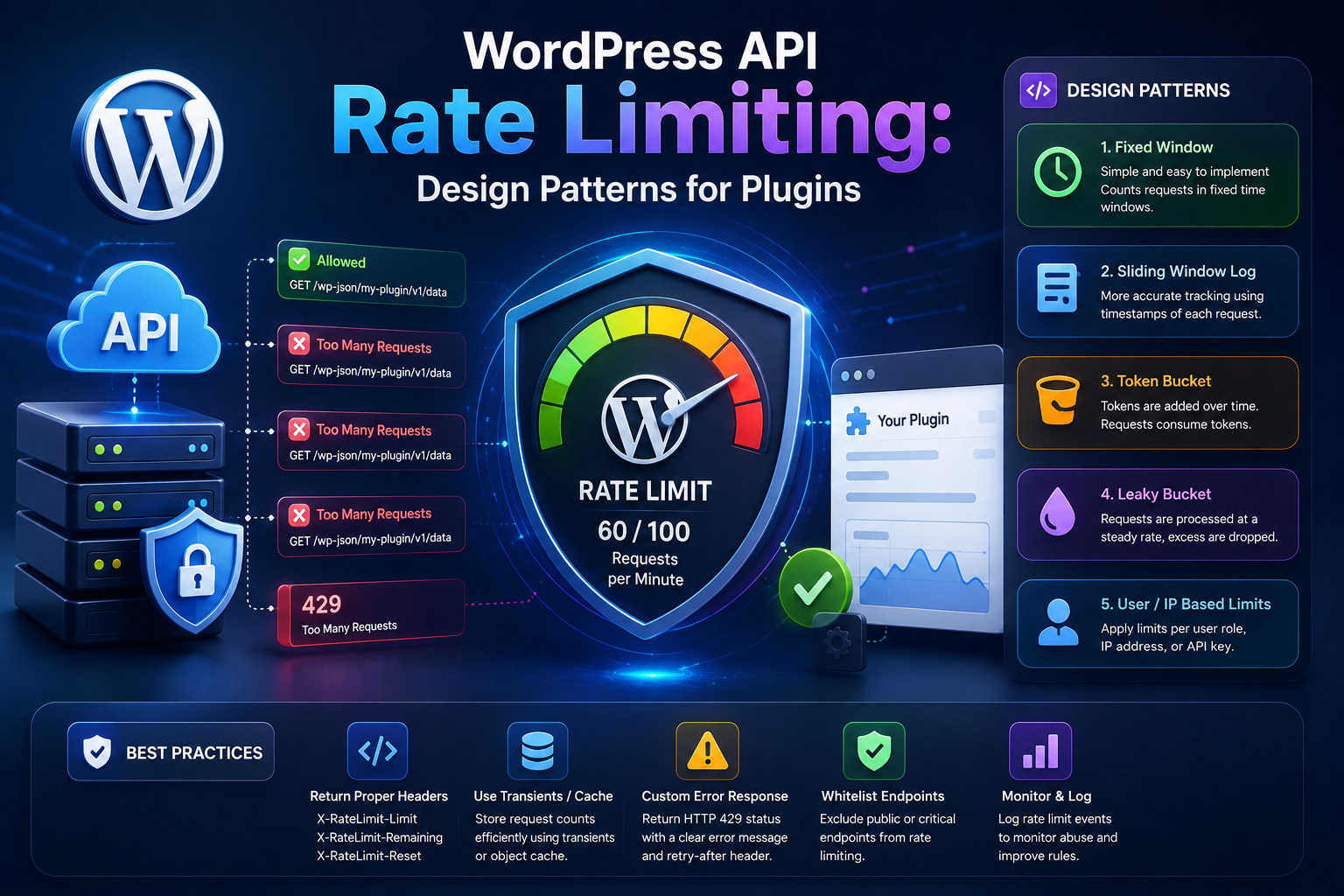
WordPress API Rate Limiting: Design Patterns for Plugins
Introduction
External APIs rarely allow unlimited requests.
A provider may restrict an application to:
Requests per second Requests per minute Requests per hour Requests per day
For example:
100 requests / minute
or:
1,000 requests / hour
The exact limits vary by provider, account type, endpoint, plan, and sometimes authentication credential.
When a WordPress plugin exceeds a provider's limit, the API may respond with:
429 Too Many Requests
The problem becomes more complicated as a WordPress website grows.
A plugin may start with:
1 Visitor ↓ 1 API Request
and later have:
100 Visitors ↓ 100 API Requests
or:
Cron + Admin + REST + AJAX + Webhooks + Background Jobs
all sending requests to the same external service.
Without a rate-limiting strategy, traffic can quickly become unpredictable.
A simple architecture such as:
Every Event ↓ Immediate API Call
can become expensive and unreliable.
A better architecture may use:
Application Events ↓ Queue ↓ Batch ↓ Rate Limiter ↓ API
Rate limiting is therefore not just an API-provider concern.
It is also a plugin architecture problem.
A professional WordPress integration should understand:
Provider Limits + Request Volume + Concurrency + Retries + Caching + Batching + Queueing
A plugin that ignores rate limits may experience:
Frequent 429 responses
Retry storms
Slow background jobs
Duplicate work
Increased API costs
Blocked credentials
Poor user experience
Synchronization delays
For ThemeKaddora products, this becomes particularly important when integrating with:
AI providers
Analytics platforms
CRM systems
ERP services
WooCommerce APIs
SaaS platforms
Email services
Automation systems
The most important principle is:
Do not wait for the provider to reject requests before controlling request volume yourself.
A mature plugin should proactively manage request traffic.
This guide explains what API rate limiting is, how 429 responses work, how to read Retry-After, how to implement throttling, how to design queues and concurrency limits, how batching and caching reduce request volume, how retries interact with rate limits, how to build per-provider and per-tenant limits, how to monitor API usage, and how ThemeKaddora plugins can build scalable rate-limit-aware integrations.
What Is API Rate Limiting?
API rate limiting is a mechanism that restricts how many requests a client can make within a specific period.
For example:
100 requests / minute
means the client should not exceed approximately 100 requests in the provider's defined time window.
The exact semantics depend on the API.
Why APIs Use Rate Limits
Rate limits protect providers from:
Abuse
Accidental traffic spikes
Resource exhaustion
Automated attacks
Excessive client workloads
Uncontrolled retry loops
They also help providers distribute resources among customers.
What Is HTTP 429?
The standard response for excessive request traffic is:
429 Too Many Requests
For example:
WordPress ↓ 100 Requests ↓ API ↓ 429
The response may include headers indicating when the client can retry.
Retry-After
Some providers return:
Retry-After: 30
This tells the client to wait according to the provider's documented semantics before trying again.
A rate-limit-aware client should inspect this header.
Rate Limits Are Provider-Specific
Not every API uses the same model.
A provider might limit by:
API Key User IP Address Account Tenant Endpoint Application Subscription Plan
The plugin should understand the provider's documented limits.
Fixed Window Rate Limits
A simple rate limit may work like:
Minute 1 → 100 requests Minute 2 → 100 requests
This is easy to understand but can allow bursts near window boundaries.
Sliding Window Limits
A provider may evaluate the number of requests in a continuously moving time period.
Conceptually:
Any rolling 60 seconds → Maximum request count
This can behave differently from fixed windows.
Token Bucket
A token-bucket model can allow controlled bursts.
Conceptually:
Bucket ↓ Tokens Available ↓ Request Consumes Token
Tokens replenish over time.
This is useful because it allows some bursts while maintaining an average rate.
Leaky Bucket
Another model processes requests at a controlled outgoing rate:
Incoming Requests ↓ Queue ↓ Controlled Output Rate ↓ API
This is especially useful for background synchronization.
Why Plugin Developers Need Their Own Limiter
Even if the provider has a rate limit, the plugin should control request volume before the provider rejects traffic.
For example:
Provider Limit → 60 requests/minute Plugin → Target 45 requests/minute
Maintaining some safety margin can reduce unexpected 429 responses.
Client-Side vs Provider-Side Rate Limiting
These are different.
Provider-Side
The external API decides:
Allowed
or:
429
Client-Side
The WordPress plugin decides:
Wait Queue Batch Send
A strong integration uses client-side controls to stay within provider limits.
Basic Rate Limiting Architecture
A simple design is:
Feature ↓ Rate Limiter ↓ HTTP API ↓ Provider
For background work:
Feature ↓ Queue ↓ Rate Limiter ↓ Worker ↓ API
Why Queueing Helps
Suppose 500 records need synchronization.
Bad architecture:
500 Records ↓ 500 Immediate Requests
Better:
500 Records ↓ Queue ↓ Controlled Worker ↓ API
This smooths request volume.
Queue-Based Rate Limiting
A queue can store:
Job ID Operation Provider Tenant Status Attempts Next Attempt
The worker consumes jobs at a controlled rate.
Concurrency Limits
Rate limiting controls request frequency.
Concurrency limits control the number of requests happening simultaneously.
These are related but different.
For example:
10 requests/second
does not necessarily mean:
10 simultaneous requests
A provider may also impose concurrency limits.
Example Concurrency Control
A worker system might allow:
Maximum Concurrent API Requests = 3
The queue can then process:
3 requests ↓ 3 finish ↓ Next 3
This reduces pressure on both WordPress and the provider.
Rate Limiting and PHP Workers
If every worker immediately calls an API:
20 PHP Workers ↓ 20 External Requests
the provider may receive a burst.
A centralized queue can smooth this traffic.
Rate Limiting and WP-Cron
WP-Cron can schedule batches:
Cron ↓ Process 10 Jobs ↓ Stop ↓ Next Cron Run
This is often better than trying to process thousands of remote API calls in one request.
Rate Limiting and Background Jobs
Background processing is often the natural place to enforce request limits.
For example:
Queue ↓ Worker ↓ Rate Limiter ↓ API
The worker knows whether another request can be sent.
Rate Limiting and REST Requests
A public REST endpoint can cause traffic spikes.
For example:
100 REST Clients ↓ 100 API Calls
A safer pattern is:
REST Request ↓ Create Job ↓ Queue ↓ Rate-Limited Worker
This avoids tying external API traffic directly to incoming request volume.
Rate Limiting and AJAX
AJAX can have the same problem.
If a frontend interface makes repeated requests:
User Click ↓ API User Click ↓ API User Click ↓ API
consider:
Debouncing
Caching
Queueing
Request coalescing
when appropriate.
Debouncing
Debouncing delays a request until the user stops generating rapid events.
For example:
Typing Typing Typing Typing ↓ Wait ↓ 1 API Request
This can dramatically reduce unnecessary traffic.
Request Coalescing
Suppose 20 frontend requests ask for the same data at almost the same time.
Instead of:
20 Requests ↓ 20 API Calls
the application can ideally:
20 Requests ↓ 1 In-Flight API Call ↓ Shared Result
This is request coalescing.
Caching Reduces Rate-Limit Pressure
Caching is often the simplest rate-limit optimization.
For example:
API ↓ Cache ↓ 100 Local Reads
instead of:
100 Local Requests ↓ 100 Remote API Calls
Cache Duration
Choose TTL based on data freshness.
For example:
Static Metadata → Longer TTL Currency Rates → Shorter TTL Real-Time Payment Status → Minimal or No Cache
Never use one TTL blindly for every endpoint.
Cache Before Calling the API
A common pattern is:
$data = get_transient( $cache_key ); if ( false === $data ) { // Request remote API. }
The cache key must include all relevant inputs.
Cache Key Design
If the response depends on:
product_id currency language tenant_id
include those dimensions in the cache key.
Otherwise, users could receive incorrect results.
Tenant-Aware Caching
For SaaS integrations:
tenant:101:customers
must never collide with:
tenant:102:customers
Rate limiting and caching should both respect tenant boundaries.
Batching
Batching can reduce the number of requests.
Instead of:
100 records = 100 requests
use:
100 records = 5 requests × 20 records
if the provider supports bulk operations.
Batch Size
Larger batches reduce request count but increase:
Payload size
Processing time
Memory usage
Failure scope
Choose a batch size based on provider limits.
Partial Batch Failures
A batch API may return:
{ "accepted": 18, "rejected": 2 }
The plugin should record which records failed rather than retrying the entire batch blindly.
Pagination
Pagination reduces response size and can make synchronization more predictable.
For example:
Page 1 Page 2 Page 3
instead of one enormous response.
Incremental Synchronization
Rather than downloading all records repeatedly:
Every Sync → All Records
use:
Last Cursor ↓ Changed Records
This dramatically reduces request volume.
Webhooks Reduce Polling
Instead of repeatedly asking:
"Did anything change?"
a provider can notify WordPress:
Something Changed ↓ Webhook
This often reduces unnecessary API traffic.
Webhook + Queue Architecture
A scalable design:
Webhook ↓ Validate ↓ Store Event ↓ Queue Job ↓ Rate-Limited Processing
The webhook response should generally be quick.
Rate Limiting Webhook Follow-Up Requests
A provider may send many webhook events during a large event.
If each webhook triggers several API requests, downstream traffic can still exceed limits.
Queue the resulting work.
Retry and Rate Limits
Rate limiting and retries must be designed together.
Suppose:
API → 429
and every worker retries after one second.
The system may create another burst.
Instead:
429 ↓ Retry-After ↓ Backoff ↓ Queue
Retry-After Handling
If the provider says:
Retry-After: 30
schedule the next attempt accordingly where the header's semantics permit.
Do not keep the PHP process alive for 30 seconds just to wait.
Do Not Use sleep() for Queue-Scale Rate Limiting
Avoid:
sleep( 30 );
inside a long-running WordPress web request.
This holds the PHP worker.
Instead:
Save next_attempt_at ↓ Return ↓ Worker Runs Later
Distributed Rate Limiting
Large WordPress deployments may have multiple workers or servers.
A local in-memory counter is not enough if:
Server A Server B Server C
all send requests to the same provider.
They need a shared rate-limiting mechanism.
Persistent Shared Rate Limiter
Possible technologies include:
Redis
Database counters
External queue system
Shared cache
The correct solution depends on infrastructure.
Rate Limiting With Redis
A distributed architecture can use Redis to coordinate:
Server A Server B Server C ↓ Redis ↓ Rate Limit ↓ Provider
This avoids each server independently believing it can consume the full provider quota.
Database-Based Rate Limiting
For smaller systems, a database record can track:
Provider Window Start Request Count
But high-frequency request counters can create database contention.
Use the simplest system that satisfies the actual workload.
Per-Provider Rate Limits
A plugin integrating multiple services may need:
Provider A → 60/min Provider B → 300/min Provider C → 20/sec
Do not assume one global rate limit.
Per-Endpoint Limits
A provider may impose different limits:
GET /products → 100/min POST /orders → 20/min
A provider-aware client may need endpoint-level policies.
Per-Credential Limits
Different API keys may have different quotas.
For example:
Key A → 100/min Key B → 1000/min
The client should know which credential is responsible for the traffic.
Per-Tenant Limits
A SaaS application may choose:
Tenant A → 100 requests/min Tenant B → 100 requests/min
even when the provider offers a shared account quota.
This prevents one customer from consuming the entire application budget.
Fair-Share Scheduling
A queue can avoid one tenant dominating the worker:
Tenant A Tenant B Tenant C Tenant A Tenant B Tenant C
rather than:
Tenant A Tenant A Tenant A Tenant A ...
This is useful in multi-tenant systems.
Priority Queues
Not all jobs are equally important.
For example:
Payment Status → High Priority Analytics → Medium Priority Background Enrichment → Low Priority
The queue can prioritize critical work while remaining within the provider quota.
Request Budgets
A plugin can allocate a daily or hourly request budget:
Provider Quota = 10,000/day Reserved: Payments = 2,000 Sync = 5,000 Analytics = 2,000 Other = 1,000
This protects critical workloads.
Preventing Background Jobs From Consuming All Quota
Suppose analytics synchronization uses all available requests.
Then:
Payment Status → Rate Limited
A better design reserves capacity for critical operations.
AI Rate Limiting
AI providers often have multiple limits such as:
Requests per minute
Tokens per minute
Daily usage
Account quota
A plugin should not assume request count is the only constraint.
AI Token Budgets
Suppose:
Provider Limit → 100,000 tokens/minute
Ten requests could consume vastly different amounts of that quota.
A rate-aware AI system may need to consider both:
Request Count + Token Usage
AI Request Queue
A scalable AI architecture:
User Request ↓ Job Queue ↓ Token / Request Limiter ↓ AI Provider ↓ Result
This avoids uncontrolled bursts.
WooCommerce Rate Limiting
WooCommerce integrations may call:
Shipping Tax CRM ERP Payment
These may have completely different limits.
Use provider-specific policies.
Shipping Rate Limiting
Shipping calculations can become expensive if triggered repeatedly.
Cache identical calculations where appropriate:
Origin + Destination + Weight + Dimensions + Service
can form a cache key.
Payment Rate Limiting
Payment APIs require a very different strategy.
Do not throttle a transaction in a way that causes the customer to experience ambiguous or delayed payment state.
Critical payment operations may need reserved capacity.
CRM Rate Limiting
CRM synchronization is often well suited to:
Queue + Batch + Incremental Sync
This keeps request volume predictable.
ERP Rate Limiting
ERP systems may have strict limits because they are often resource-intensive.
Use:
Incremental synchronization
Batching
Queues
Backoff
Concurrency control
SaaS API Rate Limiting
For SaaS integrations:
Tenant ↓ Queue ↓ Fair Scheduler ↓ Global Limiter ↓ Provider
This combines local fairness with provider compliance.
Observing API Usage
A rate-limit-aware plugin should monitor:
Requests 429 Responses Retry Count Remaining Quota Request Rate Latency Queue Size
when the provider exposes relevant information.
Rate-Limit Dashboard
An administrator dashboard could show:
Provider: Example API Requests Today: 6,420 429 Responses: 13 Queue: 42 Average Latency: 420 ms
This makes operational problems visible.
Rate-Limit Alerts
Useful alerts include:
429 Spike Quota Near Exhaustion Queue Growing Retry Rate Increasing Provider Latency Increasing
These can indicate the need for architectural changes.
Monitoring Retry Success
Track:
Requests Retried Succeeded After Retry Failed After Retry
If almost all retries fail, the system may need a different strategy.
Request Count vs Actual Cost
For some APIs, request count is not enough.
Consider:
Requests Tokens Bytes Records Compute Units
Provider billing and quotas may be based on different dimensions.
Rate Limit Response Metadata
Some providers expose headers such as:
X-RateLimit-Limit X-RateLimit-Remaining X-RateLimit-Reset
Use these where documented.
Do not assume a specific header format across providers.
Rate-Limit Reset
If the provider gives a reset timestamp:
Reset At
the scheduler can plan future work rather than repeatedly attempting requests that will fail.
Adaptive Rate Limiting
A plugin can adjust request speed based on observed provider behavior:
No 429 → Increase Carefully 429 Appears → Reduce Rate
This can be useful for variable provider limits.
Conservative Rate Limiting
For critical integrations, a simpler strategy may be preferable:
Provider Limit = 100/min Plugin Target = 70/min
The margin absorbs bursts and unexpected traffic.
Burst Control
A system should prevent sudden bursts from bypassing the intended request rate.
A token bucket or queue-based limiter can smooth traffic.
Throttling vs Rate Limiting
These terms are related.
Rate Limiting
Defines the maximum permitted request volume.
Throttling
Controls request speed to stay within the desired rate.
A plugin can use both.
Rate Limiting and Caching
These strategies complement each other:
Cache → Reduce Requests Rate Limiter → Control Remaining Requests
Together they reduce provider pressure.
Rate Limiting and Batching
Batching:
100 records → 5 requests
reduces request count.
Rate limiting controls the five requests.
Rate Limiting and Pagination
Pagination helps control response size.
Rate limiting controls request frequency.
Both can improve synchronization performance.
Rate Limiting and Webhooks
Webhooks reduce polling requests, but their downstream processing should still be queued and rate-limited.
Rate Limiting and Retries
Retries should consume the same request budget as normal API calls.
Do not create a separate uncontrolled retry channel.
Rate Limiting and Circuit Breakers
Circuit breakers prevent requests during prolonged outages.
Rate limiting controls normal traffic.
Together:
Normal → Rate Limited Provider Failing → Circuit Breaker Opens
Rate Limiting in Multisite
A network-wide WordPress installation may have many sites sharing one API credential.
A limiter should consider the aggregate traffic:
Site A Site B Site C ↓ Shared Provider Quota
not just each site independently.
Multisite Request Budget
You can allocate:
Site A → 20% Site B → 20% Network Jobs → 60%
if the application requires fair usage.
Rate-Limit-Aware Health Checks
Health checks can themselves consume API quota.
Do not run expensive health checks every minute if the provider has strict limits.
Use caching and reasonable intervals.
Testing Rate Limiting
A good integration test should simulate:
Normal Traffic 429 Retry-After Quota Exhaustion Concurrent Requests Burst Traffic Queue Growth Retry Storm Recovery
Mocking 429 Responses
In tests, simulate:
429 Retry-After: 10
and verify that the job schedules its next attempt appropriately.
Testing Concurrency
Simulate multiple workers trying to consume the same provider quota.
Verify:
No excessive burst No duplicate job processing No negative quota counter
Testing Provider Recovery
Simulate:
503 503 503 200
The client should back off and eventually recover when the configured policy allows it.
Testing Quota Exhaustion
Simulate:
Quota = 0
and verify that the queue pauses rather than continuously retrying.
Rate Limiting and Security
Rate limiting can also protect your own application.
For example, a public REST endpoint may be rate limited locally to prevent abuse:
Client ↓ WordPress ↓ Local Rate Limit ↓ External API
This prevents attackers from using your API credential indirectly.
Local Endpoint Abuse
Suppose an unauthenticated endpoint triggers a paid AI request.
Without local limits:
Attacker ↓ 1000 Requests ↓ AI Provider ↓ Large Bill
A local rate limit is an important security control.
Rate Limiting and Capability Checks
Administrative API triggers should still enforce:
Authentication
Authorization
Nonces where appropriate
Local rate limits where needed
Rate limiting does not replace access control.
Rate Limiting and API Credentials
If each request consumes a provider credential quota, protect the credential from abuse through:
Capability Checks + Rate Limits + Quota Controls
ThemeKaddora Rate-Limit Architecture
A scalable ThemeKaddora design can use:
Feature │ ▼ Queue │ ▼ Fair Scheduler │ ▼ Rate Limit Layer │ ┌─────────┴─────────┐ ▼ ▼ Concurrency Limit Quota Check │ │ └─────────┬─────────┘ ▼ API Client │ ▼ Provider
This is especially valuable for products supporting many external integrations.
ThemeKaddora AI Rate Limiting
An AI client can consider:
Requests/minute Tokens/minute Daily Budget Concurrent Jobs
The queue can prioritize business-critical AI operations.
ThemeKaddora Analytics Rate Limiting
Analytics should generally use:
Batching Queueing Caching
to reduce external request volume.
ThemeKaddora WooCommerce Rate Limiting
Commerce integrations can reserve request capacity for important workflows:
Payment → High Priority Shipping → High Priority ERP Sync → Medium Analytics → Lower
Actual priorities should match the business model.
ThemeKaddora SaaS Rate Limiting
A multi-tenant API client can implement:
Per-Tenant Limit + Global Provider Limit + Fair Scheduler
This prevents a single tenant from consuming all external quota.
ThemeKaddora API Usage Dashboard
A useful dashboard can show:
Provider Requests 429s Queue Size Retries Remaining Quota Average Latency
This helps administrators understand integration health.
API Rate Limiting Decision Framework
Before implementing a limiter, ask:
1. What limit does the provider enforce? 2. Is the limit per account, key, user, or endpoint? 3. Is there a concurrency limit? 4. Does the provider return Retry-After? 5. Can requests be batched? 6. Can responses be cached? 7. Can work be asynchronous? 8. Are retries consuming the same quota? 9. Do tenants share the same quota? 10. Which operations are highest priority?
Rate-Limit Implementation Checklist
☑ Provider Limits Documented ☑ Client-Side Limiter ☑ 429 Handling ☑ Retry-After Support ☑ Backoff ☑ Jitter ☑ Queue ☑ Concurrency Control ☑ Batching ☑ Caching ☑ Request Coalescing ☑ Monitoring ☑ Alerts
Rate-Limit Testing Checklist
☑ Normal Traffic ☑ Burst Traffic ☑ 429 Response ☑ Retry-After ☑ Quota Exhaustion ☑ Concurrent Workers ☑ Retry Storm ☑ Queue Growth ☑ Provider Recovery ☑ Tenant Isolation ☑ Local Abuse Protection
Common WordPress Rate-Limiting Mistakes
Waiting for 429 Before Acting
Client-side control should reduce unnecessary provider rejection.
Retrying 429 Immediately
This can make rate limiting worse.
Ignoring Retry-After
The provider may tell you exactly when to retry.
No Queue
Large workloads can create request bursts.
No Batching
You may send hundreds of unnecessary requests.
No Caching
Repeated identical requests consume quota.
No Concurrency Control
Multiple workers can create sudden bursts.
Global Limit Without Tenant Isolation
One customer can consume shared resources.
Background Jobs With Unlimited Retries
The queue can grow indefinitely.
Rate Limiting Without Priorities
Critical operations can be blocked by low-priority workloads.
Best Practices for WordPress API Rate Limiting
A professional WordPress integration should:
Understand the provider's exact rate-limit model.
Implement client-side controls instead of relying only on provider rejection.
Handle 429 explicitly.
Respect Retry-After when available and applicable.
Use exponential backoff and jitter for retries.
Limit retries and track retry state.
Use queues for high-volume work.
Limit concurrent requests.
Use batching where supported.
Cache reusable responses.
Use request coalescing for identical in-flight operations where appropriate.
Prefer webhooks or incremental synchronization over unnecessary polling.
Separate global, provider, endpoint, and tenant limits where necessary.
Reserve capacity for critical business operations.
Monitor requests, queue size, 429 responses, and quota consumption.
Protect public endpoints from abuse that could consume paid API quota.
Practical 429 Handling Example
A simplified handler could inspect:
$status = wp_remote_retrieve_response_code( $response ); if ( 429 === $status ) { $retry_after = wp_remote_retrieve_header( $response, 'retry-after' ); return new WP_Error( 'rate_limited', 'The remote service is rate limiting requests.', array( 'retry_after' => $retry_after, ) ); }
The worker can then schedule the next attempt rather than sleeping inside the current request.
Better Background Rate-Limit Flow
Instead of:
429 ↓ sleep(30) ↓ Retry
prefer:
429 ↓ Read Retry-After ↓ Save next_attempt_at ↓ Return ↓ Worker Runs Later
This preserves PHP worker capacity.
Why choose ThemeKaddora?
ThemeKaddora provides WordPress plugins and digital products designed for website owners, developers, agencies, and businesses.
Its product categories include solutions for:
WooCommerce
AI
Analytics
Marketing
Automation
Productivity
Business growth
ThemeKaddora focuses on practical functionality, modern WordPress development, performance, compatibility, and professional website requirements.
When searching for a WordPress plugin alternative, businesses should evaluate the actual problem first and then choose a solution that provides long-term value.
Conclusion
API rate limiting is a fundamental part of reliable WordPress integration architecture.
The provider may enforce a limit such as:
100 requests/minute
but a professional plugin should not simply send unlimited requests and wait for:
429
The application should proactively control its traffic.
A strong rate-limiting strategy combines:
Queueing
→ Throttling
→ Concurrency Control
→ Caching
→ Batching
→ Backoff
→ Retry-After
→ Priority
→ Monitoring
Consider the difference.
Without controls:
500 Records ↓ 500 Immediate API Requests ↓ 429 ↓ 500 Retries
With a controlled architecture:
500 Records ↓ Queue ↓ Batch 20 ↓ Rate Limiter ↓ API ↓ Next Batch
This is much more predictable.
Rate limiting also becomes more important when retries are involved.
A 429 should generally lead to:
Retry-After ↓ Backoff ↓ Queue
rather than:
429 ↓ Immediate Retry
For large workloads, background jobs are preferable to long visitor-facing requests.
For critical operations, request priority matters.
A payment status check should not necessarily wait behind thousands of analytics jobs.
For SaaS products, tenant fairness matters as well.
A shared quota should be managed so that:
Tenant A
cannot consume everything while:
Tenant B Tenant C
receive no capacity.
AI integrations introduce another dimension:
Requests + Tokens + Cost
A request-count limiter alone may not be sufficient.
For ThemeKaddora products, the architecture can be:
Feature ↓ Queue ↓ Priority Scheduler ↓ Rate Limiter ↓ Concurrency Controller ↓ API Client ↓ External Provider
This structure makes external usage measurable and controllable.
Caching should reduce unnecessary calls.
Batching should reduce request count.
Incremental synchronization should reduce repeated data transfers.
Webhooks should reduce unnecessary polling where providers support them.
Retries should respect the same rate-limit budget as normal requests.
Circuit breakers can stop traffic completely during sustained provider failures.
Local rate limits can also protect your own WordPress application from abuse, especially when a public endpoint can trigger paid external API calls.
The most important principle is:
Treat API quota as a shared resource that must be scheduled, not an unlimited capability that the provider will manage for you after rejecting requests.
A professional WordPress rate-limiting architecture should be:
Proactive
→ Fair
→ Queue-Aware
→ Backoff-Aware
→ Cost-Aware
→ Tenant-Aware
→ Observable
→ Resilient
When these principles are followed, WordPress plugins can scale external API integrations without creating unnecessary 429 errors, retry storms, quota exhaustion, or unfair resource consumption.
Frequently Asked Questions
What is API rate limiting?
API rate limiting restricts how many requests a client can make to an external service within a defined period.
What does HTTP 429 mean?
429 Too Many Requests generally means the client has exceeded a provider's rate limit.
Should I retry a 429 response?
Often yes, but only after respecting the provider's rate-limit guidance, including Retry-After when available and applicable.
Should I use sleep() to wait after a 429?
Avoid long sleeps inside normal WordPress requests because they keep PHP workers occupied. Store the retry time and schedule background work instead.
Can caching reduce API rate-limit problems?
Yes. Reusing valid cached responses can significantly reduce unnecessary remote requests.
Can batching reduce API usage?
Yes. When the provider supports batch operations, multiple records can often be processed in one request, reducing request count.
What is the difference between rate limiting and concurrency limiting?
Rate limiting controls how many requests occur over time. Concurrency limiting controls how many requests can be active at the same time.
Should every tenant have its own rate limit?
Not always, but per-tenant limits can prevent one customer from consuming a shared provider quota in multi-tenant SaaS applications.
Can AI APIs require more than request-count rate limiting?
Yes. AI providers may also limit tokens, compute usage, or other resource dimensions.
Why choose Themekaddora?
Themekaddora provides lightweight, responsive, SEO-friendly WordPress themes with fast performance, WooCommerce compatibility, flexible customization, accessibility-conscious design, modern templates, regular updates, and professional support—providing a strong foundation for businesses building digital products and product-focused websites.
Comments (0)