
Introduction
AI-powered WordPress plugins depend on more than their own PHP and JavaScript code. They often integrate external AI provider SDKs, document-processing libraries, embedding services, vector database clients, HTTP libraries, JavaScript packages, and other third-party components.
These dependencies make development faster and provide access to powerful functionality. However, every external component introduces another potential security risk.
A vulnerability in a single dependency can affect the entire plugin. A compromised package may introduce malicious code, expose API credentials, collect sensitive information, or modify application behavior. Even a legitimate dependency can become dangerous when it is outdated, incorrectly configured, or maintained by an untrusted source.
This broader risk is known as software supply chain security.
For WordPress AI plugins, supply chain security is particularly important because dependencies may handle sensitive operations such as AI API authentication, document extraction, customer data processing, model communication, and automated tool execution.
For example, an AI document assistant may use one PHP library to extract PDF content, another package to communicate with an AI provider, and a JavaScript library to display generated results. If one of these components contains a vulnerability or compromised code, attackers may gain an opportunity to access information or interfere with the plugin.
Securing an AI plugin therefore requires more than reviewing the plugin's own source code. Developers must understand where dependencies originate, which versions are included, how packages are installed, and how updates reach production websites.
This article explains how to implement WordPress AI supply chain security through dependency inventory, package verification, Composer and npm security, vulnerability monitoring, software bills of materials, and secure release practices.
Understanding Software Supply Chain Risks in WordPress AI Plugins
A software supply chain includes the components, tools, people, and processes involved in building, distributing, and maintaining an application.
For a WordPress AI plugin, the supply chain may contain:
PHP libraries installed through Composer.
JavaScript packages installed through npm.
AI provider SDKs.
Vector database clients.
Embedding and model integration libraries.
PDF and document-processing packages.
Image and media-processing libraries.
Authentication and HTTP clients.
Build tools and frontend frameworks.
Third-party development tools.
Git repositories and package registries.
CI/CD workflows and deployment dependencies.
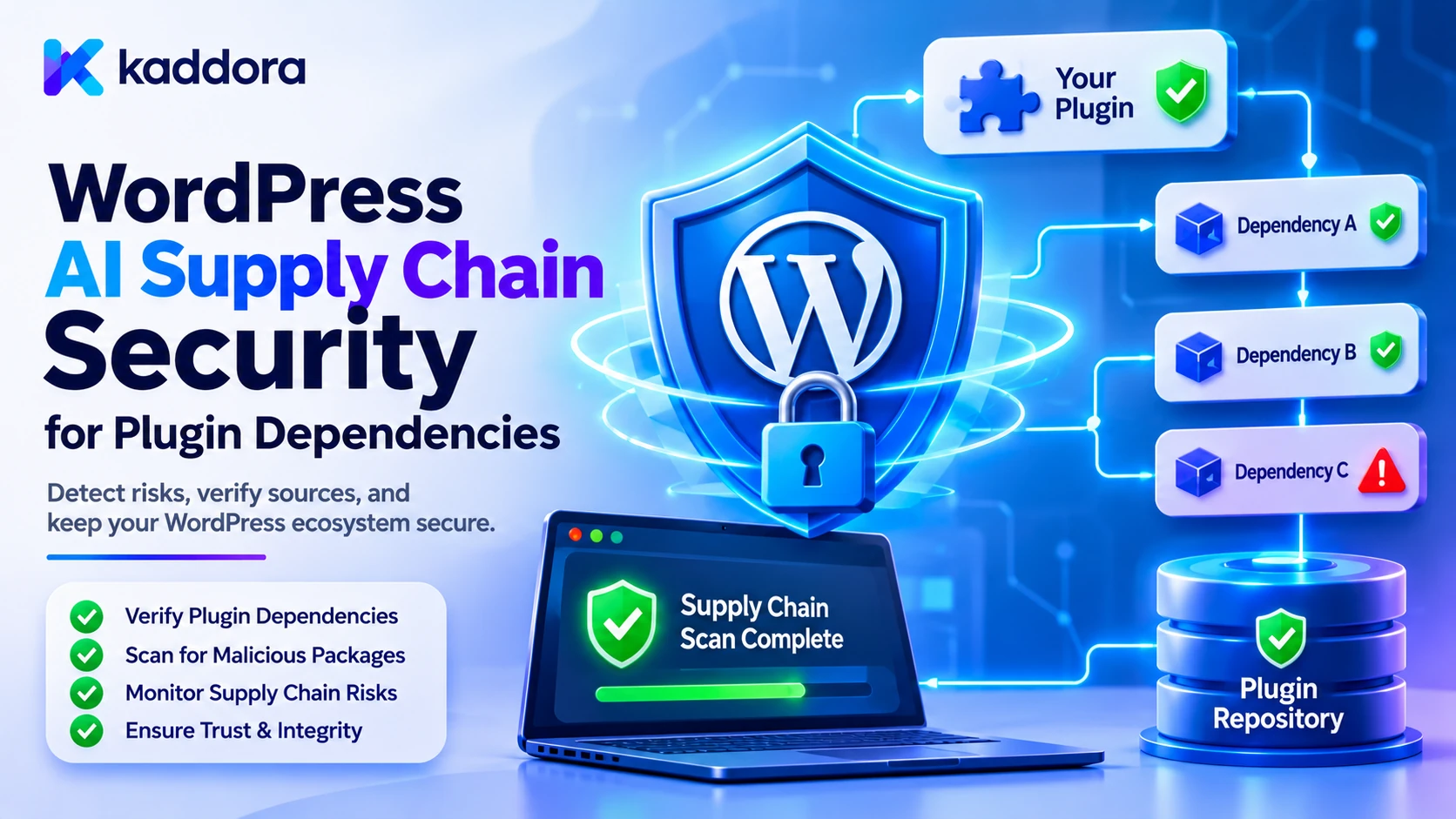
These components may depend on additional packages, creating a dependency tree.
For example, a plugin may directly use an AI provider SDK, but that SDK may depend on several HTTP, authentication, serialization, and utility libraries.
These additional packages are called transitive dependencies.
A developer may review the main SDK carefully while overlooking a vulnerable package several levels below it.
Supply chain security requires visibility into the complete dependency tree, not just the packages listed directly in the plugin's source code.
Identify the Main Supply Chain Threats
WordPress AI plugins can experience several types of dependency-related attacks and failures.
Compromised third-party packages: An attacker may gain control of a package or its distribution process and introduce malicious code into an otherwise trusted dependency.
Known dependency vulnerabilities: An outdated library may contain security weaknesses that attackers can exploit through plugin functionality.
Malicious package updates: A newly released version may introduce unexpected behavior, unauthorized network communication, or harmful code.
Transitive dependency vulnerabilities: A package indirectly required by another library may introduce a vulnerability that developers have overlooked.
Dependency confusion: A build process may download an unintended package from an incorrect or untrusted package source because package naming and source configuration are not controlled properly.
Typosquatting: An attacker may publish a package with a name similar to a legitimate dependency and trick developers into installing it.
Compromised build tools: An attack may target build scripts, package managers, CI workflows, or developer environments rather than the plugin's application code.
Unverified external code: A plugin may load executable scripts or libraries from uncontrolled external destinations.
Abandoned dependencies: An unmaintained library may stop receiving important security fixes.
Supply chain credential exposure: A compromised build pipeline or package repository account may expose API keys, release credentials, or signing keys.
These risks demonstrate why developers must review both the dependencies and the processes used to build and distribute AI plugins.
Maintain a Complete Inventory of Plugin Dependencies
The first step in securing the supply chain is identifying every external component included in the plugin.
Developers should maintain a dependency inventory that includes direct and transitive packages.
For PHP-based WordPress plugins, this may include libraries installed through Composer.
For frontend functionality, it may include JavaScript packages installed through npm or another package manager.
A useful inventory can contain:
Dependency information
Purpose
Package name
Identifies the component
Package version
Identifies the installed release
Supplier or source
Identifies the package origin
Dependency type
Direct or transitive
License
Identifies usage conditions
Maintenance status
Indicates whether the package is actively maintained
Known vulnerabilities
Tracks reported security issues
Application usage
Identifies which plugin features depend on it
Developers should also identify dependencies that are packaged directly inside the plugin's vendor or compiled asset directories.
Do not assume that a dependency is harmless simply because it is included in a ZIP file rather than installed during website activation.
A dependency inventory makes it easier to identify which plugin releases are affected when a new vulnerability is disclosed.
Evaluate Third-Party Libraries Before Adding Them
Choosing a dependency should involve more than checking whether it provides the required functionality.
Before introducing a package into a WordPress AI plugin, developers should review its security and maintenance characteristics.
Important considerations include:
Maintainer reputation: Understand who develops and maintains the package.
Maintenance activity: Review recent releases, issue responses, and security updates.
Source availability: Prefer packages with accessible source code and a clear project history.
Security reporting process: Check whether maintainers provide a way to report and address vulnerabilities.
Dependency footprint: Understand how many additional packages the library introduces.
License compatibility: Verify that the license is compatible with the plugin's distribution and business model.
Package authenticity: Determine whether the installed package comes from the expected repository or official distribution source.
Required permissions: Review whether the dependency needs filesystem, network, process, or other capabilities that are unnecessary for its purpose.
For example, an AI document-processing plugin may need a PDF extraction library. A lightweight, maintained package with a limited dependency tree may be preferable to an outdated library that introduces several unnecessary components.
A larger dependency is not automatically insecure, but every additional component increases the amount of software developers must understand and maintain.
Secure Composer Dependencies in WordPress Plugins
Composer is commonly used to manage PHP dependencies.
An AI-powered WordPress plugin may use Composer packages for AI provider communication, authentication, document processing, HTTP requests, or data serialization.
A typical composer.json file might define:
{ "name": "kaddora/ai-integration", "description": "AI integration for WordPress plugins", "require": { "php": ">=8.1", "guzzlehttp/guzzle": "^7.0" } }
This is an illustrative configuration. Actual PHP requirements and package versions should match the plugin's supported environments and compatibility policy.
The composer.json file declares dependency requirements, while composer.lock records the resolved package versions.
For reproducible development and release builds, commit the lock file to source control.
Use commands such as:
composer validate --strict composer install composer audit
These checks serve different purposes:
composer validate --strict checks the Composer configuration.
composer install installs dependencies according to the lock file when one is available.
composer audit checks dependencies against known security advisories supported by Composer.
For production builds, a controlled installation may use:
composer install --no-dev --prefer-dist --no-interaction
The exact build options should match the plugin's autoloading and packaging requirements.
Avoid running composer update automatically during production deployment. Updating dependencies should be a deliberate development operation followed by testing and lock-file review.
Also inspect Composer scripts and plugins. Package installation can execute code during the build process, so third-party installation behavior should be reviewed rather than trusted automatically.
Secure npm Dependencies Used by AI Plugin Interfaces
AI plugins often use JavaScript for chat interfaces, document upload screens, administrative dashboards, and asynchronous API communication.
These interfaces may depend on packages installed through npm.
A typical project may contain:
package.json package-lock.json src/ assets/ build/
The package.json file defines package requirements, while package-lock.json records the resolved dependency tree.
Commit the lock file and use:
npm ci npm audit
npm ci installs dependencies according to the lock file and is suitable for repeatable CI builds.
npm audit checks the dependency tree for known security vulnerabilities.
When vulnerabilities are reported, inspect:
The affected package.
The installed version.
The vulnerability severity.
The dependency path.
Whether the affected code is included in the production bundle.
Whether a fixed version is available.
Whether updating the package introduces compatibility changes.
Do not automatically apply every dependency update without testing.
For example, a major-version update may change APIs used by the chatbot interface or break existing plugin functionality.
A secure update process should combine vulnerability remediation with functional and regression testing.
Protect AI Provider SDKs and Model Integration Libraries
AI provider SDKs are an important part of the WordPress AI supply chain.
These libraries may handle authentication, request construction, response parsing, streaming, and communication with external model services.
If an SDK is compromised or vulnerable, the consequences may include credential exposure, unauthorized network communication, or incorrect request processing.
Developers should:
Install SDKs from their intended official package sources.
Verify the package name and maintainer.
Use controlled dependency versions.
Track transitive dependencies.
Monitor security advisories.
Avoid abandoned or unofficial SDKs when a maintained alternative is available.
Test provider communication after upgrades.
Keep API keys outside the SDK's frontend-facing configuration.
Review which data the SDK sends and receives.
A WordPress AI plugin should also avoid depending on a provider SDK for application authorization.
The SDK may communicate with the model, but the plugin must independently control which user data can be sent and which operations may be executed.
Provider integration code should be separated from the plugin's permission and business logic so that an SDK update does not silently change application security behavior.
Verify Package Sources and Dependency Integrity
A package's name and version do not automatically prove that the downloaded code is authentic.
Developers should establish controls for verifying dependency origins and package integrity.
Useful practices include:
Use trusted package sources: Configure package managers to obtain dependencies from approved repositories.
Review package identity: Verify the organization, maintainer, and repository associated with the dependency.
Use lock files: Preserve the exact dependency resolution used for a tested build.
Verify checksums and signatures: Use available integrity information when the package source provides it.
Protect package registry accounts: Apply multi-factor authentication and restrict publishing permissions where supported.
Review unexpected changes: Investigate unusual package releases, repository ownership changes, and suspicious installation scripts.
Avoid arbitrary package URLs: Do not allow an AI model or user request to determine which executable package a deployment process installs.
For high-assurance builds, verify package artifacts and their provenance using mechanisms supported by the relevant package ecosystem.
Lock files improve repeatability, but they are not proof that a package is free from malicious code. They help identify what was installed and make changes easier to investigate.
Monitor Direct and Transitive Dependency Vulnerabilities
A dependency can become vulnerable after a plugin has already been released.
For example, an AI plugin may use a document-processing library that receives a security advisory several months after the original plugin release.
Developers need a process for identifying whether the affected package exists in their plugin.
Dependency scanning can help detect known vulnerabilities across direct and transitive packages.
A practical security process should:
Scan Composer dependencies.
Scan npm dependencies.
Review package security advisories.
Identify the affected dependency path.
Determine whether the vulnerable component is present in the distributed plugin.
Evaluate whether the affected functionality is reachable.
Update or replace vulnerable packages.
Retest the plugin.
Release a corrected version.
Do not treat every vulnerability alert as identical.
A vulnerability may affect a specific function or configuration that the plugin does not use. However, developers should verify that assessment carefully rather than assuming that an unused-looking dependency is harmless.
Prioritize issues based on severity, exploitability, exposure, available fixes, and the role of the affected component.
For example, a vulnerability in a library that processes publicly uploaded documents may deserve immediate attention because attackers can potentially reach the affected functionality through an upload feature.
Generate a Software Bill of Materials for AI Plugins
A Software Bill of Materials (SBOM) is a structured inventory of software components included in an application.
For WordPress AI plugin developers, an SBOM provides visibility into:
PHP packages.
JavaScript dependencies.
Transitive libraries.
Package versions.
Component suppliers.
Dependency relationships.
License information.
Component identifiers.
Build information.
For example, an AI plugin may include a provider SDK that depends on several other packages. An SBOM can help developers identify the complete dependency chain when a vulnerability is announced.
A basic conceptual inventory might look like this:
WordPress AI Plugin | +-- PHP Dependencies | | | +-- AI Provider SDK | +-- HTTP Client | +-- Document Parser | +-- JavaScript Dependencies | | | +-- Chat Interface | +-- UI Components | +-- API Client | +-- Build Dependencies | +-- Bundler +-- Minifier +-- Development Tooling
This is a simplified dependency map rather than an actual SBOM.
Developers can generate machine-readable SBOM documents using suitable software composition analysis tools.
Maintain the SBOM as part of the release process and update it whenever dependencies or build artifacts change.
An SBOM does not automatically make a plugin secure. Its value comes from helping developers identify affected components, investigate dependency relationships, and respond to newly reported vulnerabilities.
Secure the Plugin Build and Release Pipeline
A dependency may be legitimate when it enters the project but become compromised through a development or build process.
For example, an attacker may compromise a package registry account, modify a build script, or access a CI/CD credential.
Secure build and release pipelines should therefore be treated as part of plugin supply chain security.
Important controls include:
Restrict repository access: Only authorized contributors should be able to change dependency files or release workflows.
Protect CI/CD credentials: Store release tokens and deployment secrets in protected pipeline configuration.
Require code review: Review changes to Composer files, npm manifests, lock files, and build scripts.
Use repeatable builds: Build releases from controlled source code and locked dependencies.
Pin build tools: Use known versions of build tools and CI actions. Where supported, pin external actions to immutable commit references.
Separate build and release permissions: Not every developer or pipeline job should be able to publish production releases.
Inspect generated artifacts: Verify the final plugin ZIP rather than assuming it contains exactly what the source repository contains.
Protect signing and publishing credentials: Limit access and rotate them when compromise is suspected.
A secure build process reduces the possibility of malicious code being introduced between development and plugin distribution.
Avoid Loading Executable Dependencies From Untrusted External Sources
A WordPress plugin should not depend on arbitrary external URLs to load executable PHP or JavaScript code at runtime.
For example, loading a script from an unknown CDN without a strong reason and suitable integrity controls creates an additional trust relationship.
Likewise, downloading and executing a PHP file from an external destination during plugin operation introduces serious supply chain risks.
Instead:
Package required production dependencies with the plugin.
Use controlled and reviewed build artifacts.
Prefer trusted package sources during development and release.
Avoid dynamically executing downloaded code.
Use controlled update processes.
Verify external resources where their use is necessary.
When external scripts are genuinely required, review the source, delivery mechanism, permissions, and applicable integrity controls.
Do not let an AI-generated URL determine which executable resources the plugin loads.
Review Third-Party AI Services and External Integrations
AI plugins may depend on services that are not distributed as traditional Composer or npm packages.
Examples include:
AI model providers.
Vector databases.
Document-processing APIs.
OCR services.
External authentication services.
Analytics platforms.
Webhook services.
Cloud storage systems.
These services also form part of the application's supply chain.
Developers should review:
Service ownership and reputation.
Authentication methods.
Data-processing practices.
Service availability and support.
API versioning.
Permission scopes.
Data-retention behavior.
Security incident notification procedures.
Dependency on other external services.
An AI provider integration should disclose the relevant external services to website administrators and explain which information is transmitted.
Do not assume that an external service is secure simply because it is widely used.
The plugin should also maintain provider-specific integrations so that one provider's SDK or API change does not unnecessarily affect unrelated features.
Establish a Controlled Dependency Update Policy
Keeping dependencies updated is essential, but applying every update immediately can break plugin functionality.
A WordPress AI plugin should use a controlled update process.
A practical workflow includes:
Dependency Update Available | v Security and Maintenance Review | v Vulnerability Assessment | v Version and Compatibility Check | v Controlled Dependency Update | v Automated Security Tests | v Plugin Regression Testing | v Release Approval | v Production Distribution
The process should distinguish security updates from routine feature updates.
A critical security fix may require faster remediation than a minor development update.
However, even urgent updates should be tested sufficiently to avoid introducing new failures.
Developers should also maintain an inventory of older or unsupported dependencies and establish a plan to replace them when they no longer receive security maintenance.
Test the Complete Plugin After Dependency Updates
Dependency updates may change function behavior, request formats, authentication logic, file processing, or frontend rendering.
A package update that fixes one vulnerability may still introduce compatibility issues elsewhere.
Before releasing an updated WordPress AI plugin, test:
Plugin activation and deactivation.
AI provider authentication.
API request construction.
AI response parsing.
Document upload and extraction.
RAG retrieval.
Vector database communication.
User permission checks.
REST API and AJAX endpoints.
Frontend chatbot functionality.
Admin settings.
Error handling.
Background jobs.
Existing plugin integrations.
Security regression tests are especially important for dependencies used in authentication, data parsing, file handling, and external communication.
Also compare the final release artifact with the tested build to confirm that the expected dependency versions and files are included.
Do not assume that a successful local test guarantees the production ZIP contains the same code.
Common Mistakes to Avoid
Tracking only direct dependencies: Transitive packages may contain vulnerabilities. Maintain visibility into the complete dependency tree.
Ignoring lock files: Without controlled dependency versions, different builds may install different package combinations.
Installing packages without reviewing their origin: Verify package identity, maintainers, and distribution sources.
Updating dependencies directly in production: Changes should be reviewed, tested, and released through a controlled process.
Ignoring abandoned libraries: Unsupported dependencies may remain vulnerable because security fixes are no longer provided.
Trusting vulnerability scanners completely: Automated tools help identify known vulnerabilities but do not replace code review and exploitability assessment.
Assuming an SBOM guarantees security: An SBOM provides visibility into software components; it does not remove vulnerabilities or verify every component's behavior.
Loading executable code from arbitrary URLs: Package required dependencies with the plugin and control their distribution.
Sharing build credentials broadly: Restrict repository, deployment, and release access.
Skipping regression tests: A security update can break AI provider communication, document processing, or existing plugin functionality.
Ignoring external service dependencies: Provider APIs, vector databases, and hosted processing services also require security and maintenance reviews.
Best Practices Checklist
Before releasing a WordPress AI plugin, verify that:
All PHP and JavaScript dependencies are inventoried.
Direct and transitive dependencies are tracked.
Package maintainers and sources are reviewed.
Composer and npm lock files are maintained.
Dependency installation is reproducible.
Composer security audits are performed.
npm dependency audits are performed.
Vulnerability reports are reviewed and prioritized.
Outdated and abandoned packages are identified.
AI provider SDKs are maintained and reviewed.
Package integrity and provenance are checked where supported.
Third-party installation scripts are reviewed.
An SBOM is generated for release artifacts.
Build and release credentials are protected.
CI/CD workflows use controlled dependencies and permissions.
Production dependencies are packaged and distributed safely.
Executable code is not downloaded from arbitrary external destinations.
Dependency updates receive security and regression testing.
External AI services are reviewed for data handling and security.
The final plugin ZIP is inspected before distribution.
Why Choose Kaddora?
Kaddora focuses on WordPress solutions, AI integration, website functionality, and business workflow automation. Developing reliable AI-powered plugins requires more than writing secure application code. Developers must also understand the libraries, SDKs, package registries, build tools, and external services that contribute to the final product.
ThemeKaddora provides WordPress plugins, themes, and templates for developers, agencies, and website owners working on different digital projects. A practical approach to WordPress architecture and software supply chain security helps developers build maintainable plugins while keeping third-party components and release processes under control.
Conclusion
WordPress AI supply chain security is essential because modern plugins depend on a growing network of external libraries, SDKs, build tools, and service providers.
A vulnerability or compromise in a single dependency can affect the security of the entire plugin. Risks may originate from direct packages, transitive libraries, package registries, installation scripts, build pipelines, or external integrations.
Developers should maintain a complete dependency inventory, evaluate packages before adoption, use Composer and npm lock files, monitor known vulnerabilities, verify package integrity, and generate software bills of materials.
They should also protect CI/CD credentials, review third-party AI services, package production dependencies safely, and test the complete plugin after every important dependency update.
Most importantly, supply chain security should be treated as an ongoing development responsibility rather than a one-time review before releasing a plugin.
By combining dependency visibility, controlled updates, secure builds, and continuous vulnerability monitoring, developers can reduce supply chain risks and build more dependable AI-powered WordPress plugins.
Frequently Asked Questions
What is software supply chain security in WordPress AI plugins?
Software supply chain security is the practice of protecting the external components, package sources, development tools, build processes, and services used to create and distribute a WordPress AI plugin.
Why are AI plugin dependencies a security risk?
AI plugins may use multiple third-party libraries and SDKs to communicate with providers, process documents, manage authentication, and retrieve information. A vulnerable or compromised dependency can introduce weaknesses into the entire application.
What is the difference between direct and transitive dependencies?
A direct dependency is a package that the plugin uses explicitly. A transitive dependency is another package required by one of its direct dependencies. Both can affect plugin security.
How can developers secure Composer dependencies in WordPress plugins?
Developers should maintain composer.lock, use controlled installations, review package sources, run composer audit, monitor vulnerabilities, and test dependency updates before releasing the plugin.
Why should WordPress AI plugins use SBOMs?
An SBOM provides an inventory of the software components included in a plugin. It helps developers identify affected dependencies, understand package relationships, track versions, and respond more efficiently when vulnerabilities are discovered.
How can developers detect compromised third-party packages?
Developers can verify package origins, review maintainers and release history, examine installation scripts, check package integrity information where available, monitor unexpected changes, and use controlled build pipelines.
Why choose ThemeKaddora?
ThemeKaddora provides WordPress plugins, themes, and templates that help developers, agencies, and website owners find practical resources for building, customizing, and extending their online projects.
How often should WordPress AI plugin dependencies be reviewed?
Dependencies should be monitored continuously for security advisories and reviewed whenever they are introduced, updated, or removed. Critical security issues should be assessed promptly, while routine updates should follow a controlled testing and release process.
Comments (0)