
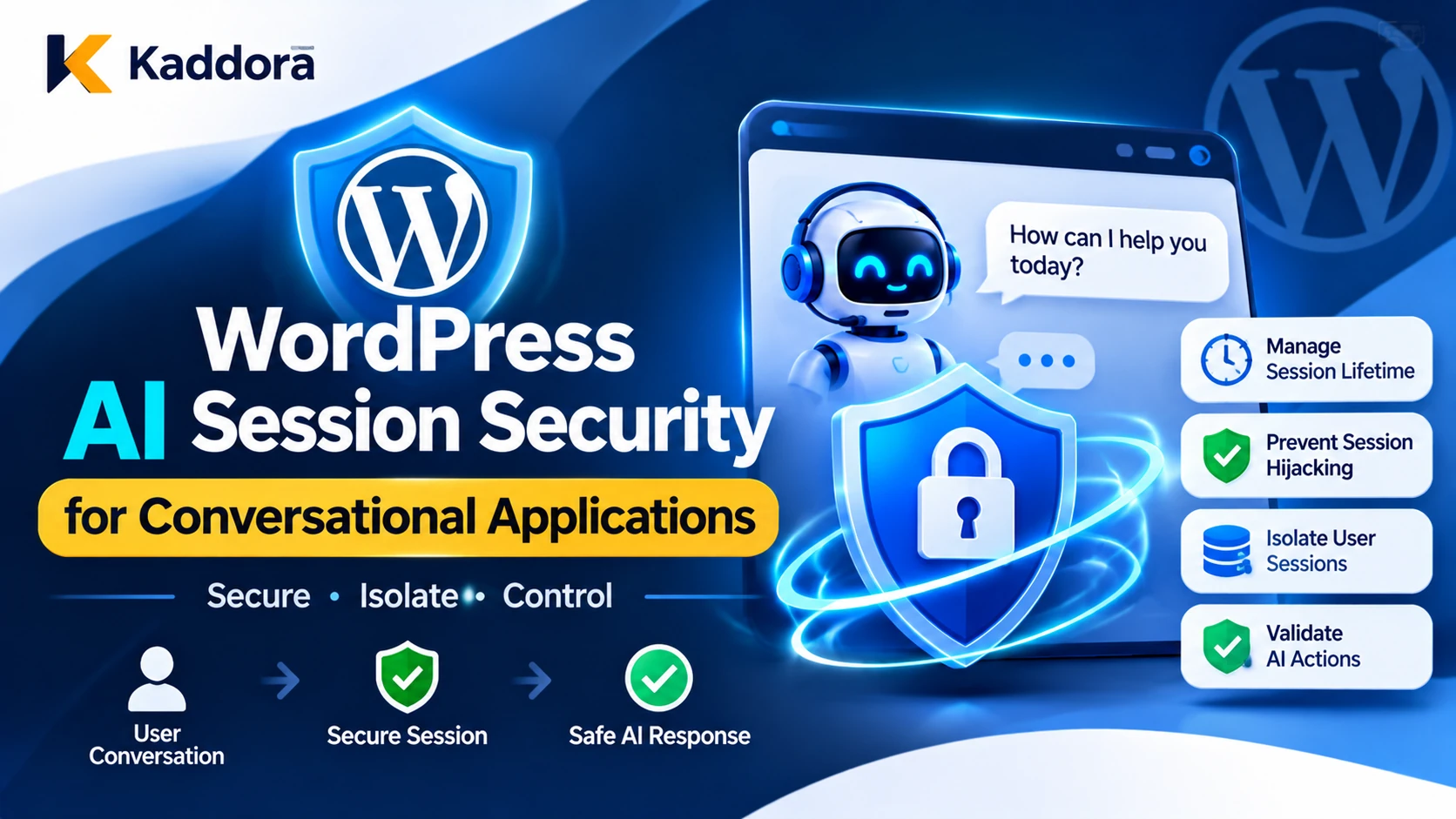
Introduction
AI-powered conversational applications are becoming an important part of the WordPress ecosystem. Plugins can provide customer-support chatbots, virtual assistants, content assistants, product recommendation systems, and automated business support through ongoing conversations.
These applications need to maintain context between messages. When a user asks a follow-up question, the AI assistant may need to remember earlier messages, retrieve previous information, or continue an unfinished task.
However, maintaining conversation context introduces important security responsibilities. A weak session implementation may allow one user to access another user's conversation, expose private conversation history, retain access after logout, or mix information between different customers.
The risks become more complicated when AI applications use conversation memory, external model providers, browser sessions, retrieval systems, and automated tools.
WordPress AI session security establishes how users are authenticated, how conversations are associated with their owners, how session identifiers are protected, and how conversation data is accessed throughout its lifecycle.
A secure implementation must protect both the WordPress authentication session and the separate conversational state managed by the AI plugin.
This guide explains how to design secure conversational sessions for WordPress AI plugins using authentication controls, session isolation, conversation ownership, secure storage, expiration policies, REST API protection, and privacy-focused memory management.
What Is WordPress AI Session Security?
WordPress AI session security is the collection of authentication, authorization, session management, and data protection mechanisms used to secure conversations between website users and AI-powered applications.
A conversational application typically maintains several types of state:
Authentication state: Identifies the WordPress user making a request.
Conversation state: Identifies the active conversation and its history.
Context state: Maintains information required for the current conversation.
Memory state: Stores selected information that may be reused across interactions.
Execution state: Tracks pending AI tasks, approvals, and tool operations.
These states should not be treated as interchangeable.
For example, a conversation ID identifies a particular conversation, but it does not prove that the person requesting it is authorized to access it.
Similarly, an AI model's memory of earlier messages does not establish the identity or permissions of the current user.
The plugin must independently verify authentication, conversation ownership, and access rights before retrieving or modifying conversation information.
Why Do WordPress AI Conversational Applications Need Session Security?
AI conversational applications continuously exchange information between users, WordPress, and external AI services. Without appropriate session controls, private information can become accessible outside its intended context.
Prevent Unauthorized Conversation Access
A chatbot may store conversation messages in a custom database table or another storage system.
If the plugin retrieves a conversation using only a conversation ID, an attacker may attempt to access another user's history by changing that identifier.
A conversation ID must never serve as the only authorization mechanism.
Protect Private Conversation History
Users may share order details, personal information, business records, support requests, and other confidential information during conversations.
Unauthorized access to this history can expose sensitive information even when the rest of the WordPress installation remains secure.
Prevent Cross-Session Data Leakage
AI applications may process several users' conversations simultaneously.
A poorly designed context manager could accidentally include one user's messages in another user's AI request. This can happen through shared memory variables, incorrectly keyed caches, global conversation state, or weak tenant filtering.
Protect Against Session Hijacking
An attacker who obtains a valid session identifier may attempt to impersonate its owner.
Predictable identifiers, insecure cookies, session fixation, and insufficient expiration controls can increase this risk.
Maintain Secure AI Memory
Some conversational applications retain information beyond a single conversation.
Without clear ownership, retention, and retrieval restrictions, information from an earlier interaction may unexpectedly appear in a future response.
Session security helps ensure that conversational context remains isolated and available only to authorized users.
Understand the Difference Between WordPress Authentication and AI Conversation Sessions
A secure conversational application should separate the WordPress login mechanism from its conversation management system.
WordPress Authentication Session
WordPress uses authentication cookies to maintain the logged-in user's identity.
When an authenticated user accesses a protected plugin feature, the application should use the WordPress authentication context and verify the required capabilities.
For cookie-authenticated REST requests, WordPress supports REST nonces to help protect against cross-site request forgery.
AI Conversation Session
An AI conversation session identifies the conversation or interaction state that the plugin needs to continue processing messages.
It may contain metadata such as:
Conversation identifier.
WordPress user identifier.
Site or tenant identifier.
Conversation creation time.
Last activity time.
Session expiration time.
Conversation status.
Memory references.
This information belongs in server-side storage protected by appropriate authorization rules.
Why These Sessions Must Remain Separate
A conversation token should not automatically grant access to a WordPress account.
Likewise, a WordPress login should not give a user unrestricted access to every conversation stored by the plugin.
The application should verify both authentication and conversation ownership whenever a protected conversation is accessed.
Design a Secure AI Session Architecture
A secure architecture should make conversation identity, authentication, authorization, and storage separate responsibilities.
A practical workflow is:
User Request → WordPress Authentication → REST Request Verification → Conversation Identification → Ownership Check → Permission Validation → Context Retrieval → AI Processing → Response Validation → Secure Conversation Update
Each stage should enforce its own security requirements.
Use Server-Side Conversation Records
Maintain conversation metadata in a dedicated storage layer, such as a custom WordPress database table.
A record may contain:
Field
Purpose
Conversation ID
Identifies the conversation
User ID
Identifies its owner
Site ID
Establishes the WordPress site context
Session status
Tracks active or revoked state
Created timestamp
Records session creation
Last activity
Supports idle expiration
Expiry timestamp
Defines maximum lifetime
Memory reference
Connects approved context data
Do not store sensitive conversation information directly inside a client-controlled conversation identifier.
The server should retrieve ownership and authorization information from trusted records.
Use Opaque and Unpredictable Identifiers
If the application uses a separate conversation token, generate it using a cryptographically secure random number generator.
For example:
$kaddora_ai_session_token = bin2hex( random_bytes( 32 ) );
This generates a high-entropy random token.
The token should not contain a user ID, email address, role, conversation text, or other meaningful information.
For stronger storage protection, store a cryptographic hash of the token in the database and compare it with the hash of the presented token.
The token should identify a session, not replace WordPress authentication or server-side authorization.
Bind Conversations to Their Owners
Every protected conversation should be associated with its authenticated user and, where applicable, its WordPress site or tenant.
For example, a conversation created by one customer should not become accessible merely because another customer knows its identifier.
The application should check the authenticated user against the conversation's stored owner before retrieving messages, updating context, or generating a response.
Secure Session Identifiers and Cookies
Session identifiers are security-sensitive because possession of a valid identifier may allow an attacker to impersonate a session when other protections are weak.
Avoid Predictable Session IDs
Do not create session identifiers using timestamps, sequential database IDs, usernames, or simple random-number functions.
Use a cryptographically secure random generator.
Keep the meaning of the session on the server rather than embedding sensitive information in the identifier.
Use Secure Cookie Attributes
When a custom conversation-session cookie is necessary, configure appropriate cookie security attributes.
Important attributes include:
Secure: Sends the cookie only over HTTPS.
HttpOnly: Prevents ordinary browser JavaScript from reading it.
SameSite: Helps control when browsers send cookies with cross-site requests.
Path: Restricts the cookie to the required application path.
Domain: Avoids unnecessary sharing across subdomains.
Expires or Max-Age: Controls browser-side cookie lifetime.
An illustrative cookie configuration is:
setcookie( 'kaddora_ai_session', $kaddora_ai_session_token, array( 'expires' => time() + 1800, 'path' => '/', 'secure' => is_ssl(), 'httponly' => true, 'samesite' => 'Lax', ) );
This example shows cookie attributes, not a complete session-management implementation. A production plugin must also validate the token against server-side session records, apply the required domain policy, and invalidate the server-side session when it expires or is revoked.
Do not expose session tokens in URLs, browser history, referrer information, analytics events, or ordinary application logs.
Prevent Session Fixation
When authentication state changes, do not continue trusting an old anonymous conversation session as though it automatically represents the newly authenticated user.
Create a fresh authenticated conversation context and invalidate or safely migrate the earlier anonymous context according to a documented policy.
Use strict session handling and rotate session identifiers when required by the authentication design.
Protect Conversation Ownership and Isolation
Session isolation is one of the most important controls in a multi-user conversational application.
Check Conversation Ownership on Every Request
Every operation involving a protected conversation should verify its owner.
This includes:
Retrieving conversation history.
Adding a new message.
Editing or deleting a message.
Updating conversation metadata.
Retrieving conversation memory.
Resuming an existing interaction.
Exporting conversation data.
Do not perform an ownership check only when the conversation is initially created.
Example: Verify Conversation Ownership
The following example demonstrates a server-side ownership check for a conversation record.
<?php /** * Check whether the current user owns a conversation. * * @param object $conversation Conversation database record. * @return bool */ function kaddora_ai_user_owns_conversation( $conversation ) { if ( ! is_object( $conversation ) ) { return false; } if ( ! is_user_logged_in() ) { return false; } if ( (int) $conversation->user_id !== get_current_user_id() ) { return false; } return true; }
This example assumes that the conversation record has already been retrieved securely from server-side storage.
A complete implementation must also verify the WordPress site or tenant, session status, expiry, and any additional access policy required by the feature.
Prevent Cross-User Context Mixing
Do not use a single global memory variable to hold active conversation information for multiple users.
Use isolated storage keys and request-scoped processing.
For example, a memory reference may be associated with:
WordPress site ID.
Authenticated user ID.
Conversation ID.
Memory type.
Before adding stored context to an AI request, verify that it belongs to the correct user and conversation.
Apply Tenant Isolation
For SaaS-style WordPress plugins or multisite installations, add tenant and site identifiers to conversation records and retrieval queries.
A user belonging to one organization should not be able to retrieve conversations belonging to another organization.
Do not rely solely on client-supplied tenant IDs. Derive and verify the active context using trusted authentication and authorization information.
Secure WordPress REST API Requests
Conversational applications commonly use the WordPress REST API to send messages and retrieve conversation history.
These requests must be protected against unauthorized access and cross-site request forgery.
Use Cookie Authentication Correctly
For logged-in WordPress users, cookie authentication provides the user's current WordPress identity.
When making REST requests from the authenticated administration interface, send the appropriate REST nonce using the X-WP-Nonce header or another documented WordPress mechanism.
Add Permission Callbacks
Every custom REST route should have a suitable permission_callback.
For example:
'permission_callback' => function () { return current_user_can( 'read' ); },
This is only a general example. A real conversation endpoint should also check access to the specific conversation and apply the feature's own permissions.
Verify Nonces and Authorization Separately
A WordPress nonce helps protect against CSRF attacks, but it is not authentication or authorization.
Always use capability checks and conversation ownership verification.
The same rule applies to AJAX actions: nonce verification does not authorize a user to access arbitrary conversation records.
Protect Anonymous Conversations
Public chatbots may allow visitors to interact without logging in.
In that case, the plugin needs a separate guest-session strategy using server-generated random identifiers, secure cookies, rate limits, and appropriate CSRF protections.
WordPress's default logged-out nonce behavior does not automatically provide unique guest session identity because anonymous visitors ordinarily share user ID 0 in the nonce system.
For security-sensitive guest operations, establish an appropriate per-visitor session identity and validate it on the server. Do not rely on the conversation ID alone.
Secure AI Conversation History and Memory
Conversation history helps an AI assistant maintain context, but it can also become a source of sensitive information exposure.
Store Only Necessary Conversation Data
Avoid retaining entire conversations indefinitely when the feature does not require them.
Define which information needs to be stored, why it is needed, and how long it should remain available.
For example, a temporary support chatbot may only require the current conversation, while a long-term customer assistant may need selected account preferences.
Separate Conversation History From Long-Term Memory
Conversation history represents messages exchanged during an interaction.
Long-term memory contains selected information intended for reuse in later interactions.
These should use separate storage and retrieval rules.
A user should not automatically have every historical message added to every future AI request.
Protect Memory Retrieval
Before retrieving stored memory, verify:
The authenticated user.
The conversation or account association.
The site or tenant.
The memory's purpose.
The user's access permissions.
Its retention and deletion status.
An AI model should not be able to access another user's memories by generating a different memory identifier.
Treat Stored Messages as Untrusted Content
Previous messages may contain malicious instructions or inaccurate information.
Do not automatically promote conversation history into trusted system instructions.
Separate trusted application policies from stored user and external content when constructing prompts.
Provide Appropriate History Controls
Depending on the feature, provide controls to delete or clear conversation history.
Deletion should cover relevant message records, associated memory, cached context, and plugin-managed copies where applicable.
Also consider external AI providers and connected services that may have received conversation information.
Implement Session Expiration and Revocation
A conversation session should not remain active forever simply because a browser tab is open.
Apply Idle Timeouts
Expire inactive sessions after a defined period.
For example, a temporary customer-support session may use a relatively short inactivity period, while a business application may require a different policy.
The exact timeout should reflect the sensitivity of the application and the expected interaction duration.
Apply Absolute Expiration
Set a maximum session lifetime regardless of activity.
This prevents an old session from remaining active indefinitely.
Revoke Sessions on Logout
When a user logs out, invalidate the relevant authenticated conversation sessions according to the plugin's session policy.
Clearing a browser cookie alone is not sufficient because a copied token could remain usable if the server still accepts it.
Revoke Sessions After Security Events
Consider invalidating relevant sessions when:
An account is disabled.
A password or authentication state changes.
A suspicious session is detected.
The user loses necessary permissions.
A conversation is reported as compromised.
An administrator revokes access.
For sensitive operations, require fresh authentication or confirmation when the risk has materially changed.
Prevent Session Hijacking and Concurrent Session Abuse
A valid session token may be misused if it is stolen through malware, browser compromise, insecure storage, or other vulnerabilities.
Protect conversational sessions with multiple controls.
Use HTTPS
Always use HTTPS for authenticated conversational traffic.
Secure transport reduces the risk of session identifiers and private conversation data being exposed during network transmission.
Protect Against Cross-Site Scripting
An XSS vulnerability may allow attackers to steal information or perform actions within a user's browser context.
Escape displayed conversation content, sanitize permitted HTML, and avoid inserting AI-generated output directly into the page using unsafe HTML operations.
HttpOnly cookies help prevent JavaScript access to cookie values, but they do not prevent an XSS attacker from making authenticated requests through the victim's browser.
Limit Concurrent Session Activity
For sensitive applications, track active sessions and monitor unusual simultaneous access patterns.
Do not rely on IP address alone to identify a legitimate user because users may change networks or use shared connections.
Use risk-based signals, session history, and appropriate reauthentication rather than automatically assuming every network change is malicious.
Prevent Replay of Sensitive Actions
Conversation requests that trigger business actions should use unique execution identifiers and server-side action state.
A repeated message or API request should not automatically repeat a completed payment-related operation, publish duplicate content, or send repeated notifications.
Use idempotency controls for operations with side effects.
Monitor and Audit AI Session Activity
Session monitoring helps administrators understand how conversational features are being used and identify unusual access patterns.
Useful session events include:
Event
Purpose
Session created
Records conversation initiation
User authenticated
Identifies authentication context
Conversation accessed
Records history retrieval
Ownership check failed
Detects unauthorized access attempts
Session renewed
Tracks identifier rotation
Session expired
Records automatic expiration
Session revoked
Tracks manual or security-related revocation
Memory retrieved
Records approved context access
Conversation deleted
Records retention and deletion activity
Security logs should contain appropriate identifiers and timestamps without storing unnecessary private conversation content.
Do not record session tokens, passwords, API keys, or authentication cookies.
Restrict log access and define appropriate retention periods.
Monitor repeated invalid session tokens, unusual conversation access attempts, unexpected ownership failures, and abnormal request volumes.
Test WordPress AI Session Security Before Deployment
Session protection should be tested using both ordinary usage and deliberate security scenarios.
Test Conversation Ownership
Create separate accounts and verify that one user cannot retrieve, update, or delete another user's conversation by changing a conversation ID.
Test Session Expiration
Verify that idle and absolute expiration are enforced on the server.
Try to access a conversation with an expired or revoked token.
Test Authentication Changes
Check what happens when a user logs out, changes authentication credentials, loses permissions, or has an account disabled.
Verify that old authenticated conversation contexts cannot continue to access protected information.
Test Session Fixation and Token Security
Check that session identifiers are unpredictable, that authentication transitions create a fresh session context, and that expired identifiers cannot be reused.
Test Concurrent Conversations
Use several users and browser sessions simultaneously.
Verify that conversation messages, memory, cached responses, and AI request contexts never cross user or tenant boundaries.
Test CSRF and Unauthorized REST Requests
Send requests without valid REST authentication, with incorrect nonces, and with valid nonces but insufficient capabilities.
The application should reject unauthorized operations even when a request passes a basic CSRF check.
Test Memory Isolation
Populate one user's conversation with distinctive information and verify that another user's AI responses cannot retrieve it.
Also test whether deleted memories or revoked conversations remain accessible through caches or external integrations.
Common Mistakes in WordPress AI Session Security
Using conversation IDs as authorization: A conversation identifier does not prove ownership. Verify the authenticated user against server-side records.
Mixing authentication and conversation state: A conversation token must not replace WordPress login authentication.
Using predictable session identifiers: Sequential IDs and timestamps are unsuitable as secret session tokens.
Storing session tokens in URLs: URLs may appear in browser history, referrer information, analytics, and logs. Use appropriate protected cookie or request mechanisms.
Trusting client-supplied user IDs: Derive user identity from trusted WordPress authentication rather than model output or browser parameters.
Using nonces as authorization: A valid nonce does not prove that a user is allowed to access a conversation.
Sharing AI memory between users: Shared global context, unfiltered caches, and missing tenant boundaries can expose private information.
Ignoring server-side expiration: Removing a browser cookie does not invalidate a copied token.
Retaining conversations indefinitely: Store only the information needed for the feature and apply documented retention and deletion rules.
Assuming HttpOnly prevents every browser attack: HttpOnly helps protect cookie values, but XSS may still perform authenticated requests through the user's browser.
Best Practices for WordPress AI Session Security
Use this checklist when designing or reviewing a conversational AI plugin.
Separate WordPress authentication from conversation session management.
Use secure, unpredictable session identifiers.
Store session metadata and ownership on the server.
Avoid placing session tokens in URLs or public logs.
Use secure cookie attributes when custom cookies are required.
Bind conversations to authenticated users and the correct site or tenant.
Verify ownership on every conversation operation.
Apply WordPress capability checks and REST permission callbacks.
Verify nonces for applicable cookie-authenticated requests.
Establish a secure identity and CSRF strategy for guest conversations.
Isolate conversation history, memory, caches, and background processing.
Apply server-side idle and absolute session expiration.
Revoke sessions on logout and relevant security events.
Protect conversation content against XSS and unsafe output handling.
Apply retention and deletion rules to conversation data.
Monitor session activity and investigate unusual access.
Test cross-user access, fixation, replay, expiration, and memory isolation.
Why Choose Kaddora?
Kaddora focuses on WordPress plugins, themes, HTML templates, AI integrations, business applications, and digital products designed for practical website and business requirements.
Building secure conversational applications requires more than connecting a chatbot to an AI provider. Developers must consider authentication, session ownership, conversation history, memory isolation, privacy, API security, and access controls.
A structured session security architecture helps ensure that every conversation remains associated with the correct user and that AI-generated responses use only authorized context.
Kaddora emphasizes practical WordPress development, responsible AI integration, and useful digital solutions for website owners, developers, and businesses.
Conclusion
WordPress AI session security is essential for conversational applications that maintain user identity, conversation history, and AI memory across multiple interactions.
A reliable implementation separates WordPress authentication from conversation state, uses unpredictable session identifiers, stores ownership information securely, and verifies access on every protected request.
Developers should also protect REST API requests, enforce capability checks, isolate user memory, apply server-side expiration, revoke compromised sessions, and monitor unusual activity.
Most importantly, conversation IDs and AI memory references must never be treated as proof of authorization. Trusted WordPress application code must determine which user can access each conversation and which information may enter an AI request.
By combining secure session management with conversation isolation, privacy controls, and continuous testing, WordPress developers can build conversational AI applications that protect user information while delivering consistent and personalized interactions.
Frequently Asked Questions
What is WordPress AI session security?
WordPress AI session security is the process of protecting authentication state, conversation identifiers, conversation history, and AI memory in conversational WordPress applications. It ensures that users can access only their authorized sessions and information.
Why do AI chatbots need secure session management?
AI chatbots maintain context across messages and may store personal or business information. Secure session management helps prevent unauthorized conversation access, session hijacking, cross-user data leakage, and misuse of stored memory.
What is the difference between a WordPress login session and an AI conversation session?
A WordPress login session identifies the authenticated user, while an AI conversation session identifies a particular interaction and its stored context. The plugin must independently verify user authentication and conversation ownership.
How can WordPress developers prevent unauthorized conversation access?
Store conversation ownership on the server, associate records with authenticated user and site identifiers, and verify ownership on every read, update, and delete operation. Never rely solely on a client-supplied conversation ID.
How can developers protect AI conversation history?
Apply user-level access controls, tenant isolation, secure database access, retention policies, and deletion procedures. Retrieve only the conversation history and memory authorized for the current user and task.
Are WordPress nonces enough to secure AI chatbot sessions?
No. WordPress nonces help protect against CSRF attacks but are not authentication or authorization mechanisms. Developers must also verify the user's capabilities, conversation ownership, and session validity.
How can WordPress AI plugins prevent session hijacking?
Use HTTPS, unpredictable session identifiers, secure cookie attributes, server-side expiration, session revocation, XSS protection, and risk-based reauthentication. Monitor unusual access patterns and do not expose session tokens in URLs.
Why choose ThemeKaddora?
ThemeKaddora offers WordPress plugins, themes, HTML templates, and digital products for website owners, developers, and businesses. Its focus is on practical digital solutions, useful functionality, and supporting better website and business workflows.
Comments (0)