
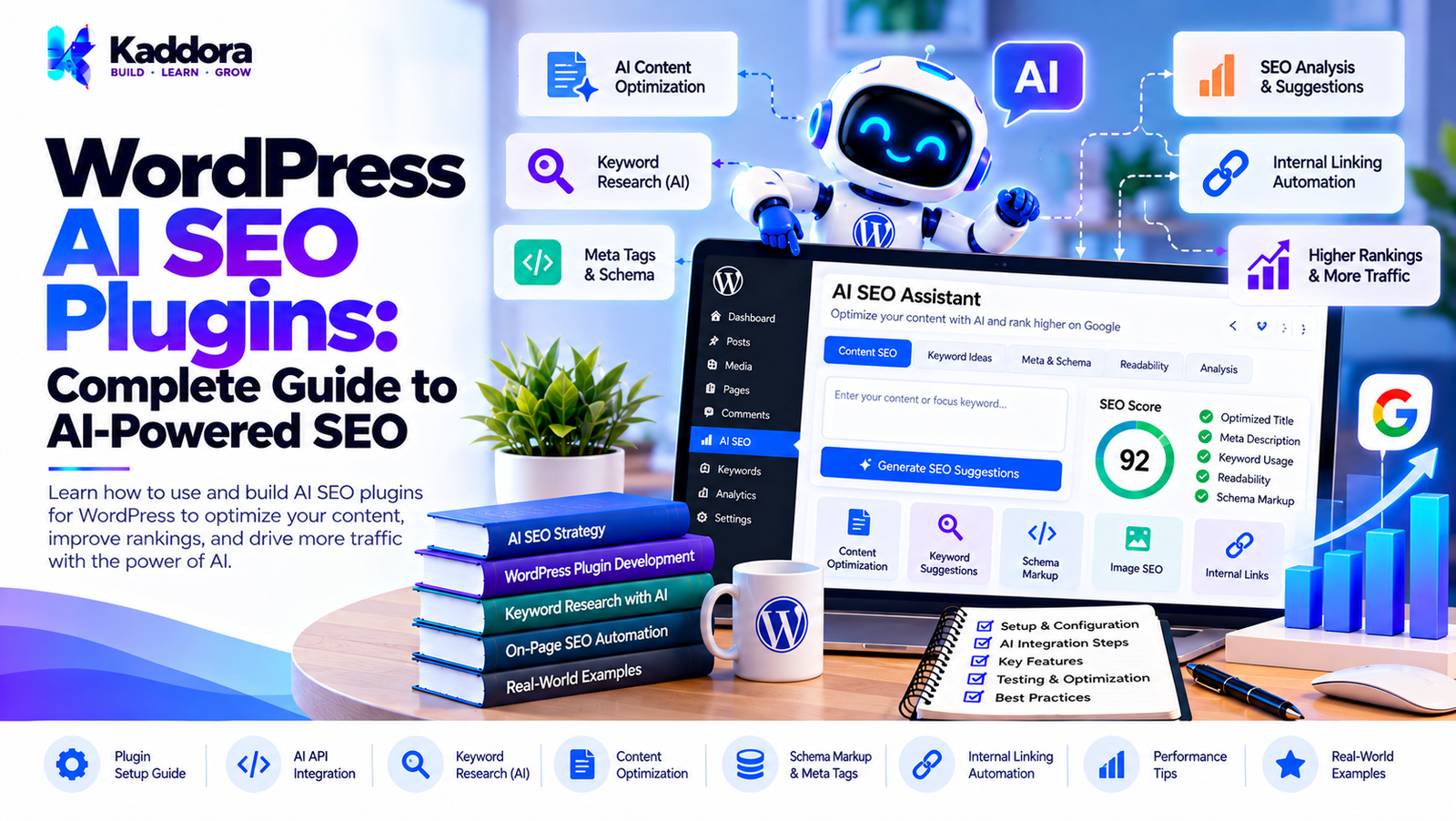
WordPress AI SEO Plugins: Complete Guide
Introduction
Search engine optimization is an important part of growing a WordPress website.
Traditional SEO workflows often require website owners and developers to manually work on:
SEO titles
Meta descriptions
Keywords
Content structure
Internal links
Schema markup
Image alt text
Content readability
Search intent
Content optimization
Technical SEO
Artificial intelligence can assist with many of these tasks.
WordPress AI SEO plugins bring AI-powered SEO functionality directly into the WordPress dashboard. Instead of using separate tools for every optimization task, website owners can use AI-assisted features within their existing content workflow.
An AI SEO plugin can help analyze content, generate metadata, suggest keywords, identify content gaps, recommend internal links, create structured data suggestions, and automate repetitive SEO tasks.
However, AI should support SEO decisions rather than blindly automate every optimization.
A reliable WordPress AI SEO plugin needs to combine AI capabilities with WordPress APIs, SEO rules, structured data, content analysis, security controls, performance optimization, and human review.
This guide explains how WordPress AI SEO plugins work, what features they can provide, how to design their architecture, and how developers can build scalable AI-powered SEO tools.
What Are WordPress AI SEO Plugins?
WordPress AI SEO plugins are plugins that use artificial intelligence to assist with search engine optimization tasks inside WordPress.
A simplified workflow looks like this:
WordPress Content ↓ AI SEO Plugin ↓ Content Analysis ↓ AI Recommendations ↓ SEO Improvements ↓ Editor Review ↓ Publish
Depending on the plugin, AI can assist with content optimization, metadata, keywords, internal linking, structured data, and other SEO workflows.
Why Use AI for WordPress SEO?
SEO involves many repetitive tasks.
For example, a website with hundreds of posts may need:
500 Posts ↓ SEO Titles Meta Descriptions Internal Links Content Analysis Image Optimization Schema
Manually handling every task can take significant time.
AI can help identify patterns and generate suggestions that editors can review.
How WordPress AI SEO Plugins Work
A typical AI SEO workflow can look like:
Post or Page ↓ SEO Analysis ↓ Content Extraction ↓ AI Processing ↓ Recommendations ↓ Editor ↓ SEO Improvements
A more advanced architecture may include:
Content ↓ SEO Rules ↓ Search Data ↓ AI Analysis ↓ Recommendation Engine
Key Features of WordPress AI SEO Plugins
A comprehensive AI SEO plugin can include many different features.
AI SEO Content Analysis
The plugin can analyze content and identify areas that may need improvement.
Possible checks include:
Topic coverage
Heading structure
Content clarity
Keyword usage
Internal linking
Meta information
Search intent alignment
AI recommendations should be treated as suggestions rather than guaranteed ranking instructions.
AI SEO Title Generation
The plugin can generate title suggestions from the content.
For example:
Article ↓ AI Analysis ↓ Title Suggestions ↓ Editor Selection
A good workflow should allow the user to edit the generated title before saving it.
AI Meta Description Generation
AI can create candidate meta descriptions based on the page content.
The workflow can be:
Page Content ↓ Important Information ↓ AI ↓ Meta Description ↓ Review
The generated description should accurately represent the actual page.
AI Keyword Suggestions
AI can suggest related topics and search terms based on the content.
For example:
Primary Topic ↓ AI Analysis ↓ Related Topics ↓ Content Optimization
Keyword suggestions should not automatically become forced keyword insertions.
Natural, useful content remains important.
Search Intent Analysis
A useful AI SEO plugin can analyze the apparent purpose behind a search query.
Common intent categories include:
Informational
Navigational
Commercial
Transactional
For example:
"How to configure WordPress SMTP" ↓ Informational Intent
The plugin can then suggest a content structure appropriate to that intent.
AI Content Optimization
AI can analyze existing content and suggest improvements.
For example:
Existing Content ↓ AI Analysis ↓ Missing Topics ↓ Suggested Improvements
The goal should be improving usefulness rather than simply increasing word count.
AI Content Gap Analysis
Content gaps can occur when an article does not sufficiently address important aspects of a topic.
An AI plugin can identify potentially missing areas.
For example:
Article Topic ↓ Existing Sections ↓ AI Analysis ↓ Potential Missing Topics
The editor can decide which suggestions are actually relevant.
AI Heading Suggestions
AI can suggest:
H2 headings
H3 headings
Section order
FAQ sections
For example:
Topic ↓ Content Structure ├── Introduction ├── Main Concept ├── Implementation ├── Best Practices └── FAQ
AI Internal Linking
Internal linking is another area where AI can assist.
A plugin can analyze existing website content and suggest related pages.
For example:
Current Article ↓ Related Content Search ↓ Potential Internal Links ↓ Editor Review
Automatic insertion should be carefully controlled.
AI Internal Link Suggestions
A useful interface could show:
Suggested Internal Links Anchor: WordPress SMTP Target: WordPress SMTP Configuration Guide [Insert] [Ignore]
This gives the editor control over the final link.
AI SEO for WooCommerce
WooCommerce websites can use AI SEO functionality for:
Product titles
Product descriptions
Meta descriptions
Product categories
Internal links
Product FAQs
Structured data suggestions
Product information should remain factually accurate.
AI Product SEO
A product optimization workflow could look like:
WooCommerce Product ↓ Product Data ↓ AI SEO Analysis ↓ Optimization Suggestions ↓ Editor Review
The AI should not invent specifications, prices, availability, or product features.
AI SEO for Categories
Category pages can also benefit from AI-assisted content generation.
AI can help draft:
Category descriptions
Meta titles
Meta descriptions
Related topic suggestions
Generated content should remain relevant to the actual category.
AI Image SEO
AI can assist with image-related SEO tasks such as:
Alt text suggestions
Image descriptions
Filename recommendations
Image-content relevance
For example:
Image ↓ AI Vision / Image Analysis ↓ Suggested Alt Text ↓ Editor Review
Alt text should describe the meaningful content or function of the image rather than unnecessarily inserting keywords.
AI Alt Text Generation
A WordPress AI SEO plugin can generate draft alt text for images.
For example:
Image: Laptop displaying WordPress dashboard AI suggestion: "WordPress dashboard displayed on a laptop screen"
The final text should reflect the actual image and its context.
AI Schema Suggestions
AI can help identify which structured-data types may be relevant to a page.
Possible types can include:
Article
Product
FAQ
Event
Organization
Local business
However, schema should be based on the actual content and eligibility requirements rather than generated merely to increase search visibility.
AI SEO and Structured Data
A robust architecture separates:
AI Recommendation ↓ Schema Rules ↓ Validation ↓ Structured Data
AI should not be the only validation layer.
AI SEO Audit
A plugin can provide an AI-assisted audit.
For example:
SEO Audit Title: Good Description: Needs Review Headings: Good Internal Links: Improve Content Coverage: Review Images: 3 Need Alt Text Schema: Available
The interface can combine deterministic SEO checks with AI-generated observations.
Rule-Based SEO vs AI SEO
The best architecture does not necessarily replace traditional rules with AI.
Instead, use both.
WordPress Content ↓ ┌─────┴─────┐ ↓ ↓ SEO Rules AI Analysis ↓ ↓ └─────┬─────┘ ↓ Combined Recommendations
Rule-based checks are useful for predictable technical requirements.
AI is useful for contextual analysis.
WordPress AI SEO Plugin Architecture
A scalable plugin architecture can look like:
WordPress Editor ↓ SEO Interface ↓ SEO Controller ↓ ┌─────────────┴─────────────┐ ↓ ↓ SEO Rule Engine AI SEO Service ↓ ↓ Technical Checks AI Provider └─────────────┬─────────────┘ ↓ SEO Recommendation ↓ Editor
Supporting services can include:
Keyword Service Content Analyzer Internal Link Service Schema Service Cache Usage Manager
Recommended Plugin Structure
A larger AI SEO plugin can use a structure such as:
ai-seo-plugin/ │ ├── ai-seo-plugin.php │ ├── includes/ │ ├── class-plugin.php │ ├── class-seo-service.php │ ├── class-ai-service.php │ ├── class-content-analyzer.php │ ├── class-keyword-service.php │ ├── class-link-suggestion-service.php │ ├── class-schema-service.php │ ├── class-rate-limiter.php │ │ │ ├── API/ │ │ └── class-ai-client.php │ │ │ └── SEO/ │ └── class-rule-engine.php │ ├── admin/ │ ├── assets/ │ ├── css/ │ └── js/ │ ├── languages/ │ └── uninstall.php
The exact architecture should depend on plugin complexity.
Build an AI SEO Service
A dedicated service can coordinate AI requests.
For example:
class Kaddora_AI_SEO_Service { public function analyze( $content ) { // Perform AI-assisted SEO analysis. } }
The service can manage:
Context preparation
Prompt construction
API communication
Response validation
Error handling
Create an SEO Rule Engine
Some SEO checks do not require AI.
For example:
Has SEO Title? Has Meta Description? Has H1? Has Images? Has Internal Links?
These checks can be handled deterministically.
AI can then handle contextual recommendations.
Why Combine AI and Rule-Based Checks?
Consider a title length check.
A plugin can deterministically check whether the title exists.
AI can provide suggestions about whether the title clearly communicates the article topic.
Therefore:
Rule Engine: "Title exists." AI: "The title could communicate the search topic more clearly."
Both systems provide different types of value.
AI SEO Prompt Design
Prompts should clearly define the task.
For example:
Role: You are an SEO content analysis assistant. Task: Analyze the supplied article for topic coverage, structure, clarity, and internal-link opportunities. Rules: - Do not invent facts. - Base recommendations on the supplied content. - Return structured recommendations.
The prompt should match the actual feature.
Structured AI Responses
For predictable plugin behavior, structured responses can be useful.
For example:
{ "title_suggestions": [], "meta_description": "", "content_gaps": [], "internal_link_suggestions": [] }
The plugin should validate the response before using it.
AI Output Validation
AI output should not automatically be trusted.
A validation workflow can be:
AI Response ↓ Parse ↓ Validate Structure ↓ Validate Values ↓ Use
If validation fails:
AI Response ↓ Invalid ↓ Fallback
Protect AI API Credentials
AI provider credentials should remain server-side.
Avoid:
Browser ↓ Private API Key ↓ AI Provider
Prefer:
Browser ↓ WordPress ↓ AI Client ↓ AI Provider
WordPress Permissions
AI SEO settings should be protected using appropriate WordPress capabilities.
For example:
Administrator ↓ AI SEO Settings Editor ↓ Content SEO Tools Author ↓ Limited SEO Features
The exact permissions should be defined by the plugin.
Secure AJAX and REST Requests
AI SEO features may use AJAX or REST endpoints.
These endpoints should include appropriate:
Authentication
Nonce protection where applicable
Capability checks
Input validation
Rate limiting
AI SEO Rate Limiting
AI analysis can consume external API resources.
A rate limiter can work like:
SEO Analysis Request ↓ Rate Limit ↓ Allowed? ┌──────┴──────┐ Yes No ↓ ↓ Process Reject
Limits can be based on:
User
Session
IP
Site
Time period
AI SEO API Cost Optimization
Costs can increase when:
Full articles are repeatedly analyzed
Users regenerate suggestions
Large content is sent unnecessarily
Multiple SEO features make duplicate requests
Optimization can include:
Content hashing
Caching
Context limits
Request deduplication
Feature-specific prompts
Usage limits
Content Hashing for AI SEO
A plugin can calculate a content hash.
For example:
Content ↓ Hash ↓ Cache Lookup
If the content has not changed, the plugin may reuse an appropriate cached analysis.
AI SEO Caching
A caching workflow can be:
Article ↓ Content Hash ↓ Cache ├── Hit → Existing Analysis └── Miss ↓ AI Analysis ↓ Cache
Cached information should be invalidated when important content changes.
AI SEO Background Processing
Large websites may require background processing.
For example:
1,000 Posts ↓ SEO Processing Queue ↓ Background Jobs ↓ AI Analysis ↓ SEO Results
This prevents large operations from depending on one browser request.
Bulk AI SEO Optimization
A plugin may provide bulk operations such as:
Generate missing meta descriptions
Analyze content
Suggest titles
Generate alt text
A safer bulk workflow is:
Select Content ↓ Choose SEO Action ↓ Queue ↓ Generate ↓ Save as Suggestions/Drafts ↓ Review
AI Internal Linking Architecture
Internal linking can use multiple data sources.
Current Article ↓ Related Content Search ↓ Candidate Pages ↓ AI Relevance Analysis ↓ Suggested Links
The plugin should avoid creating irrelevant links simply because pages share a keyword.
Internal Link Suggestions
A useful UI can show:
Suggested Internal Link Anchor: AI WordPress Plugin Target: How to Build an AI WordPress Plugin Reason: The target article provides additional information about AI plugin development. [Insert] [Ignore]
The editor remains in control.
AI Content Gap Analysis
Content gap analysis can combine:
Existing Content ↓ Topic Extraction ↓ Related Concepts ↓ Missing Concepts ↓ Suggestions
AI should not be instructed to manufacture facts simply to fill perceived gaps.
AI SEO Content Briefs
A plugin can create a content brief before writing.
For example:
Topic ↓ Search Intent ↓ Audience ↓ Suggested Sections ↓ Related Topics ↓ FAQ Ideas
This can help writers plan content before generating the draft.
AI SEO for Existing Content
AI SEO is not only for new articles.
Existing content can be analyzed for:
Outdated information
Missing sections
Weak structure
Internal-link opportunities
Metadata improvements
Updates should be based on reliable information.
AI SEO and Content Refreshing
A useful workflow is:
Old Article ↓ Content Analysis ↓ Potential Improvements ↓ Editor Research ↓ Updated Article
AI can identify potential areas for review, but factual updates should be verified against current sources.
AI SEO for Featured Snippets
A plugin can help structure answers clearly.
For example:
Question ↓ Direct Answer ↓ Explanation ↓ Supporting Details
However, no plugin can guarantee that a search engine will display a particular page as a featured result.
AI SEO for FAQs
AI can suggest relevant FAQ questions from an article.
For example:
Article ↓ AI Question Extraction ↓ FAQ Suggestions ↓ Editor Review
The answers should be factually supported by the content or reliable information.
AI SEO for Schema
The plugin can combine deterministic rules and AI recommendations.
Page Type ↓ Schema Rules ↓ AI Suggestion ↓ Validation ↓ Schema Output
This is more reliable than allowing AI to generate arbitrary structured data.
AI SEO and Site Search
AI-powered site search can complement SEO by helping visitors discover relevant content.
For example:
Visitor Search ↓ Semantic Search ↓ Relevant Content
This can also help identify topics visitors frequently search for.
AI SEO Analytics
A plugin can provide an AI-assisted SEO dashboard.
Example:
SEO Dashboard Posts Analyzed: 820 Metadata Missing: 42 Internal Link Suggestions: 310 Content Reviews: 75 Alt Text Suggestions: 28
The exact metrics should be based on the plugin's actual capabilities.
AI SEO Recommendations
Recommendations can be categorized:
Technical Content Metadata Internal Linking Images Structured Data
This makes large SEO audits easier to understand.
Avoid Over-Automating SEO
Not every AI recommendation should be applied automatically.
For example:
AI Recommendation ↓ Editor Review ↓ Accept / Modify / Reject
This is particularly important when changes affect large numbers of pages.
Common WordPress AI SEO Plugin Mistakes
1. Treating AI Recommendations as Guaranteed Ranking Factors
AI cannot guarantee search rankings.
2. Automatically Stuffing Keywords
SEO content should remain natural and useful.
3. Generating Unsupported Claims
AI-generated content should be fact-checked.
4. Automatically Changing Thousands of Posts
Bulk changes need review and safeguards.
5. Exposing API Credentials
Keep private credentials server-side.
6. No Rate Limiting
AI endpoints need usage controls.
7. Ignoring WordPress Permissions
Users should only access features they are authorized to use.
8. Using AI for Every SEO Check
Deterministic checks are often better for predictable technical requirements.
9. No Caching
Repeated analysis can increase API usage.
10. No Human Review
AI should assist SEO workflows rather than replace editorial judgment.
Recommended WordPress AI SEO Architecture
A robust system can look like:
WordPress Editor ↓ AI SEO Panel ↓ SEO Controller ↓ ┌──────────────┴──────────────┐ ↓ ↓ Rule-Based SEO AI SEO Service ↓ ↓ Technical Checks Prompt Service ↓ AI Provider └──────────────┬──────────────┘ ↓ Recommendation Engine ↓ Editor
Supporting systems can include:
Content Analyzer Keyword Service Internal Link Service Schema Service Cache Rate Limiter Usage Manager Background Processor Logging
WordPress AI SEO Plugin Development Checklist
Architecture
Plugin bootstrap
SEO controller
AI SEO service
Rule engine
Prompt service
Content analyzer
Recommendation engine
Provider client
SEO Features
SEO title suggestions
Meta descriptions
Keyword suggestions
Search intent analysis
Content gap analysis
Internal link suggestions
Schema recommendations
Image SEO
Content audits
Security
Server-side API credentials
Input validation
Output validation
Capability checks
Nonce protection where applicable
Rate limiting
Secure API communication
Performance
Content hashing
Caching
Context limits
Request deduplication
Background processing
Bulk-operation safeguards
Editorial Workflow
Suggestions instead of forced changes
Human review
Content history
Preview
Accept/reject controls
Draft workflow
Why Choose Kaddora?
Kaddora focuses on WordPress plugins, AI-powered solutions, WooCommerce tools, SEO, automation, analytics, themes, and website templates.
AI SEO becomes more useful when it is integrated into the existing WordPress publishing workflow instead of functioning as an isolated AI tool.
A well-designed WordPress AI SEO plugin can bring together:
Content analysis
AI recommendations
SEO metadata
Internal linking
Image optimization
Structured data
WooCommerce SEO
Content refresh workflows
SEO analytics
ThemeKaddora's WordPress-focused ecosystem provides resources and solutions across AI plugins, SEO, WooCommerce, automation, analytics, themes, and templates.
For WordPress developers and website owners, AI can become an additional layer of assistance within a broader SEO system while WordPress remains the central content-management platform.
Conclusion
WordPress AI SEO plugins can make SEO workflows more efficient by combining artificial intelligence with WordPress content and technical SEO systems.
A basic AI SEO feature might generate a title or meta description. A complete AI SEO plugin can provide much more:
Content analysis
Keyword suggestions
Search intent analysis
Content gap identification
Internal link recommendations
Image SEO
Schema assistance
WooCommerce optimization
Content refresh suggestions
SEO analytics
The most effective architecture combines AI with deterministic WordPress rules.
Technical checks should generally remain predictable and rule-based, while AI can provide contextual recommendations and content analysis.
AI should also remain within appropriate application boundaries. It should not control WordPress permissions, invent product information, expose private customer data, or automatically make large-scale changes without safeguards.
A practical workflow is:
WordPress Content ↓ SEO Rules ↓ AI Analysis ↓ Recommendations ↓ Human Review ↓ Optimization
When security, performance, content quality, and editorial control are built into the architecture, WordPress AI SEO plugins can become a useful part of a modern SEO workflow.
Frequently Asked Questions
What is a WordPress AI SEO plugin?
A WordPress AI SEO plugin uses artificial intelligence to assist with SEO tasks such as content analysis, metadata generation, keyword suggestions, internal linking, content optimization, and SEO recommendations.
Can AI improve WordPress SEO?
AI can assist with SEO workflows by identifying content opportunities, generating metadata suggestions, analyzing content, and finding potential internal-link opportunities. It cannot guarantee search-engine rankings.
Can a WordPress AI SEO plugin generate SEO titles?
Yes. It can analyze the content and generate title suggestions for the editor to review.
Can AI analyze search intent?
Yes. AI can classify the apparent intent of a query or topic and suggest content structures that may address that intent.
Can AI generate internal links?
AI can suggest relevant internal links by analyzing existing website content. A controlled workflow should allow editors to review suggestions before insertion.
Can AI automatically add internal links?
A plugin can technically automate link insertion, but uncontrolled automation can create irrelevant or excessive links. Review controls and safeguards are useful for large websites.
Can AI SEO plugins analyze old content?
Yes. Existing posts and pages can be analyzed for potential improvements, missing topics, internal-link opportunities, metadata, and other SEO considerations.
Can AI help refresh old WordPress articles?
Yes. AI can identify potential areas for improvement and suggest updated structures or content. Factual changes should be verified against current reliable information.
Can AI guarantee higher Google rankings?
No. AI SEO tools cannot guarantee search rankings. Search visibility depends on many factors and search engines control their ranking systems.
How can I reduce AI API costs in an SEO plugin?
Use caching, content hashing, context limits, request deduplication, rate limiting, efficient prompts, and controlled bulk processing.
Should AI API keys be stored in JavaScript?
Private API keys should not be exposed in frontend JavaScript. They should generally remain on the server and be used through secure server-side requests.
How can I protect AI SEO endpoints?
Use appropriate authentication, WordPress capabilities, nonce protection where applicable, input validation, rate limiting, and secure server-side API communication.
Can a WordPress AI SEO plugin process thousands of posts?
Yes. Large-scale processing can use background queues and batch processing instead of trying to process thousands of posts in one browser request.
Why choose Themekaddora?
Themekaddora provides lightweight, responsive, SEO-friendly WordPress themes with fast performance, WooCommerce compatibility, flexible customization, accessibility-conscious design, modern templates, regular updates, and professional support—providing a strong foundation for businesses building digital products and product-focused websites.
Comments (0)