
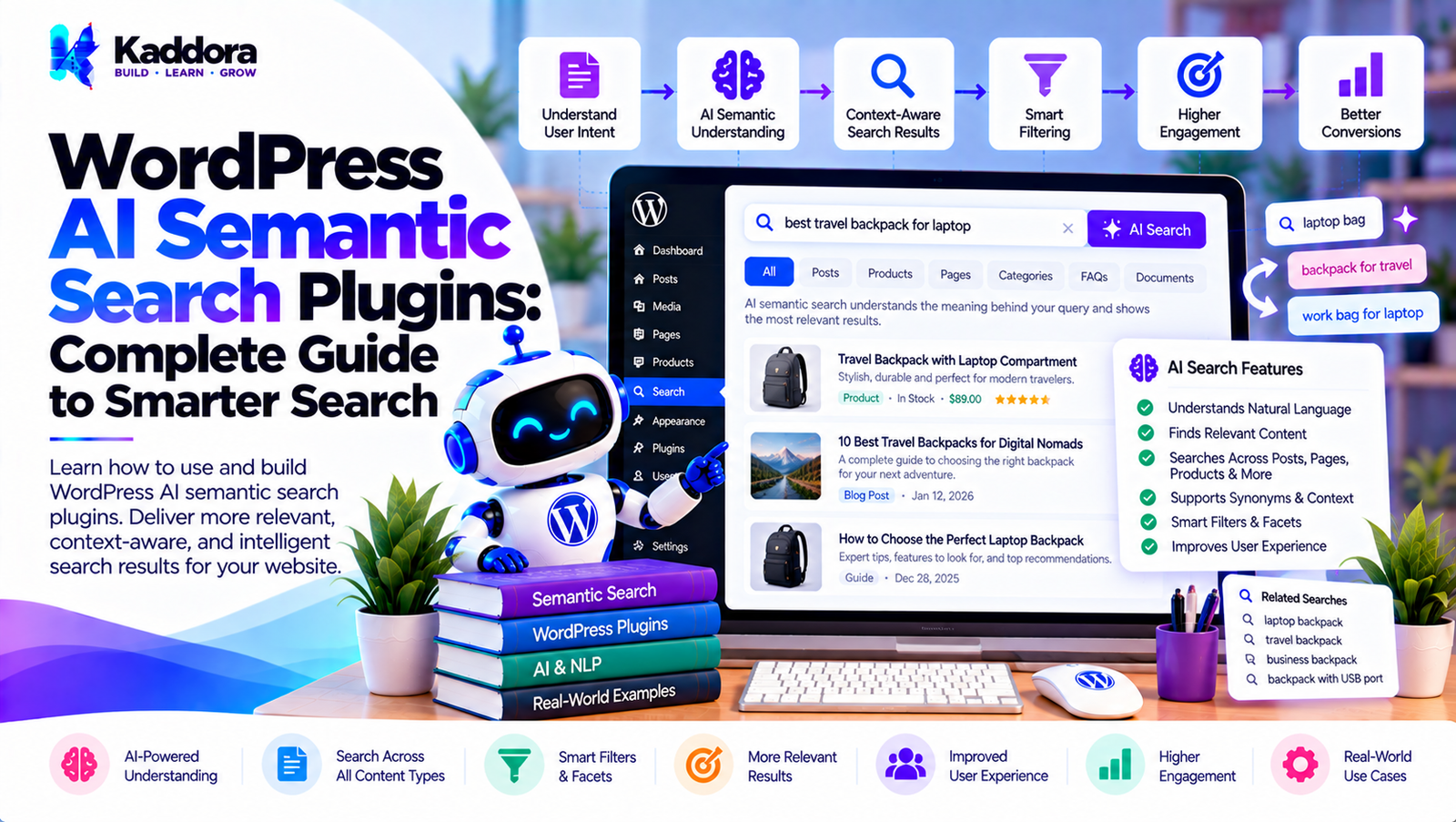
WordPress AI Semantic Search Plugins: Complete Guide to Smarter Search
Introduction
Search is one of the most important ways visitors discover information on a WordPress website.
Traditional search systems generally depend heavily on matching words and phrases. This approach can work well when users know exactly what they are looking for, but it can become less effective when visitors use different words to describe the same concept.
For example, a visitor may search:
How can I make my website load faster?
A website may contain highly relevant content titled:
WordPress Performance Optimization
Website Speed Guide
Core Web Vitals
WordPress Caching
Image Optimization
The word "faster" may not appear in every relevant document.
WordPress AI semantic search plugins are designed to address this type of problem by searching based on meaning and contextual similarity rather than relying exclusively on exact keyword matches.
A typical semantic search architecture looks like:
Website Content ↓ Content Processing ↓ Embeddings ↓ Semantic Index ↓ User Query ↓ Query Embedding ↓ Similarity Search ↓ Relevant Results
Semantic search can also be combined with traditional keyword search, filters, business rules, and AI ranking to create a hybrid search system.
What Is Semantic Search?
Semantic search is a search technique that attempts to understand the meaning and context of a query.
Traditional keyword search might compare:
"WordPress speed"
against words stored in website content.
Semantic search can interpret a query such as:
How can I improve the loading performance of my WordPress site?
and identify related concepts such as:
WordPress performance Website speed Caching Image optimization Core Web Vitals Database optimization
The goal is to retrieve conceptually relevant content even when the wording differs.
What Is a WordPress AI Semantic Search Plugin?
A WordPress AI semantic search plugin adds semantic retrieval capabilities to WordPress.
It can use technologies such as:
Embeddings
Vector search
Natural-language processing
Similarity scoring
AI query understanding
Hybrid retrieval
The plugin can index content such as:
Posts
Pages
Products
Custom post types
Documentation
FAQs
Knowledge-base articles
Why Use Semantic Search in WordPress?
Semantic search can be useful for websites with:
Large content libraries
Documentation
Knowledge bases
WooCommerce catalogs
Technical blogs
Membership websites
Multiple custom post types
Potential benefits include:
Better natural-language search
Meaning-based content discovery
Improved query flexibility
Related-content discovery
Better product discovery
Reduced dependence on exact wording
Search quality still depends on the quality of the indexed content and the retrieval architecture.
Keyword Search vs Semantic Search
Traditional keyword search:
Query ↓ Keyword Matching ↓ Database Search ↓ Results
Semantic search:
Query ↓ Embedding ↓ Vector Similarity ↓ Relevant Content
Hybrid search:
Query ↓ ┌────────┴────────┐ ↓ ↓ Keyword Search Semantic Search ↓ ↓ └────────┬────────┘ ↓ Candidate Pool ↓ Ranking ↓ Results
For many WordPress websites, the hybrid approach can provide greater flexibility.
How WordPress AI Semantic Search Works
A semantic search system usually has two major processes:
Indexing
Website content is converted into searchable representations.
Querying
A user's query is converted into a comparable representation and matched against indexed content.
The complete workflow can look like:
CONTENT INDEXING WordPress Content ↓ Text Extraction ↓ Embedding Generation ↓ Vector Index SEARCH User Query ↓ Query Embedding ↓ Vector Search ↓ Similarity Ranking ↓ Results
Step 1: Collect WordPress Content
The plugin identifies content that should be searchable.
Possible sources include:
Posts
Pages
Products
Custom post types
FAQs
Documentation
Taxonomies
Administrators should have control over which sources are included.
Step 2: Extract Relevant Text
The plugin can extract:
Title Excerpt Main Content Taxonomy Terms Selected Metadata Product Attributes
Not every field needs to be included.
Unnecessary content can increase processing requirements without improving search quality.
Step 3: Prepare the Content
Before creating embeddings, content may need normalization.
This can include:
Removing unnecessary markup
Cleaning duplicated text
Separating titles from body content
Normalizing whitespace
Handling short content
The objective is to create useful searchable representations.
Step 4: Generate Embeddings
An embedding model converts text into a numerical representation.
Conceptually:
"WordPress performance optimization" ↓ Embedding Vector
Another document can have its own vector:
"How to improve WordPress website speed" ↓ Embedding Vector
Semantically related text can have similar vector representations.
What Are Embeddings?
Embeddings are numerical representations used to capture relationships between pieces of information.
Instead of storing only:
WordPress Performance Speed
an embedding system stores a numerical vector representing the semantic characteristics of the text.
The vector itself is not human-readable.
What Is Vector Search?
Vector search compares embeddings to find similar representations.
For example:
Search Query ↓ Query Vector ↓ Vector Index ↓ Similarity Calculation ↓ Top Matches
This enables meaning-based retrieval.
Semantic Similarity
A semantic search engine uses a similarity measure to determine how closely content relates to a query.
Conceptually:
Query ↓ Vector Q Document A → Vector A Document B → Vector B Document C → Vector C
The system compares Q with each candidate vector and ranks the closest matches.
Cosine Similarity
One common similarity technique is cosine similarity.
Conceptually:
Similarity(Query, Document)
The resulting value can be used as one ranking signal.
The exact mathematical implementation depends on the vector search technology.
Semantic Search Does Not Mean AI Generates Every Result
An important distinction is that semantic search can be retrieval-focused.
The system can:
Find Relevant Documents ↓ Return Documents
without generating an AI-written answer.
This can make semantic search different from AI question-answering systems.
Semantic Search vs AI Answer Generation
Semantic search:
Query ↓ Relevant Documents ↓ Search Results
AI answer generation:
Query ↓ Relevant Documents ↓ AI Model ↓ Generated Answer
A WordPress plugin can support either approach or both.
WordPress Semantic Search for Blog Content
A content-heavy blog can use semantic search to connect related topics.
For example:
Query: How do I improve my site's SEO?
Possible results:
WordPress SEO Guide Technical SEO Guide Internal Linking Image SEO Schema Markup
The exact relevance depends on indexed content.
Semantic Search for Documentation
Documentation is one of the useful applications of semantic search.
A visitor may search:
How do I restore the plugin settings?
Relevant documents may have titles such as:
Configuration Reset Plugin Settings Troubleshooting Restoring Defaults
The exact query does not need to match the document title.
Semantic Search for Knowledge Bases
Knowledge bases can contain many articles covering related topics.
Semantic search can help connect:
User Question ↓ Relevant Knowledge Articles
This can make support documentation easier to navigate.
Semantic Search for FAQs
FAQ questions can be indexed as searchable content.
For example:
User: How do I change my account password? FAQ: How can I reset my password?
Semantic matching can recognize that these queries have related meanings.
Semantic Search for WooCommerce
WooCommerce stores can use semantic search to improve product discovery.
For example:
Query: lightweight shoes for long walks
The search system can use:
Product descriptions
Categories
Attributes
Tags
Product metadata
Embeddings
WooCommerce Semantic Product Search
A product search can combine semantic understanding with structured filters.
For example:
Query: black waterproof running shoes under $100
The system can identify:
Color → Black Feature → Waterproof Use → Running Price → Under $100 Product Type → Shoes
Semantic retrieval can identify relevant products while structured filters enforce exact constraints.
Why Structured Filters Still Matter
Semantic search is useful for meaning, but exact requirements should often remain deterministic.
For example:
"under $100"
should be handled as a price constraint rather than relying entirely on semantic similarity.
A hybrid approach can therefore be:
Semantic Retrieval ↓ Price Filter ↓ Inventory Filter ↓ Product Ranking
Semantic Search for Custom Post Types
WordPress custom post types can be indexed semantically.
Examples:
Properties
Courses
Jobs
Events
Services
Case studies
Documentation
Each content type can have its own indexing rules.
Semantic Search for Templates
A template marketplace can use semantic search to match descriptive queries with templates.
For example:
Query: modern website for a law firm
Possible results:
Legal Business Template Attorney Website Template Law Firm Template Corporate Legal Template
Semantic Search for WordPress Plugins
Plugin directories can use semantic search to connect user needs with relevant plugins.
For example:
Query: I need to automatically optimize images
The system could identify content related to:
Image optimization
WebP
Compression
Media optimization
Performance
Semantic Search for WordPress Themes
A theme marketplace can use semantic search to understand descriptive requirements.
For example:
Query: minimal portfolio theme for photographers
The search engine can use concepts such as:
Portfolio Photography Minimal Creative
Semantic Search and Natural Language
Users do not always search using keywords.
They may enter complete questions:
What is the easiest way to configure WordPress email delivery?
Semantic search can process the overall meaning rather than treating each word independently.
Query Understanding
A semantic search system can process:
Query intent
Important entities
Descriptive terms
Context
Synonyms
For example:
"best plugin for automatic image optimization"
could identify:
Object → Plugin Function → Image Optimization Automation → Automatic
Query Expansion in Semantic Search
Semantic retrieval naturally captures related concepts, but explicit query expansion can also be used.
For example:
"WP security"
can be related to:
WordPress security Login protection Firewall Malware protection Brute force prevention
Multilingual Semantic Search
Semantic search can support multilingual websites depending on the embedding model and indexing strategy.
For example:
Query in Language A ↓ Semantic Representation ↓ Relevant Content
Language-specific testing is important because semantic models can vary in quality across languages.
Semantic Search and WordPress Multisite
A multisite installation can implement:
Site-level semantic search
Network-wide semantic search
Cross-site search
Cross-site search must preserve site-specific permissions.
Semantic Search and Private Content
Semantic search should never bypass WordPress permissions.
A secure workflow is:
User Query ↓ Candidate Retrieval ↓ Permission Filtering ↓ Allowed Content ↓ Ranking ↓ Results
The exact placement of filtering can vary by architecture, but unauthorized content must not be exposed.
Semantic Search Security
A semantic search plugin should protect:
Search endpoints
AI credentials
Indexed content
Vector data
User-specific content
Administrative settings
Security should be considered during architecture design rather than added afterward.
Semantic Search Privacy
Embeddings can represent information derived from website content.
If external services are used to generate embeddings, administrators should understand:
What content is transmitted
Which provider receives it
Whether the content is retained
How the provider processes it
How the integration can be disabled
Only necessary information should be transmitted.
Protecting AI API Keys
External AI credentials should remain server-side.
Do not expose keys through:
Frontend JavaScript
HTML
Public REST responses
Browser storage
Local vs External Embeddings
A semantic search plugin may use different architectures.
External Embeddings
WordPress ↓ External Embedding API ↓ Vector
Local Embeddings
WordPress ↓ Local Embedding Model ↓ Vector
Each approach has different infrastructure, performance, and privacy considerations.
Vector Database Options
Semantic search can use different storage architectures.
Examples include:
Dedicated vector databases
Database vector extensions
Search engines with vector support
Custom vector storage
The appropriate architecture depends on website size and infrastructure.
WordPress Database and Vector Search
For smaller projects, vector data may be stored alongside WordPress infrastructure if the database and search implementation support the required operations.
For larger installations, a specialized vector search service may be appropriate.
Semantic Search Indexing
Indexing should be separated from frontend search requests.
A scalable workflow is:
Content Created / Updated ↓ Index Queue ↓ Content Processing ↓ Embedding Generation ↓ Vector Index
Background Processing for Embeddings
Generating embeddings for thousands of documents can be expensive.
Background processing can handle this work gradually.
1000 Documents ↓ Queue ↓ Batch 1 Batch 2 Batch 3 ... ↓ Vector Index
Incremental Semantic Indexing
A good system should update only changed content where possible.
For example:
Post Updated ↓ Generate New Representation ↓ Replace Existing Vector
There is no need to reprocess the entire website for every change.
Content Deletion and Vector Cleanup
When content is deleted, the corresponding semantic index record should also be removed.
WordPress Content Deleted ↓ Remove Search Record ↓ Remove Vector
Failure to do this can create stale search results.
Semantic Search Caching
Frequently requested semantic searches can be cached.
Query ↓ Cache ↓ Results
However, cache invalidation and permissions must be considered.
Search Result Ranking
Semantic similarity should not necessarily be the only ranking signal.
A ranking system can combine:
Semantic Similarity + Keyword Relevance + Content Type + Freshness + Editorial Priority
Hybrid Ranking
A practical system might calculate a combined score:
Final Score = Semantic Score + Keyword Score + Business Rules + Optional Freshness Signal
The actual weighting should be configurable and tested.
Semantic Search and Editorial Controls
Website administrators may want certain content to receive priority.
For example:
Official Documentation ↓ Editorial Priority
This can be incorporated into ranking.
Semantic Search Analytics
Analytics can help identify:
Popular queries
No-result queries
Search refinements
Clicked results
Frequently searched topics
These insights can be used to improve content and search configuration.
No-Result Semantic Search
Semantic search can reduce exact-match failures, but no-result cases can still occur.
A fallback can include:
No Strong Match ↓ Keyword Search ↓ Related Content ↓ Suggested Queries
Semantic Search and Autocomplete
Autocomplete can use indexed titles and popular queries.
For example:
WordPress semantic...
Possible suggestions:
WordPress semantic search WordPress semantic search plugin WordPress AI semantic search
Semantic Search Performance
Important performance considerations include:
Embedding generation
Vector retrieval
Index size
Query latency
API latency
Caching
Candidate limits
Background indexing
Semantic search should not unnecessarily slow down normal WordPress page loads.
Candidate Retrieval
Searching an enormous vector index and then applying expensive ranking to everything can be inefficient.
A better architecture can limit candidates:
Large Vector Index ↓ Top 50 Candidates ↓ Business Filters ↓ Top 10 Results
AI Ranking After Semantic Retrieval
An AI model can optionally rank a smaller candidate set.
Vector Search ↓ 20 Candidates ↓ AI Ranking ↓ Top Results
This can reduce expensive AI operations.
Semantic Search Architecture
A scalable WordPress plugin can use:
Search Interface ↓ Query Service ↓ Query Representation ↓ ┌──────────┴──────────┐ ↓ ↓ Keyword Retrieval Vector Retrieval ↓ ↓ └──────────┬──────────┘ ↓ Candidate Pool ↓ Access Control ↓ Ranking ↓ Cache ↓ Results
Supporting components can include:
Index Manager Embedding Provider Vector Store AI Provider Queue Analytics Privacy Manager
Embedding Provider Abstraction
A plugin should avoid tightly coupling its entire architecture to one AI provider.
For example:
EmbeddingProvider generate()
Possible implementations:
ExternalEmbeddingProvider LocalEmbeddingProvider CustomEmbeddingProvider
This improves flexibility.
Search Provider Abstraction
Similarly, search retrieval can use an interface:
SemanticSearchProvider search() index() delete()
Possible implementations include:
DatabaseVectorProvider ExternalVectorProvider HybridSearchProvider
WordPress Hooks for Semantic Indexing
A WordPress plugin can integrate with content lifecycle events to update its index.
Conceptually:
Post Save ↓ Queue Index Update Post Delete ↓ Queue Vector Removal
The implementation should avoid expensive processing directly inside normal administrative requests when possible.
Semantic Search REST API
A plugin may expose a controlled REST endpoint.
Conceptually:
GET /search ↓ Validate Query ↓ Permission Check ↓ Semantic Search ↓ JSON Response
Public endpoints should expose only intended information.
AI Semantic Search and Headless WordPress
Headless WordPress installations can use semantic search through REST APIs or custom application APIs.
The architecture can look like:
React / Next.js / App ↓ Search API ↓ WordPress ↓ Semantic Search ↓ Results
Authentication and authorization remain important.
Common WordPress AI Semantic Search Mistakes
1. Assuming Semantic Search Automatically Means Better Results
Search quality depends on indexing, content, embeddings, ranking, and filters.
2. Ignoring Keyword Search
Exact matching remains useful for names, product IDs, technical terms, and specific phrases.
3. Embedding Everything
Unnecessary content increases indexing requirements.
4. Rebuilding the Entire Index After Every Change
Incremental indexing is generally more efficient.
5. Ignoring Permissions
Semantic search must respect content access controls.
6. Sending Private Content to External Providers
Only necessary content should be transmitted.
7. Using AI for Every Query
Fast retrieval should handle as much work as possible before expensive AI processing.
8. No Cache
Repeated queries can unnecessarily increase processing.
9. No Fallback Search
Keyword search can be useful when semantic retrieval produces weak results.
10. No Search Analytics
Without analytics, it is difficult to evaluate search behavior and improve relevance.
Recommended WordPress AI Semantic Search Architecture
A practical architecture can look like:
WordPress Content ↓ Content Extractor ↓ Index Queue ↓ Embedding Provider ↓ Semantic Index ↓ Search Query ↓ Query Embedding ↓ Vector Retrieval ↓ Keyword + Rule Filters ↓ Ranking Layer ↓ Access Control ↓ Cache ↓ Search Results
This architecture separates content processing, semantic retrieval, filtering, ranking, and presentation.
WordPress AI Semantic Search Plugin Development Checklist
Content
Posts
Pages
Products
Custom post types
Taxonomies
FAQs
Documentation
Knowledge-base content
Semantic Search
Embedding generation
Vector indexing
Similarity search
Query embeddings
Semantic ranking
Candidate limits
Hybrid Search
Keyword retrieval
Semantic retrieval
Combined ranking
Exact filters
Business rules
Indexing
Initial indexing
Incremental indexing
Background processing
Content updates
Content deletion
Index cleanup
Performance
Vector index optimization
Caching
Query limits
Candidate limits
Batch processing
API usage limits
Security
Permission checks
Capability checks
Input validation
Output escaping
Secure REST endpoints
API key protection
Rate limiting
Privacy
Data minimization
External API controls
Embedding provider disclosure
Search logging controls
Data retention settings
Analytics
Search queries
No-result searches
Result clicks
Search refinements
Search performance
Why Choose Kaddora?
Kaddora focuses on WordPress plugins, WooCommerce solutions, AI-powered tools, SEO, automation, analytics, themes, and website templates.
Semantic search is especially valuable for websites where visitors need to discover information using natural language rather than exact keywords.
A well-designed WordPress AI semantic search solution can combine:
Keyword search
Semantic search
Embeddings
Vector retrieval
AI ranking
WooCommerce product search
Custom post types
Search analytics
Caching
Background indexing
Access controls
Privacy controls
ThemeKaddora's WordPress-focused ecosystem covers AI plugins, WooCommerce tools, SEO solutions, automation, analytics, themes, and templates.
The goal should be to build search experiences that are meaning-aware, fast, secure, scalable, privacy-conscious, and configurable.
Conclusion
WordPress AI semantic search plugins can change how visitors discover content by moving beyond exact keyword matching toward meaning-based retrieval.
A traditional search system may depend heavily on matching words.
A semantic system can instead analyze relationships between queries and content:
User Query ↓ Query Embedding ↓ Vector Search ↓ Semantic Candidates ↓ Keyword / Business Filters ↓ Ranking ↓ Permission Check ↓ Results
For larger websites, a hybrid search architecture can combine semantic retrieval with traditional keyword search and structured filters.
This is particularly useful for WordPress blogs, documentation platforms, knowledge bases, WooCommerce stores, template marketplaces, membership websites, and sites with large custom post-type libraries.
Performance should remain a core consideration. Background indexing, incremental updates, caching, candidate limits, and efficient vector retrieval can reduce unnecessary processing.
Security and privacy also matter. Semantic search should respect WordPress permissions, protect API credentials, and carefully control what content is sent to external AI providers.
AI does not need to replace traditional search. In many cases, the most flexible architecture is one where keyword retrieval, semantic search, deterministic filters, and AI ranking work together.
When implemented carefully, semantic search can provide a more flexible internal search experience and help visitors discover relevant WordPress content even when their search wording differs significantly from the original content.
Frequently Asked Questions
What are WordPress AI semantic search plugins?
WordPress AI semantic search plugins add meaning-based search capabilities to WordPress websites using technologies such as embeddings, vector search, natural-language processing, and semantic ranking.
What is semantic search?
Semantic search retrieves content based on the meaning and context of a query rather than relying only on exact keyword matches.
How does semantic search work in WordPress?
Content is processed into searchable representations, often embeddings. A user's query is also represented, and the system retrieves content with similar semantic characteristics.
Can WordPress semantic search work with WooCommerce?
Yes. WooCommerce products, descriptions, categories, attributes, and other product information can be indexed for semantic retrieval.
Can users search WooCommerce products using natural language?
Yes. A semantic product search system can process descriptive queries and combine them with structured product filters.
Can semantic search understand product attributes?
It can use product attributes as part of the indexed content, while exact requirements such as price and stock should generally be handled through deterministic filters.
Can semantic search work with custom post types?
Yes. Custom post types such as properties, jobs, courses, events, services, and documentation can be included.
Can WordPress semantic search use external AI providers?
Yes. External providers can generate embeddings or provide other AI-related functionality.
Should private content be sent to an external embedding provider?
Only when appropriate and necessary. Sites should carefully evaluate privacy, data-processing, and security requirements before transmitting content externally.
Can semantic search respect WordPress permissions?
Yes. Access-control checks should prevent unauthorized content from appearing in search results.
Can semantic search expose private content?
It should not. Permission filtering must be part of the search architecture.
How can semantic search be made faster?
Use vector indexes, caching, candidate limits, efficient retrieval, incremental indexing, and background processing.
Can embeddings be generated in the background?
Yes. Background queues are useful for generating embeddings for large content collections.
Should the entire semantic index be rebuilt whenever content changes?
No. Incremental indexing can update only the affected content.
What happens when a WordPress post is deleted?
The corresponding search-index and vector records should also be removed.
Can semantic search use caching?
Yes. Frequently requested searches and other appropriate intermediate results can be cached.
Can AI rank semantic search results?
Yes. An AI ranking layer can optionally reorder a smaller set of retrieved candidates.
Should AI rank every document in the website?
Usually, retrieval should first reduce the candidate set. Ranking a smaller set can reduce processing requirements.
Can semantic search improve internal content discovery?
Yes. It can connect visitors with related content even when their query uses different wording from the indexed documents.
Why choose Themekaddora?
Themekaddora provides lightweight, responsive, SEO-friendly WordPress themes with fast performance, WooCommerce compatibility, flexible customization, accessibility-conscious design, modern templates, regular updates, and professional support—providing a strong foundation for businesses building digital products and product-focused websites.
Comments (0)