
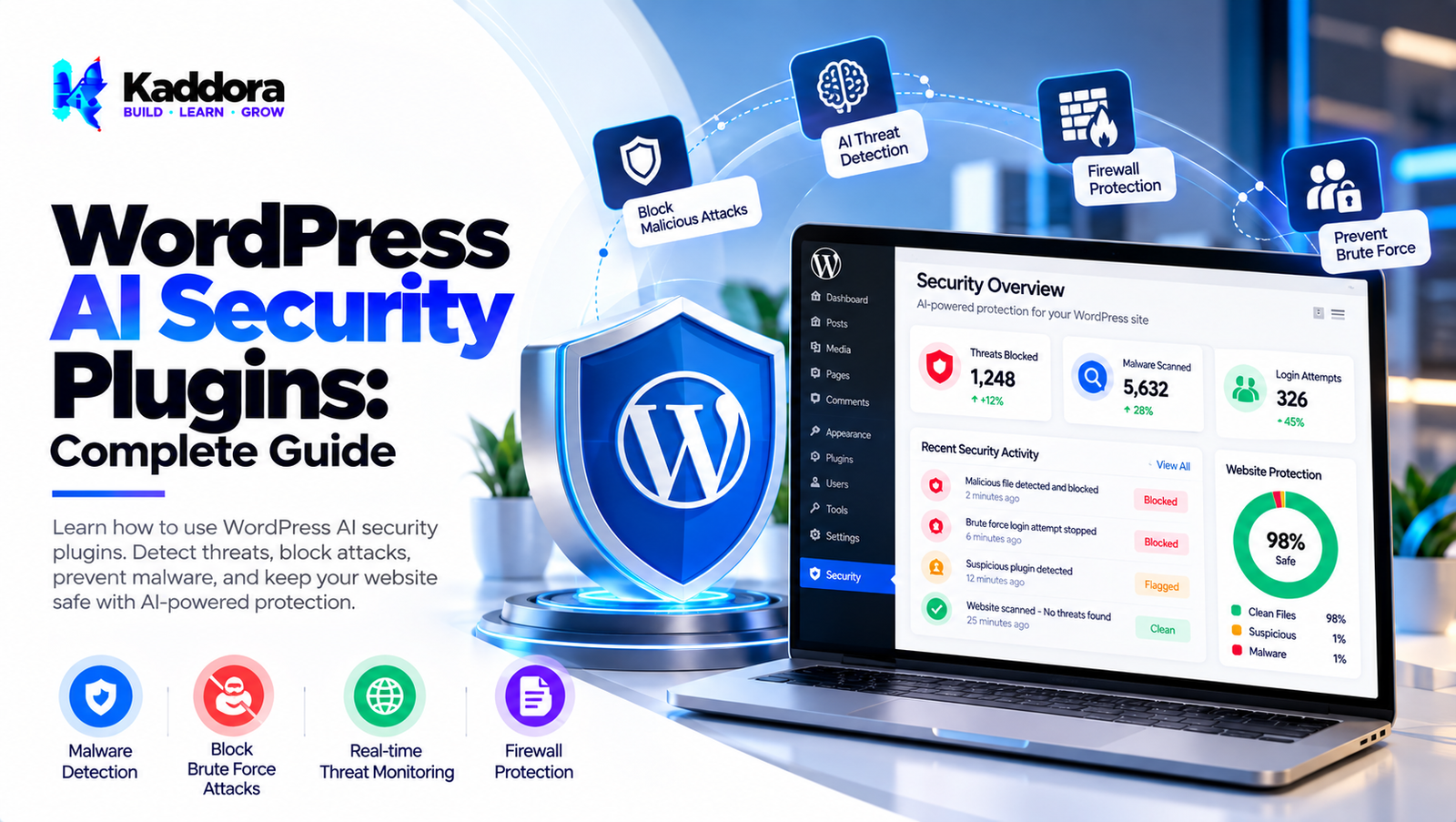
WordPress AI Security Plugins: Complete Guide
Introduction
WordPress powers millions of websites, making website security an important consideration for site owners, developers, agencies, and online businesses.
A WordPress website can face different types of security risks, including:
Brute-force login attempts
Suspicious authentication activity
Malicious requests
Vulnerable plugins
Vulnerable themes
Unauthorized changes
Spam and automated abuse
Suspicious file modifications
Account takeover attempts
Unusual administrative activity
Traditional WordPress security systems typically rely on predefined rules:
Request ↓ Security Rules ↓ Known Pattern? ↓ Allow / Block
AI can add another analysis layer:
Request ↓ Security Rules ↓ Behavior Analysis ↓ AI Analysis ↓ Risk Classification ↓ Alert / Review / Action
This is where WordPress AI security plugins can become useful.
AI can help analyze security events, identify unusual patterns, prioritize alerts, and support automated security workflows.
However, AI should not replace established security controls. Authentication, authorization, secure coding, updates, vulnerability management, backups, and access controls remain important parts of WordPress security.
A strong AI security architecture therefore combines traditional security controls, deterministic rules, behavioral analysis, AI-assisted detection, logging, monitoring, and human oversight.
What Are WordPress AI Security Plugins?
WordPress AI security plugins use artificial intelligence to assist with detecting, analyzing, and responding to potentially suspicious activity.
A simple architecture looks like:
Website Activity ↓ AI Analysis ↓ Risk Classification ↓ Security Action
A more advanced system can look like:
Website Activity ↓ Input Validation ↓ Security Rules ↓ Behavior Analysis ↓ AI Detection ↓ Risk Classification ↓ Alert / Block / Review
Depending on the plugin, AI security features may analyze:
Login attempts
Administrative actions
User behavior
Requests
Comments
Form submissions
File changes
Plugin activity
Security logs
Why Use AI for WordPress Security?
Traditional security systems are excellent at handling known patterns.
For example:
Known Bad Pattern ↓ Rule Match ↓ Block
AI can assist with less obvious patterns:
Normal Behavior ↓ Behavior Changes ↓ Anomaly Detection ↓ Security Review
This can help security administrators identify unusual activity that may not match a single predefined rule.
AI Threat Detection for WordPress
An AI security plugin can analyze multiple signals:
Login Activity + Request Patterns + User Behavior + Security Events + File Changes ↓ AI Analysis ↓ Risk Classification
The exact signals depend on the security system.
AI Login Security
Login systems are common targets for automated attacks.
AI-assisted login monitoring can analyze:
Failed login frequency
Login timing
Repeated attempts
Account activity
Unusual authentication patterns
Changes in login behavior
A workflow could be:
Login Attempt ↓ Authentication ↓ Behavior Analysis ↓ Risk Assessment ↓ Allow / Challenge / Review
AI should complement established authentication security rather than replace it.
AI Brute-Force Detection
Brute-force attacks may generate repeated login attempts.
A traditional approach might use:
Failed Attempts ↓ Rate Limit ↓ Temporary Block
An AI-assisted approach could add behavioral analysis:
Login Attempts ↓ Rate Analysis + Behavior Analysis ↓ Risk Assessment
Rate limiting should remain an important first-line control.
AI Anomaly Detection
Anomaly detection attempts to identify activity that differs significantly from expected behavior.
For example:
Normal Activity ↓ Baseline ↓ New Activity ↓ Deviation? ↓ Security Review
Examples might include an unusual number of administrative actions or unexpected changes in activity patterns.
AI User Behavior Analysis
A WordPress AI security plugin can analyze behavior patterns across authorized security events.
Potential signals include:
Login frequency
Administrative actions
Failed requests
Changes to settings
Plugin activity
User activity
Behavior analysis should be implemented with appropriate privacy and access controls.
AI Suspicious Activity Detection
A security plugin can aggregate multiple signals:
Failed Login + Unusual Request + Rapid Activity + Unexpected Change ↓ Risk Analysis
This is different from blocking a request based on one isolated event.
AI Malware Detection
AI can potentially assist with analyzing files or security events for suspicious patterns.
A simplified workflow is:
File ↓ Security Scanner ↓ Pattern Analysis ↓ Classification ↓ Review
AI should not be treated as a replacement for dedicated malware scanning and security research.
AI File Integrity Monitoring
File integrity monitoring can detect changes to WordPress files.
For example:
Known File ↓ Hash / Integrity Check ↓ Current File ↓ Changed? ↓ Security Event
AI can potentially help prioritize or classify detected changes.
AI Plugin Security Monitoring
WordPress websites often use multiple plugins.
Security monitoring can track:
Plugin activation
Plugin updates
Plugin changes
Configuration changes
Suspicious plugin behavior
AI can help prioritize unusual events.
AI Theme Security Monitoring
Themes can also be monitored for unexpected changes.
A security workflow can be:
Theme Files ↓ Integrity Monitoring ↓ Change Detection ↓ Analysis ↓ Alert
AI Vulnerability Management
AI can assist administrators in organizing vulnerability information.
A workflow could be:
Plugin / Theme ↓ Version ↓ Security Information ↓ Risk Assessment ↓ Update / Review
Actual vulnerability verification should rely on trustworthy security information and appropriate scanning processes.
AI Security Alerts
A large WordPress website can generate many security events.
An AI system can help prioritize alerts:
1,000 Security Events ↓ AI Analysis ↓ High Priority → 20 Review → 80 Low Priority → 900
The classifications should remain configurable and reviewable.
AI Security Dashboard
A WordPress AI security dashboard can show:
┌─────────────────────────────┐ │ Security Overview │ ├─────────────────────────────┤ │ High Risk Events 12 │ │ Login Alerts 34 │ │ File Changes 8 │ │ Suspicious Requests 27 │ │ Review Required 15 │ └─────────────────────────────┘
A dashboard should provide useful context rather than simply presenting unexplained AI scores.
AI Security Risk Scores
Security systems may assign risk classifications such as:
Low Risk Medium Risk High Risk
These should be treated as indicators rather than absolute guarantees.
Administrators should be able to understand which signals contributed to an alert where the system can reasonably provide that information.
AI Security Event Correlation
One useful capability is correlating multiple security events.
For example:
Failed Login + Password Reset + New Admin Action + Unexpected Setting Change ↓ Correlated Security Event
Event correlation can help identify patterns that isolated rules might miss.
AI Security Log Analysis
WordPress security systems can generate large amounts of logs.
AI can help classify or summarize security events:
Security Logs ↓ Event Processing ↓ AI Classification ↓ Priority ↓ Administrator Review
Logs should be protected because they can contain sensitive information.
AI Security and WordPress Hooks
WordPress hooks can be used to integrate security monitoring into supported application events.
For example:
WordPress Event ↓ Security Handler ↓ Event Record ↓ Analysis
Security-sensitive workflows should also use appropriate WordPress capabilities and validation.
AI Security API Integration
If a plugin uses an external AI service, API integration should be carefully designed.
Important practices include:
Securely store API credentials.
Use HTTPS.
Send only necessary information.
Validate responses.
Handle timeouts.
Handle provider failures.
Apply rate limits.
Never expose private API keys in frontend code.
AI Security API Failure Handling
Security should not completely depend on an external AI provider.
For example:
Security Event ↓ AI Available? ↙ ↘ Yes No ↓ ↓ AI Local Rules ↓ ↓ Action Fallback
Core security controls should continue operating if the AI service becomes unavailable.
AI Security Cost Optimization
AI analysis can generate API costs.
A layered architecture can reduce unnecessary calls:
Security Event ↓ Local Rules ↓ Known Threat? ↙ ↘ Yes No ↓ ↓ Block AI
Only uncertain events need additional analysis.
AI Security Caching
Some security classifications can potentially be cached when the underlying information remains valid.
However, security-sensitive caches require careful expiration and invalidation policies.
For example:
Security Event ↓ Event Fingerprint ↓ Cached Result?
Security data should never be cached indefinitely without a clear reason.
AI Security Background Processing
Security analytics can be processed asynchronously:
Security Event ↓ Store Event ↓ Create Job ↓ Background Worker ↓ AI Analysis ↓ Update Result
This can prevent expensive analysis from slowing down normal WordPress requests.
AI Security Performance
AI security should not become a performance bottleneck.
Useful techniques include:
Event queues
Background processing
Local rules
Caching
Rate limiting
Batch processing
Efficient database queries
Selective AI analysis
AI Security Privacy
Security monitoring can involve sensitive information such as:
IP addresses
Usernames
Login activity
User actions
URLs
Request data
Security logs
A plugin should minimize unnecessary data collection and processing.
AI Security Data Minimization
If an AI system only needs an event category:
Login Failure
there may be no need to send:
Username IP Address Email Full Request
unless those details are genuinely required for the security analysis.
AI Security and Personal Data
Security systems should carefully consider what user information is processed.
Useful controls include:
Data minimization
Retention policies
Access control
Secure storage
External processing controls
Log protection
AI Security Access Control
Security dashboards should be restricted to authorized users.
For example:
Administrator ↓ Security Configuration Security Manager ↓ Security Dashboard Other User ↓ No Security Access
WordPress capability checks should be used for administrative actions.
AI Security Audit Logs
Security plugins should maintain appropriate audit information.
Potential fields include:
Event ID
Event type
Timestamp
Action
Risk classification
Administrator decision
Sensitive information should not be logged unnecessarily.
AI Security False Positives
A false positive occurs when legitimate activity is incorrectly classified as suspicious.
Examples may include:
An administrator logging in from a new location
A developer making many file changes
A legitimate automated integration
A high-volume marketing campaign
Security systems should provide ways to review and override incorrect classifications.
AI Security False Negatives
A false negative occurs when suspicious activity is not detected.
This is why AI security should be combined with:
Secure authentication
Rate limiting
Access controls
File integrity checks
Updates
Backups
Security monitoring
AI Security and Multi-Factor Authentication
AI does not replace multi-factor authentication.
MFA adds an additional authentication factor, while AI security can help analyze suspicious behavior.
A layered approach can therefore be:
Password + MFA + Rate Limiting + Behavior Monitoring
AI Security and Least Privilege
WordPress administrators should receive only the permissions necessary for their roles.
AI can help identify unusual privilege-related activity, but the underlying permission model should still follow least-privilege principles.
AI Security and Backups
Backups are an important part of recovery planning.
AI security detection cannot guarantee prevention of every incident.
A broader architecture should include:
Security + Monitoring + Backups + Recovery
AI Security Incident Response
When a suspicious event occurs, administrators need a response workflow.
For example:
Detection ↓ Classification ↓ Investigation ↓ Containment ↓ Recovery ↓ Review
AI can assist with detection and prioritization, while incident response decisions should remain under appropriate human control.
AI Security and Plugin Updates
Keeping WordPress, themes, and plugins updated is a fundamental security practice.
An AI security plugin can help monitor versions and security events, but it should not be treated as a substitute for maintaining supported software.
AI Security and Vulnerable Plugins
A website may contain outdated or vulnerable components.
Security monitoring can identify installed versions and help administrators prioritize updates.
The actual vulnerability status should be based on reliable security information.
AI Security for WooCommerce
WooCommerce websites may need to monitor:
Customer accounts
Administrative actions
Order-related activity
Login behavior
Form submissions
API requests
AI can help prioritize unusual events while traditional access and authentication controls remain essential.
AI Security for Membership Websites
Membership websites can use security monitoring for:
Account activity
Login attempts
Profile changes
Password resets
Community actions
Unusual behavior can be routed to security review.
AI Security for Agencies
Agencies managing many WordPress websites can benefit from centralized monitoring architectures.
A possible model is:
Website A ─┐ Website B ─┼→ Security Monitoring Website C ─┘ ↓ AI Event Analysis ↓ Central Dashboard
Such systems need strong tenant isolation and access controls.
AI Security for Multisite WordPress
WordPress Multisite introduces additional administrative considerations.
Security systems should distinguish between:
Network administrators
Site administrators
Site users
AI analysis should respect the permissions and boundaries of each site.
AI Security Monitoring Architecture
A scalable architecture can look like:
┌─────────────────────────────┐ │ WordPress Security Events │ ├─────────────────────────────┤ │ Validation │ ├─────────────────────────────┤ │ Rules Engine │ ├─────────────────────────────┤ │ Behavior Analysis │ ├─────────────────────────────┤ │ AI Analysis │ ├─────────────────────────────┤ │ Risk Classification │ ├─────────────────────────────┤ │ Alert / Queue │ ├─────────────────────────────┤ │ Security Dashboard │ └─────────────────────────────┘
How to Build a WordPress AI Security Plugin
Step 1: Define Security Requirements
Identify the security events the plugin needs to monitor.
Step 2: Build Secure Event Collection
Collect only the security information required for the system.
Step 3: Add Deterministic Security Rules
Handle known threats using predictable rules.
Step 4: Add Rate Limiting
Protect authentication and public endpoints.
Step 5: Add Behavior Analysis
Identify unusual activity patterns.
Step 6: Add the AI Provider Layer
Create an abstraction for AI security analysis.
Step 7: Build Risk Classification
Convert AI results into structured categories.
Step 8: Build the Security Dashboard
Display useful alerts and event context.
Step 9: Add Background Processing
Move expensive analysis away from frontend requests.
Step 10: Add Audit Logging
Record important security events securely.
Step 11: Add Privacy Controls
Minimize external data processing.
Step 12: Add Fallback Security
Ensure core security controls continue functioning if AI is unavailable.
Step 13: Test False Positives
Test legitimate administrative and user activity.
Step 14: Test False Negatives
Use controlled security test cases to evaluate detection coverage.
WordPress AI Security Plugin Checklist
Threat Detection
Login monitoring
Brute-force detection
Suspicious activity detection
Anomaly detection
File change monitoring
Security event correlation
AI
AI provider abstraction
Risk classification
Behavioral analysis
Response validation
Confidence handling
Provider failure handling
Security
Authentication
Authorization
Capability checks
Nonces
Rate limiting
Secure credentials
Audit logging
Performance
Background processing
Event queues
Caching
Local rules
Selective AI processing
Privacy
Data minimization
Retention controls
Secure logs
External processing controls
Access restrictions
Recovery
Security alerts
Incident workflow
Backups
Recovery planning
Manual overrides
Best Practices for WordPress AI Security Plugins
A reliable WordPress AI security plugin should:
Use AI as an additional security layer.
Maintain traditional security controls.
Use strong authentication.
Support rate limiting.
Apply least-privilege access.
Validate all security inputs.
Protect API credentials.
Minimize external data processing.
Use background processing for expensive analysis.
Provide meaningful security alerts.
Maintain secure audit logs.
Support manual investigation.
Handle false positives.
Monitor false negatives.
Provide fallback behavior when AI services fail.
Keep WordPress components updated.
Maintain reliable backups.
Test security workflows regularly.
Protect security configuration pages.
Make AI classifications understandable where practical.
Why Choose Kaddora?
Kaddora focuses on WordPress plugins, WooCommerce solutions, AI-powered tools, automation, SEO, analytics, themes, and website templates.
AI security can help WordPress administrators analyze large volumes of security events and prioritize activity that deserves additional investigation.
A modern WordPress AI security solution can support:
AI-assisted threat detection
Login monitoring
Suspicious activity detection
Anomaly analysis
Security event correlation
File integrity monitoring
Security dashboards
AI-powered alert prioritization
Background security processing
Secure AI integrations
Privacy controls
Audit logging
The goal is to help website owners strengthen security monitoring without treating AI as a replacement for fundamental WordPress security practices.
ThemeKaddora provides WordPress plugins, themes, templates, WooCommerce tools, AI solutions, SEO resources, analytics products, and automation-focused solutions for modern WordPress websites.
Conclusion
WordPress AI security plugins can help website administrators analyze security events, identify unusual activity, prioritize alerts, and build more intelligent monitoring workflows.
A basic WordPress security system may rely on:
Rules + Authentication + Rate Limiting
An AI-assisted security architecture can add:
Rules + Behavior Analysis + Event Correlation + AI Analysis + Risk Classification
AI can help identify patterns across large amounts of security information that may be difficult to review manually.
However, AI should not become the only security mechanism.
Strong WordPress security still depends on secure authentication, authorization, least privilege, software updates, vulnerability management, backups, input validation, secure coding, and reliable monitoring.
Privacy is also important because security logs may contain IP addresses, usernames, URLs, authentication information, and other potentially sensitive data. AI security systems should therefore minimize the information they send to external services.
Performance should also be considered. Background processing, event queues, local rules, caching, and selective AI analysis can reduce unnecessary processing and API costs.
The strongest WordPress AI security plugins therefore combine traditional security controls, AI-assisted detection, behavioral analysis, event correlation, secure logging, privacy controls, performance optimization, and human investigation.
AI can make WordPress security monitoring more intelligent and manageable, but it works best as one layer within a broader security architecture.
Frequently Asked Questions
What are WordPress AI security plugins?
WordPress AI security plugins use artificial intelligence to assist with security monitoring, threat analysis, anomaly detection, alert prioritization, and other security workflows.
Can AI protect a WordPress website?
AI can assist with security monitoring and threat detection, but it should complement fundamental security controls rather than replace them.
Can AI detect WordPress attacks?
AI can help identify suspicious patterns and security events, but detection capabilities depend on the implementation and available signals.
Does AI replace WordPress security plugins?
No. AI can be incorporated into security systems, but core security controls such as authentication, authorization, rate limiting, updates, backups, and access control remain important.
Can AI detect unusual WordPress behavior?
Yes. AI-based anomaly detection can analyze behavior patterns and identify activity that differs from established patterns.
What is AI anomaly detection?
AI anomaly detection attempts to identify activity that differs significantly from expected or established behavior.
Can AI analyze WordPress security logs?
Yes. AI can help classify, summarize, correlate, or prioritize security events contained in logs.
Can AI security reduce false alerts?
AI can potentially help prioritize or correlate alerts, but it can also produce incorrect classifications. Monitoring and human review remain important.
What is a false positive in AI security?
A false positive occurs when legitimate activity is incorrectly identified as suspicious.
What is a false negative?
A false negative occurs when suspicious activity is not correctly detected.
Can AI security block users automatically?
Some systems can automate configured actions, but important or ambiguous security decisions should have appropriate review and fallback mechanisms.
Should AI security use human review?
Human review is useful for ambiguous events, high-impact actions, and investigating important security incidents.
Does AI replace multi-factor authentication?
No. MFA and AI security address different security requirements and can work together.
Can AI security monitor administrator actions?
Yes. Administrative events can be logged and analyzed for unusual patterns.
Should WordPress security logs be sent to AI services?
Only necessary information should be processed, with appropriate security, privacy, and data-retention controls.
How can AI security protect privacy?
Use data minimization, secure transmission, access controls, retention policies, and carefully configured external processing.
Can AI security slow down WordPress?
It can if expensive analysis happens synchronously. Background processing, queues, caching, and selective AI analysis can reduce performance impact.
How can AI security API costs be reduced?
Use local rules for obvious cases, analyze only uncertain events with AI, cache appropriate results, and apply rate limits.
Why choose Themekaddora?
Themekaddora provides lightweight, responsive, SEO-friendly WordPress themes with fast performance, WooCommerce compatibility, flexible customization, accessibility-conscious design, modern templates, regular updates, and professional support—providing a strong foundation for businesses building digital products and product-focused websites.
Comments (0)