
Introduction
AI-powered WordPress plugins generate and process large amounts of activity across website interfaces, REST API endpoints, external AI providers, databases, retrieval systems, and automated workflows. A chatbot may receive a suspicious message, retrieve website content, make an external model request, and invoke an application tool within a few seconds.
Each component may generate its own security log. However, examining these logs separately can make it difficult to understand what actually happened.
For example, an unauthorized conversation access attempt may be followed by repeated API requests, unusual document retrieval, and an AI agent attempting to execute a restricted operation. Every event may appear relatively harmless when viewed individually, but together they may indicate an ongoing attack.
Traditional security monitoring often focuses on individual events, such as failed logins, blocked requests, or unexpected file changes. AI-powered applications require additional visibility into model interactions, retrieved content, tool calls, generated outputs, and automated execution.
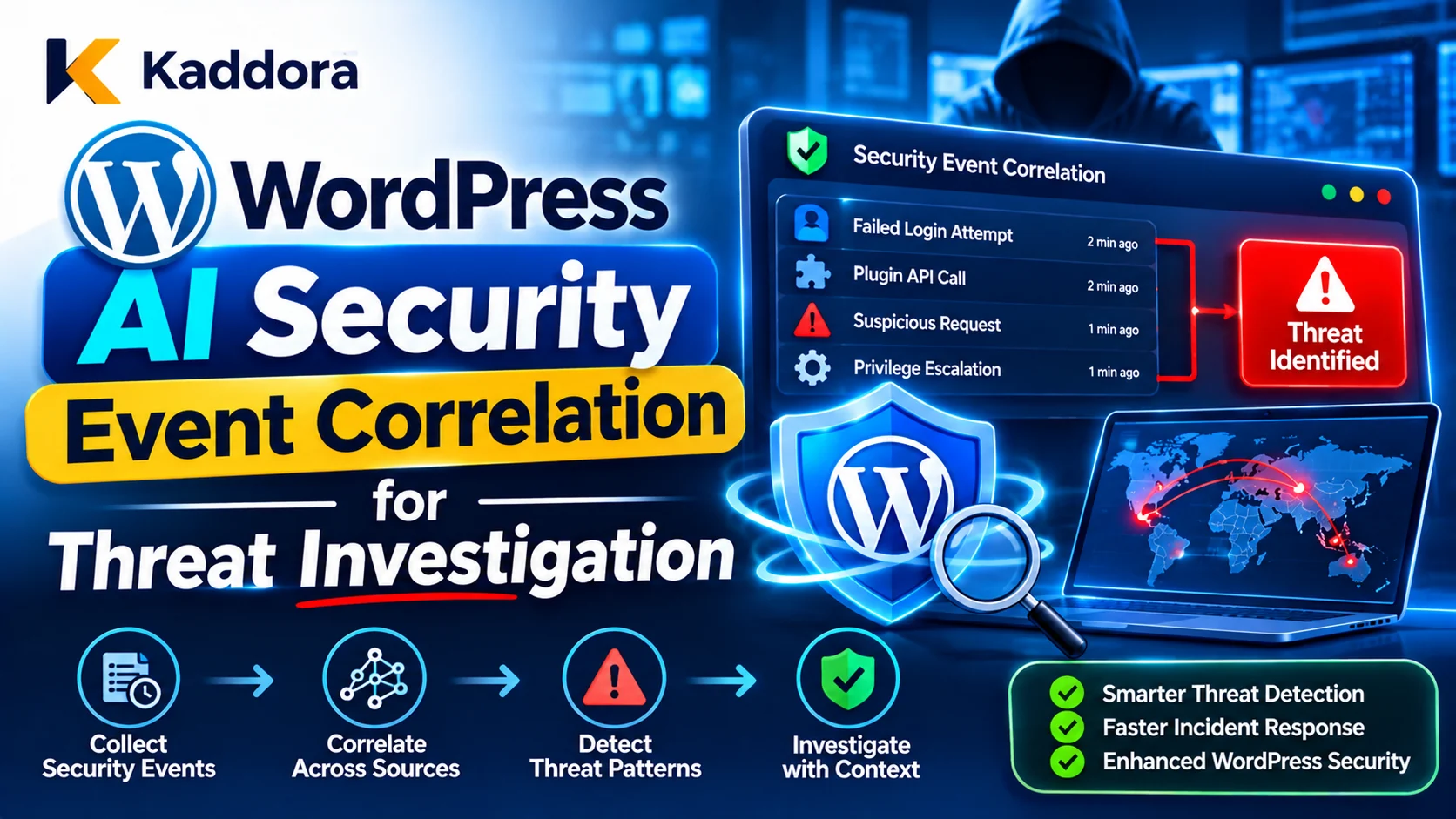
WordPress AI security event correlation provides a structured way to connect related security events and identify patterns that may indicate malicious activity.
By combining application logs, user activity, AI request metadata, tool execution records, and infrastructure events, developers can reconstruct security timelines, investigate suspicious behavior, and respond more effectively.
This guide explains how to build an event correlation framework for WordPress AI plugins using structured logging, correlation identifiers, event normalization, threat detection rules, risk assessment, monitoring, and incident investigation.
What Is WordPress AI Security Event Correlation?
Security event correlation is the process of connecting related events from different sources to understand a wider security activity or identify a possible threat.
Instead of examining each log entry independently, the monitoring system compares information such as:
Event timestamps.
User and service-account identifiers.
Conversation identifiers.
Request and execution IDs.
Source IP addresses.
API endpoint information.
AI model and provider identifiers.
Tool names and execution results.
Authorization failures.
Database and file changes.
For example, a WordPress AI chatbot may generate the following events:
A user attempts to access an unauthorized conversation.
The plugin records an ownership verification failure.
The same session submits several unusual API requests.
A document retrieval operation attempts to access restricted information.
An AI tool request is rejected by the permission layer.
Individually, these events describe different application activities. When they are connected through shared identifiers, timestamps, and user context, they provide a much clearer picture of the incident.
An event correlation system helps answer important questions:
What happened first?
Which account or integration initiated the activity?
Which AI feature was involved?
What information was accessed?
Which tools were requested?
Did any operation succeed?
Which security controls prevented the attack?
What other systems or users may be affected?
Event correlation does not automatically prove that events have the same attacker or root cause. It identifies relationships that investigators can examine using additional evidence.
Why Do WordPress AI Plugins Need Security Event Correlation?
AI plugins operate across several technical components, which can make suspicious activity difficult to investigate without centralized visibility.
Detect Multi-Stage AI Attacks
An attacker may use several requests and techniques rather than attempting a single obvious security breach.
For example, an attack may begin with prompt injection, continue through unauthorized retrieval attempts, and eventually attempt to trigger a restricted AI tool.
Event correlation helps connect these activities into a possible attack sequence.
Identify Unauthorized AI Tool Usage
AI agents can request functions that read information, modify website records, or interact with external services.
A monitoring system should connect tool requests with the initiating user, authorization result, approval record, and actual execution outcome.
This helps investigators distinguish between a blocked attempt and a completed unauthorized action.
Detect Conversation and Memory Exposure
Conversational AI plugins may store user messages, session identifiers, and long-term memory.
Correlating authentication events, conversation access failures, memory retrieval, and unusual API activity can reveal attempts to access information belonging to other users.
Investigate Compromised Integrations
An external AI provider or connected service may experience credential misuse, unusual request activity, or unexpected changes.
Correlating provider usage with WordPress requests helps identify whether unusual external activity originated from legitimate plugin operations or potentially unauthorized access.
Improve Incident Response
A correlated timeline helps security administrators understand the scope of an incident and decide which components need to be restricted.
It also helps identify whether a suspicious action was rejected, partially completed, or successfully executed.
Identify the Security Events That Should Be Correlated
A useful event correlation system begins by identifying the important data sources inside the WordPress AI environment.
Authentication and Session Events
Authentication-related events provide information about account access and session activity.
Monitor:
Successful and failed login attempts.
Authentication cookie verification failures.
Session creation and expiration.
Session renewal and revocation.
Unexpected account changes.
Repeated invalid session identifiers.
Conversation ownership failures.
These records can help identify account compromise, session misuse, and attempts to access another user's information.
REST API and AJAX Events
AI plugins commonly use REST routes and AJAX handlers to communicate with their frontend interfaces and external services.
Important events include:
Unauthorized endpoint access.
Invalid request signatures.
Failed nonce verification.
Unexpected HTTP methods.
Invalid request parameters.
Repeated API requests.
Rate-limit violations.
Unexpected response errors.
Correlating these events with user and session information can help identify automated abuse or suspicious request patterns.
AI Model Interaction Events
An AI integration should record suitable metadata about its model interactions.
Examples include:
AI request creation.
Provider authentication failures.
Model response errors.
Invalid structured outputs.
Refusal or incomplete-response indicators.
Unexpected response sizes.
Unusual request volume.
Provider configuration changes.
For security investigation, recording request IDs and model identifiers is often more useful than retaining complete private prompts and responses.
Prompt Injection and Input Validation Events
AI plugins may process user messages, uploaded documents, retrieved pages, and external API content.
Record relevant events such as:
Suspicious instruction patterns.
Input validation failures.
Unexpected content formats.
Attempts to override application restrictions.
Malicious document indicators.
Repeated attempts to access protected information.
Rejected AI instructions.
A detected prompt injection pattern should be treated as a security signal, not automatic proof that an attack succeeded.
AI Tool and Function Execution Events
Tool execution records are especially important for agent-based plugins.
Monitor:
Requested tool name.
Tool arguments or a safe argument summary.
Initiating user or service account.
Permission verification result.
Approval status.
Execution result.
Affected WordPress object.
Operation identifier.
Repeated execution attempts.
These records help establish whether the model merely proposed an action or whether the plugin actually performed it.
Database and File Events
Database changes and file modifications can provide evidence of what happened after an AI operation.
For example, an unexpected post update may be connected to an earlier tool call, while an unfamiliar PHP file may indicate a wider website compromise.
Review important changes to:
Posts and pages.
WooCommerce products.
User records and capabilities.
AI plugin settings.
Conversation history.
Retrieval indexes.
Custom plugin tables.
Plugin and theme files.
Build a Centralized Security Event Logging Architecture
Event correlation becomes difficult when every plugin component uses a different logging format.
Create a centralized logging interface that allows different AI modules to generate consistent security records.
Standardize Event Structure
Each security event should contain a predictable set of fields.
A recommended structure includes:
Field
Purpose
Event ID
Unique event reference
Event type
Identifies the activity
Timestamp
Records when the event occurred
Application
Identifies the plugin or component
User ID
Identifies the initiating account
Site ID
Identifies the WordPress site
Request ID
Connects related API activity
Conversation ID
Connects conversational activity
Operation ID
Identifies an AI tool operation
Severity
Indicates the event's importance
Outcome
Records success, failure, or rejection
Source
Identifies the event-producing component
Not every event requires every field. Use a consistent schema with optional fields where appropriate.
Use Structured Logging
Structured JSON logs are easier to filter, search, aggregate, and process than inconsistent plain-text messages.
For example:
{ "timestamp": "2026-11-10T15:30:00Z", "event_type": "ai.tool.execution_blocked", "application": "kaddora-ai-chatbot", "user_id": 125, "request_id": "req_7f39a2", "conversation_id": "conv_8912", "operation_id": "op_6b10c4", "tool": "update_site_settings", "outcome": "denied", "severity": "high" }
This is an illustrative event, not an actual security record.
Structured logging helps different WordPress modules and external monitoring systems interpret events consistently.
Centralize Events From Different Components
The logging interface should accept security events from:
WordPress authentication handlers.
AI chat modules.
REST API controllers.
URL fetching services.
Retrieval systems.
AI provider adapters.
Tool execution handlers.
Background job workers.
Database and file monitoring systems.
For larger deployments, forward these records to a centralized logging or SIEM platform.
A dedicated central destination can help preserve investigation evidence even when the WordPress installation itself is compromised.
Use Correlation IDs to Connect Related Events
Correlation identifiers make it easier to reconstruct the activity associated with a particular request or operation.
Generate a Request ID
When a new request enters the plugin, generate a unique server-side request ID.
The identifier should be carried through relevant processing stages.
For example:
REST Request → Authentication Check → Input Validation → AI Provider Request → Tool Selection → Authorization → Execution → Response
Each component should record the same request ID when the events belong to that request.
Use Separate Identifiers for Different Activities
Avoid using one identifier for every type of activity.
Useful identifiers include:
Request ID: Connects events belonging to one API request.
Conversation ID: Identifies a conversation.
Session reference: Connects events to an authenticated session.
Operation ID: Identifies a specific AI-generated action.
Trace ID: Connects related processing across multiple services.
Event ID: Uniquely identifies an individual log entry.
A conversation may contain many requests, and each request may trigger several operations. Keeping these identifiers separate makes investigations more accurate.
Example: Generate a Request Correlation ID in WordPress
A simple helper can generate an identifier when the application begins processing a request.
<?php /** * Generate an AI security request identifier. * * @return string */ function kaddora_ai_generate_request_id() { return wp_generate_uuid4(); }
The application can pass this identifier through the request-processing context and attach it to relevant security events.
Do not treat a client-supplied correlation ID as proof of identity or authorization. A client reference may be recorded for tracing, but the server should generate or independently validate its own trusted correlation identifier.
Maintain Consistent Timestamps
Events from WordPress, external AI providers, databases, and hosting infrastructure should use a consistent time standard.
UTC timestamps are useful for comparing activity across multiple systems.
Also account for clock differences between servers and external services. Record the original event timestamp and the time the event was received when they are different.
Correlate Security Events to Detect Threat Patterns
Once events have consistent fields and identifiers, developers can define correlation rules to identify suspicious activity.
Detect Suspicious Authentication and API Activity
Consider the following sequence:
Repeated authentication failures.
Several invalid REST requests.
Multiple conversation ownership failures.
A successful authentication from the same monitored account.
An unexpected attempt to execute an AI tool.
The sequence may indicate account compromise or automated abuse.
The correlation rule should consider the time window, account context, source information, and actual execution outcomes.
Detect Prompt Injection Followed by Tool Execution
An AI assistant may receive a suspicious instruction through uploaded content.
The monitoring system may observe:
A malicious input pattern is detected.
A document retrieval event follows.
The AI requests an unusual tool.
The permission system blocks the request.
Several similar requests are submitted afterward.
Connecting these events helps investigate whether the input influenced the AI workflow and whether security controls prevented the action.
Detect Conversation Data Exposure
An application may record:
A failed conversation ownership check.
An unusual request to retrieve another conversation.
A memory retrieval operation.
An unexpected response containing private information.
These events should be correlated to determine whether the issue was blocked or whether information was actually exposed.
Detect Excessive AI Tool Activity
An agent may normally use one or two tools for a particular task but suddenly begin making repeated or unusual calls.
Monitor:
Tool invocation frequency.
Unexpected tool combinations.
Repeated calls with similar arguments.
Unusual action sequences.
Failed permission checks.
Operations outside approved workflows.
OWASP's GenAI monitoring guidance specifically highlights tool-call names, frequency, sequence, and parameters as useful signals for identifying unusual agent behavior.
Create Risk-Based Event Correlation Rules
Not every unusual event represents an attack. A single malformed request may result from an ordinary user mistake, outdated frontend code, or a temporary integration issue.
A useful correlation system considers several factors before assigning an alert severity.
Event Frequency
Repeated failures within a short period may deserve more attention than an isolated event.
For example, one denied tool call may be normal, while repeated attempts to invoke restricted tools may indicate deliberate misuse.
Event Sequence
The order of events can provide additional context.
A suspicious input followed by an unauthorized retrieval attempt and a blocked tool execution may indicate a more meaningful security pattern than any event alone.
Account and Resource Context
Check whether the events involve the same account, conversation, WordPress object, integration, or tenant.
A sequence involving unrelated users may represent multiple independent issues rather than one attack.
Execution Outcome
Distinguish between attempted and successful operations.
A blocked tool request is important evidence, but it is not equivalent to a completed unauthorized database modification.
Suggested Correlation Severity
Severity
Example pattern
Investigation priority
Low
Isolated malformed AI request
Routine review
Medium
Repeated invalid API requests from one session
Review for abuse
High
Suspicious input followed by repeated restricted tool requests
Prompt investigation
Critical
Unauthorized operation confirmed with sensitive data exposure
Immediate incident response
These classifications are illustrative. Each plugin should define severity based on its own data sensitivity, functionality, and potential impact.
Implement a Correlation and Investigation Workflow
A correlation engine should transform related events into actionable investigation records.
Collect and Normalize Events
Accept events from the relevant WordPress and external components.
Normalize event names, timestamps, severity levels, identifiers, and outcomes.
For example, different modules should not use unrelated names for the same type of authorization failure.
Group Related Events
Group records using relevant correlation fields, such as request ID, operation ID, user ID, conversation ID, and time window.
Do not rely on timestamps alone. Two unrelated events may occur at nearly the same time.
Apply Detection Rules
Use predefined rules to identify suspicious sequences.
For example:
Rule: Repeated restricted tool attempts
Identify a user or service account.
Count denied tool execution events within a defined period.
Check whether the same operation or target is involved.
Raise an alert when the configured threshold is exceeded.
Create an Investigation Record
When a rule triggers, create a record containing:
Alert identifier.
Related event IDs.
Detection rule.
Time range.
Affected user or integration.
Relevant WordPress resources.
Estimated severity.
Confidence level.
Current investigation status.
This gives security administrators a single starting point for investigating related activity.
Preserve the Original Evidence
A correlation record should reference original events rather than replacing them with a summary.
Investigators need access to the original timestamps, event outcomes, and trusted metadata to verify the conclusions.
Monitor AI Event Correlation Across Multiple WordPress Sites
Some WordPress AI products operate across multiple websites or use a shared backend to manage several customer installations.
These environments require additional separation.
Include Site and Tenant Identifiers
Every relevant event should identify its originating site and tenant.
Do not correlate private conversation or customer activity across tenants simply because two events have similar content or timestamps.
Separate Cross-Site Security Monitoring
A centralized monitoring platform may need to identify infrastructure-wide threats.
For example, multiple websites may experience unusual API activity associated with the same compromised integration.
The monitoring layer can detect the broader pattern while maintaining strict access restrictions on individual customers' private data.
Maintain Consistent Event Schemas
Use common event names, timestamp formats, severity definitions, and correlation fields across plugin installations.
This makes cross-site investigation easier without requiring unrestricted access to customer conversations.
Protect Security Logs and Correlation Data
Security logs become valuable investigation evidence and must themselves be protected.
Prevent Log Injection
Treat event data from users, external providers, and AI models as untrusted.
Use structured formats and safely encode event values to prevent malicious content from creating misleading log entries.
Limit field sizes and validate incoming metadata.
Avoid Storing Sensitive Information
Do not log:
Passwords.
WordPress authentication cookies.
API secrets.
Session tokens.
Full private conversations without a justified need.
Unnecessary customer personal information.
Database credentials.
When session-level correlation is needed, use a protected pseudonymous reference or hash rather than storing the raw session token.
Protect Logs From Modification
Where possible, send important security events to a separate append-only or access-controlled logging destination.
A compromised WordPress application should not automatically have permission to erase the evidence needed for investigation.
Define Retention and Access Controls
Set retention periods based on operational, privacy, and applicable legal requirements.
Restrict access to security logs and record important administrative access to the logging system.
OWASP's Logging Cheat Sheet recommends consistent event structures, interaction identifiers, careful handling of sensitive fields, and testing of logging mechanisms.
Test Security Event Correlation Before Deployment
A correlation system should be evaluated using realistic attack scenarios and ordinary application activity.
Test Authentication Event Correlation
Generate repeated failed login attempts and unauthorized API requests.
Verify that the system identifies related activity without treating every ordinary authentication failure as a confirmed attack.
Test Prompt Injection Correlation
Submit suspicious instructions through chatbot messages, uploaded documents, and retrieved web content.
Check whether the system connects the input event with subsequent retrieval attempts, tool requests, and execution outcomes.
Test Tool Execution Monitoring
Generate approved and denied AI tool calls.
Verify that each call records its operation ID, user context, authorization result, and execution status.
Test Conversation Access Monitoring
Use multiple accounts to generate legitimate and unauthorized conversation requests.
Confirm that ownership failures are recorded and that successful access is clearly distinguishable from blocked attempts.
Test Timeline Accuracy
Simulate processing across WordPress, an external AI provider, and a background job.
Verify that correlation identifiers are preserved and timestamps allow investigators to reconstruct the sequence.
Test False Positives
Generate normal activity such as repeated user messages, temporary network failures, and legitimate retries.
Review whether the correlation rules produce excessive alerts.
A good system identifies meaningful threat patterns without overwhelming administrators with unrelated security notifications.
Common Mistakes in WordPress AI Security Event Correlation
Examining logs in isolation: Separate records may hide a multi-stage attack. Connect relevant events using request, user, operation, and conversation context.
Relying only on timestamps: Similar timing does not prove that two events belong to the same activity.
Treating every validation failure as an attack: Ordinary user mistakes and client defects can also create validation failures. Use repetition, context, and outcome when assessing risk.
Ignoring AI tool execution records: Model inputs and outputs alone may not show what the application actually executed. Capture tool requests, authorization decisions, and results.
Logging complete private conversations: Excessive logging can create another source of sensitive information exposure.
Trusting client-generated correlation IDs: Client-provided identifiers may be manipulated. Generate trusted request identifiers on the server.
Using inconsistent event formats: Different field names and timestamp formats make reliable correlation difficult.
Treating correlation as proof of compromise: Correlated events indicate a possible relationship that should be investigated, not automatic proof of a successful attack.
Allowing attackers to modify logs: Security events must be protected against unauthorized deletion and modification.
Ignoring background processing: AI-related actions may continue through scheduled jobs or queues after the original browser request ends.
Best Practices for WordPress AI Security Event Correlation
Use this checklist when building or reviewing an AI security monitoring system.
Create a centralized security event logging interface.
Use consistent structured event formats.
Generate trusted request and correlation identifiers.
Track separate conversation, session, and operation identifiers.
Record consistent UTC timestamps.
Monitor authentication, REST API, and session events.
Record AI model request metadata and provider errors.
Monitor prompt injection and input validation events.
Record AI tool names, arguments, permissions, and execution results.
Correlate relevant database and file activity.
Create detection rules based on sequences, frequency, and outcomes.
Separate blocked attempts from successful unauthorized actions.
Maintain site and tenant isolation.
Protect logs from injection, unauthorized access, and modification.
Avoid collecting unnecessary private data and credentials.
Test false positives, event gaps, and multi-stage attack scenarios.
Document investigation rules and alert escalation procedures.
Why Choose Kaddora?
Kaddora focuses on WordPress plugins, themes, HTML templates, AI integrations, business applications, and digital products designed for practical website and business requirements.
Building secure AI-powered functionality requires more than authentication and input validation. Developers must also understand how different components interact, record important security events, identify suspicious behavior, and investigate potential incidents.
A structured event correlation architecture helps make AI activity easier to monitor and investigate. It can connect WordPress authentication, AI model interactions, retrieval operations, tool execution, and application changes into a more useful security picture.
Kaddora emphasizes practical WordPress development, responsible AI integration, and useful digital solutions for website owners, developers, and businesses.
Conclusion
WordPress AI security event correlation helps developers and administrators identify threats that may remain hidden when security logs are examined separately.
A reliable framework collects structured events from WordPress authentication, REST API endpoints, AI providers, retrieval systems, tool execution handlers, databases, and background workers. It then connects relevant activity using trusted identifiers, consistent timestamps, and risk-based detection rules.
The most useful systems distinguish suspicious attempts from confirmed security breaches, preserve original evidence, and protect logs against unauthorized access or modification.
By combining structured logging, correlation identifiers, behavioral monitoring, and practical investigation procedures, WordPress developers can build AI-powered plugins that are easier to monitor, investigate, and protect against multi-stage security attacks.
Frequently Asked Questions
What is WordPress AI security event correlation?
It is the process of connecting related security events from WordPress plugins, AI providers, API endpoints, databases, and external integrations to identify suspicious activity and investigate potential threats.
Why is event correlation important for AI-powered WordPress plugins?
AI plugins use multiple connected components, and suspicious activity may occur across several services. Event correlation helps developers reconstruct attack sequences, identify unauthorized operations, and understand the impact of security incidents.
What security events should WordPress AI plugins monitor?
Important events include authentication failures, unauthorized API requests, prompt injection attempts, conversation ownership failures, invalid AI outputs, unusual tool calls, permission denials, external provider errors, and unexpected database changes.
What is a correlation ID in WordPress AI security monitoring?
A correlation ID is a unique identifier used to connect related events belonging to a request or interaction. It helps developers reconstruct activity across different plugin components and external services.
How can developers detect prompt injection using event correlation?
Developers can connect suspicious input events with retrieval activity, AI model requests, unusual tool calls, authorization failures, and execution outcomes. This helps investigators determine whether malicious instructions influenced the workflow.
How can WordPress developers prevent sensitive information from appearing in security logs?
Avoid recording passwords, API keys, session tokens, private conversation content, and unnecessary personal information. Use protected identifiers, structured event metadata, access controls, and appropriate log retention policies.
How does security event correlation help investigate AI incidents?
It creates a chronological view of related events, identifies affected users and components, distinguishes blocked attempts from successful actions, and gives investigators evidence to determine the likely entry point, scope, and impact of an incident.
Why choose ThemeKaddora?
ThemeKaddora offers WordPress plugins, themes, HTML templates, and digital products for website owners, developers, and businesses. Its focus is on practical digital solutions, useful functionality, and supporting better website and business workflows.
Comments (0)