
Introduction
AI-powered WordPress plugins are becoming capable of performing increasingly complex operations. They can create posts, update website content, retrieve product information, manage customer requests, change selected records, and trigger automated workflows.
These capabilities often depend on function calling or AI agent tools. A model receives a user request, identifies a possible operation, and generates a function call with the arguments needed to perform that operation.
However, allowing an AI model to select and execute WordPress functions without strict permission controls can introduce serious security risks. A model might request an operation beyond the user's authority, select an unnecessarily powerful function, or generate arguments that attempt to access unrelated website data.
For example, an AI content assistant may have permission to create draft posts. However, it should not automatically receive permission to publish content, delete existing posts, modify administrator accounts, or change website settings.
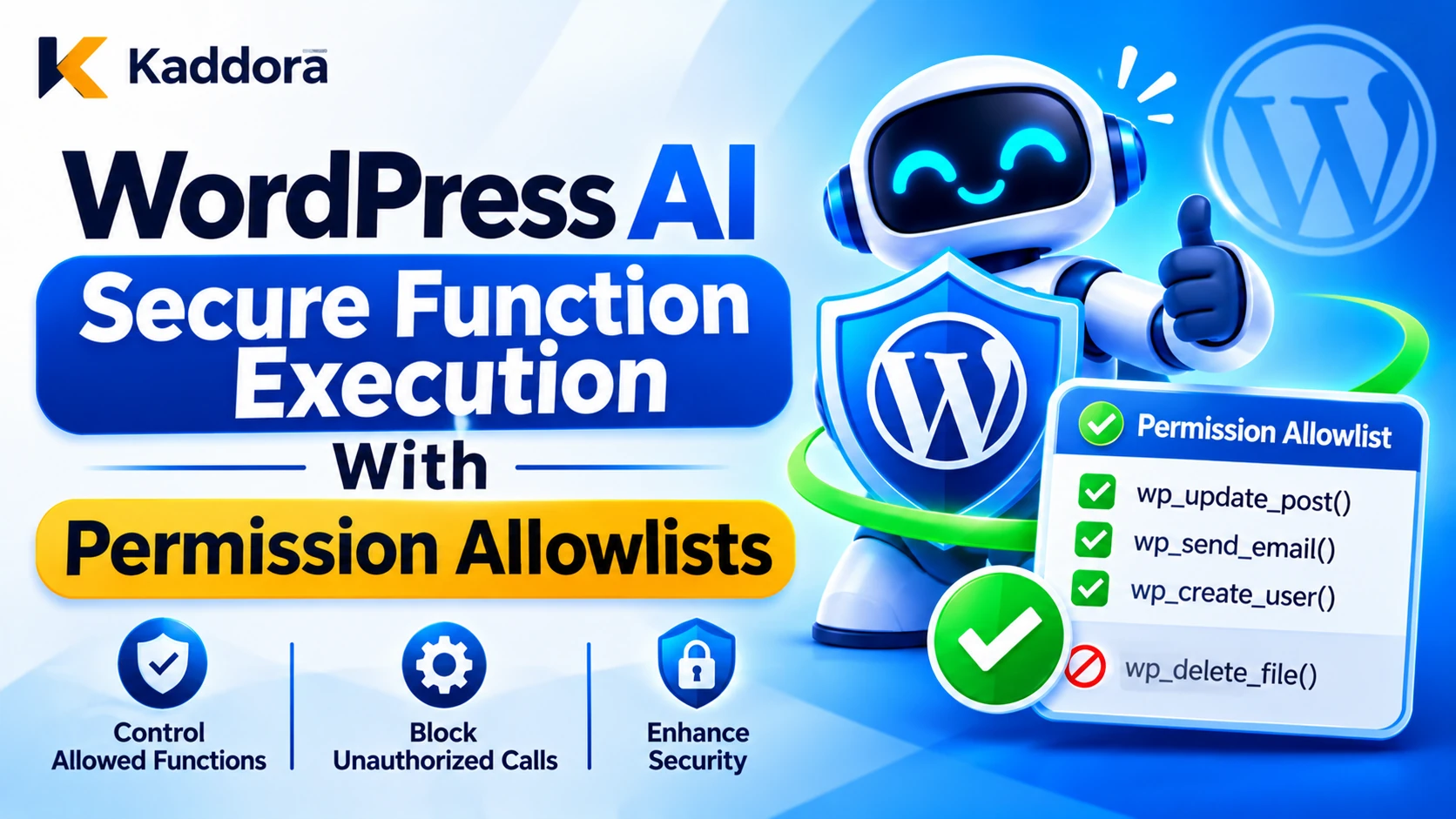
WordPress AI secure function execution with permission allowlists provides a controlled way to determine which functions an AI feature can request and which operations an authenticated user is permitted to perform.
A secure implementation combines predefined function registries, permission allowlists, WordPress capability checks, object-level authorization, argument validation, risk-based approval, and controlled execution.
This guide explains how to build a permission-based function execution architecture for WordPress AI plugins without giving AI models unrestricted access to website functionality.
What Is Secure Function Execution With Permission Allowlists?
Secure function execution is the process of allowing an AI-powered application to invoke only predefined, validated, and authorized functions.
A permission allowlist defines which operations are available to a particular AI feature, user, or workflow.
Instead of allowing the AI model to select any PHP function, the plugin provides a restricted collection of approved operations.
For example, an AI assistant may have access to:
Retrieve permitted post information.
Create draft content.
Update an approved post excerpt.
Generate a product description.
Retrieve public product information.
Create a customer-support ticket.
It should not automatically have access to:
Delete arbitrary WordPress records.
Create administrator accounts.
Change user permissions.
Modify security settings.
Execute arbitrary database queries.
Run unrestricted PHP or shell commands.
A secure permission system evaluates two separate questions:
Function permission: Is the requested function included in the plugin's approved function registry?
User permission: Is the authenticated user authorized to perform the requested operation on the specific resource?
Both checks must succeed before the application executes the function.
A valid function name does not automatically grant permission, and an authorized user should not be able to access functions that the plugin has not explicitly approved for AI use.
Why Do WordPress AI Plugins Need Permission Allowlists?
AI function calling connects model-generated decisions to real application operations. Without strict restrictions, an error or manipulated model response may affect important website functionality.
Prevent Excessive AI Permissions
An AI model should not receive every function available to a WordPress plugin.
For example, a product recommendation assistant may need read-only access to product information but does not need permission to delete products, modify customer accounts, or change payment settings.
Permission allowlists keep available functions limited to the actual purpose of the feature.
Protect Sensitive Website Operations
Some WordPress actions can have significant consequences.
Publishing content, modifying user accounts, changing website configuration, and deleting records should not be treated like ordinary content retrieval.
A permission allowlist makes it possible to apply stricter rules to high-impact operations.
Reduce Prompt Injection Risks
Malicious instructions may enter through user messages, uploaded documents, retrieved pages, and third-party API responses.
An attacker may try to convince an AI model to invoke a function that exposes sensitive information or performs unauthorized modifications.
A backend permission system prevents the model from granting itself additional capabilities.
Maintain User-Level Access Control
WordPress websites often have different user roles and capabilities.
An administrator may be allowed to manage settings, while an editor may only manage content. An author may be restricted to their own posts.
AI functions should respect these differences instead of operating with the broadest permissions available to the plugin.
Improve Accountability
A predefined function registry makes it easier to record which operations were requested, which permissions were checked, and why an action was accepted or rejected.
This supports debugging, security investigations, and ongoing plugin governance.
Understand the Difference Between Function Allowlists and Permission Allowlists
These two controls work together, but they serve different purposes.
Function Allowlists
A function allowlist defines the operations that an AI feature is allowed to request.
For example:
Approved function
Purpose
get_post_details
Retrieve permitted post information
create_draft_post
Create draft content
update_post_excerpt
Modify an existing excerpt
get_product_details
Retrieve product information
generate_product_description
Generate proposed product content
A function that is not registered should be rejected, regardless of what the AI model requests.
Permission Allowlists
A permission allowlist defines which users or trusted execution contexts may perform particular operations.
For example:
Function
Required permission
Suggested restriction
get_post_details
Appropriate read access
Verify resource access
create_draft_post
edit_posts
Create drafts only
update_post_excerpt
edit_post
Verify permission for target post
publish_post
publish_posts and applicable object permission
Require approval
update_site_settings
manage_options
Administrator-controlled operation
These are starting examples, not universal mappings. Actual permissions must match the operation and WordPress resource being accessed.
A secure plugin should also consider object ownership, site context, custom capabilities, and the intended behavior of each feature.
Why Both Are Necessary
Imagine an editor requests an update to a post.
The AI model proposes update_post_excerpt.
The function allowlist confirms that the operation exists. The permission allowlist checks whether the authenticated user can edit the requested post.
If either check fails, the operation must not execute.
This prevents an AI model from introducing new functionality or exceeding the user's actual WordPress permissions.
Design a Central Function Registry
A central function registry is one of the most important components of a secure AI integration.
Rather than allowing different plugin modules to execute their own model-generated function names, define a controlled registry containing trusted function identifiers, handlers, permissions, and risk information.
Register Only Approved Functions
Each registered function should have:
A unique identifier.
A clear purpose.
An approved handler.
Required capabilities.
Accepted arguments.
A risk classification.
An approval policy.
An execution limit where appropriate.
For example:
$kaddora_ai_function_registry = array( 'get_post_details' => array( 'capability' => 'read', 'risk' => 'low', 'handler' => 'kaddora_ai_get_post_details', ), 'create_draft_post' => array( 'capability' => 'edit_posts', 'risk' => 'medium', 'handler' => 'kaddora_ai_create_draft_post', ), 'update_post_excerpt' => array( 'capability' => 'edit_posts', 'risk' => 'medium', 'handler' => 'kaddora_ai_update_post_excerpt', ), );
This registry is defined by trusted plugin code, not supplied or modified by the AI model.
The registered handlers should remain fixed and should have their own argument validation and object-level authorization checks.
Separate Function Registration From Execution
The registry identifies which operations are available. The execution layer decides whether a particular request is permitted.
Keeping these responsibilities separate makes it possible to update function permissions without rewriting the model integration.
Avoid Wildcard Permissions
Do not grant broad access simply because a function belongs to a particular module.
For example, registering all functions beginning with admin_ or allowing every function in a plugin class creates an unnecessarily large attack surface.
Register each operation individually.
Implement WordPress Permission Allowlists
A permission allowlist should connect an approved function to the appropriate WordPress capability and resource-level checks.
Use WordPress Capabilities
WordPress provides current_user_can() to determine whether the current user has a required capability.
For example:
if ( ! current_user_can( 'edit_posts' ) ) { return new WP_Error( 'kaddora_ai_permission_denied', 'You are not allowed to create posts.' ); }
For an operation involving an existing post, use an object-level permission check:
if ( ! current_user_can( 'edit_post', $post_id ) ) { return new WP_Error( 'kaddora_ai_object_access_denied', 'You cannot edit this post.' ); }
The distinction matters because a user may be permitted to edit some posts but not posts owned by other users.
Do Not Rely Only on User Roles
Checking whether a user has the administrator, editor, or author role is less flexible than checking the capability required by the operation.
WordPress capabilities are designed to determine what a user can actually do.
For custom roles and plugins, capability mappings may differ. Always verify the capability appropriate to the target operation.
Bind Functions to the Authenticated User
The AI model must never decide which WordPress user is performing an operation.
Use the authenticated request context to identify the actor. Do not accept a model-generated user ID, role name, or administrator identity as evidence of authorization.
For background processing, use a clearly defined service identity with restricted capabilities and an explicit link to the originating user or approved workflow.
Apply Object-Level Authorization
A general permission check may not be sufficient.
For example, an AI product assistant may be allowed to retrieve product information, but it should not automatically modify every product in the WooCommerce store.
Retrieve the requested object and check the relevant capability, ownership, status, and site context before performing the operation.
Create a Secure Function Execution Layer
A central execution layer ensures that every AI function call passes through the same security checks.
A practical execution process is:
Receive the model-generated function call.
Parse its function identifier and arguments.
Check whether the function exists in the trusted registry.
Validate the argument structure.
Retrieve the authenticated user context.
Check required WordPress capabilities.
Perform object-level authorization.
Evaluate risk and approval requirements.
Execute the predefined handler.
Record the result in the audit log.
If a required check fails, reject the operation.
Example: Central Function Dispatcher
The following example demonstrates a restricted dispatcher that uses a trusted function registry.
/** * Dispatch an approved AI function. * * @param string $function_name Function identifier. * @param array $arguments Validated function arguments. * @return mixed|WP_Error Function result or error. */ function kaddora_ai_dispatch_function( $function_name, $arguments ) { $kaddora_ai_registry = array( 'create_draft_post' => array( 'capability' => 'edit_posts', 'handler' => 'kaddora_ai_create_draft_post', ), 'update_post_excerpt' => array( 'capability' => 'edit_posts', 'handler' => 'kaddora_ai_update_post_excerpt', ), ); if ( ! is_string( $function_name ) || ! isset( $kaddora_ai_registry[ $function_name ] ) ) { return new WP_Error( 'kaddora_ai_function_not_allowed', 'The requested function is not permitted.' ); } if ( ! is_array( $arguments ) ) { return new WP_Error( 'kaddora_ai_invalid_arguments', 'The function arguments are invalid.' ); } $kaddora_ai_function = $kaddora_ai_registry[ $function_name ]; if ( ! current_user_can( $kaddora_ai_function['capability'] ) ) { return new WP_Error( 'kaddora_ai_capability_denied', 'You do not have permission to perform this operation.' ); } $kaddora_ai_handler = $kaddora_ai_function['handler']; /* * The handler comes only from trusted plugin code. * It is never selected by the AI model. */ if ( ! is_callable( $kaddora_ai_handler ) ) { return new WP_Error( 'kaddora_ai_handler_unavailable', 'The requested operation is unavailable.' ); } return call_user_func( $kaddora_ai_handler, $arguments ); }
This is an architectural example rather than a complete production dispatcher. In a finished plugin, each registered function should also have a dedicated schema validator, object-level permission checks, risk classification, approval handling, rate limits, and audit logging.
The capability check shown here is a general check. Individual handlers must verify permissions for specific posts, products, users, or other protected objects.
Validate Function Arguments Before Execution
A permitted function can still be dangerous when its parameters are not validated.
For example, the update_post_excerpt function may be approved, but a model could supply an invalid post ID, unexpected fields, or an excessively long excerpt.
Define Strict Argument Schemas
Each registered function should have a schema that defines:
Required arguments.
Optional arguments.
Accepted data types.
Maximum string lengths.
Allowed numerical ranges.
Permitted enumerated values.
Resource identifier requirements.
Whether additional properties are rejected.
Consider an excerpt-update operation that accepts only post_id and excerpt.
Reject unexpected fields such as post_author, post_status, user_id, or execute_command.
Validate Identifiers Against WordPress Records
A valid integer does not necessarily identify an authorized resource.
Before modifying a post, call get_post() and confirm that the requested object exists, has the expected post type, and is eligible for the operation.
For WooCommerce integrations, verify that the object is actually a product and not another post type.
Sanitize Input and Escape Output
Use appropriate WordPress sanitization and validation functions for incoming data.
For example:
sanitize_text_field() for suitable single-line text.
sanitize_textarea_field() for plain-text areas.
absint() for appropriate unsigned identifiers.
wp_kses_post() when accepting permitted post HTML.
esc_html() for HTML text output.
esc_attr() for HTML attributes.
esc_url() for URL output.
Sanitization does not replace validation. Reject values that do not satisfy the function's requirements.
Escape data when displaying it, using the function appropriate to its output context.
Apply Risk-Based Function Permissions
Not all functions require the same permission and approval policy.
A permission allowlist should account for the possible consequences of an operation.
Low-Risk Functions
Examples include:
Retrieving public post details.
Reading permitted product information.
Generating a content preview.
Summarizing approved documentation.
These functions may run automatically when authorization and validation checks succeed.
Medium-Risk Functions
Examples include:
Creating draft posts.
Updating approved metadata.
Modifying selected content.
Creating internal support tickets.
These functions may require additional confirmation or review depending on their business impact.
High-Risk Functions
Examples include:
Publishing posts.
Sending external communications.
Updating customer records.
Changing important product information.
Modifying business workflow records.
Require explicit approval and verify that approval belongs to the current user and exact operation.
Critical Functions
Examples include:
Creating administrator accounts.
Changing security settings.
Modifying sensitive user permissions.
Performing bulk deletion.
Executing financial or account recovery operations.
Consider prohibiting AI-initiated execution altogether. Where such operations are genuinely necessary, require stronger independent authorization and human control.
A high-level AI trust score or a successful function lookup must never override mandatory security requirements.
Add Human Approval for Sensitive Function Calls
For operations with significant consequences, use a controlled human approval process.
The approval screen should display:
Requested function.
Target resource.
Exact operation.
Proposed arguments.
Expected result.
User who initiated the request.
Risk classification.
The approval must be linked to the exact function and normalized argument values.
For example, approval to publish post ID 125 should not authorize publishing post ID 126 or changing the content after approval.
Use short-lived approval records, unique operation identifiers, and replay protection.
The approval should be verified and consumed atomically immediately before execution so that duplicate requests cannot reuse it.
A simple confirmation button or WordPress nonce alone is not sufficient to prove that a particular high-impact operation was approved.
Prevent Function Permission Escalation
Permission escalation occurs when an AI workflow obtains more authority than the initiating user or intended application design allows.
Several controls can reduce this risk.
Use Least-Privilege Function Access
Expose only the minimum functions needed by each AI feature.
A content assistant should not receive access to administrator-management functions. A read-only research assistant should not receive write operations.
Separate Read and Write Credentials
Where external services or background workers are involved, use different credentials or identities for reading and modifying information.
Avoid sharing broad administrator credentials with AI agents.
Prevent Tool Chaining From Expanding Access
A model may call several functions in sequence.
Each operation must be checked independently. Permission to retrieve a record should not automatically provide permission to modify or delete it.
Set limits on the number of operations, tool calls, retries, and execution time within a workflow.
Validate Tenant and Site Context
For multisite WordPress installations and multi-customer plugins, bind every operation to the correct site, tenant, and authenticated user.
Never allow AI-generated parameters to silently change the execution context.
Secure REST API and AJAX Function Endpoints
If AI functions are exposed through WordPress REST API or AJAX handlers, those endpoints require independent security controls.
Use REST Permission Callbacks
Register appropriate permission_callback functions for custom REST routes.
The callback should verify whether the authenticated user can access the requested operation.
For object-specific routes, also validate access to the target object.
Verify Nonces Where Applicable
For cookie-authenticated requests, use appropriate WordPress REST or AJAX nonce verification.
However, WordPress nonces are designed to help protect against request forgery. They are not authentication or authorization mechanisms.
Always combine nonce verification with capability checks and resource-level permissions.
Keep Execution Endpoints Restricted
Do not create a public endpoint that accepts arbitrary function names and invokes them.
The endpoint should receive only authorized operations, validate all parameters, and use the trusted function dispatcher.
Also apply request limits, error handling, and monitoring to prevent automated abuse.
Maintain Function Execution Logs and Audit Trails
A secure function execution system should make it possible to identify what the AI requested and what the application actually performed.
Useful audit information includes:
Audit field
Purpose
Execution ID
Unique operation reference
Function name
Identifies the requested operation
User ID
Identifies the authenticated actor
Site or tenant ID
Identifies the execution context
Target object
Identifies the affected resource
Permission result
Records authorization outcome
Validation result
Records argument validation
Approval reference
Links the approval decision
Execution status
Records success, rejection, or failure
Policy version
Identifies the applied rules
Timestamp
Supports investigation
Avoid logging passwords, API keys, private tokens, or complete sensitive conversations.
Protect audit records against unauthorized access and modification. Where appropriate, use a separate security logging service for important operations.
Monitor repeated permission failures, unknown function requests, unusual function combinations, and unexpected execution volumes.
Test Permission Allowlists Before Deployment
A permission allowlist should be tested against normal operations and deliberate misuse.
Test Unregistered Functions
Try unknown function names, alternative spellings, fabricated PHP methods, and unrestricted command requests.
The dispatcher should reject all unregistered functions.
Test Unauthorized Users
Test the plugin with administrator, editor, author, contributor, and custom roles.
Verify that each user can execute only the functions and operations permitted by their actual capabilities.
Test Object-Level Permissions
Check that users cannot modify posts, products, or other records outside their authorized scope.
Include tests for ownership, post type, site context, and deleted or trashed records.
Test Prompt Injection
Use malicious instructions in user messages, uploaded documents, and retrieved content.
Verify that the AI cannot expand its function permissions or bypass backend checks.
Test Approval Integrity
Confirm that approvals are:
Linked to the exact function and arguments.
Restricted to the correct user or authorized approver.
Time-limited.
Consumed only once.
Invalidated when the proposed operation changes.
Test Failure Scenarios
Simulate database failures, invalid tool arguments, unavailable approval services, and interrupted requests.
When mandatory authorization or approval checks cannot be completed, the system should fail closed and avoid executing the operation.
Common Mistakes in WordPress AI Function Execution
Giving the AI administrator-level access: AI features should not inherit every permission available to the website administrator.
Using only a function allowlist: An approved function can still modify an unauthorized record. Check the authenticated user and target object separately.
Trusting the model to select its permissions: The AI model must never define its own capabilities, user identity, or execution role.
Using wildcard function registration: Registering entire classes or groups of functions increases the attack surface.
Checking only general capabilities: Operations involving individual resources require appropriate object-level authorization.
Relying only on nonces: Nonces do not replace permission checks or approval controls.
Allowing unrestricted function chaining: Each operation in a sequence must be independently authorized and subject to execution limits.
Ignoring multisite boundaries: A permission on one site must not automatically authorize access to another site.
Logging sensitive data: Audit records should support accountability without exposing credentials or private information.
Best Practices for WordPress AI Secure Function Execution
Use this checklist when developing or reviewing an AI-powered WordPress plugin.
Maintain a centralized registry of approved functions.
Create separate permission allowlists for AI features.
Use least-privilege access for every function.
Separate read-only and write operations.
Never allow AI-generated PHP, SQL, or shell execution.
Validate function names and argument schemas.
Reject unexpected parameters and unsupported values.
Bind operations to the authenticated WordPress user.
Use current_user_can() for capability checks.
Apply object-level authorization to individual records.
Enforce tenant and multisite boundaries.
Require approval for sensitive functions.
Bind approval to exact arguments and consume it once.
Limit tool chaining, retries, and execution time.
Protect REST and AJAX execution endpoints.
Maintain secure function execution audit logs.
Test prompt injection and permission escalation attempts.
Fail closed when mandatory security checks fail.
Why Choose Kaddora?
Kaddora focuses on WordPress plugins, themes, HTML templates, AI integrations, business applications, and digital products designed for practical website and business requirements.
Building secure AI functionality requires more than connecting a model to available WordPress functions. Developers must also consider function permissions, user capabilities, object-level access, approval workflows, execution boundaries, and monitoring.
A structured function allowlist architecture makes AI automation easier to control, test, investigate, and maintain. It also helps prevent AI-generated decisions from gaining unrestricted access to privileged website operations.
Kaddora emphasizes practical WordPress development, responsible AI integration, and useful digital solutions for website owners, developers, and businesses.
Conclusion
WordPress AI secure function execution with permission allowlists is an essential security practice for plugins that connect AI models with real website operations.
A reliable implementation begins with a fixed function registry and a separate permission policy. Every proposed operation must pass function validation, argument checks, authenticated-user verification, capability checks, and object-level authorization before reaching the executor.
Sensitive actions should require approval that is bound to the exact operation, while execution limits and audit logging help protect against misuse and repeated requests.
Most importantly, an AI model should never be allowed to assign its own permissions or execute arbitrary WordPress functions. Trusted application code must remain responsible for deciding which operations are available and whether each request is authorized.
By combining function allowlists, least-privilege permissions, controlled execution, and continuous security testing, WordPress developers can build AI-powered plugins that automate useful tasks without compromising website security.
Frequently Asked Questions
What is secure function execution in WordPress AI plugins?
Secure function execution is a controlled process that allows AI models to request only predefined WordPress operations. Each requested function passes through validation, permission checks, risk assessment, and approval requirements before execution.
What is a permission allowlist for WordPress AI plugins?
A permission allowlist defines which users, AI features, or trusted execution contexts are permitted to perform specific functions. It works alongside a function registry that identifies which operations the AI model is allowed to request.
Why do AI plugins need function allowlists?
Function allowlists prevent AI models from requesting arbitrary PHP functions, privileged operations, or unsupported tools. They reduce the attack surface and help maintain predictable plugin behavior.
How can WordPress developers restrict AI functions by user permissions?
Developers can use WordPress capabilities through current_user_can() and apply object-level checks such as current_user_can( 'edit_post', $post_id ). Each operation should be linked to the appropriate capability and resource restrictions.
What is the difference between a function allowlist and a permission allowlist?
A function allowlist defines which operations are available to AI. A permission allowlist determines whether the current user or authorized execution context can perform a particular operation. Both checks are required.
Should AI models have administrator permissions in WordPress?
No. AI features should receive only the minimum permissions required for their purpose. Sensitive operations should be restricted and require additional approval rather than inheriting unrestricted administrator access.
How can developers prevent AI function permission escalation?
Use fixed function registries, least-privilege permissions, authenticated user context, object-level authorization, restricted tool chaining, and independent approval checks. Never allow the model to define its own permissions.
When should human approval be required for AI function execution?
Approval is recommended for high-impact operations such as publishing content, deleting records, modifying customer information, changing security settings, or executing sensitive business workflows.
Why choose ThemeKaddora?
ThemeKaddora offers WordPress plugins, themes, HTML templates, and digital products for website owners, developers, and businesses. Its focus is on practical digital solutions, useful functionality, and supporting better website and business workflows.
Comments (0)