
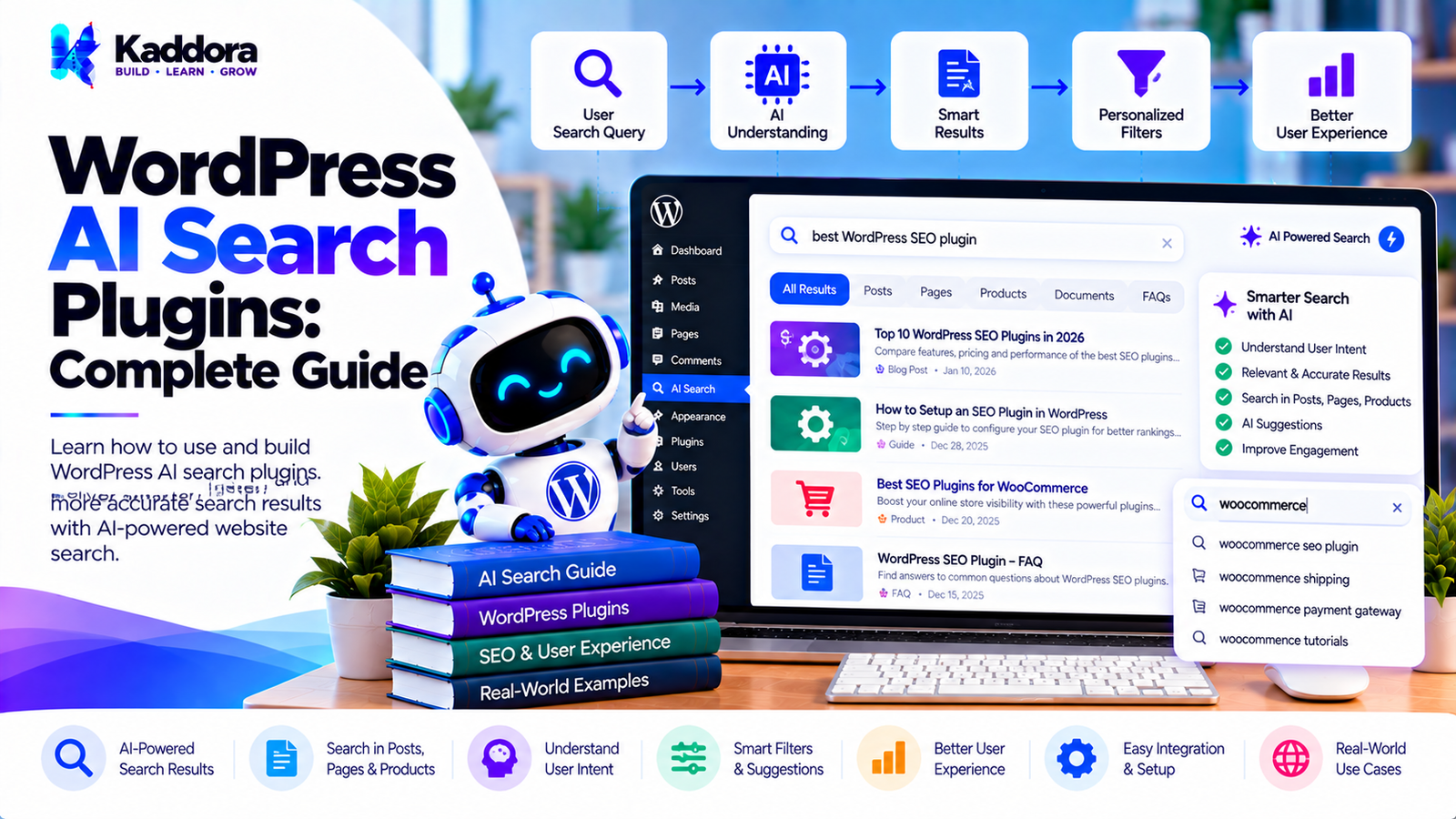
WordPress AI Search Plugins: Complete Guide to AI-Powered Website Search
Introduction
Website search is one of the most important discovery features on a content-heavy WordPress website.
Visitors use search to find:
Blog posts
Pages
Products
Documentation
FAQs
Knowledge-base articles
Services
Custom post types
Traditional WordPress search is useful, but it primarily depends on indexed content, search terms, metadata, and query logic.
As websites become larger and content becomes more complex, users may expect search systems to understand intent rather than simply matching exact words.
This is where WordPress AI search plugins can help.
AI-powered search can combine traditional WordPress search with technologies such as:
Natural language processing
Semantic search
Embeddings
AI ranking
Query understanding
Synonym detection
Contextual search
Vector similarity
A simplified architecture looks like this:
User Search Query ↓ Query Understanding ↓ WordPress Search Index ↓ Candidate Retrieval ↓ Semantic / AI Ranking ↓ Relevant Results ↓ Search Results Page
The goal is not simply to add AI to search.
The goal is to make website content easier to discover while maintaining speed, accuracy, security, privacy, and administrator control.
What Are WordPress AI Search Plugins?
WordPress AI search plugins add intelligent search capabilities to a WordPress website.
Instead of relying exclusively on exact keyword matching, an AI search system can analyze the meaning and context of a query.
For example, a visitor might search:
How can I make my website load faster?
A traditional search system may focus on matching specific words.
An AI-powered search engine may also identify related content such as:
WordPress performance optimization Website speed optimization Core Web Vitals Caching Image optimization
The exact results depend on the search implementation and indexed content.
Traditional WordPress Search vs AI Search
Traditional search commonly follows:
Search Query ↓ Keyword Matching ↓ Database Query ↓ Results
An AI-assisted search architecture can use:
Search Query ↓ Query Understanding ↓ Keyword + Semantic Retrieval ↓ Candidate Results ↓ AI / Relevance Ranking ↓ Results
AI search does not necessarily need to replace traditional WordPress search.
A hybrid approach can often provide more control.
Why Use AI Search in WordPress?
AI search can be useful for websites with:
Large content libraries
Complex documentation
WooCommerce catalogs
Knowledge bases
Membership content
Multiple custom post types
Frequently asked questions
Technical resources
Potential benefits include:
Better natural-language search
Semantic content discovery
Improved relevance
Query understanding
Synonym handling
Product discovery
Cross-content search
Actual search quality depends on indexing, content quality, ranking logic, and implementation.
How WordPress AI Search Works
A basic AI search workflow can be divided into several stages:
1. Content Collection ↓ 2. Search Indexing ↓ 3. Query Processing ↓ 4. Candidate Retrieval ↓ 5. Relevance Ranking ↓ 6. Result Presentation
Each stage has a different purpose.
Step 1: Collect WordPress Content
The search system first determines which content should be searchable.
Possible sources include:
Posts
Pages
Products
Custom post types
Taxonomies
Metadata
Documentation
FAQs
A plugin should allow administrators to control which content types are included.
Step 2: Build a Search Index
Large websites should not necessarily scan all content every time someone searches.
Instead, the plugin can maintain a search index.
Conceptually:
WordPress Content ↓ Content Extraction ↓ Search Index
The index can contain information needed for fast retrieval.
Step 3: Process the Search Query
Suppose the visitor searches:
How do I speed up WooCommerce?
The search system can identify concepts such as:
WooCommerce Performance Speed Optimization
The system can then retrieve content related to those concepts.
Step 4: Generate Search Candidates
The plugin retrieves potential matches.
For example:
Candidate 1 WooCommerce Performance Guide Candidate 2 How to Optimize WordPress Speed Candidate 3 WooCommerce Caching Guide Candidate 4 Image Optimization for WordPress
These candidates can then be ranked.
Step 5: Rank Results
A ranking layer can combine multiple signals:
Keyword Relevance + Semantic Similarity + Content Quality Signals + Content Type + Search Context
The final ranking determines which results appear first.
Step 6: Display Results
The final results can be shown through:
WordPress search pages
Search overlays
AJAX search
Live search
WooCommerce search
Custom search blocks
REST API-powered interfaces
What Is Semantic Search?
Semantic search attempts to understand the meaning behind a query rather than relying only on exact keyword matches.
For example:
Query: How can I make WordPress faster?
A semantic search engine may identify related content containing:
WordPress performance Website optimization Caching Core Web Vitals Database optimization
Even if the exact phrase is not present.
Keyword Search and Semantic Search
Keyword search:
"WordPress speed"
focuses heavily on matching terms.
Semantic search:
"How can I improve my WordPress website performance?"
can use conceptual similarity.
Both approaches can be valuable.
Hybrid WordPress AI Search
A practical architecture can combine traditional and AI search.
Search Query ↓ ┌──────────┴──────────┐ ↓ ↓ Keyword Search Semantic Search ↓ ↓ └──────────┬──────────┘ ↓ Candidate Pool ↓ AI Ranking ↓ Results
This provides multiple retrieval paths.
WordPress AI Search for Blog Content
Blog-heavy websites can use AI search to connect related articles.
For example:
Query: How do I secure WordPress? Possible Results: WordPress Security Guide WordPress Login Security WordPress Firewall Guide WordPress Malware Protection WordPress Security Plugins
The system can retrieve conceptually related content.
AI Search for WooCommerce
WooCommerce stores can use AI search to improve product discovery.
For example:
Query: comfortable shoes for long walks
The system may retrieve products based on:
Product descriptions
Categories
Attributes
Tags
Product embeddings
Search metadata
AI Product Search
An AI product search system can understand descriptive queries.
For example:
black waterproof hiking jacket
The search system can interpret:
Color: Black Property: Waterproof Use: Hiking Product Type: Jacket
This can then be combined with WooCommerce product filters.
AI Search for Custom Post Types
WordPress websites often use custom post types.
Examples include:
Events
Courses
Properties
Jobs
Documentation
Case studies
Services
An AI search plugin can index these content types alongside standard WordPress content.
AI Search for Documentation
Technical documentation can benefit from semantic search.
For example:
Query: How do I reset the plugin settings?
The search engine may find:
Plugin Settings Reset Configuration Troubleshooting Plugin Administration
even if the exact query is not used in the document title.
AI Search for Knowledge Bases
Knowledge-base search can use:
Articles
FAQs
Categories
Tags
Documentation
Support content
The search interface can prioritize the most relevant help resources.
AI Search for FAQs
FAQ content can be indexed as searchable knowledge.
For example:
Question: How do I change my account email? Search ↓ Relevant FAQ
AI Search for WordPress Templates
Template websites can use AI search to help users find appropriate templates.
For example:
Query: modern law firm website
Potential results:
Attorney Template Law Firm Template Legal Business Template Corporate Legal Template
Natural Language Search
AI search can support conversational queries.
Instead of:
SMTP
a user might search:
How can I fix WordPress emails not being delivered?
The search system can use the intent and concepts within the query.
Query Expansion
Query expansion can identify related terms.
For example:
Query: WP speed
Possible expanded concepts:
WordPress performance Website speed Page optimization Caching Core Web Vitals
The expansion should be controlled to avoid unrelated results.
Synonym Handling
AI search can help connect synonymous terms.
For example:
"website" "site"
or:
"login" "sign in"
This can improve search coverage.
Typo Tolerance
Search systems can also handle common spelling mistakes.
For example:
Wordpres
could be interpreted as:
WordPress
Typo correction should be implemented carefully so that valid technical terms are not incorrectly modified.
Search Autocomplete
AI search plugins can provide suggestions while the user types.
For example:
WordPress AI...
could produce:
WordPress AI plugins WordPress AI chatbot WordPress AI SEO WordPress AI search
Autocomplete can improve discovery and reduce typing.
Live Search
A live search interface can retrieve results while the user types.
Conceptually:
User Types ↓ AJAX / REST Request ↓ Search Engine ↓ Top Results ↓ Dropdown
Requests should be optimized to avoid excessive server load.
AI Search and WordPress REST API
A plugin can expose controlled search functionality through the WordPress REST API.
For example:
Search Request ↓ REST Endpoint ↓ Validation ↓ Search Engine ↓ JSON Results
Public endpoints should expose only the data intended for public access.
AI Search and AJAX
AJAX can provide search results without a complete page reload.
A typical workflow:
User Query ↓ AJAX Request ↓ WordPress ↓ Search Engine ↓ JSON ↓ Frontend Results
Requests should be throttled or debounced where appropriate.
Search Index Architecture
A search plugin can maintain a dedicated index.
Conceptually:
WordPress Database ↓ Index Builder ↓ Search Index ↓ Query Engine
A dedicated index can reduce repeated database work.
Database-Based Search
For smaller sites, traditional WordPress database queries may be sufficient.
For example:
Search ↓ WP_Query ↓ Database ↓ Results
AI search does not automatically require a separate search infrastructure.
Vector Search
Advanced AI search systems can use vector representations.
The workflow can look like:
Content ↓ Embedding Model ↓ Vector ↓ Vector Index
A query can also be converted into a vector:
Search Query ↓ Embedding ↓ Vector Similarity ↓ Relevant Content
WordPress AI Search with Embeddings
Embeddings can represent the semantic characteristics of content.
For example:
Article A → Vector A Article B → Vector B Article C → Vector C
The query vector can then be compared with indexed content vectors.
AI Search Ranking
Search ranking can combine:
Keyword Score + Semantic Score + Content Type + Freshness + Business Rules
The weighting should be configurable when possible.
Search Result Filtering
Users may need to filter results by:
Content type
Category
Tag
Product category
Date
Author
Custom taxonomy
AI search can provide the relevance layer while traditional filters provide deterministic constraints.
AI Search and Content Freshness
Some websites need newer content to rank more prominently.
For example:
Search Relevance + Freshness Signal
Freshness should not automatically override relevance unless the site intentionally chooses that behavior.
AI Search and Content Quality
Search ranking can also consider content metadata and editorial signals.
For example:
Published status
Content type
Taxonomy
Featured content
Administrative priority
The exact ranking logic should remain configurable.
AI Search for Private Content
Membership websites may contain private content.
Search must respect WordPress permissions.
For example:
Search Query ↓ Candidate Retrieval ↓ Permission Check ↓ Allowed Results
A search index must not expose content a visitor cannot access.
WordPress AI Search Security
Security is critical for search systems.
A plugin should implement:
Capability checks
Permission checks
Input validation
Output escaping
REST API authentication where required
Rate limiting
Access-control filtering
Search Result Access Control
A search engine should never return restricted content merely because it matches a query.
For example:
Private Document ↓ Search Match ↓ User Permission Check ↓ Not Authorized ↓ Do Not Return
Access control should happen before results are exposed.
AI Search Privacy
Search queries may reveal information about visitors.
Depending on implementation, a plugin may process:
Search terms
User IDs
Session identifiers
Search history
Product interactions
Only necessary data should be collected.
External AI Search APIs
Some plugins may use external AI providers.
Before sending data externally, administrators should understand:
What data is transmitted
Why it is transmitted
Which service receives it
Whether data is stored
Whether the service can be disabled
Applicable privacy requirements
Protect AI API Credentials
AI credentials should never be exposed to visitors.
Avoid putting API keys in:
JavaScript
HTML
Public REST responses
Browser-side configuration
Keep sensitive credentials server-side.
AI Search Performance
Search should be fast enough for normal user interaction.
Important techniques include:
Search indexes
Caching
Query limits
Result limits
Debouncing
Background indexing
Efficient database queries
Vector indexes where appropriate
Background Indexing
Indexing large websites can be expensive.
Instead of rebuilding everything during a normal page request:
Content Update ↓ Queue ↓ Indexing Worker ↓ Search Index
This keeps indexing work away from the frontend.
Incremental Indexing
A scalable search plugin should not need to rebuild the entire index whenever one post changes.
Instead:
Post Updated ↓ Update One Index Record
This is more efficient for large sites.
Search Index Invalidation
An index may need updating when:
A post is edited
A product changes
A taxonomy changes
Content is deleted
Visibility changes
Permissions change
A reliable plugin should account for these events.
AI Search Caching
Popular search queries can be cached.
For example:
Query ↓ Cache ↓ Results
However, cached results should respect permissions and content changes.
Search Result Pagination
Search engines should limit the number of results returned per request.
For example:
Page 1 → 20 Results Page 2 → 20 Results
This reduces unnecessary processing.
AI Search for Multilingual WordPress Websites
Multilingual websites can use AI-assisted search to handle different languages.
For example:
English Query ↓ Multilingual Search ↓ Relevant Content
However, language-specific indexing and translation quality should be evaluated carefully.
AI Search and WordPress Multisite
Multisite installations may contain multiple websites.
The search architecture should clearly define whether search is:
Site-specific
Network-wide
Cross-site
Permissions must remain isolated.
AI Search for WooCommerce Product Attributes
A WooCommerce search system can combine semantic search with structured filters.
For example:
Query: red running shoes under $100
Possible interpretation:
Color → Red Use → Running Price → < $100 Product → Shoes
Structured filters can then narrow semantic results.
AI Search for Product Descriptions
Product descriptions can be indexed semantically to improve product discovery.
For example:
"lightweight waterproof jacket"
could match products containing related concepts.
AI Search and Product Inventory
Search should avoid presenting unavailable products when the store configuration requires inventory-aware results.
Inventory status can be applied as a deterministic filter.
AI Search Analytics
Search analytics can help administrators understand what visitors are looking for.
Useful aggregate metrics include:
Search queries
Result clicks
No-result searches
Popular search terms
Search-to-product interactions
Search analytics should follow the site's privacy policies.
No-Result Search Handling
A useful AI search plugin should provide fallback behavior.
For example:
No Exact Match ↓ Semantic Search ↓ Related Content
If there are still no relevant results, the interface can provide:
Popular content
Categories
Suggested searches
Support links
Search Query Suggestions
When no results are found, the plugin can suggest alternative queries.
For example:
No results for: WordPress emial setup Did you mean: WordPress email setup?
AI Search and Internal Linking
Search insights can also reveal relationships between content.
For example:
Search Topic ↓ Relevant Articles ↓ Related Content
This can help visitors discover more resources.
AI Search Plugin Architecture
A modular architecture can look like:
Search Interface ↓ Query Service ↓ ┌─────────┴─────────┐ ↓ ↓ Keyword Provider Semantic Provider ↓ ↓ └─────────┬─────────┘ ↓ Candidate Pool ↓ Ranking Layer ↓ Access Control ↓ Search Results
Supporting services can include:
Index Manager Cache Manager Embedding Provider Analytics Queue Privacy Manager
Search Provider Abstraction
A plugin can define a common search interface.
For example:
SearchProvider search() index() remove()
Implementations might include:
WordPressSearchProvider SemanticSearchProvider VectorSearchProvider ExternalSearchProvider HybridSearchProvider
This makes the plugin easier to extend.
AI Provider Abstraction
AI functionality should also be separated from the core search logic.
For example:
AIProvider generate_embedding() analyze_query() rank_results()
Different AI services can then be integrated without rewriting the entire plugin.
WordPress AI Search Plugin Settings
A useful administration panel may include:
Search Sources
Posts
Pages
Products
Custom post types
Taxonomies
Search Method
Keyword
Semantic
Hybrid
AI
Provider
Model
Embedding settings
Usage limits
Performance
Cache
Indexing
Background processing
Result limits
Privacy
Search logging
User tracking
External processing
Common WordPress AI Search Mistakes
1. Replacing Traditional Search Completely
AI and traditional search can often work together.
2. Indexing Everything
Only relevant content should be included.
3. Ignoring Permissions
Private content must never be exposed through search.
4. Sending Every Query to an External AI Service
This can increase cost and data exposure.
5. No Search Index
Large websites may become slow if every query scans large amounts of content.
6. No Caching
Repeated searches can create unnecessary processing.
7. Ignoring No-Result Searches
A useful fallback strategy is important.
8. No Analytics
Without search analytics, it is difficult to understand search behavior.
9. Overusing AI
Not every query requires an expensive AI operation.
10. No Administrative Controls
Store owners should be able to control indexed content and search behavior.
Recommended WordPress AI Search Architecture
A scalable implementation can look like:
WordPress Content ↓ Index Manager ↓ ┌────────────┴────────────┐ ↓ ↓ Keyword Index Semantic Index ↓ ↓ └────────────┬────────────┘ ↓ Query Service ↓ Candidate Retrieval ↓ AI Ranking ↓ Access Control ↓ Cache ↓ Search Interface
This architecture allows traditional and AI-powered search to coexist.
WordPress AI Search Plugin Development Checklist
Search
Keyword search
Semantic search
Hybrid search
Natural-language queries
Synonym handling
Typo tolerance
Query suggestions
Autocomplete
Content
Posts
Pages
Products
Custom post types
Taxonomies
Metadata
Documentation
FAQs
AI
Query understanding
Embeddings
Semantic retrieval
AI ranking
Provider abstraction
Usage controls
Performance
Search indexing
Incremental indexing
Background processing
Caching
Result limits
Pagination
Query optimization
Security
Permission checks
Capability checks
Input validation
Output escaping
REST API protection
Rate limiting
Privacy
Search logging controls
Data minimization
External API controls
Retention settings
Privacy documentation
Analytics
Search queries
No-result searches
Result clicks
Popular searches
Search interactions
Why Choose Kaddora?
Kaddora focuses on WordPress plugins, WooCommerce solutions, AI-powered tools, SEO, automation, analytics, themes, and website templates.
AI-powered search is particularly useful for websites where visitors need to find information quickly across large content collections.
A well-designed WordPress AI search solution can combine:
Traditional keyword search
Semantic search
Natural-language queries
Product search
Content indexing
AI ranking
Search analytics
Caching
Background indexing
Access controls
Privacy settings
ThemeKaddora's WordPress-focused ecosystem covers AI plugins, WooCommerce tools, SEO solutions, automation, analytics, themes, and templates.
The goal should be to build search systems that are fast, relevant, secure, scalable, privacy-conscious, and easy for administrators to control.
Conclusion
WordPress AI search plugins can add a new layer of intelligence to website search.
Instead of relying exclusively on exact keyword matches, AI-powered search can help understand:
Search intent
Semantic relationships
Synonyms
Product characteristics
Content meaning
Natural-language queries
A practical architecture can combine traditional search with semantic retrieval:
User Query ↓ Query Understanding ↓ Keyword + Semantic Search ↓ Candidate Results ↓ Ranking ↓ Permission Check ↓ Cached Results ↓ Search Interface
For large WordPress websites, indexing, caching, background processing, and efficient retrieval are essential.
Security and privacy are equally important. Search must respect content permissions, protect API credentials, minimize unnecessary data collection, and provide appropriate controls for external AI processing.
AI should not replace every traditional search mechanism. A hybrid architecture can provide administrators with greater control while allowing visitors to search using more natural language.
When implemented carefully, AI search can become a useful layer for improving content discovery across WordPress websites, WooCommerce stores, documentation platforms, knowledge bases, and other content-rich websites.
Frequently Asked Questions
What are WordPress AI search plugins?
WordPress AI search plugins add AI-powered capabilities to website search, including semantic search, natural-language queries, intelligent ranking, query understanding, and contextual content discovery.
How does AI search work in WordPress?
The plugin processes the user's query, retrieves relevant content from a search index, optionally performs semantic matching, ranks candidates, applies permissions, and displays the results.
Is AI search better than traditional WordPress search?
AI search and traditional search serve different purposes. A hybrid approach can combine keyword matching with semantic retrieval and AI ranking.
Can AI search use a WordPress database?
Yes. A plugin can use WordPress database content as the source for indexing while maintaining a separate search index.
Does AI search require an external AI API?
No. Depending on the implementation, search can use traditional WordPress queries, local models, external AI services, vector databases, or hybrid approaches.
Can WordPress AI search use external AI providers?
Yes. External providers can be used for tasks such as embeddings, query analysis, or result ranking.
Should search queries be sent to an external AI provider?
That depends on the site's requirements, privacy practices, and provider terms. Only necessary information should be transmitted.
Can AI search use background processing?
Yes. Background workers can build or update search indexes without blocking normal website requests.
How can I index a large WordPress website?
Use incremental indexing, background processing, efficient data extraction, dedicated search indexes, caching, and controlled indexing schedules.
Can private WordPress content appear in AI search?
It should only appear to users who are authorized to access it. Search must enforce the same access restrictions as the underlying content.
What search analytics should a WordPress AI plugin track?
Useful aggregate metrics include search queries, result clicks, no-result searches, popular searches, and search-result interactions.
Can AI search improve internal content discovery?
Yes. Semantic and contextual search can help users discover relevant content that may not share the exact words used in their query.
Can AI search improve WooCommerce product discovery?
It can help shoppers find products using descriptive queries and product characteristics, but results depend on catalog quality and search implementation.
Why choose Themekaddora?
Themekaddora provides lightweight, responsive, SEO-friendly WordPress themes with fast performance, WooCommerce compatibility, flexible customization, accessibility-conscious design, modern templates, regular updates, and professional support—providing a strong foundation for businesses building digital products and product-focused websites.
Comments (0)