
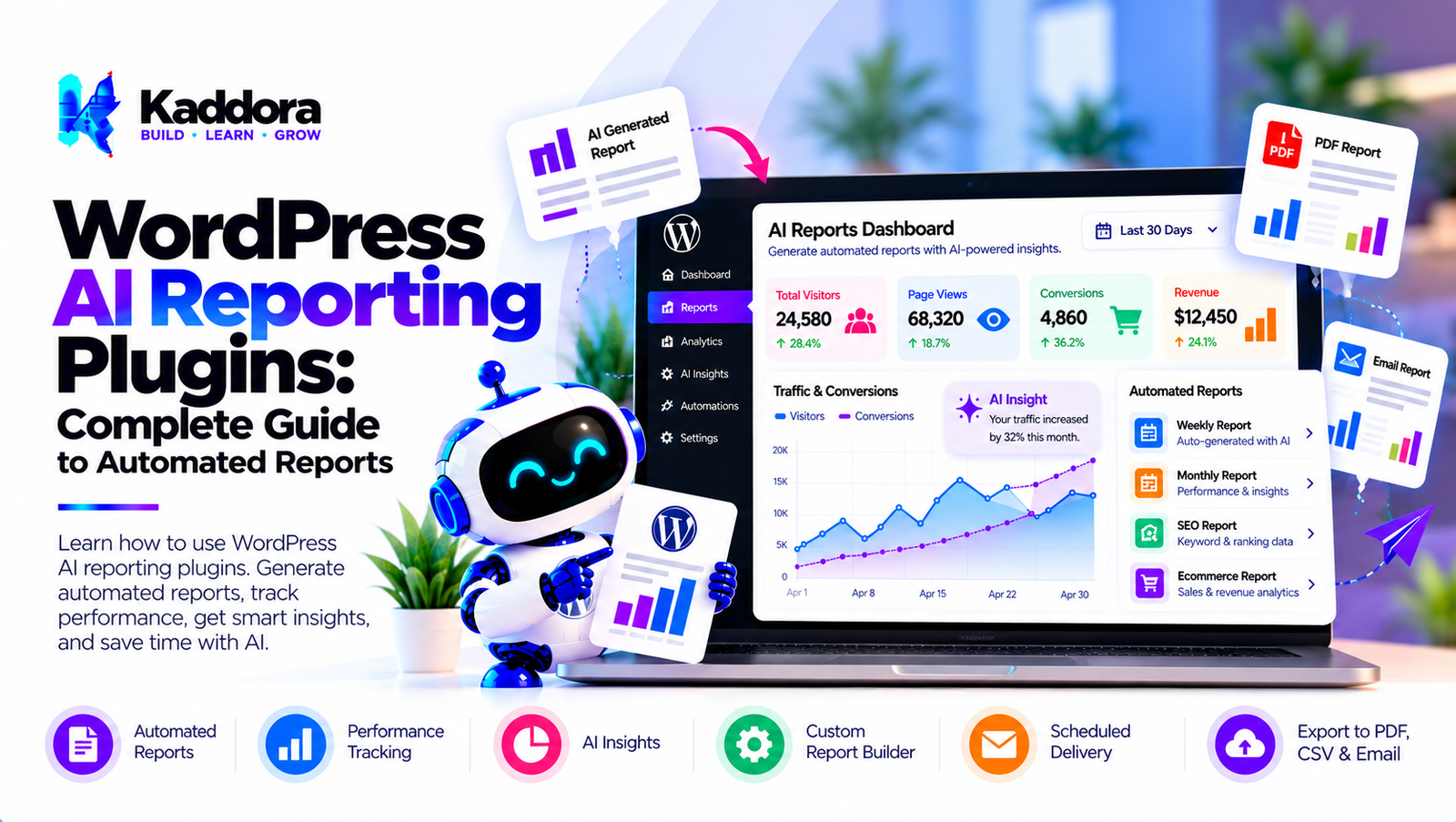
WordPress AI Reporting Plugins: Complete Guide to Automated Reports
Introduction
Website owners often have access to more data than they can easily review.
A WordPress website may generate information about:
Visitors
Traffic
Content
Leads
Forms
Products
Orders
Customers
Conversions
Marketing campaigns
Search activity
Website performance
Traditional reporting systems can collect and display this information, but creating useful reports may still require significant manual work.
For example:
Website Data ↓ Analytics Dashboard ↓ Manual Filtering ↓ Manual Analysis ↓ Manual Report
AI can add an automation layer:
Website Data ↓ Verified Metrics ↓ AI Analysis ↓ Report Generation ↓ Human Review
This is where WordPress AI reporting plugins can be useful.
AI reporting plugins can help generate natural-language summaries, organize analytics information, create recurring reports, explain measurable changes, and prepare reports for website owners, marketing teams, agencies, and WooCommerce businesses.
However, AI-generated reports should always be based on verified source data. AI should explain and organize the data rather than inventing metrics or replacing the underlying analytics system.
What Are WordPress AI Reporting Plugins?
WordPress AI reporting plugins combine WordPress data, analytics information, and artificial intelligence to generate automated reports.
A basic reporting workflow might look like:
WordPress Data ↓ Report Builder ↓ Charts / Tables ↓ Report
An AI-powered reporting workflow can extend this:
WordPress Data ↓ Verified Metrics ↓ AI Analysis ↓ Natural-Language Summary ↓ Automated Report
Depending on the plugin, reports may cover:
Website traffic
Content performance
SEO
WooCommerce
Sales
Customers
Leads
Forms
Conversions
Marketing
Search
Performance
How WordPress AI Reporting Works
A reliable AI reporting system should separate data collection from AI interpretation.
A typical architecture is:
Data Sources ↓ Data Processing ↓ Metric Calculation ↓ Report Dataset ↓ AI Analysis ↓ Report Generation
For example:
WooCommerce Orders ↓ Verified Revenue ↓ Sales Metrics ↓ AI Summary
The AI should receive structured information rather than unrestricted access to the database.
Why Use AI for WordPress Reporting?
Traditional reports often require administrators to interpret multiple charts and tables.
AI can convert structured metrics into readable summaries.
For example:
Traffic: 25,000 visits Conversions: 1,250 AI Summary: Traffic and conversion metrics changed compared with the previous reporting period.
The exact explanation should be based on the actual data.
AI reporting can reduce repetitive manual reporting work while keeping the underlying numbers available for verification.
What Can WordPress AI Reporting Plugins Report?
Potential reporting areas include:
Website traffic
Content performance
SEO performance
Lead generation
Form submissions
WooCommerce sales
Product performance
Customer activity
Conversion rates
Marketing campaigns
Internal search
Website performance
Custom business metrics
AI Website Performance Reports
A website performance report can summarize:
Traffic
Engagement
Conversions
Popular pages
Traffic sources
Other configured metrics
A report might follow:
Website ↓ Analytics ↓ Metrics ↓ AI Summary ↓ Performance Report
AI Traffic Reports
AI can summarize traffic information over a selected period.
For example:
Daily Traffic ↓ Weekly Aggregation ↓ Period Comparison ↓ AI Summary
Potential comparisons include:
Current period vs previous period
Week vs week
Month vs month
Selected date ranges
The report should clearly identify the reporting period.
AI Content Reports
Content-focused websites can generate reports covering:
Top pages
Popular posts
Content engagement
Traffic by category
Landing-page performance
Content conversions
For example:
Content Data ↓ Performance Metrics ↓ AI Analysis ↓ Content Report
AI Blog Reports
A WordPress blog can use AI reporting to summarize:
Article views
Engagement
Traffic sources
Conversions
Popular topics
AI can also organize large article datasets into readable summaries.
AI SEO Reports
AI reporting can help summarize SEO metrics such as:
Organic traffic
Search clicks
Impressions
Landing pages
Search queries
Content performance
A workflow can be:
SEO Data ↓ Verified Metrics ↓ AI Interpretation ↓ SEO Report
AI should not invent keyword rankings, traffic, or search data.
AI Marketing Reports
Marketing reports can combine information from supported sources.
For example:
Campaign ↓ Traffic ↓ Leads ↓ Conversions ↓ AI Summary
Reports may include:
Campaign performance
Landing-page performance
Lead generation
Conversion metrics
Traffic sources
AI Lead Generation Reports
Lead-generation websites can report:
Leads generated
Forms submitted
Landing pages
Traffic sources
Conversion rates
A report workflow can be:
Visitors ↓ Landing Page ↓ Form ↓ Lead ↓ AI Report
AI Form Reports
WordPress form plugins can produce data about submissions and conversions.
AI reporting can organize this information into:
Submission summaries
Conversion reports
Form performance
Lead-source reports
Privacy-sensitive form information should be handled carefully.
AI WooCommerce Reports
WooCommerce stores have many useful reporting dimensions.
AI reporting can summarize:
Orders
Revenue
Products
Customers
Categories
Refunds
Average order value
Sales trends
For example:
WooCommerce ↓ Orders ↓ Commerce Metrics ↓ AI Analysis ↓ Store Report
AI Sales Reports
Sales reports can include:
Total orders
Revenue
Product sales
Order value
Refunds
Customer activity
AI can turn verified sales metrics into a readable report.
AI Product Reports
Product reports can analyze:
Product ↓ Views ↓ Cart Activity ↓ Purchases ↓ Revenue
AI can summarize measurable product performance.
AI Customer Reports
Customer reports may include:
New customers
Returning customers
Purchase frequency
Product activity
Customer segments
Access to customer information should be restricted according to user permissions.
AI Customer Segmentation Reports
AI can help summarize customer segments.
For example:
Customer Data ↓ Segments ↓ Segment Metrics ↓ AI Summary
Segments should be based on clearly defined criteria.
AI Conversion Reports
Conversion reports can summarize:
Conversion volume
Conversion rate
Conversion sources
Landing pages
Funnel stages
A basic funnel can be:
Visitors ↓ Page Views ↓ Lead / Cart ↓ Conversion
AI can explain measurable changes between stages.
AI Funnel Reports
A funnel report can provide:
Stage 1 → Stage 2 → Stage 3 → Stage 4
AI can summarize where the largest measurable drop-offs occur.
The report should distinguish between:
Observed data
Interpretation
Recommendations
AI Analytics Reports
AI can sit on top of an existing analytics system.
For example:
Analytics Platform ↓ Metrics ↓ Report Dataset ↓ AI ↓ Readable Report
This allows traditional analytics to remain the source of truth.
AI Natural-Language Reports
Natural-language reporting allows complex metrics to be explained in ordinary language.
For example:
"Website traffic increased during the selected period, while conversion activity changed by a different amount."
The report should include the actual numbers so users can verify the statement.
AI Executive Reports
Business owners may prefer concise summaries instead of detailed analytics dashboards.
An executive report could contain:
Performance Summary Traffic Conversions Revenue Top Content Top Products Important Changes
The underlying data should remain accessible.
AI Agency Reports
Agencies managing WordPress websites can use automated reports for clients.
Potential report sections include:
Traffic
SEO
Content
Leads
Conversions
WooCommerce
Campaigns
A multi-client reporting system must keep each client's data isolated.
White-Label AI Reports
Some reporting systems may allow agencies to customize:
Logo
Company name
Report colors
Headers
Footer
Domain information
White-label functionality should not remove transparency about data sources or AI-generated sections.
Scheduled AI Reports
Automated reports can be generated on a schedule.
For example:
Weekly Schedule ↓ Collect Metrics ↓ Generate Report ↓ AI Summary ↓ Send Report
Possible schedules include:
Daily
Weekly
Monthly
Custom intervals
AI Email Reports
A WordPress plugin can send reports through email.
A typical workflow is:
Report Generated ↓ Email Template ↓ Recipient Validation ↓ Email Delivery
Email reports should avoid exposing sensitive analytics to unauthorized recipients.
AI PDF Reports
A plugin can generate downloadable or printable reports.
A PDF workflow can be:
Metrics ↓ Report Data ↓ AI Summary ↓ PDF Generator ↓ Report
The generated report should retain important source metrics.
AI Dashboard Reports
AI reports can be integrated directly into WordPress dashboards.
For example:
┌───────────────────────────────┐ │ Website Overview │ ├───────────────────────────────┤ │ Traffic 25,000 │ │ Conversions 1,250 │ │ Revenue ₹X │ └───────────────────────────────┘ AI Summary Observed performance changes...
The dashboard should make it clear which information is measured and which is AI-generated.
AI Report Templates
A reusable report template can define:
Report ├── Executive Summary ├── Traffic ├── Content ├── SEO ├── Leads ├── Sales ├── Recommendations └── Data Sources
Templates make recurring reports more consistent.
AI Report Customization
Administrators may want different reports for different audiences.
For example:
Business Owner → Executive Report Marketing Team → Marketing Report Content Team → Content Report Sales Team → Conversion Report
Role-based reports can reduce unnecessary information.
AI Report Data Sources
A reporting plugin may connect to:
WordPress
WooCommerce
Analytics services
Search data
CRM systems
Marketing tools
Form plugins
Each data source should be clearly identified.
AI Reporting Integrations
A modular integration architecture can look like:
Reporting Engine ↓ Data Interface ↙ ↓ ↘ WordPress WooCommerce CRM ↓ Metrics ↓ AI
Provider-specific integration code should remain isolated.
AI Reporting Provider Abstraction
AI providers should ideally be separated from report logic.
For example:
Report Engine ↓ AI Interface ↙ ↘ Provider A Provider B
This allows future provider changes without rewriting the entire reporting system.
AI Report Accuracy
AI-generated reports can contain inaccurate interpretations if the context is incomplete.
A safer workflow is:
Verified Data ↓ Structured Context ↓ AI ↓ Validation ↓ Report
Important numerical values should be generated from verified metrics.
AI Report Validation
A report-generation system can validate:
Numbers
Dates
Currency
Percentages
Metric names
Source identifiers
For example:
Verified Revenue = ₹100,000 AI Output: Revenue was ₹100,000
The system should not allow the AI to arbitrarily change the verified number.
AI Hallucination Prevention in Reports
AI reporting systems can reduce hallucinations by using:
Structured input
Restricted context
Metric definitions
Tool-based data retrieval
Output validation
Source references
Fixed report schemas
For example:
Database ↓ Validated Metrics ↓ Structured JSON ↓ AI Summary
AI Report Recommendations
Reports may include an AI-generated recommendation section.
For example:
Observed: Product views increased. Recommendation: Review product-page conversion performance.
The recommendation should be clearly distinguished from the observed fact.
AI Reporting and Human Review
AI-generated reports can be reviewed before distribution.
For important reports:
Data ↓ AI Report ↓ Human Review ↓ Approved Report
This can be especially useful for:
Client reports
Financial summaries
Executive reports
Marketing reports
AI Reporting Privacy
Reports may contain sensitive information.
Examples include:
Customer activity
Revenue
Leads
Search queries
Internal business metrics
The reporting plugin should provide appropriate access controls and data-minimization options.
AI Reporting Security
Security features should include:
Authentication
Authorization
WordPress capability checks
Nonces
Secure API credentials
Input validation
Output escaping
Rate limiting
Access-controlled report URLs
Audit logging
AI Report Access Control
Not every WordPress user should necessarily see every report.
For example:
Administrator ↓ All Reports Manager ↓ Business Reports Editor ↓ Content Reports
Report permissions should use WordPress capabilities.
AI Report Sharing
Reports may be shared through:
Download
Dashboard
Internal links
Shared reports should be protected against unauthorized access.
AI Report Links
If a report is available through a URL, the URL should not automatically expose sensitive information.
Use appropriate:
Authentication
Authorization
Expiration
Access tokens where appropriate
Permission checks
AI Reporting Performance
Generating reports from large datasets can be expensive.
Performance techniques include:
Aggregated metrics
Scheduled calculations
Caching
Background processing
Pagination
Query optimization
Incremental processing
AI Reporting Background Processing
Large reports should often be generated asynchronously.
For example:
Admin Requests Report ↓ Create Job ↓ Background Processing ↓ Collect Data ↓ AI Analysis ↓ Generate Report ↓ Notify Admin
This avoids long-running frontend requests.
AI Reporting Caching
Recurring reports can use cached data.
For example:
Weekly Report ↓ Existing Cache? ↙ ↘ Yes No ↓ ↓ Reuse Generate
Cache expiration should match the report's freshness requirements.
AI Reporting Cost Optimization
AI reporting costs can increase when reports contain large datasets.
Use:
Aggregated metrics
Smaller contexts
Reusable summaries
Cached reports
Scheduled processing
Appropriate AI models
Request limits
Instead of:
Entire Dataset ↓ AI
use:
Dataset ↓ Aggregated Metrics ↓ Relevant Report Context ↓ AI
AI Reporting Rate Limiting
Report-generation endpoints should be protected against repeated requests.
Controls can include:
User capability checks
Rate limits
Job limits
Report quotas
Request throttling
AI Reporting for WooCommerce Stores
WooCommerce businesses can create recurring reports such as:
Weekly Store Report Orders Revenue Top Products Customer Activity Refunds Conversion Metrics
AI can summarize the verified metrics.
AI Reporting for Content Websites
Content websites can generate:
Monthly Content Report Top Articles Traffic Engagement Conversions Search Performance Content Trends
AI can organize the information into a readable report.
AI Reporting for Lead Generation
Lead-generation reports can include:
Leads
Forms
Conversion rates
Traffic sources
Landing pages
Campaigns
AI can summarize measurable performance changes.
AI Reporting for Membership Websites
Membership reports can include:
New registrations
Active users
Membership activity
Content usage
Course activity
Renewals
Access should remain restricted to authorized administrators.
How to Build a WordPress AI Reporting Plugin
Step 1: Define the Report Requirements
Determine what the report should contain and who will receive it.
Step 2: Identify Data Sources
Connect WordPress, WooCommerce, analytics, forms, CRM, or other required sources.
Step 3: Build the Analytics Layer
Calculate reliable metrics from source data.
Step 4: Create a Report Data Model
Define structured data for reports, sections, metrics, and summaries.
Step 5: Build Report Templates
Create reusable templates for different report types.
Step 6: Add the AI Provider Layer
Separate AI communication from the reporting engine.
Step 7: Create the AI Context Builder
Send only the information required to generate the report.
Step 8: Add Output Validation
Check numbers, dates, percentages, currencies, and required sections.
Step 9: Add Background Processing
Generate larger reports asynchronously.
Step 10: Add Scheduling
Allow administrators to create recurring reports.
Step 11: Add Delivery Methods
Support appropriate delivery methods such as dashboard, email, or downloadable reports.
Step 12: Add Access Control
Restrict reports according to WordPress capabilities.
Step 13: Add Privacy Controls
Control retention, data sources, and external AI processing.
Step 14: Add Logging and Monitoring
Track report generation, failures, and important administrative actions.
WordPress AI Reporting Plugin Checklist
Reporting
Report templates
Custom report sections
Date-range filters
Metric comparisons
Scheduled reports
Report history
AI
AI provider abstraction
Context builder
Structured prompts
Output validation
AI summaries
AI recommendations
Data
WordPress integration
WooCommerce integration
Analytics integration
Form integration
CRM integration
Performance
Caching
Background processing
Aggregated metrics
Query optimization
Rate limiting
Security
Capability checks
Authentication
Authorization
Nonces
Secure credentials
Protected report URLs
Audit logging
Privacy
Data minimization
Retention controls
External AI controls
Report access controls
Sensitive data protection
Best Practices for WordPress AI Reporting Plugins
A reliable WordPress AI reporting plugin should:
Use verified source data.
Keep metric calculation separate from AI.
Clearly distinguish facts from AI interpretation.
Validate important numerical values.
Provide access to underlying metrics.
Use WordPress capabilities for report access.
Protect report-sharing URLs.
Minimize sensitive data sent to AI providers.
Use caching for recurring reports.
Use background processing for large reports.
Provide scheduled reporting.
Monitor AI API costs.
Apply rate limits.
Provide fallbacks when AI is unavailable.
Keep integrations modular.
Support multiple report templates.
Maintain report history where appropriate.
Log important report-generation actions.
Make report periods and data sources clear.
Keep administrators in control of final reports.
Why Choose Kaddora?
Kaddora focuses on WordPress plugins, WooCommerce solutions, AI-powered tools, automation, SEO, analytics, themes, and website templates.
AI reporting becomes particularly useful when it works on top of reliable WordPress and WooCommerce data.
A modern WordPress AI reporting solution can combine:
Automated analytics reports
AI-generated summaries
WooCommerce reports
SEO reports
Content reports
Lead reports
Conversion reports
Customer reports
Scheduled reporting
PDF reporting
Email reporting
AI insights
Secure integrations
Background processing
The goal is to reduce repetitive reporting work while keeping the underlying metrics transparent and verifiable.
ThemeKaddora provides WordPress plugins, themes, templates, WooCommerce tools, AI solutions, SEO resources, analytics products, and automation-focused solutions for modern WordPress websites.
Conclusion
WordPress AI reporting plugins can help automate one of the most repetitive parts of website management: turning data into understandable reports.
A traditional workflow often looks like:
Data ↓ Dashboard ↓ Manual Review ↓ Manual Report
An AI-powered reporting workflow can become:
Data ↓ Verified Metrics ↓ AI Analysis ↓ Report ↓ Human Review
This can be useful for website owners, agencies, marketers, content teams, WooCommerce stores, and businesses that need recurring performance reports.
AI reporting can summarize traffic, content performance, SEO data, leads, conversions, customer activity, product performance, and sales. It can also support scheduled reports, natural-language summaries, PDF generation, email delivery, and customized report templates.
However, AI should not become the source of truth for important metrics. Numbers should come from reliable data sources, while AI should help explain and organize those numbers.
Security and privacy are equally important. Reports may contain revenue, customer, lead, and behavioral information, so access controls, data minimization, secure delivery, and appropriate retention policies should be built into the reporting architecture.
Performance should also be considered. Large reports can be generated using background processing, caching, aggregation, and optimized queries rather than performing expensive work during normal page requests.
The strongest WordPress AI reporting plugins therefore combine verified analytics, structured report generation, AI summaries, secure access control, scheduled processing, caching, privacy controls, and reliable fallback mechanisms.
AI can make reporting faster and easier to understand while keeping humans in control of the final interpretation and decisions.
Frequently Asked Questions
What are WordPress AI reporting plugins?
WordPress AI reporting plugins use artificial intelligence to analyze structured website data and generate automated reports, summaries, and insights.
What can WordPress AI reporting plugins report?
They can report website traffic, content performance, SEO metrics, leads, forms, conversions, WooCommerce sales, products, customers, and other supported data.
Can AI generate WordPress analytics reports?
Yes. AI can summarize verified analytics metrics and create natural-language reports.
Can AI generate WooCommerce reports?
Yes. AI can summarize WooCommerce orders, revenue, products, customers, refunds, and other available commerce metrics.
Can AI create scheduled reports?
Yes. A reporting plugin can generate daily, weekly, monthly, or custom scheduled reports.
Can WordPress AI reports be sent by email?
Yes. Reports can be delivered through email when the plugin supports email reporting.
Can AI reporting contain incorrect information?
Yes. AI-generated interpretations can be incorrect, which is why reports should use structured source data and validation.
How can AI reporting reduce hallucinations?
Use verified metrics, restricted context, structured report schemas, output validation, source references, and access to the underlying data.
Should AI have direct access to the WordPress database?
A controlled analytics or reporting layer is generally preferable to giving an AI system unrestricted database access.
Can AI reports include customer information?
They can when appropriate, but sensitive customer information should be minimized, protected, and accessible only to authorized users.
How can AI reporting protect privacy?
Use data minimization, access controls, secure integrations, appropriate retention policies, and controls over external AI processing.
Can AI reporting slow down WordPress?
Large report-generation tasks can consume resources. Background processing, caching, aggregation, and optimized queries can reduce the impact.
How can AI reporting API costs be reduced?
Use smaller contexts, aggregated metrics, caching, scheduled processing, appropriate models, request limits, and duplicate prevention.
What happens if the AI provider is unavailable?
A well-designed reporting plugin should still provide standard reports, cached information, or underlying analytics data when AI is unavailable.
What is natural-language reporting?
Natural-language reporting converts structured analytics data into readable summaries that explain the measured information in ordinary language.
Can AI reporting provide recommendations?
Yes. AI can provide recommendations based on observed data, but recommendations should be clearly separated from verified facts.
Can AI reports be customized?
Yes. A reporting plugin can provide templates and configurable sections for different teams, businesses, or reporting requirements.
Why choose Themekaddora?
Themekaddora provides lightweight, responsive, SEO-friendly WordPress themes with fast performance, WooCommerce compatibility, flexible customization, accessibility-conscious design, modern templates, regular updates, and professional support—providing a strong foundation for businesses building digital products and product-focused websites.
Comments (0)