
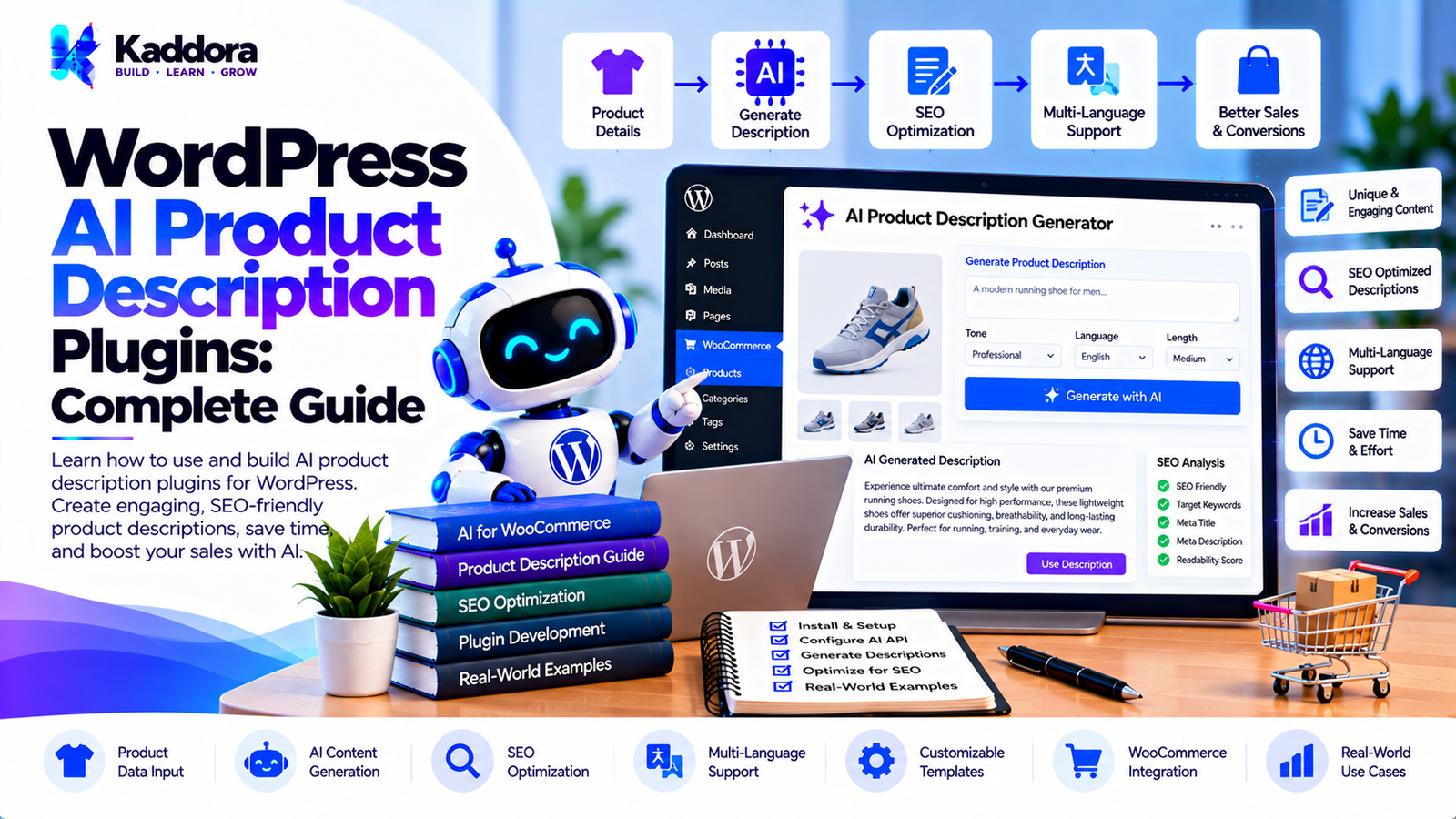
WordPress AI Product Description Plugins: Complete Guide
Introduction
Product descriptions are an important part of every ecommerce website.
A product page needs useful information that helps visitors understand what a product is, what it offers, how it can be used, and why it may be relevant to them.
For a store with a few products, writing descriptions manually may be manageable.
For stores with hundreds or thousands of products, creating and maintaining product content can become a major workload.
This is where WordPress AI product description plugins can help.
AI can generate draft product descriptions from structured product information such as:
Product name
Category
Features
Specifications
Attributes
Existing product data
Brand information
Target audience
A typical workflow looks like:
Product Data ↓ Prompt Builder ↓ AI Generation ↓ Content Validation ↓ Editor Review ↓ WooCommerce Product
The important principle is that AI should transform trusted product information into useful content, not invent facts about products.
This guide explains how WordPress AI product description plugins work, how they can integrate with WooCommerce, and how developers can build reliable AI-powered product content workflows.
What Are WordPress AI Product Description Plugins?
WordPress AI product description plugins use artificial intelligence to generate or improve product descriptions inside WordPress.
When integrated with WooCommerce, they can use existing product information as input.
For example:
Product Name Wireless Headphones Features Bluetooth Noise reduction Rechargeable battery AI ↓ Product Description
The generated description can then be reviewed and saved to the product.
Why Use AI for Product Descriptions?
AI can help ecommerce teams reduce repetitive writing work.
Potential benefits include:
Faster content creation
Consistent formatting
Bulk content generation
Description rewriting
Tone customization
Multilingual content
SEO-oriented drafts
Product content refreshes
However, AI-generated content still requires factual validation.
AI Product Description Workflow
A practical workflow is:
WooCommerce Product ↓ Read Product Data ↓ Validate Information ↓ Build Prompt ↓ Send AI Request ↓ Validate Response ↓ Review Content ↓ Save Description
This approach keeps the product database as the primary source of factual information.
Step 1: Collect Product Information
The plugin can collect relevant information from the product.
For example:
Product Name SKU Category Short Description Features Attributes Specifications Brand Price Existing Description
Only information necessary for content generation should be included in the AI request.
Step 2: Define the Product Content Source
The plugin should clearly identify which fields are trusted sources.
For example:
Trusted Product Data ↓ AI Prompt ↓ Generated Copy
The AI should not be expected to know missing product specifications.
Step 3: Build the AI Prompt
A prompt can instruct the AI to create a product description using only provided information.
For example:
Create a clear ecommerce product description using only the supplied product information. Do not invent specifications, features, warranty details, materials, or performance claims.
This type of instruction helps reduce unsupported claims.
Step 4: Generate the Product Description
The plugin sends the structured product data to the selected AI provider.
The response may contain:
Introduction
Key features
Benefits
Usage information
Closing statement
The exact structure depends on the plugin's configuration.
Step 5: Validate the AI Response
The plugin should verify that the response is usable before saving it.
Possible checks include:
Response exists
Expected format is returned
Content length is reasonable
No unexpected data is included
Step 6: Review Before Saving
A useful interface can show:
Generated Product Description [ Generated Content ] [ Edit ] [ Regenerate ] [ Save to Product ]
This gives store managers control over the final content.
Step 7: Save to WooCommerce
After approval, the plugin can update the appropriate WooCommerce product content.
For example:
AI Draft ↓ Editor Approval ↓ WooCommerce Product ↓ Description Updated
The plugin should avoid changing unrelated product fields.
Step 8: Generate Short Descriptions
AI can also generate WooCommerce short descriptions.
For example:
Product ↓ AI ↓ Short Description
Short descriptions should focus on the most useful product information rather than repeating the complete description.
Step 9: Generate Long Descriptions
Long-form product descriptions can provide more detailed information.
A possible structure is:
Product Overview Key Features Benefits Use Cases Important Details
The structure should match the store's content strategy.
Step 10: Generate Feature Lists
AI can transform structured product attributes into readable feature lists.
For example:
Product Data ↓ Feature Extraction ↓ Readable Bullet Points
The plugin should ensure that generated features are supported by the source data.
Step 11: Generate Product Benefits
Benefits explain how a product may help the customer.
However, AI should distinguish between:
Known Product Feature
and:
Unsupported Marketing Claim
For example, if the source data says a product has a rechargeable battery, the description can mention rechargeable use.
It should not invent a specific battery life unless that information exists in the product data.
Step 12: Generate Product Use Cases
AI can turn known product features into potential use cases.
For example:
Feature: Portable Possible use: Travel and mobile work
The use case should remain reasonable and consistent with the actual product.
Step 13: Generate SEO-Friendly Product Content
AI can help create naturally written product descriptions that include relevant terminology.
However, SEO content should remain useful to customers.
Avoid excessive repetition such as:
Best wireless headphones wireless headphones product wireless headphones online buy wireless headphones wireless headphones sale
Natural language is preferable.
Step 14: Generate Product Meta Descriptions
An AI product plugin can optionally create a draft meta description.
For example:
Product ↓ Key Information ↓ AI ↓ Meta Description
The output should fit the requirements of the site's SEO workflow.
Step 15: Generate Product Titles
AI can suggest product title improvements.
For example:
Original: Headphones Model X Suggested: Model X Wireless Noise-Reducing Headphones
Any suggested title should preserve the actual product identity and avoid adding unsupported specifications.
Step 16: Generate Product Slugs
AI can also suggest readable URL slugs.
For example:
Wireless Headphones Model X ↓ wireless-headphones-model-x
Existing URLs should not be changed automatically without considering redirects and SEO implications.
Step 17: Generate Product FAQs
AI can create FAQ drafts from verified product information.
For example:
Product Data ↓ Potential Customer Questions ↓ AI Answers
Answers should only use information available from trusted product data.
Step 18: Generate Comparison Content
For stores selling related products, AI can help create comparison copy.
For example:
Product A Product B Product C ↓ Comparison Draft
The plugin should ensure every comparison claim is supported by actual product information.
Step 19: Generate Category Descriptions
The same architecture can be extended beyond individual products.
For example:
WooCommerce Category ↓ Category Products ↓ AI Content ↓ Category Description
The plugin should control how much product data is sent to the AI service.
Step 20: Generate Content From Product Attributes
WooCommerce attributes can provide structured information.
For example:
Color: Black Material: Aluminum Connectivity: Bluetooth Battery: Rechargeable
AI can transform this structured information into readable copy.
Step 21: Generate Content From Custom Fields
Advanced WooCommerce stores may use custom fields for product specifications.
A plugin can optionally support selected custom fields.
Only explicitly configured fields should be included.
Step 22: Generate Descriptions in Bulk
Large stores can generate descriptions for many products.
For example:
500 Products ↓ Select Products ↓ Generation Queue ↓ AI Processing ↓ Review ↓ Publish
Bulk processing should use background jobs.
Step 23: Add Bulk Selection Filters
Useful filters may include:
Products Without Description Products With Short Description Only Products Updated Recently Products in Category Products With Missing SEO Content
This makes bulk generation more targeted.
Step 24: Protect Existing Descriptions
A plugin should not overwrite manually written product content by default.
A safer workflow is:
Existing Description ↓ Keep Missing Description ↓ Generate
An explicit overwrite option can be provided for administrators.
Step 25: Add Regeneration
Users may want another version of a generated description.
Provide:
Generate ↓ Review ↓ Regenerate ↓ New Version
Repeated regeneration should be subject to usage controls.
Step 26: Add Tone Controls
A plugin can provide options such as:
Professional Friendly Technical Minimal Premium Conversational
Tone should change the writing style without changing product facts.
Step 27: Add Length Controls
Possible options include:
Short Medium Detailed
The plugin should still prioritize clarity over arbitrary word counts.
Step 28: Add Audience Controls
The description can be adapted to a selected audience.
For example:
Audience: Business Customers Technical Users General Consumers Professionals
The product information should remain unchanged.
Step 29: Add Language Support
Multilingual stores can generate product descriptions in multiple languages.
A workflow can be:
Product Data ↓ Base Description ↓ Language ↓ AI ↓ Translated Content
Existing translations should not be overwritten without explicit permission.
Step 30: Add Brand Voice
Stores can define writing guidelines.
For example:
Brand Voice: Professional Clear Concise Trustworthy
These instructions can be included in the generation prompt.
Step 31: Add Prompt Templates
Templates can standardize generation.
For example:
Write a product description using only the supplied product data. Use a clear introduction followed by key features and practical benefits. Do not invent specifications.
Templates make outputs more consistent.
Step 32: Add Product-Specific Prompt Rules
Different product categories may require different writing approaches.
For example:
Electronics ↓ Technical Specifications Clothing ↓ Material + Fit + Care Furniture ↓ Dimensions + Material + Usage
Category-specific templates can improve consistency.
Step 33: Add WooCommerce Product Type Support
The plugin should consider different WooCommerce product types.
Potential types include:
Simple products
Variable products
Grouped products
External products
The exact workflow should depend on how product data is structured.
Step 34: Handle Variable Products Carefully
Variable products may have attributes such as:
Color Size Storage Configuration
AI-generated descriptions should not incorrectly combine variation-specific information.
Step 35: Generate Variation Descriptions
Where useful, the plugin can generate descriptions for variations.
For example:
Black / Large Blue / Medium White / Small
The content should remain tied to actual variation data.
Step 36: Add Product Content Preview
Before saving:
Generated Content ------------------------- Product Overview ... Key Features ... Benefits ... ------------------------- [Save Draft] [Publish] [Regenerate]
This provides editorial control.
Step 37: Add Draft Mode
A useful workflow is:
AI Generation ↓ Draft ↓ Human Review ↓ Publish
This is safer than automatically publishing generated content.
Step 38: Add Content Versioning
The plugin can keep track of generated versions.
For example:
Version 1 Version 2 Version 3 Current
This can help editors compare generated drafts.
Step 39: Add Generation History
A history screen could show:
Product Generation Date Status Provider Action
Sensitive information should not be stored unnecessarily.
Step 40: Add AI Usage Tracking
Administrators can monitor:
Products Processed Requests Successful Generations Failed Requests
This helps manage provider usage.
Step 41: Add Rate Limiting
AI generation endpoints should be protected against excessive requests.
Rate limits can apply by:
User
Role
Site
Time period
Step 42: Add API Cost Controls
Product generation can become expensive at scale.
Useful controls include:
Usage limits
Request queues
Caching
Duplicate prevention
Batch processing
Appropriate AI models
Generation approval
Step 43: Cache Product Inputs
If the same product has already been processed and its source data has not changed, the plugin may reuse previous results where appropriate.
A product-data hash can help identify changes.
Product Data ↓ Hash ↓ Changed? ├── No → Reuse └── Yes → Generate
Step 44: Handle AI Errors
Possible errors include:
Invalid API key
Rate limit
Network failure
Provider error
Invalid response
Timeout
The plugin should handle these errors without losing existing product data.
Step 45: Keep AI Credentials Secure
Private API credentials should remain server-side.
Do not expose them through:
JavaScript
HTML
Public API responses
Browser requests
Step 46: Add Capability Checks
Only authorized users should be able to:
Generate descriptions
Configure AI providers
Run bulk jobs
Modify products
View usage information
Use appropriate WordPress and WooCommerce capabilities.
Step 47: Secure AJAX and REST Requests
AI generation endpoints should use appropriate:
Authentication
Capability checks
Nonces where applicable
Input validation
Rate limiting
Step 48: Protect Product Data
The plugin should only send necessary product information to the AI provider.
Avoid transmitting:
Private customer information
Internal notes
Unrelated order data
Sensitive business information
unless explicitly required and properly disclosed.
Step 49: Avoid Invented Product Claims
This is one of the most important rules for AI product content.
The plugin should instruct the AI:
Use only supplied product information. Do not invent specifications. Do not invent certifications. Do not invent warranties. Do not invent performance claims.
The final content should still be reviewed.
Step 50: Build a Scalable Architecture
A production-ready system can look like:
WooCommerce Product ↓ Product Data Service ↓ Context Builder ↓ Prompt Manager ↓ AI Provider Interface ↓ AI Generation ↓ Response Validator ↓ Content Quality Check ↓ Review Interface ↓ WooCommerce Product
Supporting services can include:
Queue Cache Rate Limiter Usage Manager Version Manager Language Service Template Manager Logger
AI Product Description Plugin and Performance
AI requests should not slow down the normal WooCommerce product editing experience.
For bulk operations, use:
Product Selection ↓ Queue ↓ Background Worker ↓ AI Request ↓ Save Result
This reduces browser timeout problems.
AI Product Description Plugin and SEO
AI-generated descriptions should support useful ecommerce content rather than attempting to manipulate search rankings.
Important areas include:
Relevant product terminology
Natural language
Unique descriptions
Clear structure
Helpful product information
Accurate metadata
The plugin should not generate repetitive descriptions simply to fill fields.
Avoid Duplicate Product Descriptions
If hundreds of products have nearly identical descriptions, the content may provide little value to shoppers.
Product-specific information should remain central to the generated content.
AI Product Description Quality Checks
A plugin can check:
Content Exists Product Name Present Key Features Present Unsupported Claims Detected Length Appropriate Duplicate Content Risk
These checks can improve reliability.
AI Product Description Plugin for WooCommerce
The strongest implementation treats WooCommerce as the source of product facts and AI as a content-generation layer.
WooCommerce ↓ Trusted Product Data ↓ AI ↓ Readable Product Content ↓ Human Review
This keeps product information under the store owner's control.
Common WordPress AI Product Description Plugin Mistakes
1. Allowing AI to Invent Product Specifications
AI should not create unsupported facts.
2. Automatically Overwriting Product Content
Existing editorial work should be protected.
3. Publishing AI Content Without Review
Important ecommerce content should have an editorial workflow.
4. Using Keyword-Stuffed Descriptions
Descriptions should be written for customers first.
5. Processing Products Synchronously
Bulk generation should use background processing.
6. Exposing API Keys
Provider credentials must remain secure.
7. Sending Sensitive Product Data
Only necessary information should be transmitted.
8. No Usage Limits
Bulk generation can consume significant API resources.
9. Ignoring Product Variations
Variable products require careful handling.
10. Generating Identical Content for Every Product
AI should use actual product-specific information.
Recommended Architecture
A practical architecture can look like:
WooCommerce ↓ Product Data Layer ↓ Product Context ↓ Prompt Template ↓ AI Provider Interface ↓ AI Generation ↓ Response Validation ↓ Content Quality Check ↓ Review Interface ↓ WooCommerce Product
For bulk generation:
Products ↓ Filter ↓ Queue ↓ Background Worker ↓ AI ↓ Draft ↓ Review ↓ Save
WordPress AI Product Description Plugin Development Checklist
Product Content
Product descriptions
Short descriptions
Feature lists
Benefits
Product FAQs
Meta descriptions
Title suggestions
Category descriptions
WooCommerce
Simple products
Variable products
Product attributes
Custom fields
Product categories
Product variations
Product images
AI
Provider abstraction
Prompt templates
Brand voice
Tone controls
Length controls
Language support
Response validation
Bulk Processing
Product filters
Background queue
Progress tracking
Retry support
Usage tracking
Security
API credential protection
Capability checks
Nonce protection where applicable
Input validation
Rate limiting
Privacy controls
Why Choose Kaddora?
Kaddora focuses on WordPress plugins, AI-powered tools, WooCommerce solutions, SEO, automation, analytics, themes, and website templates.
AI product description generation is especially useful when it is connected directly to WooCommerce product data.
A well-designed WordPress AI product description plugin can combine:
WooCommerce product data
AI content generation
SEO-friendly writing
Product attributes
Bulk processing
Multilingual content
Brand voice
Editorial review
Content versioning
AI usage management
ThemeKaddora's WordPress-focused ecosystem provides resources and solutions across AI plugins, WordPress development, WooCommerce, SEO, automation, analytics, themes, and templates.
The most useful approach is not simply generating large amounts of AI content. It is building a controlled workflow that transforms accurate product information into clear, useful, customer-focused descriptions.
Conclusion
WordPress AI product description plugins can help ecommerce businesses reduce repetitive content-writing work and manage product catalogs more efficiently.
AI can assist with:
Product descriptions
Short descriptions
Feature lists
Benefits
FAQs
Meta descriptions
Category content
Multilingual product copy
But product accuracy must remain the priority.
The safest workflow is:
WooCommerce Product Data ↓ Trusted Information ↓ AI Generation ↓ Validation ↓ Human Review ↓ WooCommerce Product
AI should transform known product information rather than inventing specifications, certifications, warranties, performance claims, or other unsupported facts.
For large stores, background processing, queues, caching, rate limiting, usage controls, and version management are important for maintaining a reliable system.
A well-designed plugin can make product content creation faster while keeping store owners in control of the final published content.
Frequently Asked Questions
What is a WordPress AI product description plugin?
A WordPress AI product description plugin uses artificial intelligence to generate or improve product descriptions inside WordPress, often with WooCommerce product data as the source.
Can AI generate SEO-friendly product descriptions?
Yes. AI can help create naturally written product content that uses relevant terminology, but descriptions should prioritize usefulness and accuracy rather than keyword stuffing.
Can AI generate product titles?
Yes. AI can suggest clearer titles, but the suggestions should preserve the actual product identity and avoid adding unsupported information.
Can I control the length of generated descriptions?
Yes. A plugin can provide short, medium, and detailed generation options.
Can AI use my brand voice?
Yes. Brand-writing guidelines can be included in prompt templates to make generated content more consistent.
Can AI generate descriptions in bulk?
Yes. Bulk product generation can process multiple products through a background queue.
How can I prevent AI from overwriting existing descriptions?
The plugin can default to processing only products with missing descriptions or require explicit approval before replacing existing content.
Should AI-generated product descriptions be reviewed?
Yes. Human review helps identify factual errors, unsupported claims, awkward wording, and brand inconsistencies.
Can AI invent product specifications?
AI can generate unsupported information if the prompt and workflow are poorly controlled. The plugin should instruct the AI to use only trusted product data, and the final content should be reviewed.
How can a plugin reduce hallucinated product information?
Use structured product data, clear prompts, strict validation, and explicit instructions not to invent specifications, certifications, warranties, or performance claims.
Can AI product description plugins support large stores?
Yes. Large stores can use queues, background processing, caching, rate limiting, and bulk filters to manage large product catalogs.
How can AI product generation costs be controlled?
Use caching, process only required products, apply usage limits, prevent duplicate requests, use background queues, and select appropriate AI services.
Should every product be regenerated periodically?
Not necessarily. Product content should be regenerated when product information, brand guidelines, content strategy, or other relevant requirements change.
Why choose Themekaddora?
Themekaddora provides lightweight, responsive, SEO-friendly WordPress themes with fast performance, WooCommerce compatibility, flexible customization, accessibility-conscious design, modern templates, regular updates, and professional support—providing a strong foundation for businesses building digital products and product-focused websites.
Comments (0)