
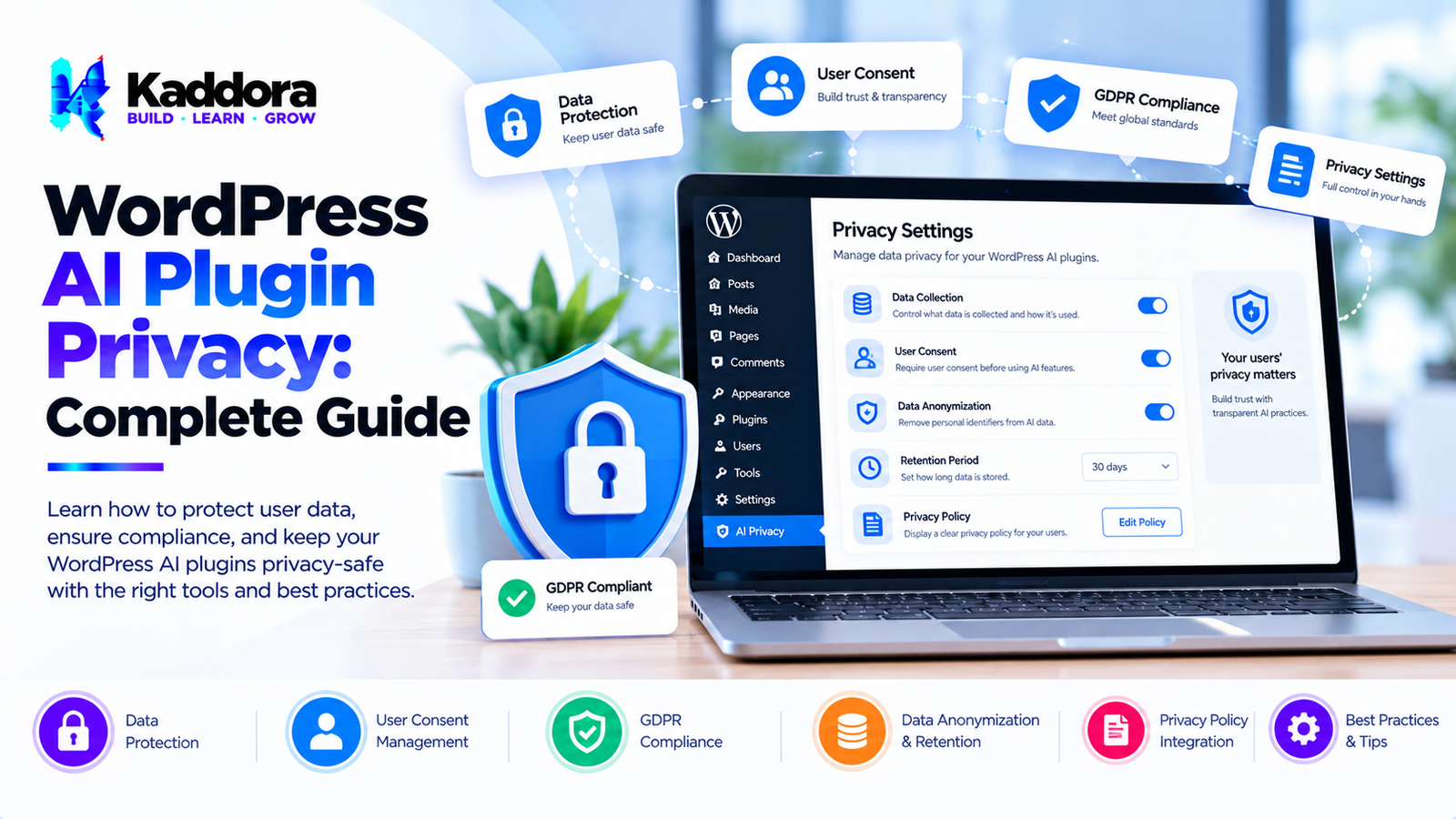
WordPress AI Plugin Privacy: Complete Guide
Introduction
Artificial intelligence can add powerful functionality to WordPress websites.
AI plugins can generate content, answer questions, analyze information, automate workflows, create recommendations, process forms, summarize content, and provide customer support.
However, AI-powered functionality can introduce an important question:
What happens to the data that a WordPress AI plugin sends to an AI service?
Traditional WordPress plugins may process information entirely within the website.
AI plugins often introduce another component:
WordPress Website ↓ AI Plugin ↓ AI API / AI Service ↓ AI Response ↓ WordPress Website
This architecture can mean that certain information leaves the WordPress server.
Depending on the plugin's functionality, that information could include:
User prompts
Website content
Form submissions
Customer questions
Product information
Metadata
Search queries
Uploaded content
Support conversations
Account-related information
Privacy therefore needs to be considered during the design of a WordPress AI plugin rather than added as an afterthought.
A privacy-focused architecture should aim to collect only the information necessary for the requested functionality, communicate clearly with users, protect sensitive information, and give site administrators appropriate control.
What Is WordPress AI Plugin Privacy?
WordPress AI plugin privacy refers to the practices used to protect information processed by an AI-powered WordPress plugin.
It covers areas such as:
Data collection
Data transmission
Data storage
AI API requests
User consent
Data retention
Access control
Data deletion
Logging
Third-party services
Privacy documentation
A basic privacy architecture can look like:
User ↓ WordPress ↓ AI Plugin ↓ Data Minimization ↓ AI Service ↓ Response ↓ WordPress
The plugin should send only the information necessary for the operation.
Why Privacy Matters for WordPress AI Plugins
AI plugins can process information that users may consider private or sensitive.
For example, an AI customer support plugin might receive:
Customer Question ↓ Contact Information ↓ Order Context ↓ AI Request
If the plugin sends unnecessary information to an external AI service, it can create avoidable privacy risks.
Privacy-conscious design helps reduce unnecessary data exposure.
How WordPress AI Plugins Process Data
A typical AI plugin may work like this:
User Input ↓ Plugin ↓ Validation ↓ Prompt Construction ↓ API Request ↓ AI Service ↓ AI Response ↓ WordPress ↓ User
Every stage should be evaluated for privacy.
Questions to ask include:
What information is collected?
Why is it collected?
Where is it processed?
Is it transmitted externally?
Is it stored?
How long is it retained?
Who can access it?
Can administrators delete it?
Data Minimization in WordPress AI Plugins
One of the most important privacy principles is data minimization.
A plugin should avoid collecting or transmitting information that is not necessary.
For example, if an AI feature only needs:
Product Title Product Description
there may be no reason to send:
Customer Name Email Address Phone Number IP Address Billing Address
The smaller the data payload, the smaller the potential exposure.
What Data Can WordPress AI Plugins Send to AI Services?
The exact data depends on the plugin.
Possible categories include:
Website Content
Posts
Pages
Product descriptions
Documentation
FAQs
User Input
Chat messages
Search queries
Form submissions
Support questions
Metadata
Post IDs
Product IDs
User IDs
Language settings
Technical Information
Request information
Error information
Usage statistics
Plugins should carefully determine which categories are actually required.
Avoid Sending Personal Data Unnecessarily
AI plugins should avoid transmitting personal information when it is not required.
For example, a content-generation feature might only require:
Title + Content
It may not need:
Author Email + User IP + Customer Phone
Privacy-conscious plugin architecture separates required information from unnecessary information.
Personal Data and AI Prompts
AI prompts can unintentionally contain personal information.
Consider a support request:
"My name is John and my order number is 12345. Can you tell me why my delivery is delayed?"
If the entire message is transmitted to an external AI service, personal information may be included.
Where appropriate, plugins can reduce unnecessary personal information before processing.
Data Anonymization
Anonymization or pseudonymization can reduce exposure in some workflows.
For example:
John Smith ↓ Customer A
The exact approach depends on the use case.
Anonymization should not be described as complete protection unless the transformation genuinely prevents identification under the relevant circumstances.
WordPress AI Plugin Consent
Some AI features may involve transmitting user-provided information to third-party services.
Depending on the feature, jurisdiction, legal requirements, and website context, consent or another appropriate legal basis may be relevant.
Plugins should therefore give administrators control over how AI processing is enabled.
A possible workflow is:
User ↓ Privacy Notice ↓ Required Permission / Consent ↓ AI Processing
The exact legal requirements should be determined for the specific website and jurisdiction.
AI Plugin Privacy Notice
An AI plugin should clearly explain relevant data processing.
Documentation can explain:
What data is processed
Why it is processed
Whether data is sent to third parties
Which third-party services are involved
Whether information is stored
How long data is retained
How administrators can disable functionality
Clear documentation makes the data flow easier to understand.
WordPress Privacy Policy Integration
WordPress provides mechanisms that plugins can use to help site administrators communicate their data practices.
An AI plugin can provide suggested privacy-policy content describing its data processing.
The administrator should review and customize that information to accurately reflect the website's configuration.
AI API Data Transmission
External AI APIs are one of the most important privacy considerations.
The architecture may look like:
WordPress ↓ Encrypted Connection ↓ AI API ↓ AI Response
Developers should understand:
What data is sent
How it is transmitted
What the provider does with the data
Whether requests are retained
Available data controls
Applicable provider terms
Plugin documentation should not make unsupported claims about third-party data handling.
Protect AI API Credentials
AI API keys should never be exposed to frontend JavaScript when they are intended to remain secret.
A safer architecture is:
Browser ↓ WordPress Server ↓ AI API
The API credential remains on the server.
Developers should avoid:
Hardcoding secrets in frontend code
Printing API keys into HTML
Exposing keys through REST responses
Logging complete API credentials
WordPress AI Plugin Logging
Logging can be useful for debugging, but logs can also become a privacy risk.
A plugin might accidentally log:
User Prompt Email IP Address API Response
A better approach is to log only what is necessary.
For example:
Request ID Status Execution Time Error Type
Sensitive content should not be logged unnecessarily.
AI Plugin Error Logs
Error messages should avoid exposing sensitive information.
Instead of logging an entire request payload, a plugin could record:
AI Request Failed Status: 429 Request ID: abc123
This can provide useful debugging information without storing the complete user content.
WordPress AI Plugin Data Storage
Before storing AI-related information, determine whether storage is actually necessary.
Potential storage locations include:
WordPress options
Post metadata
User metadata
Custom tables
Transients
Object caches
External databases
Every storage location introduces additional data-management responsibilities.
AI Chatbot Data Storage
AI chatbots can potentially accumulate large amounts of conversation data.
A chatbot might store:
Conversation ├── User Message ├── AI Response ├── Timestamp └── Session Identifier
If conversation history is not required, the plugin should consider processing the request without persistent storage.
AI Customer Support Privacy
AI customer support plugins may process information related to customers and orders.
For example:
Customer Question + Order Context ↓ AI Service
Developers should avoid sending unrelated customer information.
Only the context necessary to answer the question should be considered.
WooCommerce AI Plugin Privacy
WooCommerce stores can contain substantial customer and order information.
An AI plugin should carefully control what information is included in AI requests.
Potentially sensitive information may include:
Customer names
Email addresses
Phone numbers
Billing addresses
Shipping addresses
Order information
A product-description generator may only require product information and therefore should not need customer data.
AI Product Recommendation Privacy
AI recommendation systems may use:
Product data
Search activity
Purchase history
Browsing behavior
Developers should determine which information is necessary for recommendations and communicate relevant processing clearly.
AI Form Plugin Privacy
AI-powered form plugins may process user-submitted information.
A form could contain:
Name Email Phone Message
If an AI feature only needs the message, sending all fields to an AI service may be unnecessary.
The plugin should separate required AI context from unrelated form fields.
AI Search Privacy
AI search systems may process search queries.
Search queries can sometimes contain personal or confidential information.
For example:
"My account number is..."
Plugins should avoid storing or transmitting unnecessary search information.
AI Content Generation Privacy
Content-generation plugins typically process website content.
For example:
Post Title + Outline + Instructions
Developers should determine whether the full website content is necessary or whether a smaller context is sufficient.
AI Translation Plugin Privacy
AI translation plugins may transmit content to external services.
A translation request might include:
Original Content ↓ AI Translation Service ↓ Translated Content
Website administrators should understand which content is transmitted and whether the service's terms and privacy practices are suitable for their use case.
AI Image Generation Privacy
AI image-generation plugins may send prompts or reference images to external services.
Developers should clearly document:
Prompt transmission
Image transmission
Storage
Third-party processing
Generated-image handling
Uploaded images should not be transmitted unnecessarily.
AI Image Analysis Privacy
Image-analysis features may process uploaded images.
Depending on the feature, images could potentially contain:
Faces
Documents
Addresses
Screenshots
Personal information
Plugins should clearly communicate how uploaded images are processed.
AI Alt Text Plugin Privacy
AI alt-text plugins may send image information to AI services.
A privacy-conscious implementation should determine whether the image itself is required or whether available metadata is sufficient.
AI Plugin Third-Party Services
AI plugins often depend on external services.
The plugin should identify those services clearly.
For example:
WordPress Plugin ↓ AI Provider ↓ Response
Documentation should identify the relevant external processing where appropriate.
Third-Party Data Processing
When data leaves the WordPress environment, administrators should understand:
Which service receives it
What information is sent
Why it is sent
How it is transmitted
What controls are available
Plugin developers should avoid making vague or unsupported privacy claims.
AI Plugin Privacy by Design
Privacy should be considered during architecture.
A privacy-by-design workflow can be:
Feature Requirement ↓ Data Requirement ↓ Minimize Data ↓ Secure Processing ↓ Privacy Review ↓ Implementation
This is generally easier than trying to remove unnecessary data processing after a feature has already been built.
Privacy-Friendly AI Plugin Architecture
A privacy-conscious architecture can look like:
User ↓ WordPress ↓ Input Validation ↓ Data Minimization ↓ Prompt Builder ↓ AI API ↓ Response Validation ↓ WordPress ↓ User
Each stage should have a clearly defined responsibility.
AI Prompt Privacy
Prompt construction deserves special attention.
A plugin may combine:
User Input + Website Content + Metadata + Instructions
Developers should review the resulting prompt before sending it externally.
The final request should contain only the information needed for the AI task.
AI Context Window and Privacy
AI systems often use contextual information to produce better responses.
More context does not automatically mean better privacy.
A plugin should balance:
Useful Context vs. Unnecessary Data
Providing less information can reduce unnecessary exposure.
AI Plugin Caching and Privacy
Caching AI responses can reduce API usage and improve performance.
However, cached responses may contain user-generated information.
Developers should consider:
What is cached
Who can access it
How long it remains cached
Whether it contains personal data
How it is deleted
WordPress Transients and AI Data
WordPress transients can be useful for temporary caching.
However, developers should avoid treating transient storage as automatically privacy-safe.
Sensitive information should only be stored when necessary and for an appropriate period.
AI Plugin Database Privacy
Custom tables can provide structured storage for AI data.
Before storing information, define:
Purpose
Data fields
Retention period
Access permissions
Deletion mechanism
A plugin should avoid collecting information simply because it is technically possible to store it.
AI Plugin User Access Control
AI-related data should be protected using appropriate authorization.
For example:
Administrator ↓ Can View AI Logs Customer ↓ Can View Own Data
The exact permission model depends on the feature.
WordPress Capability Checks
Administrative AI features should use appropriate WordPress capabilities.
For example, a plugin should not expose sensitive AI logs to every logged-in user simply because they can access the WordPress dashboard.
AI Plugin Data Deletion
Privacy-aware plugins should consider how stored AI data can be deleted.
Potential deletion mechanisms include:
Manual deletion
Automatic retention policies
User-data deletion workflows
Database cleanup
Cache cleanup
If data is no longer necessary, retaining it indefinitely may create unnecessary risk.
AI Plugin Data Retention
A plugin should define appropriate retention rules.
For example:
Data Created ↓ Required Period ↓ Expiration ↓ Deletion
Not every AI request needs permanent storage.
AI Plugin Export Functionality
If the plugin stores user-related information, administrators may need mechanisms to inspect or export that information where applicable.
Export functionality should be designed carefully to avoid exposing unrelated users' information.
AI Plugin Privacy and Multisite
WordPress Multisite introduces additional considerations.
AI plugin settings may need to distinguish between:
Network administrators
Site administrators
Individual sites
Data isolation should be considered when AI functionality operates across multiple sites.
AI Plugin Privacy and Debugging
Debugging can conflict with privacy if developers log complete prompts or responses.
A privacy-conscious debugging system can use:
Request ID + Status + Timing + Error Code
instead of complete sensitive payloads.
AI Plugin Privacy and Analytics
Analytics can provide useful information about AI feature usage.
However, analytics should avoid unnecessary collection.
Useful metrics might include:
Request count
Response time
Error rate
Token usage
Feature usage
There may be no need to store the complete user prompt for these metrics.
AI Plugin Privacy and Telemetry
Plugin telemetry should be clearly designed and communicated.
If telemetry is optional, administrators should have an appropriate control for enabling or disabling it.
The plugin should not quietly transmit unrelated website data.
AI Plugin Privacy and Consent Management
Consent requirements vary depending on the feature, jurisdiction, data, and legal context.
Plugins should therefore provide configurable controls where appropriate.
A possible architecture is:
Feature ↓ Privacy Setting ↓ User Interaction ↓ AI Processing
Legal requirements should be assessed for the specific website rather than assumed to be identical everywhere.
AI Plugin Privacy Documentation
Good documentation should answer:
What data is processed?
Explain the types of information used.
Why is it processed?
Explain the purpose.
Where is it sent?
Identify external services where relevant.
Is it stored?
Explain storage behavior.
How long is it retained?
Describe applicable retention periods.
Can it be disabled?
Explain available controls.
AI Plugin Privacy Checklist
Data Collection
Collect only required data
Avoid unnecessary personal information
Review prompts
Review metadata
Review uploaded files
Data Transmission
Identify external AI services
Use secure connections
Protect API credentials
Minimize request payloads
Data Storage
Define retention
Limit logging
Secure stored information
Provide deletion mechanisms
Access Control
Use capability checks
Protect admin interfaces
Restrict sensitive logs
Separate user data
Privacy Documentation
Explain data processing
Identify third parties
Explain storage
Explain retention
Document controls
Common WordPress AI Plugin Privacy Mistakes
1. Sending Everything to the AI API
More data is not always necessary.
2. Logging Complete Prompts
Prompts may contain private information.
3. Exposing API Keys
Secrets should remain server-side.
4. Storing AI Conversations Forever
Persistent storage should have a defined purpose.
5. Sending Customer Data Unnecessarily
AI features should receive only relevant information.
6. Ignoring Third-Party Processing
External AI services introduce additional data-processing considerations.
7. Failing to Document Data Flows
Administrators need to understand what the plugin does.
8. Assuming AI Providers All Handle Data the Same Way
Different providers can have different policies and controls.
9. Collecting Unnecessary Analytics
Telemetry should have a clear purpose.
10. Treating Privacy as an Afterthought
Privacy should be considered during architecture.
Best Practices for WordPress AI Plugin Privacy
Minimize data collection.
Send only required information to AI services.
Protect API credentials.
Use secure network connections.
Avoid unnecessary logging.
Define data retention rules.
Provide appropriate deletion mechanisms.
Use WordPress capability checks.
Protect administrative interfaces.
Document third-party AI services.
Clearly explain AI-related data processing.
Review prompts before transmission.
Avoid unnecessary personal information.
Protect cached AI responses.
Review telemetry and analytics.
Test privacy-related functionality.
Keep privacy documentation accurate.
Review external provider policies.
Use staging environments for testing.
Reassess privacy whenever AI features change.
Why Choose Kaddora?
Kaddora focuses on WordPress plugins, WooCommerce solutions, AI-powered tools, automation, SEO, analytics, themes, and website templates.
Privacy is an important part of building responsible AI-powered WordPress solutions.
A well-designed AI plugin should consider privacy throughout its architecture, from data collection and prompt construction to API communication, storage, logging, and deletion.
Kaddora's WordPress-focused ecosystem covers areas such as:
AI plugins
WordPress development tools
WooCommerce solutions
SEO plugins
Analytics
Automation
Security-focused tools
WordPress themes
Website templates
ThemeKaddora provides WordPress plugins, themes, templates, WooCommerce tools, AI solutions, SEO resources, analytics products, and automation-focused solutions for modern WordPress websites.
Conclusion
WordPress AI plugin privacy is an important consideration whenever artificial intelligence processes website, user, customer, or business information.
An AI plugin may introduce a data flow that extends beyond the WordPress installation:
User ↓ WordPress ↓ AI Plugin ↓ External AI Service ↓ AI Response ↓ WordPress
Every stage should be evaluated.
Developers should ask:
What data is required?
What data is unnecessary?
What information leaves the website?
Where is it sent?
Is it stored?
Who can access it?
How long is it retained?
How can it be deleted?
The most important principle is data minimization.
AI plugins should avoid sending information simply because it is available. They should send the smallest useful amount of information required to perform the requested task.
Privacy also requires secure API credentials, careful logging, appropriate access controls, transparent documentation, and consideration of third-party services.
AI-powered WordPress development can provide significant functionality, but privacy should remain part of the architecture from the beginning.
A strong privacy-focused workflow looks like:
Requirement ↓ Data Mapping ↓ Data Minimization ↓ Secure Processing ↓ AI API ↓ Response Validation ↓ Storage / Delivery ↓ Retention & Deletion
By combining privacy-conscious architecture, secure development practices, minimal data processing, clear documentation, appropriate controls, and human review, developers can build WordPress AI plugins that are more transparent and easier for site administrators to manage.
Frequently Asked Questions
What is WordPress AI plugin privacy?
WordPress AI plugin privacy refers to how an AI-powered plugin collects, processes, transmits, stores, protects, and deletes information.
Why is privacy important for AI WordPress plugins?
AI plugins may transmit website or user information to external AI services. Privacy-aware architecture helps reduce unnecessary data exposure.
What data can an AI plugin send to an AI service?
Depending on the feature, it may send prompts, website content, product information, search queries, form submissions, images, or other contextual information.
Should WordPress AI plugins send all available user data?
No. A plugin should generally send only the information necessary for the requested AI functionality.
What is data minimization?
Data minimization means collecting and processing only the information necessary for a specific purpose.
Can AI plugins process personal information?
Yes. Some AI features may process information that can identify or relate to individuals. The plugin should carefully control such processing and consider applicable legal requirements.
Should AI plugins store user conversations?
Not necessarily. If conversation history is not required, the plugin can consider processing requests without permanently storing conversations.
Can AI plugins be privacy-friendly?
Yes. Privacy-friendly architecture can minimize data collection, limit external transmission, protect stored information, and provide transparent controls.
Does privacy apply only to logged-in users?
No. AI features can process information from visitors, customers, administrators, and other users, depending on how the plugin works.
Should AI plugin telemetry be optional?
Whether telemetry should be optional depends on the feature and applicable requirements. Where appropriate, administrators should have clear controls over optional telemetry.
Why choose Themekaddora?
Themekaddora provides lightweight, responsive, SEO-friendly WordPress themes with fast performance, WooCommerce compatibility, flexible customization, accessibility-conscious design, modern templates, regular updates, and professional support—providing a strong foundation for businesses building digital products and product-focused websites.
Comments (0)