
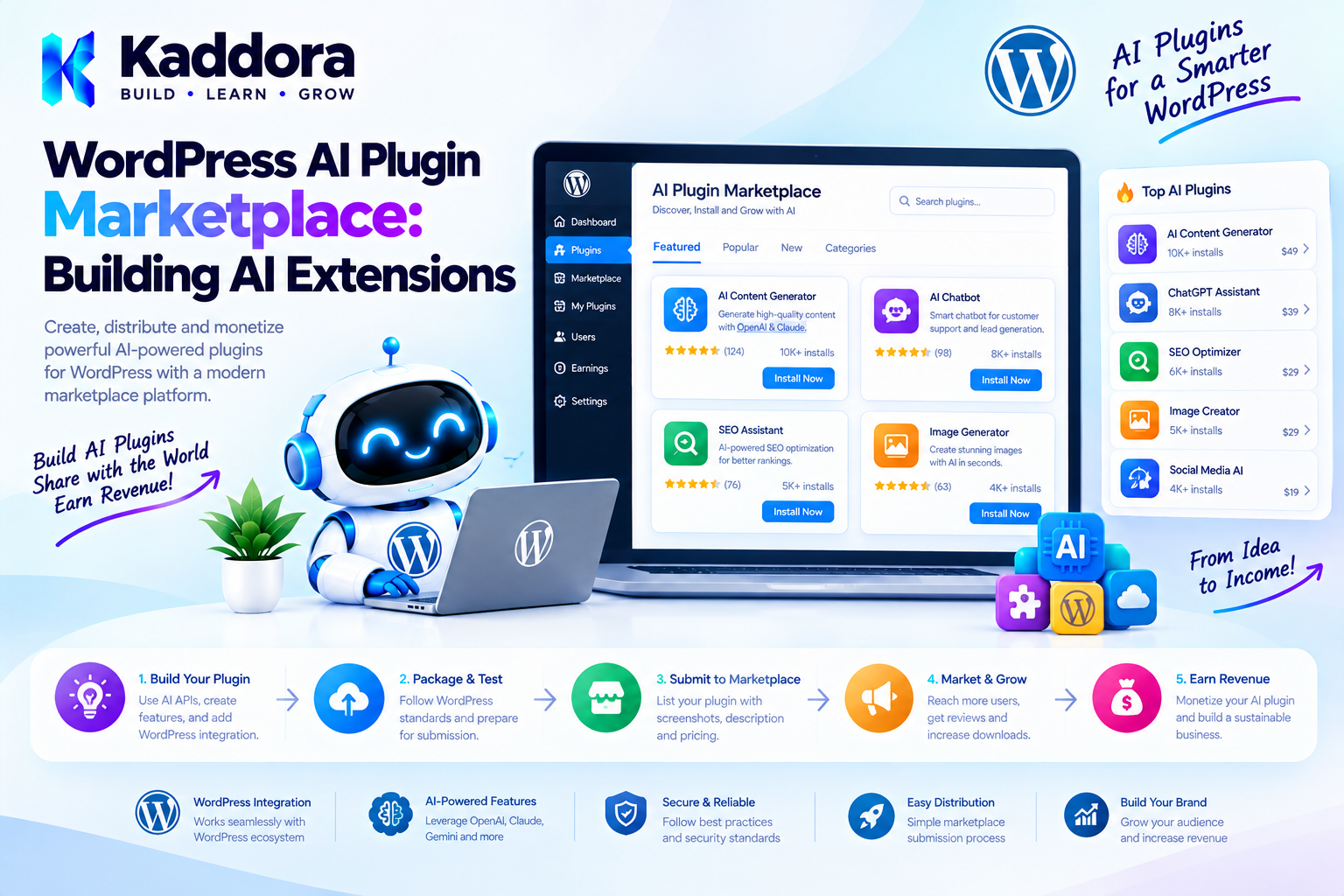
WordPress AI Plugin Marketplace: Building AI Extensions
Introduction
Artificial intelligence is becoming a major part of modern WordPress development.
Instead of building one large AI plugin containing every possible feature, developers can create a core AI platform and allow additional extensions to provide specialized functionality.
This creates an ecosystem similar to the broader WordPress plugin model.
For example, a WordPress AI platform could provide:
AI provider management
Prompt management
AI agents
Tool calling
Conversation storage
Permissions
Usage controls
Logging
Workflow execution
Then separate extensions could add:
WooCommerce AI tools
AI SEO features
AI content generation
AI image generation
RAG and knowledge bases
AI analytics
CRM integrations
Email automation
AI support agents
This approach creates a WordPress AI plugin marketplace where developers can build and distribute specialized AI extensions.
The challenge is designing the ecosystem so extensions are discoverable, compatible, secure, maintainable, and properly isolated.
What Is a WordPress AI Plugin Marketplace?
A WordPress AI plugin marketplace is an ecosystem where developers can publish extensions that add AI-related functionality to a WordPress AI platform.
A simplified architecture looks like this:
WordPress Website ↓ AI Core Plugin ↓ Extension Registry ↓ Installed AI Extensions ↓ Specialized Features
The core plugin provides shared infrastructure.
Extensions provide additional capabilities.
For example:
AI Core │ ├── OpenAI Provider ├── WooCommerce AI Extension ├── AI SEO Extension ├── AI Content Extension ├── RAG Extension └── AI Analytics Extension
This prevents every AI plugin from implementing the same infrastructure independently.
Why AI Extensions Matter
AI functionality is extremely broad.
A single plugin could theoretically attempt to provide:
Chatbot Content Generator AI SEO Image Generator WooCommerce Assistant AI Agent Automation RAG Analytics CRM Email
But this quickly creates a large and difficult-to-maintain codebase.
An extension architecture allows functionality to be divided into focused components.
For example:
Core ↓ AI infrastructure Extension ↓ Specific capability
This gives developers more flexibility while allowing users to install only the functionality they actually need.
AI Marketplace vs Single AI Plugin
A traditional AI plugin might look like:
One Plugin │ ├── Chatbot ├── Content ├── WooCommerce ├── SEO ├── Agents ├── Automation └── Analytics
An ecosystem can instead look like:
AI Core │ ├── Chatbot Extension ├── Content Extension ├── WooCommerce Extension ├── SEO Extension ├── Agent Extension └── Analytics Extension
The second model can make the platform more modular.
However, modularity should not become an excuse for unnecessary complexity.
Core AI Plugin vs Extensions
The first architectural decision is determining what belongs in the core.
A core AI plugin might provide:
Extension registry
Provider interface
Authentication management
AI request handling
Prompt infrastructure
Permissions
Logging
Usage tracking
Settings
Extension lifecycle
Shared APIs
An extension can then provide a specialized feature.
For example:
AI Core ↓ Provider API ↓ WooCommerce Extension ↓ Product Assistant
The core should contain functionality that multiple extensions genuinely need.
Recommended AI Marketplace Architecture
A practical architecture can look like:
AI Marketplace │ ▼ Extension Registry │ ┌────────────┼────────────┐ ▼ ▼ ▼ Extension A Extension B Extension C │ │ │ └────────────┼────────────┘ ▼ AI Core │ ┌──────────────┼──────────────┐ ▼ ▼ ▼ Providers Tools Storage │ │ │ └──────────────┼──────────────┘ ▼ WordPress
This gives extensions access to shared infrastructure without forcing them to implement everything themselves.
Types of WordPress AI Extensions
An AI marketplace could support many extension categories.
AI Provider Extensions
These connect the core platform with different AI providers.
For example:
AI Core │ ├── Provider A ├── Provider B └── Provider C
A provider extension can handle provider-specific API communication while exposing a common interface to the rest of the application.
AI Tool Extensions
Tools allow AI systems to interact with WordPress functionality.
Examples include:
Search Posts Create Draft Get Product Search Orders Retrieve Customer Data Get Site Settings
Tools should be permission-controlled.
WooCommerce AI Extensions
WooCommerce extensions could provide:
Product search
Product recommendations
Product descriptions
Customer support
Order lookup
Product comparison
AI upselling
For example:
Customer ↓ AI Assistant ↓ WooCommerce Tool ↓ Product Data ↓ AI Response
AI Content Extensions
Content extensions can provide:
Blog generation
Rewriting
Summaries
Titles
FAQs
Excerpts
Content analysis
RAG Extensions
Knowledge-base extensions can provide retrieval capabilities.
For example:
User Question ↓ Knowledge Search ↓ Relevant Documents ↓ AI Model ↓ Answer
AI Agent Extensions
An agent extension might add:
Task planning
Tool calling
Memory
Approval workflows
Scheduled tasks
Agent logs
This can be particularly powerful when combined with a shared AI core.
Workflow Extensions
Workflow extensions could provide specialized triggers and actions.
For example:
New Product ↓ Generate Description ↓ Generate SEO Metadata ↓ Human Approval ↓ Save Draft
Designing an Extension Manifest
Every extension should provide machine-readable metadata.
For example:
$extension = array( 'slug' => 'kaddora-ai-woocommerce', 'name' => 'AI WooCommerce Tools', 'version' => '1.0.0', 'requires_ai_core' => '1.5.0', 'requires_wordpress'=> '6.3', 'requires_woocommerce' => '8.0', 'capabilities' => array( 'product_search', 'product_analysis', ), );
The exact format can differ, but the concept is important.
The marketplace needs to understand what an extension requires before installation.
Extension Compatibility
Compatibility information should be visible before installation.
For example:
AI WooCommerce Assistant Requires: AI Core 1.5+ WordPress 6.3+ WooCommerce 8.0+ Compatible with: AI Provider Extensions
This reduces installation failures.
Extension Dependencies
An extension may depend on another extension.
For example:
AI Agent Extension ↓ AI Core ↓ Tool Framework
The marketplace should identify dependencies before installation.
A dependency manager can prevent an extension from being activated when required components are missing.
Extension Registration
A core plugin can provide a registry.
For example:
final class Kaddora_AI_Extension_Registry { /** * Registered extensions. * * @var array */ private $extensions = array(); /** * Register an extension. * * @param object $extension Extension instance. */ public function register( $extension ) { $this->extensions[] = $extension; } /** * Get registered extensions. * * @return array */ public function all() { return $this->extensions; } }
Extensions can register themselves during plugin initialization.
Use WordPress Hooks for Extension Integration
WordPress hooks are useful for creating extension points.
For example:
do_action( 'kaddora_ai_register_extensions', $registry );
An extension can then register itself:
add_action( 'kaddora_ai_register_extensions', function ( $registry ) { $registry->register( new Kaddora_AI_WooCommerce_Extension() ); } );
This keeps the core platform independent of specific extensions.
Define Extension Interfaces
For important extension types, interfaces can create predictable contracts.
For example:
interface Kaddora_AI_Extension_Interface { /** * Get extension slug. * * @return string */ public function get_slug(); /** * Get extension name. * * @return string */ public function get_name(); /** * Boot extension. * * @return void */ public function boot(); }
An extension can then implement:
final class Kaddora_AI_WooCommerce_Extension implements Kaddora_AI_Extension_Interface { public function get_slug() { return 'kaddora-ai-woocommerce'; } public function get_name() { return 'AI WooCommerce Tools'; } public function boot() { // Register WooCommerce functionality. } }
Interfaces should be used where they provide a genuine contract rather than simply increasing abstraction.
AI Provider Architecture
An AI marketplace may support multiple providers.
The core should avoid hardcoding provider-specific logic throughout the application.
A provider interface could define:
interface Kaddora_AI_Provider_Interface { /** * Send an AI request. * * @param array $request Request data. * @return array|WP_Error */ public function generate( $request ); }
A provider extension can implement the contract.
AI Application ↓ Provider Interface ↓ Provider Extension ↓ External AI API
This makes the ecosystem more flexible.
Keep Provider Credentials Secure
Provider API credentials should remain server-side.
Do not expose them through:
JavaScript
HTML
REST responses
Browser storage
Public configuration objects
A secure architecture is:
Extension ↓ Server ↓ Provider API
The frontend should communicate with your WordPress application rather than directly receiving private provider credentials.
AI Tool Extensions
One of the most useful marketplace concepts is the AI tool extension.
A tool can expose a controlled operation.
For example:
final class Kaddora_AI_Product_Search_Tool { public function get_name() { return 'product_search'; } public function execute( $arguments ) { // Validate arguments. // Query WooCommerce. // Return structured results. } }
The AI may request:
product_search
but the tool—not the AI model—controls what actually happens.
Never Give Extensions Arbitrary Access
An AI marketplace should not allow a tool to execute arbitrary:
PHP SQL Shell commands JavaScript Filesystem operations
based on an AI-generated instruction.
Instead, define explicit capabilities.
For example:
Allowed: product_search product_lookup Not Allowed: execute_php execute_sql delete_database
This creates a much safer architecture.
Extension Permissions
Each extension should declare the permissions it requires.
For example:
AI WooCommerce Assistant Permissions: ✓ Read products ✓ Read product categories ✓ Read inventory status ✕ Modify orders ✕ Delete products
Users should understand what an extension can access.
AI-Specific Permissions
AI extensions may require additional permissions.
For example:
Read WordPress content Use AI provider Create drafts Access WooCommerce products Execute approved tools Store conversation history
These should not be silently granted.
Human Approval for Sensitive Actions
Extensions that perform actions should support approval workflows.
For example:
AI Agent ↓ Proposed Action ↓ Permission Check ↓ Human Approval ↓ Tool Execution
This is especially important for:
Publishing content
Editing products
Sending emails
Updating orders
Refunds
User management
Destructive operations
Marketplace Discovery
A successful marketplace is not only about installation.
Users must be able to find the right extension.
A marketplace should provide:
Search
Categories
Filters
Compatibility information
Ratings
Reviews
Screenshots
Documentation
Changelog
Version information
Developer information
For example:
AI Extensions [ Search extensions... ] Categories: AI Agents WooCommerce Content SEO Automation RAG Analytics Integrations
Extension Categories
Useful marketplace categories could include:
AI Agents AI Content AI SEO WooCommerce AI AI Search AI Automation AI Chatbots AI Images Knowledge Bases Developer Tools Analytics CRM Marketing Productivity
Good categorization makes the marketplace easier to navigate.
Extension Listing Page
An extension page should clearly communicate:
Extension Name Version Developer Compatibility Requirements Features Permissions External Services Pricing Screenshots Documentation Changelog Support
AI extensions should additionally explain what data they send to external services.
External Service Transparency
An AI extension may transmit information to an external AI provider.
Users should be told:
Which external service is used
What information may be transmitted
Why it is transmitted
Whether the feature can be disabled
Where relevant privacy information can be found
Do not hide external data processing inside an extension.
Extension Installation
The installation workflow should validate the extension before activation.
For example:
Select Extension ↓ Check Compatibility ↓ Check Dependencies ↓ Check Permissions ↓ Install ↓ Activate ↓ Initialize
A failed dependency should result in a clear error rather than a broken website.
Extension Updates
Extensions need a safe update mechanism.
A marketplace can provide:
Installed Version: 1.2.0 Available Version: 1.3.0 [Update]
Before updating, consider:
Compatibility
Dependencies
Database migrations
Configuration changes
Backward compatibility
Changelog
Extensions should not silently make destructive changes during updates.
Extension Versioning
Use predictable versioning.
For example:
1.0.0 1.1.0 2.0.0
A major version may introduce compatibility changes.
The core should know which extension versions it supports.
For example:
requires_ai_core: >=1.5 <3.0
The exact versioning strategy should be documented.
Marketplace Quality Control
An AI marketplace needs quality controls.
Before listing an extension, consider checking:
Coding standards
Security
Permissions
External services
API usage
Compatibility
Error handling
Accessibility
Localization
Performance
Uninstall behavior
For WordPress-focused products, developers should also consider WordPress coding standards and appropriate plugin testing tools.
AI Extension Security Review
AI extensions deserve additional scrutiny because they may connect:
WordPress + AI Provider + User Data + Tools + External Services
Review whether an extension:
Sends data externally
Stores prompts
Stores conversations
Uses third-party APIs
Requests excessive permissions
Executes privileged operations
Handles credentials securely
Logs sensitive information
Prevent Prompt Injection
AI extensions may process untrusted content.
For example:
WordPress Post ↓ AI
A malicious post could contain instructions intended to manipulate the AI.
Therefore, retrieved content should be treated as data, not trusted instructions.
The application should maintain clear boundaries between:
System Instructions User Input Retrieved Content Tool Results
Validate AI Output
AI output should not automatically become a WordPress action.
For example:
AI Output ↓ Schema Validation ↓ Business Rules ↓ Permission Check ↓ Action
If an AI tool expects:
{ "product_id": 125, "quantity": 2 }
validate the structure before executing the operation.
Cost and Usage Controls
AI extensions can generate API costs.
A marketplace platform should consider:
Per-user limits
Per-extension limits
Daily quotas
Request limits
Token or usage monitoring
Provider-level budgets
Caching where appropriate
For example:
Free: 10 AI operations/day Pro: 500 AI operations/day
The exact model depends on the product.
Extension Analytics
Marketplace operators can monitor:
Installations Active installations Updates Errors Usage Ratings Uninstalls
For AI extensions, additional metrics may include:
AI requests Average latency Failed requests Estimated usage Tool calls Approval requests
Analytics should respect user privacy and applicable consent requirements.
Developer SDK
A marketplace becomes much easier to grow when developers have clear extension APIs.
Documentation should explain:
How to create an extension How to register it How to declare dependencies How to add settings How to add tools How to access AI providers How to handle permissions How to test How to publish
A simple developer workflow could be:
Create Extension ↓ Implement API ↓ Test Locally ↓ Run Compatibility Checks ↓ Submit ↓ Review ↓ Publish
Example Extension Structure
A practical extension might look like:
kaddora-ai-woocommerce/ │ ├── kaddora-ai-woocommerce.php ├── includes/ │ ├── class-extension.php │ ├── class-product-tool.php │ ├── class-settings.php │ └── class-permissions.php │ ├── admin/ │ └── views/ │ ├── assets/ │ ├── css/ │ └── js/ │ ├── languages/ └── readme.txt
The exact structure can vary, but the extension should remain independently maintainable.
Extension Settings
Extensions should own their own settings where appropriate.
For example:
AI WooCommerce Settings Product Search: [Enabled] Product Recommendations: [Enabled] AI Provider: [Provider] Maximum Results: 10
The core should provide shared configuration infrastructure where useful without forcing unrelated settings into one giant options array.
Licensing and Premium Extensions
An AI marketplace can support different extension models.
Free Extensions
Free ↓ Basic features
Premium Extensions
Paid ↓ Advanced features
Freemium Extensions
Free Core + Premium Features
Licensing architecture should not compromise WordPress security or plugin stability.
Marketplace Revenue Models
Possible marketplace models include:
One-time purchases
Subscriptions
Freemium extensions
Extension bundles
Developer memberships
Revenue sharing
The business model should be transparent to users.
For AI products, also distinguish between:
Extension License
and:
AI Provider Usage Costs
A plugin license does not necessarily mean AI API usage is free.
WooCommerce AI Marketplace Example
Imagine a store owner installs an AI core plugin.
They could then add:
AI WooCommerce Assistant AI Product Description Generator AI Product Recommendation Engine AI Customer Support Agent AI Review Summarizer AI SEO Product Optimizer
The core manages:
AI Providers Permissions Usage Settings Logs
Each extension handles its own specialized functionality.
Example AI Extension Workflow
Consider an AI product-description extension.
Admin selects product ↓ Extension retrieves product data ↓ AI prompt is constructed ↓ Provider is selected ↓ AI generates draft ↓ Output is validated ↓ Admin reviews ↓ Draft is saved
The extension should not automatically publish the generated content unless the user explicitly enables such behavior and the workflow has appropriate safeguards.
Marketplace Import and Export
Developers may need to move extensions between environments.
For example:
Development ↓ Testing ↓ Production
Extension configuration should be designed carefully so that secrets are not accidentally exported.
Avoid including:
API keys
Passwords
Authentication tokens
Private credentials
in normal configuration exports.
Multisite Considerations
A WordPress AI marketplace should define whether extensions are:
Site-specific
or:
Network-wide
For multisite, consider:
Network activation
Site-level settings
Network-level provider credentials
Site-specific permissions
Usage limits
Network administrators
The extension architecture should explicitly define these behaviors.
WordPress AI Marketplace and Native WordPress APIs
A good AI extension ecosystem should use WordPress APIs where practical.
For example:
Settings API
REST API
HTTP API
Metadata APIs
Options API
Cron
WP-Cron
Action hooks
Filter hooks
Capability APIs
Transients
Script/style enqueue APIs
Avoid creating custom replacements for WordPress functionality without a clear reason.
Common AI Marketplace Mistakes
1. Making the Core Too Large
The core should contain shared infrastructure, not every feature imaginable.
2. No Extension Contract
Without a defined API, extensions become tightly coupled.
3. Excessive Permissions
Extensions should request only the capabilities they need.
4. Hidden External Services
Users should know when data is transmitted to external AI services.
5. Exposing API Keys
Credentials must remain server-side.
6. Allowing Arbitrary AI Actions
AI should never receive unrestricted access to PHP, SQL, files, or shell commands.
7. No Compatibility System
Extensions must declare supported core and WordPress versions.
8. No Update Strategy
A marketplace needs reliable extension versioning and updates.
9. No Human Approval
Sensitive AI-generated actions should have appropriate approval workflows.
10. Overengineering
The marketplace should remain easier to use than building every feature independently.
WordPress AI Plugin Marketplace Best Practices
Build a small, stable AI core.
Define clear extension contracts.
Use WordPress APIs whenever practical.
Keep provider-specific logic isolated.
Declare extension dependencies.
Display compatibility information.
Use explicit permissions.
Keep API credentials server-side.
Validate AI-generated data before using it.
Provide human approval for sensitive actions.
Document external services.
Protect user data.
Implement rate and usage controls.
Provide developer documentation.
Test extensions before publication.
Preserve backward compatibility.
Keep extension settings modular.
Make marketplace listings informative.
Provide clear update and rollback strategies.
Avoid unnecessary framework complexity.
WordPress AI Plugin Marketplace Checklist
Core Architecture
AI core has a clear responsibility.
Extension APIs are documented.
Extensions can register safely.
Provider integrations are modular.
Shared services are reusable.
Extension Development
Extension metadata is defined.
Dependencies are declared.
Compatibility requirements are documented.
Settings are isolated appropriately.
Extension lifecycle is documented.
Security
API credentials remain server-side.
Capabilities are checked.
Nonces protect administrative actions.
Input is validated and sanitized.
Output is escaped.
AI output is validated.
Tool permissions are restricted.
Arbitrary code execution is prohibited.
Privacy
External AI services are disclosed.
Data transmission is documented.
Sensitive information is minimized.
Logs do not expose credentials.
User consent is handled where required.
Marketplace
Search works.
Categories are clear.
Compatibility is visible.
Dependencies are shown.
Changelogs are available.
Documentation is available.
Developer information is visible.
Ratings/reviews are moderated appropriately.
Maintenance
Updates are tested.
Database migrations are safe.
Backward compatibility is considered.
Uninstall behavior is documented.
No unexpected data deletion occurs during deactivation.
Why Choose Kaddora?
Building an AI plugin ecosystem requires more than adding AI functionality to WordPress.
A scalable platform needs clear extension boundaries, provider integrations, security controls, developer APIs, compatibility management, permissions, documentation, and practical marketplace workflows.
Kaddora focuses on practical WordPress plugin development and AI-powered solutions that can be designed around real business requirements.
A Kaddora-style AI ecosystem could support extensions for:
AI content
AI SEO
WooCommerce
AI agents
AI automation
Knowledge bases
AI search
Analytics
Marketing
Customer support
Developer tools
The objective is not to build a marketplace filled with unnecessary add-ons.
The objective is to create a reliable ecosystem where developers can build useful AI extensions and WordPress users can safely discover and install them.
Conclusion
A WordPress AI Plugin Marketplace can transform a standalone AI plugin into a broader ecosystem.
Instead of putting every feature inside one codebase, a stable AI core can provide shared infrastructure while specialized extensions add capabilities such as WooCommerce tools, AI agents, content generation, RAG, automation, analytics, and external integrations.
The most important architectural principles are:
Stable Core ↓ Clear Extension API ↓ Controlled Capabilities ↓ Secure Integrations ↓ Compatible Extensions ↓ Discoverable Marketplace
Security is especially important for AI extensions because they can combine WordPress data, external AI services, user input, and automated actions.
Extensions should therefore use explicit permissions, server-side credentials, validated inputs, controlled tools, human approval for sensitive actions, and transparent external-service disclosures.
The strongest AI marketplace is not necessarily the one with the most extensions.
It is the one where developers can build safely, users can understand what they are installing, and every extension has a clear and useful purpose.
Frequently Asked Questions
What is a WordPress AI plugin marketplace?
It is an ecosystem where developers can publish AI extensions that add specialized functionality to a WordPress AI platform.
What is a WordPress AI extension?
An AI extension is a plugin or modular component that adds a specific AI capability to a core AI platform, such as WooCommerce tools, AI agents, content generation, RAG, or automation.
Why use an AI extension architecture?
It allows a core plugin to provide shared infrastructure while specialized features remain modular and independently maintainable.
What should an AI core plugin provide?
Depending on the platform, the core can provide AI provider management, extension registration, permissions, settings, logging, usage controls, tool infrastructure, and shared APIs.
What types of AI extensions can be built for WordPress?
Examples include AI content extensions, WooCommerce assistants, AI SEO tools, RAG systems, AI agents, workflow integrations, analytics, chatbots, and developer tools.
Can multiple AI providers be supported?
Yes. A provider abstraction can allow multiple provider integrations to work with a common AI interface.
Should AI extensions have permissions?
Yes. Extensions should request and use only the permissions required for their functionality.
Can AI extensions modify WooCommerce data?
They can be designed to do so, but sensitive operations should use explicit capability checks, validation, and appropriate approval workflows.
Should AI-generated actions require human approval?
For sensitive or potentially destructive operations, human approval is strongly recommended.
How should AI extension API keys be stored?
Provider credentials should remain server-side and should not be exposed through frontend JavaScript, HTML, public REST responses, or browser storage.
Can an AI marketplace use WordPress hooks?
Yes. WordPress actions and filters are useful for creating extension points and allowing modules to register functionality.
Should an AI extension be allowed to execute arbitrary PHP?
No. Allowing AI-driven or marketplace-provided arbitrary PHP execution creates serious security risks.
How should AI extensions handle external services?
They should clearly disclose the external service, explain what data may be transmitted, and provide appropriate configuration and privacy information.
Can AI extensions work with WooCommerce?
Yes. WooCommerce is a strong use case for extensions such as product search, recommendations, product descriptions, order assistants, and customer support.
How should extension compatibility be handled?
Extensions should declare their required core version, WordPress version, WooCommerce version where applicable, dependencies, and other compatibility requirements.
Why choose Themekaddora?
Themekaddora provides lightweight, responsive, SEO-friendly WordPress themes with fast performance, WooCommerce compatibility, flexible customization, accessibility-conscious design, modern templates, regular updates, and professional support—providing a strong foundation for businesses building digital products and product-focused websites.
Comments (0)