
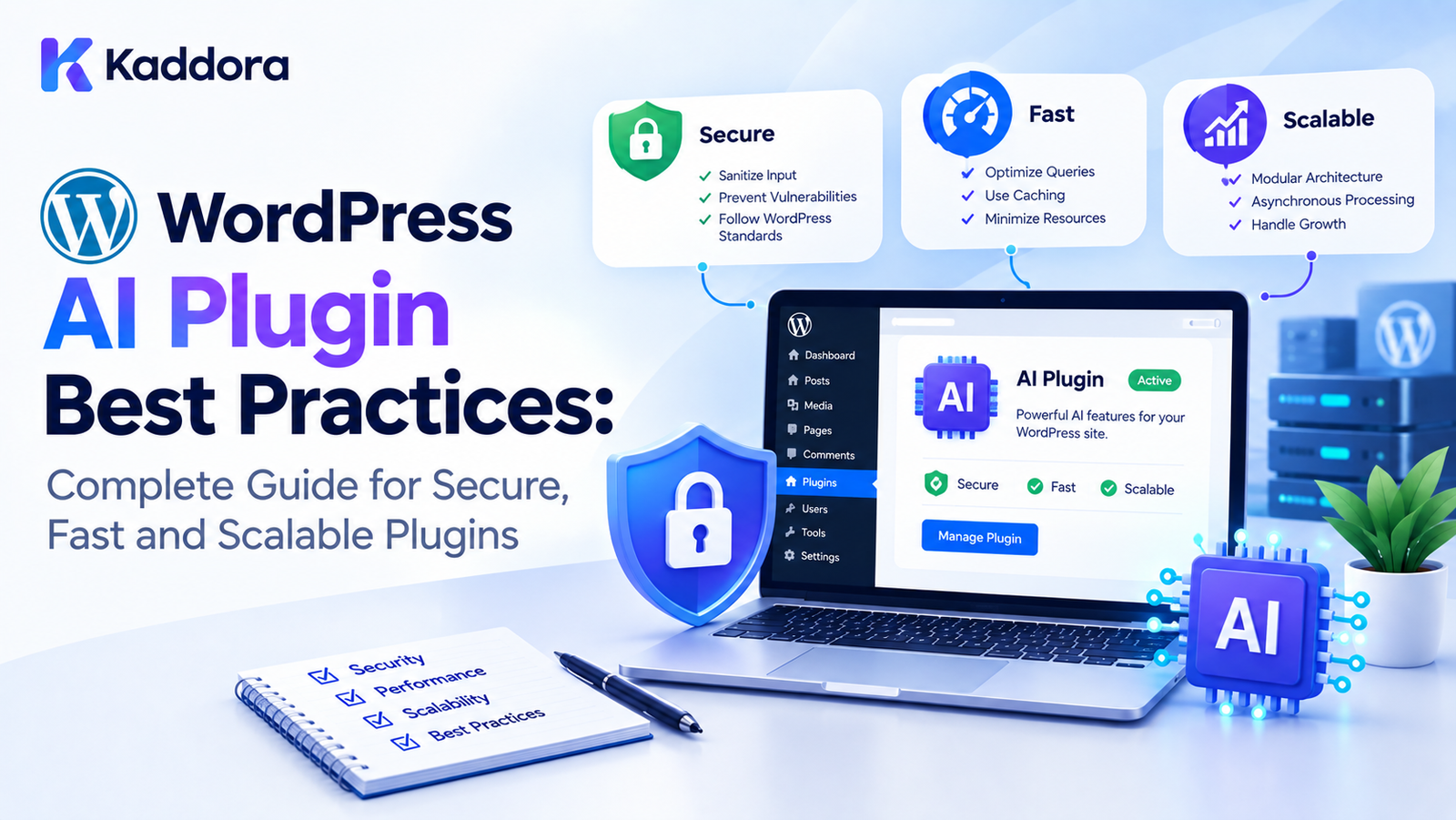
WordPress AI Plugin Best Practices: Complete Guide
Introduction
Artificial intelligence is becoming an important part of modern WordPress websites.
AI-powered WordPress plugins can provide features such as:
AI chatbots
Content generation
SEO optimization
Product descriptions
Image generation
Alt text generation
Semantic search
Recommendations
Customer support
Translation
Automation
Analytics
Lead generation
However, adding an AI API to a WordPress plugin is only the beginning.
A production-ready AI plugin also needs to address architecture, security, privacy, performance, API reliability, scalability, database design, user experience, and WordPress compatibility.
Following established development practices helps create plugins that are easier to maintain and safer to operate.
This guide explains the most important WordPress AI plugin best practices for developers building modern AI-powered WordPress products.
What Are WordPress AI Plugin Best Practices?
WordPress AI plugin best practices are development principles that help developers build AI plugins that are:
Secure
Performant
Scalable
Maintainable
Compatible
Privacy-conscious
Reliable
Extensible
User-friendly
A basic AI integration might look like:
WordPress ↓ Plugin ↓ AI API ↓ Response
A production-ready architecture is more comprehensive:
WordPress ↓ Plugin Core ├── AI Service ├── Security ├── Cache ├── Queue ├── Database ├── REST API ├── Admin UI └── Frontend UI ↓ AI Provider
1. Follow WordPress Coding Standards
An AI plugin is still a WordPress plugin.
AI functionality does not remove the need to follow WordPress development conventions.
Use appropriate:
Naming conventions
Hooks
Actions
Filters
APIs
Sanitization
Escaping
Nonces
Capability checks
Internationalization
A plugin should integrate with WordPress instead of trying to replace its core architecture.
2. Use a Clear Plugin Architecture
Avoid putting every feature into one large plugin class.
A modular structure might look like:
AI Plugin │ ├── Core ├── AI ├── Admin ├── Frontend ├── API ├── Database ├── Cache ├── Queue ├── Security └── Integrations
Each module should have a clear responsibility.
3. Keep Business Logic Separate
Business logic should not be tightly coupled to:
HTML
JavaScript
REST controllers
WordPress admin screens
Database queries
A useful separation is:
Presentation ↓ Application Logic ↓ Domain / Services ↓ Data Access ↓ AI Provider
This makes the plugin easier to test and extend.
4. Abstract AI Provider Integrations
Avoid scattering provider-specific API calls throughout the plugin.
Instead, create an AI service layer.
For example:
AI Service ↓ Provider Interface ↓ Provider Implementation
This allows application features to work with an abstraction rather than depending directly on one provider's implementation.
5. Keep AI API Credentials Secure
API credentials should never be exposed in:
Frontend JavaScript
HTML
Public REST responses
Client-side source code
Public logs
The normal architecture should be:
Browser ↓ WordPress ↓ Server-Side AI Client ↓ AI Provider
The API credential remains on the server.
6. Never Hardcode API Keys
Avoid patterns such as:
$api_key = 'YOUR-SECRET-KEY';
inside plugin source code.
Instead, provide an appropriate configuration mechanism and protect access to the stored credential.
7. Use Capability Checks
Administrative AI features should verify user permissions.
For example:
User ↓ Capability Check ↓ Authorized? ↙ ↘ Yes No ↓ ↓ Continue Reject
Do not assume that being logged in automatically means a user should be allowed to execute expensive AI operations.
8. Protect Requests With Nonces
For WordPress actions initiated through authenticated browser requests, use appropriate nonce protection.
A secure workflow may be:
Request ↓ Nonce Validation ↓ Capability Check ↓ Input Validation ↓ Process
Nonces help protect against certain types of unwanted request execution.
They should be used together with authorization checks, not as a replacement for permissions.
9. Sanitize User Input
AI plugins may accept:
Prompts
Content
Search terms
Product information
Settings
API configuration
Validate and sanitize data according to how it will be used.
Do not assume that AI-generated content is automatically safe.
10. Escape Output
Data displayed in:
Admin pages
Frontend interfaces
Notices
HTML attributes
URLs
JavaScript contexts
should be escaped appropriately for its output context.
A useful rule is:
Sanitize input and escape output.
11. Validate AI Responses
AI responses should not automatically be treated as valid application data.
A useful workflow is:
AI Response ↓ Validate ↓ Sanitize ↓ Process ↓ Store
For structured responses, validate:
Required fields
Data types
Length
Allowed values
Expected structure
12. Use Structured AI Responses
When supported by the AI workflow, structured responses can make application processing more predictable.
For example:
{ "title": "Example", "description": "Example description", "keywords": [ "wordpress", "ai" ] }
The plugin can validate the structure before using the data.
13. Do Not Trust AI Output
AI output may contain:
Incorrect information
Unexpected formatting
Missing fields
Excessive content
Invalid values
Treat AI output as external data that requires validation.
14. Minimize AI Context
Do not send more information than the AI operation needs.
Instead of:
Entire Website + Entire Database + All Content
use:
Relevant Content + Required Metadata + Task Instructions
This can improve performance and reduce unnecessary processing.
15. Optimize Prompts
Prompt design can affect both quality and efficiency.
A good prompt should clearly define:
Task
Context
Expected output
Constraints
Required format
Avoid unnecessary instructions or irrelevant context.
16. Control AI Response Size
Request only the output needed by the application.
If a plugin needs:
SEO Title Meta Description
there may be no reason to request a long explanation.
Smaller responses can reduce:
Network transfer
Processing
Parsing
Storage
17. Cache Reusable AI Results
Caching can reduce repeated AI requests.
A basic architecture is:
Request ↓ Cache Check ↙ ↘ Hit Miss ↓ ↓ Return AI API ↓ Cache
Caching is especially useful for reusable or relatively stable AI operations.
18. Design Proper Cache Keys
A cache key should distinguish different operations.
For example:
product_250_description_en_v2
Depending on the application, a cache key might incorporate:
Object ID
Operation
Language
Model
Prompt version
19. Implement Cache Invalidation
Cached AI results should not remain stale indefinitely when source content changes.
For example:
Product Updated ↓ Invalidate AI Result ↓ Regenerate When Required
A clear invalidation strategy should be part of the plugin design.
20. Prevent Duplicate AI Requests
Multiple users or repeated clicks can create duplicate requests.
A plugin can check for:
Existing cached result
Active job
Duplicate request
Existing generated content
before creating another AI operation.
21. Use Background Processing for Heavy Tasks
Large AI tasks should generally not block the user's browser request.
Instead:
User ↓ Create Job ↓ Immediate Response ↓ Queue ↓ Background Processing ↓ AI API ↓ Save Result
This is particularly useful for:
Bulk content
Product descriptions
Translation
Image generation
Embeddings
Large-scale SEO analysis
22. Build Reliable AI Queues
A queue should track job states such as:
Pending ↓ Processing ↓ Completed
or:
Pending ↓ Processing ↓ Failed ↓ Retry
This makes large workloads easier to manage.
23. Limit Queue Concurrency
Do not allow thousands of AI jobs to execute simultaneously.
A controlled queue might use:
Queue ↓ Worker 1 Worker 2 Worker 3
The appropriate concurrency depends on:
Hosting resources
AI provider limits
Job complexity
Expected traffic
24. Implement API Rate Limiting
AI providers can impose request limits.
Your plugin should control its own request frequency where appropriate.
Jobs ↓ Rate Limiter ↓ AI Provider
This reduces the risk of uncontrolled API traffic.
25. Use Controlled Retries
Not every API failure should be retried.
Temporary errors may be retryable, while invalid credentials or invalid requests usually require configuration changes.
Use an appropriate retry policy.
26. Use Exponential Backoff
For recoverable temporary errors:
Attempt 1 ↓ Short Delay ↓ Attempt 2 ↓ Longer Delay ↓ Attempt 3
This helps prevent repeated immediate requests.
27. Set API Timeouts
External services can become slow or unavailable.
A plugin should use appropriate timeouts instead of allowing requests to wait indefinitely.
A timeout should result in a controlled failure state.
28. Handle AI API Errors Gracefully
Potential errors include:
Authentication failures
Rate limits
Invalid requests
Network failures
Provider errors
Timeouts
Invalid responses
The plugin should provide useful error handling rather than exposing raw API errors to users.
29. Avoid Breaking the WordPress Website
AI provider failures should not unnecessarily break unrelated WordPress functionality.
For example:
AI Recommendation Failed ↓ Fallback / Existing Data
where an appropriate fallback exists.
30. Use Graceful Degradation
If AI functionality is temporarily unavailable, consider whether the plugin can provide a simpler alternative.
For example:
AI Search ↓ AI Available → Enhanced Search AI Unavailable → Standard Search
The fallback depends on the plugin's purpose.
31. Optimize Database Queries
AI plugins may create large datasets.
Avoid:
Repeated queries
N+1 queries
Unnecessary writes
Huge result sets
Poorly structured storage
Use database structures based on actual access patterns.
32. Avoid N+1 Queries
A common problem is:
Get 1,000 Products ↓ Query Product 1 Query Product 2 Query Product 3 ...
This can create significant database overhead.
Use appropriate batching and query strategies.
33. Batch Large Operations
Instead of processing thousands of records in one request:
10,000 Products ↓ One PHP Request
use:
Batch 1 Batch 2 Batch 3 ... Batch N
Batching helps control memory and execution time.
34. Avoid Large Autoloaded Data
Large AI datasets should not be unnecessarily stored in autoloaded options.
Configuration values and large operational datasets have different storage requirements.
35. Use Appropriate Storage
Depending on the application, WordPress AI data may belong in:
Options
Post metadata
User metadata
Custom tables
Object cache
Transients
Choose storage based on size, persistence, and query requirements.
36. Use Pagination
Large AI dashboards should not load thousands of records simultaneously.
Use:
Pagination
Filtering
Search
Sorting
Incremental loading
This benefits both server and browser performance.
37. Load Assets Conditionally
Do not load every AI plugin script and stylesheet on every page.
Instead:
AI Admin Screen ↓ Load AI Admin Assets
and keep unrelated pages lightweight.
38. Use Lazy Loading
Expensive AI interfaces can be initialized only when the user needs them.
Page Load ↓ Basic Interface ↓ User Opens AI Feature ↓ Load AI Module
This can improve initial page performance.
39. Optimize REST API Endpoints
AI plugins commonly use REST APIs for:
Chat interfaces
AI generation
Job status
Search
Analytics
Admin dashboards
REST endpoints should return only the data required by the client.
40. Paginate REST Responses
Avoid returning thousands of records from one request.
Instead:
/api/ai/jobs?page=1
can return a manageable page of results.
41. Avoid Excessive Polling
A job-status interface should not continuously send requests every second for every user.
Use appropriate intervals and lightweight responses.
For example:
Job Status ↓ Pending ↓ Processing ↓ Completed
42. Keep Job Status Responses Small
A status request usually does not need to return the entire AI result.
For example:
{ "status": "processing", "progress": 70 }
can be sufficient for a progress interface.
43. Use WordPress APIs
Use WordPress APIs wherever appropriate rather than bypassing WordPress unnecessarily.
Relevant APIs may include:
Settings API
REST API
HTTP API
Options API
Metadata APIs
Transients API
Cron functionality
Filesystem API
The appropriate API depends on the feature.
44. Use the WordPress HTTP API for External Requests
AI providers are external services.
Use WordPress's HTTP APIs rather than creating unnecessary custom networking implementations.
This keeps external communication aligned with WordPress conventions.
45. Internationalize Plugin Text
AI plugins may be distributed globally.
Use WordPress internationalization functions for user-facing plugin text.
For example:
__( 'Generate Content', 'your-text-domain' );
Keep the plugin's text domain consistent.
46. Keep User-Facing Text Translatable
Admin notices, buttons, settings descriptions, errors, and frontend labels should be prepared for translation where appropriate.
AI-generated content itself may be multilingual, but the plugin interface should also follow WordPress localization practices.
47. Respect User Privacy
AI plugins can process potentially sensitive website content.
Before sending information to an external AI provider, understand:
What data is transmitted
Why it is transmitted
Which provider receives it
How long it may be retained
What user controls exist
Only transmit information required for the feature.
48. Minimize Data Transmission
A strong principle is:
Send only what the AI operation actually needs.
For example, if the AI only needs a product title and short description, avoid sending unrelated customer information.
49. Provide Clear AI Settings
Users should be able to understand important AI configuration.
Potential settings include:
Provider
Model
API credentials
Features
Usage controls
Privacy options
Cache settings
Processing preferences
50. Explain External AI Processing
If a plugin sends content to an external service, users should have clear information about that behavior.
Transparency is especially important for:
Customer data
User-submitted content
Private posts
WooCommerce data
Support conversations
Form submissions
51. Do Not Send Data Without a Valid Product Requirement
An AI plugin should not transmit unrelated website information simply because it is available.
Data collection and transmission should be tied to the feature being provided.
52. Protect Personal Information
Be particularly careful when AI functionality interacts with:
Names
Email addresses
Phone numbers
Addresses
Customer messages
Order information
Support conversations
Use data minimization wherever possible.
53. Protect AI Chatbots
AI chatbots may receive arbitrary user input.
A chatbot architecture should consider:
Authentication
Rate limiting
Input validation
Output handling
Abuse prevention
Privacy
Conversation storage
54. Protect AI Forms
AI-powered forms can process user-submitted data.
Consider:
Form Submission ↓ Validation ↓ Authorization / Security ↓ Data Minimization ↓ AI Processing ↓ Validated Result
Do not automatically send every submitted field to an AI provider.
55. Secure AI Webhooks
If an AI provider or external service sends webhooks to WordPress, validate the incoming request appropriately.
Do not trust webhook data simply because it originates from an external service.
56. Prevent Abuse of Expensive AI Features
AI operations can consume external resources.
Protect expensive actions using:
Capability checks
Rate limits
Quotas
Nonces where appropriate
Authentication
Request validation
57. Design for Multiple AI Models
Different AI models may have different:
Capabilities
Costs
Context limits
Response formats
Performance characteristics
Keep model selection configurable where the product requirements justify it.
58. Separate Model Configuration From Business Logic
Avoid writing application logic such as:
if model == "specific-model"
throughout the plugin.
Centralize model configuration and provider-specific behavior.
59. Version Prompt Templates
Prompts are part of AI application behavior.
If a prompt changes:
Prompt v1 ↓ Old Result
may not be equivalent to:
Prompt v2 ↓ New Result
Prompt versions can therefore be included in cache keys or generated-data metadata when appropriate.
60. Make AI Features Configurable
Not every website needs every AI feature.
Allow administrators to enable or disable appropriate modules.
For example:
AI Features ├── Content Generation ├── SEO ├── Chatbot ├── Recommendations └── Translation
Only enabled functionality needs to operate.
61. Avoid Unnecessary Initialization
A plugin should not initialize expensive AI components on every WordPress request.
Use conditional loading where practical.
62. Separate Admin and Frontend Logic
Administrative interfaces and frontend features have different requirements.
Keep them separated to reduce unnecessary code execution and asset loading.
63. Design for WooCommerce Integration
If an AI plugin integrates with WooCommerce, use WooCommerce APIs and hooks appropriately.
Potential AI features include:
Product descriptions
Recommendations
Upsells
Search
Product categorization
Customer support
Large catalogs should use background processing rather than blocking product administration.
64. Handle Product Updates Efficiently
When a WooCommerce product changes:
Product Updated ↓ Identify AI-Dependent Data ↓ Invalidate Relevant Cache ↓ Queue Required AI Work
Do not regenerate every AI feature unnecessarily.
65. Avoid AI Processing on Every Save
A product may be saved multiple times during administration.
Avoid automatically triggering expensive AI operations for every minor update unless the feature explicitly requires it.
Use appropriate change detection and job scheduling.
66. Use Event-Driven Processing
AI operations can often be triggered by meaningful events.
For example:
Post Published ↓ Queue AI Analysis
or:
Product Updated ↓ Queue Description Refresh
This can be more efficient than processing everything on every request.
67. Use Scheduled Processing Carefully
Scheduled AI tasks can be useful for:
Content analysis
Recommendation generation
Data synchronization
Cleanup
Batch processing
However, scheduled tasks should also be designed to avoid large workloads executing simultaneously.
68. Design for Failure Recovery
A job should not disappear if processing fails.
Useful job states include:
Pending Processing Completed Failed Retrying Cancelled
This gives administrators visibility into background processing.
69. Handle Stale Jobs
A worker can fail while a job is marked as processing.
The plugin should have a strategy for identifying jobs that have been processing too long and handling them appropriately.
70. Provide User-Friendly Errors
Avoid displaying raw technical errors such as:
HTTP 429
without context.
A better interface can explain that the AI service is temporarily rate-limited and that the operation may be retried.
71. Log Technical Details Separately
Users need understandable messages.
Developers may need:
Error codes
Request IDs
Provider responses
Timing
Job IDs
Keep technical diagnostics separate from user-facing messages where appropriate.
72. Do Not Log Sensitive Data Unnecessarily
AI requests can contain private content.
Avoid logging complete prompts and responses unless there is a clear product requirement and appropriate privacy handling.
73. Add Performance Monitoring
Measure:
API latency
Queue duration
Database queries
Cache hit rate
Memory usage
Job failures
Retry count
Performance decisions should be based on measurements.
74. Test Under Different Workloads
Test:
Small Website Medium Website Large Website
Also test:
10 AI Jobs 100 AI Jobs 1,000 AI Jobs
The goal is to understand how the plugin behaves as workload increases.
75. Test AI Failure Scenarios
Test:
API timeout
Rate limit
Invalid API key
Network failure
Invalid response
Provider outage
Malformed output
A production plugin should handle these conditions predictably.
76. Test WordPress Compatibility
Test the plugin with supported WordPress versions and relevant environments.
Also test common configurations such as:
Different PHP versions
Different hosting environments
Different caching systems
Common plugins
WooCommerce when supported
77. Test Plugin Conflicts
AI plugins often interact with:
SEO plugins
Caching plugins
Security plugins
WooCommerce
Page builders
Form plugins
Avoid unnecessarily modifying global WordPress behavior.
78. Avoid Global Modifications
Do not change global WordPress behavior unless the feature genuinely requires it.
For example, avoid unnecessary:
Global script replacement
Global query modifications
Global API overrides
Removal of standard WordPress functionality
79. Use Namespaces and Prefixes Carefully
A professional plugin should reduce naming collisions.
Use a consistent namespace or sufficiently unique prefix for:
Functions
Classes
Constants
Options
Database tables
Hooks
80. Keep the Plugin Extensible
Useful extension points can include:
AI providers
Prompt templates
Models
Processing strategies
Storage
Integrations
Output handlers
Extensibility allows future features to be added without rewriting the entire plugin.
81. Document Public APIs
If your plugin exposes functions, classes, hooks, filters, or REST endpoints intended for developers, document them.
Documentation should explain:
Parameters
Return values
Expected behavior
Errors
Compatibility
82. Maintain Backward Compatibility
AI plugins can evolve rapidly.
Avoid unnecessarily breaking existing settings, stored data, hooks, or APIs.
When changes are unavoidable, provide appropriate migration paths.
83. Build Migration Logic
If database structures or settings change:
Old Version ↓ Migration ↓ New Structure
Do not assume users will reinstall the plugin or lose their existing data.
84. Avoid Destructive Updates
Plugin updates should not unexpectedly delete:
User settings
AI-generated data
Job history
Configuration
Stored results
Any destructive behavior should be explicitly designed and communicated.
85. Use Uninstall Behavior Carefully
Uninstalling a plugin is different from deactivation.
If a plugin offers data deletion, make the behavior clear and avoid automatically destroying valuable data without an appropriate user choice.
86. Keep AI Features Optional
Not every WordPress site needs AI functionality enabled.
Optional modules can reduce unnecessary processing and allow administrators to configure the plugin according to their needs.
87. Design a Clear Admin Interface
AI settings can become complicated.
Organize settings into logical sections such as:
General AI Provider Models Features Usage Privacy Performance Advanced
A clear interface reduces configuration mistakes.
88. Show AI Usage Information
Where appropriate, provide useful information about:
Requests
Jobs
Usage
Errors
Limits
Processing status
This helps administrators understand how the plugin is operating.
89. Provide Processing Feedback
For long-running tasks, show meaningful states:
Queued Processing Completed Failed
Users should not be left wondering whether an operation is still running.
90. Avoid Blocking the Admin Interface
Bulk AI operations should not make the WordPress admin unusable.
Use:
Background processing
Progress indicators
Pagination
Asynchronous requests
Controlled polling
where appropriate.
91. Optimize AI Plugin Performance
Performance optimization should cover:
PHP
Database
AI API
JavaScript
CSS
REST API
Queue
Cache
No single optimization solves every performance problem.
92. Reduce Unnecessary API Calls
Before calling an AI provider, ask:
Can this result be reused? Is there an active job? Has the source content changed? Is AI actually required?
Avoiding unnecessary work is often the most effective optimization.
93. Use Request Deduplication
If the same operation is already processing, reuse the existing job where appropriate.
Request A → Job 100 Request B → Existing Job 100 Request C → Existing Job 100
94. Optimize Bulk Operations
Bulk actions should be:
Queued
Batched
Rate-limited
Resumable
Monitorable
Avoid executing thousands of AI operations inside a single PHP request.
95. Make Jobs Resumable
If processing fails after 500 of 1,000 records, a good architecture should not necessarily restart all 1,000 operations.
Instead:
Completed: 500 Pending: 500
The remaining work can continue.
96. Avoid Duplicate Bulk Processing
Track completed records and job IDs so repeated administrative actions do not unintentionally regenerate the same content.
97. Design for Multi-Tenant Scenarios
If the plugin powers a SaaS-like WordPress environment or multisite deployment, separate:
Tenant/site data
AI configuration
Usage
Cache
Jobs
The exact implementation depends on the architecture.
98. Keep Security and Performance Balanced
Security checks should not be removed merely to improve performance.
Instead, optimize the implementation while retaining appropriate:
Authorization
Validation
Nonce protection
Sanitization
Escaping
Rate limiting
99. Plan for Future AI Changes
AI providers and models can change quickly.
Keep provider-specific logic isolated and avoid making the entire plugin dependent on one API response format.
100. Build With Long-Term Maintenance in Mind
A successful AI plugin may eventually contain:
AI Providers + Multiple Models + Queues + Caches + Database Tables + REST APIs + Admin Interfaces + WooCommerce Integrations + Multiple AI Features
A clean architecture today makes future development easier.
WordPress AI Plugin Best Practices Checklist
Architecture
Use modular architecture
Separate business logic
Separate presentation logic
Abstract AI providers
Use consistent naming
Keep extension points clear
Security
Protect API credentials
Use capability checks
Use nonces where appropriate
Sanitize input
Escape output
Validate AI responses
Protect REST endpoints
Limit expensive operations
AI API
Use timeouts
Handle API errors
Implement controlled retries
Use rate limiting
Optimize prompts
Minimize context
Control output size
Performance
Cache reusable results
Prevent duplicate requests
Use background processing
Batch large operations
Optimize database queries
Load assets conditionally
Use pagination
Avoid excessive polling
Privacy
Minimize transmitted data
Understand external processing
Avoid unnecessary personal data transmission
Protect stored credentials
Avoid unnecessary sensitive logging
Scalability
Use queues
Control concurrency
Design resumable jobs
Test large workloads
Monitor performance
Handle provider failures
Maintenance
Document APIs
Maintain migrations
Preserve backward compatibility
Document architecture
Test updates
Keep provider-specific code isolated
Common WordPress AI Plugin Mistakes
1. Exposing API Keys
Never place secret AI credentials in frontend code.
2. Sending Everything to AI
Only transmit information required for the operation.
3. Trusting AI Output
Validate and sanitize AI-generated data before using it.
4. Running Bulk AI Tasks Synchronously
Large workloads should generally be handled through background processing.
5. No Caching
Repeated AI requests can unnecessarily increase latency and usage.
6. No Rate Limiting
Uncontrolled requests can create API and server problems.
7. Poor Database Architecture
Large AI datasets require appropriate storage and query strategies.
8. Loading Assets Everywhere
AI plugin scripts should not unnecessarily affect unrelated WordPress pages.
9. No Error Recovery
External AI services can fail, timeout, or rate-limit requests.
10. No Scalability Planning
A plugin should consider how its workload changes as users, content, and AI operations increase.
Best Practices Summary
A professional WordPress AI plugin should follow these principles:
Follow WordPress coding standards.
Use modular architecture.
Separate business logic from presentation.
Abstract AI provider integrations.
Protect API credentials.
Use capability checks.
Use nonces appropriately.
Sanitize user input.
Escape output.
Validate AI responses.
Minimize AI context.
Optimize prompts.
Cache reusable results.
Prevent duplicate requests.
Use background processing.
Build controlled queues.
Implement rate limiting.
Use controlled retries.
Set API timeouts.
Handle provider failures gracefully.
Optimize database queries.
Avoid N+1 queries.
Batch large workloads.
Load assets conditionally.
Use pagination.
Optimize REST APIs.
Minimize transmitted data.
Respect privacy requirements.
Monitor performance.
Test at realistic scale.
Document public APIs.
Maintain backward compatibility.
Build migration paths.
Design for extensibility.
Plan for changes in AI providers and models.
Why Choose Kaddora?
Kaddora focuses on WordPress plugins, themes, templates, WooCommerce solutions, AI-powered tools, SEO, analytics, automation, and modern website development resources.
Building reliable WordPress AI plugins requires more than connecting an AI API. Developers need to consider:
Architecture
AI provider integration
Security
Privacy
Performance
Caching
Background processing
Database optimization
Scalability
WooCommerce compatibility
API reliability
User experience
Kaddora's WordPress ecosystem focuses on practical solutions for modern websites and businesses, including AI-powered WordPress tools, plugins, themes, WooCommerce resources, automation, and development solutions.
ThemeKaddora also provides WordPress plugins, themes, templates, AI solutions, and resources for developers, agencies, businesses, and website owners.
Conclusion
Building an AI-powered WordPress plugin requires much more than connecting WordPress to an AI API.
A production-ready plugin should combine:
WordPress Standards + Clean Architecture + AI Integration + Security + Privacy + Performance + Background Processing + Caching + Scalability
The most important principle is to treat AI as one component of the application rather than the entire application.
The WordPress plugin remains responsible for:
User permissions
Data validation
Storage
API communication
Error handling
Performance
Security
User experience
Compatibility
AI should operate within that architecture.
By following these best practices, developers can create WordPress AI plugins that are easier to maintain, safer to use, more efficient, and better prepared for increasing workloads.
The best AI plugins are not simply the ones that produce impressive AI responses. They are the ones that integrate those capabilities into WordPress in a reliable, secure, scalable, and maintainable way.
Frequently Asked Questions
What are WordPress AI plugin best practices?
They are development principles covering architecture, security, privacy, performance, API integration, caching, background processing, scalability, and WordPress compatibility.
How should I structure a WordPress AI plugin?
Use a modular architecture that separates the plugin core, AI services, database access, caching, queue processing, REST APIs, administration, frontend functionality, and security.
Should API keys be stored in JavaScript?
No. Secret AI API credentials should remain server-side and should not be exposed through frontend code.
How can I secure an AI WordPress plugin?
Use capability checks, appropriate nonces, input validation, sanitization, output escaping, secure API credential storage, protected REST endpoints, rate limiting, and careful error handling.
Should AI output be trusted?
No. AI output should be treated as external data and validated before being stored or used by application logic.
How can I improve AI plugin performance?
Use caching, request deduplication, background processing, batching, optimized database queries, conditional asset loading, efficient prompts, and appropriate API limits.
Should AI processing run whenever a WooCommerce product is saved?
Not necessarily. Use meaningful change detection and queue only the AI operations that actually need to be regenerated.
How can I improve AI chatbot performance?
Use efficient conversation storage, controlled context size, caching where appropriate, pagination for long histories, and asynchronous processing for non-interactive operations.
How should I secure an AI chatbot?
Use authentication where appropriate, capability controls, rate limiting, input validation, output handling, privacy-aware storage, and abuse prevention.
Why choose Themekaddora?
Themekaddora provides lightweight, responsive, SEO-friendly WordPress themes with fast performance, WooCommerce compatibility, flexible customization, accessibility-conscious design, modern templates, regular updates, and professional support—providing a strong foundation for businesses building digital products and product-focused websites.
Comments (0)