
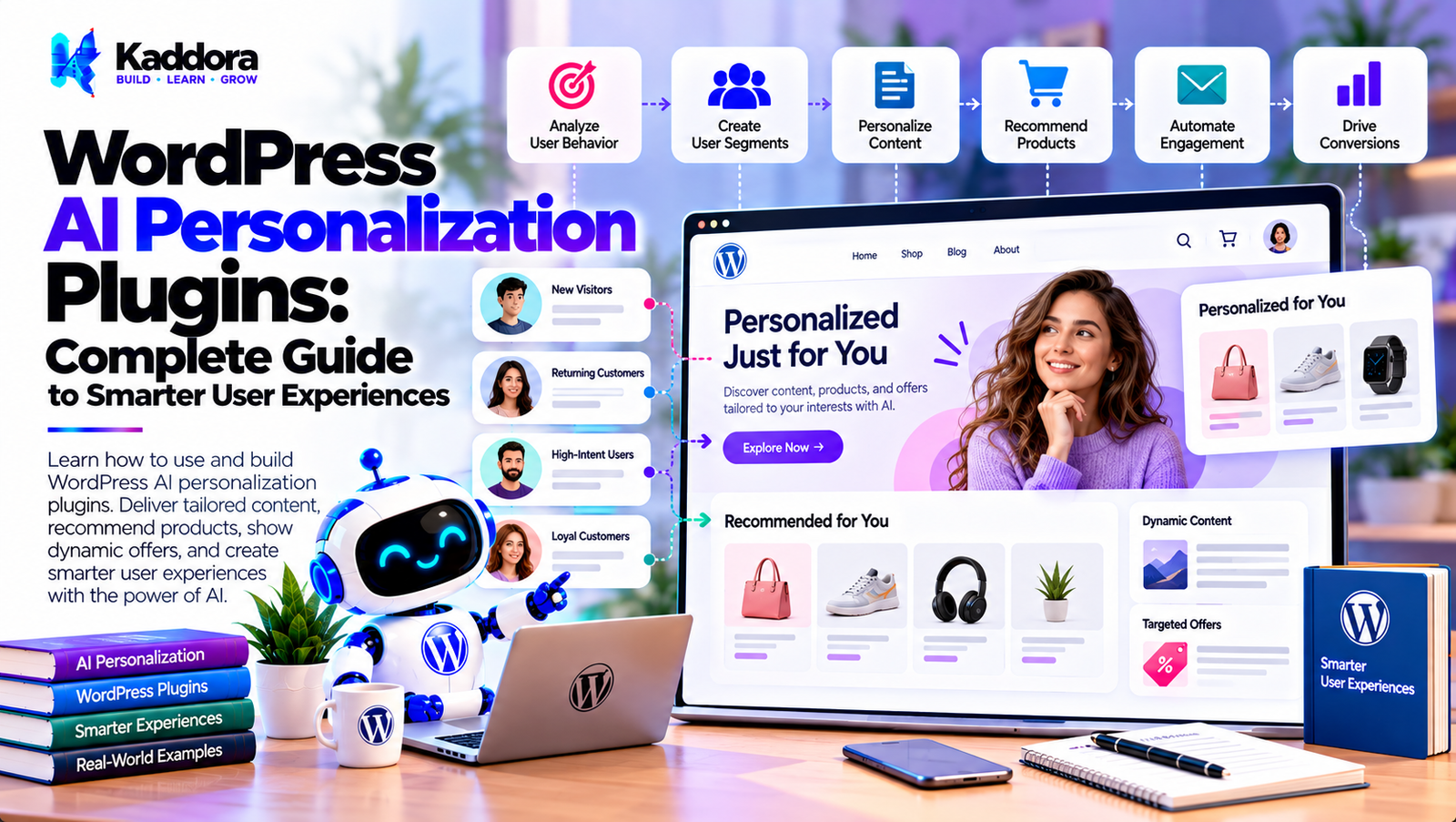
WordPress AI Personalization Plugins: Complete Guide to Smarter User Experiences
Introduction
Every website visitor is different.
Visitors can have different:
Interests
Locations
Previous interactions
Products viewed
Purchase histories
Content preferences
Membership levels
Business needs
Search behavior
Traditional WordPress websites often show the same content to every visitor.
For example:
Visitor A ──┐ Visitor B ──┼──> Same Website Experience Visitor C ──┘
Personalization changes this approach:
Visitor ↓ Relevant Context ↓ AI Analysis ↓ Personalized Experience
This is where WordPress AI personalization plugins can be useful.
AI personalization can help websites recommend relevant products, customize content, personalize messages, classify visitors, improve navigation, and create more context-aware experiences.
However, personalization should be implemented carefully. It should use relevant data, respect privacy, avoid unnecessary tracking, and give website owners appropriate control.
What Are WordPress AI Personalization Plugins?
WordPress AI personalization plugins use artificial intelligence to adapt website experiences based on available visitor or customer context.
A traditional website may work like:
Visitor ↓ Static Content
An AI-powered personalization system can work like:
Visitor ↓ Context ↓ AI Analysis ↓ Personalization Rules ↓ Dynamic Experience
Possible personalized elements include:
Content
Product recommendations
Search results
Email messages
Calls to action
Navigation
Offers
Related articles
Support content
How AI Personalization Works
A typical personalization workflow contains several stages:
Visitor Interaction ↓ Collect Relevant Context ↓ AI Analysis ↓ Determine Relevant Content ↓ Apply Personalization ↓ Measure Result
For example:
Product Viewed ↓ Customer Context ↓ AI Recommendation ↓ Related Products
The implementation should clearly define what information is collected and how it is used.
Traditional Personalization vs AI Personalization
Traditional personalization often uses explicit rules:
IF customer purchased Product A THEN show Product B
AI can help interpret more complex information:
Customer Activity ↓ AI Analysis ↓ Potential Interest ↓ Relevant Content
Rules remain useful for predictable requirements, while AI can assist with more flexible interpretation.
What Can WordPress AI Personalization Plugins Personalize?
Potential personalization areas include:
Website content
Product recommendations
Blog recommendations
Search results
Landing pages
Calls to action
Email content
User dashboards
Related content
Navigation
Offers
Support information
Marketing campaigns
Not every website needs every form of personalization.
AI Personalized Content
AI can help determine which content may be more relevant to a visitor.
For example:
Visitor Interest ↓ Content Analysis ↓ Relevant Articles
A blog could recommend related content based on:
Current article
Topics viewed
User-selected interests
Previous interactions
AI Personalized Homepage
A personalized homepage could display different content based on known context.
For example:
Visitor Context ↓ Personalization Engine ↓ Homepage Sections
Possible sections include:
Recommended articles
Products
Services
Resources
Offers
The core site structure should remain understandable and accessible.
AI Personalized Product Recommendations
WooCommerce stores can use AI personalization to recommend products.
A workflow might be:
Customer Activity ↓ Product Data ↓ AI Analysis ↓ Recommendations
Recommendations can potentially consider:
Products viewed
Previous purchases
Product categories
Customer-selected interests
The recommendation system should use reliable product data.
WooCommerce AI Personalization
WooCommerce provides a useful environment for personalization because stores already contain structured information about:
Products
Categories
Orders
Customers
Attributes
Reviews
An AI personalization workflow could be:
Customer ↓ Store Activity ↓ AI Recommendation ↓ Personalized Products
AI Personalized Search
AI personalization can potentially adapt search results according to relevant context.
For example:
Search Query + Relevant Context ↓ Search Processing ↓ Personalized Results
However, personalization should not make search results confusing or hide important information from users.
AI Personalized Internal Search
WordPress websites with large content libraries can use personalization to improve search relevance.
For example:
Search: "security" ↓ User Context ↓ Relevant Results
Search personalization can be combined with:
Semantic search
Content categories
User-selected preferences
Recent interactions
AI Personalized Blog Recommendations
A content website can recommend articles based on topic relevance.
For example:
Current Article ↓ Topic Analysis ↓ Related Content
AI can help identify semantic relationships between articles.
AI Personalized Content Discovery
Personalization can help users discover relevant information.
A workflow could be:
User Activity ↓ Content Understanding ↓ Recommendation
This can be useful for:
Blogs
Documentation
Knowledge bases
Membership sites
Educational websites
AI Personalized Landing Pages
A landing page can contain dynamic sections.
For example:
Visitor Context ↓ Personalization ↓ Relevant Headline ↓ Relevant Content ↓ CTA
The plugin should ensure that personalization does not create misleading claims or inconsistent messaging.
AI Personalized Calls to Action
Different visitors may have different objectives.
For example:
New Visitor ↓ Learn More Existing Customer ↓ View Account Potential Lead ↓ Request Consultation
AI can help determine suitable CTA suggestions, while explicit business rules can control which actions are actually displayed.
AI Personalized Email Content
Personalization can continue beyond the website.
For example:
Customer Context ↓ AI ↓ Personalized Email
Possible information includes:
Product interest
Customer segment
Previous purchase
Content interest
Only appropriate information should be used.
AI Personalized Marketing
AI personalization can connect website activity with marketing workflows.
For example:
Website Interaction ↓ Customer Segment ↓ Personalized Campaign
Marketing communication should respect applicable consent and communication preferences.
AI User Segmentation
Segmentation divides visitors or customers into meaningful groups.
Traditional segmentation might use:
Purchase History ↓ Customer Segment
AI can assist with more complex patterns:
Multiple Interactions ↓ AI Analysis ↓ Potential Segment
The criteria should be documented and reviewed.
AI Behavioral Personalization
Behavioral personalization can consider actions such as:
Pages viewed
Products viewed
Search terms
Content interactions
Purchases
User-selected preferences
The website should clearly consider privacy requirements before collecting or processing behavioral data.
AI Contextual Personalization
Contextual personalization can use information related to the current interaction.
For example:
Current Page + Current Product + Selected Category
AI can use this context to recommend related content.
This can be less intrusive than building a detailed profile of every visitor.
AI Personalization Without Login
Personalization does not always require an account.
A website may use limited session context:
Current Session ↓ Relevant Context ↓ Personalized Suggestions
However, websites should carefully consider privacy, consent, cookies, and applicable regulations when tracking visitors.
AI Personalization for Logged-In Users
Logged-in websites can use account-level context where appropriate.
Examples include:
Membership level
User-selected preferences
Purchase history
Saved items
Account settings
For example:
User Account ↓ Preferences ↓ Personalized Dashboard
Access controls should prevent users from seeing information belonging to other users.
AI Personalization for Membership Websites
Membership websites can personalize:
Dashboard content
Recommended resources
Courses
Articles
Products
Account information
For example:
Membership Level ↓ Relevant Content
The system should use explicit permissions for access control rather than relying on AI.
AI Personalization for Learning Websites
Educational websites can use personalization to recommend:
Courses
Lessons
Tutorials
Resources
Related topics
A workflow could be:
Learning Activity ↓ AI Analysis ↓ Recommended Resource
AI recommendations should supplement, not replace, the site's actual access and curriculum rules.
AI Personalization for Support
Support websites can personalize help content.
For example:
Customer Issue ↓ AI Classification ↓ Relevant Documentation
This can help visitors reach useful information faster.
AI Personalized Knowledge Bases
A knowledge base can recommend related documentation based on a user's current question.
For example:
Question ↓ AI Understanding ↓ Related Articles
This can be combined with semantic search.
AI Personalized FAQs
AI can help display relevant FAQs based on context.
For example:
Current Product ↓ Relevant FAQ
The actual FAQ content should come from verified website content rather than being invented dynamically.
AI Personalized Navigation
Large websites can potentially adapt navigation based on user context.
For example:
User Context ↓ Relevant Navigation Suggestions
Navigation should remain predictable and accessible, particularly for important site functions.
AI Personalized Search Results
Search personalization can combine:
Query + Content Relevance + Context
to produce potentially more useful results.
However, search systems should allow users to understand and control their search experience.
AI Personalization and Content Taxonomies
WordPress categories and tags can provide structured context.
For example:
Article ↓ Category ↓ Topic ↓ Related Content
AI can assist with topic relationships, while WordPress taxonomies provide deterministic structure.
AI Personalization and WordPress Hooks
WordPress hooks can trigger personalization logic.
For example:
WordPress Event ↓ Personalization Service ↓ Recommendation
Expensive AI requests should generally not execute on every page load.
AI Personalization Caching
Personalization can create performance challenges.
Caching can help:
Personalization Request ↓ Cache? ↙ ↘ Yes No ↓ ↓ Result AI
Caching must account for user context and permissions.
AI Personalization Performance
AI processing can be slower than normal WordPress operations.
Avoid:
Every Page Load ↓ AI API
when possible.
Instead, use:
Relevant Event ↓ AI Processing ↓ Store Result ↓ Fast Retrieval
AI Personalization Background Processing
Some personalization data can be calculated asynchronously.
For example:
User Interaction ↓ Create Job ↓ Queue ↓ AI Analysis ↓ Store Recommendation
The frontend can then retrieve the stored result.
AI Personalization and Privacy
Personalization can involve significant privacy considerations because it may process user behavior.
Possible information includes:
Browsing activity
Purchases
Search behavior
Account information
Preferences
Interactions
A responsible system should minimize data collection and clearly define how personalization works.
AI Personalization Data Minimization
Do not automatically send every available user attribute to an AI provider.
For example, if the task is:
Recommend related articles
the AI may only need:
Current Article Topic Content Categories
rather than a complete customer profile.
AI Personalization Consent
Depending on the implementation and jurisdiction, tracking and personalized marketing may require appropriate consent or user controls.
A personalization plugin should provide configuration for relevant privacy and tracking requirements.
AI Personalization Transparency
Users should not be misled about personalized experiences.
A website can provide appropriate information about:
Personalization
Cookies
Data collection
Marketing preferences
User controls
Transparency becomes especially important when personalization relies on behavioral tracking.
AI Personalization Security
Security controls should include:
Capability checks
Authentication
Authorization
Nonces
Input validation
Output escaping
Secure API credentials
Access controls
Rate limiting
Audit logging
AI should never determine whether a user is authorized to access restricted WordPress content.
AI Personalization and Access Control
This distinction is critical.
AI can recommend:
"Article A may be useful."
But WordPress permissions must determine:
"Can this user access Article A?"
Authorization should remain deterministic.
AI Personalization Cost Optimization
AI personalization can become expensive if every visitor triggers an AI request.
Optimization techniques include:
Caching
Precomputed recommendations
Rule-based filtering
Event-based processing
Batching
Appropriate models
Usage limits
Duplicate prevention
For example:
Visitor ↓ Rule Filter ↓ Needs AI? ↙ ↘ No Yes ↓ ↓ Rules AI
AI Personalization Rate Limiting
Public websites can have large numbers of visitors.
Protect AI-powered endpoints with:
Rate limiting
Request validation
Authentication where appropriate
Abuse controls
Caching
This prevents unnecessary AI usage.
AI Personalization Fallbacks
If the AI provider is unavailable, the website should still function.
For example:
AI Recommendation ↓ Available? ↙ ↘ Yes No ↓ ↓ AI Result Default Content
Fallbacks improve reliability.
AI Personalization Analytics
A personalization system should measure outcomes.
Possible metrics include:
Recommendation clicks
Content engagement
Conversion events
Search interactions
Email engagement
Product views
AI-generated insights should be based on actual analytics data.
AI Personalization and A/B Testing
Personalization can be tested against standard experiences.
For example:
Audience ↓ Experience A / B ↓ Measure ↓ Compare Results
Actual performance should be determined from collected data rather than assumed from AI output.
AI Personalization and Conversion Optimization
AI can help generate or select personalization ideas.
For example:
Visitor Context ↓ Personalization ↓ CTA / Content ↓ Conversion Measurement
The website should monitor actual outcomes.
AI Personalization for WooCommerce Customers
A WooCommerce store could personalize:
Customer ↓ Purchase History ↓ Product Categories ↓ Recommendations
The system should avoid exposing private customer information and should follow appropriate access controls.
AI Personalization for Returning Visitors
Returning visitors may receive relevant recommendations based on permitted session or account context.
For example:
Returning Visitor ↓ Previous Context ↓ Relevant Content
The implementation should account for privacy and user controls.
AI Personalization for New Visitors
New visitors may have little available context.
A sensible workflow is:
New Visitor ↓ Current Page ↓ Page Topic ↓ Related Content
This avoids making unsupported assumptions about the visitor.
AI Personalization Plugin Architecture
A scalable architecture could contain:
WordPress AI Personalization Plugin │ ├── Context Manager ├── Personalization Engine ├── AI Service ├── Provider Manager ├── Recommendation Engine ├── Content Manager ├── Audience Manager ├── Rule Engine ├── Cache Manager ├── Analytics Manager ├── Queue Manager ├── Security Manager ├── Privacy Manager └── Settings Manager
The workflow can operate as:
User Context ↓ Rule Filter ↓ AI Analysis ↓ Recommendation ↓ Validation ↓ Personalized Experience
How to Build a WordPress AI Personalization Plugin
Step 1: Define the Personalization Use Case
Start with one clear objective, such as product recommendations or related content.
Step 2: Define Available Context
Identify exactly which data the personalization system needs.
Step 3: Create the Context Manager
Build a centralized system for collecting permitted context.
Step 4: Add Rule-Based Filtering
Use simple rules to eliminate unnecessary AI requests.
Step 5: Add the AI Provider Layer
Keep AI API communication separate from personalization logic.
Step 6: Create the Recommendation Engine
Convert AI results into structured recommendations.
Step 7: Validate Recommendations
Verify that recommended content or products actually exist and are available to the current user.
Step 8: Add Caching
Store appropriate results to reduce repeated AI requests.
Step 9: Add Background Processing
Move expensive recommendation calculations out of critical page requests.
Step 10: Add Privacy Controls
Allow administrators to control personalization and external AI processing.
Step 11: Add Analytics
Measure actual interactions and outcomes.
Step 12: Add Fallbacks
Provide standard WordPress content or rules when AI is unavailable.
WordPress AI Personalization Plugin Checklist
Personalization
Context management
Audience segments
Recommendations
Personalized content
Personalized CTAs
Product recommendations
AI
AI provider
Prompt management
Structured output
Response validation
Provider abstraction
Performance
Caching
Background processing
Precomputed recommendations
Rate limiting
Usage limits
Security
Authentication
Authorization
Capability checks
Nonces
Input validation
Secure API credentials
Privacy
Data minimization
Tracking controls
Consent mechanisms where applicable
Personalization settings
Data retention controls
Transparency
Analytics
Recommendation clicks
Engagement
Conversion tracking
Workflow logs
Error monitoring
Best Practices for WordPress AI Personalization Plugins
A reliable AI personalization plugin should:
Personalize only where there is a clear benefit.
Use the minimum necessary data.
Keep authorization separate from AI.
Validate AI recommendations.
Protect customer information.
Keep API credentials secure.
Cache suitable personalization results.
Avoid AI requests on every page load.
Use background processing where appropriate.
Provide standard fallbacks.
Respect privacy and tracking controls.
Keep personalization understandable.
Measure actual user interactions.
Avoid unsupported assumptions about users.
Keep deterministic rules available.
Prevent duplicate processing.
Implement rate limiting.
Monitor AI API costs.
Provide administrator controls.
Design the system for future AI providers.
Why Choose Kaddora?
Kaddora focuses on WordPress plugins, WooCommerce solutions, AI-powered tools, automation, SEO, analytics, themes, and website templates.
AI personalization becomes more useful when it is connected to practical WordPress and WooCommerce workflows.
A modern WordPress AI personalization solution can combine:
AI recommendations
Personalized content
WooCommerce personalization
Customer segmentation
Personalized search
Email personalization
Lead personalization
AI marketing automation
Content recommendations
CRM integrations
Analytics
Secure AI APIs
Background processing
The goal is to create more relevant website experiences without sacrificing performance, privacy, security, or administrator control.
ThemeKaddora provides WordPress plugins, themes, templates, WooCommerce tools, AI solutions, SEO resources, and automation-focused products for modern websites.
Conclusion
WordPress AI personalization plugins can help websites create more relevant experiences by combining user context, content information, business rules, and artificial intelligence.
A basic website experience might look like:
Visitor ↓ Same Content
A personalized experience can become:
Visitor ↓ Relevant Context ↓ AI / Rules ↓ Personalized Content
This can be useful for product recommendations, related articles, personalized search, customer support, email marketing, membership websites, knowledge bases, and WooCommerce stores.
However, personalization should not mean collecting everything about every visitor. A well-designed system uses only the information required for the specific purpose.
AI should also remain separate from authorization. It can recommend content, but WordPress permissions must determine whether a user is actually allowed to access that content.
Performance is another important consideration. Caching, background processing, precomputed recommendations, rate limiting, and rule-based filtering can reduce unnecessary AI requests.
Privacy and transparency are equally important when personalization uses behavioral or customer information. Website owners should provide appropriate controls and follow applicable requirements for tracking and personalized marketing.
The strongest WordPress AI personalization plugins therefore combine AI recommendations, structured WordPress data, deterministic rules, privacy controls, secure integrations, caching, analytics, and reliable fallback mechanisms.
AI personalization should make a website more relevant without making it unpredictable, invasive, or difficult to control.
Frequently Asked Questions
What are WordPress AI personalization plugins?
WordPress AI personalization plugins use artificial intelligence and website context to provide more relevant content, recommendations, search results, marketing messages, or user experiences.
What can AI personalize in WordPress?
AI can assist with content recommendations, product recommendations, search, landing pages, calls to action, email content, support resources, and marketing experiences.
Can AI personalize content for visitors who are not logged in?
Yes, limited contextual personalization can be used, although privacy and tracking requirements should be considered carefully.
Does AI personalization require cookies?
Not necessarily. The implementation may use session information, account data, user-selected preferences, or other permitted context. Cookie and tracking requirements depend on the implementation.
Can AI personalization improve customer support?
It can help route users toward relevant support documentation, FAQs, and resources.
How does AI personalization differ from normal personalization?
Traditional personalization generally relies on predefined rules. AI can help interpret more complex context and generate recommendations.
Should AI control user permissions?
No. Access control should remain deterministic and should be enforced by WordPress or the relevant application.
How can AI personalization protect user privacy?
Use data minimization, secure processing, appropriate tracking controls, access restrictions, privacy settings, and only transmit information required for the personalization task.
Should all customer data be sent to an AI provider?
No. Only the data required for the specific AI operation should be transmitted.
Can AI personalization slow down WordPress?
It can if AI requests are made during page loads. Caching, background processing, precomputed recommendations, and rule-based filtering can reduce performance impact.
How can AI personalization API costs be reduced?
Use caching, rule-based filtering, appropriate models, precomputed results, batching, usage limits, and duplicate prevention.
Can AI personalization work without an external AI API?
Yes. Depending on the architecture, a plugin can use self-hosted or locally available AI models, although infrastructure requirements may be higher.
Should AI recommendations always be shown?
Not necessarily. The plugin can use confidence thresholds, business rules, availability checks, or fallback content.
Why choose Themekaddora?
Themekaddora provides lightweight, responsive, SEO-friendly WordPress themes with fast performance, WooCommerce compatibility, flexible customization, accessibility-conscious design, modern templates, regular updates, and professional support—providing a strong foundation for businesses building digital products and product-focused websites.
Comments (0)