
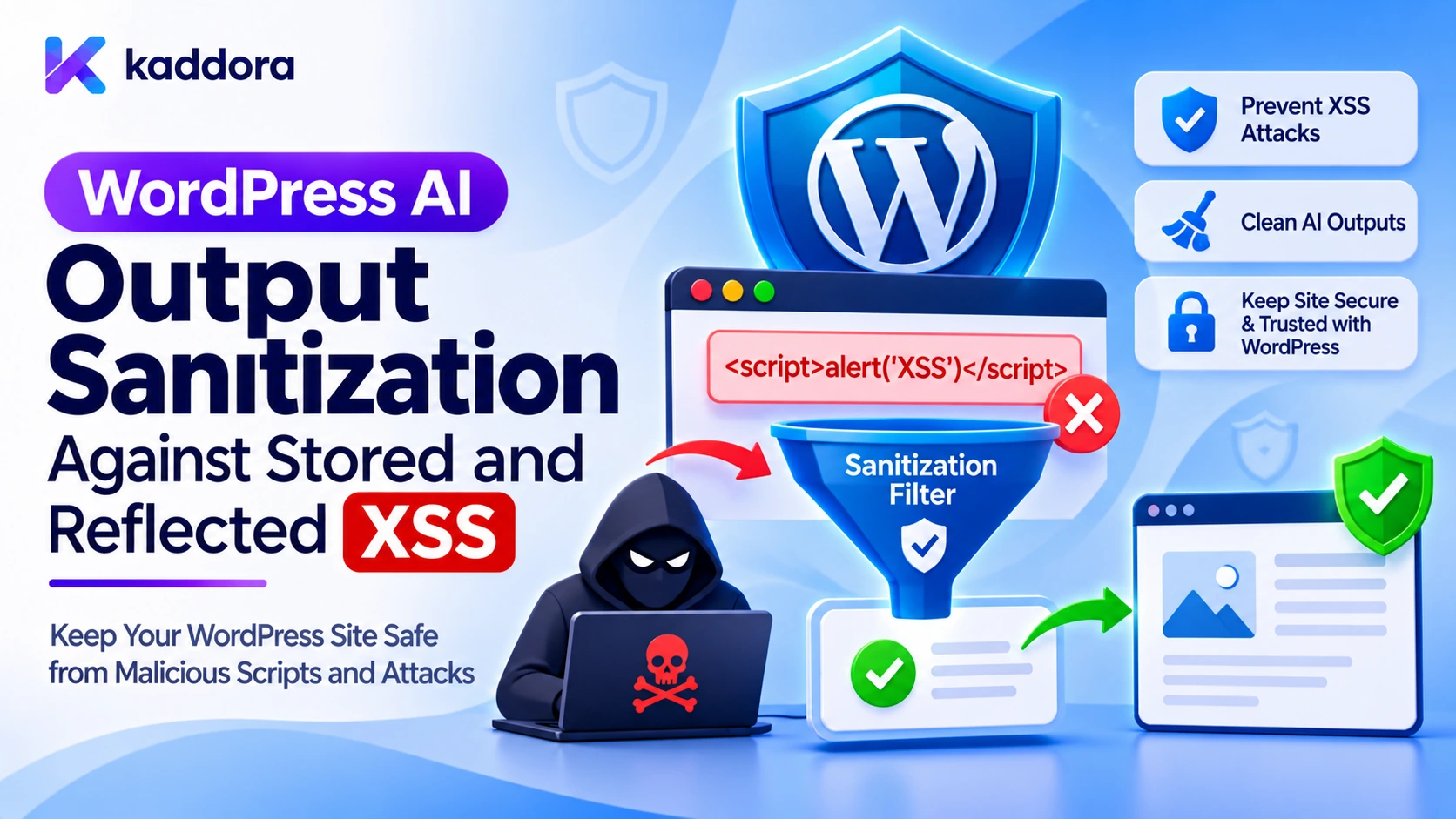
Introduction
Artificial intelligence has introduced new ways to generate and display content in WordPress. AI-powered plugins can produce blog articles, chatbot responses, product descriptions, email templates, summaries, recommendations, and dynamic website content.
However, AI-generated content also introduces a security challenge: the plugin cannot automatically assume that every response returned by an AI provider is safe to display in a browser.
An AI response may contain HTML, JavaScript, unexpected URLs, malicious attributes, or content influenced by an attacker-controlled prompt or external document. Even a legitimate AI service can return unsafe output when processing untrusted information.
If a WordPress plugin displays that output without appropriate protection, attackers may exploit cross-site scripting (XSS) vulnerabilities.
XSS occurs when untrusted content is interpreted by a browser as executable code rather than ordinary data. Depending on the vulnerability, an attacker may execute scripts in another user's browser, manipulate website content, or perform actions using the victim's authenticated session.
Two important categories are stored XSS and reflected XSS. Stored XSS involves malicious content that is saved and executed when another user views it. Reflected XSS occurs when attacker-controlled information is immediately included in a response and interpreted as executable browser content.
WordPress AI plugins need protection against both categories because generated content can be displayed immediately, saved for later use, or passed between different website components.
This guide explains how developers can implement context-aware output sanitization, use native WordPress security functions, protect frontend and administrator interfaces, and test AI-powered plugins against stored and reflected XSS.
Understanding Stored and Reflected XSS in WordPress AI Plugins
Before implementing sanitization, developers should understand how malicious content can reach a browser.
AI integrations often combine several sources of information:
User prompts.
External AI provider responses.
Retrieved WordPress posts and documents.
Uploaded files.
Product information.
Conversation history.
Administrator-configured instructions.
Third-party API responses.
None of these sources should automatically be considered trusted.
What Is Stored XSS?
Stored XSS occurs when malicious content is saved in a database or another persistent storage location and later rendered without appropriate protection.
Consider an AI article generator that saves the generated response into a custom database field.
An attacker may influence the generated response through a malicious prompt or an external document. If the plugin saves the resulting HTML without an appropriate allowlist and later displays it as trusted content, the malicious markup may execute when an administrator or visitor opens the relevant page.
A typical attack flow looks like this:
An attacker influences content processed by the AI feature.
The AI provider returns a response containing unsafe markup.
The plugin saves the response without appropriate validation.
The saved response appears in an administrator dashboard or frontend page.
The browser interprets the malicious markup and executes the associated script.
The vulnerability may remain until the stored content is corrected or removed.
What Is Reflected XSS?
Reflected XSS happens when attacker-controlled information is included in an immediate server response without suitable output escaping.
For example, a WordPress chatbot may receive a search term or request parameter and include it in an error message or AI prompt preview.
If the plugin directly inserts that value into an HTML response, an attacker may construct a link or request that causes the browser to interpret the supplied content as markup or JavaScript.
A reflected XSS flow commonly involves:
An attacker prepares a URL or request containing malicious input.
A victim visits the affected page or triggers the request.
WordPress includes the untrusted value in the response.
The browser interprets the value in an unsafe context.
The malicious content executes in the victim's browser.
How AI Output Introduces Both Risks
AI-generated content may appear in several places:
AI output location
Potential XSS risk
Chatbot response
Reflected or DOM-based XSS
Generated blog content
Stored XSS
Product descriptions
Stored XSS
Administrator preview
Reflected or stored XSS
Saved AI summaries
Stored XSS
REST API response
XSS if later rendered unsafely
Dynamic frontend messages
DOM-based XSS
The key principle is that an external AI response is untrusted data. It must be validated and handled according to the context in which it will be displayed.
Why Traditional Input Sanitization Is Not Enough
A common development mistake is to sanitize information once when it enters the application and assume that it will remain safe everywhere.
This approach is insufficient because the same value can be displayed in different contexts.
For example, an AI-generated response might be:
Stored as a database value.
Printed inside an HTML paragraph.
Inserted into an HTML attribute.
Used as a URL.
Passed to JavaScript.
Displayed inside a textarea.
Each destination has different parsing rules and security requirements.
A value that is safe as ordinary text is not automatically safe inside a URL, JavaScript statement, or HTML attribute.
WordPress recommends validating and sanitizing input, relying on its security APIs, and escaping output as late as possible.
Therefore, developers should separate three responsibilities:
Input validation: Confirm that incoming information has the expected type, format, size, and structure.
Sanitization: Remove or restrict unwanted content when the application needs a particular safe data format, such as limited HTML.
Output escaping: Encode information according to the exact browser context in which it will appear.
These protections work together. Sanitization does not replace context-aware output escaping.
Treat AI Provider Responses as Untrusted Input
Even when an AI provider is legitimate, its responses must not be treated as trusted executable content.
The provider may process user-controlled instructions, retrieved documents, external website content, or information that contains prompt injection attempts.
As a result, generated output may include unexpected HTML or content that attempts to influence the plugin's interface.
A secure implementation should validate the response before using it.
Validate the response structure
Check that the response is an array or object with the expected fields and types.
For example, an article-generation feature might expect a title and body:
if ( ! is_array( $ai_response ) || ! isset( $ai_response['title'], $ai_response['content'] ) || ! is_string( $ai_response['title'] ) || ! is_string( $ai_response['content'] ) ) { return new WP_Error( 'kaddora_ai_invalid_response', 'The AI provider returned an invalid response.' ); }
This prevents unexpected response types from flowing into the rendering layer.
Enforce size restrictions
An AI provider may return an unusually large response. Excessive content can increase processing time, database storage, and rendering overhead.
Set reasonable limits for each feature.
For example:
Maximum title length.
Maximum generated content size.
Maximum number of generated items.
Maximum number of URLs.
Maximum permitted list elements.
Maximum structured response depth.
These limits should reflect actual application requirements.
Reject unsupported content types
If the feature expects plain text, reject or normalize unexpected structured values rather than converting arbitrary objects into HTML.
If rich HTML is necessary, use a documented allowlist of supported elements and attributes.
Use the Correct WordPress Escaping Functions
WordPress provides several functions for handling untrusted output.
The correct function depends on where the content will appear.
Output context
WordPress function
HTML text
esc_html()
HTML attribute
esc_attr()
URL in an HTML attribute
esc_url()
Textarea content
esc_textarea()
JavaScript string context
esc_js() where appropriate
XML content
esc_xml()
Allowed post-style HTML
wp_kses_post()
Custom HTML allowlist
wp_kses()
Escape plain text with esc_html()
When an AI-generated response should appear as ordinary text, use esc_html().
$ai_response = 'Generated response from the AI provider'; echo '<p>' . esc_html( $ai_response ) . '</p>';
If the response contains HTML-like characters, they are displayed as text instead of being interpreted as HTML elements.
This is appropriate for chatbot messages, status messages, generated titles, and other plain-text fields.
Do not use esc_html() when the application intentionally needs to preserve selected HTML formatting. In that case, use an appropriate HTML allowlist.
Escape HTML attributes with esc_attr()
AI output should never be inserted directly into an HTML attribute.
Unsafe example:
echo '<input value="' . $ai_response . '">';
Safer implementation:
echo '<input value="' . esc_attr( $ai_response ) . '">';
Always keep attribute names and element structures controlled by the plugin.
Avoid building event-handler attributes such as onclick using AI-generated values.
Escape URLs with esc_url()
An AI provider might return a URL as part of a recommendation, article, or chatbot response.
Never assume every returned URL is safe.
$source_url = $ai_response_url; echo '<a href="' . esc_url( $source_url ) . '">View source</a>';
esc_url() provides URL-specific output protection, including protocol handling. It does not establish that a destination is trustworthy.
For features that allow links only to selected domains, separately validate the hostname against an application-specific allowlist.
If a URL is stored for later use, use appropriate validation and storage handling, then apply esc_url() again when rendering it.
Escape textarea content
When showing generated content in an administrator editing field, use esc_textarea().
echo '<textarea name="kaddora_ai_content">'; echo esc_textarea( $ai_response ); echo '</textarea>';
This prevents generated text from breaking out of the textarea element and introducing unintended markup.
Use wp_kses_post() for AI-Generated Rich HTML
Some AI features need to preserve formatting.
For example, an AI article generator may produce headings, paragraphs, lists, emphasis, and links.
Using esc_html() would display the HTML tags as text. Printing the original response without filtering would introduce XSS risk.
WordPress provides wp_kses_post() to filter content using the HTML elements and attributes permitted in WordPress post content.
Example:
$ai_html = $ai_response; echo wp_kses_post( $ai_html );
This preserves permitted post-style HTML while removing disallowed markup and attributes.
However, developers should not assume that every application needs the full set of HTML allowed in post content.
A chatbot may need only paragraphs, emphasis, lists, and links. For that situation, a narrower custom allowlist is more appropriate.
Create a custom HTML allowlist
The wp_kses() function allows developers to specify the HTML elements and attributes supported by an application.
function kaddora_ai_get_allowed_html() { return array( 'p' => array(), 'br' => array(), 'strong' => array(), 'em' => array(), 'ul' => array(), 'ol' => array(), 'li' => array(), 'h3' => array(), 'h4' => array(), 'a' => array( 'href' => array(), 'title' => array(), ), ); } $allowed_html = kaddora_ai_get_allowed_html(); $safe_content = wp_kses( $ai_response, $allowed_html ); echo $safe_content;
This example permits selected formatting elements and basic link attributes.
It does not permit script elements, event-handler attributes, or arbitrary embedded objects.
The allowlist should be designed around the feature's actual requirements. Avoid allowing elements and attributes simply because an AI model sometimes generates them.
Handle AI-Generated HTML Before Storing It
Stored XSS becomes particularly dangerous when unsafe generated content is written into the database and displayed repeatedly.
The storage strategy should depend on the type of content.
When the application expects plain text
Keep the generated value as data. Validate its type and size before storing it, then escape it when displaying it.
For example, a chatbot conversation does not normally require storing executable HTML. Keeping messages as plain text simplifies the rendering process.
When the application needs rich HTML
Apply an appropriate HTML allowlist before accepting generated content as formatted content.
For example:
$safe_ai_content = wp_kses_post( $ai_response ); update_post_meta( $post_id, '_kaddora_ai_generated_content', $safe_ai_content );
The example filters the generated HTML before storing it.
The application should also enforce authorization and validate the post ID before updating metadata.
Importantly, filtering content during storage does not remove the need for safe rendering. Database values are not automatically trustworthy, since they may have been modified by another plugin, an administrator, a migration, or a later security issue.
When rendering the saved rich HTML, apply the appropriate allowlist again:
$saved_content = get_post_meta( $post_id, '_kaddora_ai_generated_content', true ); echo wp_kses_post( $saved_content );
Use the same custom allowlist at both stages when the feature requires a narrower HTML policy.
Prevent Reflected XSS in AI Chatbots and Dynamic Responses
AI chatbots frequently display content immediately after a visitor submits a message.
This creates an opportunity for reflected or DOM-based XSS if user input or AI output is inserted directly into the page.
Never concatenate untrusted values into HTML
Unsafe JavaScript:
chatContainer.innerHTML += aiResponse;
The innerHTML property interprets supplied strings as HTML. If the response contains malicious markup, the browser may create unsafe elements or execute associated behavior.
For a plain-text chatbot, use:
const message = document.createElement('div'); message.textContent = aiResponse; chatContainer.appendChild(message);
The textContent property treats the response as text instead of parsing it as HTML.
For rich-text chatbot output, process the response through a trusted HTML sanitization pipeline before inserting it. Prefer server-side WordPress filtering with wp_kses() and render the resulting permitted markup through a controlled application component.
Protect reflected request parameters
WordPress pages may display search terms, prompts, request errors, or query parameters.
Never print these values directly into a page.
Unsafe:
echo $_GET['prompt'];
Safer:
$prompt = isset( $_GET['prompt'] ) ? sanitize_text_field( wp_unslash( $_GET['prompt'] ) ) : ''; echo esc_html( $prompt );
The example is suitable for a simple text prompt. More complex input formats require validation appropriate to their expected data structure.
Remember that sanitizing the incoming value does not remove the need to escape it for the output context.
Secure JavaScript and JSON Data Handling
WordPress AI plugins often pass generated content from PHP to JavaScript.
For example, an administrator interface may receive chatbot history, AI-generated summaries, or response metadata.
Avoid placing untrusted content directly into executable JavaScript source.
Do not construct JavaScript using string concatenation with AI-generated values. Avoid eval(), dynamically generated event handlers, and other APIs that interpret data as code.
When server-side data genuinely needs to be included in an inline script, use wp_json_encode() with appropriate JSON encoding flags for the HTML script context.
Example:
$ai_data = array( 'message' => $ai_response, ); $json_data = wp_json_encode( $ai_data, JSON_HEX_TAG | JSON_HEX_APOS | JSON_HEX_QUOT | JSON_HEX_AMP ); if ( false !== $json_data ) { echo '<script>'; echo 'window.kaddoraAiData = ' . $json_data . ';'; echo '</script>'; }
This example encodes the data as JSON and applies hexadecimal escaping for sensitive HTML characters. It should be used only when inline script data is genuinely necessary.
A better architecture for larger AI integrations is often to use a properly permissioned WordPress REST API endpoint and let a separately enqueued JavaScript file retrieve the required data.
Do not use JSON encoding as permission validation, content sanitization, or a replacement for safe DOM APIs.
Protect WordPress REST API Responses Against XSS
Many WordPress AI plugins use REST API endpoints for frontend chatbots, content generators, and administrator tools.
A REST API response containing HTML is not automatically vulnerable simply because it contains markup. The risk arises when a consumer inserts the response into a browser context that interprets it as code or unsafe HTML.
Developers should apply appropriate controls at both ends.
Secure the REST API endpoint
For protected AI operations:
Register endpoints with appropriate permission callbacks.
Check the current user's capabilities where authorization is required.
Validate request parameters.
Restrict request sizes.
Avoid exposing provider credentials.
Return only the information needed by the client.
A nonce may protect an authenticated cookie-based request against cross-site request forgery, but it does not grant authorization by itself.
Handle responses safely in the frontend
If an endpoint returns plain text, display it using textContent or equivalent safe rendering.
If the endpoint returns rich HTML, filter it with a controlled allowlist before it reaches an HTML insertion point.
Do not assume that a REST response is safe merely because it originated from the same WordPress website. Stored database values and third-party responses also require validation.
Protect Administrator Interfaces and AI Content Previews
Administrator dashboards deserve special attention because they may expose privileged users to generated content.
An AI plugin might show:
Generated article previews.
Chatbot conversation history.
AI-generated error messages.
Product recommendations.
Imported document summaries.
Provider response details.
If one of these values contains stored XSS, it may execute in an administrator's browser.
That can make the impact particularly serious.
Use esc_html() for plain-text administrator messages, esc_attr() for attributes, esc_textarea() for editor fields, and wp_kses() for approved HTML previews.
Avoid rendering raw provider responses inside dashboard components.
Also ensure that an AI-generated response cannot inject new scripts or modify administrator interface controls through unsafe HTML.
Validate Links and Embedded Resources
AI-generated content may include hyperlinks, image URLs, and references to external resources.
These values require additional validation because a syntactically valid URL may still point to an unsafe destination.
For hyperlinks:
Use esc_url() when rendering.
Restrict protocols to the intended set.
Apply hostname allowlists when the feature requires trusted destinations.
Avoid accepting arbitrary embedded frames.
Do not let provider responses define arbitrary HTML attributes.
For images:
Verify that the feature actually needs the image URL.
Prefer media attachments managed through WordPress when possible.
Validate allowed hosts and resource types.
Avoid exposing private website resources through generated links.
For external links, consider whether the destination is trustworthy and appropriate for the application's purpose.
Test AI Output Sanitization Against XSS Payloads
A security implementation should be tested with controlled examples, not just ordinary AI responses.
Prepare a test collection that includes common malicious markup patterns.
Test input
Expected protection
<script>alert(1)</script>
Script element removed or displayed as plain text
<img src="x" onerror="alert(1)">
Event-handler attribute removed
<svg onload="alert(1)">
Unsafe SVG markup rejected
"><script>alert(1)</script>
Attribute breakout prevented
javascript:alert(1)
Unsafe URL scheme rejected
HTML containing an unexpected form
Form element removed if not allowed
Extremely long HTML response
Request rejected or safely limited
Malformed response structure
Response rejected before rendering
Run tests against every location where the AI response is displayed or stored.
Important test locations include:
Frontend chatbot.
Administrator content preview.
Saved AI-generated posts.
Custom post metadata.
REST API consumers.
WooCommerce product descriptions.
Email or notification previews.
JavaScript-driven interface components.
Also test both authenticated and unauthenticated user flows, as applicable.
Use a controlled staging environment and verify that malicious test strings never execute in the browser.
Common Mistakes to Avoid
Trusting AI-generated HTML: An AI provider response is external data, not automatically trusted markup.
Using esc_html() for every output: Plain-text escaping is appropriate for text, but rich HTML requires a carefully defined allowlist.
Using wp_kses_post() as a universal solution: Some applications need a much smaller set of permitted HTML elements and attributes.
Sanitizing only when content is saved: Database content can change, and different output contexts require different protections.
Using innerHTML for chatbot messages: Directly inserting untrusted strings into HTML creates DOM-based XSS risks.
Printing request parameters directly: Query strings, prompts, and error values must be handled safely before rendering.
Allowing arbitrary AI-generated URLs: URLs need appropriate protocol and destination controls.
Assuming a trusted AI provider guarantees safe output: The provider cannot replace the WordPress application's validation and rendering controls.
Ignoring administrator previews: Stored XSS can affect administrators as well as website visitors.
Best Practices Checklist
Treat every AI provider response as untrusted data.
Distinguish stored XSS, reflected XSS, and DOM-based XSS.
Validate response types, fields, and maximum sizes.
Use esc_html() for plain text.
Use esc_attr() for HTML attributes.
Use esc_url() for rendered URLs.
Use esc_textarea() for textarea content.
Use wp_kses_post() when post-style HTML is appropriate.
Prefer narrow custom allowlists for specialized AI interfaces.
Filter rich HTML before storing it when the application requires formatted content.
Apply appropriate output protection when retrieving stored content.
Avoid innerHTML for untrusted plain-text responses.
Avoid AI-generated JavaScript and inline event handlers.
Handle PHP-to-JavaScript data through safe JSON encoding or REST APIs.
Protect REST API endpoints with capability checks and validation.
Validate external links and embedded resource destinations.
Test frontend and administrator interfaces with XSS payloads.
Review every output location when new AI features are added.
Why Choose Kaddora?
Kaddora focuses on practical WordPress development, AI integration, and digital solutions for website owners and developers. Building secure AI functionality requires attention to both application architecture and everyday implementation details, including output escaping, content validation, permission checks, and safe rendering. Understanding these practices helps developers create WordPress plugins that handle AI-generated information more responsibly.
Conclusion
WordPress AI output sanitization is an essential security requirement for plugins that generate, store, and display external AI responses.
Stored XSS can affect users who view previously saved AI-generated content, while reflected XSS can occur when attacker-controlled information is immediately included in a page response. DOM-based XSS can also appear when frontend JavaScript inserts unsafe content into the browser.
Preventing these vulnerabilities requires more than one sanitization function. Developers must validate incoming data, distinguish plain text from rich HTML, apply appropriate WordPress security functions, and escape content according to its final output context.
Functions such as esc_html(), esc_attr(), esc_url(), esc_textarea(), wp_kses_post(), and wp_kses() provide important protection when used correctly.
The safest approach is to treat AI-generated content as untrusted throughout its lifecycle. Validate it before processing, apply an appropriate HTML policy when necessary, store it according to its intended data format, and protect every place where it is rendered.
By implementing these practices across frontend interfaces, administrator dashboards, REST APIs, and stored content, WordPress developers can significantly reduce stored and reflected XSS risks in AI-powered plugins.
Frequently Asked Questions
What is stored XSS in a WordPress AI plugin?
Stored XSS occurs when malicious content is saved in the WordPress database and later rendered without appropriate protection. An unsafe AI-generated response saved as website content can expose administrators or visitors when they open the affected page.
What is reflected XSS in an AI-powered WordPress feature?
Reflected XSS occurs when attacker-controlled information is included in an immediate response without proper output escaping. For example, an unsafe chatbot error message or reflected prompt parameter may contain content interpreted as browser code.
Why should developers treat AI-generated content as untrusted?
AI providers may process user prompts, external documents, and other untrusted information. Their responses may contain unexpected markup or unsafe instructions, so plugins must validate and safely render the returned data.
Which WordPress function is suitable for sanitizing AI-generated HTML?
wp_kses_post() is suitable when the application needs HTML permitted in WordPress post content. For specialized interfaces, wp_kses() allows developers to define a narrower set of permitted tags and attributes.
Is esc_html() enough to prevent every type of XSS?
No. esc_html() is designed for HTML text output. HTML attributes, URLs, JavaScript data, and rich HTML require their own context-appropriate handling.
How can developers prevent XSS in AI chatbot responses?
Use textContent for plain-text messages, avoid inserting untrusted values through innerHTML, validate AI responses, and apply a controlled HTML allowlist when formatted output is required.
Should AI-generated HTML be sanitized before storing it in WordPress?
When the application intentionally stores formatted HTML, filtering it through an appropriate allowlist before storage is a useful defense. Developers should also protect the content when rendering it later because database values must not automatically be trusted.
Why choose ThemeKaddora?
ThemeKaddora provides WordPress plugins, themes, and templates that support different website development and customization requirements. Its practical development focus helps website owners and developers work with useful digital resources for their projects.
Comments (0)