
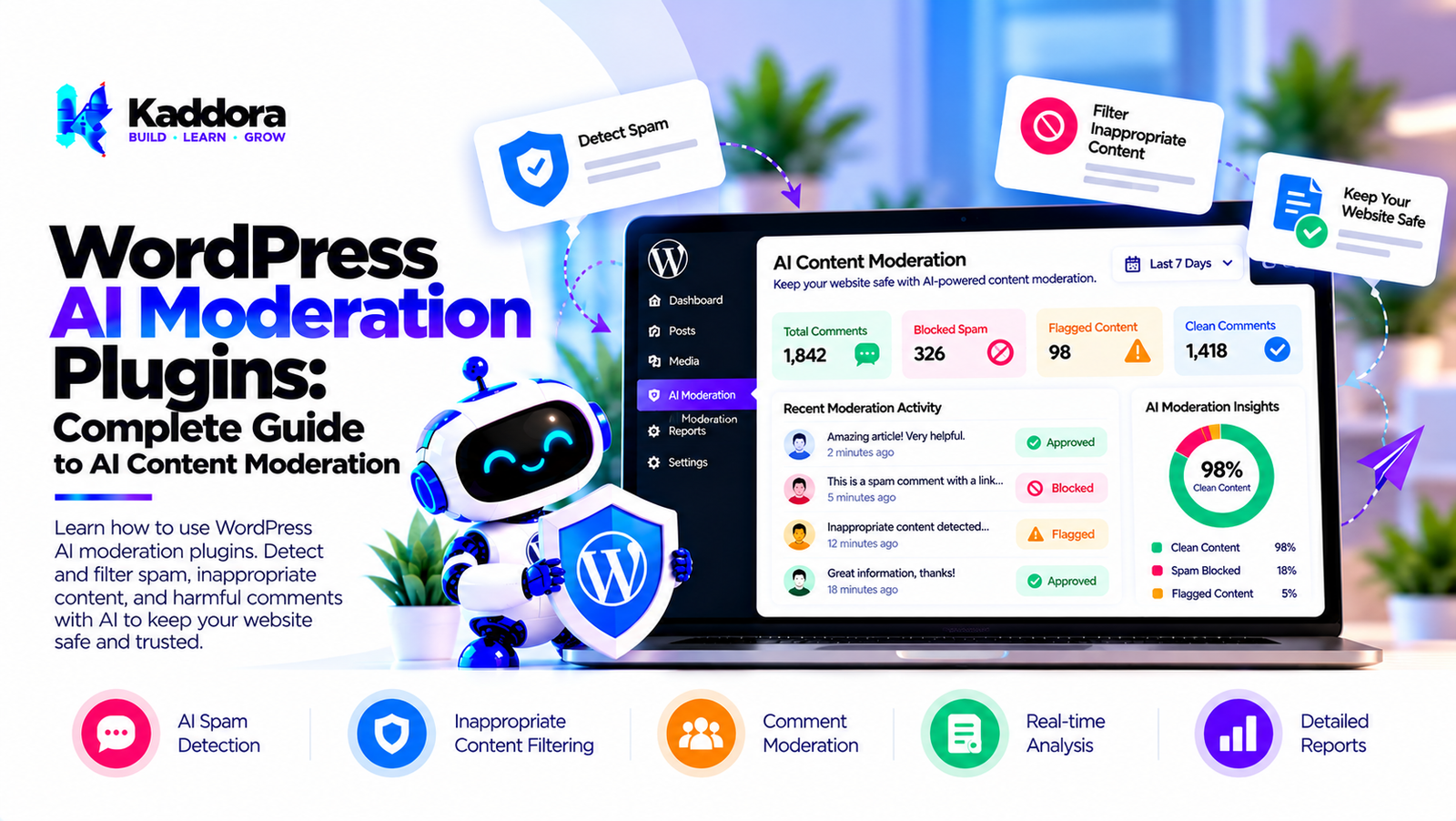
WordPress AI Moderation Plugins: Complete Guide
Introduction
WordPress websites can receive large amounts of user-generated content.
Depending on the website, this may include:
Comments
Reviews
Forum posts
Community discussions
Form submissions
User profiles
Guest posts
Product reviews
Questions and answers
Membership content
Managing this information manually can become difficult as a website grows.
Traditional moderation systems usually rely on:
User Content ↓ Rules ↓ Moderator ↓ Approve / Reject
AI can add another layer:
User Content ↓ Automated Rules ↓ AI Analysis ↓ Risk / Category ↓ Moderation Queue ↓ Human Review
This is where WordPress AI moderation plugins can be useful.
AI moderation can help classify content, identify potentially problematic submissions, prioritize moderation queues, detect spam-like patterns, and automate clearly defined moderation workflows.
However, AI moderation should not automatically be treated as a perfect judge of user content. Context, language, sarcasm, cultural differences, legitimate criticism, and false positives can all affect automated classification.
A strong moderation system therefore combines AI, deterministic rules, configurable thresholds, logging, human review, and appropriate privacy controls.
What Are WordPress AI Moderation Plugins?
WordPress AI moderation plugins use artificial intelligence to analyze and classify user-generated content.
A simple moderation workflow is:
User Content ↓ AI Analysis ↓ Classification ↓ Moderation Action
A more controlled architecture is:
User Content ↓ Validation ↓ Rules Engine ↓ AI Analysis ↓ Risk Classification ↓ Moderation Queue ↓ Human Decision
Depending on the plugin, AI moderation may support:
Comments
Reviews
Forum posts
User submissions
Community content
Contact forms
Questions
Product reviews
Why Use AI for WordPress Moderation?
Large websites can receive hundreds or thousands of submissions.
Manually checking every item can consume significant time.
AI can help prioritize content:
1,000 Submissions ↓ Automated Analysis ↓ Low-Risk Content → Normal Queue Potentially Risky → Review Queue Clearly Spam → Spam Workflow
The exact action should depend on the website's moderation policy.
What Can AI Moderation Analyze?
Potential moderation signals include:
Spam-like content
Abusive language
Threat-related language
Harassment
Repeated submissions
Suspicious links
Duplicate content
Off-topic content
Policy violations
Potentially harmful content
The exact categories depend on the moderation system and its configuration.
AI Comment Moderation
Comments are one of the most common WordPress moderation use cases.
A workflow can be:
New Comment ↓ Validation ↓ Rule Checks ↓ AI Analysis ↓ Classification ↓ Approve / Hold / Reject
The system should preserve the original comment and moderation decision for authorized administrators where appropriate.
AI WordPress Comment Filtering
An AI comment filter can analyze text before or after publication.
For example:
Comment ↓ AI Classification ↓ Low Risk → Publish Medium Risk → Hold High Risk → Review
Thresholds should be configurable rather than permanently hard-coded.
AI Review Moderation
WooCommerce and other WordPress websites may allow users to submit reviews.
AI moderation can analyze:
Review text
Repeated content
Suspicious links
Spam patterns
Potential policy violations
A workflow could be:
Product Review ↓ Moderation ↓ Classification ↓ Review Queue
AI should not automatically remove legitimate negative reviews simply because they criticize a product.
AI Forum Moderation
Community and forum websites can contain large amounts of discussion.
AI can help identify posts requiring review:
Forum Post ↓ AI Analysis ↓ Category ↓ Moderator Queue
Moderation categories should be defined according to the site's community rules.
AI User-Generated Content Moderation
User-generated content can include:
Posts
Images
Reviews
Comments
Questions
Profiles
AI moderation can help classify this information before it reaches other users.
AI Guest Post Moderation
Websites accepting guest posts can use automated screening for:
Spam
Excessive promotional content
Suspicious links
Duplicate content
Policy violations
A useful workflow is:
Guest Submission ↓ Content Validation ↓ AI Analysis ↓ Editor Review
AI should support editors rather than automatically deciding publication for every submission.
AI Form Submission Moderation
Public forms can receive unwanted or suspicious submissions.
AI can help classify form text:
Form Submission ↓ Rule Checks ↓ AI Classification ↓ Allow / Review / Reject
Sensitive form fields should not be unnecessarily sent to an external AI provider.
AI Spam Moderation
Spam is one of the most common moderation problems.
AI can analyze signals such as:
Repeated messages
Suspicious links
Promotional patterns
Duplicate submissions
Unusual text patterns
AI moderation can complement dedicated spam detection techniques.
AI Toxicity Detection
Some moderation systems use AI to identify potentially abusive or toxic language.
However, toxicity classification is contextual.
For example:
Statement ↓ Context Analysis ↓ Potential Category ↓ Human Review
A phrase may have different meanings depending on context.
AI Harassment Detection
AI can help identify potentially harassing patterns in community content.
For example:
User Content ↓ Pattern Analysis ↓ Potential Harassment ↓ Moderator Review
Repeated behavior across multiple messages may require different handling from a single isolated statement.
AI Threat Detection
Certain moderation systems may screen for language associated with threats or imminent harm.
Because context can be difficult to interpret automatically, high-risk classifications should be handled carefully and according to the site's moderation and safety procedures.
AI Profanity Filtering
A profanity filter can use:
Word lists
Pattern matching
AI classification
A hybrid approach can be:
Content ↓ Word Filter + AI Context ↓ Moderation Result
This can reduce dependence on simple keyword matching.
AI Context-Aware Moderation
Keyword filtering can produce false positives.
For example:
Keyword Match ↓ Context Analysis ↓ More Accurate Classification
AI can evaluate surrounding text rather than only individual words.
AI Moderation Confidence Scores
A moderation engine can assign confidence levels.
For example:
Low Confidence ↓ Human Review Medium Confidence ↓ Human Review High Confidence ↓ Configured Automated Action
Confidence scores should be interpreted as model outputs, not guarantees.
Human-in-the-Loop AI Moderation
Human review is important for ambiguous cases.
A strong workflow is:
AI Analysis ↓ Confidence / Risk ↓ Clear Cases → Automated Workflow Ambiguous Cases → Human Review
This reduces the risk of automatically acting on uncertain classifications.
AI Moderation Queue
A moderation dashboard can prioritize submissions.
For example:
┌────────────────────────────────┐ │ Moderation Queue │ ├────────────────────────────────┤ │ High Priority 12 │ │ Needs Review 36 │ │ Low Priority 85 │ └────────────────────────────────┘
Administrators can then review content based on configured policies.
AI Moderation Dashboard
A WordPress admin dashboard can include:
Pending items
AI classifications
Confidence information
Rule matches
Moderator decisions
Moderation history
False-positive reports
The dashboard should make it clear that AI classifications are automated assessments.
AI Moderation Rules Engine
AI should not necessarily be the only decision mechanism.
A rules engine can handle deterministic requirements:
Content ↓ Rules ├── Duplicate? ├── Too many links? ├── User blocked? └── Invalid input? ↓ AI Analysis
This can make the overall system more predictable.
AI Moderation and WordPress Hooks
WordPress hooks can integrate moderation workflows with existing content events.
For example:
Comment Submitted ↓ Moderation Handler ↓ AI Analysis ↓ Moderation Decision
Similar workflows can be implemented for other supported content types.
AI Moderation Workflow Architecture
A modular architecture might look like:
┌─────────────────────────────┐ │ WordPress Content │ ├─────────────────────────────┤ │ Validation Layer │ ├─────────────────────────────┤ │ Rules Engine │ ├─────────────────────────────┤ │ AI Moderation Service │ ├─────────────────────────────┤ │ Classification Layer │ ├─────────────────────────────┤ │ Moderation Queue │ ├─────────────────────────────┤ │ Admin Dashboard │ └─────────────────────────────┘
This separation makes the system easier to test and maintain.
AI Moderation Provider Abstraction
AI providers should ideally be isolated behind an interface.
For example:
Moderation Service ↓ AI Provider Interface ↙ ↘ Provider A Provider B
This allows the plugin to support different providers without rewriting the entire moderation engine.
AI Moderation API Integration
A secure integration should:
Authenticate requests.
Protect API credentials.
Send only required content.
Handle API errors.
Apply timeouts.
Apply rate limits.
Validate responses.
Log appropriate operational information.
AI Moderation API Failure Handling
AI services can become unavailable.
A plugin should have a fallback strategy:
Content ↓ AI Available? ↙ ↘ Yes No ↓ ↓ AI Rules / Hold
The site should not necessarily fail simply because an external AI provider is unavailable.
AI Moderation Rate Limiting
Public websites can generate many moderation requests.
Rate limiting can protect:
AI APIs
Server resources
Database resources
Moderation queues
For example:
Requests ↓ Rate Limit ↓ Allowed → Process Blocked → Queue / Reject
AI Moderation Cost Optimization
Sending every submission to an AI API can increase costs.
A hybrid architecture can first apply inexpensive rules:
Submission ↓ Local Rules ↓ Clearly Safe → Continue Clearly Spam → Handle Uncertain → AI
This can reduce unnecessary AI requests.
AI Moderation Caching
Duplicate or repeated content can potentially use cached classification results when appropriate.
For example:
Content Hash ↓ Existing Result? ↙ ↘ Yes No ↓ ↓ Reuse Analyze
Caching policies should consider whether the content and moderation model are still comparable.
AI Moderation Background Processing
Large moderation workloads can use asynchronous processing.
For example:
User Submission ↓ Store Content ↓ Create Moderation Job ↓ Background Processing ↓ AI Analysis ↓ Update Status
This can reduce frontend request latency.
AI Moderation Performance
Performance can be improved with:
Background jobs
Local rules
Caching
Batch processing
Request limits
Database indexes
Queue management
Moderation should not unnecessarily slow down normal WordPress page requests.
AI Moderation Privacy
Moderation systems may process user-generated content that contains personal information.
Potential information includes:
Names
Email addresses
Phone numbers
Usernames
Personal messages
Customer information
Only necessary information should be processed.
AI Moderation Data Minimization
If the AI only needs the comment text:
Comment Text
there may be no reason to send:
Name Email IP Address Full User Profile
Data minimization reduces unnecessary exposure.
AI Moderation Security
A WordPress AI moderation plugin should include:
Authentication
Authorization
Capability checks
Nonces
Input validation
Output escaping
Secure API credentials
Rate limiting
Audit logs
AI Moderation Access Control
Moderation settings should only be accessible to authorized administrators.
For example:
Administrator ↓ Moderation Settings Moderator ↓ Moderation Queue Editor ↓ Limited Review
The exact roles should depend on the site's requirements.
AI Moderation Audit Logs
Moderation actions can be logged:
Content ID AI Classification Moderator Decision Timestamp Action
Audit logs can help administrators investigate incorrect decisions and improve moderation rules.
AI Moderation False Positives
A false positive occurs when legitimate content is incorrectly classified as problematic.
Examples can include:
Legitimate criticism
Quoted language
Technical discussions
Satire
Context-dependent language
Non-native language usage
Moderation systems should provide a way to review and correct such decisions.
AI Moderation False Negatives
A false negative occurs when problematic content is incorrectly classified as acceptable.
This is another reason to combine:
AI
Rules
Human review
User reports
Ongoing monitoring
No automated moderation system should be assumed to be perfect.
AI Moderation Feedback Loops
Moderator decisions can provide useful feedback.
For example:
AI Classification ↓ Moderator Decision ↓ Correct / Incorrect ↓ Analytics ↓ Rule / Threshold Review
This can help administrators improve configuration over time.
AI Moderation Policies
Before implementing AI moderation, define clear rules.
For example:
Allowed Review Required Not Allowed Spam
The AI system should support the site's documented moderation policy rather than creating arbitrary rules.
AI Moderation and Community Guidelines
Community websites should clearly communicate their moderation policies.
Guidelines can explain:
What content is allowed
What content may be removed
What content is reviewed
How users can appeal decisions
AI should support these rules rather than replace them.
AI Moderation Appeals
Users may need a way to challenge moderation decisions.
A possible workflow is:
Automated Decision ↓ User Appeal ↓ Human Review ↓ Final Decision
Appeals can be particularly useful when AI confidence is low or the context is ambiguous.
AI Moderation and Multilingual Content
WordPress websites may receive content in multiple languages.
A moderation system should be evaluated for the languages it supports.
Potential workflow:
User Content ↓ Language Detection ↓ Supported Moderation ↓ Classification
If language support is uncertain, the system should route content for review rather than make unsupported assumptions.
AI Image Moderation in WordPress
Some websites accept image uploads.
Image moderation can involve:
Image Upload ↓ Validation ↓ Image Moderation ↓ Review / Publish
Image moderation requires a system specifically capable of analyzing visual content.
AI Video Moderation
Websites with video uploads may require specialized moderation workflows.
A video pipeline can include:
Video Upload ↓ Processing ↓ Frame / Audio Analysis ↓ Moderation ↓ Review
This can be substantially more resource-intensive than text moderation.
AI Moderation for WooCommerce Reviews
WooCommerce stores can use moderation for product reviews.
Potential checks include:
Spam
Repeated submissions
Suspicious links
Policy violations
Abusive content
The system should not treat negative sentiment alone as a reason to reject a review.
AI Moderation for Membership Communities
Membership communities can use AI moderation for:
Comments
Discussions
User posts
Questions
Reviews
Community-specific rules should be incorporated into the moderation workflow.
AI Moderation for Forums
Forums can use AI to prioritize discussions requiring attention.
For example:
100 New Posts ↓ AI Screening ↓ 10 Need Review ↓ Moderator
This allows human moderators to focus on the most relevant items.
AI Moderation for Contact Forms
Contact forms can receive spam or unwanted messages.
AI can classify submissions:
Contact Message ↓ Spam Analysis ↓ Legitimate / Suspicious
Sensitive contact information should be minimized before external processing.
How to Build a WordPress AI Moderation Plugin
Step 1: Define Moderation Policies
Clearly document what the plugin should identify and how actions should work.
Step 2: Identify Content Sources
Decide whether the plugin handles:
Comments
Reviews
Forums
Forms
Posts
User submissions
Step 3: Build Content Validation
Validate and sanitize incoming content before processing.
Step 4: Build the Rules Engine
Use deterministic rules for obvious cases.
Step 5: Add the AI Provider Layer
Create an abstraction for AI moderation providers.
Step 6: Build the Classification Service
Convert AI results into structured moderation categories.
Step 7: Add Confidence Handling
Route uncertain results to human review.
Step 8: Build the Moderation Queue
Give administrators a clear review interface.
Step 9: Add Background Processing
Process larger workloads asynchronously.
Step 10: Add Caching
Cache appropriate repeated moderation results.
Step 11: Add Audit Logs
Record moderation decisions and administrative actions.
Step 12: Add Privacy Controls
Minimize and control data sent to external services.
Step 13: Add Rate Limits
Protect APIs and server resources.
Step 14: Test False Positives and Negatives
Use realistic test cases across languages, contexts, and content types.
WordPress AI Moderation Plugin Checklist
Moderation
Comment moderation
Review moderation
Forum moderation
User-generated content
Spam classification
Custom rules
Moderation queue
AI
AI provider abstraction
Classification
Confidence handling
Structured outputs
Response validation
Provider failure handling
Performance
Background processing
Caching
Local rule checks
Queue management
Rate limiting
Security
Authentication
Authorization
Capability checks
Nonces
Input validation
Output escaping
Secure credentials
Audit logging
Privacy
Data minimization
Retention controls
External processing controls
User data protection
Access control
Human Review
Moderation queue
Manual override
Appeals
False-positive tracking
Decision history
Best Practices for WordPress AI Moderation Plugins
A reliable WordPress AI moderation plugin should:
Define clear moderation policies.
Combine AI with deterministic rules.
Keep humans involved in ambiguous cases.
Avoid treating AI classifications as absolute truth.
Provide configurable thresholds.
Protect moderation settings.
Minimize data sent to AI providers.
Use secure API communication.
Apply rate limits.
Use background processing for large workloads.
Maintain moderation logs.
Support manual overrides.
Provide an appeals process where appropriate.
Monitor false positives.
Monitor false negatives.
Support appropriate language coverage.
Keep moderation categories configurable.
Provide fallback behavior when AI is unavailable.
Protect sensitive user information.
Regularly review moderation rules and system performance.
Why Choose Kaddora?
Kaddora focuses on WordPress plugins, WooCommerce solutions, AI-powered tools, automation, SEO, analytics, themes, and website templates.
AI moderation can be particularly useful for WordPress websites that receive significant amounts of user-generated content.
A modern WordPress AI moderation solution can support:
AI comment moderation
User-generated content moderation
WooCommerce review moderation
Forum moderation
Spam classification
Content classification
Moderation queues
Human review workflows
AI-powered prioritization
Moderation analytics
Secure AI integrations
Privacy controls
Background processing
The goal is to help website administrators manage large volumes of content while keeping human oversight available for ambiguous or important cases.
ThemeKaddora provides WordPress plugins, themes, templates, WooCommerce tools, AI solutions, SEO resources, analytics products, and automation-focused solutions for modern WordPress websites.
Conclusion
WordPress AI moderation plugins can help website owners manage user-generated content at scale.
A basic moderation workflow might look like:
Content ↓ Rules ↓ Moderator
An AI-assisted workflow can become:
Content ↓ Validation ↓ Rules ↓ AI Analysis ↓ Classification ↓ Moderation Queue ↓ Human Review
AI can assist with comment moderation, product reviews, forum discussions, user-generated content, forms, spam detection, and other moderation tasks.
However, automated moderation has limitations. AI can misunderstand context, produce false positives, or fail to identify problematic content. Legitimate criticism, quotations, satire, multilingual content, and contextual language can all create challenging cases.
For this reason, a strong moderation system should combine AI with deterministic rules, configurable thresholds, human review, moderation logs, manual overrides, and appropriate appeal mechanisms.
Privacy is another important consideration. User-generated content may contain personal information, so a moderation plugin should minimize unnecessary data processing and carefully control information sent to external AI providers.
Performance also matters. Background processing, caching, local rules, queue management, and rate limiting can prevent moderation workloads from unnecessarily affecting the WordPress frontend.
The strongest WordPress AI moderation plugins therefore combine AI classification, configurable rules, human oversight, privacy controls, secure integrations, background processing, moderation analytics, and reliable fallback mechanisms.
AI can make moderation more manageable at scale, while human administrators remain responsible for important and ambiguous moderation decisions.
Frequently Asked Questions
What are WordPress AI moderation plugins?
WordPress AI moderation plugins use artificial intelligence to analyze and classify user-generated content and assist with moderation workflows.
What can AI moderation analyze in WordPress?
AI moderation can analyze comments, reviews, forum posts, user submissions, forms, and other supported content.
Can AI moderate WordPress comments?
Yes. AI can classify comments and route them to publishing, moderation, or other configured workflows.
Can AI moderation work in multiple languages?
It can when the selected moderation system supports the relevant languages. Language coverage should be tested before relying on automated decisions.
How can AI moderation protect privacy?
Use data minimization, secure processing, access controls, retention settings, and appropriate controls over external AI providers.
Should all user data be sent to an AI provider?
No. Only information necessary for the moderation task should be processed.
Can AI moderation slow down WordPress?
It can if AI requests are performed synchronously during page requests. Background processing and queues can reduce frontend impact.
How can AI moderation API costs be reduced?
Use local rules for obvious cases, caching where appropriate, batching, rate limiting, and AI only for content that actually requires deeper analysis.
What happens if the AI moderation API is unavailable?
A plugin should have a fallback such as holding content for review, applying local rules, or temporarily using manual moderation.
Can moderators override AI decisions?
A well-designed moderation system should provide manual override capabilities.
Can users appeal AI moderation decisions?
Yes. A website can provide an appeal workflow that routes disputed decisions to human moderators.
Should moderation policies be documented?
Yes. Clear community and moderation policies make automated moderation easier to configure and review.
Can AI moderation detect context?
AI can analyze surrounding text and context, but context-sensitive classification can still produce errors.
Why choose Themekaddora?
Themekaddora provides lightweight, responsive, SEO-friendly WordPress themes with fast performance, WooCommerce compatibility, flexible customization, accessibility-conscious design, modern templates, regular updates, and professional support—providing a strong foundation for businesses building digital products and product-focused websites.
Comments (0)