
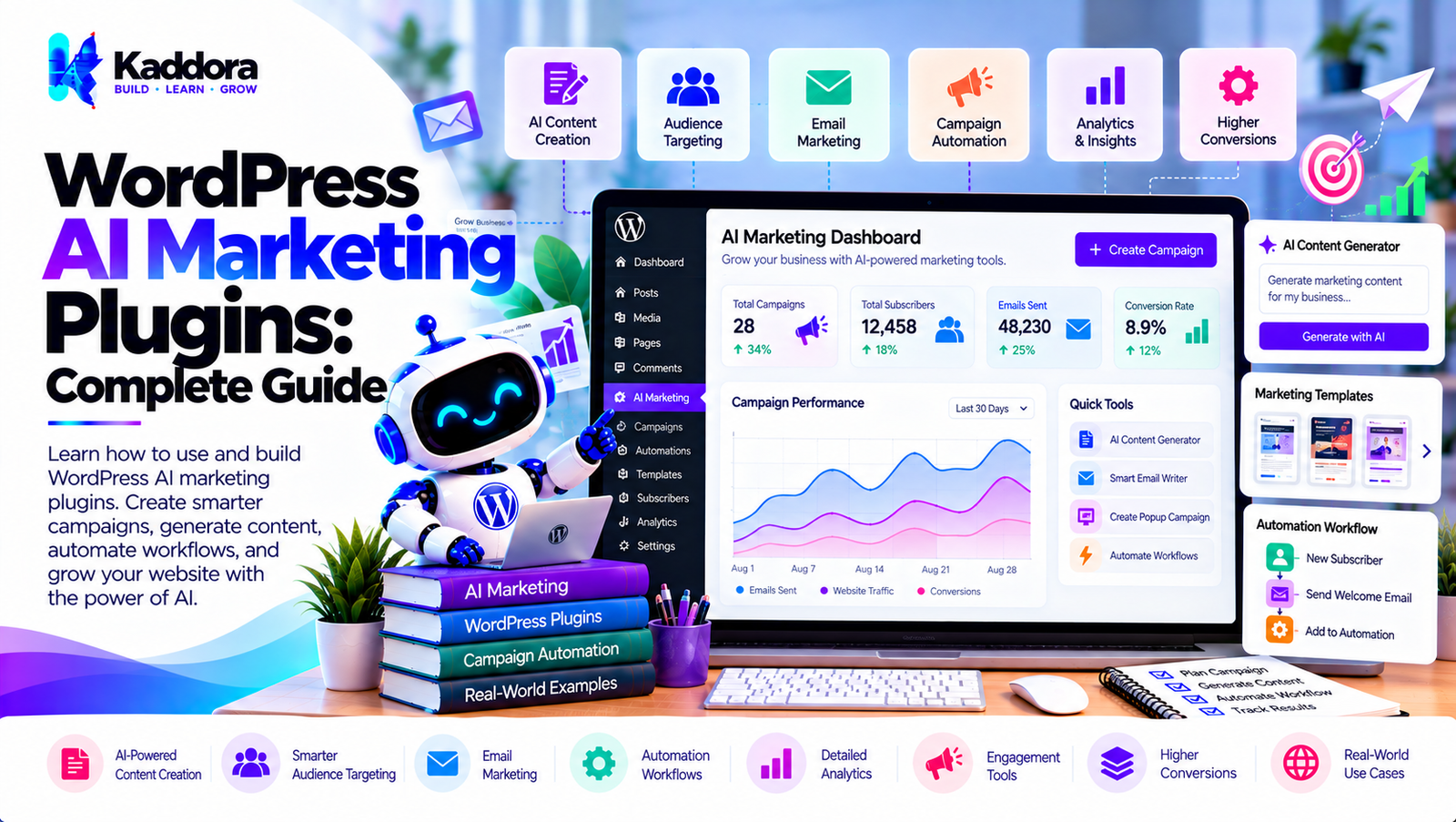
WordPress AI Marketing Plugins: Complete Guide
Introduction
Marketing a WordPress website involves much more than publishing content.
Modern marketing workflows can include:
Lead generation
Email campaigns
Content marketing
Customer segmentation
Personalization
Product recommendations
Social media content
Conversion optimization
Customer engagement
Analytics
Campaign automation
Traditional WordPress marketing automation usually depends on predefined rules:
Visitor Action ↓ Condition ↓ Marketing Action
Artificial intelligence can add an interpretation and personalization layer:
Visitor / Customer Data ↓ AI Analysis ↓ Customer / Content Insight ↓ Marketing Rule ↓ Action
This is where WordPress AI marketing plugins can become useful.
AI can help marketing teams analyze information, generate content, personalize experiences, classify leads, summarize customer feedback, and automate repetitive marketing tasks.
However, effective AI marketing should combine artificial intelligence with reliable business rules, accurate data, privacy controls, and human oversight.
What Are WordPress AI Marketing Plugins?
WordPress AI marketing plugins are tools that integrate artificial intelligence with WordPress marketing workflows.
A traditional marketing plugin might use:
Form Submission ↓ Add Subscriber ↓ Send Email
An AI-powered workflow could use:
Form Submission ↓ AI Lead Analysis ↓ Lead Classification ↓ Marketing Segment ↓ Personalized Campaign
The AI component does not necessarily control the entire workflow.
Instead, it can perform specific tasks where interpreting language, generating content, or identifying patterns is useful.
How WordPress AI Marketing Works
A typical workflow contains several stages:
Trigger ↓ Data Collection ↓ AI Analysis ↓ Segmentation / Decision ↓ Marketing Action ↓ Measurement
For example:
New Lead ↓ Form Data ↓ AI Qualification ↓ Lead Segment ↓ Email Campaign ↓ Track Result
This architecture can be adapted for different websites and marketing objectives.
What Can WordPress AI Marketing Plugins Do?
Potential use cases include:
AI content generation
Email marketing
Lead qualification
Customer segmentation
Personalized recommendations
Campaign ideas
Social media content
Product recommendations
Landing page content
Marketing copy
Customer feedback analysis
Conversion optimization
Automated follow-ups
Audience analysis
Campaign reporting
Not every marketing task requires AI, so the plugin should allow administrators to choose where AI is used.
AI Content Marketing
AI can support content marketing workflows by helping create:
Blog outlines
Content briefs
Introductions
Summaries
Social posts
Email drafts
Product descriptions
Calls to action
A workflow could look like:
Content Topic ↓ AI Content Brief ↓ Draft ↓ Human Review ↓ Publish
AI-generated content should be reviewed for accuracy, originality, usefulness, and brand consistency.
AI Marketing Content Generation
AI can generate different types of marketing copy.
For example:
Marketing Objective ↓ Audience ↓ Product / Service ↓ AI Content ↓ Review
Possible outputs include:
Headlines
Product copy
Email content
Advertorial drafts
Social media captions
Landing page sections
Calls to action
AI Lead Generation
AI can support lead-generation workflows by analyzing form submissions.
For example:
Lead Form ↓ AI Analysis ↓ Requirement Budget Timeline Business Type ↓ Lead Category
The resulting information can then be passed to a CRM or marketing workflow.
AI Lead Qualification
A marketing plugin can classify leads based on predefined criteria.
For example:
New Lead ↓ AI Analysis ↓ Qualification ↓ Marketing Segment
Possible categories could include:
New inquiry
Product interest
Service inquiry
Existing customer
Partnership request
AI classifications should be treated as processing outputs rather than unquestionable facts.
AI Customer Segmentation
Segmentation groups customers based on relevant information.
Traditional segmentation might use:
Purchase > $500 ↓ VIP Segment
AI can help interpret unstructured information:
Customer Interactions ↓ AI Analysis ↓ Interest / Intent ↓ Segment
The segmentation criteria should remain transparent and appropriate for the use case.
AI Marketing Personalization
AI can help personalize marketing content.
For example:
Customer Context ↓ AI Personalization ↓ Marketing Content
Potential context includes:
Products viewed
Previous purchases
Content interests
Customer preferences
Membership information
Only relevant data should be included.
AI Product Recommendations
AI can help generate or improve product recommendations.
A WooCommerce workflow might be:
Customer Activity ↓ Product Context ↓ Recommendation Logic ↓ Recommended Products ↓ Marketing Message
Recommendations should be based on reliable product and customer information.
AI WooCommerce Marketing
WooCommerce stores can use AI marketing workflows around:
Products
Orders
Customers
Reviews
Categories
Promotions
Abandoned carts
For example:
Completed Order ↓ Customer Context ↓ Recommendation ↓ Follow-Up Campaign
AI Email Marketing
AI can assist with email campaigns.
A workflow can be:
Audience ↓ Campaign Objective ↓ AI Draft ↓ Human Review ↓ Email Platform ↓ Campaign
AI can help create:
Subject lines
Introductions
Product descriptions
Follow-up messages
Newsletter sections
Calls to action
AI Email Personalization
Instead of using the same email for every recipient:
One Template ↓ Everyone
AI can help generate variations:
Customer Context ↓ AI ↓ Personalized Content
The personalization should remain within the information and permissions available for that marketing relationship.
AI Newsletter Marketing
AI can help transform website content into newsletter drafts.
For example:
Recent Articles ↓ AI Summarization ↓ Newsletter Draft ↓ Editor Review ↓ Send
This can reduce repetitive preparation work.
AI Social Media Marketing
WordPress content can be transformed into social media drafts.
For example:
Blog Post ↓ AI Summary ↓ Social Media Draft ↓ Review ↓ Publish
The same source content can be adapted for different platforms and audiences.
AI Landing Page Marketing
AI can assist with landing-page copy such as:
Headlines
Benefits
Feature descriptions
FAQs
Calls to action
Supporting sections
A workflow might be:
Product ↓ Target Audience ↓ Marketing Objective ↓ AI Copy ↓ Human Editing
AI should not invent product features, prices, guarantees, or claims.
AI Call-to-Action Generation
AI can generate CTA variations.
For example:
Objective: Generate a lead AI: CTA Option A CTA Option B CTA Option C
Marketing teams can test suitable variations using their normal analytics systems.
AI Customer Feedback Analysis
Customer feedback can contain valuable marketing insights.
AI can categorize large volumes of feedback:
Reviews Messages Surveys Support Tickets ↓ AI Analysis ↓ Themes ↓ Marketing Insights
Potential themes include:
Product quality
Pricing
Support
Features
Usability
Delivery
AI Review Analysis
WooCommerce reviews can be processed automatically.
For example:
New Review ↓ AI Analysis ↓ Sentiment / Topic ↓ Store Result
AI results should be treated as analytical assistance rather than guaranteed factual classifications.
AI Marketing Automation
A complete automation can connect several stages:
Visitor ↓ Lead Form ↓ AI Classification ↓ Customer Segment ↓ Email Workflow ↓ CRM ↓ Analytics
This turns individual marketing actions into a connected workflow.
AI Campaign Planning
AI can assist marketers with campaign planning.
Input:
Product Audience Objective Offer Channels
Output:
Campaign Ideas Content Ideas Email Ideas CTA Suggestions
The final campaign strategy should remain under marketer control.
AI Marketing Workflow Builder
A visual workflow builder could represent campaigns as:
[Trigger] ↓ [AI Analysis] ↓ [Segment] ↓ [Condition] ↙ ↘ [Email] [Notification]
This makes complex marketing workflows easier to understand.
AI Marketing Triggers
Possible WordPress triggers include:
User Registered Form Submitted Order Created Order Completed Product Viewed Review Submitted Post Published Membership Created Webhook Received
The plugin can allow administrators to select which events should trigger AI marketing workflows.
AI Marketing Conditions
Conditions help control campaign execution.
For example:
Form Submitted ↓ Lead Type? ↙ ↘ Business Individual ↓ ↓ Campaign A Campaign B
AI classification can be used as one input, while deterministic rules handle the final workflow logic.
AI Marketing Actions
Marketing actions can include:
Send email
Add tag
Update CRM
Create task
Generate content
Send notification
Add customer segment
Trigger webhook
Schedule campaign
Keeping actions modular makes the plugin easier to extend.
AI Marketing and CRM Integration
A WordPress AI marketing plugin can connect to a CRM.
Example:
WordPress Form ↓ AI Lead Analysis ↓ Lead Category ↓ CRM API ↓ Customer Record
API credentials should be stored securely and transmitted only through authenticated server-side requests.
AI Marketing Webhooks
Webhooks can connect WordPress to external marketing platforms.
For example:
WordPress ↓ AI Processing ↓ Webhook ↓ Marketing Platform
Webhook endpoints should validate incoming requests and use appropriate authentication and rate limiting.
AI Marketing Analytics
AI can assist with interpreting marketing data.
For example:
Marketing Data ↓ AI Analysis ↓ Summary ↓ Dashboard
Potential outputs include:
Campaign summaries
Content performance observations
Lead patterns
Customer feedback themes
AI summaries should not replace the underlying analytics data.
AI Marketing Reports
AI can convert structured data into readable summaries.
For example:
Campaign Data ↓ AI ↓ Marketing Summary
A report might explain:
Number of leads
Campaign activity
Customer engagement
Content performance
Product activity
The numerical values should come from verified analytics data.
AI Marketing Recommendations
AI can generate recommendations based on available marketing data.
For example:
Marketing Data ↓ Analysis ↓ Recommendations
Recommendations should be presented as suggestions rather than unquestionable conclusions.
AI Marketing and A/B Testing
AI can help generate alternative versions of:
Headlines
CTAs
Email subjects
Product copy
Landing-page sections
For example:
Original ↓ AI Variations ↓ A / B / C ↓ Measurement
Actual performance should be determined using real measurement rather than AI assumptions.
AI Marketing and SEO
AI marketing workflows can assist with:
Content briefs
Meta description drafts
Content summaries
Internal linking suggestions
Search intent analysis
Topic clustering
SEO recommendations should be reviewed for accuracy and relevance.
AI Marketing and Content Repurposing
One WordPress article can become multiple marketing assets:
Blog Post ↓ AI ├── Newsletter ├── Social Post ├── Short Summary ├── FAQ Draft └── Promotional Copy
Human editing can ensure that each version matches the intended channel.
AI Marketing Privacy
Marketing systems can process sensitive customer information.
Possible data includes:
Names
Emails
Purchases
Browsing activity
Form submissions
Preferences
Customer messages
A plugin should follow data-minimization principles and provide clear controls over external AI processing.
AI Marketing Data Minimization
Suppose AI only needs:
Product Interest Customer Segment
There may be no reason to send:
Full Customer Record Phone Address Order History
A smaller context reduces unnecessary data exposure.
AI Marketing Consent
Marketing communication can involve legal and platform requirements depending on the audience, purpose, jurisdiction, and communication channel.
A plugin should provide appropriate controls for:
Marketing subscriptions
Opt-outs
Consent records where applicable
Communication preferences
Audience eligibility
AI should not be used as a reason to bypass existing marketing permissions.
AI Marketing Security
Security controls should include:
Capability checks
Nonces
Input validation
Output escaping
Secure API credentials
Authentication
Rate limiting
Webhook validation
Access control
Audit logging
Marketing automation can trigger external actions, so permissions should be carefully designed.
Protecting AI API Keys
AI API credentials should never be exposed in frontend JavaScript.
Use:
WordPress Server ↓ Secure API Credential ↓ AI Provider
rather than:
Browser ↓ Exposed API Key ↓ AI Provider
AI Marketing Cost Optimization
AI marketing workflows can generate many requests.
Cost-control techniques include:
Filter events before AI processing
Use AI only where necessary
Cache reusable results
Batch suitable tasks
Use appropriate models
Prevent duplicate processing
Set usage limits
Monitor API consumption
A simple rule filter can reduce unnecessary calls:
Marketing Event ↓ Relevant? ↙ ↘ No Yes Stop AI
AI Marketing Rate Limiting
Public marketing forms can be abused.
Protect AI-powered endpoints with:
Rate limits
Authentication
CAPTCHA where appropriate
Nonces
Input validation
Abuse detection
For example:
Request ↓ Validation ↓ Rate Limit ↓ AI
AI Marketing Background Processing
Long-running AI tasks should often be processed asynchronously.
For example:
Marketing Event ↓ Create Job ↓ Queue ↓ AI Processing ↓ Marketing Action
This prevents expensive operations from unnecessarily blocking the current WordPress request.
AI Marketing Retry Handling
External AI services can experience:
Timeouts
Rate limits
Temporary failures
Network problems
Provider outages
A retry system can handle temporary failures:
Request ↓ Failure ↓ Retry ↓ Success
Retries should be limited and use appropriate backoff.
Preventing Duplicate Marketing Actions
Automation systems can accidentally execute the same workflow more than once.
Use:
Unique event IDs
Job IDs
Idempotency keys
Execution status
Processed-event tracking
Example:
Event ID ↓ Already Processed? ↙ ↘ Yes No Stop Process
AI Marketing Logs
Logs help administrators understand campaign automation.
For example:
Workflow: Lead Qualification Trigger: Contact Form AI: Completed Action: CRM Updated Status: Success
Logs should avoid storing unnecessary sensitive customer information.
AI Marketing Human Review
Some marketing content should pass through an approval workflow.
For example:
AI Generated ↓ Marketing Review ↓ Edit ↓ Approve ↓ Publish
This is useful for:
Promotional claims
Product announcements
Important customer communication
Brand-sensitive content
Public campaigns
AI Marketing Brand Voice
Organizations can use structured instructions to maintain a consistent tone.
For example:
Brand Voice: Professional Clear Helpful Concise Audience: Small Business Owners Objective: Generate a product introduction
The plugin can use this configuration when generating marketing drafts.
AI should still be reviewed to ensure it follows the brand's actual requirements.
AI Marketing Prompt Management
Prompts should be centrally managed instead of scattered throughout plugin code.
A structured prompt might contain:
Objective Audience Product Brand Voice Restrictions Output Format
This makes marketing workflows easier to update.
AI Marketing Context Management
AI should receive only the information needed for the specific marketing task.
For example:
Campaign + Audience + Product + Objective
This is generally more controllable than sending an entire database record.
AI Marketing Fallbacks
If AI is unavailable, workflows should have alternatives.
For example:
AI Generation ↓ Success → Continue Failure → Use Template
This keeps essential marketing operations functional during provider outages.
AI Marketing Plugin Architecture
A scalable plugin could use:
WordPress AI Marketing Plugin │ ├── Trigger Manager ├── Campaign Manager ├── Workflow Engine ├── AI Service ├── Provider Manager ├── Audience Manager ├── Segment Manager ├── Prompt Manager ├── Content Generator ├── Integration Manager ├── Queue Manager ├── Analytics Manager ├── Logger ├── Security Manager └── Settings Manager
The workflow can then operate as:
Trigger ↓ Workflow ↓ Audience ↓ AI Processing ↓ Marketing Action ↓ Measurement
How to Build a WordPress AI Marketing Plugin
Step 1: Define Marketing Use Cases
Start with specific problems instead of attempting to automate every marketing activity.
Step 2: Build the Trigger System
Connect relevant WordPress events.
Step 3: Create the Workflow Engine
Support triggers, conditions, actions, and workflow states.
Step 4: Add the AI Provider Layer
Separate AI API communication from marketing logic.
Step 5: Build Context Management
Provide only the information required for each AI operation.
Step 6: Add Prompt Management
Store reusable prompts and configuration separately.
Step 7: Add Audience Segmentation
Allow workflows to target appropriate customer groups.
Step 8: Add Marketing Actions
Support email, CRM, webhook, notification, and content actions.
Step 9: Add Background Processing
Queue long-running AI tasks.
Step 10: Add Validation
Validate AI-generated output before using it.
Step 11: Add Security
Protect API keys, admin interfaces, endpoints, and integrations.
Step 12: Add Privacy Controls
Provide configuration for external AI processing and data handling.
Step 13: Add Analytics
Track workflow execution and marketing outcomes using reliable source data.
Step 14: Test the Plugin
Test successful workflows, failures, retries, duplicates, rate limits, provider outages, and high-volume events.
WordPress AI Marketing Plugin Checklist
AI
AI provider integration
Prompt management
Context management
Structured output
Response validation
Provider abstraction
Marketing
Campaigns
Audiences
Segmentation
Personalization
Content generation
Email integration
Lead workflows
Automation
Triggers
Conditions
Actions
Scheduling
Background processing
Retry handling
Duplicate protection
Security
Capability checks
Nonces
Input validation
Secure credentials
Rate limiting
Webhook authentication
Privacy
Data minimization
AI processing controls
Communication preferences
Consent mechanisms where applicable
Data retention controls
Analytics
Workflow logs
Campaign metrics
Conversion tracking
Error reporting
Usage monitoring
Best Practices for WordPress AI Marketing Plugins
A reliable WordPress AI marketing plugin should:
Use AI only where it provides meaningful value.
Keep deterministic business rules separate from AI.
Validate AI-generated content.
Protect customer information.
Keep API credentials secure.
Use background processing for expensive tasks.
Prevent duplicate campaign actions.
Implement rate limiting.
Monitor AI API costs.
Provide human approval workflows.
Maintain clear audience controls.
Respect communication preferences.
Keep marketing integrations modular.
Use reliable source data for analytics.
Avoid unsupported AI-generated claims.
Provide fallback templates.
Log workflow failures.
Minimize unnecessary AI requests.
Keep administrators in control.
Design the plugin for future AI providers and marketing integrations.
Why Choose Kaddora?
Kaddora focuses on WordPress plugins, WooCommerce solutions, AI-powered tools, automation, SEO, analytics, themes, and website templates.
AI marketing becomes more useful when it is integrated into practical WordPress workflows rather than being limited to a simple content generator.
A modern WordPress AI marketing solution can combine:
AI content generation
Lead qualification
Customer segmentation
Email marketing
Marketing automation
WooCommerce workflows
Personalization
Customer feedback analysis
CRM integrations
Webhooks
Analytics
Background processing
Secure AI integrations
The objective is to use AI to reduce repetitive marketing work while keeping businesses in control of their campaigns, customer data, content, and communication.
ThemeKaddora provides WordPress plugins, themes, templates, WooCommerce tools, AI solutions, SEO resources, and automation-focused products for modern WordPress websites.
Conclusion
WordPress AI marketing plugins can connect artificial intelligence with content marketing, lead generation, email campaigns, customer segmentation, personalization, WooCommerce, CRM systems, and marketing automation.
A traditional workflow might look like:
Trigger ↓ Marketing Action
An AI-powered workflow can become:
Trigger ↓ Collect Relevant Data ↓ AI Analysis ↓ Segmentation / Personalization ↓ Marketing Action ↓ Measurement
This architecture can help marketing teams automate repetitive work while keeping important decisions under human control.
AI can generate marketing copy, classify leads, summarize customer feedback, personalize messages, suggest content, and support campaign workflows. However, it should not be trusted to invent product information, prices, business claims, or customer facts.
Security and privacy are equally important. Marketing plugins can process customer data, so they should minimize external data transmission, protect API credentials, validate requests, and provide appropriate controls over AI processing.
Performance should also be considered. Background processing, caching, rate limiting, retries, and duplicate protection can make AI marketing workflows more reliable.
The strongest WordPress AI marketing plugins therefore combine AI capabilities with structured marketing workflows, secure integrations, accurate data, privacy controls, analytics, validation, and human oversight.
AI should make WordPress marketing workflows more efficient and flexible while keeping marketers in control of the final customer experience.
Frequently Asked Questions
What are WordPress AI marketing plugins?
WordPress AI marketing plugins integrate artificial intelligence with WordPress marketing activities such as content generation, lead qualification, personalization, segmentation, email marketing, and campaign automation.
What can WordPress AI marketing plugins automate?
They can assist with content creation, lead processing, customer segmentation, email campaigns, personalization, feedback analysis, product recommendations, and marketing workflows.
Can AI generate marketing content in WordPress?
Yes. AI can generate drafts for blog content, landing pages, emails, social media posts, product descriptions, and calls to action.
Can AI generate complete marketing campaigns?
AI can assist with campaign ideas, content drafts, audience suggestions, and workflow planning. The final campaign should be reviewed and configured by the marketing team.
Can AI qualify WordPress leads?
Yes. AI can analyze lead information and classify submissions according to predefined criteria.
Can AI segment WordPress customers?
Yes. AI can help identify patterns in customer information and assign customers to appropriate marketing segments.
Can AI personalize WordPress marketing?
Yes. AI can generate personalized content using relevant customer and product context.
Can AI marketing plugins work with email services?
Yes. They can integrate with email delivery and marketing platforms through APIs, SMTP, or other supported connections.
What is AI-powered marketing automation?
AI-powered marketing automation combines traditional workflow automation with AI capabilities such as classification, content generation, personalization, summarization, and analysis.
Why choose Themekaddora?
Themekaddora provides lightweight, responsive, SEO-friendly WordPress themes with fast performance, WooCommerce compatibility, flexible customization, accessibility-conscious design, modern templates, regular updates, and professional support—providing a strong foundation for businesses building digital products and product-focused websites.
Comments (0)