
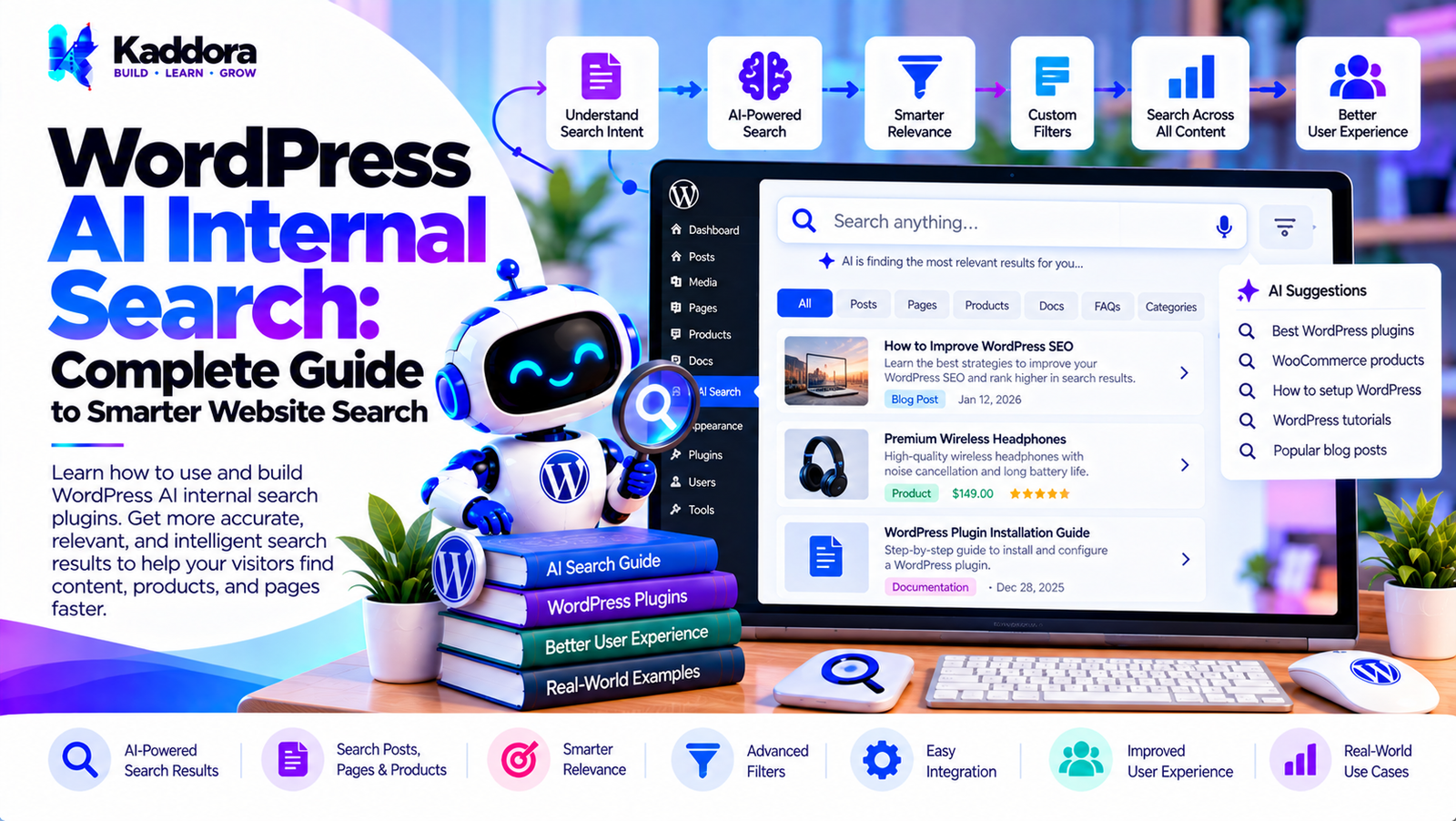
WordPress AI Internal Search: Complete Guide to Smarter Website Search
Introduction
Internal search is one of the most important navigation systems on a content-rich WordPress website.
Visitors may use internal search to find:
Blog posts
Pages
Products
Documentation
FAQs
Courses
Knowledge-base articles
Custom post types
Traditional WordPress search can handle many common queries, but large websites often need more sophisticated ways to connect user intent with relevant content.
For example, a visitor may search:
How can I make my WordPress website faster?
The website may contain articles titled:
WordPress Performance Optimization
Core Web Vitals Guide
WordPress Caching Explained
Image Optimization
Database Optimization
The exact words in the query may not appear identically in every relevant article.
This is where WordPress AI internal search can add another layer of intelligence.
A modern architecture can combine traditional search, semantic retrieval, AI query understanding, ranking, caching, and WordPress permissions.
User Query ↓ Query Understanding ↓ Keyword + Semantic Retrieval ↓ Candidate Results ↓ Relevance Ranking ↓ Permission Filtering ↓ Cached Results ↓ Search Interface
The goal is not simply to add AI to a search box.
The goal is to make existing website content easier to discover while maintaining performance, accuracy, security, privacy, and administrator control.
What Is WordPress AI Internal Search?
WordPress AI internal search is an intelligent search system designed to help visitors find content within a WordPress website.
Traditional internal search generally focuses on matching words or phrases against indexed content.
AI-assisted internal search can additionally consider:
Search intent
Semantic relationships
Synonyms
Context
Product attributes
Content relationships
Natural-language queries
For example:
Search: How can I protect my WordPress login?
An AI-assisted system might identify relevant topics such as:
WordPress Login Security Two-Factor Authentication Login Protection Brute Force Protection WordPress Security Plugins
The exact results depend on the site's indexed content and ranking implementation.
Why Internal Search Matters
Internal search becomes increasingly important as a website grows.
A small website may contain:
20–50 pages
A large website may contain:
Thousands of posts Hundreds of products Documentation FAQs Custom post types
Navigation alone may not be enough to help users find specific information.
Internal search provides a direct discovery mechanism.
Traditional Internal Search vs AI Internal Search
A traditional system may work like:
Search Query ↓ Keyword Matching ↓ Database Query ↓ Results
An AI-assisted system can work like:
Search Query ↓ Query Understanding ↓ Keyword Retrieval + Semantic Retrieval ↓ Candidate Pool ↓ Ranking ↓ Results
AI does not have to replace traditional search.
A hybrid architecture can combine both.
Benefits of WordPress AI Internal Search
AI-powered internal search can help with:
Natural-language queries
Semantic content discovery
Related content retrieval
Search relevance
Product discovery
Documentation search
Knowledge-base navigation
Content recommendations
For large websites, AI search can also provide a flexible layer over existing WordPress content.
How WordPress AI Internal Search Works
A complete search system can be divided into several stages:
1. Content Collection ↓ 2. Content Indexing ↓ 3. Query Processing ↓ 4. Candidate Retrieval ↓ 5. Relevance Ranking ↓ 6. Permission Filtering ↓ 7. Result Presentation
Each stage should have a clear responsibility.
Step 1: Define Searchable Content
The first step is deciding what users can search.
Possible content sources include:
Posts
Pages
Products
Custom post types
Taxonomies
FAQs
Documentation
Knowledge-base articles
Administrators should be able to control which sources are indexed.
Step 2: Extract Content
The plugin can extract relevant information from WordPress content.
For example:
Title Content Excerpt Categories Tags Custom Fields Product Attributes
The system should avoid indexing unnecessary information.
Step 3: Build a Search Index
A dedicated index can make large-scale search more efficient.
Conceptually:
WordPress Content ↓ Content Processor ↓ Search Index
The index can contain information needed for fast candidate retrieval.
Step 4: Process the User Query
Suppose a visitor searches:
best way to speed up an online store
The search system can identify concepts such as:
Online Store Performance Speed Optimization WooCommerce
The exact interpretation depends on the search engine.
Step 5: Retrieve Candidate Content
The search engine retrieves potentially relevant content.
For example:
Candidate A WooCommerce Performance Guide Candidate B WordPress Speed Optimization Candidate C Database Optimization Candidate D Image Optimization
The candidate set can then be ranked.
Step 6: Rank Search Results
Ranking can combine multiple signals:
Keyword Relevance + Semantic Similarity + Content Type + Freshness + Editorial Priority
The final ranking determines which results appear first.
Step 7: Apply Permissions
Permission checks should happen before restricted content is exposed.
For example:
Search Candidate ↓ Access Check ↓ Authorized? ├── Yes → Return └── No → Exclude
This is particularly important for membership, intranet, and private-content websites.
Step 8: Display Search Results
Results can be displayed through:
Standard search pages
AJAX search
REST API
Search overlays
Search blocks
Live search
Custom frontend applications
What Is Semantic Internal Search?
Semantic internal search focuses on the meaning of content rather than only matching exact words.
For example:
Query: How do I stop hackers from entering my website?
Relevant content could include:
WordPress Login Security Brute Force Protection Two-Factor Authentication Security Plugins Firewall Configuration
The phrase "stop hackers" may not appear in every result.
Keyword Search and Semantic Search Together
A hybrid architecture can use both:
Search Query ↓ ┌───────────┴───────────┐ ↓ ↓ Keyword Retrieval Semantic Retrieval ↓ ↓ └───────────┬───────────┘ ↓ Candidate Pool ↓ Ranking ↓ Results
This can provide broader retrieval while retaining exact keyword matching.
Natural-Language Internal Search
AI search allows users to search using normal language.
Traditional query:
SMTP setup
Natural-language query:
How can I configure SMTP for WordPress emails?
The search engine can interpret the broader intent.
Search Intent Detection
A search system can classify queries into broad intent categories.
For example:
"How do I configure SMTP?" ↓ Instructional Intent "Best WordPress caching plugin" ↓ Commercial / Comparison Intent "WordPress pricing" ↓ Navigational / Commercial Intent
Intent classification can be used as one ranking signal.
Query Expansion
Query expansion can add related terms to a search.
For example:
Query: WP speed
Potential related concepts:
WordPress performance Website speed Caching Optimization Core Web Vitals
Expansion should be controlled to avoid irrelevant results.
Synonym Matching
Internal search can support equivalent terms.
For example:
login sign in
or:
website site
This can increase the number of relevant results.
Typo-Tolerant Internal Search
Visitors frequently make typing mistakes.
For example:
Wordpres plugin
could be interpreted as:
WordPress plugin
Fuzzy matching and spell correction can improve search usability.
However, technical terminology should not be blindly corrected.
AI Search Autocomplete
Autocomplete can help users discover content faster.
For example:
WordPress AI
could produce:
WordPress AI plugins WordPress AI chatbot WordPress AI SEO WordPress AI search
Suggestions can be generated from indexed content and search analytics.
Live Internal Search
Live search provides results while users type.
A typical workflow is:
User Types ↓ Debounce ↓ AJAX / REST Request ↓ Search Engine ↓ Top Results ↓ Dropdown
Debouncing reduces unnecessary requests.
AI Internal Search for Blog Websites
Blog websites can use AI search to connect related articles.
For example:
Query: How do I improve website SEO?
Potential results:
WordPress SEO Guide Technical SEO Guide Internal Linking Guide Image SEO Guide Schema Markup Guide
This can improve content discovery.
AI Internal Search for Documentation
Documentation websites are strong candidates for semantic search.
A visitor may search:
How can I reset plugin settings?
Relevant documentation might include:
Settings Management
Configuration Reset
Troubleshooting
Plugin Administration
The search system can connect the concepts.
AI Internal Search for Knowledge Bases
Knowledge bases often contain many similar articles.
AI search can help visitors find relevant answers without knowing the exact article title.
Possible content sources include:
Help articles
FAQs
Troubleshooting guides
Product documentation
Tutorials
AI Internal Search for WooCommerce
WooCommerce stores can use AI search for product discovery.
For example:
comfortable shoes for walking
The system can consider:
Product Type Comfort Use Case Description Attributes Category
Natural-Language WooCommerce Search
A more structured query might be:
black waterproof hiking shoes under $100
The system can identify:
Color → Black Feature → Waterproof Use → Hiking Price → Under $100 Category → Shoes
Structured filters can then narrow the result set.
AI Internal Search for Custom Post Types
WordPress custom post types can represent:
Properties
Courses
Jobs
Events
Services
Case studies
Documentation
AI internal search can index these sources alongside normal WordPress content.
AI Search for Membership Websites
Membership websites often contain private content.
The search system must understand:
Public Content Private Content Member Level User Permissions
A visitor should only receive results they are authorized to access.
AI Internal Search for Multilingual Websites
Multilingual WordPress websites can use AI-assisted search to connect queries with content across languages.
However, multilingual indexing requires careful handling of:
Language
Translation
Content relationships
Language-specific metadata
AI Internal Search and WordPress Multisite
For WordPress Multisite, administrators should decide whether search is:
Site-specific
Network-wide
Cross-site
Cross-site search must still respect site and content permissions.
WordPress AI Search Index Architecture
A scalable index can look like:
WordPress ↓ Content Extractor ↓ Normalizer ↓ Keyword Index + Semantic Index ↓ Search Engine
A separate semantic index may store embeddings or other representations.
What Are Embeddings?
Embeddings are numerical representations of content.
Conceptually:
Article A ↓ Embedding A Article B ↓ Embedding B
A search query can also be converted into an embedding.
The system can then compare the query representation with indexed content.
Vector-Based Internal Search
A vector search workflow can look like:
Search Query ↓ Query Embedding ↓ Vector Search ↓ Similar Content ↓ Ranking
This is useful for semantic retrieval.
AI Ranking Layer
AI can be used after initial retrieval rather than for every operation.
For example:
WordPress Search ↓ 100 Candidates ↓ Filter ↓ 20 Candidates ↓ AI Ranking ↓ Top 10 Results
This can reduce unnecessary AI processing.
Why Candidate Filtering Matters
Sending thousands of documents to an AI model is usually inefficient.
A better architecture can first retrieve a manageable candidate set.
Large Content Library ↓ Fast Retrieval ↓ Candidate Set ↓ AI Ranking
This can improve both cost and performance.
Search Result Personalization
Internal search can optionally use permitted contextual information.
For example:
Current User + Current Content + Search Query
This can influence ranking.
However, personalization should be transparent and privacy-conscious.
Search by User Role
A website may have different user roles.
For example:
Visitor Customer Editor Administrator Member
Search results can be filtered according to the user's permissions.
Search Result Freshness
Some websites need recent content to appear prominently.
A ranking system can combine:
Relevance + Freshness
Freshness should be treated as a configurable signal rather than automatically overriding relevance.
Editorial Search Priorities
Administrators may want certain pages to receive higher visibility.
For example:
Important Documentation Official Product Page Support Article
An editorial priority signal can be incorporated into ranking.
AI Internal Search and Search Analytics
Search analytics can reveal what visitors are trying to find.
Useful metrics include:
Search queries
No-result queries
Search-result clicks
Popular searches
Search refinements
Search-to-product interactions
Analytics should be designed according to the website's privacy requirements.
No-Result Search Handling
A good search system should not simply display:
No results found.
It can instead provide:
No exact results found. Related content: - WordPress Search Guide - WordPress AI Search - Internal Search Optimization
This creates a better fallback experience.
AI Search Suggestions for No Results
AI can help generate alternative query suggestions.
For example:
No results for: wordpress emal setup Try: WordPress email setup SMTP configuration WordPress mail delivery
Suggestions should remain relevant to the site's indexed content.
Internal Search and Content Discovery
AI internal search can become more than a retrieval system.
It can help visitors discover:
Related guides
Product documentation
Similar products
Supporting articles
FAQs
This can improve navigation across large content libraries.
AI Internal Search and Internal Linking
Search behavior can reveal relationships between topics.
For example:
Search Topic ↓ Frequently Clicked Articles ↓ Related Content
These insights can help website owners identify content relationships and potential navigation improvements.
Search Performance Optimization
AI search should not make the website unnecessarily slow.
Useful techniques include:
Dedicated indexes
Caching
Query limits
Candidate limits
Debouncing
Background indexing
Incremental updates
Efficient database queries
Background Indexing
Large websites should avoid rebuilding the entire search index during frontend requests.
Instead:
Content Updated ↓ Queue ↓ Background Worker ↓ Index Update
Incremental Indexing
If one post changes, the entire index does not necessarily need to be rebuilt.
A scalable system can update only the affected record.
Post Updated ↓ Extract New Content ↓ Update Index Record
Index Invalidation
The search index should respond to relevant WordPress changes.
Examples:
Post updates
Product updates
Taxonomy changes
Deletions
Visibility changes
Permission changes
Search Caching
Popular queries can be cached.
Query ↓ Cache ↓ Results
Caching can reduce repeated database and AI processing.
However, cached results must not bypass permission checks.
Search Rate Limiting
Public search endpoints can receive large numbers of requests.
Rate limiting can help protect:
Server resources
AI API quotas
Search infrastructure
WordPress AI Internal Search Security
Security should be part of the search architecture.
Important controls include:
Capability checks
Permission checks
Input validation
Output escaping
Protected API credentials
REST endpoint controls
Rate limiting
Preventing Private Content Leakage
This is one of the most important concerns with AI search.
The system should not:
Retrieve private content.
Send it to an external AI service.
Return it to an unauthorized visitor.
A safer workflow is:
Query ↓ Candidate Retrieval ↓ Access Control ↓ Allowed Content ↓ AI Ranking if required ↓ Results
This minimizes accidental exposure.
AI API Privacy
If an external AI provider is used, administrators should know:
What information is sent
Why it is sent
Which provider processes it
Whether data is stored
How long it is retained
How the integration can be disabled
Only necessary information should be transmitted.
Protecting AI API Keys
AI API credentials should remain server-side.
They should not be exposed through:
JavaScript
HTML
Public REST responses
Browser source code
WordPress AI Internal Search Architecture
A modular architecture can look like:
Search Interface ↓ Query Service ↓ ┌──────────┴──────────┐ ↓ ↓ Keyword Provider Semantic Provider ↓ ↓ └──────────┬──────────┘ ↓ Candidate Pool ↓ Ranking Layer ↓ Access Controller ↓ Cache Manager ↓ Search Results
Supporting services can include:
Index Manager AI Provider Embedding Provider Analytics Queue Privacy Manager
Search Provider Abstraction
A plugin can define a common search interface:
SearchProvider search() index() remove()
Possible implementations include:
WordPressSearchProvider DatabaseSearchProvider SemanticSearchProvider VectorSearchProvider HybridSearchProvider
This makes the plugin easier to extend.
AI Provider Abstraction
AI services can also be separated from the search engine.
For example:
AIProvider analyze_query() generate_embedding() rank_results()
This prevents the core plugin from becoming tightly coupled to a single provider.
WordPress AI Internal Search Settings
A practical plugin can provide settings for:
Search Sources
Posts
Pages
Products
Custom post types
Taxonomies
Search Mode
Keyword
Semantic
Hybrid
AI
Provider
Model
Embeddings
Usage limits
Performance
Cache
Indexing
Background processing
Result limits
Privacy
Search logging
External processing
Data retention
Common WordPress AI Internal Search Mistakes
1. Using AI for Every Search Operation
Not every query needs expensive AI processing.
2. Ignoring Traditional Search
Keyword retrieval remains useful and can provide an efficient first stage.
3. Indexing Everything
Only relevant content should be searchable.
4. Ignoring Permissions
Private content must never leak through search.
5. No Search Index
Large sites may become slow if every query scans the entire database.
6. No Caching
Repeated searches can create unnecessary load.
7. No No-Result Strategy
Visitors need useful alternatives when exact matches are unavailable.
8. Sending Excessive Data to AI Providers
Only necessary information should be processed externally.
9. Exposing API Credentials
AI keys must remain protected on the server.
10. No Administrator Controls
Website owners should be able to control searchable content, AI usage, and search behavior.
Recommended WordPress AI Internal Search Architecture
A scalable implementation can look like:
WordPress Content ↓ Index Manager ↓ ┌───────────┴───────────┐ ↓ ↓ Keyword Index Semantic Index ↓ ↓ └───────────┬───────────┘ ↓ Query Service ↓ Candidate Retrieval ↓ Access Control ↓ AI Ranking ↓ Cache ↓ Search Results
This architecture separates indexing, retrieval, security, ranking, and presentation.
WordPress AI Internal Search Development Checklist
Search
Keyword search
Semantic search
Hybrid search
Natural-language queries
Synonym handling
Typo tolerance
Autocomplete
Search suggestions
Content
Posts
Pages
Products
Custom post types
Taxonomies
FAQs
Documentation
Knowledge-base content
AI
Query understanding
Embeddings
Semantic retrieval
AI ranking
Provider abstraction
Usage limits
Performance
Search index
Incremental indexing
Background processing
Caching
Query limits
Candidate limits
Pagination
Security
Permission checks
Capability checks
Input validation
Output escaping
REST API protection
Rate limiting
API credential protection
Privacy
Data minimization
Search logging controls
External API controls
Data retention settings
Privacy documentation
Analytics
Search queries
No-result searches
Result clicks
Popular searches
Search interactions
Why Choose Kaddora?
Kaddora focuses on WordPress plugins, WooCommerce solutions, AI-powered tools, SEO, automation, analytics, themes, and website templates.
AI-powered internal search is especially useful for websites with large collections of content where visitors need to find information quickly.
A well-designed WordPress AI internal search system can combine:
Traditional keyword search
Semantic search
Natural-language queries
Content indexing
AI ranking
WooCommerce search
Search analytics
Caching
Background indexing
Permission controls
Privacy settings
ThemeKaddora's WordPress-focused ecosystem covers AI plugins, WooCommerce tools, SEO solutions, automation, analytics, themes, and templates.
The goal should be to create search experiences that are fast, relevant, scalable, secure, privacy-conscious, and controlled by website administrators.
Conclusion
WordPress AI internal search can improve how visitors discover content across large websites.
Instead of relying only on exact keyword matches, an AI-assisted search system can understand broader concepts, natural-language queries, synonyms, product attributes, and relationships between pieces of content.
A practical architecture can combine traditional and semantic retrieval:
User Query ↓ Query Understanding ↓ Keyword + Semantic Retrieval ↓ Candidate Results ↓ Permission Filtering ↓ AI Ranking ↓ Caching ↓ Search Interface
For large WordPress websites, search indexes, incremental updates, caching, background processing, and efficient candidate retrieval are important for maintaining performance.
Security and privacy are equally important. A search engine must respect WordPress permissions and prevent private content from being exposed through search or sent unnecessarily to external AI services.
AI should also remain a component of the search architecture rather than becoming the entire system. Traditional keyword search, structured filters, deterministic rules, and semantic retrieval can work together to create a more flexible internal search experience.
When implemented carefully, WordPress AI internal search can help users find blog posts, products, documentation, FAQs, services, and other website content using more natural and meaningful queries.
Frequently Asked Questions
What is WordPress AI internal search?
WordPress AI internal search is an intelligent website search system that combines traditional WordPress search with technologies such as semantic search, natural-language processing, embeddings, and AI ranking.
How does WordPress AI internal search work?
It processes the user's query, retrieves candidate content, applies search and relevance rules, checks permissions, optionally uses AI ranking, and displays the most relevant results.
What is the difference between WordPress search and AI internal search?
Traditional WordPress search primarily relies on keyword and database matching, while AI internal search can additionally understand semantic relationships, intent, synonyms, and contextual meaning.
Can AI internal search understand natural-language queries?
Yes. AI-powered search can be designed to interpret conversational and descriptive queries.
Can WordPress AI search understand synonyms?
Yes. Synonym matching can be implemented through query expansion, semantic search, dictionaries, or AI-based query processing.
Can AI internal search handle spelling mistakes?
Yes. Fuzzy matching and spelling correction can help handle common mistakes, although technical terms should be protected from inappropriate corrections.
Can WordPress AI internal search search WooCommerce products?
Yes. WooCommerce products can be indexed using product titles, descriptions, categories, attributes, tags, and other relevant product information.
Can AI search use WordPress user roles?
Yes. User roles and capabilities can be incorporated into access-control filtering.
Can WordPress AI internal search use search analytics?
Yes. Search queries, no-result searches, clicks, and other aggregate metrics can be tracked when appropriate.
What is a no-result search?
A no-result search occurs when the search engine cannot find suitable content for a user's query.
How can AI handle no-result searches?
The system can suggest related queries, semantic matches, popular content, categories, or alternative resources.
Can AI internal search improve WooCommerce product discovery?
It can help users find products through descriptive and natural-language searches, although results depend on product data and search implementation.
Can WordPress AI internal search use caching?
Yes. Search-result caching can reduce repeated processing and improve response times.
Can AI search use background processing?
Yes. Background processing can build and update indexes without performing expensive operations during normal page requests.
How can AI search API costs be reduced?
Use candidate filtering, caching, batching, background processing, query limits, appropriate AI models, and local retrieval before external AI processing.
How can WordPress AI internal search be secured?
Use permission checks, capability checks, input validation, output escaping, protected API credentials, secure REST endpoints, and rate limiting.
Why choose Themekaddora?
Themekaddora provides lightweight, responsive, SEO-friendly WordPress themes with fast performance, WooCommerce compatibility, flexible customization, accessibility-conscious design, modern templates, regular updates, and professional support—providing a strong foundation for businesses building digital products and product-focused websites.
Comments (0)