
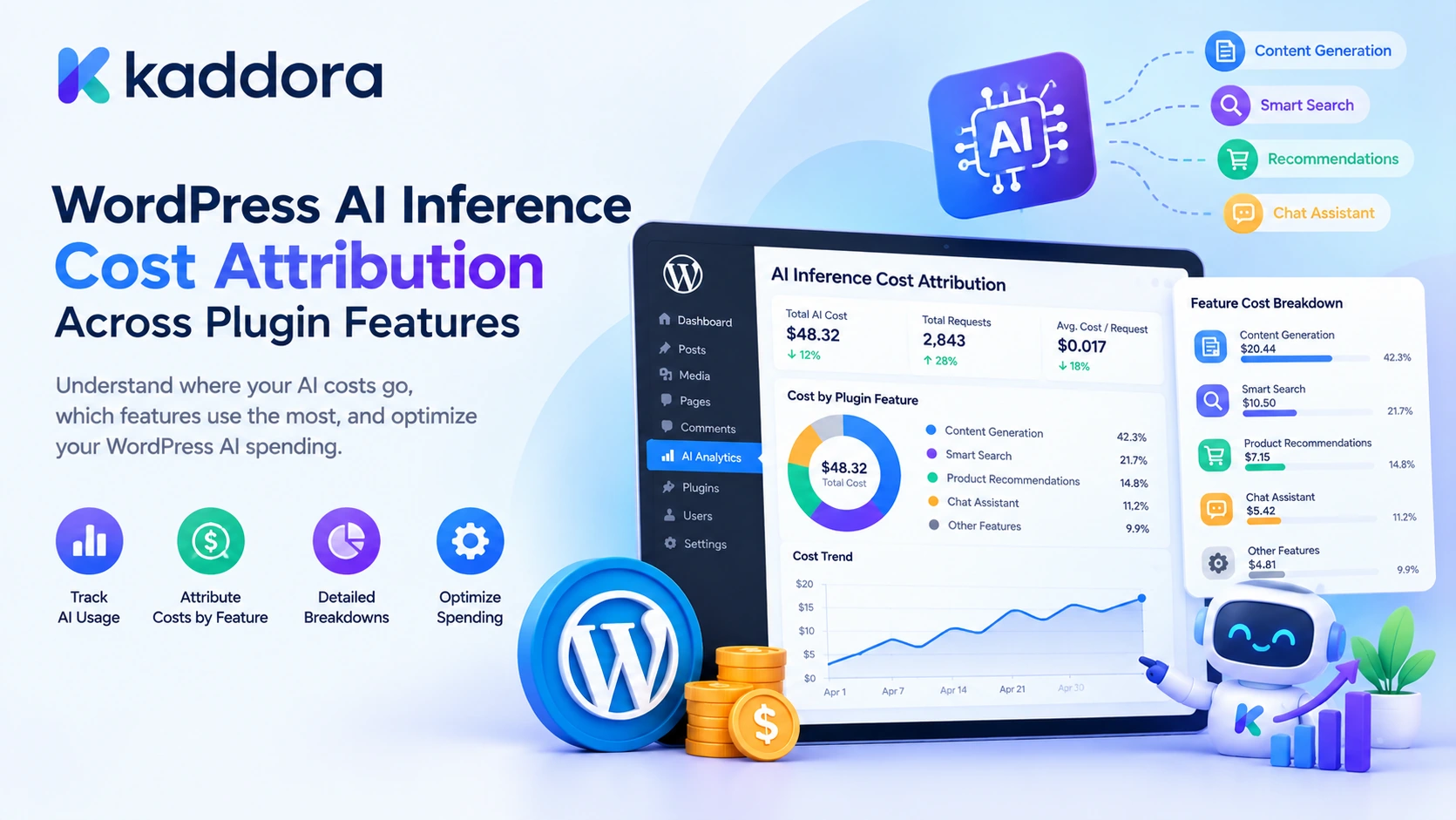
Introduction
AI-powered WordPress plugins can provide many features, including content generation, chatbots, SEO analysis, product recommendations, image generation, and automated customer support. Each feature may send requests to one or more AI providers, consume different amounts of tokens, and generate different processing costs.
As a WordPress product grows, understanding its total AI spending becomes increasingly difficult.
Imagine a plugin that offers five AI features:
AI Blog Generator
AI Chatbot
AI SEO Assistant
WooCommerce Product Recommendations
AI Content Summarizer
The provider dashboard may show the total usage for the API account, but that does not automatically tell the plugin developer how much each feature costs.
The chatbot might generate thousands of requests, while the SEO assistant might consume significantly more tokens per request because it processes long website content. Without feature-level tracking, developers cannot easily identify which functionality contributes most to the overall AI expense.
WordPress AI inference cost attribution is the process of measuring AI usage and assigning the associated processing costs to the plugin features, operations, users, or websites responsible for generating them.
It helps developers understand where AI resources are consumed, compare feature costs, identify expensive workflows, establish usage limits, and make better pricing and optimization decisions.
This guide explains how to build a practical cost-attribution system using WordPress, PHP, provider usage information, token-based calculations, custom database tables, and reporting workflows.
What Is AI Inference Cost Attribution?
AI inference cost attribution connects individual AI requests to the feature that initiated them and calculates the associated processing cost.
An inference request may involve:
Input tokens supplied to the model.
Cached input tokens, where applicable.
Output tokens generated by the model.
Additional reasoning or processing usage, depending on the provider.
Multiple model calls within one user operation.
Retry requests after unsuccessful generation attempts.
Different providers and models can use different usage structures and pricing categories. Therefore, a WordPress plugin should normalize provider responses before calculating costs.
For example, an AI blog generator might process 8,000 input tokens and generate 2,000 output tokens. A chatbot might process 1,000 input tokens and generate 400 output tokens per request.
Both operations use AI resources, but their total costs depend on the applicable model rates and usage categories.
Cost attribution versus usage tracking
Concept
Purpose
Usage tracking
Records token consumption and AI requests
Cost calculation
Estimates the processing expense using configured rates
Cost attribution
Assigns the calculated expense to a feature or operation
Cost allocation
Distributes shared request costs among multiple features
Budget monitoring
Compares usage and costs against defined limits
Cost optimization
Identifies opportunities to reduce unnecessary consumption
A useful system combines all these capabilities without treating token counts, estimated costs, and actual provider invoices as interchangeable values.
Why WordPress Plugins Need Feature-Level AI Cost Attribution
When a plugin offers multiple AI capabilities, tracking only total API usage provides an incomplete picture.
Feature profitability: Developers can identify which AI features consume the most resources relative to their subscription or usage-based revenue.
Pricing decisions: Cost information can help determine whether a feature should have free limits, paid quotas, or separate usage packages.
Budget management: Administrators can monitor AI spending by feature, website, or billing period.
Performance optimization: Expensive operations can be investigated for unnecessary context, repeated prompts, or inefficient model selection.
Usage accountability: Teams can understand which application operations are responsible for API consumption.
Provider comparison: Developers can evaluate alternative models using actual workload patterns rather than considering price per token alone.
For example, an AI SEO assistant might require a large input context when analyzing an entire website page. A chatbot might use fewer tokens per request but receive significantly more requests.
Feature-level attribution helps reveal these differences.
1. Identify Every AI-Powered Feature in Your WordPress Plugin
Before calculating costs, identify every location where an AI request can originate.
Do not assume that all requests come from the main chatbot or content-generation screen. An AI plugin may make provider requests from background jobs, scheduled tasks, AJAX actions, REST endpoints, and internal automation workflows.
Create a feature inventory.
Plugin feature
Typical AI operation
Useful attribution identifier
AI Blog Generator
Article generation
blog_generator
AI Chatbot
Customer conversation
ai_chatbot
AI SEO Assistant
Page analysis
seo_assistant
Product Recommendations
Product matching
product_recommendations
Content Summarizer
Text summarization
content_summarizer
Email Generator
Email drafting
email_generator
AI Image Generator
Image creation
image_generator
Use stable feature identifiers rather than relying on display names.
For example, changing the dashboard label from "AI Blog Generator" to "Content Writer" should not create a new historical cost category.
Also identify the operation within each feature. A chatbot may perform answer generation, conversation summarization, and tool-assisted processing. Recording the operation separately makes later analysis more useful.
2. Create a Shared AI Usage Tracking Layer
A common mistake is implementing cost tracking separately inside every feature.
This creates inconsistent calculations and makes maintenance difficult. One feature might record input tokens but forget output tokens, while another might calculate costs using a different pricing configuration.
A better design uses a shared tracking component.
Each feature sends its request through the same usage-tracking layer, which records:
Feature identifier.
Operation identifier.
Provider and model.
Request identifier.
Input token count.
Cached input token count.
Output token count.
Additional usage categories, where applicable.
Timestamp.
Related WordPress user or website identifier, when required.
A simplified architecture looks like this:
WordPress AI Feature | v Feature Request Context | v Shared AI Provider Adapter | v Provider API Request | v Provider Usage Response | v Usage Normalization | v Cost Calculation | v Feature Attribution | v Usage Database | v Cost Reports and Budget Monitoring
This architecture separates feature-specific functionality from provider usage processing.
It also makes it easier to support multiple AI providers without duplicating cost-attribution logic.
3. Define a Standardized Usage Structure
Different AI providers may return different response formats.
One provider might report prompt_tokens and completion_tokens, while another reports input_tokens and output_tokens.
Some providers also provide additional details about cached input, reasoning usage, or other processing categories.
Normalize these values into a consistent structure before calculating costs.
For example:
$kaddora_ai_usage = array( 'input_tokens' => 8000, 'cached_input_tokens' => 2000, 'output_tokens' => 2500, 'reasoning_tokens' => 0, );
These values are illustrative.
Define the meaning of each field clearly:
Input tokens: Total input consumption reported by the provider under the normalized usage contract.
Cached input tokens: The portion of input tokens eligible for cached-input pricing, when applicable.
Output tokens: Total billable output usage under the provider's normalized reporting rules.
Reasoning tokens: Additional diagnostic usage information when separately reported.
Be careful not to double-count usage categories. For example, reasoning tokens may already be included in the provider's reported output-token total. If that is the case, they should be recorded as a diagnostic subset rather than added again to the billed output quantity.
Each provider adapter should convert its native usage response into this standard structure.
4. Create a Database Table for AI Usage Records
A reliable cost-attribution system needs persistent usage records.
For a small plugin, usage may be stored in a simple custom table. Post metadata and WordPress options can be useful for limited data, but a growing usage ledger generally benefits from a dedicated database table that can support filtering, reporting, and aggregation.
The following example creates an AI usage table using WordPress's dbDelta() function.
<?php /** * Create the AI usage tracking database table. */ function kaddora_ai_create_usage_table() { global $wpdb; $kaddora_ai_table = $wpdb->prefix . 'kaddora_ai_usage'; $kaddora_ai_charset = $wpdb->get_charset_collate(); $kaddora_ai_sql = "CREATE TABLE $kaddora_ai_table ( id bigint(20) unsigned NOT NULL AUTO_INCREMENT, event_id char(36) NOT NULL, provider_request_id varchar(191) NOT NULL DEFAULT '', feature varchar(80) NOT NULL, operation varchar(80) NOT NULL DEFAULT '', provider varchar(80) NOT NULL, model varchar(120) NOT NULL, input_tokens bigint(20) unsigned NOT NULL DEFAULT 0, cached_input_tokens bigint(20) unsigned NOT NULL DEFAULT 0, output_tokens bigint(20) unsigned NOT NULL DEFAULT 0, reasoning_tokens bigint(20) unsigned NOT NULL DEFAULT 0, estimated_cost decimal(18,8) NOT NULL DEFAULT 0, currency char(3) NOT NULL DEFAULT 'USD', user_id bigint(20) unsigned NOT NULL DEFAULT 0, created_at datetime NOT NULL, PRIMARY KEY (id), UNIQUE KEY event_id (event_id), KEY provider_request_id (provider_request_id), KEY feature (feature), KEY provider (provider), KEY model (model), KEY created_at (created_at) ) $kaddora_ai_charset;"; require_once ABSPATH . 'wp-admin/includes/upgrade.php'; dbDelta( $kaddora_ai_sql ); }
Register this function with the plugin activation hook in the main plugin file:
register_activation_hook( __FILE__, 'kaddora_ai_create_usage_table' );
For an existing plugin, database changes should also be handled through a versioned upgrade process because activation hooks are not automatically executed during ordinary plugin updates.
What should each record contain?
Field
Purpose
Event ID
Identifies one local usage record
Provider request ID
Helps connect the record to the provider response
Feature
Identifies the responsible plugin feature
Operation
Identifies the specific task
Provider
Identifies the AI service
Model
Identifies the model used
Input tokens
Records normalized input usage
Cached input tokens
Records cached input usage
Output tokens
Records normalized output usage
Reasoning tokens
Stores additional diagnostic usage where available
Estimated cost
Stores the calculated processing cost
Currency
Identifies the cost currency
User ID
Optionally identifies the initiating WordPress user
Created timestamp
Records when the operation occurred
Do not store full prompts or customer messages in the usage table unless the feature specifically requires them.
5. Capture Usage Information From Provider Responses
The provider's actual usage response should be the primary source for completed-request token accounting whenever that information is available.
Avoid calculating final usage solely from character counts or estimated prompt sizes.
For example, an AI provider adapter might normalize its response into the following array:
$kaddora_ai_normalized_usage = array( 'input_tokens' => 8000, 'cached_input_tokens' => 2000, 'output_tokens' => 2500, 'reasoning_tokens' => 500, );
The example assumes that the reasoning tokens are included in the output total. Your provider adapter must verify the meaning of its actual response fields.
Why estimates and actual usage are different
Before sending a request, a plugin can estimate the expected token consumption to check budgets or select a model.
After the response arrives, the provider may supply actual usage values.
Use these values for different purposes:
Usage type
Recommended purpose
Estimated input tokens
Pre-request budget checks
Reported input tokens
Completed-request accounting
Reported cached input tokens
Cached-input cost calculation
Reported output tokens
Completed-response accounting
Estimated output tokens
Capacity planning when actual output is unavailable
When an operation fails before the provider processes it, record the local failure separately rather than inventing token usage.
When the provider processes a request but the connection fails before the plugin receives the response, the final usage might initially be unknown. Reconcile it using a reliable provider request identifier or usage-reporting mechanism where available.
6. Calculate AI Costs Using Configurable Pricing Rates
Token counts alone do not represent financial cost.
The applicable pricing rate depends on the provider, model, usage category, and pricing configuration.
A common token-based calculation is:
[
\text{Cost} =
\frac{
\text{Tokens} \times \text{Rate per Million Tokens}
}{
1,000,000
}
]
When cached input is priced separately, divide the input into uncached and cached portions.
[
\text{Total Cost} =
\frac{
U \times R_i +
C \times R_c +
O \times R_o
}{
1,000,000
}
]
Where:
(U) = Uncached input tokens.
(C) = Cached input tokens.
(O) = Output tokens.
(R_i) = Uncached input rate.
(R_c) = Cached input rate.
(R_o) = Output rate.
The following PHP function calculates a cost from configurable rates.
<?php /** * Calculate estimated token-based AI cost. * * Input tokens include cached input tokens. * * @param array $kaddora_ai_usage Normalized usage values. * @param array $kaddora_ai_rates Rates per million tokens. * @return array|WP_Error */ function kaddora_ai_calculate_request_cost( $kaddora_ai_usage, $kaddora_ai_rates ) { $kaddora_ai_required_usage = array( 'input_tokens', 'cached_input_tokens', 'output_tokens', ); $kaddora_ai_required_rates = array( 'input_per_million', 'cached_input_per_million', 'output_per_million', ); foreach ( $kaddora_ai_required_usage as $kaddora_ai_key ) { if ( ! isset( $kaddora_ai_usage[ $kaddora_ai_key ] ) || ! is_numeric( $kaddora_ai_usage[ $kaddora_ai_key ] ) || (float) $kaddora_ai_usage[ $kaddora_ai_key ] < 0 ) { return new WP_Error( 'kaddora_ai_invalid_usage', 'A valid usage value is required.' ); } } foreach ( $kaddora_ai_required_rates as $kaddora_ai_key ) { if ( ! isset( $kaddora_ai_rates[ $kaddora_ai_key ] ) || ! is_numeric( $kaddora_ai_rates[ $kaddora_ai_key ] ) || ! is_finite( (float) $kaddora_ai_rates[ $kaddora_ai_key ] ) || (float) $kaddora_ai_rates[ $kaddora_ai_key ] < 0 ) { return new WP_Error( 'kaddora_ai_invalid_rate', 'A valid pricing rate is required.' ); } } $kaddora_ai_input_tokens = (int) $kaddora_ai_usage['input_tokens']; $kaddora_ai_cached_tokens = (int) $kaddora_ai_usage['cached_input_tokens']; $kaddora_ai_output_tokens = (int) $kaddora_ai_usage['output_tokens']; if ( $kaddora_ai_cached_tokens > $kaddora_ai_input_tokens ) { return new WP_Error( 'kaddora_ai_invalid_cached_usage', 'Cached input cannot exceed total input usage.' ); } $kaddora_ai_uncached_tokens = $kaddora_ai_input_tokens - $kaddora_ai_cached_tokens; $kaddora_ai_input_cost = ( $kaddora_ai_uncached_tokens * (float) $kaddora_ai_rates['input_per_million'] ) / 1000000; $kaddora_ai_cached_cost = ( $kaddora_ai_cached_tokens * (float) $kaddora_ai_rates['cached_input_per_million'] ) / 1000000; $kaddora_ai_output_cost = ( $kaddora_ai_output_tokens * (float) $kaddora_ai_rates['output_per_million'] ) / 1000000; $kaddora_ai_total_cost = $kaddora_ai_input_cost + $kaddora_ai_cached_cost + $kaddora_ai_output_cost; return array( 'input_cost' => round( $kaddora_ai_input_cost, 8 ), 'cached_input_cost' => round( $kaddora_ai_cached_cost, 8 ), 'output_cost' => round( $kaddora_ai_output_cost, 8 ), 'total_cost' => round( $kaddora_ai_total_cost, 8 ), 'currency' => 'USD', ); }
The function assumes that input_tokens includes cached input tokens and that output_tokens already represents the full applicable output usage. Adapt the normalization and pricing logic to the actual provider's usage definitions.
An example rate configuration might look like this:
$kaddora_ai_rates = array( 'input_per_million' => 1.00, 'cached_input_per_million' => 0.25, 'output_per_million' => 5.00, ); $kaddora_ai_cost = kaddora_ai_calculate_request_cost( $kaddora_ai_normalized_usage, $kaddora_ai_rates );
The prices are illustrative values, not current provider prices. Store actual pricing in a configurable, versioned rate table or administrative setting.
Why pricing versions matter
Provider pricing can change, and different models may have different rates.
For each usage event, preserve the rate configuration or rate version used to calculate the estimate. Otherwise, historical cost reports may change unexpectedly when an administrator updates the pricing settings.
A cost calculated using yesterday's rate should not automatically be recalculated using today's rate unless the report explicitly intends to show restated costs.
7. Attribute Every AI Request to the Correct Plugin Feature
Once the usage and cost are calculated, the plugin needs to know which feature generated the request.
A shared provider adapter should receive feature information as part of the request context.
For example:
$kaddora_ai_request_context = array( 'feature' => 'blog_generator', 'operation' => 'article_generation', 'user_id' => get_current_user_id(), 'run_id' => wp_generate_uuid4(), );
Another feature might use:
$kaddora_ai_request_context = array( 'feature' => 'ai_chatbot', 'operation' => 'answer_generation', 'user_id' => get_current_user_id(), 'run_id' => wp_generate_uuid4(), );
These identifiers make it possible to group costs by feature and operation.
The shared AI provider layer should carry this context until the final usage response is received.
Do not rely exclusively on the current WordPress page or URL to determine the feature. A background job or scheduled task may execute without the same frontend request information.
Pass the attribution context explicitly through the processing workflow.
Track more than the feature name
Depending on your application, useful attribution dimensions may include:
Feature identifier.
Operation identifier.
Provider.
Model.
WordPress user ID.
Website or tenant identifier.
Generation run ID.
Environment, such as production or staging.
Request timestamp.
Avoid collecting more personal information than necessary. A user ID may be sufficient for internal usage analysis without storing a customer's name or email address.
8. Store Usage Records Without Double-Counting Requests
A completed AI request should create one authoritative usage record.
A major accounting problem occurs when a request is retried, or when the provider returns a result but the local application attempts to save it more than once.
This can cause the same usage to be counted multiple times.
Use a unique local event ID for each completed usage record. When the provider supplies a stable request ID, store that identifier to support duplicate detection and reconciliation.
The following example records one usage event.
<?php /** * Save a completed AI usage event. * * @param array $kaddora_ai_record Normalized usage record. * @return bool|WP_Error */ function kaddora_ai_record_usage( $kaddora_ai_record ) { global $wpdb; $kaddora_ai_table = $wpdb->prefix . 'kaddora_ai_usage'; if ( ! is_array( $kaddora_ai_record ) || empty( $kaddora_ai_record['feature'] ) || empty( $kaddora_ai_record['provider'] ) || empty( $kaddora_ai_record['model'] ) ) { return new WP_Error( 'kaddora_ai_incomplete_usage_record', 'The usage record is incomplete.' ); } $kaddora_ai_event_id = wp_generate_uuid4(); $kaddora_ai_provider_request_id = isset( $kaddora_ai_record['provider_request_id'] ) ? sanitize_text_field( $kaddora_ai_record['provider_request_id'] ) : ''; if ( '' !== $kaddora_ai_provider_request_id ) { $kaddora_ai_existing = $wpdb->get_var( $wpdb->prepare( "SELECT id FROM {$kaddora_ai_table} WHERE provider_request_id = %s AND provider = %s LIMIT 1", $kaddora_ai_provider_request_id, sanitize_key( $kaddora_ai_record['provider'] ) ) ); if ( null !== $kaddora_ai_existing ) { return new WP_Error( 'kaddora_ai_duplicate_usage', 'This provider request has already been recorded.' ); } } $kaddora_ai_saved = $wpdb->insert( $kaddora_ai_table, array( 'event_id' => $kaddora_ai_event_id, 'provider_request_id' => $kaddora_ai_provider_request_id, 'feature' => sanitize_key( $kaddora_ai_record['feature'] ), 'operation' => sanitize_key( $kaddora_ai_record['operation'] ?? '' ), 'provider' => sanitize_key( $kaddora_ai_record['provider'] ), 'model' => sanitize_text_field( $kaddora_ai_record['model'] ), 'input_tokens' => absint( $kaddora_ai_record['input_tokens'] ?? 0 ), 'cached_input_tokens' => absint( $kaddora_ai_record['cached_input_tokens'] ?? 0 ), 'output_tokens' => absint( $kaddora_ai_record['output_tokens'] ?? 0 ), 'reasoning_tokens' => absint( $kaddora_ai_record['reasoning_tokens'] ?? 0 ), 'estimated_cost' => number_format( (float) $kaddora_ai_record['estimated_cost'], 8, '.', '' ), 'currency' => sanitize_text_field( $kaddora_ai_record['currency'] ?? 'USD' ), 'user_id' => absint( $kaddora_ai_record['user_id'] ?? 0 ), 'created_at' => current_time( 'mysql', true ), ), array( '%s', '%s', '%s', '%s', '%s', '%s', '%d', '%d', '%d', '%d', '%s', '%s', '%d', '%s', ) ); if ( false === $kaddora_ai_saved ) { return new WP_Error( 'kaddora_ai_usage_save_failed', 'The AI usage record could not be saved.' ); } return true; }
This example illustrates basic duplicate detection, but the lookup and insert are separate operations. In a high-concurrency system, use a stronger idempotency design, such as a unique provider-and-request identifier constraint, and handle duplicate-key database errors.
Also validate all cost fields before passing them to the storage function. The function should receive normalized values from a trusted provider adapter and cost-calculation component, not arbitrary frontend input.
9. Handle Shared Requests and Multiple Model Calls
Some WordPress operations involve more than one AI request.
For example, an AI article generator might:
Analyze the topic.
Generate an article outline.
Create the article.
Rewrite selected sections.
Generate SEO metadata.
All five requests contribute to the cost of producing one article.
The total operation cost should include the actual usage from every request associated with the same generation run.
[
\text{Feature Cost} =
\sum_{i=1}^{n}\text{Request Cost}_i
]
This allows the plugin to calculate the cost of a complete feature operation rather than only its final model call.
Handle shared requests carefully
Sometimes a single AI request may support multiple features.
For example, a shared analysis request might provide information used by both the SEO assistant and content generator.
In this situation, do not assign the full cost to both features. That would double-count the expense.
Instead, choose an explicit allocation method:
Primary-owner attribution: Assign the full cost to the feature that initiated the shared request.
Weighted allocation: Divide the cost according to documented usage weights.
Shared infrastructure category: Record the request as a shared AI expense rather than forcing it into individual features.
For weighted allocation, the total allocation must equal the original request cost.
For example, if a shared request costs $0.10 and two features are assigned 60% and 40%, their allocations should be $0.06 and $0.04.
Keep the original provider request record separate from allocation records. This preserves the actual cost while allowing reporting by feature.
10. Build Feature-Level Cost Reports
Once usage records are stored, WordPress administrators can review AI costs across individual features.
Useful report dimensions include:
Total cost by feature.
Token usage by provider.
Cost by model.
Average cost per request.
Average cost per generated article.
Monthly AI expenses.
Cost by user or tenant.
Cached input usage.
Failed and retried operations.
Cost trends over time.
For example, a report might display:
Feature
Requests
Input tokens
Output tokens
Estimated cost
Blog Generator
120
850,000
210,000
$2.40
AI Chatbot
2,400
620,000
310,000
$1.35
SEO Assistant
350
900,000
120,000
$1.80
Product Recommendations
800
280,000
95,000
$0.75
These numbers are illustrative and are not based on a real provider account or pricing schedule.
A useful dashboard should let administrators filter by date, feature, provider, and model.
It should also distinguish estimated API processing cost from invoiced provider spend. Credits, negotiated pricing, infrastructure charges, non-token services, taxes, and other billing adjustments may not be reflected in a simple token-based calculation.
11. Set Feature-Level Budgets and Usage Limits
Cost attribution becomes more valuable when the plugin uses the collected information to manage spending.
For example, administrators may want to establish different budgets for different features.
Feature
Example monthly budget
Blog Generator
$30
AI Chatbot
$50
SEO Assistant
$20
Product Recommendations
$15
These amounts are examples, not recommended universal limits.
A feature-level budget can trigger different actions:
Warning threshold: Notify administrators when usage approaches the configured limit.
Usage restriction: Prevent optional generation tasks from starting after the limit is reached.
Model adjustment: Route eligible tasks to a less expensive model when quality requirements permit.
Approval requirement: Require an administrator to approve additional usage.
Context optimization: Reduce unnecessary input information before sending the request.
Do not rely on an occasional dashboard report to enforce budgets. Budget checks should occur before each new operation, and high-usage systems may need atomic reservations to prevent concurrent requests from exceeding a limit.
Also define what happens when a provider request completes but the local budget update fails. Billing controls should handle partial failures and reconciliation explicitly.
12. Use Cost Attribution to Optimize AI Features
Once the plugin identifies which features consume the most resources, developers can investigate why.
Possible optimization opportunities include:
Reduce unnecessary context: Remove duplicate articles, repeated instructions, and irrelevant conversation history.
Use model routing: Assign simple tasks to lower-cost models when they meet quality requirements.
Reuse appropriate results: Cache repeatable outputs when the source data and permissions allow it.
Improve prompts: Remove redundant instructions and unnecessary examples.
Limit output size: Set suitable generation limits for each operation.
Avoid unnecessary retries: Investigate validation failures instead of repeatedly regenerating the same output.
Use prompt caching where available: Maintain stable prompt sections when the provider supports caching and the workload benefits from it.
Batch suitable operations: Combine compatible tasks where doing so does not increase context exposure or reduce output quality.
Optimization should be based on representative quality testing. A lower-cost request is not necessarily a better result if it produces incorrect information or requires several additional attempts.
Common Mistakes to Avoid
Tracking only total provider spending without feature identifiers.
Recording token estimates instead of actual usage when actual usage is available.
Treating all models as having identical pricing rates.
Ignoring cached input pricing categories.
Double-counting reasoning tokens.
Assigning one shared request's full cost to multiple features.
Counting retries as a single request when they consume separate usage.
Storing costs without recording the applicable pricing version.
Assuming every provider failure has zero processing cost.
Using floating-point calculations without considering financial precision.
Allowing duplicate usage events.
Treating estimated API costs as exact invoice amounts.
Making budget decisions using delayed reports alone.
Best Practices Checklist
Inventory every AI-powered plugin feature.
Assign stable feature and operation identifiers.
Use a shared provider usage-tracking layer.
Normalize provider-specific usage responses.
Record input, cached input, and output usage separately.
Avoid double-counting overlapping usage categories.
Maintain versioned pricing configurations.
Calculate costs for individual requests.
Record provider request IDs for reconciliation.
Use idempotent usage storage to prevent duplicate accounting.
Aggregate multi-request operations by generation run.
Define an allocation policy for shared requests.
Build feature-level cost reports.
Establish configurable budgets and usage limits.
Compare estimated costs with provider billing information.
Optimize expensive operations without sacrificing output quality.
Why Choose Kaddora?
Kaddora focuses on WordPress-oriented digital products and development solutions for website functionality, AI integration, and business automation.
As WordPress plugins introduce more AI capabilities, developers need practical ways to understand resource consumption across different features. Shared usage tracking, cost attribution, and budget monitoring can make AI-powered products easier to maintain and manage.
Kaddora's WordPress development focus aligns with creating solutions that combine useful AI functionality, structured application architecture, and measurable operational performance.
Whether you are building an AI chatbot, content generator, SEO assistant, or WooCommerce automation tool, feature-level inference cost attribution can help you understand resource usage and make more informed product and pricing decisions.
Conclusion
WordPress AI inference cost attribution helps developers understand how much individual plugin features contribute to overall AI processing expenses.
A reliable system identifies each AI request, normalizes provider usage information, calculates costs using versioned pricing rates, and connects the result to the feature responsible for the operation.
It should also account for multiple model calls, retries, shared requests, cached usage, and differences between estimated API costs and final provider billing.
Start with a shared usage-tracking layer and stable feature identifiers. Add persistent usage records, cost calculations, feature-level reports, and budget controls as the plugin grows.
With a structured approach, WordPress developers can identify expensive AI operations, improve resource efficiency, and make better decisions about feature limits, product pricing, and AI provider selection.
Frequently Asked Questions
What is WordPress AI inference cost attribution?
It is the process of measuring AI request usage and assigning the associated processing cost to the WordPress plugin feature, operation, user, or website responsible for generating it.
How can Kaddora help with WordPress AI cost management?
Kaddora's WordPress development focus is relevant to building AI-powered tools with structured request handling, usage tracking, feature-level reporting, and responsible automation workflows.
Why should AI costs be tracked separately for each plugin feature?
Different features use different amounts of input and output tokens and may use different models or processing stages. Separate tracking reveals which features consume the most resources and helps developers manage their costs.
How do I calculate the cost of an AI request?
Use the reported usage quantities and the applicable provider rates for each billable category, such as uncached input, cached input, and output tokens. Calculate each category separately and add the results.
Should WordPress plugins track estimated or actual token usage?
Both can be useful. Estimated usage supports pre-request budget checks, while actual provider-reported usage should be used for completed-request accounting whenever available.
How should I handle AI requests that use multiple models?
Record each model request separately and connect the records to a shared operation or generation run. Add the individual request costs to calculate the total feature cost.
How can I prevent duplicate AI cost records?
Use unique local event identifiers, store provider request IDs when available, and implement idempotent database writes. Add concurrency-safe duplicate protection for systems that process many requests simultaneously.
Can AI inference cost attribution reduce plugin operating expenses?
It does not reduce costs automatically, but it identifies expensive features and operations. Developers can then optimize prompts, reduce unnecessary context, select suitable models, improve caching, and establish usage limits to control expenses.
Why choose ThemeKaddora?
ThemeKaddora helps website owners, agencies, and WordPress developers explore ready-made plugins, themes, and templates that support different website projects and development requirements.
Comments (0)