
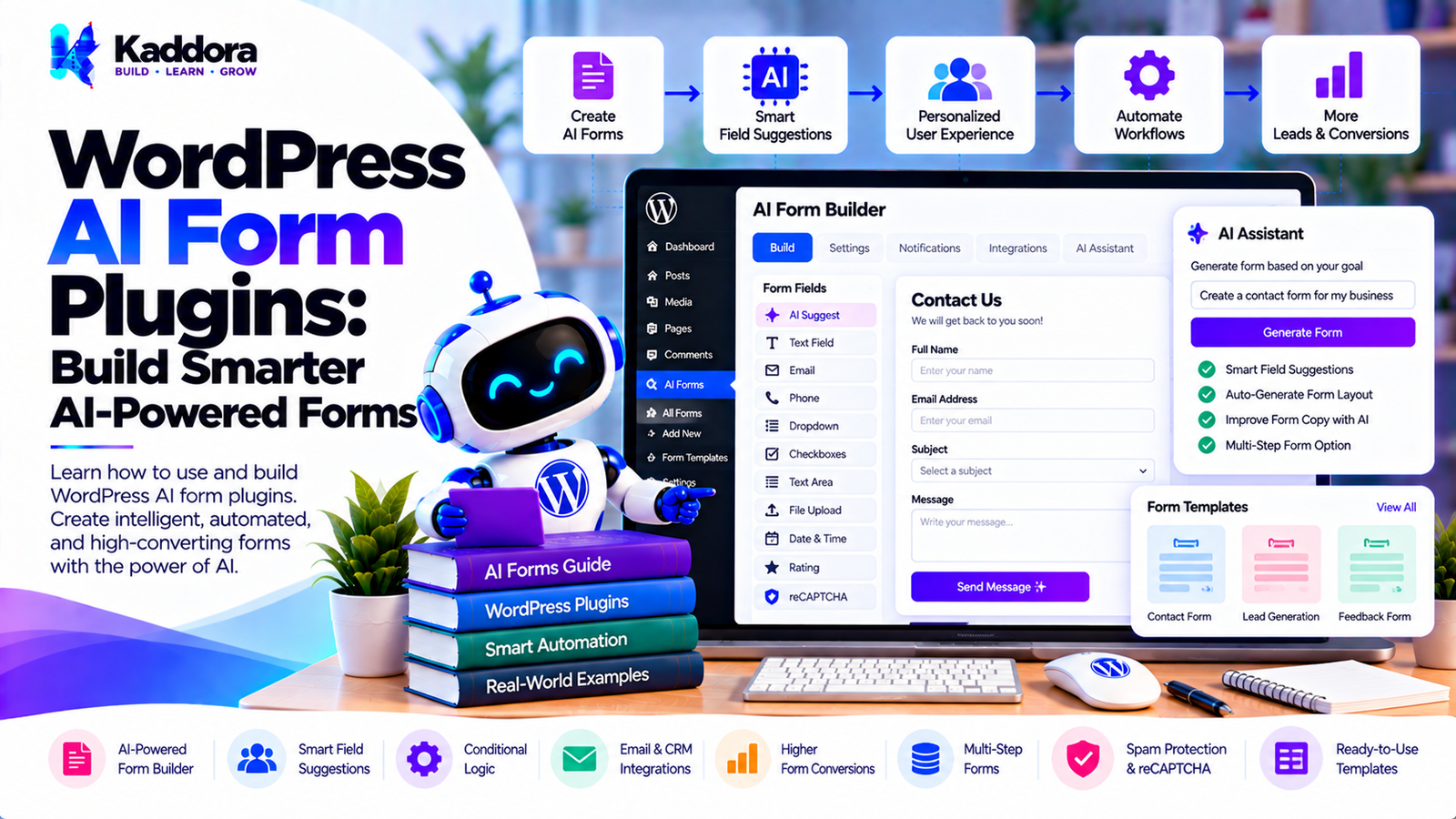
WordPress AI Form Plugins: Build Smarter AI-Powered Forms
Introduction
Forms are one of the most important interaction points on a WordPress website.
Businesses use forms for:
Contact requests
Lead generation
Quote requests
Support requests
Registration
Surveys
Bookings
Applications
Feedback
Customer onboarding
Traditional WordPress forms collect information based on predefined fields.
For example:
Name Email Phone Message Submit
Artificial intelligence can make forms more intelligent by helping users complete fields, analyzing submissions, qualifying leads, generating responses, detecting spam, and triggering automated workflows.
This is where WordPress AI form plugins become useful.
A modern AI-powered form can move beyond simply collecting information:
Visitor ↓ Smart Form ↓ AI Processing ↓ Submission Analysis ↓ Classification ↓ Automation ↓ Business Action
Instead of treating every submission equally, AI can help determine what the submission means and what should happen next.
What Are WordPress AI Form Plugins?
WordPress AI form plugins combine traditional form-building functionality with AI-powered features.
A standard form plugin may provide:
Form fields
Validation
Email notifications
Submission storage
Conditional logic
Integrations
An AI form plugin can add capabilities such as:
AI-assisted form creation
Smart field recommendations
Natural-language form generation
Lead classification
Submission summarization
Intent detection
Automated responses
AI-powered personalization
Spam detection
Intelligent routing
The exact capabilities depend on the plugin.
How Do AI Form Plugins Work?
A typical architecture can look like this:
Visitor ↓ WordPress Form ↓ Validation ↓ Submission ↓ AI Processing ↓ Classification / Analysis ↓ Business Rules ↓ CRM / Email / Automation
For example, a quote request could be analyzed automatically:
Customer Submission ↓ AI Analysis ↓ Service = Web Development Budget = High Urgency = High ↓ Sales Team
This can reduce manual processing.
Traditional Forms vs AI-Powered Forms
A traditional form generally follows:
User ↓ Fields ↓ Submit ↓ Email
An AI-enhanced form can follow:
User ↓ Smart Fields ↓ Submit ↓ AI Analysis ↓ Classification ↓ Personalized Action
AI does not have to replace normal form logic. It can operate as an additional processing layer.
AI Form Builders for WordPress
One useful application is AI-assisted form creation.
Instead of manually adding every field, an administrator could describe the desired form:
Create a form for a website development quote. Ask for name, email, business type, website type, required features, budget, and project timeline.
An AI-powered form builder could generate a starting structure.
The administrator should still review the generated form before publishing it.
AI Form Generation Workflow
A possible workflow is:
Natural Language Request ↓ AI Form Generator ↓ Field Suggestions ↓ Validation Rules ↓ Conditional Logic ↓ Generated Form ↓ Administrator Review ↓ Publish
This can accelerate initial form creation.
AI-Powered Field Suggestions
AI can suggest fields based on the purpose of a form.
For example:
Purpose: Real Estate Inquiry
Possible fields:
Name Email Phone Property Type Location Budget Buying Timeline Message
The AI should be treated as an assistant rather than an authority on the exact data a business should collect.
Smart Form Field Recommendations
AI can analyze an existing form and suggest additional fields.
For example:
Existing Form: Name Email Message
The system may suggest:
Phone Service Required Budget Preferred Contact Method
Administrators can accept or reject these recommendations.
AI Form Personalization
AI can help personalize forms based on available context.
For example, a returning visitor might see:
Product Support Request
while a new visitor sees:
How Can We Help You?
Personalization should be implemented carefully and should respect privacy requirements.
AI-Powered Conditional Logic
Traditional conditional logic might use predefined rules:
If Service = SEO Show SEO Questions
AI can potentially help classify the user's intent and recommend which questions are relevant.
However, deterministic rules are often preferable for critical workflows because they are predictable and easier to test.
Conversational Forms
An AI form can also use conversational interactions.
Instead of showing twenty fields at once:
Name Email Phone Company Budget Timeline Service Message
a conversational interface might ask:
What service are you interested in?
Then:
What is your approximate budget?
Then:
When would you like to start?
This can create a more interactive experience.
Conversational Form Architecture
A conversational form may work like:
Question ↓ User Answer ↓ Validation ↓ State Update ↓ Next Question
AI can help determine how to phrase the next question, while the underlying application should maintain structured form state.
AI Form State Management
A conversational form should maintain a predictable state.
For example:
Form State name = completed email = completed service = completed budget = pending timeline = pending
AI should not be responsible for being the sole source of truth for important form data.
AI Form Validation
AI can assist with interpreting free-text responses.
For example:
User: I need a website for my restaurant and probably want online ordering too.
AI can classify:
Business Type: Restaurant Website Type: Business Website Feature: Online Ordering
Structured validation should still verify fields that require exact formats.
AI Lead Qualification
One of the strongest use cases for AI forms is lead qualification.
A form submission can be analyzed using factors such as:
Service requested
Budget
Timeline
Business type
Project size
Urgency
Requirements
The system can classify submissions according to business-defined rules.
For example:
Submission ↓ AI Analysis ↓ Lead Classification ↓ Sales Workflow
AI Lead Scoring
AI can generate a lead score based on defined criteria.
For example:
Budget Match → High Project Scope → High Timeline → Medium Service Match → High
The final score should be explainable and aligned with the business's own qualification criteria.
AI Lead Routing
After classification, submissions can be routed automatically.
For example:
SEO Inquiry ↓ SEO Team WooCommerce Inquiry ↓ WooCommerce Team Technical Support ↓ Support Team
This can reduce manual sorting.
AI Submission Summaries
Long form submissions can be difficult to review.
AI can generate a concise summary:
Lead Summary Business: Restaurant Requirement: New WooCommerce website with online ordering. Timeline: Within 30 days. Budget: $5,000–$10,000.
The original submission should remain available for verification.
AI Intent Detection
AI can classify the intent behind a submission.
Possible intents include:
Sales Inquiry Support Request Refund Request Partnership Job Application General Question
This can be useful for automated routing.
AI Sentiment Analysis
AI may also analyze the tone of a support request.
For example:
Positive Neutral Urgent / Frustrated
Sentiment should be treated as an imperfect signal rather than a definitive judgment about a customer.
AI Support Forms
A support form can use AI to categorize incoming requests.
For example:
Support Request ↓ AI Classification ↓ Billing Technical Account Product ↓ Support Queue
This can help support teams organize submissions.
AI Contact Forms
A normal contact form might simply send an email.
An AI-enhanced contact form can additionally:
Summarize the message
Identify intent
Detect urgency
Recommend a department
Suggest a response
Create a support ticket
AI Quote Request Forms
AI can help analyze quote requests.
For example:
Quote Request ↓ Project Analysis ↓ Service Type Scope Timeline Budget ↓ Sales Team
This can make quote processing more structured.
AI Application Forms
AI can assist with application forms by organizing submitted information.
For example:
Application ↓ Document / Form Data ↓ Structured Summary ↓ Human Review
For sensitive decisions such as employment or admissions, AI outputs should not automatically make consequential decisions without appropriate human oversight and applicable legal compliance.
AI Survey Forms
AI can analyze open-ended survey responses.
For example:
100 Responses ↓ AI Topic Extraction ↓ Common Themes ↓ Summary
Potential themes might include:
Pricing Performance Usability Support Features
AI Feedback Forms
Customer feedback can be categorized automatically.
For example:
Feedback ↓ AI Classification ↓ Product Support Pricing UX Feature Request
This can help teams identify recurring topics.
AI Form Spam Detection
AI can help detect suspicious submissions.
Signals may include:
Repeated content
Unusual text patterns
Suspicious URLs
Automated submission behavior
Repeated requests
AI should complement rather than necessarily replace established anti-spam controls.
AI Form Fraud Detection
Certain forms may require additional risk detection.
For example:
Submission ↓ Rule-Based Checks ↓ Optional AI Analysis ↓ Risk Review
AI should not be the sole decision-maker for high-impact fraud or financial decisions.
AI Form Autocomplete
AI can assist users by suggesting values based on their input.
For example:
User: I run an online store selling...
The system could suggest relevant categories.
Autocomplete should not silently submit or alter important information without user control.
AI Form Error Assistance
Instead of showing only:
Invalid information.
an intelligent interface could explain:
Please enter a valid business email address. For example: name@company.com
For predictable validation, ordinary deterministic validation is usually sufficient.
AI Email Responses
After a form submission, AI can help generate a draft response.
For example:
Customer: I need help setting up my WooCommerce store. AI Draft: Thanks for reaching out. We can help you configure...
The workflow can require human approval before sending.
AI Form Automation
AI form plugins can connect form submissions to automation systems.
A workflow may look like:
Form Submission ↓ AI Classification ↓ CRM ↓ Email ↓ Task ↓ Notification
This creates an automated lead or support pipeline.
WordPress AI Form and CRM Integration
A form plugin can send structured data to a CRM.
For example:
Name Email Company Service Budget Lead Category AI Summary
The integration should validate data before sending it to the external service.
AI Form Webhooks
Webhooks can connect WordPress forms to external automation systems.
Example:
WordPress Form ↓ Webhook ↓ Automation Platform ↓ CRM / Email / Slack / ERP
Sensitive information should only be transmitted when necessary and with appropriate security controls.
AI Form API Architecture
A scalable plugin can separate responsibilities:
Form Controller ↓ Submission Service ↓ AI Analysis Service ↓ Automation Service
This keeps the AI implementation separate from the core form engine.
AI Provider Abstraction
Avoid tightly coupling the entire plugin to one AI provider.
An abstraction might conceptually look like:
AIProvider ├── generate() ├── classify() └── summarize()
Different provider implementations can then be added later.
AI Prompt Management
Prompts should not be scattered throughout the plugin.
A dedicated service can manage:
Lead Classification Prompt Summary Prompt Response Prompt Intent Detection Prompt
This makes AI behavior easier to maintain.
Structured AI Outputs
For form processing, structured outputs are often more useful than unrestricted text.
For example:
{ "intent": "sales", "department": "web-development", "urgency": "medium", "summary": "Customer needs a business website." }
The application can then validate these values before taking action.
AI Output Validation
AI output should be treated as untrusted input.
The plugin should:
Validate expected fields
Sanitize data
Check allowed values
Handle missing fields
Handle malformed responses
Apply fallback behavior
Do not assume an AI response will always follow the expected format.
WordPress AI Form Security
Security should cover:
Nonces
Capability checks
Input validation
Sanitization
Output escaping
Rate limiting
API credential protection
Secure webhooks
Access control
AI does not eliminate normal WordPress security requirements.
Protecting AI API Keys
Never expose provider API keys in frontend JavaScript.
Avoid:
Browser ↓ AI API Key ↓ AI Provider
Prefer:
Browser ↓ WordPress Server ↓ AI Provider
Credentials should remain securely stored on the server.
AI Form Privacy
Form submissions may contain personal or sensitive information.
Before sending submission data to an external AI service, determine:
What data is being sent
Why it is being sent
Which provider receives it
Whether the user has been informed where required
How the provider handles the information
Whether the data can be minimized
Only necessary information should be processed.
Data Minimization
Suppose a form contains:
Name Email Phone Address Message
If AI only needs the message for classification, there may be no reason to send all fields to the AI provider.
Instead:
Message ↓ AI ↓ Intent
This reduces unnecessary data exposure.
AI Form Consent
If an external AI service processes submitted information, the plugin should provide appropriate disclosure and consent mechanisms where required.
The exact requirements depend on the jurisdiction, data type, and purpose of processing.
AI Form Performance
AI API calls can increase submission-processing time.
A synchronous workflow may be:
Submit ↓ AI API ↓ Response ↓ Save Submission
A background workflow can be:
Submit ↓ Save Submission ↓ Queue AI Task ↓ Return Success ↓ Background AI Processing
For non-critical AI operations, background processing can provide a better user experience.
Background AI Processing
Tasks suitable for background processing may include:
Submission summaries
Lead classification
Sentiment analysis
AI response drafting
Analytics classification
Critical validation should generally happen before the submission is accepted.
AI Form Caching
Some AI operations can be cached where appropriate.
However, caching must account for:
User-specific information
Permissions
Changing data
Sensitive information
Private submission data should not accidentally become available through shared caches.
AI API Cost Optimization
AI-powered forms can generate many API requests.
Cost-control techniques include:
Process only necessary fields
Use smaller models for simple classification
Cache reusable operations
Batch non-urgent processing
Avoid duplicate requests
Use deterministic rules when AI is unnecessary
AI Form Rate Limiting
Public forms can be abused.
Rate limiting can protect:
Form Endpoint ↓ Rate Limit ↓ Validation ↓ Submission
Additional protection can include:
CAPTCHA
Honeypots
IP-based controls
Authentication
Request throttling
AI Form Accessibility
AI functionality should not make forms less accessible.
Forms should continue to provide:
Proper labels
Keyboard navigation
Clear error messages
Focus management
Accessible controls
Screen-reader compatibility
Conversational interfaces should also provide accessible alternatives.
AI Form Analytics
Useful metrics include:
Form views
Form starts
Form completions
Abandonment
Submission categories
Lead classifications
AI processing errors
Spam rates
Response times
These metrics can help identify where forms need improvement.
AI Form Abandonment Analysis
AI can potentially analyze where users abandon forms.
For example:
Form Starts: 1,000 Completed: 650 Abandoned: 350
Further analysis may identify problematic steps.
AI Form Optimization
AI can suggest improvements such as:
Current: 12 required fields Suggested: Reduce initial fields Move optional questions later
These suggestions should be evaluated using actual conversion data rather than implemented automatically.
AI Form A/B Testing
AI can help generate form variants:
Version A: Long Form Version B: Short Form Version C: Conversational Form
Actual performance should be measured experimentally.
AI Form Templates
A plugin can provide templates for:
Contact forms
Quote forms
Lead forms
Support forms
Booking forms
Survey forms
Feedback forms
Application forms
AI can customize these templates based on the website's requirements.
AI Forms for WooCommerce
WooCommerce websites can use intelligent forms for:
Product inquiries
Wholesale requests
Returns
Support
Custom product requests
Quote requests
Product information can be included in the form context where appropriate.
AI Forms for Agencies
Agencies can use AI forms to qualify prospects.
Example:
Project Type Budget Timeline Services Business Goals Current Website
AI can summarize the request before it reaches the sales team.
AI Forms for Service Businesses
Service businesses can collect structured information for:
Consulting
Legal services
Marketing
Development
Design
Home services
Professional services
AI can help classify and route requests.
AI Form Mistakes to Avoid
1. Sending Every Field to AI
Only send information required for the AI operation.
2. Exposing API Keys
Keep credentials server-side.
3. Trusting AI Output Blindly
Validate and sanitize AI-generated data.
4. Replacing Deterministic Validation
Email, required fields, numbers, and formats can usually be validated using predictable rules.
5. Making AI Mandatory
Provide sensible fallbacks if the AI provider becomes unavailable.
6. Ignoring Privacy
Form submissions can contain personal information.
7. No Rate Limiting
Public AI endpoints can be abused.
8. No Error Handling
AI APIs can fail, timeout, or return unexpected responses.
9. Overusing AI
Not every form operation needs AI.
10. Ignoring Accessibility
AI features should not make forms harder to use.
WordPress AI Form Plugin Development Checklist
Form System
Form builder
Custom fields
Validation
Conditional logic
Submission storage
Email notifications
AI
AI provider integration
Provider abstraction
Prompt management
Structured output
Classification
Summarization
Intent detection
Automation
CRM integration
Webhooks
Email automation
Notifications
Lead routing
Background processing
Security
Nonces
Capability checks
Input validation
Sanitization
Output escaping
Rate limiting
API key protection
Privacy
Data minimization
AI processing disclosure
Consent controls where applicable
Data retention controls
Private submission protection
Performance
Background processing
Caching where appropriate
Request limits
API timeout handling
AI failure fallback
How to Build a WordPress AI Form Plugin
A practical development process can follow these steps.
Step 1: Define the Form Engine
Create the core form and field system.
Step 2: Add Validation
Validate all incoming data before processing.
Step 3: Store Submissions
Create a secure submission-management system.
Step 4: Add AI Services
Create dedicated services for AI operations.
Step 5: Define Structured Outputs
Specify exactly what information the AI should return.
Step 6: Validate AI Results
Never treat AI-generated data as automatically trustworthy.
Step 7: Add Automation
Connect classifications to CRM, email, notifications, or other workflows.
Step 8: Add Background Processing
Move non-critical AI operations into queues or scheduled processing.
Step 9: Add Privacy Controls
Allow administrators to control which data is sent to external AI providers.
Step 10: Add Analytics
Track form behavior and AI processing results.
Step 11: Add Fallbacks
Ensure the form continues working if an AI provider is unavailable.
Step 12: Test
Test security, accessibility, performance, AI failures, malformed outputs, and high submission volumes.
Best Practices for WordPress AI Form Plugins
A well-designed AI form plugin should:
Keep the core form engine independent from AI.
Validate normal form fields deterministically.
Treat AI output as untrusted data.
Protect API credentials.
Minimize data sent to external providers.
Provide AI processing controls.
Support background processing.
Provide provider abstractions.
Handle AI API failures gracefully.
Support rate limiting.
Maintain accessibility.
Provide source or explanation information where appropriate.
Support structured AI outputs.
Keep original submissions available.
Provide human review for important workflows.
Use AI only where it provides meaningful value.
Monitor API usage and costs.
Keep privacy controls visible.
Provide useful analytics.
Keep the architecture extensible.
Why Choose Kaddora?
Kaddora focuses on WordPress plugins, WooCommerce solutions, AI-powered tools, SEO, automation, analytics, themes, and website templates.
AI-powered forms are particularly useful for connecting website interactions with business workflows.
A modern WordPress AI form solution can combine:
Intelligent form creation
AI-assisted field suggestions
Conversational forms
Lead classification
Submission summaries
Intent detection
Smart routing
CRM integrations
AI response generation
Spam detection
Automation
Analytics
Privacy controls
Secure AI integrations
The important part is not simply adding AI to a form. A reliable solution should combine WordPress-native form functionality, structured validation, secure AI processing, automation, performance optimization, and privacy controls.
ThemeKaddora's WordPress-focused ecosystem covers plugins, themes, templates, WooCommerce tools, AI solutions, SEO products, and automation resources designed for modern WordPress websites.
Conclusion
WordPress AI form plugins can turn traditional forms into intelligent business interaction systems.
A conventional form primarily answers:
What information did the visitor submit?
An AI-enhanced form can additionally help answer:
What does this submission mean? Where should it go? How urgent is it? What service does the visitor need? How can the submission be summarized? What workflow should happen next?
A practical architecture can look like:
Visitor ↓ WordPress Form ↓ Validation ↓ Submission Storage ↓ AI Processing ↓ Classification ↓ Business Rules ↓ CRM / Email / Automation
However, AI should not replace reliable application logic.
Important operations such as required-field validation, email-format validation, permissions, security checks, and workflow constraints should remain predictable and testable.
AI is most useful when it adds intelligence to information that is difficult to classify with simple rules.
Privacy is another major consideration. Form submissions can contain personal information, so administrators should understand what information is processed by external AI services and minimize unnecessary data transmission.
Performance should also be considered. Background processing, caching where appropriate, batching, and careful API usage can reduce delays and costs.
The most effective WordPress AI form plugins therefore combine traditional form engineering with AI capabilities, rather than attempting to make every part of the form dependent on AI.
With a well-designed architecture, WordPress forms can become smarter tools for lead generation, customer support, surveys, quote requests, automation, and business workflows.
Frequently Asked Questions
What are WordPress AI form plugins?
WordPress AI form plugins combine traditional WordPress form functionality with AI features such as lead classification, summarization, intent detection, intelligent routing, and AI-assisted form creation.
What can AI do with WordPress forms?
AI can help generate forms, analyze submissions, summarize messages, classify leads, detect intent, recommend routing, draft responses, and support automation.
Can AI create a WordPress form?
Yes. AI can generate a starting form structure from a natural-language description. The generated form should be reviewed before publication.
Can AI improve contact forms?
Yes. AI can classify contact requests, summarize messages, identify intent, route submissions, and generate response drafts.
Can AI forms detect spam?
AI can help identify suspicious submissions, but it should generally complement traditional anti-spam mechanisms rather than being the only protection.
Should every form submission be sent to an AI service?
No. AI should only process the information required for the specific AI operation.
How can I protect form data when using AI?
Use data minimization, secure server-side API requests, access controls, appropriate disclosure and consent mechanisms, and careful provider selection.
Can AI forms work with custom post types?
Yes. Custom post types can be used to store specialized form-related content or workflows.
Are conversational forms better than traditional forms?
They serve different purposes. Conversational forms can be useful for guided interactions, while traditional forms can be more efficient when users need to enter multiple structured values quickly.
How can AI form processing be made faster?
Use background processing for non-critical AI tasks, minimize unnecessary requests, cache appropriate results, and use efficient AI workflows.
Why use background processing for AI forms?
Background processing prevents non-critical AI operations from unnecessarily delaying the user's form submission experience.
Can AI form plugins work if the AI provider goes offline?
A well-designed plugin should provide fallback behavior so core form functionality can continue when AI services are unavailable.
How can AI form API costs be reduced?
Reduce unnecessary requests, process only required fields, use appropriate models, cache reusable operations, batch non-urgent tasks, and use deterministic logic where AI is unnecessary.
Are AI-generated form decisions reliable?
AI outputs can be useful but should not automatically be treated as authoritative. Important decisions should use appropriate validation, business rules, and human oversight.
Can AI forms be accessible?
Yes. AI features should be implemented alongside standard accessibility practices such as proper labels, keyboard navigation, clear errors, and screen-reader support.
Why choose Themekaddora?
Themekaddora provides lightweight, responsive, SEO-friendly WordPress themes with fast performance, WooCommerce compatibility, flexible customization, accessibility-conscious design, modern templates, regular updates, and professional support—providing a strong foundation for businesses building digital products and product-focused websites.
Comments (0)