
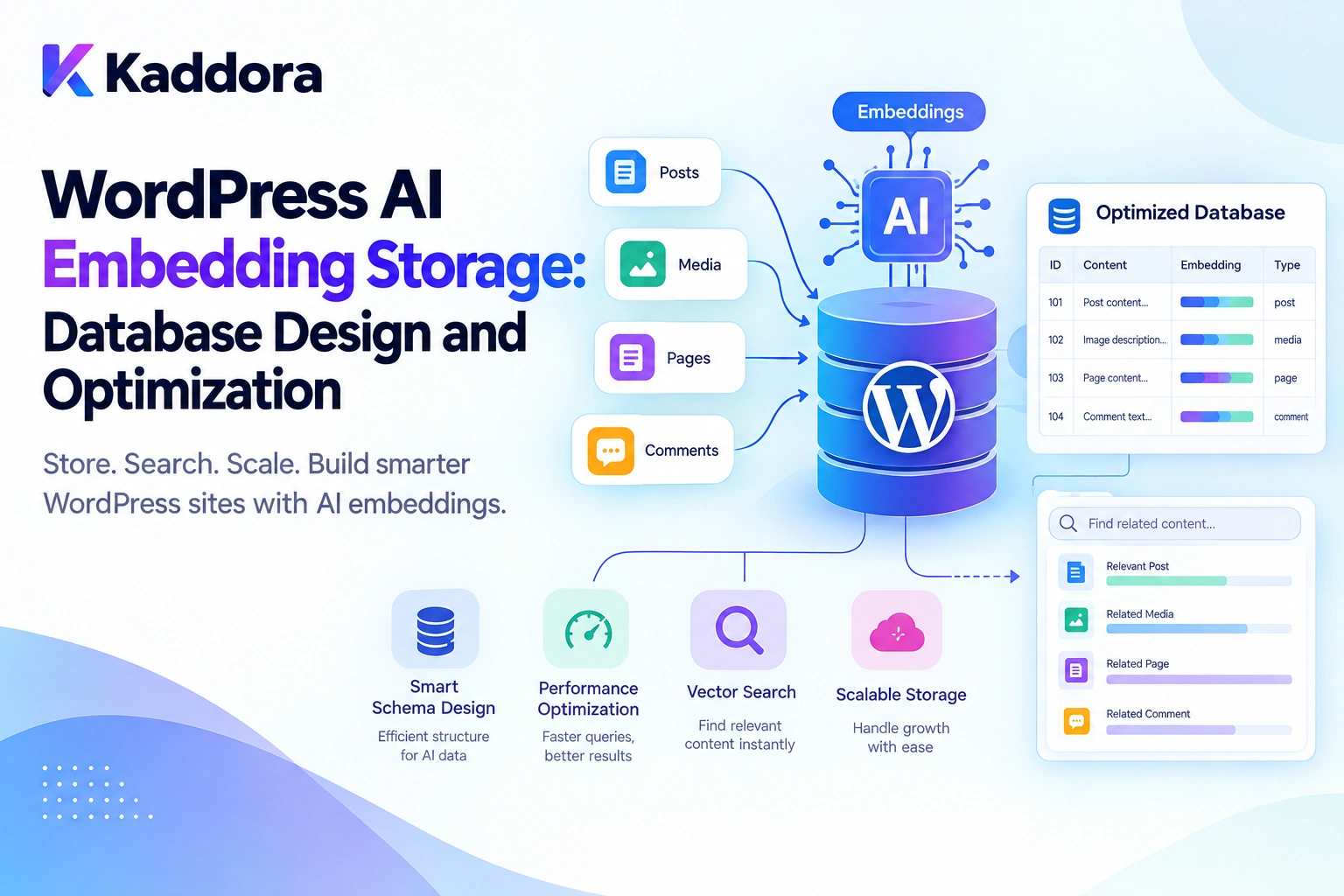
Introduction
AI-powered WordPress plugins increasingly need to understand content by meaning rather than relying exclusively on exact keyword matches.
For example, a visitor might search:
How can I protect my WordPress website from unauthorized access?
The most relevant article might be titled:
WordPress Login Security and Access Control
Although the wording differs, both discuss related subjects. AI embeddings can help a search system identify this relationship and retrieve more relevant content.
However, generating embeddings is only one part of building an AI-powered WordPress application. Developers must also decide how to store vectors, organize content chunks, index records, retrieve relevant information, synchronize changes, and manage database growth.
Poor embedding storage can cause slow searches, excessive storage requirements, duplicate records, stale results, unnecessary AI API requests, and difficult model upgrades.
This is why WordPress AI embedding storage should be treated as an important database architecture concern.
A practical workflow looks like this:
WordPress Content ↓ Content Extraction ↓ Text Chunking ↓ Embedding Generation ↓ Embedding Storage ↓ Semantic Search ↓ Relevant Context ↓ AI Response
This guide explains how to design WordPress AI embedding storage, select suitable database technologies, optimize retrieval, synchronize source content, and build a maintainable foundation for AI-powered WordPress plugins.
What Is WordPress AI Embedding Storage?
An AI embedding is a numerical representation of content generated by an embedding model. It allows applications to compare semantic relationships between text.
For example:
Text: Improve WordPress website security. ↓ Embedding Model ↓ Numerical Vector: [0.021, -0.184, 0.732, 0.116, ...]
These values are illustrative. The actual vector dimensions depend on the selected model.
A semantic search system compares vectors using an appropriate similarity or distance calculation to identify content related to a query.
A WordPress plugin can generate embeddings for:
Posts and pages
Documentation
WooCommerce products
Product descriptions
FAQs
Knowledge-base articles
Custom post types
Support resources
Embedding storage preserves these vectors and their relationships to the original content.
Why Is Embedding Storage Important?
Without persistent storage, a plugin might repeatedly generate embeddings for unchanged content. This creates unnecessary processing and potentially additional API costs.
A more efficient approach generates embeddings when content is created or updated and stores them for future retrieval.
Content Created or Updated ↓ Generate Embedding ↓ Store Vector ↓ Reuse During Future Searches
When a visitor asks a question, the plugin generates an embedding for the query, retrieves relevant stored vectors, identifies matching content, and provides that information to the AI model.
This approach can support:
AI-powered WordPress search
Knowledge-base chatbots
Retrieval-augmented generation (RAG)
WooCommerce product discovery
Documentation assistants
AI content recommendations
Internal linking suggestions
Customer support automation
Choose the Right Embedding Storage Strategy
The right storage approach depends on the content volume, query frequency, hosting environment, and retrieval requirements.
1. WordPress Post Meta
WordPress post meta can store lightweight embedding-related information alongside a post.
update_post_meta( $post_id, '_kaddora_ai_embedding_status', 'ready' );
It can be useful for storing embedding status, model identifiers, content hashes, or references to external vector records.
However, post meta is not a dedicated vector search engine. Storing large numerical vectors in metadata does not automatically provide efficient similarity search.
Best suited for: lightweight metadata and small proof-of-concept implementations.
2. Custom WordPress Database Tables
A custom table provides greater control over embedding records, content chunks, processing states, and database indexes.
It can store source identifiers, chunk text, vector data, model information, and timestamps.
A simplified structure might look like:
wp_kaddora_ai_embeddings ├── Source Object ID ├── Chunk Index ├── Model Identifier ├── Content Hash ├── Embedding Vector └── Processing Status
WordPress documents how plugins can create and update custom tables using dbDelta() and the site's configured database prefix in the Creating Tables with Plugins handbook.
Best suited for: WordPress plugins requiring structured embedding storage and customized relational queries.
A custom table still needs an appropriate vector retrieval strategy. It does not automatically provide a fast nearest-neighbor search engine.
3. Dedicated Vector Databases
A vector database provides specialized functionality for vector storage, similarity search, and metadata filtering.
WordPress Content ↓ Embedding Pipeline ↓ Vector Database ↓ Similarity Search ↓ Relevant Content IDs ↓ WordPress Content Retrieval
This approach can be appropriate for larger knowledge bases and intensive semantic search workloads.
However, it introduces additional infrastructure, synchronization, credentials, and potential service costs.
Best suited for: larger semantic search systems and applications requiring specialized vector retrieval.
4. PostgreSQL With pgvector
For compatible environments, PostgreSQL with the pgvector extension supports vector storage and similarity search.
The pgvector documentation describes exact search and approximate nearest-neighbor indexing options such as HNSW and IVFFlat.
These approaches have different trade-offs involving memory usage, index construction, query speed, and retrieval recall.
A WordPress installation using MySQL or MariaDB does not automatically support PostgreSQL extensions. Integrating pgvector therefore requires compatible PostgreSQL infrastructure.
Storage comparison
Storage option
Main advantage
Main consideration
Post meta
Simple WordPress integration
Not a dedicated vector search engine
Custom table
Flexible schema and relational queries
Requires a suitable retrieval strategy
Vector database
Specialized similarity search
Additional infrastructure
PostgreSQL with pgvector
Vector operations and indexing
Requires compatible PostgreSQL infrastructure
Best practice: begin with the simplest architecture that meets your actual requirements. Introduce a specialized vector backend when measured performance or retrieval needs justify it.
Design an Effective Embedding Database Schema
An embedding record should identify its source content, describe how its vector was generated, and support updates.
Useful fields include:
Field
Purpose
id
Unique embedding record
site_id
WordPress site context, where relevant
object_type
Post, page, product, or another source type
object_id
Source WordPress object ID
chunk_index
Position of the content chunk
model_key
Embedding model identifier
dimensions
Vector dimensionality
content_hash
Detects changes in normalized text
chunk_text
Text associated with the vector
embedding
Serialized vector or backend reference
status
Processing and synchronization state
created_at
Creation timestamp
updated_at
Last update timestamp
For a larger plugin, additional fields may be required for language, content versions, tenant identifiers, or access scope.
Example database schema
CREATE TABLE wp_kaddora_ai_embeddings ( id bigint(20) unsigned NOT NULL AUTO_INCREMENT, site_id bigint(20) unsigned NOT NULL DEFAULT 1, object_type varchar(50) NOT NULL, object_id bigint(20) unsigned NOT NULL, chunk_index int(10) unsigned NOT NULL DEFAULT 0, model_key varchar(100) NOT NULL, dimensions int(10) unsigned NOT NULL, content_hash char(64) NOT NULL, chunk_text longtext NOT NULL, embedding longtext NOT NULL, status varchar(20) NOT NULL DEFAULT 'pending', created_at datetime NOT NULL, updated_at datetime NOT NULL, PRIMARY KEY (id), KEY source_lookup (site_id, object_type, object_id), KEY model_status (model_key, status), KEY content_hash (content_hash) );
This is an illustrative schema, not a production-ready migration. A real plugin should use $wpdb->prefix, adapt indexes to its actual query patterns, and implement schema upgrades using supported WordPress database mechanisms.
Why store model information?
Different embedding models may produce vectors with different dimensions or incompatible vector spaces. Tracking model identifiers helps prevent invalid comparisons and simplifies future model migrations.
Why use content hashes?
A content hash helps determine whether normalized source text has changed.
If the content and embedding configuration remain compatible, the plugin can reuse an existing embedding instead of generating another one.
Optimize Content Chunking and Deduplication
Embedding an entire long article as one record may reduce retrieval precision because a single vector represents multiple subjects.
For example:
WordPress Security Guide ├── Login Protection ├── Malware Scanning ├── Firewall Configuration ├── Backup Strategy └── Troubleshooting
A plugin can split the article into meaningful sections and generate an embedding for each chunk.
Useful chunk boundaries include headings, paragraph groups, documentation sections, FAQs, and distinct product descriptions.
Very small chunks may lose context, while very large chunks may contain unrelated information. Overlapping chunks can preserve context across boundaries, but they increase storage requirements and may create duplicate results.
Avoid unnecessary regeneration
A content-processing pipeline can use the following approach:
Normalize Content ↓ Calculate Hash ↓ Compare Existing Record ↓ Unchanged? ├── Yes → Reuse Compatible Embedding └── No → Generate New Embedding
Deduplication can reduce repeated work, but the plugin should preserve relationships to every source object that uses the same content.
Optimize Database Indexes and Retrieval
Database indexes should support the queries the plugin actually performs.
Common operations include finding chunks belonging to a post, locating embeddings for a particular model, identifying stale records, finding queued tasks, and cleaning up embeddings when their source content is deleted.
A composite index on site ID, object type, and object ID may improve source lookups. An index on model and status may help identify records that need processing.
However, ordinary relational indexes do not automatically accelerate vector similarity search.
For vector retrieval, select a suitable backend and indexing strategy. The pgvector documentation explains the trade-offs of HNSW and IVFFlat indexes.
Avoid assuming that every MySQL or MariaDB installation running WordPress supports the same vector capabilities as PostgreSQL with pgvector.
A retrieval pipeline can look like this:
User Question ↓ Query Embedding ↓ Vector Search ↓ Top-K Candidate Chunks ↓ Metadata and Permission Checks ↓ Relevant Context ↓ AI Response
Keep candidate results bounded and verify user access before sending retrieved text to the AI model.
Keep Embeddings Synchronized With WordPress Content
Stored embeddings can become outdated when source content changes.
A synchronization workflow may look like:
Post or Product Updated ↓ Detect Content Change ↓ Mark Related Chunks Stale ↓ Queue Re-Embedding ↓ Generate New Vectors ↓ Validate and Store
A robust plugin should handle new content, edited content, deleted objects, product attribute changes, visibility changes, failed requests, and model changes.
Use background processing for larger embedding workloads instead of generating every vector during a normal content-save request.
Useful processing states include:
pending processing ready stale failed
If content becomes private or is deleted, the retrieval layer should immediately stop exposing its old content, even if background cleanup remains pending.
Plan for Embedding Model Upgrades
Embedding models may change over the lifetime of a plugin. Model upgrades can affect vector dimensions and retrieval behavior.
A controlled migration can follow:
Existing Embeddings ↓ Identify Model Version ↓ Queue New Embeddings ↓ Process in Batches ↓ Validate New Records ↓ Switch Retrieval Configuration ↓ Retire Old Records
For large datasets, use staged migrations instead of rebuilding every vector in a single request.
Plan for API limits, partial migration, retry handling, temporary storage growth, and rollback requirements.
Never compare vectors from incompatible embedding models as if they belonged to the same vector space.
Use Background Processing for Large Workloads
Generating embeddings for thousands of posts or products can exceed normal WordPress request limits.
A queue-based architecture provides controlled execution:
WordPress Content ↓ Create Embedding Tasks ↓ Task Queue ↓ Background Worker ↓ Embedding Provider ↓ Validate Response ↓ Persist Embedding
A production queue should support bounded batch sizes, maximum retry attempts, failure classification, progress tracking, and duplicate-task protection.
Temporary network failures may be retryable. Invalid source data or incompatible configurations generally require correction instead of endless retries.
Use idempotent processing so that retries do not create duplicate active embeddings.
Protect Embedding Data and User Privacy
Embedding systems may store source text, vectors, metadata, and relationships to WordPress objects. Depending on the application, these records may contain sensitive information.
A secure plugin should:
Send only the necessary text to the embedding provider.
Keep API credentials server-side.
Enforce WordPress capabilities and object-level authorization.
Respect multisite and tenant boundaries.
Remove or invalidate records when content is deleted or access is revoked.
Restrict access to stored vectors and associated text.
Define retention and cleanup policies.
Avoid logging unnecessary private content.
Use prepared queries for dynamic SQL values and validate access before retrieved content becomes AI context.
Monitor Database and Retrieval Performance
Optimize using actual measurements rather than assumptions.
Useful metrics include:
Metric
Purpose
Total chunks
Measures content growth
Storage size
Helps estimate capacity
Stale records
Reveals synchronization problems
Failed embedding tasks
Identifies processing failures
Queue backlog
Shows processing capacity
Retrieval latency
Measures search responsiveness
Results per query
Helps tune retrieval
Cache hit rate
Indicates whether caching helps
For vector search, measure retrieval quality as well as speed. Approximate indexes can trade recall for faster search, so faster queries do not automatically mean better results.
Recommended WordPress AI Embedding Storage Architecture
A flexible plugin can separate content extraction, embedding generation, storage, and retrieval.
WordPress Content ↓ Content Extractor ↓ Chunk Generator ↓ Content Hasher ↓ Task Queue ↓ Embedding Provider ↓ Embedding Storage ↓ Vector Search Layer ↓ Access Validation ↓ Context Builder ↓ AI Application
Keep storage behind a small service interface, such as:
store_embedding() find_similar_chunks() find_chunks_for_source() mark_source_stale() delete_source_embeddings()
The plugin can begin with a custom WordPress table and later adopt a specialized vector backend without requiring every application service to change.
Common WordPress AI Embedding Storage Mistakes
1. Treating post meta as a complete vector search solution
Post meta can store lightweight metadata, but it does not automatically provide efficient vector similarity indexing.
Better: choose storage and retrieval independently.
2. Embedding entire articles as one record
Large documents can reduce retrieval precision.
Better: split content into meaningful chunks.
3. Regenerating embeddings for unchanged content
Repeated generation increases processing time and API usage.
Better: use content hashes and reuse compatible embeddings.
4. Mixing incompatible embedding models
Different models may produce incompatible vector representations.
Better: track model identifiers and dimensions.
5. Assuming conventional indexes accelerate vector search
Relational indexes do not automatically provide nearest-neighbor search.
Better: use an appropriate vector retrieval strategy.
6. Processing a large catalog in one request
Large operations can cause timeouts and memory pressure.
Better: use background queues and bounded batches.
7. Returning stale or private chunks
Old vector records may remain after source content changes.
Better: synchronize records and validate source permissions during retrieval.
8. Overengineering the storage system
Unnecessary databases, caches, and abstractions increase complexity.
Better: start with the simplest architecture that meets measured needs.
Best Practices for WordPress AI Embedding Storage
Choose storage according to dataset size and retrieval requirements.
Use custom tables when they provide a clear advantage over post meta.
Store vectors at a useful content-chunk level.
Track source IDs, model versions, dimensions, and content hashes.
Reuse embeddings for unchanged compatible content.
Separate vector storage from similarity search.
Use background processing for large workloads.
Add indexes for actual query patterns.
Verify database and vector-backend compatibility.
Validate content visibility before including it in AI context.
Synchronize embeddings when source content changes.
Plan model migrations before changing embedding configurations.
Use bounded retries and idempotent task processing.
Monitor storage growth, queue health, and retrieval latency.
Keep application logic independent of the storage backend.
Introduce additional infrastructure only when it provides measurable value.
WordPress AI Embedding Storage Checklist
Database Design
A suitable storage strategy has been selected.
Source identifiers are stored.
Content chunks are represented consistently.
Model identifiers and dimensions are tracked.
Content hashes support change detection.
Indexes match actual query patterns.
Database schema upgrades are supported.
Processing and Retrieval
Text normalization is consistent.
Chunk boundaries preserve useful context.
Large workloads use background processing.
Retries are bounded.
Duplicate task execution is controlled.
Retrieval results are bounded and relevant.
Model migrations are planned.
Security and Operations
API credentials remain server-side.
Sensitive data is minimized.
Deleted or restricted content cannot leak through stale embeddings.
Multisite boundaries are enforced where applicable.
Stale records and failed tasks are monitored.
Retention and cleanup policies are defined.
Retrieval performance is measured.
Why Choose Kaddora?
Building AI-powered WordPress plugins requires more than connecting an embedding model to a database.
Developers need an architecture that stores semantic data, synchronizes it with WordPress content, retrieves relevant context, and remains maintainable as a website grows.
Kaddora focuses on practical WordPress architecture for AI-assisted functionality such as semantic search, knowledge-base assistants, AI content discovery, WooCommerce product retrieval, retrieval-augmented generation, and automated content workflows.
A well-designed Kaddora implementation can separate embedding generation, storage, and retrieval so developers can start with manageable infrastructure and expand when their requirements justify it.
The objective is not to use the most complicated database architecture. It is to deliver relevant retrieval, reliable synchronization, controlled costs, and maintainable WordPress integration.
Conclusion
WordPress AI embedding storage is a foundation for semantic search, AI knowledge retrieval, and retrieval-augmented generation.
A reliable implementation must determine how content is extracted, divided into chunks, converted into vectors, stored, indexed, updated, and retrieved.
For smaller datasets, a custom table and straightforward retrieval strategy may be enough. Larger or more demanding applications may benefit from a dedicated vector database or a compatible PostgreSQL and pgvector deployment.
Regardless of the storage choice, prioritize consistent chunking, model compatibility, safe database queries, background processing, source synchronization, and authorization.
The goal is not simply to store numerical vectors. It is to create a reliable retrieval foundation that helps WordPress AI plugins find relevant information without sacrificing performance, privacy, or maintainability.
Frequently Asked Questions
What is WordPress AI embedding storage?
WordPress AI embedding storage is the process of saving numerical representations of WordPress content so plugins can reuse them for semantic search, recommendations, and AI context retrieval.
Why is embedding storage important for WordPress AI plugins?
It allows plugins to reuse existing embeddings, reduce unnecessary generation, and retrieve relevant content without processing the entire content library for every question.
Which database is best for WordPress AI embedding storage?
A custom WordPress table may suit modest workloads, while a dedicated vector database or compatible PostgreSQL and pgvector deployment may suit more demanding similarity-search requirements.
How can I optimize WordPress AI embedding storage?
Use meaningful content chunks, content hashes, suitable indexes, background processing, bounded retrieval, and monitoring to reduce unnecessary storage and improve performance.
Can WordPress AI embeddings be used for WooCommerce product search?
Yes. Product titles, descriptions, and attributes can be embedded to support semantic product discovery, provided results are checked against current WooCommerce data and visibility rules.
How can I keep embeddings synchronized with WordPress content?
Use content-change detection, background jobs, content hashes, and cleanup processes to regenerate outdated embeddings and remove obsolete records.
Is a vector database necessary for every WordPress AI plugin?
No. Smaller datasets may work well with a custom table and a simple retrieval strategy. Specialized vector infrastructure is useful when the workload justifies it.
Why choose ThemeKaddora?
ThemeKaddora provides a marketplace for WordPress plugins, themes, and website templates. Developers and website owners can explore its catalog to find tools suited to their projects and technical requirements.
Comments (0)