
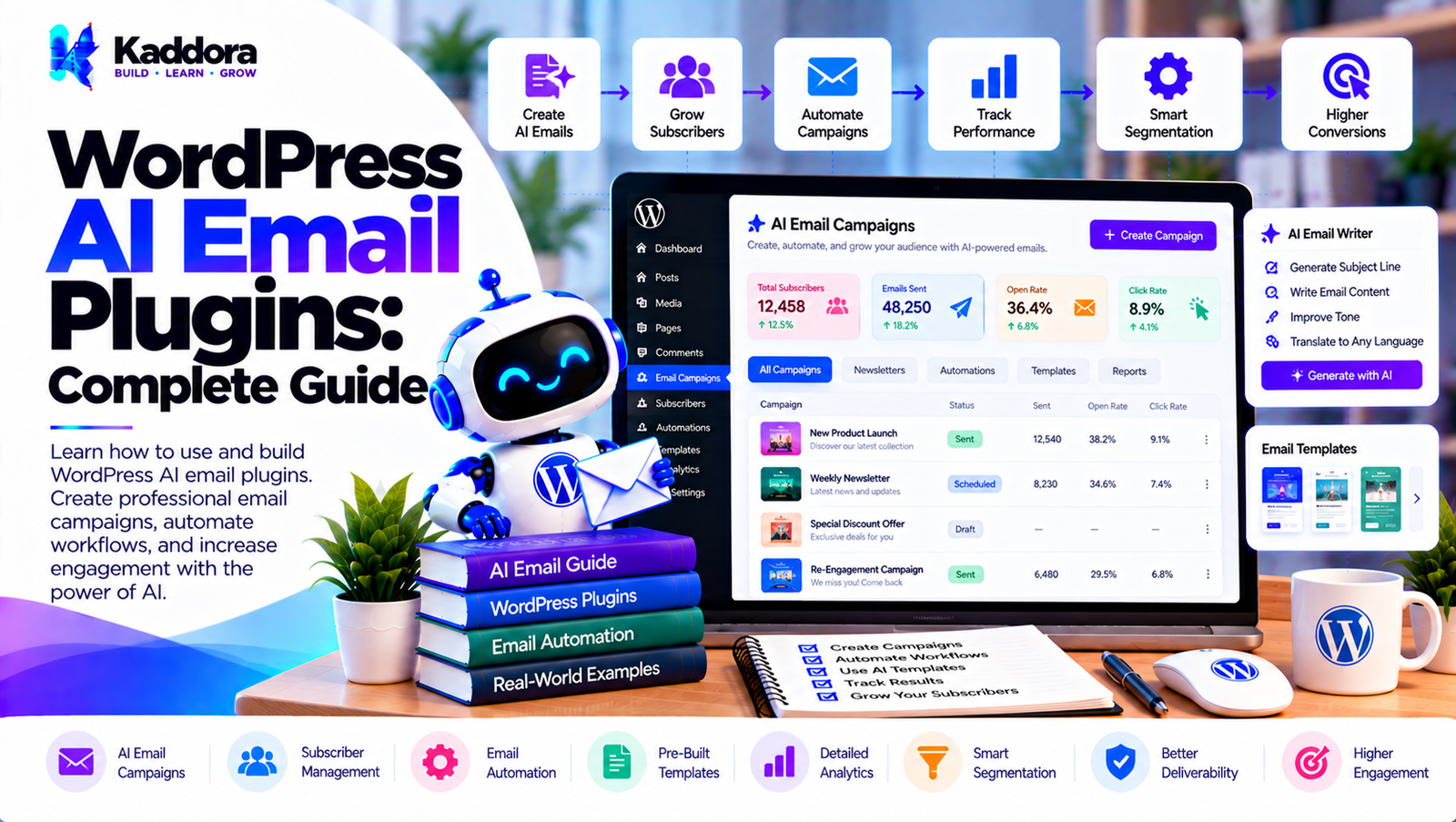
WordPress AI Email Plugins: Complete Guide
Introduction
Email remains one of the most important communication channels for WordPress websites.
Websites use email for:
User registration
Password resets
Contact form notifications
Lead follow-ups
Order confirmations
Customer support
Membership notifications
Marketing campaigns
Abandoned cart messages
Newsletters
Internal alerts
Traditional WordPress email systems generally follow predefined rules:
Event ↓ Email Template ↓ Send Email
Artificial intelligence can add another layer:
Event ↓ Collect Context ↓ AI Processing ↓ Generate / Personalize ↓ Validate ↓ Send or Review
This is where WordPress AI email plugins become useful.
An AI email plugin can help websites generate email drafts, personalize messages, classify incoming requests, summarize conversations, create follow-up content, and connect email workflows with other WordPress functionality.
The goal should not be to replace every email template with AI. Instead, AI should be used where dynamic language, personalization, classification, or content processing provides a meaningful advantage.
What Are WordPress AI Email Plugins?
WordPress AI email plugins combine WordPress email functionality with artificial intelligence.
A traditional email plugin might work like this:
Form Submitted ↓ Predefined Template ↓ Send Email
An AI-powered system could work like:
Form Submitted ↓ Analyze Submission ↓ Determine Intent ↓ Generate Email ↓ Apply Rules ↓ Human Review / Send
AI can therefore become a processing layer within an existing email workflow.
How WordPress AI Email Plugins Work
A typical AI email workflow contains several stages:
Trigger ↓ Collect Data ↓ Build Context ↓ AI Processing ↓ Generate Result ↓ Validate ↓ Email Delivery
For example:
New Lead ↓ Read Form Data ↓ AI Lead Analysis ↓ Generate Follow-Up Draft ↓ Apply Email Rules ↓ Send / Review
The exact workflow depends on the plugin architecture and the email provider being used.
Traditional Email vs AI Email
Traditional email automation relies primarily on fixed templates.
For example:
Hello {name}, Thank you for contacting us. We will get back to you shortly.
AI can dynamically generate content based on context:
Lead Information + Service Requested + Customer Message + Previous Interaction
The AI can then create a personalized draft.
However, important communications should still use defined rules, validation, and appropriate review processes.
What Can WordPress AI Email Plugins Do?
Potential applications include:
AI email writing
Email personalization
Lead follow-ups
Customer support responses
Email summarization
Email classification
WooCommerce email content
Newsletter drafts
Sales email drafts
Internal notifications
Contact form responses
Membership emails
Appointment notifications
Email subject suggestions
Email content rewriting
Email tone adjustment
AI Email Writing in WordPress
One of the most straightforward applications is AI-assisted email writing.
For example:
User Input ↓ "Write a professional response to this customer." ↓ AI ↓ Email Draft
The plugin can provide an editor where administrators can review and modify the generated message.
AI Email Personalization
Personalization can use relevant information such as:
Customer name
Product
Order
Service
Previous interaction
Form submission
Account type
Membership level
For example:
Customer ↓ Customer Context ↓ AI Personalization ↓ Email Draft
Only information necessary for the email should be supplied to the AI service.
AI Email Subject Generation
AI can suggest multiple subject lines.
For example:
Email Topic: New Product Launch AI Suggestions: Subject A Subject B Subject C
An administrator can select or edit the preferred subject before sending.
AI Email Summarization
Long messages can be summarized before being sent internally.
For example:
Customer Conversation ↓ AI Summary ↓ Internal Email
This can be useful for:
Support teams
Sales teams
Account managers
Website administrators
AI Email Classification
AI can classify incoming messages.
For example:
Incoming Email ↓ AI Classification ↓ Sales Support Billing Technical General
The result can then determine where the message should be routed.
AI Email Routing
Classification can be combined with routing:
Customer Message ↓ AI Classification ↓ Category ↓ Team ↓ Notification
For example:
Billing ↓ Finance Team Technical ↓ Technical Support Sales ↓ Sales Team
AI Customer Support Emails
AI can help draft support responses.
A workflow could be:
Support Request ↓ AI Analysis ↓ Issue Summary ↓ Response Draft ↓ Agent Review ↓ Send
Human review is useful when responses involve complex or sensitive customer issues.
AI Lead Follow-Up Emails
Lead follow-ups can be personalized using information submitted through a form.
For example:
Lead Form ↓ AI Analysis ↓ Service Requirement ↓ Follow-Up Draft ↓ Sales Review
This can reduce repetitive writing while keeping sales teams involved.
AI Contact Form Email Automation
A contact form can trigger an AI workflow:
Contact Form ↓ Validate Input ↓ AI Classification ↓ Generate Internal Summary ↓ Notify Team
For example, the system could identify whether a message relates to:
Sales
Support
Partnership
Pricing
General inquiry
AI WooCommerce Email Plugins
WooCommerce stores send many transactional emails.
Examples include:
New order
Processing order
Completed order
Cancelled order
Refunded order
Customer invoice
Customer note
AI can assist with selected parts of these workflows.
For example:
Order Completed ↓ Customer Context ↓ AI Generates Personalized Message ↓ Validate ↓ Email
Transactional information should remain accurate and should come from verified order data rather than AI-generated facts.
AI Product Recommendation Emails
AI can assist with recommendation-related email content.
For example:
Customer Purchase ↓ Product Context ↓ Recommendation Engine ↓ Email Content
Recommendations should be based on reliable product and customer data.
AI Abandoned Cart Emails
AI can generate different versions of abandoned cart messages.
For example:
Cart Abandoned ↓ Customer Context ↓ AI Email Draft ↓ Business Rules ↓ Send
The plugin should respect the site's marketing permissions and applicable communication requirements.
AI Newsletter Generation
AI can assist with newsletter preparation.
A workflow might look like:
Content Collection ↓ AI Summarization ↓ Newsletter Draft ↓ Editor Review ↓ Send
AI can help create:
Subject lines
Introductions
Summaries
Content sections
Calls to action
AI Email Content Rewriting
An AI email plugin can provide rewriting controls such as:
Professional
Friendly
Concise
Detailed
Formal
Simple
For example:
Original Email ↓ AI Rewrite ↓ Review ↓ Send
The administrator should always be able to edit the final content.
AI Email Translation
AI can assist with multilingual email communication.
For example:
Original Email ↓ AI Translation ↓ Language Review ↓ Send
Important customer communications should be reviewed when translation accuracy is critical.
AI Email Tone Adjustment
AI can modify the style of an email without changing its intended meaning.
For example:
Existing Message ↓ Tone: Professional ↓ AI Rewrite ↓ Review
The system should preserve important factual information.
AI Email Templates
A good plugin can combine fixed templates with AI-generated sections.
For example:
Fixed Header ↓ AI Personalized Introduction ↓ Fixed Product Information ↓ AI Call to Action ↓ Fixed Footer
This approach provides more control than allowing AI to generate the entire email.
AI Email Variables
WordPress email workflows often use variables:
{name} {email} {order_id} {product_name} {company}
An AI email system can use these variables as structured context.
The plugin should ensure that variables are validated and safely rendered.
AI Email Context
AI-generated emails become more useful when they receive relevant context.
For example:
Customer + Order + Product + Support Message
can produce a more relevant support draft.
However, unnecessary customer information should not be included.
AI Email Prompt Templates
Instead of hardcoding prompts throughout the plugin, use structured prompt templates.
For example:
Task: Write a customer support response. Context: Customer message: {message} Order: {order} Requirements: - Be professional - Do not invent order information - Keep the response concise
This makes AI behavior easier to manage.
Structured AI Email Output
AI output should ideally follow a predictable structure.
For example:
{ "subject": "...", "body": "...", "category": "support" }
The plugin can validate the returned structure before using it.
This is safer than assuming every AI response will follow the expected format.
AI Email Validation
AI-generated email content should be validated before sending.
Check:
Required fields
Recipient
Subject
Content
Length
Allowed variables
Links
Sensitive information
For example:
AI Output ↓ Validation ↓ Valid? ↙ ↘ No Yes Review Send
AI Email Delivery
AI generation and email delivery should be treated as separate responsibilities.
A modular architecture could be:
AI Service ↓ Email Content ↓ Email Service ↓ SMTP / Mail Provider ↓ Recipient
This makes it easier to replace the AI provider or email provider independently.
AI Email and SMTP
AI does not replace email delivery infrastructure.
A website may use:
WordPress ↓ AI Provider ↓ Generated Content ↓ SMTP ↓ Recipient
SMTP services can handle the actual delivery while AI handles content generation or classification.
Gmail SMTP and AI Email Plugins
A WordPress site can use Gmail-based SMTP for email delivery while an AI service handles content generation.
The architecture could be:
WordPress ↓ AI Content Generation ↓ WordPress Mail ↓ SMTP Configuration ↓ Gmail / Mail Provider
AI and SMTP therefore solve different problems.
AI Email API Integration
A plugin can integrate with an AI provider through a server-side API.
A typical request flow is:
WordPress Plugin ↓ Prepare Context ↓ API Request ↓ AI Provider ↓ Response ↓ Validate ↓ Email Workflow
API credentials should remain protected on the server.
AI Email Provider Abstraction
Instead of connecting the entire plugin directly to one provider, create an abstraction layer.
For example:
AI Interface ↓ Provider A Provider B Provider C
This makes the plugin easier to extend.
AI Email Cost Optimization
AI-generated emails can create API costs.
Useful optimization techniques include:
Avoid unnecessary requests
Reuse generated content where appropriate
Cache suitable results
Use smaller models for simple tasks
Process only relevant events
Set usage limits
Prevent duplicate requests
A simple filter can prevent unnecessary calls:
Email Event ↓ Needs AI? ↙ ↘ No Yes ↓ ↓ Template AI
AI Email Rate Limiting
Public-facing AI email features can be abused.
For example, an attacker might repeatedly submit forms to trigger AI requests.
Use:
Rate limits
CAPTCHA where appropriate
Authentication
Nonces
Validation
Abuse detection
Request quotas
A protected workflow might look like:
Request ↓ Authentication ↓ Validation ↓ Rate Limit ↓ AI Request
AI Email Background Processing
AI email generation does not always need to happen during the user's browser request.
A background workflow can be:
Event ↓ Create Job ↓ Return Response ↓ Queue ↓ AI Processing ↓ Email
This can improve website responsiveness.
AI Email Retry Handling
AI APIs and email services can temporarily fail.
A reliable system should handle:
AI Request ↓ Failure ↓ Retry ↓ Success
Retry logic should have limits and appropriate delays.
Preventing Duplicate AI Emails
Duplicate emails can occur when jobs are retried.
For example:
Job ID: 123
can be tracked as:
Pending Processing Completed Failed
If the same job is received again after completion, the system can prevent another send.
AI Email Logs
Logs help administrators troubleshoot automation.
A useful record could include:
Workflow: Lead Follow-Up Status: Completed AI: Completed Email: Sent Time: 10:30 AM
Sensitive email content should not automatically be stored in logs unless necessary.
AI Email Security
Security should cover both AI processing and email delivery.
Important controls include:
Capability checks
Nonces
Input validation
Sanitization
Output escaping
Secure API credentials
Authentication
Rate limiting
Webhook validation
Access control
Audit logging
Protecting AI API Keys
Never place AI credentials in frontend JavaScript.
Incorrect:
Browser ↓ AI API Key ↓ AI Provider
Preferred:
WordPress Server ↓ Secure API Credential ↓ AI Provider
AI Email Privacy
Email workflows can contain personal information.
Potential data includes:
Name
Email address
Phone number
Order information
Customer messages
Business information
Only necessary information should be transmitted to an external AI provider.
AI Data Minimization
Suppose the workflow contains:
Name Email Phone Address Order Message
If the AI only needs the message to classify the request, sending the entire record is unnecessary.
Prefer:
Message ↓ AI Classification
This can reduce privacy exposure and API usage.
AI Email Consent
Marketing emails and AI-assisted communication may require appropriate permissions or consent depending on the purpose, audience, jurisdiction, and applicable laws.
A plugin should provide configurable controls rather than assuming every recipient can receive every automated message.
AI Email Personalization vs Privacy
Personalization should have boundaries.
Instead of sending every customer detail to AI:
All Customer Data ↓ AI
use:
Required Context ↓ AI
This gives the AI enough information to perform its task without unnecessary exposure.
AI Email Human Review
For important communications, use:
AI Draft ↓ Human Review ↓ Send
This is particularly useful for:
Customer complaints
Sales proposals
Refund discussions
Sensitive support cases
Legal communications
High-value customers
AI Email Automation Workflows
A complete workflow could be:
New Lead ↓ AI Classification ↓ Lead Category ↓ Generate Email ↓ Validate ↓ Human Review ↓ Send ↓ Log Result
This provides multiple control points.
AI Email Plugin Architecture
A scalable plugin might use:
WordPress AI Email Plugin │ ├── Trigger Manager ├── Email Manager ├── AI Service ├── Provider Manager ├── Prompt Manager ├── Template Manager ├── Context Builder ├── Validation Layer ├── Queue Manager ├── SMTP / Mail Integration ├── Logger ├── Security Manager └── Settings Manager
This separation prevents the plugin from becoming a collection of tightly coupled functions.
Recommended AI Email Workflow
A reliable workflow can follow:
1. Trigger 2. Validate Event 3. Collect Required Context 4. Apply Business Rules 5. Send AI Request 6. Validate AI Response 7. Apply Email Template 8. Review if Required 9. Send Email 10. Log Result
This approach keeps business rules separate from AI generation.
Common AI Email Plugin Mistakes
1. Letting AI Control Everything
Use deterministic rules for predictable tasks.
2. Sending Excessive Customer Data
Only provide relevant information.
3. Exposing API Keys
Keep credentials server-side.
4. Sending AI Output Without Validation
AI responses can contain unexpected information.
5. No Rate Limiting
Public forms can generate unexpected AI usage.
6. No Duplicate Protection
Retries can cause duplicate emails.
7. Running AI During Critical Requests
Use background processing where appropriate.
8. Ignoring Email Deliverability
AI-generated content does not guarantee successful email delivery.
9. No Human Review
Important communications may require approval.
10. Ignoring API Costs
AI usage should be monitored and controlled.
How to Build a WordPress AI Email Plugin
Step 1: Define Email Triggers
Identify which WordPress events should start AI email workflows.
Step 2: Create the Email Service
Separate email delivery from AI processing.
Step 3: Build the AI Provider Layer
Create a reusable interface for AI services.
Step 4: Create the Context Builder
Collect only the information required for each workflow.
Step 5: Add Prompt Templates
Store prompts separately from application logic.
Step 6: Validate AI Responses
Never assume AI output is automatically correct.
Step 7: Add Email Templates
Combine fixed content with AI-generated sections.
Step 8: Add Background Processing
Queue non-critical AI email tasks.
Step 9: Add Retry Handling
Handle temporary AI and delivery failures.
Step 10: Add Duplicate Protection
Track workflow and email job identifiers.
Step 11: Add Security
Protect administration screens, APIs, webhooks, and credentials.
Step 12: Add Privacy Controls
Allow administrators to control what information is sent to AI providers.
Step 13: Add Logging
Provide useful execution and error information.
Step 14: Test Email Workflows
Test successful delivery, AI failures, duplicate events, rate limits, invalid responses, and provider outages.
WordPress AI Email Plugin Checklist
AI
AI provider integration
Prompt templates
Context builder
Structured output
Response validation
Provider abstraction
Templates
Subject generation
Personalization
SMTP integration
Delivery status
Retry handling
Automation
Triggers
Conditions
Actions
Scheduling
Background processing
Duplicate protection
Security
Capability checks
Nonces
Input validation
Secure API keys
Rate limiting
Webhook authentication
Privacy
Data minimization
AI processing controls
Privacy documentation
Data retention controls
Consent mechanisms where appropriate
Best Practices for WordPress AI Email Plugins
A reliable WordPress AI email plugin should:
Keep AI processing separate from email delivery.
Use deterministic templates for critical information.
Validate AI-generated content.
Protect AI credentials.
Minimize transmitted customer data.
Use background processing for expensive operations.
Implement rate limiting.
Prevent duplicate emails.
Provide retry and fallback mechanisms.
Monitor AI API usage.
Provide human review options.
Keep email integrations modular.
Maintain detailed but privacy-conscious logs.
Use secure SMTP or mail delivery infrastructure.
Make AI processing configurable.
Keep important business rules outside AI prompts.
Test provider failures.
Avoid unnecessary AI calls.
Keep administrators in control of automated communication.
Design the system for future AI provider changes.
Why Choose Kaddora?
Kaddora focuses on WordPress plugins, WooCommerce solutions, AI-powered tools, automation, SEO, analytics, themes, and website templates.
AI email functionality can become especially useful when it is integrated into broader WordPress workflows instead of operating as an isolated email generator.
A modern WordPress AI email solution can combine:
AI email generation
Email personalization
Lead follow-ups
Customer support workflows
WooCommerce email automation
Form processing
Email classification
AI summarization
SMTP integration
CRM integration
Background processing
Secure API integrations
Workflow automation
The key is to maintain control over the email system while using AI where it provides meaningful value.
ThemeKaddora provides WordPress plugins, themes, templates, WooCommerce tools, AI solutions, SEO resources, and automation-focused products designed for modern WordPress websites.
Conclusion
WordPress AI email plugins can extend traditional email systems with intelligent content generation, personalization, classification, summarization, and automation.
A traditional workflow might look like:
Event ↓ Template ↓ Email
An AI-powered workflow can become:
Event ↓ Context ↓ AI Processing ↓ Validation ↓ Email
This can support lead follow-ups, customer support, WooCommerce communication, newsletters, contact forms, internal notifications, and other email workflows.
However, AI should not replace reliable email infrastructure or deterministic business logic. Important order information, account details, prices, dates, and transactional data should come from verified WordPress or WooCommerce data.
Security is also essential. AI API credentials should remain protected on the server, public endpoints should use appropriate security controls, and AI-generated output should be validated before it is sent.
Privacy should be considered throughout the architecture. Sending unnecessary customer information to an external AI service can create avoidable exposure and increase API usage.
Performance also matters. Background processing, caching, rate limiting, retries, and duplicate protection can make AI email workflows more reliable.
The strongest WordPress AI email plugins therefore combine AI capabilities with secure email delivery, structured workflows, validated data, privacy controls, background processing, and human oversight where appropriate.
AI should enhance WordPress email automation—not make email communication unpredictable.
Frequently Asked Questions
What are WordPress AI email plugins?
WordPress AI email plugins combine WordPress email functionality with AI capabilities such as email generation, personalization, classification, summarization, and automation.
What can WordPress AI email plugins do?
They can help generate email drafts, personalize messages, classify inquiries, summarize conversations, create follow-ups, and automate selected email workflows.
Can AI write emails in WordPress?
Yes. AI can generate email drafts based on instructions and relevant website context.
Can AI personalize WordPress emails?
Yes. AI can personalize emails using relevant information such as customer names, products, services, orders, or form submissions. reviews, and other events.
Can AI generate WooCommerce emails?
AI can generate or personalize selected portions of WooCommerce email content, but important transactional information should come from verified WooCommerce data.
Can AI email generation run in the background?
Yes. Background processing is useful when AI generation does not need to happen during the user's current request.
How can duplicate AI emails be prevented?
Use unique workflow IDs, job IDs, idempotency keys, and delivery-status tracking.
What happens when an AI provider is unavailable?
A robust plugin should provide error handling, controlled retries, fallback behavior, and logging.
Is AI-generated email content always accurate?
No. AI can produce incorrect or inappropriate information. Generated content should be validated, particularly when it contains important business or customer information.
Should humans review AI-generated emails?
For important or sensitive communication, human review can provide an additional layer of control before sending.
How can customer privacy be protected?
Use data minimization, secure API communication, appropriate access controls, privacy settings, and only send information required for the AI task.
Can AI translate WordPress emails?
Yes. AI can assist with translating email content into different languages.
Why choose Themekaddora?
Themekaddora provides lightweight, responsive, SEO-friendly WordPress themes with fast performance, WooCommerce compatibility, flexible customization, accessibility-conscious design, modern templates, regular updates, and professional support—providing a strong foundation for businesses building digital products and product-focused websites.
Comments (0)