
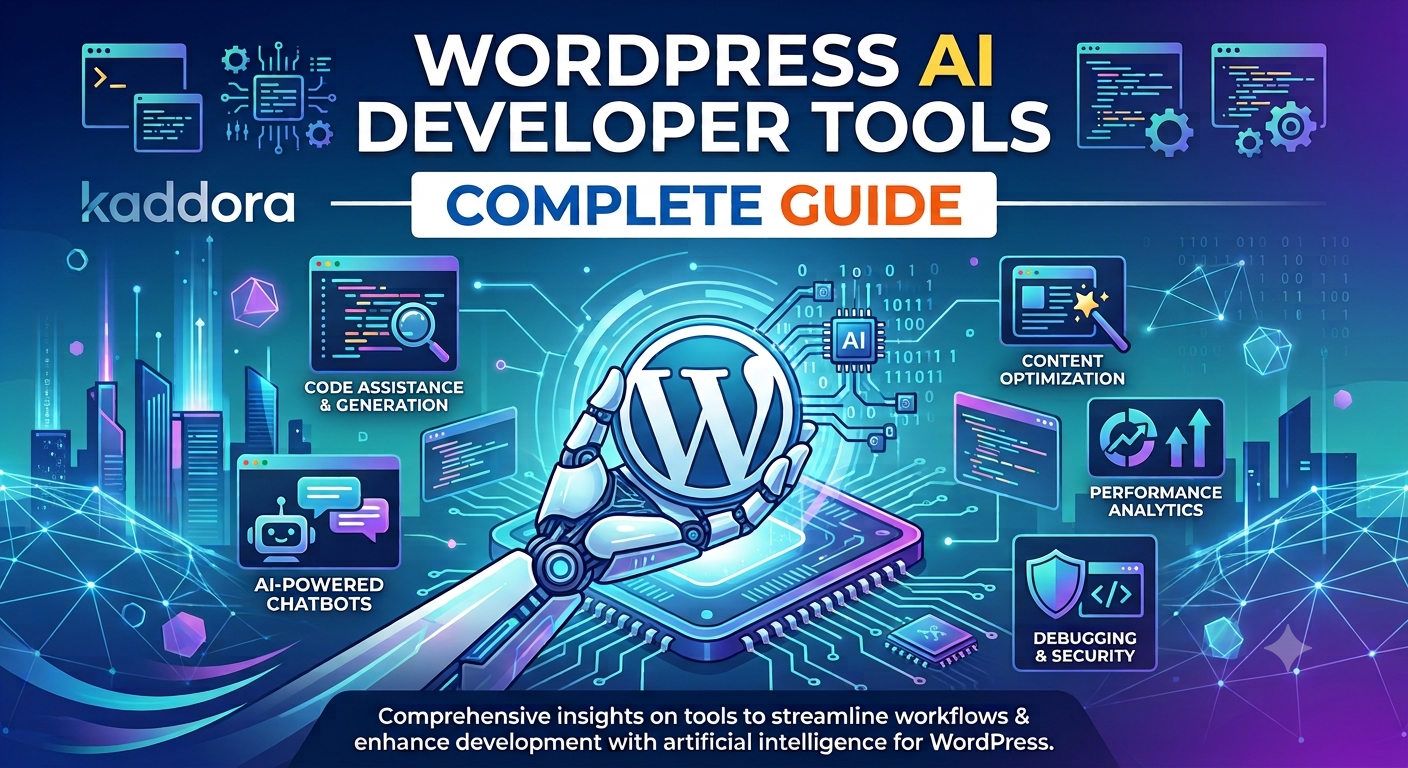
WordPress AI Developer Tools: Complete Guide
Introduction
WordPress development involves much more than writing PHP code.
Developers regularly work with:
PHP
CSS
HTML
SQL
WordPress APIs
REST APIs
Gutenberg blocks
WooCommerce
Databases
Git
Testing
Debugging
Security
Documentation
Performance optimization
As projects become larger, developers also need to understand existing codebases, investigate errors, create tests, document functionality, and maintain compatibility.
Artificial intelligence can assist with many of these tasks.
This has led to a growing category of WordPress AI developer tools designed to support developers throughout the development lifecycle.
A traditional development workflow might look like:
Requirement ↓ Research ↓ Coding ↓ Testing ↓ Debugging ↓ Documentation ↓ Deployment
An AI-assisted workflow can look like:
Requirement ↓ AI Assistance ↓ Development ↓ AI Review ↓ Testing ↓ Human Review ↓ Deployment
AI does not eliminate the need for development knowledge. Instead, it can help developers work through repetitive tasks faster and explore implementation approaches more efficiently.
The most effective approach is to treat AI as a developer assistant, while keeping architecture, security, testing, and final implementation decisions under developer control.
What Are WordPress AI Developer Tools?
WordPress AI developer tools are software tools that use artificial intelligence to assist with WordPress development tasks.
Depending on the tool, capabilities may include:
Code generation
Code explanation
Debugging
Refactoring
Documentation
Test generation
Security analysis
API development
Database assistance
Plugin development
Theme development
Block development
WooCommerce development
A typical workflow looks like:
Developer ↓ Natural Language Request ↓ AI Developer Tool ↓ Code / Explanation / Suggestion ↓ Developer Review
Why Use AI Developer Tools for WordPress?
WordPress developers often spend significant time on repetitive development work.
For example:
Creating boilerplate
Writing documentation
Explaining legacy code
Creating test cases
Investigating errors
Converting requirements into functions
Creating API examples
Refactoring repetitive code
AI tools can assist with these activities.
The result can be a more efficient development workflow without removing human oversight.
AI Code Generation for WordPress
One of the most common AI development capabilities is code generation.
Developers can describe a requirement such as:
Create a WordPress admin settings page with capability checks, nonces, validation, sanitization, and translation support.
The AI can produce an initial implementation.
The workflow should then be:
AI Code ↓ Review ↓ Security Check ↓ Testing ↓ Production
Generated code should not automatically be considered production-ready.
AI PHP Developer Tools
PHP is the foundation of much WordPress development.
AI developer tools can assist with:
Functions
Classes
Interfaces
Traits
Namespaces
Hooks
Filters
REST endpoints
Database operations
Validation
Error handling
For larger projects, AI can also help explain relationships between classes and modules.
AI WordPress Plugin Development
AI developer tools can help developers build plugin components.
A plugin architecture might look like:
Plugin ├── Bootstrap ├── Admin ├── Services ├── Domain ├── Database ├── REST ├── Frontend └── Integrations
AI can assist with individual components while the developer maintains architectural control.
AI WordPress Theme Development
AI can assist theme developers with:
Template structures
Theme functions
Block patterns
CSS
JavaScript
Custom templates
Responsive layouts
Accessibility improvements
Generated theme code should be tested across supported browsers, devices, and WordPress versions.
AI Gutenberg Development Tools
Modern WordPress development often involves Gutenberg and block-based interfaces.
AI can help developers create:
Block metadata
Block attributes
Editor components
Inspector controls
Dynamic blocks
Server-side rendering
Block styles
A typical workflow is:
Block Requirement ↓ AI Assistance ↓ Block Code ↓ Build ↓ Editor Testing
AI WooCommerce Developer Tools
WooCommerce projects can involve complex business logic.
AI developer tools can assist with:
Product functionality
Cart customization
Checkout customization
Order workflows
Customer features
Admin interfaces
REST API integrations
Product metadata
WooCommerce APIs and hooks should always be verified against the supported version.
AI WordPress REST API Development
AI can assist with creating REST API endpoints.
A secure endpoint architecture should include:
Request ↓ Authentication ↓ Permission Check ↓ Validation ↓ Processing ↓ Response
AI-generated REST APIs should be reviewed carefully for authorization and data exposure problems.
AI Debugging Tools for WordPress
Debugging is another area where AI can be useful.
Developers can provide:
Error messages
Stack traces
Relevant code
Logs
Expected behavior
AI can then suggest possible causes.
The correct workflow is:
Error ↓ Reproduce ↓ Collect Context ↓ AI Analysis ↓ Investigate ↓ Fix ↓ Test
AI suggestions should be verified against the actual environment.
AI PHP Error Analysis
AI can help explain errors such as:
Parse errors
Fatal errors
Type errors
Undefined functions
Undefined variables
Database errors
However, an error message alone may not provide enough context.
Providing the relevant stack trace and code can make AI analysis more useful.
AI WordPress Database Tools
AI can help developers work with WordPress database structures.
Possible uses include:
SQL query generation
Schema analysis
Query explanation
Index suggestions
Migration planning
Database troubleshooting
Database code should always be reviewed for security and performance.
AI SQL Query Generation
AI can generate SQL queries based on natural-language requirements.
For example:
Find all published products updated during the last 30 days.
AI can produce an SQL approach.
Developers should verify:
Table names
Column names
Relationships
Query performance
Input handling
Prepared statements
AI WordPress Code Explanation
Large WordPress codebases can contain legacy code that is difficult to understand.
AI can explain:
Class ↓ Methods ↓ Hooks ↓ Dependencies ↓ Data Flow
This can be particularly useful when maintaining older plugins.
AI Legacy WordPress Code Analysis
Legacy code may contain:
Old APIs
Deprecated functions
Procedural structures
Global variables
Duplicate logic
Inconsistent naming
AI can help identify areas for improvement.
However, refactoring legacy code should be incremental and backed by tests.
AI Code Refactoring for WordPress
AI can suggest refactoring strategies such as:
Extracting classes
Splitting large functions
Removing duplication
Improving naming
Separating responsibilities
Introducing interfaces
For example:
Large Class ↓ AI Analysis ↓ Responsibilities ├── Data ├── Business Logic ├── API └── Presentation
The final architecture should match the project's actual complexity.
AI WordPress Architecture Assistance
AI can help developers evaluate possible architectures.
For example:
Plugin ↓ Bootstrap ↓ Application ↓ Domain ↓ Infrastructure
For smaller plugins, a simpler structure may be more appropriate.
AI recommendations should therefore be evaluated against:
Project size
Team size
Maintenance requirements
Performance
Compatibility
Long-term goals
AI Documentation Tools
Documentation is often neglected during development.
AI can help generate:
PHPDoc
README files
API documentation
Developer guides
Usage examples
Configuration documentation
Changelogs
Documentation should always be checked against the actual implementation.
AI Test Generation for WordPress
AI can generate test scenarios for:
Functions
Classes
REST endpoints
Validation
Database operations
Business logic
A useful workflow is:
Code ↓ AI Test Suggestions ↓ Developer Review ↓ Automated Tests ↓ Results
Generated tests should be reviewed to ensure they test meaningful behavior rather than simply increasing coverage numbers.
AI WordPress Unit Testing
Unit testing focuses on isolated functionality.
Examples include:
Validation services
Business logic
Data transformation
Utility functions
Service classes
AI can help create initial test cases and edge-case scenarios.
AI Integration Testing
Integration testing verifies that components work together.
Examples include:
Plugin + Database + WordPress Hooks + REST API
AI can suggest integration scenarios, but developers should run those tests in appropriate environments.
AI Security Review for WordPress Code
AI can assist with identifying possible security problems.
Potential review areas include:
Missing capability checks
Missing nonces
Unsanitized input
Unescaped output
Unsafe SQL
Authentication problems
Data exposure
Insecure API integrations
A security workflow can be:
Code ↓ AI Review ↓ Potential Issues ↓ Manual Verification ↓ Security Fix ↓ Testing
AI should supplement, not replace, established security practices.
AI WordPress Coding Standards
AI can help identify potential coding-standard issues.
Developers can review:
Naming
Formatting
Documentation
Internationalization
Escaping
Sanitization
Deprecated APIs
Architecture
Automated static analysis tools should also be used where appropriate.
AI Deprecated API Detection
AI-generated code may sometimes use outdated WordPress APIs.
Developers should verify:
Current WordPress documentation
Minimum supported WordPress version
Minimum PHP version
Plugin dependencies
Never assume an AI-generated function is current simply because the code looks correct.
AI Compatibility Analysis
WordPress plugins often need to work across different environments.
Compatibility may include:
WordPress + PHP + WooCommerce + Theme + Other Plugins
AI can help create compatibility checklists, but real testing remains necessary.
AI Performance Optimization
AI developer tools can review code for possible performance issues.
Potential areas include:
Database queries
API requests
Loops
Caching
Asset loading
Background processing
Large datasets
For example:
Slow Query ↓ AI Analysis ↓ Potential Optimization ↓ Benchmark
Performance improvements should be measured rather than assumed.
AI WordPress Query Optimization
AI can suggest ways to improve database queries.
Potential improvements include:
Reducing unnecessary queries
Pagination
Appropriate indexes
Query caching
Selecting only required data
Developers should benchmark queries using realistic datasets.
AI WordPress API Development
AI can assist with external API integrations.
A robust integration should handle:
Request ↓ Authentication ↓ Timeout ↓ Response ↓ Validation ↓ Error Handling
External API failures should not cause uncontrolled failures across the WordPress website.
AI Webhook Development
AI can generate webhook handlers for external services.
A secure webhook architecture should consider:
Authentication
Signature verification
Input validation
Replay protection
Idempotency
Logging
Error handling
AI Background Processing
AI developer tools can assist in designing background workflows.
For example:
User Action ↓ Create Job ↓ Queue ↓ Worker ↓ Process ↓ Complete
This is useful for tasks such as:
Bulk imports
Data processing
API synchronization
Report generation
Large AI requests
AI WordPress Cron Development
AI can help create scheduled WordPress jobs.
Examples include:
Data synchronization
Cleanup tasks
Report generation
Scheduled notifications
Background processing
Developers should consider duplicate execution and failed jobs.
AI Developer Tools for Git Workflows
AI can assist with:
Commit message suggestions
Pull request summaries
Code explanations
Change summaries
Refactoring suggestions
However, developers should inspect the actual code changes before merging them.
AI Pull Request Review
AI can provide another perspective during code review.
A workflow can be:
Pull Request ↓ AI Review ↓ Potential Issues ↓ Developer Review ↓ Merge
AI findings should be treated as review suggestions rather than authoritative decisions.
AI Code Search
Large WordPress projects can contain thousands of lines of code.
AI-assisted code search can help developers locate:
Hook registrations
Class usage
Function calls
API integrations
Database operations
Configuration logic
This can reduce the time needed to understand unfamiliar code.
AI Developer Documentation Search
AI can help developers navigate documentation by transforming questions into more understandable explanations.
For example:
Question ↓ Documentation Search ↓ Relevant Information ↓ AI Explanation
Developers should still verify important API details against authoritative documentation.
AI WordPress CLI Assistance
Developers who use WP-CLI can use AI to help understand commands and create automation ideas.
Potential uses include:
Database operations
Plugin management
User management
Content operations
Maintenance tasks
Commands that modify production data should be reviewed carefully before execution.
AI Deployment Assistance
AI can help developers create deployment checklists.
For example:
Code ↓ Tests ↓ Security Review ↓ Backup ↓ Staging ↓ Production ↓ Monitoring
Deployment commands should not be executed blindly.
AI WordPress Migration Assistance
AI can assist with migration planning:
Database migration
Plugin migration
Theme migration
URL replacement
Configuration migration
Content migration
Actual migration procedures should be tested before production execution.
AI WordPress Development Automation
AI can help developers design automation workflows:
Event ↓ Condition ↓ Action ↓ Result
Examples include:
Automated testing
Code documentation
Deployment checks
Security scanning
Performance monitoring
Content workflows
AI Developer Tool Privacy
Developers should be careful when sending code to external AI services.
Codebases may contain:
API keys
Passwords
Database credentials
Customer information
Private business logic
Proprietary code
Sensitive information should not be unnecessarily submitted to external AI systems.
AI Developer Tool Security
Important security practices include:
Never expose API keys
Remove secrets before sharing code
Restrict access to development tools
Review generated commands
Validate generated database queries
Review external integrations
Use secure development environments
AI Developer Tool Cost Management
AI developer tools may have usage limits or API costs.
Costs can be managed by:
Reusing context
Avoiding unnecessary requests
Using smaller models where appropriate
Caching repeated analysis
Processing only relevant files
Limiting automated background requests
AI Developer Tool Performance
AI tooling should improve developer productivity without creating unnecessary complexity.
For large projects, useful strategies include:
Incremental code analysis
File-level context
Repository indexing
Caching
Background processing
Selective analysis
AI Developer Tools for Large WordPress Projects
Large projects benefit from tools that understand:
Repository ↓ Architecture ↓ Dependencies ↓ Code ↓ Tests ↓ Documentation
Context-aware AI can be particularly useful for large plugins and enterprise WordPress projects.
AI Developer Tools for Agencies
WordPress agencies can use AI tools to assist with:
Plugin development
Theme customization
Client-specific features
Debugging
Documentation
Testing
Code review
Agencies should establish internal rules for protecting client data and proprietary code.
AI Developer Tools for Plugin Developers
Plugin developers can use AI during:
Planning ↓ Architecture ↓ Coding ↓ Testing ↓ Security ↓ Documentation ↓ Maintenance
AI assistance can be incorporated throughout the development lifecycle.
AI Developer Tools for Theme Developers
Theme developers can use AI for:
Layout generation
CSS
Template code
Block patterns
Responsive interfaces
Accessibility review
Documentation
Generated frontend code should be tested across supported browsers and devices.
AI Developer Tools for WooCommerce Developers
WooCommerce developers can use AI assistance for:
Checkout logic
Product features
Order workflows
Customer features
Admin interfaces
Integrations
Automation
WooCommerce compatibility should be tested against supported versions.
How to Choose WordPress AI Developer Tools
Consider these factors:
1. Coding Support
Does the tool understand PHP, JavaScript, CSS, SQL, and WordPress APIs?
2. Context Awareness
Can it understand your existing codebase?
3. Debugging
Can it help analyze errors and logs?
4. Testing
Can it assist with meaningful test generation?
5. Security
Does it support secure development practices?
6. Privacy
How does it handle submitted code and data?
7. Integration
Can it fit into your existing development workflow?
8. Cost
Does the pricing model match your usage?
9. Performance
Can it handle large projects efficiently?
10. Developer Control
Can developers review and approve generated changes before they are applied?
How to Use AI Developer Tools Effectively
Step 1: Define the Task
Describe exactly what you want to accomplish.
Step 2: Provide Context
Include the relevant code, architecture, WordPress version, and requirements.
Step 3: Request a Focused Result
Avoid asking AI to build an entire complex application in one request.
Step 4: Review the Output
Check:
Correctness
Security
Performance
Compatibility
Step 5: Test
Run automated and manual tests.
Step 6: Refine
Provide actual errors or test results for further analysis.
Step 7: Document
Record important decisions and behavior.
WordPress AI Developer Tools Checklist
Development
PHP assistance
JavaScript assistance
CSS assistance
HTML assistance
SQL assistance
WordPress API support
Plugin Development
Plugin architecture
Hooks
Filters
Settings API
REST API
Database operations
Testing
Unit tests
Integration tests
Regression tests
Security tests
Edge cases
Security
Input validation
Sanitization
Escaping
Nonces
Capability checks
Prepared queries
Maintenance
Debugging
Refactoring
Documentation
Compatibility checks
Performance reviews
Privacy
Secret removal
Client-data protection
Proprietary-code protection
External AI review
Best Practices for WordPress AI Developer Tools
Use AI as a development assistant.
Keep developers responsible for final decisions.
Provide accurate project context.
Break large tasks into smaller steps.
Review every important generated change.
Verify WordPress APIs.
Check for deprecated functions.
Perform security reviews.
Test generated code.
Benchmark performance improvements.
Protect secrets and credentials.
Avoid sending unnecessary proprietary data to external services.
Use version control.
Test migrations before production.
Use staging environments.
Keep backups.
Generate tests for important business logic.
Review AI-generated database operations carefully.
Maintain compatibility requirements.
Document important AI-assisted development decisions.
Why Choose Kaddora?
Kaddora focuses on WordPress plugins, WooCommerce solutions, AI-powered tools, automation, SEO, analytics, themes, and website templates.
AI developer tools can help WordPress developers accelerate coding, debugging, testing, documentation, API development, plugin development, and maintenance workflows.
A modern WordPress AI development workflow can support:
AI-assisted plugin development
WordPress theme development
WooCommerce development
PHP code generation
JavaScript development
REST API development
Database assistance
Debugging
Code refactoring
Test generation
Security review
Documentation
Development automation
ThemeKaddora provides WordPress plugins, themes, templates, WooCommerce tools, AI solutions, SEO resources, analytics products, and automation-focused solutions for modern WordPress websites.
Conclusion
WordPress AI developer tools are becoming useful assistants across the software development lifecycle.
They can help developers with:
Planning ↓ Coding ↓ Debugging ↓ Testing ↓ Security ↓ Documentation ↓ Maintenance
AI can generate code, explain existing implementations, identify potential problems, suggest refactoring strategies, create tests, and help developers understand complex codebases.
However, AI-generated output should not automatically be treated as production-ready.
Developers still need to verify:
WordPress APIs
Security controls
Database queries
Performance
Compatibility
Error handling
Privacy
Maintainability
The strongest workflow combines AI assistance with established engineering practices:
AI Assistance + Developer Expertise + Testing + Security Review + Version Control + Documentation
AI can reduce repetitive work and help developers explore solutions faster, but human developers remain responsible for the quality, security, and maintainability of the final software.
For WordPress developers, the future of AI-assisted development is not simply about generating more code. It is about improving the entire development process—from understanding requirements and existing code to testing, reviewing, documenting, and maintaining WordPress applications.
Frequently Asked Questions
What are WordPress AI developer tools?
WordPress AI developer tools use artificial intelligence to assist with coding, debugging, testing, documentation, code review, plugin development, theme development, and other WordPress development tasks.
Can AI help WordPress developers write code?
Yes. AI can generate and explain PHP, JavaScript, CSS, HTML, SQL, and WordPress-specific code.
Can AI build WordPress plugins?
AI can assist with generating plugin components and substantial amounts of code, but developers still need to handle architecture, security, testing, compatibility, and maintenance.
Can AI developer tools expose API keys?
They can if developers include secrets in prompts, source files, logs, or generated code. API credentials should be protected and never unnecessarily submitted to external services.
Can AI replace WordPress developers?
AI can automate or accelerate certain development tasks, but architecture, security, testing, debugging, business requirements, and maintenance still require developer oversight.
What is the best way to use AI for WordPress development?
Use AI for code suggestions, explanations, debugging, documentation, testing, refactoring, and research while keeping human developers responsible for architecture, security, testing, and final approval.
Can AI work with large WordPress codebases?
AI can assist with large codebases when the tooling provides appropriate repository context, indexing, file selection, and context management.
Why choose Themekaddora?
Themekaddora provides lightweight, responsive, SEO-friendly WordPress themes with fast performance, WooCommerce compatibility, flexible customization, accessibility-conscious design, modern templates, regular updates, and professional support—providing a strong foundation for businesses building digital products and product-focused websites.
Comments (0)