
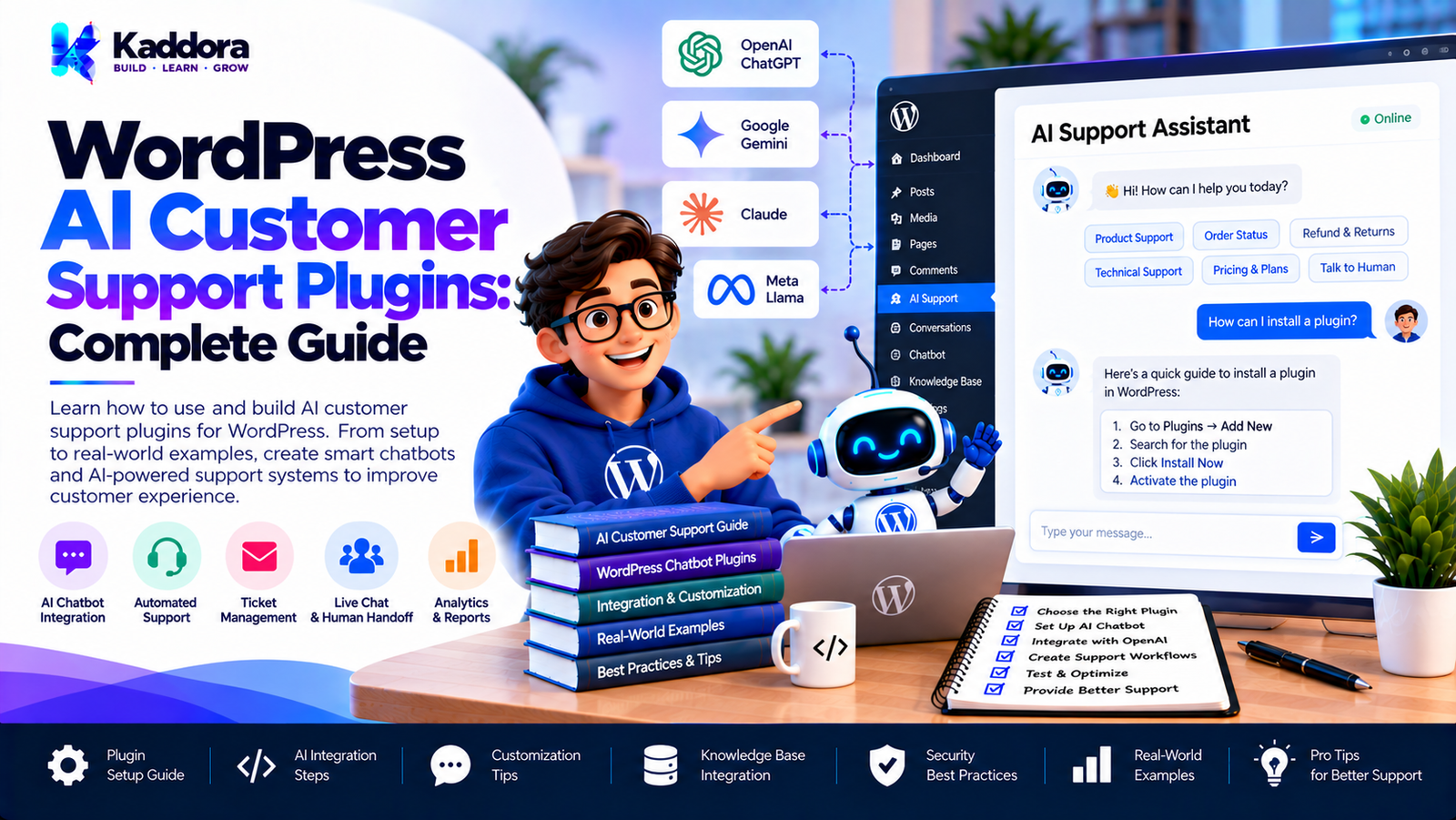
WordPress AI Customer Support Plugins: Complete Guide
Introduction
Customer support is one of the most important functions of a business website. Visitors expect quick answers about products, services, pricing, orders, policies, documentation, and common problems.
Traditional support systems often depend on contact forms, emails, ticket systems, live chat, and human support agents. These systems remain valuable, but AI can automate many repetitive questions and help visitors find information faster.
WordPress AI customer support plugins bring conversational AI directly into a WordPress website.
A well-designed AI customer support plugin can:
Answer frequently asked questions
Search website documentation
Help visitors find products
Explain services
Provide order-related guidance
Collect support requests
Qualify customer issues
Suggest relevant documentation
Route complex questions to human agents
Automate repetitive support conversations
However, installing an AI chatbot is only one part of the solution.
A reliable WordPress AI customer support system also needs appropriate knowledge sources, secure API integration, privacy controls, rate limiting, error handling, conversation management, and human escalation.
This guide explains how WordPress AI customer support plugins work, what features they should provide, and how developers can build them effectively.
What Are WordPress AI Customer Support Plugins?
WordPress AI customer support plugins are plugins that use artificial intelligence to assist website visitors with support-related questions.
A simplified architecture looks like this:
Website Visitor ↓ AI Support Chat ↓ WordPress Plugin ↓ Knowledge Retrieval ↓ AI Service ↓ Response
The plugin can use information from the website to produce more relevant responses.
For example:
Visitor: How long does delivery take? ↓ WordPress Knowledge Base ↓ Shipping Information ↓ AI Support Service ↓ Response: Delivery normally takes the period specified in the website's shipping policy.
The exact response should be based on the site's current and trusted information.
Why Use AI for WordPress Customer Support?
Businesses often receive the same questions repeatedly.
Examples include:
How do I place an order?
What payment methods are available?
How long does shipping take?
How do I request a refund?
Where can I find documentation?
What services do you offer?
How can I contact support?
What are your business hours?
An AI support plugin can handle suitable repetitive questions while allowing human support teams to focus on issues that require individual attention.
How a WordPress AI Support Plugin Works
A typical workflow is:
Customer Question ↓ Chat Interface ↓ Request Validation ↓ Knowledge Retrieval ↓ Relevant Information ↓ AI Service ↓ Response Validation ↓ Customer
Additional systems can include:
Rate Limiting Caching Logging Conversation Storage Human Escalation Analytics
Key Features of WordPress AI Customer Support Plugins
A useful AI support plugin can include several core features.
AI Chat Interface
The most visible feature is the chatbot interface.
It can appear as:
Floating chat button
Embedded chat box
Dedicated support page
Product-page assistant
Documentation assistant
The interface should remain responsive and easy to use.
Website Knowledge Integration
An AI chatbot becomes more useful when it can access relevant website information.
Potential sources include:
Pages
Posts
FAQs
Documentation
Knowledge-base articles
WooCommerce products
Shipping policies
Refund policies
Service information
The plugin should retrieve only the information relevant to the user's question whenever possible.
Frequently Asked Questions Automation
FAQs are one of the easiest sources for an AI support system.
For example:
FAQ: How do I reset my password? Answer: Use the password reset page and follow the instructions.
The AI can identify the relevant FAQ and present the information conversationally.
Documentation Search
Businesses often have large documentation libraries.
Instead of requiring visitors to search manually, an AI support plugin can provide a conversational interface.
For example:
Customer: How do I configure the SMTP settings? ↓ Documentation Search ↓ Relevant Documentation ↓ AI Response
This can make technical support information easier to discover.
WooCommerce Customer Support
WooCommerce websites can use AI support plugins for shopping-related assistance.
A chatbot can help visitors with questions about:
Products
Categories
Product attributes
Shipping information
Returns
Store policies
Payment methods
The plugin should use trusted WooCommerce information instead of allowing the AI to invent product details.
Product Support Chatbot
An AI assistant can be placed directly on product pages.
For example:
Product Page ↓ AI Assistant ↓ "What would you like to know?" ↓ Product Information ↓ AI Response
Potential questions include:
What are the product features?
Is this suitable for my requirements?
What is included?
How does this product compare with another product?
Order Support
Order-related support requires additional care.
For example:
Customer ↓ Order Question ↓ Authentication ↓ Order Lookup ↓ Authorized Data ↓ Response
The chatbot should not expose private order information without appropriate verification and authorization.
Shipping Support
Shipping questions are common for online stores.
A support plugin can use the store's shipping information to answer questions such as:
What shipping methods are available?
How long does delivery normally take?
What regions are supported?
What are the shipping conditions?
Current store information should be the source of truth.
Return and Refund Support
An AI support assistant can explain documented return and refund policies.
For example:
Customer Question ↓ Refund Policy Search ↓ Relevant Policy ↓ AI Explanation
The chatbot should explain the existing policy rather than inventing exceptions.
Lead Generation Through Customer Support
Customer support conversations can also identify potential sales opportunities.
For example:
Visitor ↓ Product Question ↓ Requirement Discovery ↓ Relevant Service/Product ↓ Contact Option
The chatbot can provide a contact or inquiry option when appropriate.
Human Support Escalation
AI should not necessarily handle every customer issue.
A good support plugin can provide a human handoff.
For example:
Customer ↓ AI Support ↓ Can AI Answer? ┌──────┴──────┐ Yes No ↓ ↓ Answer Human Support
Escalation can be triggered when:
The information is unavailable
The customer requests an agent
The issue is complex
The chatbot repeatedly fails to answer
The issue requires account-specific handling
AI Customer Support Plugin Architecture
A scalable architecture can separate responsibilities.
Chat Interface ↓ Request Controller ↓ Customer Support Service ↓ ┌──────────┴──────────┐ ↓ ↓ Knowledge Service Security Layer ↓ AI Service ↓ Provider Client ↓ AI Provider
Supporting services may include:
Conversation Manager Rate Limiter Cache Logger Analytics Human Handoff
Plugin Directory Structure
A larger plugin can use a structure such as:
ai-customer-support/ │ ├── ai-customer-support.php │ ├── includes/ │ ├── class-plugin.php │ ├── class-support-service.php │ ├── class-ai-service.php │ ├── class-conversation.php │ ├── class-rate-limiter.php │ ├── class-response-validator.php │ │ │ ├── API/ │ │ └── class-ai-client.php │ │ │ ├── Knowledge/ │ │ └── class-knowledge-retriever.php │ │ │ └── Support/ │ └── class-human-handoff.php │ ├── admin/ │ ├── assets/ │ ├── css/ │ └── js/ │ ├── languages/ │ └── uninstall.php
The exact structure should depend on the plugin's scope.
AI Provider Integration
The plugin can use an AI provider through a server-side API integration.
The basic architecture is:
WordPress ↓ AI Service ↓ Provider Client ↓ AI API ↓ Response
The provider integration should handle:
Authentication
Request construction
Timeouts
Response parsing
Error handling
Rate-limit errors
Protect API Credentials
Private AI API credentials should not be exposed in frontend JavaScript.
Avoid:
Browser ↓ Private API Key ↓ AI Provider
Prefer:
Browser ↓ WordPress ↓ Server-Side AI Client ↓ AI Provider
This keeps the provider credential away from the public browser environment.
Customer Support Prompt Design
The chatbot should have clearly defined instructions.
For example:
Role: You are a customer support assistant. Knowledge: Use only the supplied website information. Rules: - Do not invent product information. - Do not invent company policies. - Do not expose private customer data. - If information is unavailable, say so. - Escalate complex issues when appropriate.
The actual instructions should reflect the website's real support requirements.
Knowledge Retrieval
One of the most important parts of an AI support plugin is retrieving relevant information.
A basic architecture is:
Customer Question ↓ WordPress Search ↓ Relevant Content ↓ AI Context ↓ Response
For larger websites, the plugin can use a dedicated knowledge index.
Knowledge Indexing
Large websites may contain thousands of pages.
Searching all content on every request can become inefficient.
A knowledge index can provide a more scalable architecture:
Website Content ↓ Indexing ↓ Knowledge Index ↓ Search ↓ Relevant Information ↓ AI
The index can be updated when supported content changes.
AI Support for WordPress Documentation
Documentation-heavy products can benefit from AI support.
For example:
User: How do I configure the plugin? ↓ Documentation Search ↓ Installation + Configuration Articles ↓ AI Support Response
This allows visitors to interact with documentation conversationally.
AI Support for WordPress Plugins
Plugin developers can use AI support to help users understand:
Installation
Configuration
Features
Troubleshooting
Compatibility
Settings
Common errors
The knowledge base should be maintained as the plugin evolves.
AI Support for WordPress Themes
Themes can also use AI support for:
Theme configuration
Layout settings
Typography
Header/footer options
Demo setup
Customization instructions
Troubleshooting
The chatbot should use the current theme documentation.
Add Context to Support Questions
Consider this conversation:
Customer: How do I change the button color? AI: Which button are you referring to? Customer: The checkout button.
Conversation context allows the second message to be interpreted correctly.
However, conversation history should be limited appropriately to control resource usage.
Conversation Management
A conversation service can manage:
Session identification
Message history
Context limits
Conversation expiration
User preferences
Escalation state
A simple model is:
Conversation ├── User Message ├── AI Response ├── User Message └── AI Response
Rate Limiting
Public AI support systems can be abused.
A rate limiter can use a structure such as:
Incoming Request ↓ Rate Limit Check ↓ Allowed? ┌─────┴─────┐ Yes No ↓ ↓ Process Reject
Limits can be based on:
Session
User
IP
Account
Time window
Input Validation
Validate incoming messages before sending them to an AI service.
Useful checks include:
Required message
Maximum length
Valid request structure
Supported request type
Rate-limit status
Input validation also helps reduce unnecessary API usage.
Output Validation
AI-generated responses should not automatically be treated as trusted application data.
If the chatbot produces structured information, validate it before using it.
For example:
AI Output ↓ Validation ↓ Allowed? ┌────┴────┐ Yes No ↓ ↓ Display Reject/Fallback
Prevent AI Hallucinations
Customer support systems should avoid presenting unsupported information as fact.
Helpful techniques include:
Retrieval from trusted content
Clear AI instructions
Limited knowledge scope
Response validation
Fallback responses
Human escalation
A useful fallback can be:
I couldn't find enough information to answer that accurately. Please contact our support team for assistance.
Privacy and Customer Data
Customer support conversations may contain personal information.
A plugin should carefully consider:
What information is collected
What information is sent to an AI provider
Whether conversations are stored
How long conversations are retained
Who can access them
Whether users can request deletion
Only collect information necessary for the support function.
Protect Customer Information
Account-related questions require additional authorization.
For example:
Customer ↓ "What's my order status?" ↓ Authentication ↓ Order Authorization ↓ Order Data ↓ Response
The AI itself should not be responsible for deciding whether a visitor is authorized to access private information.
WordPress application logic should enforce authorization.
AI Should Not Control Sensitive Operations
Avoid architectures where an AI response directly performs sensitive operations.
For example:
AI ↓ Delete Account
Instead:
AI Request ↓ Application Validation ↓ Authorization ↓ Business Rules ↓ Action
The application remains responsible for sensitive operations.
Caching AI Support Responses
Some questions may be repeated frequently.
Caching can reduce unnecessary AI requests.
For example:
Customer Question ↓ Cache ├── Hit → Existing Response └── Miss ↓ AI Request ↓ Cache
Caching should only be used where the response remains appropriate for repeated users and the information does not contain private or user-specific data.
AI Support Performance
Performance can be affected by:
Large prompts
Long conversations
Large knowledge sources
Slow external APIs
Repeated requests
Excessive database queries
Optimization can include:
Relevant content retrieval
Context limits
Caching
Rate limiting
Efficient database queries
Background processing for large indexing tasks
Background Knowledge Processing
Large documentation libraries may require background processing.
For example:
10,000 Articles ↓ Processing Queue ↓ Background Jobs ↓ Knowledge Index
This avoids forcing the administrator to wait for a long browser request.
AI Support Analytics
An admin dashboard can provide useful support metrics.
For example:
AI Support Dashboard Conversations: 1,250 Questions: 4,860 Escalations: 185 Errors: 21
Additional metrics can include:
Most common questions
Unanswered questions
Escalation frequency
Response failures
Usage volume
Analytics should be designed with the site's privacy requirements in mind.
Identify Unanswered Questions
One valuable feature is identifying questions the chatbot cannot answer.
For example:
Question ↓ Knowledge Search ↓ No Relevant Information ↓ Unanswered Question Log
Administrators can then create new documentation or FAQs based on recurring support gaps.
AI Support and Knowledge Base Improvement
The chatbot can reveal which information customers struggle to find.
For example:
100 Visitors ↓ 35 Ask About Shipping 20 Ask About Returns 15 Ask About Installation
The business can use these patterns to improve documentation and website navigation.
The analytics should be interpreted carefully and according to the actual collected data.
Human Handoff Workflow
A support plugin can provide a structured escalation process:
AI Chat ↓ Issue Identified ↓ Collect Relevant Information ↓ Create Support Request ↓ Human Agent
The chatbot can provide the conversation summary to the support system when the site's privacy and data-handling practices allow it.
Support Ticket Integration
A custom AI support plugin can potentially connect conversations with:
WordPress ticket systems
CRM systems
Help desks
Internal support workflows
The integration should use secure APIs and only transmit necessary information.
Email Support Integration
For businesses without a full ticket system, an AI chatbot can provide an escalation form.
For example:
AI Chat ↓ Need Human Help ↓ Contact Form ↓ Support Email
The user can provide the required support information without forcing the AI to solve every problem.
AI Customer Support for Membership Websites
Membership websites can use AI support for:
Account navigation
Membership information
Documentation
Course guidance
General FAQs
Private account data should remain protected through normal WordPress authorization.
AI Support for Online Courses
Educational websites can use AI assistants to help users find:
Lessons
Courses
Documentation
Resources
FAQs
The chatbot should distinguish between available course information and generated explanations.
AI Support for SaaS Websites
A WordPress marketing website for a SaaS product can use AI to answer questions about:
Features
Pricing information
Integrations
Documentation
Getting started
The AI should rely on current source information.
Common Mistakes in WordPress AI Support Plugins
1. Using AI Without Website Knowledge
A generic AI model may not know the current company information.
2. Exposing API Credentials
Private provider credentials should remain server-side.
3. No Rate Limiting
Public chatbot endpoints can receive excessive requests.
4. No Human Escalation
Some support cases require human assistance.
5. Sending Excessive Content
Only relevant context should normally be sent to the AI.
6. Trusting AI With Authorization
WordPress application logic should control access to private data.
7. Storing Conversations Indefinitely
Define an appropriate retention policy.
8. Ignoring AI Provider Failures
External APIs can fail, timeout, or reject requests.
9. No Fallback Response
Visitors need a clear response when the chatbot cannot help.
10. No Mobile Optimization
The chatbot must work on small screens.
11. No Monitoring
Without logs and analytics, support problems can be difficult to diagnose.
Recommended WordPress AI Customer Support Architecture
A scalable implementation can look like this:
Website Visitor ↓ Chat Interface ↓ Request Controller ↓ Customer Support Service ↓ ┌─────────────┴─────────────┐ ↓ ↓ Knowledge Service Rate Limiter ↓ Relevant Context ↓ AI Service ↓ Provider Client ↓ AI Provider ↓ Response Validation ↓ Support Response ↓ Visitor
Human escalation can branch from the support service:
Customer Support Service ↓ AI Can Answer? ┌───┴───┐ Yes No ↓ ↓ Response Human Handoff
WordPress AI Customer Support Plugin Checklist
Architecture
Plugin bootstrap
Support service
AI service
Provider client
Knowledge retrieval
Conversation management
Human escalation
Security
API credentials protected
Input validation
Appropriate nonce protection
Authorization checks
Rate limiting
Private data protection
Output validation
Knowledge
Website content
FAQs
Documentation
Product information
Support articles
Knowledge indexing where required
Performance
Context limits
Request limits
Caching where appropriate
Efficient retrieval
Background indexing
Duplicate request protection
Customer Experience
Responsive chat
Mobile support
Accessibility
Welcome message
Suggested questions
Clear error messages
Human support option
Privacy
Data collection documented
External processing documented
Conversation retention defined
Sensitive information minimized
Appropriate privacy information provided
Why Choose Kaddora?
Kaddora focuses on WordPress plugins, WooCommerce solutions, AI-powered tools, automation, themes, templates, and business-oriented web solutions.
Building an AI customer support system requires more than adding a chatbot window. A useful solution needs structured WordPress integration, relevant knowledge retrieval, secure AI communication, controlled access to customer data, performance optimization, and practical support workflows.
ThemeKaddora's WordPress-focused ecosystem covers areas such as:
AI WordPress plugins
WooCommerce solutions
SEO tools
Automation
Analytics
WordPress themes
Website templates
Business-focused web solutions
For businesses using WordPress, AI customer support can become part of a broader digital support system that combines website content, documentation, product information, automation, and human assistance.
Conclusion
WordPress AI customer support plugins can help businesses automate repetitive questions and make website support information easier to access.
A basic chatbot may simply send a visitor's message to an AI provider. A production-ready customer support plugin requires a much broader architecture.
Important components include:
AI integration
Knowledge retrieval
Conversation management
Input validation
Response validation
Rate limiting
Privacy controls
Secure customer-data handling
Caching
Error handling
Analytics
Human escalation
For content-heavy websites, connecting the chatbot to documentation and FAQs can provide more useful support. For WooCommerce stores, trusted product and policy information can support shopping and customer-service conversations.
The most important design principle is to keep the AI within controlled application boundaries. WordPress should remain responsible for authentication, authorization, business rules, sensitive data, and important actions.
When AI, website knowledge, security, and human support are combined carefully, a WordPress AI customer support plugin can become a practical part of a modern customer-service workflow.
Frequently Asked Questions
What is a WordPress AI customer support plugin?
A WordPress AI customer support plugin uses artificial intelligence to help website visitors find information, answer common questions, troubleshoot documented issues, and connect with human support when necessary.
How does an AI customer support plugin work?
The visitor submits a question through a chat interface. The plugin validates the request, retrieves relevant website information, sends appropriate context to an AI service, validates the response, and displays the result.
Can an AI chatbot use WordPress content?
Yes. A plugin can retrieve relevant pages, posts, FAQs, documentation, products, and other supported content and use it as context for an AI response.
Can AI replace customer support agents?
AI can automate suitable repetitive questions, but complex, sensitive, or account-specific issues may still require human assistance. A human handoff feature can support this workflow.
How can I prevent AI hallucinations?
Use trusted website content, define the chatbot's knowledge scope, provide clear instructions, validate responses where appropriate, use fallback messages, and offer human escalation.
Should customer conversations be stored?
Not necessarily. Storage depends on the purpose of the system. If conversations are stored, the plugin should define the data collected, retention period, access controls, and deletion procedures.
How do I protect an AI support chatbot from spam?
Use rate limiting, input validation, request limits, duplicate-request protection, and appropriate endpoint security.
Should the AI API key be placed in JavaScript?
Private AI API credentials should not be exposed in client-side JavaScript. Server-side WordPress code should generally communicate with the AI provider.
Can an AI support plugin work with WordPress themes?
Yes. Theme documentation can be used as a knowledge source for questions about configuration, customization, features, and troubleshooting.
How can AI customer support reduce API costs?
Use relevant content retrieval, limit conversation history, restrict message size, prevent duplicate requests, apply rate limits, cache appropriate responses, and avoid sending unnecessary information.
What should happen when the AI service fails?
The plugin should detect the failure and display a controlled fallback message, such as directing the visitor to documentation or human support.
How can I make a WordPress AI support chatbot faster?
Use efficient knowledge retrieval, reasonable context limits, caching where appropriate, optimized database queries, request limits, and background processing for large knowledge-indexing operations.
Can an AI chatbot collect customer information?
It can be designed to collect specific information, but the website should clearly communicate what information is being collected and how it will be used.
Why choose Themekaddora?
Themekaddora provides lightweight, responsive, SEO-friendly WordPress themes with fast performance, WooCommerce compatibility, flexible customization, accessibility-conscious design, modern templates, regular updates, and professional support—providing a strong foundation for businesses building digital products and product-focused websites.
Comments (0)