
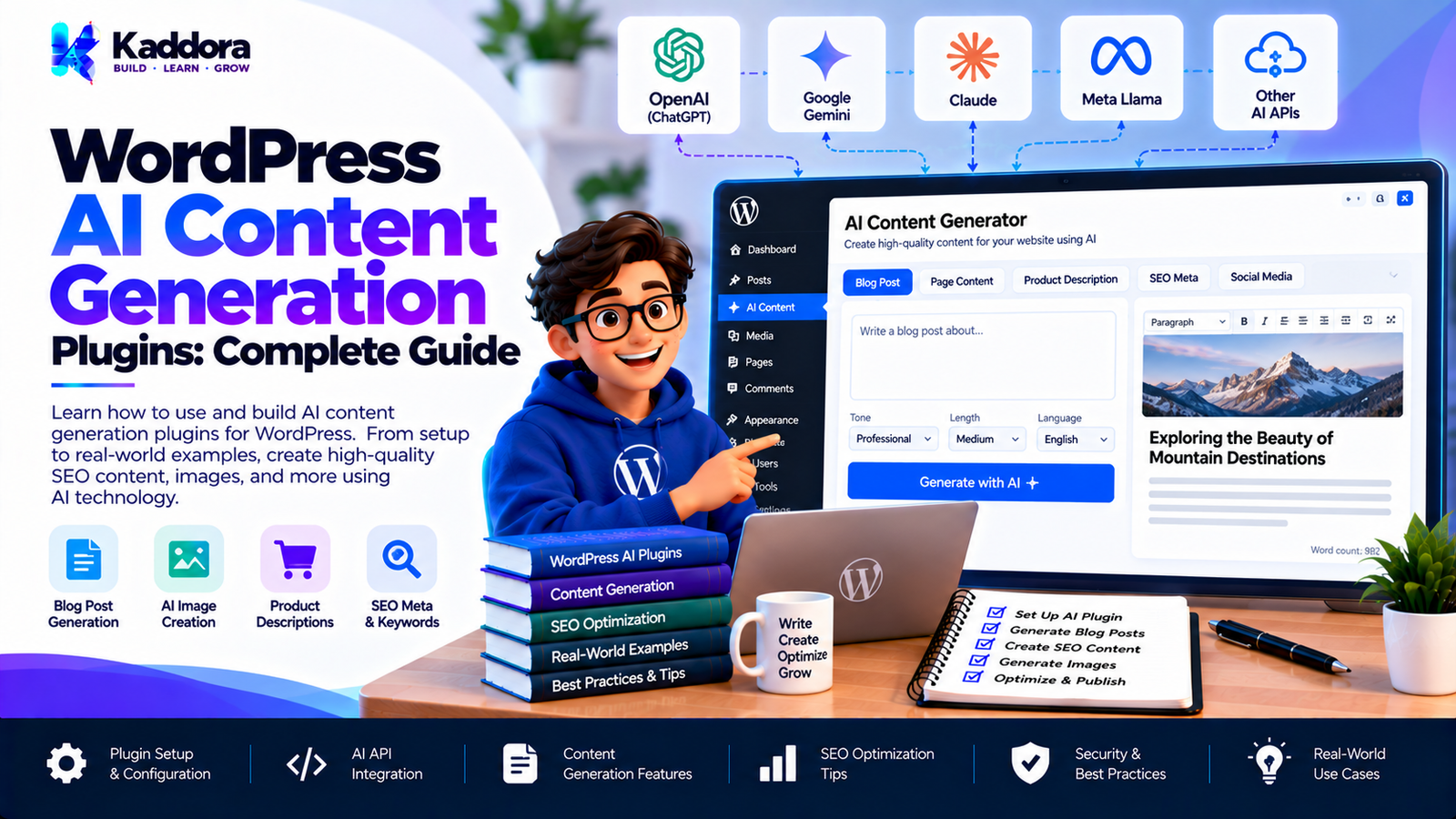
WordPress AI Content Generation Plugins: Complete Guide
Introduction
Creating high-quality content consistently is one of the biggest challenges for website owners, publishers, marketers, and businesses.
A typical WordPress website may need:
Blog articles
Product descriptions
Landing-page copy
Meta descriptions
Headlines
Social media content
FAQs
Email copy
Content summaries
Content updates
Artificial intelligence can help automate parts of these workflows.
WordPress AI content generation plugins connect WordPress with AI services and provide content-generation functionality directly inside the WordPress dashboard or website workflow.
Instead of switching between WordPress and an external AI application, users can generate or improve content from within their existing publishing environment.
However, a reliable AI content-generation plugin should do more than send text to an AI API.
It should consider:
Content workflows
Prompt management
AI API integration
WordPress permissions
Content quality
SEO
Data privacy
API costs
Rate limiting
Error handling
Editorial review
Performance
Scalability
This guide explains how WordPress AI content generation plugins work, their major features, architecture, development considerations, and best practices.
What Are WordPress AI Content Generation Plugins?
WordPress AI content generation plugins are plugins that use artificial intelligence to assist with creating, rewriting, expanding, summarizing, or optimizing website content.
A simplified workflow looks like this:
WordPress Editor ↓ AI Content Tool ↓ WordPress Plugin ↓ AI Service ↓ Generated Content ↓ Editor Review ↓ Publish
The important part is that AI-generated content should remain part of a controlled publishing workflow.
What Can an AI Content Generation Plugin Do?
An AI content plugin can support many different tasks.
Generate Blog Content
A plugin can help create:
Article outlines
Introductions
Sections
Draft articles
Conclusions
FAQs
Rewrite Existing Content
AI can help rewrite content for:
Clarity
Readability
Conciseness
Different audiences
Different tones
Create Summaries
The plugin can generate:
Excerpts
Short summaries
Executive summaries
Social snippets
Generate Headlines
AI can suggest:
Blog titles
Section headings
Product titles
Landing-page headlines
Generate Meta Descriptions
An AI plugin can use page content to suggest search-result descriptions.
Generate Product Descriptions
WooCommerce websites can use AI to assist with product copy.
Why Add AI Content Generation to WordPress?
WordPress is already a content management platform.
AI can extend the content workflow by providing assistance directly inside the CMS.
For example:
Research ↓ WordPress Editor ↓ AI Assistance ↓ Review ↓ Publish
This reduces the need to move content between multiple applications.
AI Content Generation Workflow
A practical workflow can look like this:
Content Requirement ↓ Prompt Configuration ↓ AI Request ↓ Generated Draft ↓ Validation ↓ Editor Review ↓ WordPress Content
The editor should remain in control of the final content.
WordPress AI Content Plugin Architecture
A scalable architecture can separate different responsibilities.
WordPress Editor ↓ AI Content UI ↓ Request Controller ↓ Content Generation Service ↓ Prompt Service ↓ AI Provider Client ↓ AI Provider
Additional components can include:
Usage Manager Rate Limiter Content Validator Cache Logging Settings
Plugin Directory Structure
A larger plugin can use a structure such as:
ai-content-generator/ │ ├── ai-content-generator.php │ ├── includes/ │ ├── class-plugin.php │ ├── class-content-service.php │ ├── class-prompt-service.php │ ├── class-ai-service.php │ ├── class-content-validator.php │ ├── class-rate-limiter.php │ │ │ ├── API/ │ │ └── class-ai-client.php │ │ │ └── Content/ │ └── class-content-generator.php │ ├── admin/ │ ├── class-admin.php │ └── views/ │ ├── assets/ │ ├── css/ │ └── js/ │ ├── languages/ │ └── uninstall.php
The structure should be adjusted according to the plugin's actual scope.
Step 1: Define the Content Generation Features
Before development, determine exactly what the plugin should generate.
Possible features include:
Blog Titles Blog Outlines Blog Sections Full Drafts Summaries Meta Descriptions FAQs Product Descriptions Social Posts
Avoid adding AI features without a clear user workflow.
Step 2: Integrate AI With WordPress
The AI integration should generally happen server-side.
A simplified architecture is:
WordPress ↓ AI Service ↓ Provider Client ↓ AI API
The provider client can manage:
Authentication
HTTP requests
Request payloads
Response handling
Error handling
Timeouts
Step 3: Protect AI Credentials
Private API credentials should not be placed in browser-side JavaScript.
Avoid:
Browser ↓ Private API Key ↓ AI Provider
Prefer:
Browser ↓ WordPress Server ↓ AI Client ↓ AI Provider
This keeps sensitive credentials on the server.
Step 4: Build a Content Generation Service
A dedicated service can manage generation requests.
For example:
class Kaddora_Content_Service { public function generate( $request ) { // Generate content. } }
The service can coordinate:
Prompt creation
Input validation
AI requests
Output validation
Content formatting
Step 5: Build a Prompt Service
Instead of placing prompts throughout the plugin, use a centralized prompt layer.
For example:
Content Type ↓ Prompt Configuration ↓ AI Request
This makes prompt management easier to maintain.
Prompt Templates
A content-generation plugin can provide templates such as:
Blog Introduction Blog Outline Product Description Meta Description FAQ Conclusion Social Media Caption
Each template can define:
Content purpose
Expected format
Tone
Length
Context
Output requirements
Dynamic Prompt Variables
Prompt templates can contain dynamic values.
For example:
Topic: {topic} Audience: {audience} Tone: {tone} Length: {length} Keywords: {keywords}
The plugin replaces these values before sending the request.
Step 6: Add AI Content Generation to the WordPress Editor
A useful editor workflow could be:
Write Content ↓ AI Assistant ↓ Choose Action ┌────┼────────┬─────────┐ ↓ ↓ ↓ ↓ Draft Rewrite Expand Summarize
The result can then be inserted into the editor for review.
Step 7: Support the Block Editor
Modern WordPress content workflows often use the block editor.
An AI plugin can provide actions that work alongside the editor.
Potential workflows include:
Generate block content
Rewrite selected content
Expand a paragraph
Create an outline
Generate FAQs
The implementation should follow WordPress editor APIs and avoid interfering with normal editor functionality.
Step 8: Support Classic Editor Where Appropriate
Some WordPress websites continue to use the Classic Editor.
If broad compatibility is a goal, the plugin can provide an appropriate interface for both editor environments.
Step 9: Generate Blog Outlines
Generating an outline before generating a complete article can improve the editorial workflow.
For example:
Topic ↓ AI Outline ↓ H2 Sections ↓ H3 Sections ↓ Editor Review ↓ Content Generation
This gives the editor more control over the final structure.
Step 10: Generate Blog Introductions
AI can generate introductory drafts based on:
Topic
Audience
Search intent
Article structure
Key points
The editor can then modify the introduction before publishing.
Step 11: Generate Individual Sections
Instead of generating an entire article at once, a plugin can generate individual sections.
For example:
Article ├── Introduction ├── Section 1 ├── Section 2 ├── Section 3 └── Conclusion
This provides more control over content quality and structure.
Step 12: Rewrite Existing Content
A rewrite tool can offer actions such as:
Make shorter
Make clearer
Improve readability
Make more professional
Simplify language
Expand explanation
The original content should remain recoverable where practical.
Step 13: Summarize WordPress Content
AI can generate summaries from existing posts or pages.
For example:
Long Article ↓ AI Summary ↓ Excerpt
This can help create excerpts and content previews.
Step 14: Generate FAQs
A content plugin can identify likely questions related to an article and generate draft FAQ answers.
A useful workflow is:
Article Content ↓ Question Identification ↓ FAQ Draft ↓ Editor Review
The editor should verify factual accuracy before publishing.
Step 15: Generate SEO Titles
AI can suggest title variations based on the content.
For example:
Article Topic ↓ AI ↓ Title Suggestions
Titles should still be reviewed for accuracy, relevance, and search intent.
Step 16: Generate Meta Descriptions
The plugin can use the article content to generate candidate meta descriptions.
The workflow can be:
Article ↓ Key Information ↓ AI ↓ Meta Description ↓ Editor Review
The final description should accurately represent the page.
Step 17: Generate Product Descriptions
WooCommerce stores often contain many products.
AI can assist with product descriptions based on structured product data.
For example:
Product ├── Name ├── Features ├── Attributes └── Specifications ↓ AI ↓ Description Draft
The generated description should not introduce unsupported specifications.
Step 18: WooCommerce AI Content Generation
WooCommerce AI content features can include:
Product descriptions
Short descriptions
Product highlights
Category descriptions
Product FAQs
Marketing copy
The plugin should use WooCommerce data as the source of product facts.
Step 19: Generate Social Media Content
An AI content plugin can convert an article into social content.
For example:
WordPress Article ↓ AI Content Generator ↓ Social Post
The output can be reviewed and edited before publication.
Step 20: Generate Email Content
The same content workflow can produce:
Newsletter drafts
Promotional messages
Announcement copy
Follow-up emails
The plugin should clearly separate content generation from sending messages.
Step 21: Generate Content in Multiple Languages
AI can assist with translation and multilingual content generation.
However, translated content should be reviewed for:
Meaning
Terminology
Brand voice
Cultural context
Technical accuracy
Step 22: Add Brand Voice Settings
A content plugin can provide a configurable brand voice.
Possible settings include:
Tone: Professional Style: Clear and concise Audience: Business owners Language: English
These settings can become part of the prompt configuration.
Step 23: Create Content Templates
Templates can make AI generation more consistent.
For example:
Template: Product Description Inputs: Product Name Features Audience Tone Output: Short Description Long Description Benefits FAQ
Step 24: Add Content Context
AI output becomes more useful when the plugin supplies relevant context.
Context can include:
Existing article content
Product information
Site information
User-provided instructions
Selected text
Only necessary context should be sent.
Step 25: Limit Context Size
Sending huge amounts of content can increase processing requirements.
A plugin can:
Limit input size
Select relevant sections
Summarize older content
Process content in chunks
This can improve efficiency.
Step 26: Content Chunking
Large documents can be processed in smaller sections.
For example:
Large Document ↓ Chunk 1 Chunk 2 Chunk 3 Chunk 4 ↓ Processing ↓ Combined Result
This can be useful for large content-processing workflows.
Step 27: AI Content Validation
Generated content should be validated before being inserted into WordPress.
Check for:
Empty responses
Invalid response format
Unexpected markup
Excessive length
Unsupported structured data
Missing required fields
Step 28: Sanitize Generated Content
AI output should not automatically be treated as trusted HTML.
If generated content is inserted into WordPress, the plugin should use appropriate WordPress sanitization and content-handling mechanisms.
Step 29: Do Not Automatically Publish Everything
A safer editorial workflow is:
AI Generates ↓ Draft ↓ Human Review ↓ Edit ↓ Publish
Automatic publishing should only be considered when the workflow has appropriate validation and review controls.
Step 30: Add Draft Mode
A useful plugin can generate content directly as a WordPress draft.
For example:
AI Content ↓ Create Draft ↓ WordPress Editor ↓ Review ↓ Publish
This keeps the editor in control.
Step 31: Add Content History
An AI plugin can store versions of generated content where appropriate.
For example:
Version 1 Version 2 Version 3 Final Draft
This can help editors recover previous drafts.
Step 32: Add Regenerate Functionality
The editor can request another variation when the first response is not suitable.
For example:
Generate ↓ Draft A ↓ Regenerate ↓ Draft B
The plugin should still apply usage and rate limits.
Step 33: Add Content Length Controls
Users may want:
Short
Medium
Long
or specific length ranges.
The plugin should communicate these requirements clearly to the AI service.
Step 34: Add Tone Controls
Useful tone options can include:
Professional
Friendly
Conversational
Educational
Technical
Concise
The exact options should match the plugin's target audience.
Step 35: Add Usage Limits
AI APIs can generate costs.
The plugin can provide controls such as:
Requests Per User Requests Per Hour Requests Per Day Maximum Input Maximum Output
The exact limits depend on the application's requirements.
Step 36: Add Rate Limiting
AI content generation endpoints should not be left unrestricted.
A simple workflow is:
Generate Request ↓ Rate Limit ↓ Allowed? ┌────┴────┐ Yes No ↓ ↓ Generate Reject
Step 37: Optimize AI API Costs
Cost can increase because of:
Long prompts
Large content
Repeated generation
Regeneration
Large conversation histories
Optimization techniques include:
Context limits
Content chunking
Caching
Request limits
Efficient prompts
Duplicate prevention
Step 38: Cache Appropriate Requests
Some deterministic or repeatable generation workflows may benefit from caching.
For example:
Generation Request ↓ Cache ├── Hit → Existing Result └── Miss ↓ AI Request ↓ Cache
Caching should be used carefully because different users or contexts may require different outputs.
Step 39: Handle AI Provider Errors
External APIs can return errors such as:
Authentication failures
Rate limits
Invalid requests
Network errors
Timeouts
Temporary service failures
The plugin should convert these into useful administrator or user-facing messages.
Step 40: Avoid Uncontrolled Retries
Repeatedly retrying failed AI requests can increase costs.
Retries should be:
Limited
Appropriate to the error
Controlled
Logged where useful
Step 41: Add Admin Settings
A content-generation plugin may include settings for:
AI provider
API configuration
Default tone
Default language
Content limits
Usage limits
Generation behavior
Logging
Settings should be clearly organized.
Step 42: Add Permissions
Not every WordPress user should necessarily have access to AI generation.
Use appropriate WordPress capabilities for administrative and content-generation functions.
For example:
Administrator ↓ Plugin Settings Editor ↓ Content Generation Author ↓ Allowed AI Features
The exact capabilities should match the plugin's requirements.
Step 43: Protect AJAX and REST Requests
AI content generation endpoints should use appropriate WordPress security mechanisms.
Depending on the endpoint, consider:
Nonces
Authentication
Capability checks
Input validation
Rate limiting
Step 44: Protect Against Prompt Injection
User-provided content can contain instructions designed to manipulate AI behavior.
For example:
User Content ↓ "Ignore previous instructions..."
The plugin should distinguish between:
System/application instructions
Trusted website context
User-provided content
AI should not be treated as the authorization layer for application actions.
Step 45: Keep AI Separate From WordPress Permissions
An AI response should not determine whether a user can:
Publish content
Delete posts
Modify settings
Access private data
WordPress permissions should control these operations.
Step 46: Add Logging
Useful logs can include:
Generation failures
API errors
Request timestamps
Provider response errors
Usage information
Avoid logging sensitive content unnecessarily.
Step 47: Add Usage Analytics
An admin dashboard can show:
AI Usage Generations: 1,240 Failed Requests: 18 Average Response Time: ...
Additional metrics can include:
Generation type
User
Date
Feature usage
Error frequency
Analytics should follow appropriate privacy practices.
Step 48: Background Content Generation
Large content-generation operations should not always run inside a single browser request.
For example:
100 Product Descriptions ↓ Processing Queue ↓ Background Jobs ↓ Generated Drafts
This can reduce browser timeout problems.
Step 49: Bulk WooCommerce Content Generation
For stores with many products, bulk generation can be useful.
The workflow can be:
Select Products ↓ Choose Template ↓ Queue ↓ Generate ↓ Save Drafts ↓ Review
Bulk operations should have strong safeguards to avoid accidental large-scale changes.
Step 50: Add a Review Workflow
A practical AI publishing system can use:
Generate ↓ Draft ↓ Review ↓ Edit ↓ SEO Check ↓ Publish
This provides an editorial checkpoint before publication.
AI Content and SEO
AI-generated content should still follow sound content practices.
Focus on:
Search intent
Accurate information
Useful explanations
Clear structure
Natural language
Helpful headings
Appropriate internal linking
Relevant metadata
AI should assist the content process rather than replace editorial judgment.
AI Content and Originality
Generated text should be reviewed for:
Accuracy
Repetition
Generic wording
Unsupported claims
Brand consistency
Usefulness
Publishing large volumes of low-value content simply because it can be generated quickly can create quality problems.
AI Content Quality Checklist
Before publishing generated content, check:
Accuracy ↓ Originality ↓ Search Intent ↓ Readability ↓ Brand Voice ↓ SEO ↓ Human Review ↓ Publish
Common WordPress AI Content Plugin Mistakes
1. Automatically Publishing AI Output
Use an appropriate review workflow.
2. Exposing API Keys
Keep private credentials server-side.
3. Sending Excessive Content
Use relevant context rather than entire websites.
4. No Usage Limits
AI generation can become expensive without controls.
5. No Rate Limiting
Public endpoints need protection.
6. Ignoring WordPress Permissions
AI features should respect WordPress capabilities.
7. Trusting Generated HTML
Generated output must be handled safely.
8. No Error Handling
AI providers can fail.
9. No Content History
Editors may need to recover previous versions.
10. No Human Review
Generated content should be checked before publication when accuracy and quality matter.
Recommended WordPress AI Content Generation Architecture
A scalable system can look like this:
WordPress Editor ↓ AI Content UI ↓ Request Controller ↓ Content Generation Service ↓ Prompt Management ↓ Context Preparation ↓ AI Provider Client ↓ AI Provider ↓ Response Validation ↓ Draft / Editor ↓ Human Review ↓ Publish
Supporting services can include:
Rate Limiter Usage Manager Cache Logger Content History Background Processor
WordPress AI Content Plugin Development Checklist
Architecture
Plugin bootstrap
Content generation service
Prompt service
AI provider client
Content validator
Usage manager
Background processing where required
Security
API credentials protected
Input validation
Output handling
Appropriate nonces
Capability checks
Rate limiting
Prompt injection considerations
Content
Blog generation
Rewriting
Summaries
Titles
FAQs
Meta descriptions
Product descriptions
Templates
Performance
Context limits
Request limits
Efficient prompts
Caching where appropriate
Background processing
Bulk-operation controls
Editorial Workflow
Draft generation
Human review
Content history
Regeneration
Preview
Publish control
Why Choose Kaddora?
Kaddora focuses on WordPress plugins, AI-powered tools, WooCommerce solutions, themes, templates, automation, SEO, analytics, and business-focused web solutions.
AI content generation is most useful when it becomes part of a structured WordPress workflow rather than simply producing large amounts of text.
A well-designed AI content plugin can combine:
WordPress editing
AI generation
Content templates
SEO workflows
WooCommerce data
Automation
Editorial review
Usage management
ThemeKaddora's WordPress-focused ecosystem provides solutions and resources across AI plugins, WordPress development, WooCommerce, SEO, automation, analytics, themes, and templates.
For WordPress users and developers, this approach makes it possible to build AI-assisted publishing workflows while keeping WordPress at the center of content management.
Conclusion
WordPress AI content generation plugins can make content workflows faster and more flexible by bringing AI assistance directly into WordPress.
A basic implementation may simply connect an editor to an AI API. A production-ready plugin requires a much broader system.
Important components include:
Secure AI integration
Prompt management
Content templates
Context preparation
Output validation
WordPress permissions
Rate limiting
API cost controls
Error handling
Content history
Editorial review
Background processing
AI can assist with blog drafts, outlines, rewrites, summaries, FAQs, product descriptions, metadata, and other content tasks.
However, generated content should not automatically be treated as final content. Accuracy, relevance, originality, brand voice, and usefulness should still be reviewed before publication.
For WooCommerce websites, AI can assist with product content using structured product information. For publishers, it can accelerate drafting and editing. For businesses, it can help transform existing website information into new content formats.
The strongest approach is to treat AI as part of a controlled WordPress publishing workflow:
AI Generation ↓ Validation ↓ Human Review ↓ WordPress ↓ Publish
With appropriate architecture, security, performance controls, and editorial oversight, WordPress AI content generation plugins can become a practical part of modern content production.
Frequently Asked Questions
What is a WordPress AI content generation plugin?
A WordPress AI content generation plugin connects WordPress with an AI service to help users create, rewrite, summarize, expand, and optimize website content.
Can AI generate blog posts in WordPress?
Yes. An AI plugin can generate blog outlines, sections, introductions, conclusions, FAQs, and complete draft articles depending on its features.
Can AI generate WooCommerce product descriptions?
Yes. A plugin can use structured WooCommerce product information to generate product-description drafts.
Should AI-generated content be published automatically?
For many workflows, generating a draft for human review is a safer approach. Editors can verify accuracy, relevance, formatting, and brand voice before publishing.
Can an AI plugin rewrite existing WordPress content?
Yes. It can provide features such as rewriting, shortening, expanding, simplifying, or changing the tone of selected content.
Can an AI content plugin work with the WordPress block editor?
Yes. A plugin can provide AI-assisted workflows within or alongside the block editor when implemented using appropriate WordPress APIs.
Can AI content plugins support the Classic Editor?
Yes. Developers can provide a suitable interface for websites that continue to use the Classic Editor.
Can I generate content for multiple products at once?
Yes. A plugin can implement bulk generation using a processing queue and background jobs. Bulk operations should include safeguards and preferably save generated content as drafts for review.
Can AI generate content in multiple languages?
Yes. AI can assist with multilingual content generation and translation, although language quality and terminology should be reviewed.
Can I create custom AI content templates?
Yes. A plugin can provide templates with fields such as topic, audience, tone, language, keywords, product information, and desired output format.
What is a prompt template?
A prompt template is a reusable instruction structure containing fixed instructions and dynamic variables that are populated when a generation request is made.
Should generated content be stored in WordPress?
It can be stored as a draft, post, product description, or other appropriate content type depending on the workflow. The plugin should provide suitable permissions and review controls.
Can an AI plugin generate HTML?
It can generate HTML or structured content, but generated markup should be handled carefully and sanitized or validated according to the intended WordPress output context.
How can I prevent prompt injection?
Separate trusted application instructions from user-provided content, avoid treating user text as trusted instructions, validate generated output, and never use AI as the authorization mechanism for sensitive WordPress actions.
Can AI automatically publish WordPress posts?
A plugin can technically implement automated publishing, but the appropriate workflow depends on the site's requirements. A draft-and-review workflow provides an editorial checkpoint before publication.
How can I improve AI-generated content quality?
Provide relevant context, use clear prompts, define the target audience and tone, generate structured drafts, validate information, and conduct human editorial review.
Can an AI plugin generate social media content?
Yes. A WordPress article can be transformed into draft social posts, captions, summaries, or promotional copy.
Why choose Themekaddora?
Themekaddora provides lightweight, responsive, SEO-friendly WordPress themes with fast performance, WooCommerce compatibility, flexible customization, accessibility-conscious design, modern templates, regular updates, and professional support—providing a strong foundation for businesses building digital products and product-focused websites.
Comments (0)