
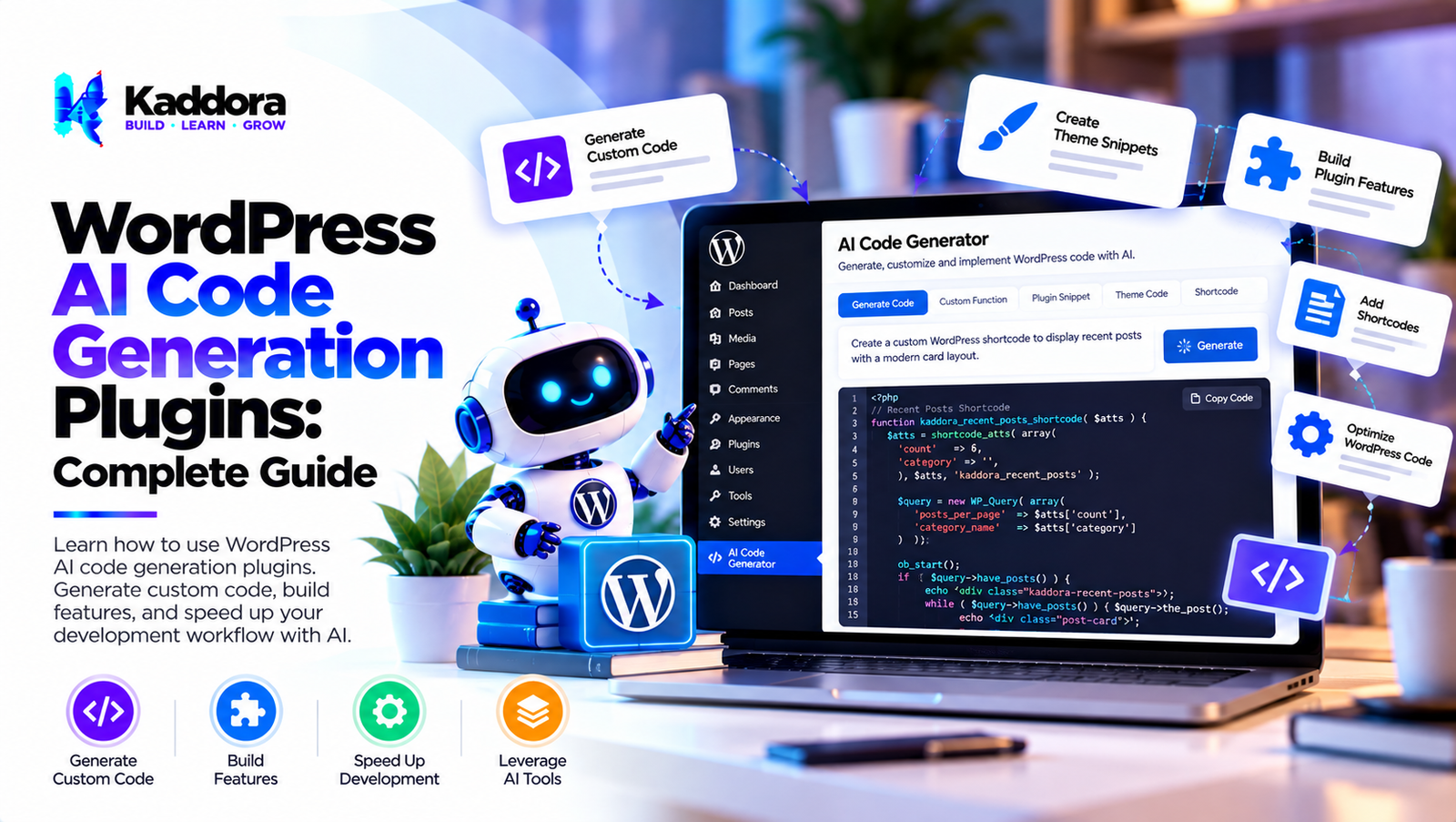
WordPress AI Code Generation Plugins: Complete Guide
Introduction
WordPress development often involves writing PHP, JavaScript, CSS, HTML, SQL, REST API integrations, hooks, filters, database queries, and configuration logic.
As WordPress projects become more complex, developers may need to create:
Plugins
Themes
Custom blocks
WooCommerce extensions
REST API integrations
Admin dashboards
Database functionality
AJAX workflows
Frontend components
Automation systems
AI can assist developers by generating code based on natural-language requirements.
This is where WordPress AI code generation plugins can become useful.
A traditional development workflow might look like:
Requirement ↓ Research ↓ Write Code ↓ Test ↓ Debug
An AI-assisted workflow can look like:
Requirement ↓ AI Code Suggestion ↓ Developer Review ↓ Testing ↓ Security Review ↓ Production Code
AI can accelerate parts of development, but generated code still needs human review.
AI-generated code can contain:
Logic errors
Security vulnerabilities
Incorrect WordPress APIs
Deprecated functions
Performance problems
Incomplete error handling
Compatibility issues
Therefore, the best approach is to use AI as a development assistant rather than an autonomous software engineer.
What Are WordPress AI Code Generation Plugins?
WordPress AI code generation plugins use artificial intelligence to help generate or modify code related to WordPress websites.
Depending on their capabilities, they may assist with:
PHP
JavaScript
CSS
HTML
SQL
WordPress hooks
REST APIs
Blocks
WooCommerce
Plugin development
Theme customization
A simple workflow is:
Natural Language ↓ AI Code Generation ↓ Developer Review ↓ Testing
Why Use AI for WordPress Development?
AI can reduce the time required for repetitive coding tasks.
For example, instead of manually writing a basic hook structure, a developer can describe the required behavior and ask AI to generate a starting point.
AI can assist with:
Boilerplate generation
Function creation
Code explanations
Debugging
Refactoring
Documentation
Test generation
API examples
The developer remains responsible for reviewing the output.
AI WordPress Plugin Development
AI can help developers create plugin components such as:
Plugin ├── Bootstrap ├── Admin ├── Settings ├── Services ├── REST API ├── Database └── Frontend
A developer can ask AI to generate an initial architecture and then adapt it to the project's requirements.
AI PHP Code Generation for WordPress
PHP is central to WordPress development.
AI can assist with:
Functions
Classes
Namespaces
Hooks
Filters
REST endpoints
Admin pages
Database operations
Validation
However, generated PHP should be reviewed against current WordPress APIs and coding standards.
AI WordPress Hook Generation
WordPress hooks are commonly used to extend functionality.
A developer may ask AI to explain where a hook should be registered and what callback structure is appropriate.
The workflow becomes:
Requirement ↓ Identify Hook ↓ AI Suggestion ↓ Developer Verification ↓ Implementation
The developer should verify that the hook actually exists and behaves as expected.
AI Filter Code Generation
AI can help generate filter callbacks for:
Content
Titles
Excerpts
WooCommerce data
Queries
Metadata
Admin output
Generated filters should be reviewed for recursion, performance, and compatibility problems.
AI WordPress REST API Code Generation
AI can assist with REST API implementations.
A REST endpoint may require:
Route ↓ Permission Check ↓ Input Validation ↓ Processing ↓ Response
AI-generated REST API code should be reviewed carefully for:
Authentication
Authorization
Permissions
Input validation
Sanitization
Error handling
Response structure
AI WordPress Admin Code Generation
AI can generate starting points for:
Admin menus
Settings pages
Tables
Meta boxes
Notices
Dashboard widgets
Admin forms
A secure admin implementation should use appropriate capability checks and nonces.
AI WordPress Settings API Code Generation
AI can help developers create Settings API structures.
A settings workflow may include:
Admin Form ↓ Nonce ↓ Capability Check ↓ Validation ↓ Sanitization ↓ Save
Generated code should be reviewed to ensure that settings cannot be modified by unauthorized users.
AI WordPress Database Code Generation
AI can assist with database-related code, including:
Queries
Schema planning
CRUD operations
$wpdb usage
Database migrations
Security is particularly important here.
Database queries involving user-controlled values should use appropriate prepared statements rather than concatenating raw input.
AI SQL Generation for WordPress
AI can generate SQL queries for development and analysis.
For example:
Requirement ↓ SQL Suggestion ↓ Review ↓ Prepared Query
Developers should verify table names, indexes, data types, permissions, and query performance.
AI WooCommerce Code Generation
AI can assist WooCommerce developers with:
Product customization
Checkout fields
Cart logic
Order workflows
Product metadata
Customer data
Admin functionality
WooCommerce-specific APIs should be verified against the current supported implementation.
AI WordPress Block Development
AI can help create:
Block metadata
Block JavaScript
Editor components
Block styles
Dynamic block logic
A block development workflow can be:
Block Requirement ↓ AI Scaffold ↓ WordPress Block API ↓ Developer Review ↓ Build & Test
AI Gutenberg Development
AI can assist with Gutenberg-related code such as:
Block attributes
Components
Inspector controls
Server-side rendering
Block registration
Editor scripts
Generated code should be tested against the WordPress versions supported by the project.
AI JavaScript Code Generation
WordPress frontend functionality may use JavaScript for:
AJAX
REST API requests
Interactive interfaces
Blocks
Admin dashboards
Dynamic forms
AI can generate JavaScript snippets, but developers should review:
Browser compatibility
Dependency loading
Event handling
Security
Performance
AI CSS Generation for WordPress
AI can generate CSS for:
Admin interfaces
Themes
Blocks
Forms
Responsive layouts
Component styling
Generated CSS should be checked for:
Specificity
Accessibility
Responsive behavior
Unnecessary duplication
Theme conflicts
AI HTML Generation for WordPress
AI can help generate semantic HTML structures.
For example:
Component ├── Header ├── Navigation ├── Main ├── Section └── Footer
Generated markup should follow accessibility and semantic HTML practices.
AI AJAX Code Generation
AI can help generate WordPress AJAX workflows:
Frontend ↓ AJAX Request ↓ Nonce ↓ Server Validation ↓ Processing ↓ JSON Response
Security checks must be reviewed before production use.
AI WordPress Cron Code Generation
AI can assist with scheduled WordPress tasks.
For example:
Scheduled Event ↓ Cron Callback ↓ Task Processing ↓ Logging
Developers should consider duplicate execution, long-running tasks, and failed jobs.
AI Background Processing Code
AI can generate queue or background-processing structures.
A scalable workflow may be:
Request ↓ Create Job ↓ Queue ↓ Worker ↓ Process ↓ Complete
Large workloads should not be executed directly inside slow frontend requests.
AI WordPress API Integration
AI can generate starter code for integrating external APIs.
A reliable integration should include:
Authentication
Request validation
Timeouts
Error handling
Response validation
Rate limiting
Logging
External API code should never blindly trust remote responses.
AI Webhook Code Generation
AI can assist with webhook handlers:
External Service ↓ Webhook ↓ Authentication ↓ Validation ↓ Processing ↓ Response
Webhook endpoints require careful authentication and replay protection.
AI Security Code Generation
AI can suggest security mechanisms such as:
Nonces
Capability checks
Sanitization
Escaping
Prepared queries
Input validation
However, security should always be manually reviewed.
Generated security code can itself contain vulnerabilities.
AI Code Review for WordPress
AI can also review existing code.
A useful workflow is:
Existing Code ↓ AI Review ↓ Potential Issues ↓ Developer Verification ↓ Fix
Potential review areas include:
Security
Performance
Maintainability
WordPress standards
Compatibility
AI WordPress Debugging
AI can help developers understand errors.
For example:
Error ↓ Stack Trace ↓ AI Analysis ↓ Possible Cause ↓ Developer Investigation
AI suggestions should be treated as hypotheses that need verification.
AI PHP Error Analysis
AI can explain PHP errors such as:
Fatal errors
Undefined functions
Undefined variables
Type errors
Parse errors
Database errors
The developer should still inspect the actual code and environment.
AI WordPress Debugging Workflow
A structured workflow is:
Error ↓ Reproduce ↓ Collect Logs ↓ AI Analysis ↓ Identify Cause ↓ Apply Fix ↓ Test
Avoid applying generated fixes blindly to production.
AI Code Refactoring
AI can help refactor repetitive or difficult code.
Potential goals include:
Smaller functions
Better naming
Reduced duplication
Improved separation of concerns
Cleaner architecture
Refactoring should preserve existing behavior unless behavior changes are intentional.
AI WordPress Architecture Generation
AI can help developers brainstorm architectures for larger plugins.
For example:
Plugin ├── Bootstrap ├── Domain ├── Application ├── Infrastructure ├── Admin └── REST
The architecture should remain appropriate for the size and complexity of the plugin.
Overengineering a small plugin can create unnecessary complexity.
AI Plugin Module Generation
AI can help generate individual modules such as:
Settings
Notifications
API integrations
Reports
Analytics
Import/export
Automation
Modules should have clear responsibilities.
AI Code Documentation
AI can generate:
PHPDoc
Inline comments
README content
API documentation
Usage examples
Developer guides
Documentation should accurately reflect the actual code.
AI Test Generation
AI can help generate test cases for:
Functions
Classes
REST APIs
Validation
Database operations
Edge cases
A useful workflow is:
Code ↓ AI Test Suggestions ↓ Developer Review ↓ Automated Tests ↓ Results
Generated tests should not be assumed to provide complete coverage.
AI Unit Testing for WordPress
Unit tests can verify isolated components.
Examples include:
Service classes
Validation functions
Data transformations
Business rules
AI can help produce test scenarios, but developers should verify that the tests actually test meaningful behavior.
AI Integration Testing
AI can generate integration test ideas for:
WordPress hooks
REST endpoints
Database interactions
WooCommerce workflows
External APIs
Integration tests should use appropriate test environments.
AI Code Generation and WordPress Coding Standards
Generated code should follow the project's coding standards.
For WordPress plugin development, review areas may include:
Naming
Formatting
Internationalization
Escaping
Sanitization
Nonces
Capabilities
Database queries
Deprecated APIs
Automated tools can help identify standards violations.
AI Code Generation and Security
Generated code should always be security reviewed.
Important areas include:
Input ↓ Validation ↓ Sanitization ↓ Authorization ↓ Processing ↓ Escaping
The exact controls depend on where and how the data is used.
AI Code Generation and Deprecated WordPress Functions
AI models can sometimes produce outdated code.
For example, generated code may use APIs that are no longer recommended.
Developers should verify generated code against current WordPress documentation and the minimum WordPress version supported by the project.
AI Code Generation and Compatibility
A WordPress plugin may need to support:
Different WordPress versions
Different PHP versions
Different themes
Different plugins
WooCommerce versions
Multisite installations
Generated code should be tested against the actual compatibility matrix.
AI Code Generation and Performance
AI-generated code may work correctly but still be inefficient.
Potential problems include:
Repeated database queries
Large loops
Unnecessary API requests
Excessive hooks
Synchronous external requests
Unoptimized queries
Performance testing is therefore essential.
AI Code Generation and Database Performance
Generated database code should be evaluated for:
Query count
Index usage
Query complexity
Result size
Pagination
Caching
A function that works on 100 records may perform poorly on 1 million records.
AI Code Generation for REST APIs
AI can generate REST API endpoints, but developers should review:
Route naming
Permission callbacks
Request arguments
Validation
Sanitization
Error responses
Authentication
A REST endpoint should never expose sensitive information simply because an AI-generated example omitted a permission check.
AI Code Generation for WordPress Security
AI can help developers identify potential vulnerabilities in existing code.
For example:
Code ↓ AI Security Review ↓ Potential Issue ↓ Manual Verification ↓ Fix ↓ Security Test
Security tools and manual review should complement AI analysis.
AI Code Generation for Plugin APIs
AI can help create internal or public plugin APIs.
A good API design should consider:
Naming
Input contracts
Return values
Errors
Versioning
Backward compatibility
Documentation
Public APIs require additional stability considerations.
AI Code Generation and Backward Compatibility
When modifying an existing plugin, generated code should preserve existing behavior where required.
A safe workflow is:
Existing API ↓ Compatibility Requirements ↓ AI Suggestion ↓ Regression Tests ↓ Release
AI Code Generation for Migration Scripts
AI can help generate migration logic for:
Database schema changes
Option migrations
Metadata changes
Configuration updates
Migration scripts should be tested on backups or staging environments before production execution.
AI Code Generation for WordPress Automation
AI can help create automation workflows such as:
Event ↓ Condition ↓ Action ↓ Notification
Examples include:
New order → notification
New user → welcome workflow
Form submission → CRM request
Product update → synchronization
AI Code Generation for Custom WordPress Tools
AI can help create custom tools for:
Data imports
Data exports
Content processing
Bulk updates
Administrative utilities
Reports
Administrative tools should include proper permissions and safeguards.
AI Code Generation for WooCommerce Automation
WooCommerce developers can use AI assistance for workflows such as:
Order Event ↓ Condition ↓ Automation ↓ Action
Generated code should be tested against real WooCommerce order states and edge cases.
AI Code Generation Workflow
A practical development workflow is:
1. Define the Requirement
Explain what the code should accomplish.
2. Provide Relevant Context
Include:
WordPress version
PHP version
Plugin architecture
Existing function or class
Expected input
Expected output
3. Ask for a Focused Implementation
Avoid asking AI to generate an entire complex system in one step.
4. Review the Generated Code
Check:
Security
Correctness
APIs
Performance
Compatibility
5. Test
Run automated and manual tests.
6. Refine
Use errors and test results to improve the implementation.
7. Document
Document important behavior and assumptions.
How to Write Better AI Prompts for WordPress Code
A weak prompt might be:
Create a WordPress plugin.
A stronger prompt includes:
Create a WordPress plugin that adds a settings page, uses the WordPress Settings API, requires administrator capabilities, validates input, uses nonces, escapes output, supports translation, and follows WordPress coding standards.
Detailed requirements generally produce more useful starting points.
AI Code Generation Checklist
Requirements
Define functionality
Define inputs
Define outputs
Define supported versions
Define security requirements
Code Quality
WordPress APIs verified
No deprecated APIs
Clear naming
Maintainable structure
Appropriate architecture
Security
Authentication
Authorization
Capability checks
Nonces
Validation
Sanitization
Escaping
Prepared database queries
Performance
Query count reviewed
API calls reviewed
Caching considered
Background processing considered
Large datasets tested
Compatibility
WordPress versions tested
PHP versions tested
WooCommerce tested if applicable
Theme compatibility checked
Plugin conflicts checked
Testing
Unit tests
Integration tests
Security tests
Edge cases
Regression tests
Best Practices for WordPress AI Code Generation Plugins
A reliable AI code generation workflow should:
Use AI as an assistant rather than an autonomous developer.
Provide detailed requirements.
Include the actual project context.
Verify WordPress APIs.
Review generated code for security.
Check for deprecated functions.
Validate database queries.
Review capability checks.
Test generated code.
Check performance.
Check compatibility.
Review external API integrations.
Use staging environments.
Maintain backups.
Generate tests alongside important code.
Document generated functionality.
Avoid blindly copying AI output into production.
Keep human developers responsible for final decisions.
Use version control.
Review generated code during code review like any other contribution.
Why Choose Kaddora?
Kaddora focuses on WordPress plugins, WooCommerce solutions, AI-powered tools, automation, SEO, analytics, themes, and website templates.
AI code generation can help WordPress developers accelerate repetitive development tasks, explore implementation approaches, generate documentation, debug problems, and create starting points for custom functionality.
A modern WordPress AI development solution can assist with:
PHP code generation
WordPress hooks
Plugin development
Theme customization
WooCommerce development
REST API integration
JavaScript
CSS
Database queries
Debugging
Refactoring
Documentation
Test generation
Security review
ThemeKaddora provides WordPress plugins, themes, templates, WooCommerce tools, AI solutions, SEO resources, analytics products, and automation-focused solutions for modern WordPress websites.
Conclusion
WordPress AI code generation plugins can help developers accelerate many parts of WordPress development.
AI can generate starting points for:
PHP JavaScript CSS HTML SQL REST APIs Hooks Plugins Themes WooCommerce Extensions
However, generated code should never automatically be considered production-ready.
AI can produce code that contains incorrect APIs, security vulnerabilities, inefficient queries, compatibility problems, or incomplete error handling.
A reliable workflow therefore looks like:
Requirement ↓ AI Code Generation ↓ Developer Review ↓ Security Review ↓ Testing ↓ Performance Review ↓ Production
Developers should verify generated code against the supported WordPress and PHP versions, review database operations, check permissions and nonces, validate user input, escape output, and test integrations.
AI is particularly useful for repetitive development tasks, debugging assistance, documentation, test generation, and creating initial implementation ideas.
The strongest approach is not to replace developers with AI but to give developers better tools for building, reviewing, testing, and maintaining WordPress software.
By combining AI-assisted coding, WordPress development standards, security reviews, automated testing, version control, performance testing, and human expertise, developers can use AI more effectively while maintaining control over the final codebase.
Frequently Asked Questions
What are WordPress AI code generation plugins?
WordPress AI code generation plugins use artificial intelligence to help developers create, modify, explain, debug, or document WordPress-related code.
Can AI generate WordPress plugin code?
Yes. AI can generate starting points for plugin functionality, including PHP classes, hooks, settings pages, REST APIs, and other components.
Can AI create an entire WordPress plugin?
AI can generate substantial portions of a plugin, but complex plugins still require developer architecture, review, testing, security validation, and maintenance.
Can AI generate PHP for WordPress?
Yes. AI can generate PHP functions, classes, hooks, filters, REST endpoints, database operations, and other WordPress-related code.
Can AI generate documentation for WordPress plugins?
Yes. AI can help create PHPDoc, README files, API documentation, usage instructions, and developer documentation.
Can AI detect security problems in WordPress code?
AI can assist with identifying potential security issues, but dedicated security tools and human review should also be used.
Can AI-generated code contain deprecated WordPress functions?
Yes. AI may produce outdated examples, so generated code should be checked against current WordPress APIs and the project's supported versions.
Can AI-generated code create performance problems?
Yes. Generated code may contain inefficient queries, unnecessary API calls, large loops, or other performance issues.
How should AI-generated WordPress code be tested?
Test it with unit tests, integration tests, security checks, manual testing, compatibility testing, and realistic production-like data on a staging environment.
Should AI-generated code be used directly in production?
It should be reviewed, tested, and approved before production deployment.
How can developers get better results from AI coding tools?
Provide detailed requirements, relevant project context, supported versions, security requirements, expected inputs and outputs, and existing code where appropriate.
Can AI generate complete WordPress themes?
AI can assist with generating theme components and substantial amounts of theme code, but complete themes still require design, accessibility, performance, compatibility, testing, and maintenance work.
Can AI generate WordPress admin pages?
Yes. AI can generate starting points for admin menus, settings pages, forms, tables, notices, and dashboard components.
Why choose Themekaddora?
Themekaddora provides lightweight, responsive, SEO-friendly WordPress themes with fast performance, WooCommerce compatibility, flexible customization, accessibility-conscious design, modern templates, regular updates, and professional support—providing a strong foundation for businesses building digital products and product-focused websites.
Comments (0)