
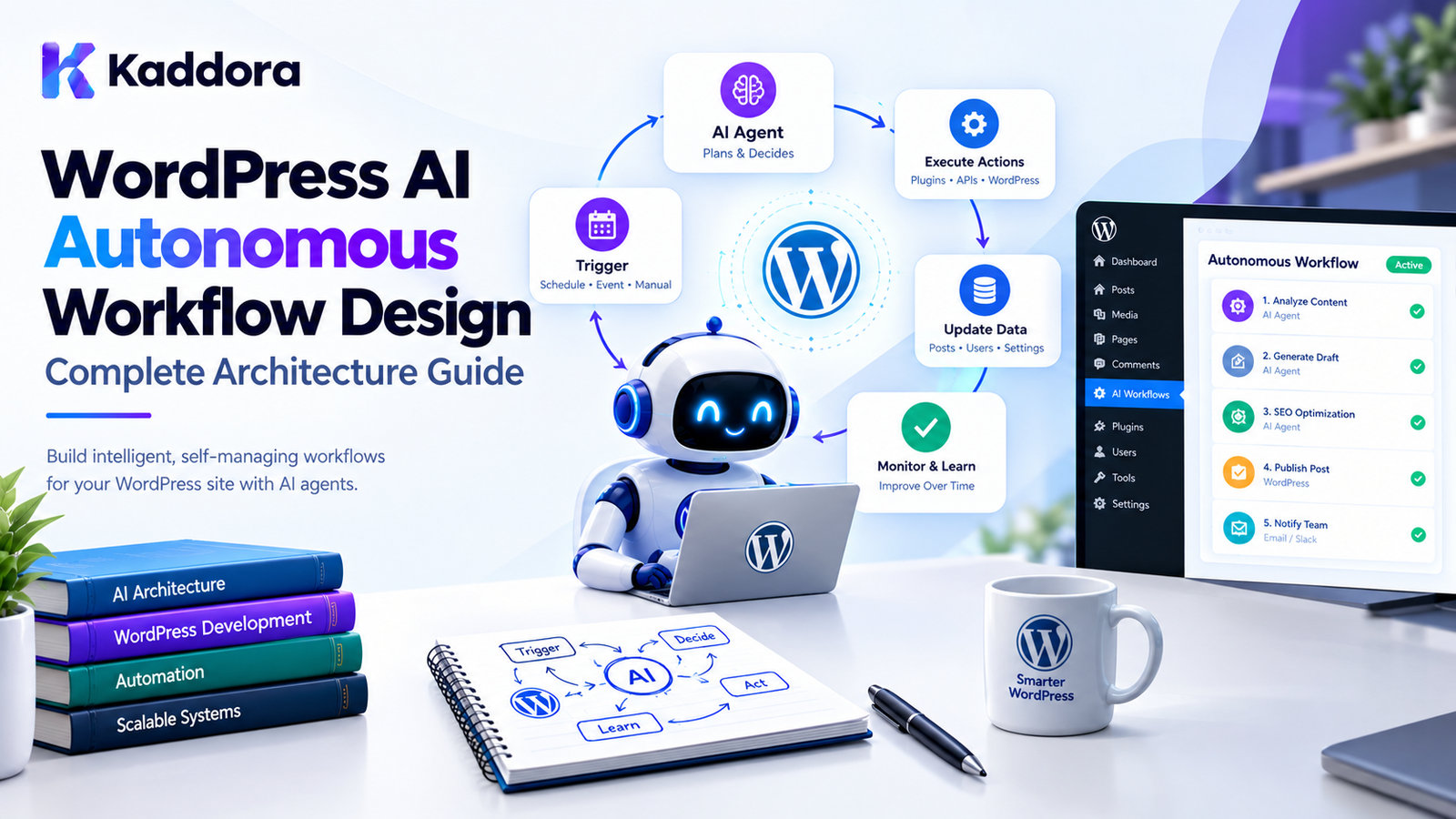
WordPress AI Autonomous Workflow Design: Complete Architecture Guide
Introduction
Traditional WordPress automation usually follows a predictable sequence:
Trigger ↓ Action ↓ Result
For example:
New Order ↓ Send Email
or:
New Post ↓ Generate Sitemap Entry
AI agents introduce a more flexible approach.
Instead of defining every decision in advance, an AI agent can evaluate information, select from approved tools, determine the next step, and continue a workflow based on the current state.
For example:
New Product ↓ AI Agent ↓ Review Product Data ↓ Identify Missing Information ↓ Generate Suggestions ↓ Validate Suggestions ↓ Create Review Task
This is the foundation of autonomous AI workflow design in WordPress.
However, autonomy does not mean giving an AI model unrestricted access to a WordPress installation.
A production-ready autonomous workflow needs clear boundaries around:
triggers
tasks
tools
permissions
data access
decision-making
approvals
execution
scheduling
memory
logging
retries
failure recovery
The objective is to create AI automation that can operate independently while remaining controlled, observable, secure, and predictable.
What Is an Autonomous AI Workflow?
An autonomous AI workflow is a system where an AI agent can perform multiple steps toward a defined objective without requiring a user to manually initiate every individual action.
A traditional automation might look like:
Order Created ↓ Send Email
An autonomous workflow could be:
Order Created ↓ AI Agent ↓ Analyze Order ↓ Check Customer History ↓ Determine Required Follow-Up ↓ Prepare Message ↓ Validate ↓ Request Approval if Required ↓ Send ↓ Record Result
The agent can make intermediate decisions, but the application should still define what the agent is allowed to do.
Autonomous Does Not Mean Unrestricted
One of the most important principles is:
An autonomous AI agent should have freedom inside a controlled environment.
Avoid:
AI ↓ Full WordPress Access
Prefer:
AI Agent ↓ Approved Tools ↓ Permission Checks ↓ Application Rules ↓ WordPress
For example, an agent might be allowed to:
Read Posts Read Products Generate Suggestions Create Drafts
but not:
Delete Users Change Payments Modify Security Settings Install Plugins
Why Autonomous AI Workflows Matter for WordPress
WordPress contains many repetitive workflows.
Examples include:
Content management
SEO optimization
WooCommerce operations
Analytics
Customer support
Reporting
Lead processing
Email preparation
Media organization
Website monitoring
Internal business automation
An autonomous workflow can coordinate several operations.
For example:
New Blog Post ↓ AI Content Agent ↓ Analyze Content ↓ Check SEO ↓ Generate Suggestions ↓ Prepare Metadata ↓ Create Review Task
This is more flexible than a simple one-action automation.
Autonomous Workflow vs Traditional Automation
Traditional automation:
Trigger ↓ Action A ↓ Action B ↓ Action C
The sequence is predefined.
Autonomous workflow:
Trigger ↓ Agent ↓ Evaluate State ↓ Choose Approved Action ↓ Observe Result ↓ Choose Next Action ↓ Complete
The agent can select the next step based on the current state.
However, the available actions should still be restricted by the application.
Core Components of an Autonomous WordPress Workflow
A practical architecture can include:
Trigger ↓ Workflow ↓ AI Agent ↓ Planner ↓ Tool Registry ↓ Permission Layer ↓ Task Queue ↓ Execution ↓ Validation ↓ Result ↓ Audit Log
Each component has a specific responsibility.
1. Trigger
A trigger starts or schedules the workflow.
Examples:
New Post New Order Form Submission Scheduled Time Webhook Manual Request System Event
For example:
WooCommerce Order Created ↓ Customer Support Agent
2. Workflow Definition
A workflow describes the objective and boundaries.
For example:
Workflow: New Product Optimization Goal: Improve product metadata Allowed: Read product Analyze description Generate SEO suggestions Create draft changes Restricted: Change price Delete product Publish automatically
The workflow provides the agent with an operational context.
3. AI Agent
The agent evaluates the current state and determines the next appropriate step.
For example:
Agent: Product Optimization Agent Goal: Improve product content Current State: Description is incomplete Available Tools: get_product analyze_content generate_description save_draft
The agent should not have access to arbitrary functions.
4. Planner
A planner can divide an objective into smaller tasks.
For example:
Goal: Optimize Product Plan: 1. Retrieve product 2. Analyze content 3. Identify missing information 4. Generate suggestions 5. Validate suggestions 6. Save draft
The planner can dynamically adjust the next step based on the results.
5. Tool Registry
The tool registry defines what the agent can actually call.
For example:
Available Tools get_product get_product_reviews analyze_description generate_metadata save_product_draft
The registry acts as an interface between the AI and WordPress.
6. Permission Layer
Before a tool executes:
AI requests tool ↓ Permission Check ↓ Application Validation ↓ Tool Execution
The AI should never bypass this layer.
7. Task Queue
Autonomous workflows often contain multiple operations.
A queue allows work to be processed safely:
Workflow ↓ Task A Task B Task C ↓ Queue ↓ Worker
This also makes retries and monitoring easier.
8. Validation
AI output should be validated before affecting WordPress data.
For example:
AI generates product metadata ↓ Validate length ↓ Validate required fields ↓ Validate content ↓ Save
AI output should not automatically be treated as trusted application data.
9. Audit Logs
Autonomous workflows need strong observability.
Record important events such as:
Workflow Started Task Created Tool Called Tool Completed Approval Requested Action Approved Action Rejected Task Failed Workflow Completed
This allows administrators to understand what happened.
Autonomous Workflow State
A workflow should have a persistent state.
For example:
Workflow ID Status Current Step Created At Started At Updated At Completed At Error Context
Possible states include:
pending planning running waiting approval_required completed failed cancelled
Persistent state is especially important for workflows that run over several requests.
Do Not Keep the Entire Workflow in One PHP Request
Avoid:
Request ↓ AI call ↓ Database operation ↓ Second AI call ↓ Third API call ↓ Large loop ↓ Complete
This can create:
PHP timeouts
memory problems
HTTP timeout issues
difficult failure recovery
Instead:
Workflow ↓ Task ↓ Queue ↓ Worker ↓ Checkpoint ↓ Next Task
Checkpoint-Based Autonomous Workflows
A long workflow can save progress.
For example:
Step 1: Product Retrieved ↓ Checkpoint Step 2: Product Analyzed ↓ Checkpoint Step 3: Suggestions Generated ↓ Checkpoint Step 4: Draft Saved ↓ Completed
If the process fails after Step 3, it can resume from the latest checkpoint instead of starting from the beginning.
Autonomous Workflow Example: SEO
Consider an AI SEO workflow.
New Post Published ↓ SEO Agent ↓ Retrieve Post ↓ Analyze Content ↓ Check Metadata ↓ Identify Problems ↓ Generate Suggestions ↓ Validate ↓ Create SEO Review
The workflow can stop before publication changes if human approval is required.
Autonomous Workflow Example: WooCommerce
A product optimization agent could perform:
Product Updated ↓ Retrieve Product ↓ Analyze Description ↓ Check Attributes ↓ Review Image Metadata ↓ Generate Suggestions ↓ Validate ↓ Create Draft ↓ Notify Administrator
This can automate repetitive catalog maintenance.
Autonomous Workflow Example: Customer Support
A support workflow could be:
New Support Request ↓ Classify Request ↓ Search Knowledge Base ↓ Generate Response ↓ Check Confidence ↓ High Confidence? / \ Yes No ↓ ↓ Draft Reply Human Review
This provides autonomy while maintaining an escalation path.
Confidence and Decision Thresholds
AI systems may estimate whether an action is appropriate.
A workflow can use application-defined thresholds.
For example:
High Confidence ↓ Prepare Automatic Response Low Confidence ↓ Human Review
However, confidence values from an AI model should not be treated as a security boundary.
Authorization must remain application-controlled.
Human Approval
Some autonomous workflows should stop before important actions.
For example:
AI Agent ↓ Proposed Action ↓ Approval Required ↓ Administrator ↓ Approve ↓ Execute
Actions that may require approval include:
publishing content
changing prices
sending external communications
modifying customer data
deleting records
issuing refunds
changing account settings
Autonomous Workflow Permission Levels
A useful model is:
Level 1: Read Only Level 2: Generate Suggestions Level 3: Create Drafts Level 4: Modify Approved Data Level 5: Execute Sensitive Actions With Approval
The plugin can assign capabilities to each workflow.
Tool-Level Permissions
Permissions should be associated with tools.
For example:
get_post READ update_post_draft WRITE_DRAFT publish_post PUBLISH delete_post DELETE
An agent may receive:
READ WRITE_DRAFT
without receiving:
PUBLISH DELETE
This is safer than giving the agent broad WordPress access.
Application-Level Authorization
Even if an AI agent requests:
delete_post( 123 )
the application should verify:
Is this workflow allowed to delete posts? Is this operation allowed for post 123? Does the current policy permit the action?
The model itself should not determine authorization.
Autonomous Workflow Context
An agent needs context to make decisions.
Context might include:
Current User Current Site Workflow Goal Task State Relevant WordPress Data Previous Results Available Tools Permission Policy
However, do not provide unnecessary information.
Use the minimum context required for the current operation.
Context Windows and Large WordPress Sites
Large WordPress websites can contain huge amounts of information.
Do not send:
Entire Website
to the AI for every workflow.
Instead:
Workflow Goal ↓ Retrieve Relevant Data ↓ Filter ↓ Summarize ↓ AI Context
This reduces:
API usage
latency
irrelevant information
potential privacy exposure
Retrieval-Augmented Autonomous Workflows
RAG can provide relevant information to autonomous agents.
For example:
Agent Goal ↓ Search Knowledge ↓ Retrieve Relevant Content ↓ Agent Decision ↓ Tool Execution
For a WooCommerce support agent:
Customer Question ↓ Product Search ↓ Policy Search ↓ Relevant Information ↓ Generate Response
Agent Memory
Some autonomous workflows need memory.
Memory can contain:
Previous workflow state User preferences Previous decisions Past task results Long-term configuration
But memory should be scoped.
For example:
Customer Support Agent
should not automatically have access to:
Administrator Security Agent Memory
Use explicit memory boundaries.
Short-Term vs Long-Term Memory
Short-Term Memory
Used during one workflow.
Task A result Task B result Current plan
Long-Term Memory
Persists between workflows.
Customer preferences Historical patterns Approved configuration
Store only information that provides real value.
Autonomous Workflow Scheduling
Autonomous workflows can be triggered by schedules.
For example:
Every morning ↓ Sales Agent ↓ Analyze previous day ↓ Identify anomalies ↓ Generate report
Scheduling and autonomy work together:
Schedule ↓ Workflow ↓ Agent ↓ Decision ↓ Action
Event-Driven Autonomous Workflows
Events can also start workflows.
Examples:
New Order New Customer New Post Product Updated Form Submitted Payment Completed
The event creates a workflow task.
Autonomous Workflow Queues
For larger plugins, use a queue.
For example:
Workflow Queue #1001 Product Optimization #1002 SEO Analysis #1003 Sales Analysis #1004 Support Classification
Workers process tasks according to:
priority
schedule
resource limits
dependencies
retry state
Workflow Dependencies
Some tasks cannot begin until another task completes.
For example:
Retrieve Product ↓ Analyze Product ↓ Generate Suggestions ↓ Validate Suggestions ↓ Save Draft
Representing dependencies explicitly prevents a task from running too early.
Parallel Workflow Steps
Some tasks can run independently.
For example:
Product ↓ +---- Analyze SEO | +---- Analyze Images | +---- Analyze Description
After completion:
SEO Result Image Result Description Result ↓ Final Agent ↓ Recommendation
Parallelism can reduce total workflow time, but concurrency should be controlled.
Workflow Concurrency Limits
Do not allow unlimited parallel AI calls.
For example:
Maximum Concurrent AI Tasks: 3
Then:
Task 1 → Running Task 2 → Running Task 3 → Running Task 4 → Waiting Task 5 → Waiting
This protects server and API resources.
Autonomous Workflow Retry Design
A workflow can fail at different levels.
Tool Failure
get_product() ↓ Temporary Error
Retry the tool.
Task Failure
SEO Analysis ↓ Failure
Retry the task.
Workflow Failure
Complete workflow ↓ Permanent failure
Stop and notify the administrator.
Different failure types should have different recovery strategies.
Idempotency
Autonomous workflows may be retried.
Therefore, actions should be designed so repeated execution does not unintentionally duplicate results.
For example:
Create Report
should not create five identical reports because the worker retried five times.
Use an execution identifier:
workflow_id + task_id + action_id
to identify completed operations.
Autonomous Workflow Failure Recovery
A workflow should preserve enough state to recover.
For example:
Step 1 ✓ Step 2 ✓ Step 3 ✗
The system can retry Step 3.
It does not need to repeat Step 1 and Step 2 unless their results are no longer valid.
Dead-Letter Tasks
Some tasks may fail permanently.
For example:
Retry 1 Retry 2 Retry 3 Retry 4 ↓ Permanent Failure
Move the task to a failed or dead-letter state.
Administrators can then:
View Retry Cancel Inspect Logs
Circuit Breakers
Suppose an external AI provider repeatedly fails.
Without protection:
100 scheduled tasks ↓ 100 failed API calls
A circuit breaker can temporarily stop new requests:
Repeated Failures ↓ Circuit Open ↓ Pause AI Requests ↓ Wait ↓ Test Provider ↓ Resume
This protects the website from unnecessary repeated failures.
Graceful Degradation
Autonomous workflows should define what happens when AI is unavailable.
For example:
AI Unavailable ↓ Create Review Task ↓ Notify Administrator
rather than:
AI Unavailable ↓ Break Entire Website
AI should generally be treated as an optional dependency unless the plugin's core functionality explicitly requires it.
Autonomous Workflows and WordPress Hooks
WordPress hooks can trigger workflows.
For example:
add_action( 'publish_post', 'kaddora_start_ai_content_workflow' );
The callback should ideally create a task rather than execute the entire workflow.
function kaddora_start_ai_content_workflow( $post_id ) { // Create workflow task. }
This keeps the WordPress request lightweight.
Autonomous Workflows and REST APIs
A REST endpoint can start an AI workflow.
For example:
POST /wp-json/kaddora-ai/v1/workflows
Request:
{ "workflow": "product_optimization", "product_id": 123 }
The REST controller should:
authenticate where required,
validate the request,
verify permissions,
create the workflow,
return the workflow ID.
The actual AI processing can happen asynchronously.
Autonomous Workflows and AJAX
AJAX can provide the same pattern for WordPress admin interfaces:
Admin ↓ AJAX ↓ Create Workflow ↓ Background Worker
Do not keep the browser request open while a large AI workflow runs.
Autonomous Workflow Admin Dashboard
A useful dashboard might show:
AI Workflows Active: 5 Waiting: 8 Approval Required: 2 Completed Today: 42 Failed: 1
A workflow detail page could show:
Workflow: Product Optimization Status: Waiting for Approval Steps: ✓ Product Retrieved ✓ Content Analyzed ✓ Suggestions Generated ✓ Validation Completed → Awaiting Approval
This makes autonomous behavior visible.
Workflow Timeline
A timeline can provide useful debugging information:
09:00 Workflow Started 09:00 Product Retrieved 09:01 Content Analyzed 09:01 Suggestions Generated 09:02 Validation Completed 09:02 Approval Requested 09:15 Approved 09:15 Draft Saved 09:15 Workflow Completed
This is especially valuable for complex workflows.
Autonomous Workflow Audit Logs
Record important actions:
Workflow Started Agent Selected Tool Requested Tool Approved Tool Executed Result Returned Approval Requested Approval Granted Data Updated Workflow Completed
Avoid logging unnecessary sensitive information.
Autonomous Workflow Security
Security should exist at multiple levels.
Authentication
Who started the workflow?
Authorization
Is the user allowed to start it?
Agent Permissions
What can the agent access?
Tool Permissions
What can each tool do?
Data Access
What information can the agent retrieve?
Action Validation
Is the requested operation valid?
Output Validation
Is the generated data safe to store?
Protect Against Prompt Injection
Autonomous agents can encounter untrusted content.
For example:
Blog Post Content Customer Message Product Description Imported Document
An attacker could place instructions inside that content attempting to manipulate the agent.
Treat retrieved content as data, not as trusted instructions.
The application should maintain the authority over:
permissions
tools
actions
workflow state
security policies
Do Not Let AI Modify Its Own Permissions
Avoid architectures where an agent can decide:
I need access to this tool. Grant myself permission.
Permissions should come from application configuration.
Admin Policy ↓ Permission System ↓ Agent
not:
Agent ↓ Permission Decision
Autonomous Workflow Data Privacy
AI workflows may process:
customer information
orders
messages
documents
website content
internal business data
Only send necessary data to external AI providers.
The plugin should clearly define:
What data is processed? Where is it sent? Why is it sent? How long is it retained?
Privacy requirements should be considered before enabling autonomous processing.
AI Provider Abstraction
If your plugin supports multiple AI providers, keep the workflow independent of the provider.
For example:
AI Workflow ↓ AI Client Interface ↓ Provider Adapter ↓ AI Provider
The workflow should care about:
Generate Analyze Classify
rather than provider-specific HTTP details.
Avoid Overengineering the AI Layer
Not every WordPress plugin needs:
Multi-provider abstraction Agent framework Workflow compiler Distributed event bus Universal tool protocol
Start with the smallest architecture that solves the actual workflow requirements.
For many plugins:
Workflow Service Agent Service Tool Registry Task Queue
may be enough.
Autonomous Workflow Testing
Test workflows at multiple levels.
Unit Tests
Test:
workflow state transitions
permission decisions
validation
retry rules
Integration Tests
Test:
WordPress APIs
repositories
AI client
task queue
End-to-End Tests
Test:
Trigger ↓ Workflow ↓ Agent ↓ Tool ↓ Result
Test Failure Scenarios
Do not only test successful execution.
Test:
AI API unavailable Tool fails Database fails Task times out Worker crashes Invalid AI output Permission denied Approval rejected Workflow cancelled
Autonomous systems need failure testing because they operate without constant human intervention.
Autonomous Workflow Performance
Monitor:
workflow duration
AI request count
token usage
task queue size
failed tasks
retry count
database queries
memory usage
Do not optimize based only on theoretical architecture.
Measure real workflow behavior.
Background Processing
Autonomous workflows should generally run asynchronously.
A practical architecture:
User/Event ↓ Create Workflow ↓ Return Quickly ↓ Queue ↓ Worker ↓ AI Agent
This prevents slow AI processing from blocking normal WordPress requests.
Scheduling Autonomous Workflows
Scheduled autonomous workflows can combine the concepts covered by AI task scheduling:
Schedule ↓ Create Workflow ↓ Planner ↓ Tasks ↓ Queue ↓ Agent ↓ Tools ↓ Results
For example:
Every Monday 08:00 ↓ Sales Analysis Workflow ↓ Retrieve Orders ↓ Analyze Trends ↓ Generate Report ↓ Notify Admin
Autonomous Workflow Example: Weekly SEO Audit
A complete workflow could be:
Monday 08:00 ↓ Start SEO Workflow ↓ Find Content Updated Last Week ↓ Create Analysis Tasks ↓ AI Reviews Content ↓ Identify Issues ↓ Generate Recommendations ↓ Validate Results ↓ Create Admin Report ↓ Notify Administrator
No individual article needs to be manually analyzed.
Autonomous Workflow Example: WooCommerce Product Optimization
Every Night ↓ Find Products Missing Metadata ↓ Create Product Tasks ↓ AI Analyzes Product ↓ Generate Suggestions ↓ Validate ↓ Create Draft Changes ↓ Admin Review
This combines scheduling, AI reasoning, and human approval.
Autonomous Workflow Example: Content Operations
Every Friday ↓ Analyze Content Calendar ↓ Identify Missing Topics ↓ Generate Topic Suggestions ↓ Check Existing Content ↓ Remove Duplicates ↓ Create Draft Editorial Plan ↓ Notify Editor
The AI helps coordinate a multi-step process rather than performing one isolated action.
Autonomous Workflow Governance
As autonomy increases, governance becomes increasingly important.
Administrators should know:
What workflows exist? Who created them? When do they run? What agents do they use? What tools are allowed? What data can they access? Which actions require approval? What happened during previous executions?
A workflow dashboard can provide these controls.
Recommended Architecture
For a medium-to-large WordPress AI plugin:
WordPress | +---------+---------+ | | Triggers Scheduler | | +---------+---------+ | Workflow Manager | AI Agent Runtime | +---------+---------+ | | | Planner Memory Policy | | | +---------+---------+ | Tool Registry | Permission Layer | Task Queue | Workers | +---------+---------+ | | | WordPress APIs Database | Results | Audit Logs
This provides a clear separation between orchestration, AI reasoning, tool execution, and infrastructure.
Best Practices for WordPress AI Autonomous Workflow Design
1. Define Clear Objectives
Every workflow should have a specific goal.
2. Limit Agent Authority
Only expose tools the workflow actually needs.
3. Separate Reasoning From Execution
The AI can propose an action, but the application should authorize and execute it.
4. Use Persistent State
Long workflows should survive individual PHP requests.
5. Use Queues for Background Work
Avoid large synchronous AI operations.
6. Add Checkpoints
Allow failed workflows to resume safely.
7. Make Actions Idempotent
Retries should not create unintended duplicate effects.
8. Validate AI Output
Never blindly trust generated data.
9. Add Human Approval
Use approval for high-impact actions.
10. Monitor Workflow Execution
Maintain useful logs and status information.
11. Protect Sensitive Data
Only provide the minimum required context.
12. Handle Failures Explicitly
Design retry, timeout, cancellation, and recovery states.
13. Control Concurrency
Limit simultaneous AI tasks.
14. Control AI Costs
Use quotas, budgets, and appropriate task frequency.
15. Keep WordPress Requests Lightweight
Use background processing for long operations.
16. Preserve WordPress Security
Use capabilities, nonces, sanitization, validation, and escaping at the appropriate boundaries.
17. Avoid Unnecessary Frameworks
Use native WordPress APIs and simple plugin architecture when they are sufficient.
Common Autonomous Workflow Mistakes
1. Giving the Agent Full WordPress Access
This creates unnecessary risk.
2. Letting AI Decide Permissions
Authorization should remain application-controlled.
3. Running Entire Workflows Synchronously
Long workflows can cause timeouts.
4. No Persistent State
A crashed request can leave the workflow impossible to recover.
5. No Approval System
Sensitive actions may execute without appropriate review.
6. Trusting AI Output
Generated data should be validated.
7. No Idempotency
Retries can duplicate changes.
8. Sending Too Much Context
Large context increases cost and may expose unnecessary information.
9. No Audit Trail
Administrators cannot understand what the agent did.
10. Overengineering
A small WordPress workflow does not necessarily need a complex distributed agent platform.
WordPress AI Autonomous Workflow Checklist
Before deploying an autonomous workflow, verify:
Workflow has a clearly defined objective.
Trigger is explicitly defined.
Agent permissions are restricted.
Tools are explicitly registered.
Tool permissions are enforced.
WordPress capabilities are checked.
Administrative actions use nonces.
Workflow state is persistent.
Long tasks run asynchronously.
Task queues are used where appropriate.
Workflow checkpoints are implemented where necessary.
Actions are designed to be idempotent.
AI output is validated.
High-impact actions require approval where appropriate.
Prompt injection risks are considered.
External data is treated as untrusted input.
Sensitive data is minimized.
API credentials remain protected.
Retry limits are defined.
Failed workflows can be recovered.
Stuck tasks can be detected.
Concurrency is controlled.
AI usage is monitored.
Audit logs are available.
Administrators can pause or cancel workflows.
Multisite behavior is documented.
End-to-end failure scenarios are tested.
Why Choose Kaddora?
Building autonomous AI workflows inside WordPress requires a balance between automation and control.
Kaddora focuses on practical WordPress plugin architecture for:
AI agents
automation
WooCommerce
SEO
analytics
content workflows
business applications
background processing
A well-designed autonomous workflow can transform a plugin from a collection of individual AI features into a coordinated automation system.
For example:
Trigger ↓ Kaddora AI Workflow ↓ Plan ↓ Retrieve ↓ Analyze ↓ Decide ↓ Validate ↓ Approve if required ↓ Execute ↓ Monitor ↓ Log
The objective is not to remove humans from every workflow.
The objective is to automate repetitive decisions and operations while keeping important boundaries under application and administrator control.
Conclusion
WordPress AI autonomous workflow design is about building AI-powered systems that can coordinate multiple tasks without requiring manual intervention at every step.
A simple automation may look like:
Trigger ↓ Action
An autonomous workflow is more sophisticated:
Trigger ↓ Agent ↓ Plan ↓ Retrieve Information ↓ Evaluate ↓ Select Approved Tool ↓ Execute ↓ Observe Result ↓ Continue or Escalate
The key is controlled autonomy.
AI agents should not receive unrestricted access to WordPress. Instead, they should operate through defined tools, explicit permissions, application-level validation, persistent workflow state, task queues, and appropriate approval mechanisms.
For complex workflows, additional capabilities such as:
scheduling
memory
checkpoints
retries
audit logs
concurrency limits
cost controls
failure recovery
can make the system more reliable.
The most effective architecture is not necessarily the most complicated one.
Start with a clearly defined workflow, give the agent only the capabilities it needs, keep execution asynchronous when appropriate, validate every important output, and maintain a clear audit trail.
When these principles are applied consistently, WordPress can become a strong platform for controlled AI automation rather than simply a place to add isolated AI features.
Frequently Asked Questions
What is an autonomous AI workflow in WordPress?
An autonomous AI workflow is a WordPress automation system where an AI agent can evaluate information, select approved actions, and continue through multiple workflow steps without requiring a user to manually trigger every step.
Is an autonomous AI agent the same as a chatbot?
No. A chatbot primarily responds to user conversations. An autonomous agent can perform multi-step tasks, use tools, retrieve information, and continue a workflow based on its current state.
Can AI agents automatically modify WordPress content?
They can when the application explicitly provides authorized tools for those operations. High-impact changes should have appropriate validation and, when necessary, human approval.
Should AI agents have administrator privileges?
No. An AI agent should generally receive only the minimum permissions and tools required for its workflow.
How can I safely give an AI agent WordPress tools?
Create an explicit tool registry and permission layer. Each tool should validate its input and authorization before performing an operation.
Can autonomous AI workflows run in the background?
Yes. Task queues, WP-Cron, server cron, and background workers can be used to execute workflows asynchronously.
Can WordPress AI workflows be scheduled?
Yes. A scheduler can start autonomous workflows at specific times or intervals.
How should autonomous workflows handle failures?
Use persistent workflow state, retries, checkpoints, timeouts, stale-task recovery, and clear failure states. Important failures should be visible to administrators.
Why is idempotency important for AI workflows?
AI tasks can be retried. Idempotent operations help prevent duplicate records, repeated notifications, or unintended repeated changes when the same action is executed more than once.
Should AI output be trusted automatically?
No. AI output should be treated as generated data and validated before it affects important WordPress operations.
Why choose Themekaddora?
Themekaddora provides lightweight, responsive, SEO-friendly WordPress themes with fast performance, WooCommerce compatibility, flexible customization, accessibility-conscious design, modern templates, regular updates, and professional support—providing a strong foundation for businesses building digital products and product-focused websites.
Comments (0)