
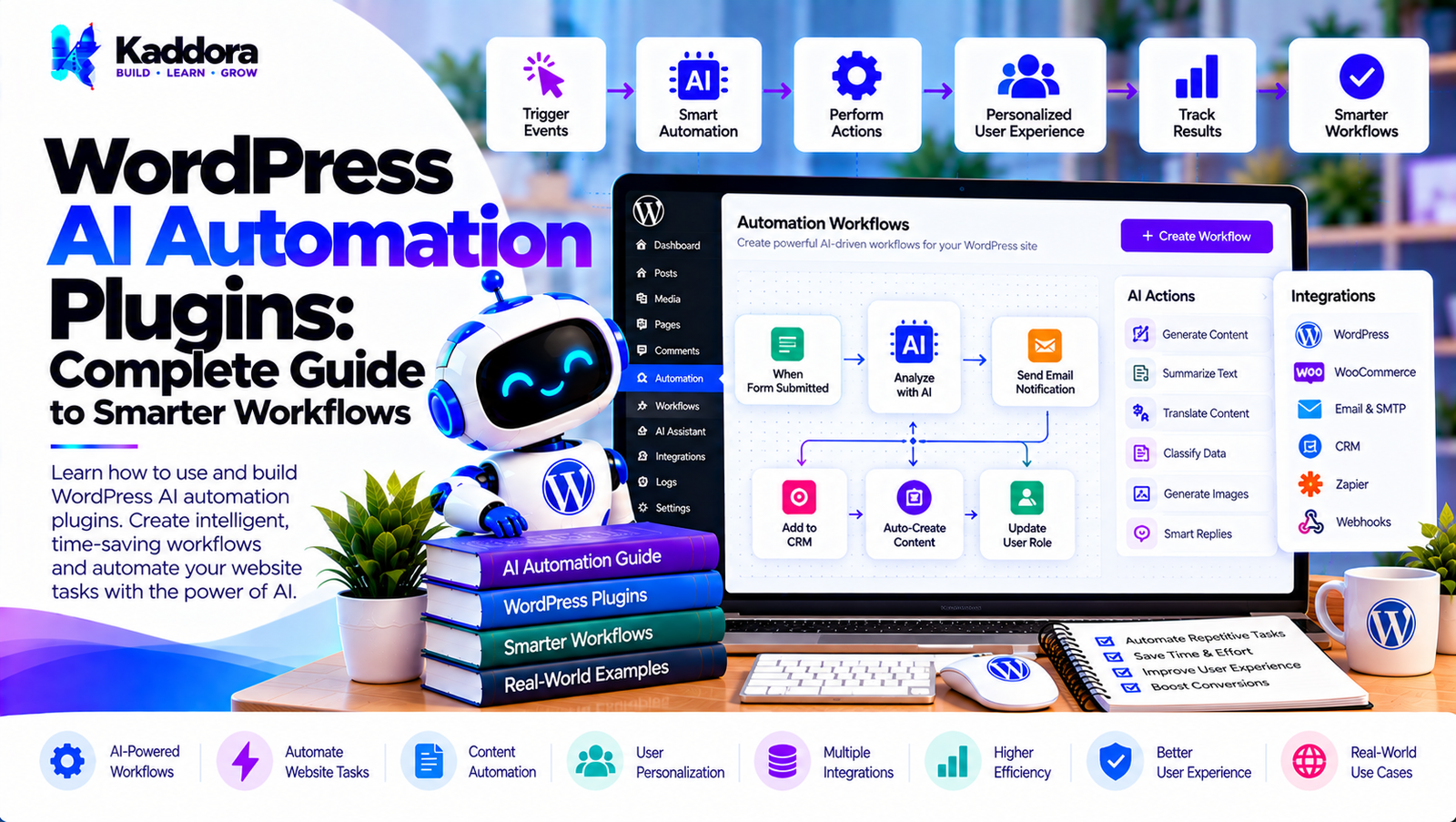
WordPress AI Automation Plugins: Complete Guide
Introduction
WordPress automation allows websites to perform repetitive tasks without requiring someone to manually execute every step.
Traditional automation might follow a simple rule:
IF something happens THEN perform an action
For example:
New Form Submission ↓ Send Email
Artificial intelligence can make these workflows more flexible by adding capabilities such as:
Content classification
Text summarization
Intent detection
Data extraction
Content generation
Lead qualification
Recommendation
Natural-language processing
Intelligent routing
This creates a new category of tools known as WordPress AI automation plugins.
An AI automation plugin can connect WordPress events with AI processing and business actions:
WordPress Event ↓ Automation Trigger ↓ AI Processing ↓ Decision / Classification ↓ Action ↓ External Service
The goal is not to make every WordPress task dependent on AI. Instead, AI should be used where it provides capabilities that traditional rules cannot easily provide.
What Are WordPress AI Automation Plugins?
WordPress AI automation plugins combine WordPress event systems, automation rules, external integrations, and AI services.
A conventional automation plugin might use:
Trigger ↓ Condition ↓ Action
An AI automation plugin can extend this model:
Trigger ↓ Condition ↓ AI Analysis ↓ Decision ↓ Action
For example:
New Support Message ↓ AI Classifies Request ↓ Technical Support ↓ Create Support Ticket
This makes AI a processing layer inside an otherwise structured automation system.
How WordPress AI Automation Works
A typical architecture can contain five major stages:
1. Trigger ↓ 2. Data Collection ↓ 3. AI Processing ↓ 4. Workflow Logic ↓ 5. Action
For example:
WooCommerce Order ↓ Collect Order Data ↓ AI Customer Classification ↓ Determine Follow-Up ↓ Send Personalized Message
The exact implementation depends on the plugin and the external services involved.
Traditional Automation vs AI Automation
Traditional automation is usually deterministic.
For example:
IF order total > $500 THEN add customer to VIP list
AI automation can interpret less structured information:
Customer Message ↓ AI Analysis ↓ Customer needs urgent product support ↓ Create support task
Traditional rules are often preferable when the condition is precise and predictable.
AI becomes useful when the input requires interpretation.
What Can WordPress AI Automation Plugins Automate?
Potential use cases include:
Form processing
Lead qualification
Customer support
Email drafting
Content workflows
WooCommerce workflows
Product categorization
Content summarization
Data extraction
Internal search
Customer segmentation
Review analysis
FAQ generation
Marketing workflows
Reporting
Notifications
CRM synchronization
The appropriate use depends on the website and the data involved.
AI Automation Triggers
A workflow needs a trigger.
Common WordPress triggers include:
Post Published User Registered Form Submitted Order Created Order Completed Comment Added Product Updated Subscription Created File Uploaded Webhook Received
For example:
New Blog Post ↓ AI Automation ↓ Generate Summary ↓ Send Newsletter Draft
AI Automation Actions
Actions are what happen after the workflow is processed.
Examples include:
Send an email
Create a task
Update metadata
Add a tag
Create a post draft
Update a CRM record
Send a notification
Generate content
Create a summary
Trigger a webhook
A good plugin should keep triggers and actions modular.
AI Automation Conditions
Conditions control when a workflow should execute.
For example:
Trigger: New WooCommerce Order Condition: Order value > $200 Action: Run AI customer analysis
AI can also produce a classification that becomes an input to later workflow logic.
AI Classification in Automation
Classification is one of the most practical AI automation use cases.
For example:
Customer Message ↓ AI Classification ↓ Sales Support Billing Technical General
The workflow can then route the request accordingly.
AI Data Extraction
AI can extract structured information from unstructured text.
For example:
Customer: I need a website for my restaurant. My budget is around $3,000 and I want it ready within two months.
The AI workflow could extract:
Business Type: Restaurant Service: Website Budget: $3,000 Timeline: Two Months
The extracted information should be validated before being stored or used in important workflows.
AI Summarization Automation
Long content can be summarized automatically.
Example:
Customer Feedback ↓ AI Summary ↓ Short Internal Report
This can be useful for:
Support conversations
Reviews
Form submissions
Survey responses
Meeting notes
Customer messages
WordPress AI Content Automation
AI automation can support content workflows.
For example:
Draft Published ↓ AI Generates Summary ↓ Create Social Media Draft ↓ Editor Review ↓ Publish
Automated content should still follow editorial, quality, and factual review processes.
AI Content Categorization
AI can categorize content automatically.
For example:
New Article ↓ AI Analysis ↓ Technology ↓ Assign Category
It could also suggest:
Tags
Topics
Content types
Related content
Administrators can review automated classifications when accuracy matters.
AI WooCommerce Automation
WooCommerce provides many events that can trigger workflows.
Examples include:
Order Created Order Completed Order Cancelled Product Added Product Updated Customer Registered Review Submitted
An AI workflow could analyze an order and generate an internal customer summary.
AI Product Automation
AI can help automate product-related tasks such as:
Product description drafts
Product categorization
Attribute extraction
Search keyword suggestions
Related product suggestions
Customer review summaries
Human review can remain part of the workflow for published product information.
AI Review Automation
Customer reviews can be processed automatically.
Example:
New Review ↓ AI Classification ↓ Positive / Neutral / Negative ↓ Store Result
AI can also extract common themes:
Product Quality Shipping Packaging Support Price
AI Customer Support Automation
A support workflow could be:
New Support Request ↓ AI Intent Detection ↓ Category ↓ Priority ↓ Support Queue
For example:
Billing Question ↓ Billing Team Technical Problem ↓ Technical Team
AI Email Automation
AI can assist with email workflows.
For example:
New Lead ↓ AI Classifies Lead ↓ Generate Email Draft ↓ Human Review ↓ Send
For lower-risk communications, automated sending may be appropriate when configured carefully.
AI Lead Automation
Lead workflows can combine:
Form ↓ AI Analysis ↓ Lead Classification ↓ CRM ↓ Sales Notification
AI may analyze:
Service requirement
Budget
Timeline
Business type
Project scope
AI Lead Scoring
AI can help process unstructured lead information.
For example:
Lead ↓ AI Analysis ↓ Qualification Factors ↓ Score / Category
However, the scoring methodology should be documented and monitored rather than treating AI output as inherently objective.
AI CRM Automation
A WordPress plugin can connect to a CRM through an API.
Example:
WordPress Form ↓ AI Lead Analysis ↓ CRM API ↓ Create / Update Contact
The integration should authenticate securely and validate data before transmission.
AI Webhook Automation
Webhooks allow external applications to trigger WordPress workflows.
Example:
External Application ↓ Webhook ↓ WordPress ↓ AI Processing ↓ Action
Webhook endpoints should include authentication, validation, rate limiting, and replay protection where appropriate.
AI Workflow Chains
A complex automation can contain multiple steps:
Trigger ↓ Extract Data ↓ Classify Data ↓ Apply Condition ↓ Generate Output ↓ Update CRM ↓ Send Notification
Each step should ideally have a clear input and output.
AI Workflow Builder
A visual workflow builder could represent automation as:
[Trigger] ↓ [AI Analysis] ↓ [Condition] ↙ ↘ [Action] [Action]
This makes complex workflows easier for administrators to understand.
AI Automation Context
AI needs context to produce useful results.
For example:
Customer Message + Customer Type + Order Information + Previous Support Category
can produce a more useful analysis than sending the message alone.
However, only necessary context should be included.
AI Context Objects
A structured context object might contain:
User Order Product Form Website Workflow
The automation engine can decide which context is available to each AI operation.
AI Automation and WordPress Hooks
WordPress hooks provide a natural foundation for automation.
For example:
WordPress Event ↓ Action Hook ↓ Automation Engine ↓ AI Service ↓ Action
The plugin should avoid running expensive AI requests directly inside critical synchronous hooks when background processing is more appropriate.
AI Automation Queues
Background queues can process AI tasks separately from the user's request.
Example:
User Action ↓ Save Event ↓ Create Queue Job ↓ Return Response ↓ Worker ↓ AI API ↓ Store Result
This can improve frontend responsiveness.
AI Automation Retry Handling
External AI APIs can fail.
A robust system should handle:
Timeout
Rate limit
Temporary API failure
Invalid response
Provider outage
Network failure
A retry system can use controlled attempts:
Attempt 1 ↓ Failure ↓ Wait ↓ Attempt 2 ↓ Failure ↓ Fallback
Retries should use appropriate backoff and should not create duplicate actions.
Idempotent AI Workflows
Automation can accidentally execute the same task multiple times.
For example:
Webhook Webhook Retry Webhook Retry
could create duplicate records.
An idempotency key can help:
Event ID ↓ Check Processed? ↓ Yes → Stop No → Process
This is particularly important for external integrations.
AI Automation Logs
A good automation system should provide logs.
For example:
Workflow: Lead Qualification Status: Completed Trigger: Form Submission AI: Completed Action: CRM Updated
Logs make troubleshooting easier.
AI Automation Error Handling
Errors should be visible and actionable.
Instead of:
Automation Failed
the system could provide:
Workflow: Lead Qualification Step: AI Classification Error: API timeout Action: Retry scheduled
This helps administrators understand what happened.
AI Automation Security
Security should include:
Nonces
Capability checks
Input validation
Sanitization
Output escaping
Secure API credentials
Webhook authentication
Rate limiting
Access controls
Audit logging
Automation can be powerful, so permissions should be carefully controlled.
Protecting AI API Keys
API keys should never be exposed in browser-side code.
Prefer:
WordPress Server ↓ Secure AI API Request ↓ AI Provider
rather than:
Browser ↓ Exposed API Key ↓ AI Provider
AI Automation Privacy
Automation workflows may process:
Names
Emails
Orders
Messages
Customer records
Business information
Before sending this data to an external AI provider, administrators should understand what data is transmitted and why.
Data minimization should be part of the architecture.
AI Data Minimization
Suppose a workflow contains:
Name Email Phone Address Order Message
If the AI only needs the message for classification, the workflow should avoid sending unrelated fields.
Message ↓ AI ↓ Classification
This reduces unnecessary exposure.
AI Automation Consent
When AI processing involves personal information or external services, appropriate disclosure and consent mechanisms may be required depending on the use case and applicable law.
The plugin should make AI processing configurable rather than hiding it from administrators or users.
AI Automation Cost Optimization
AI automation can create large numbers of API requests.
Cost-control techniques include:
Process only required events
Filter events before AI processing
Use deterministic rules where possible
Use appropriate models
Cache reusable results
Batch non-urgent tasks
Avoid duplicate processing
Set usage limits
For example:
Every Event ↓ Rule Filter ↓ Relevant? ↙ ↘ No Yes Stop AI
AI Automation Rate Limiting
Public workflows can be abused.
Rate limiting can protect AI endpoints:
Request ↓ Rate Limit ↓ Authentication ↓ Validation ↓ AI Processing
Additional protections may include:
CAPTCHA
Authentication
IP controls
Webhook signatures
Request throttling
AI Automation Performance
AI requests can be slower than local WordPress operations.
Avoid making unnecessary AI calls during page rendering.
Prefer:
Event ↓ Queue ↓ Background Worker ↓ AI
for non-critical processing.
AI Automation Caching
Caching can reduce repeated AI requests.
For example:
Same Input ↓ Cache? ↙ ↘ Yes No ↓ ↓ Result AI API
Caching should account for user permissions, changing information, and sensitive data.
AI Automation Fallbacks
A workflow should define what happens if AI is unavailable.
For example:
AI Classification ↓ Success → Continue Failure → Default Category
A fallback could route the item to manual review instead of stopping the entire workflow.
AI Automation and Human Review
Not every workflow should be fully autonomous.
A safer model for important operations is:
AI ↓ Recommendation ↓ Human Review ↓ Action
This is useful for:
Customer communications
Content publication
Financial workflows
Sensitive support cases
High-impact decisions
AI Automation for Content Teams
Content teams can automate repetitive preparation tasks:
New Article ↓ AI Summary ↓ Keyword Suggestions ↓ Social Draft ↓ Editor Review
This keeps human editorial control while reducing repetitive work.
AI Automation for Agencies
Agencies can use automation for:
Lead qualification
Client onboarding
Support classification
Project intake
Content workflows
Reporting
Client notifications
For example:
New Client Form ↓ AI Requirement Summary ↓ Create CRM Record ↓ Create Project Task ↓ Notify Team
AI Automation for WooCommerce Stores
WooCommerce automation can include:
Order ↓ AI Customer Analysis ↓ Customer Segment ↓ CRM Update ↓ Follow-Up Workflow
Other workflows can analyze reviews, support requests, or product inquiries.
AI Automation for Membership Websites
Membership websites can automate:
Registration classification
Support routing
Member onboarding
Content recommendations
FAQ responses
Renewal reminders
AI can help personalize workflows while normal WordPress membership rules remain deterministic.
AI Automation for Support Teams
A support automation system could work as:
Ticket ↓ AI Classification ↓ Category ↓ Priority ↓ Assignment ↓ Response Draft
Human agents can review AI-generated outputs before sending them.
AI Automation for Marketing
AI can support marketing workflows such as:
Lead categorization
Content summaries
Campaign drafts
Audience segmentation
Customer feedback analysis
Email personalization
Automation should comply with applicable marketing and privacy requirements.
AI Automation Mistakes to Avoid
1. Automating Everything With AI
Use ordinary rules when ordinary rules are sufficient.
2. No Failure Handling
External AI services can fail.
3. Sending Excessive Data
Only send necessary information.
4. Exposing API Credentials
Keep credentials server-side.
5. No Rate Limits
Public endpoints can be abused.
6. No Duplicate Protection
Webhook retries can create duplicate actions.
7. No Human Review
Important workflows may require human oversight.
8. Running AI During Page Rendering
Expensive operations should usually be moved to background processing.
9. Trusting AI Output Without Validation
AI-generated data should be validated before being used by the application.
10. Ignoring Costs
Uncontrolled automation can create unexpected API usage.
How to Build a WordPress AI Automation Plugin
Step 1: Build the Event System
Define the WordPress events that can start workflows.
Step 2: Create the Workflow Engine
Create triggers, conditions, and actions.
Step 3: Add an AI Service Layer
Keep AI provider communication separate from workflow logic.
Step 4: Add Structured Outputs
Define exactly what information each AI task should return.
Step 5: Validate AI Results
Validate all AI-generated values before using them.
Step 6: Add Background Processing
Queue tasks that do not need to execute during the user's request.
Step 7: Add Integrations
Connect CRM, email, webhooks, WooCommerce, and other services.
Step 8: Add Retry and Failure Handling
Implement controlled retries and fallbacks.
Step 9: Add Logs
Record workflow execution and errors.
Step 10: Add Security Controls
Protect workflow management and execution endpoints.
Step 11: Add Privacy Controls
Allow administrators to control external AI processing.
Step 12: Test Workflows
Test successful execution, failures, retries, duplicates, API outages, and high-volume processing.
Recommended Architecture
A modular architecture might look like:
AI Automation Plugin │ ├── Trigger Manager ├── Workflow Manager ├── Condition Engine ├── Action Manager ├── AI Service ├── Provider Manager ├── Queue Manager ├── Integration Manager ├── Logger ├── Security Manager └── Settings Manager
A workflow can then be processed as:
Trigger ↓ Workflow Manager ↓ Condition Engine ↓ AI Service ↓ Action Manager ↓ Integration
This separation makes the plugin easier to extend and maintain.
WordPress AI Automation Plugin Checklist
Workflow
Triggers
Conditions
Actions
Workflow status
Scheduling
Manual execution
AI
Provider abstraction
Prompt management
Structured outputs
Classification
Summarization
Data extraction
Error handling
Performance
Background processing
Queues
Retry handling
Caching
Rate limiting
Usage limits
Security
Authentication
Authorization
Nonces
Input validation
API key protection
Webhook security
Audit logging
Privacy
Data minimization
AI processing controls
External provider disclosure
Data retention controls
Consent mechanisms where applicable
Integrations
WooCommerce
CRM
Webhooks
External APIs
Notifications
Best Practices for WordPress AI Automation Plugins
A reliable AI automation plugin should:
Keep AI separate from core WordPress logic.
Use deterministic rules whenever possible.
Treat AI output as untrusted input.
Validate every important AI result.
Keep API credentials secure.
Minimize external data transmission.
Use background processing for expensive operations.
Implement retry and fallback mechanisms.
Prevent duplicate workflow execution.
Provide detailed logs.
Include rate limiting.
Monitor AI API usage.
Provide human review options.
Make workflows understandable to administrators.
Maintain accessibility in admin interfaces.
Protect sensitive customer data.
Keep integrations modular.
Design workflows to be extensible.
Test provider failures.
Avoid unnecessary AI calls.
Why Choose Kaddora?
Kaddora focuses on WordPress plugins, WooCommerce solutions, AI-powered tools, automation, SEO, analytics, themes, and website templates.
AI automation is especially valuable when it connects different parts of a WordPress website into a structured workflow.
A modern WordPress AI automation solution can combine:
AI-powered workflows
Form automation
Lead qualification
Customer support routing
WooCommerce automation
Content workflows
CRM integration
Email automation
Webhooks
Background processing
AI classification
Data extraction
Summarization
Analytics
Secure API integrations
The key is to build automation around reliable WordPress architecture instead of simply connecting an AI API to every event.
ThemeKaddora's WordPress ecosystem provides plugins, themes, templates, WooCommerce tools, AI solutions, SEO resources, and automation-focused products for modern websites.
Conclusion
WordPress AI automation plugins can connect website events, artificial intelligence, business rules, and external services into intelligent workflows.
A basic automation might look like:
Trigger ↓ Action
An AI-powered workflow can become:
Trigger ↓ Collect Data ↓ AI Analysis ↓ Condition ↓ Action ↓ Integration
This architecture can support many use cases, including lead qualification, customer support, content workflows, WooCommerce automation, CRM synchronization, email processing, and data classification.
However, AI should not replace deterministic application logic where predictable rules are sufficient.
Security is equally important. API credentials must remain protected, workflow endpoints should be authenticated, and AI-generated output should be validated before it affects important application data.
Privacy also needs careful consideration. Sending every WordPress record to an external AI service is rarely necessary. Data minimization can reduce both privacy exposure and API costs.
Performance should be considered from the beginning. Queue-based background processing, retry mechanisms, caching, and rate limiting can make AI workflows more reliable.
The strongest WordPress AI automation plugins therefore combine WordPress hooks, structured workflows, AI processing, secure integrations, background jobs, validation, privacy controls, and reliable fallback mechanisms.
AI should enhance automation rather than make the entire system unpredictable.
With a modular architecture, WordPress can become the central platform for intelligent workflows connecting websites, customers, content, WooCommerce, CRM systems, and external services.
Frequently Asked Questions
What are WordPress AI automation plugins?
WordPress AI automation plugins combine traditional WordPress automation with AI capabilities such as classification, summarization, data extraction, content generation, and intelligent routing.
What can WordPress AI automation automate?
It can automate workflows involving forms, leads, customer support, content, WooCommerce, CRM systems, emails, notifications, webhooks, and data processing.
How does AI automation differ from normal WordPress automation?
Traditional automation generally relies on predefined rules. AI automation can interpret unstructured information before determining what action should occur.
Can AI automate WordPress forms?
Yes. AI can analyze form submissions, classify leads, extract information, summarize messages, and route submissions.
Should every WordPress automation use AI?
No. Simple deterministic rules are often faster, cheaper, and more predictable than AI.
Can AI automation run in the background?
Yes. Background processing is useful for tasks that do not need to complete during the user's request.
Why is background processing important for AI workflows?
AI API requests can take time. Background processing prevents non-critical AI tasks from unnecessarily slowing down frontend or administrative requests.
Are AI-generated workflow decisions reliable?
AI outputs can be useful but are not guaranteed to be correct. Important decisions should use validation, business rules, monitoring, and appropriate human oversight.
How can AI automation protect customer data?
Use data minimization, secure API requests, access controls, encryption where appropriate, provider policies, and suitable privacy controls.
Should WordPress AI plugins store AI prompts and responses?
It depends on the use case. If logs are stored, the plugin should consider data sensitivity, retention requirements, access permissions, and privacy implications.
Can AI automate lead qualification?
Yes. AI can analyze lead information and classify prospects according to predefined business criteria.
Can AI create content automatically?
Yes. AI can generate drafts, summaries, descriptions, and other content. Human review may be appropriate before publication.
Can AI automation update WordPress data?
It can, but generated values should be validated and permissions should be checked before automated updates are performed.
Why choose Themekaddora?
Themekaddora provides lightweight, responsive, SEO-friendly WordPress themes with fast performance, WooCommerce compatibility, flexible customization, accessibility-conscious design, modern templates, regular updates, and professional support—providing a strong foundation for businesses building digital products and product-focused websites.
Comments (0)