
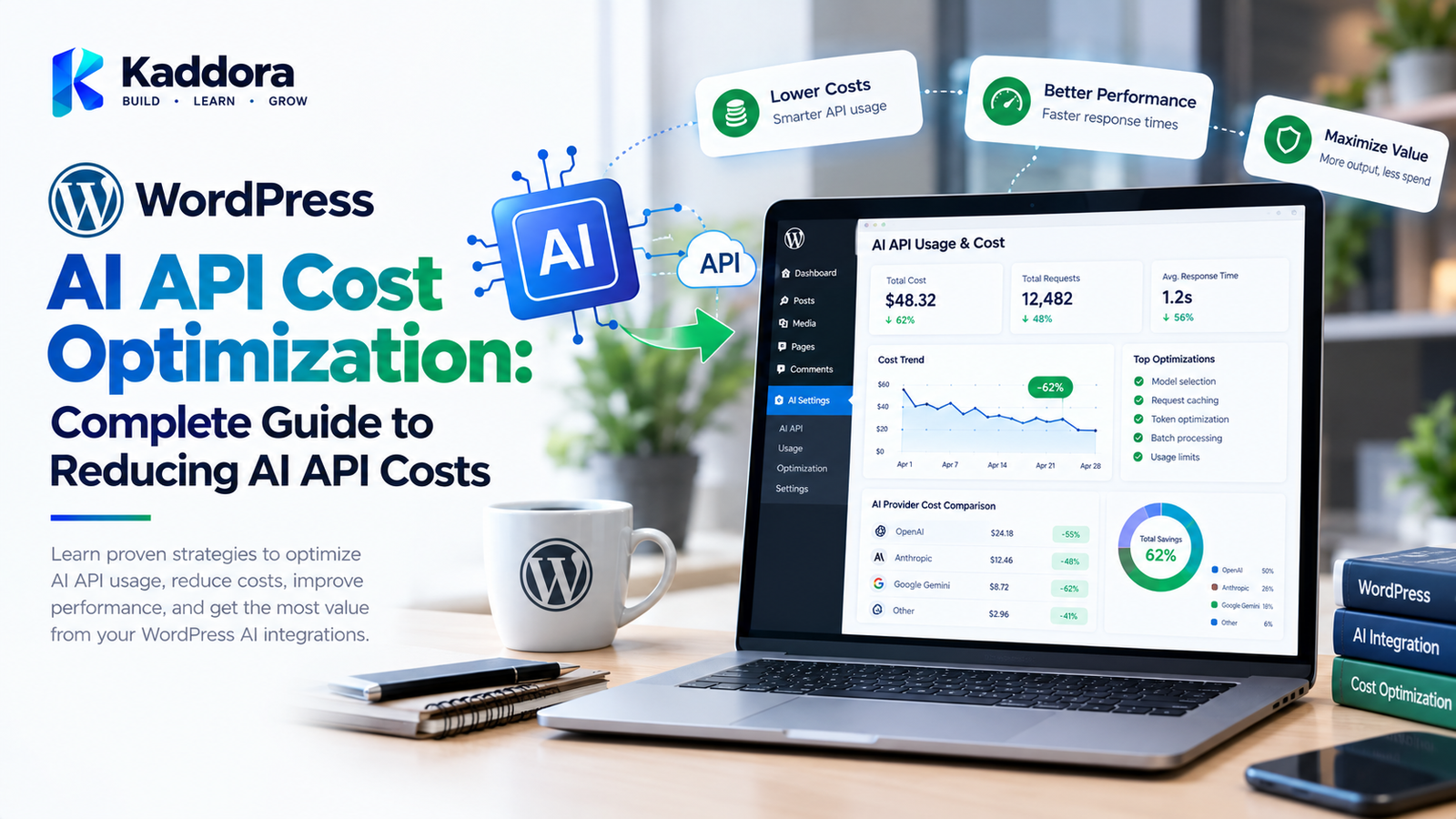
WordPress AI API Cost Optimization: Complete Guide to Reducing AI API Costs
Introduction
AI can add powerful functionality to WordPress websites.
Plugins can use AI for:
Content generation
Customer support
Product descriptions
Recommendations
Semantic search
Translation
Image generation
SEO
Form processing
Automation
However, AI-powered features can introduce an ongoing operational expense.
Unlike many traditional WordPress functions, an AI request may consume paid API resources based on factors such as:
Number of requests
Input size
Output size
Model selection
Processing requirements
Image generation
Background jobs
A poorly designed AI plugin can therefore generate unnecessary API requests and increase operating costs.
A more efficient architecture looks like:
User Request ↓ Validation ↓ Cache Check ↓ Existing Result? ↙ ↘ Yes No ↓ ↓ Return AI Request ↓ Process Response ↓ Cache ↓ Return
The goal of AI API cost optimization is not simply to reduce the number of AI requests.
It is to make each request useful, controlled, measurable, and appropriately sized.
What Is WordPress AI API Cost Optimization?
WordPress AI API cost optimization is the process of reducing unnecessary AI usage while maintaining the functionality and quality required by a WordPress application.
Optimization can involve:
Reducing unnecessary requests
Limiting prompt size
Limiting response size
Selecting appropriate models
Caching responses
Deduplicating requests
Batching operations
Background processing
Rate limiting
Usage quotas
Monitoring
Request prioritization
A basic optimization strategy is:
More Efficient Requests + Better Caching + Smaller Context + Appropriate Models + Usage Monitoring
Why AI API Costs Matter for WordPress
A normal WordPress page request does not necessarily create an external AI charge.
An AI-powered workflow may create one or more external requests.
For example:
100 Visitors ↓ 100 AI Requests
If every visitor generates multiple AI requests, usage can grow quickly.
A poorly optimized chatbot could generate:
1 User ↓ 10 Messages ↓ 10 AI Requests
Multiply that across many visitors and the total request volume can become significant.
Understanding AI API Usage
AI API costs commonly depend on the provider's pricing model.
Depending on the service, pricing can involve:
Input tokens
Output tokens
Images
Audio
Requests
Processing units
Model-specific pricing
Developers should check the current pricing documentation of the specific AI provider rather than assuming all AI APIs use the same pricing structure.
What Are AI Tokens?
Many text-based AI systems process text using tokens.
A token is a unit used by the model to process text.
A request can contain:
System Instructions + User Prompt + Context
The response can generate additional tokens.
Therefore, a large prompt combined with a large response can consume substantially more usage than a short request.
Why Prompt Size Matters
Consider two requests.
Request A
Write a short product description for: Product Name Product Category Main Features
Request B
Write a product description and include: entire product history all customer reviews all metadata all related products all previous conversations all website documentation
Request B provides significantly more context.
If most of that context is unnecessary, it may increase usage without providing proportional value.
Optimize WordPress AI Prompts
Prompt optimization is one of the simplest ways to improve efficiency.
Instead of sending unnecessary information:
Entire Website Content ↓ AI API
send relevant information:
Relevant Content ↓ AI API
A focused prompt can improve both efficiency and consistency.
Remove Unnecessary Context
AI plugins often build prompts dynamically.
A prompt might accidentally include:
Entire post content
Metadata
User information
Site information
Previous requests
Duplicate instructions
Review the prompt-building process.
For each piece of context, ask:
Is this information required for the result?
If not, consider removing it.
Limit AI Response Length
AI responses should be limited when the application does not require long output.
For example:
Task: Generate a short product summary.
There may be no reason to request a very large response.
Output limits can help control unnecessary generation.
Choose the Appropriate AI Model
Different AI models can have different capabilities and pricing.
A simple task may not require the same model used for a highly complex task.
For example:
Simple Classification ↓ Efficient Model Complex Reasoning ↓ More Capable Model
The appropriate choice depends on the application's quality requirements and the provider's current pricing and capabilities.
Model Selection Strategy
An AI plugin can implement model selection based on task complexity.
For example:
Request ↓ Task Classification ↓ Simple? ↙ ↘ Yes No ↓ ↓ Model A Model B
This can prevent unnecessarily expensive model usage for simple tasks.
WordPress AI Caching
Caching is one of the most useful cost optimization strategies.
Suppose an AI plugin receives the same request multiple times.
Without caching:
Request ↓ AI API ↓ Response
Repeated requests produce repeated API calls.
With caching:
Request ↓ Cache ↓ Found? ↙ ↘ Yes No ↓ ↓ Return AI API ↓ Cache
The exact caching strategy depends on whether the result is deterministic, personalized, or time-sensitive.
Cache AI Responses
Potential AI cache candidates include:
Product descriptions
FAQ answers
Translations
Classification results
Embeddings
Generated metadata
Caching is less suitable for requests that depend heavily on constantly changing context.
Create Stable Cache Keys
A cache key can be based on relevant inputs.
For example:
AI Feature + Prompt Version + Content ID + Content Version + Model
Changing any important input should invalidate the previous result when necessary.
Invalidate AI Caches
AI results can become outdated.
For example:
Product Description ↓ Product Updated ↓ Old Cache Invalid ↓ Generate New Result
Cache invalidation should be part of the plugin's architecture.
Cache by Content Version
A useful strategy for content-generation plugins is to associate AI results with a content version.
For example:
Post ID: 150 Version: 7 AI Result: Cached
When the content changes:
Version: 8 ↓ Generate New Result
Avoid Duplicate AI Requests
Users can accidentally trigger duplicate requests.
For example:
Button Click Button Click Button Click
may create three AI API calls.
Possible controls include:
Disable the button during processing
Request IDs
Idempotency
Server-side locking
Duplicate detection
AI Request Deduplication
If two identical requests arrive close together, the plugin can detect that an identical request is already processing.
Instead of:
Request A → AI Request B → AI
the plugin can coordinate:
Request A → AI Request B → Existing Job
This can reduce duplicate usage.
AI API Rate Limiting
Rate limiting helps prevent uncontrolled usage.
For example:
User ↓ 20 AI Requests / Hour ↓ AI Endpoint
The appropriate limit depends on the feature and usage requirements.
Rate limiting can protect against:
Bots
Abuse
Accidental loops
Automated scripts
Unexpected traffic spikes
Usage Quotas
AI plugins can implement quotas.
For example:
Free User ↓ Daily AI Limit Premium User ↓ Higher AI Limit
The exact model depends on the website's business logic.
WordPress AI Usage Tracking
Track meaningful usage metrics such as:
Request count
Feature
User
Model
Input usage
Output usage
Response time
Error rate
Estimated cost
Avoid storing sensitive prompt content unless it is necessary.
AI Cost Monitoring Dashboard
A plugin can provide an administrative dashboard:
AI Usage ────────────── Requests: 12,450 Input Usage: ... Output Usage: ... Errors: ... Estimated Cost: ...
This helps administrators identify unexpected usage.
Track Cost by Feature
A useful analytics structure can separate:
AI Usage ├── Chatbot ├── Content ├── SEO ├── Translation ├── Recommendations └── Image Generation
This makes it easier to identify which functionality consumes the most resources.
Track Cost by User
For applications with authenticated users, usage can potentially be associated with user accounts.
This can help identify unusual usage patterns.
However, privacy considerations should be addressed when storing usage information.
AI Cost Alerts
Administrators can configure usage thresholds.
For example:
Daily Usage ↓ Threshold Reached ↓ Admin Notification
Possible alerts include:
High request volume
High estimated cost
Sudden traffic increase
API errors
Rate-limit events
AI API Budget Controls
Applications can establish internal usage limits.
For example:
Monthly Budget ↓ Usage Monitoring ↓ Threshold ↓ Warning ↓ Restricted Usage
Budget behavior should be clearly communicated to administrators.
Background Processing for AI Tasks
Not every AI task needs to happen during a user's page request.
Large operations can be moved into background processing.
For example:
User Request ↓ Create Job ↓ Queue ↓ Background Worker ↓ AI API ↓ Store Result
This can improve user experience and provide better control over processing.
Batch AI Processing
Suppose a store has 1,000 products that need descriptions.
Instead of attempting to process everything simultaneously:
1,000 Products ↓ 1,000 Simultaneous Requests
use controlled processing:
1,000 Products ↓ Batch ↓ Queue ↓ Controlled Processing
The exact batching strategy depends on provider limits and application requirements.
AI Batch Processing for WooCommerce
WooCommerce stores may use AI for:
Product descriptions
Alt text
Categories
Tags
Recommendations
Bulk operations should use controlled queues rather than unrestricted loops.
Avoid AI Requests Inside Large Loops
A common implementation mistake is:
foreach ( $products as $product ) { generate_ai_content( $product ); }
If the list contains thousands of products, this can generate thousands of requests.
A better architecture can use:
Products ↓ Queue ↓ Batch ↓ Controlled Worker
AI Request Queues
Queues allow AI tasks to be processed at controlled rates.
For example:
Queue ├── Job 1 ├── Job 2 ├── Job 3 ├── Job 4 └── Job 5
A worker processes jobs according to defined limits.
Retry Failed AI Requests Carefully
External APIs can fail temporarily.
A plugin may retry certain failures.
However, uncontrolled retries can increase costs.
A safer strategy is:
Request ↓ Failure ↓ Is Retryable? ↙ ↘ Yes No ↓ ↓ Retry Stop
Use bounded retry counts and appropriate delays.
Exponential Backoff
When an API is temporarily unavailable, repeated immediate requests can create additional load.
A backoff strategy can look like:
Attempt 1 ↓ Wait ↓ Attempt 2 ↓ Longer Wait ↓ Attempt 3
The exact implementation should follow the AI provider's guidance.
AI API Timeouts
Timeouts prevent a WordPress request from waiting indefinitely for an external service.
Use appropriate limits for:
Connection time
Response time
Background processing time
Long-running AI tasks may be better suited to background jobs.
AI Request Compression
For some workflows, unnecessary text can be reduced before transmission.
Possible techniques include:
Removing duplicate content
Removing irrelevant metadata
Summarizing context
Selecting relevant sections
The tradeoff is that summarization itself may require AI processing.
Summarize Long Context
A long conversation can become increasingly expensive.
For example:
Message 1 Message 2 Message 3 ... Message 100
Instead of sending every previous message, a system can maintain a concise conversation summary.
Conversation Summary + Recent Messages
This can reduce context size.
AI Conversation Memory Optimization
Chatbots often maintain conversation history.
A cost-conscious architecture can use:
Long-Term Summary + Recent Messages + Current Request
rather than sending the complete conversation every time.
WordPress AI Embedding Cost Optimization
AI search systems may generate embeddings for content.
For example:
1,000 Posts ↓ 1,000 Embeddings
If content never changes, embeddings can be reused.
Only changed content may need to be reprocessed.
Avoid Reprocessing Unchanged Content
A useful strategy is:
Content Hash ↓ Changed? ↙ ↘ No Yes ↓ ↓ Skip Process
This can significantly reduce unnecessary AI operations in large content collections.
AI Image Generation Cost Optimization
Image-generation APIs may have different pricing and resource requirements.
Optimization strategies can include:
Avoiding duplicate generations
Preview workflows
User quotas
Resolution controls
Generation limits
Caching where applicable
AI Image Generation Preview Workflow
Instead of immediately generating multiple high-cost images:
Prompt ↓ Preview / Selection ↓ Final Generation
This can reduce unnecessary generation attempts.
AI Translation Cost Optimization
Translation plugins may repeatedly translate unchanged content.
A better workflow can be:
Original Content ↓ Content Hash ↓ Changed? ↙ ↘ No Yes ↓ ↓ Reuse Translate
AI SEO Cost Optimization
AI SEO plugins can generate:
Meta descriptions
Titles
Schema-related content
Content suggestions
Keyword recommendations
Do not automatically regenerate everything on every page load.
Generate or update AI results when content changes or when the administrator requests regeneration.
AI Content Generation Cost Optimization
AI content tools can avoid repeated requests by storing generated results when appropriate.
For example:
Post ID + Prompt Version + Model + Content Version
can be used as part of a cache strategy.
AI Recommendation Cost Optimization
Recommendation systems can become expensive if every visitor generates a new AI request.
Instead, consider:
Product / User Context ↓ Cached Recommendation ↓ Refresh Period
The exact strategy depends on how frequently recommendations need to change.
AI Search Cost Optimization
AI-powered search can create many requests.
Optimization techniques include:
Query caching
Result caching
Request deduplication
Embedding reuse
Search thresholds
Smaller context
Efficient retrieval
AI Knowledge Base Cost Optimization
Knowledge-base AI systems often retrieve documents before generating responses.
A typical architecture is:
User Question ↓ Search ↓ Relevant Documents ↓ AI ↓ Answer
Only the most relevant documents should generally be included rather than the entire knowledge base.
Retrieval Optimization
For retrieval-based AI systems, consider:
Top-K limits
Metadata filters
Similarity thresholds
Chunk size
Duplicate removal
Cached embeddings
These controls can reduce unnecessary context.
WordPress AI API Cost Optimization Architecture
A comprehensive architecture can look like:
USER ↓ Input Validation ↓ Authentication ↓ Rate Limit ↓ Cache Check ↓ Duplicate Check ↓ Context Selection ↓ Prompt Optimization ↓ Model Selection ↓ AI API ↓ Response Validation ↓ Cache ↓ Usage Tracking ↓ USER
This approach combines multiple optimization strategies.
How to Optimize AI API Costs in WordPress
Step 1: Measure Current Usage
Determine:
Requests per day
Requests per feature
Average prompt size
Average response size
Model usage
Step 2: Find Waste
Look for:
Duplicate requests
Unnecessary context
Repeated generation
Unused outputs
Excessive retries
Step 3: Add Caching
Cache reusable results.
Step 4: Optimize Prompts
Remove unnecessary context.
Step 5: Select Appropriate Models
Use models according to actual task requirements.
Step 6: Add Rate Limits
Control unexpected usage.
Step 7: Add Background Processing
Move large operations away from synchronous page requests.
Step 8: Monitor Usage
Track usage continuously.
Step 9: Add Alerts
Notify administrators about unusual consumption.
Step 10: Review Regularly
AI pricing, models, and application requirements can change over time.
WordPress AI API Cost Optimization Checklist
Requests
Count requests
Detect duplicates
Limit unnecessary calls
Add rate limits
Prompts
Remove unnecessary context
Limit prompt size
Avoid duplicate instructions
Optimize conversation history
Responses
Limit output size
Request only required information
Validate generated output
Caching
Cache reusable responses
Create stable cache keys
Invalidate outdated results
Models
Match model to task
Monitor model usage
Review provider pricing
Background Processing
Queue bulk operations
Limit worker concurrency
Retry carefully
Monitoring
Track requests
Track usage
Monitor errors
Estimate costs
Configure alerts
Common WordPress AI Cost Optimization Mistakes
1. Sending Entire Pages to AI
Only relevant content may be required.
2. Regenerating Existing Results
Reuse valid cached results where appropriate.
3. Running AI on Every Page Load
AI generation should usually happen only when necessary.
4. Using Expensive Models for Simple Tasks
Model selection should match the actual requirement.
5. Unlimited Public AI Requests
Public endpoints need usage controls.
6. Unlimited Retries
Repeated retries can multiply API usage.
7. Processing Thousands of Items at Once
Use controlled background processing.
8. Sending Full Conversation History
Summarization and selective context can reduce repeated processing.
9. No Usage Monitoring
Without measurement, unexpected costs can go unnoticed.
10. Ignoring Cache Invalidation
Old AI results can become incorrect or outdated.
Best Practices for WordPress AI API Cost Optimization
Measure AI usage before optimizing.
Track requests by feature.
Minimize prompt size.
Limit response length.
Remove unnecessary context.
Cache reusable results.
Use stable cache keys.
Invalidate stale AI results.
Prevent duplicate requests.
Add rate limiting.
Implement usage quotas where appropriate.
Use appropriate AI models.
Process bulk tasks in background jobs.
Batch compatible operations.
Avoid unlimited retries.
Use exponential backoff where appropriate.
Track API errors.
Monitor estimated usage and cost.
Add administrative usage alerts.
Reuse embeddings where possible.
Avoid reprocessing unchanged content.
Optimize chatbot conversation history.
Restrict retrieval context.
Review image-generation workflows.
Reassess optimization as the application changes.
Why Choose Kaddora?
Kaddora focuses on WordPress plugins, WooCommerce solutions, AI-powered tools, automation, SEO, analytics, themes, and website templates.
AI functionality can become more efficient when developers combine intelligent architecture with practical resource-management techniques.
A well-designed WordPress AI solution can use:
AI caching
Usage monitoring
Prompt optimization
Background processing
Request queues
Rate limiting
Model selection
Context optimization
AI automation
WooCommerce optimization
Kaddora's WordPress-focused ecosystem includes AI, WooCommerce, SEO, analytics, automation, security, plugins, themes, and templates.
ThemeKaddora provides WordPress plugins, themes, templates, WooCommerce tools, AI solutions, SEO resources, analytics products, and automation-focused solutions for modern WordPress websites.
Conclusion
WordPress AI API cost optimization is an important part of building sustainable AI-powered websites and plugins.
AI functionality can generate significant value, but inefficient architecture can create unnecessary API usage.
The most effective optimization strategy combines several techniques:
Measure ↓ Analyze ↓ Minimize ↓ Cache ↓ Control ↓ Monitor
Developers should start by measuring actual usage.
Then identify:
Duplicate requests
Oversized prompts
Excessive responses
Unnecessary context
Repeated processing
Expensive model usage
Uncontrolled retries
Caching can prevent repeated work.
Prompt optimization can reduce unnecessary context.
Model selection can align processing costs with task complexity.
Background processing can make large operations easier to control.
Rate limiting and quotas can protect against unexpected usage.
Monitoring can help administrators understand where resources are being consumed.
A mature AI plugin architecture should therefore treat AI API usage as an application resource that needs to be measured and managed.
The goal is not simply to make AI requests cheaper.
The goal is to build a WordPress AI system where every request has a clear purpose, uses appropriate context, produces useful output, and operates within predictable resource limits.
A practical architecture combines:
Efficient Prompts + Caching + Model Selection + Rate Limiting + Background Processing + Monitoring + Usage Controls
With these practices, developers can create WordPress AI plugins that are more predictable, scalable, and efficient while maintaining the functionality users actually need.
Frequently Asked Questions
What is WordPress AI API cost optimization?
WordPress AI API cost optimization is the process of reducing unnecessary AI usage while maintaining the required quality and functionality of an AI-powered WordPress application.
Why can WordPress AI plugins become expensive?
AI plugins can generate many external requests, and usage can increase with larger prompts, longer responses, frequent users, background jobs, image generation, and complex AI workflows.
How can I reduce AI API costs in WordPress?
You can reduce costs by optimizing prompts, limiting responses, caching results, preventing duplicate requests, selecting appropriate models, adding rate limits, and processing bulk tasks efficiently.
Does prompt length affect AI API usage?
For many text-based AI services, input size contributes to usage. Removing unnecessary context can therefore improve efficiency.
Does AI response length affect cost?
For many AI APIs, generated output contributes to usage. Limiting responses to what the application actually needs can reduce unnecessary processing.
Should AI plugin developers track API usage?
Yes. Tracking request counts, feature usage, processing time, errors, and applicable usage metrics can help identify unexpected consumption.
Should AI plugins track complete prompts for cost monitoring?
Not necessarily. Cost monitoring often only requires usage metrics rather than storing complete user prompts, which can introduce additional privacy concerns.
How can I create an AI cost dashboard in WordPress?
A plugin can collect relevant usage metrics and present them in an administrative dashboard showing requests, feature usage, model usage, errors, and estimated costs where the provider's data allows such calculations.
Can I set an AI budget in WordPress?
A plugin can implement internal usage thresholds, alerts, quotas, or feature restrictions. Actual provider-side billing controls depend on the specific AI service.
What is the most important AI cost optimization technique?
There is no single technique that works for every application. Measuring actual usage first and then combining caching, prompt optimization, appropriate model selection, request controls, and efficient processing is a practical approach.
Can AI cost optimization affect output quality?
Yes. Aggressive context reduction, smaller models, or strict output limits can affect results. Optimization should therefore be tested against the application's quality requirements.
How do I balance AI cost and quality?
Measure the quality needed for each task, select an appropriate model, provide only useful context, cache valid results, and monitor both usage and output quality.
Why choose Themekaddora?
Themekaddora provides lightweight, responsive, SEO-friendly WordPress themes with fast performance, WooCommerce compatibility, flexible customization, accessibility-conscious design, modern templates, regular updates, and professional support—providing a strong foundation for businesses building digital products and product-focused websites.
Comments (0)