
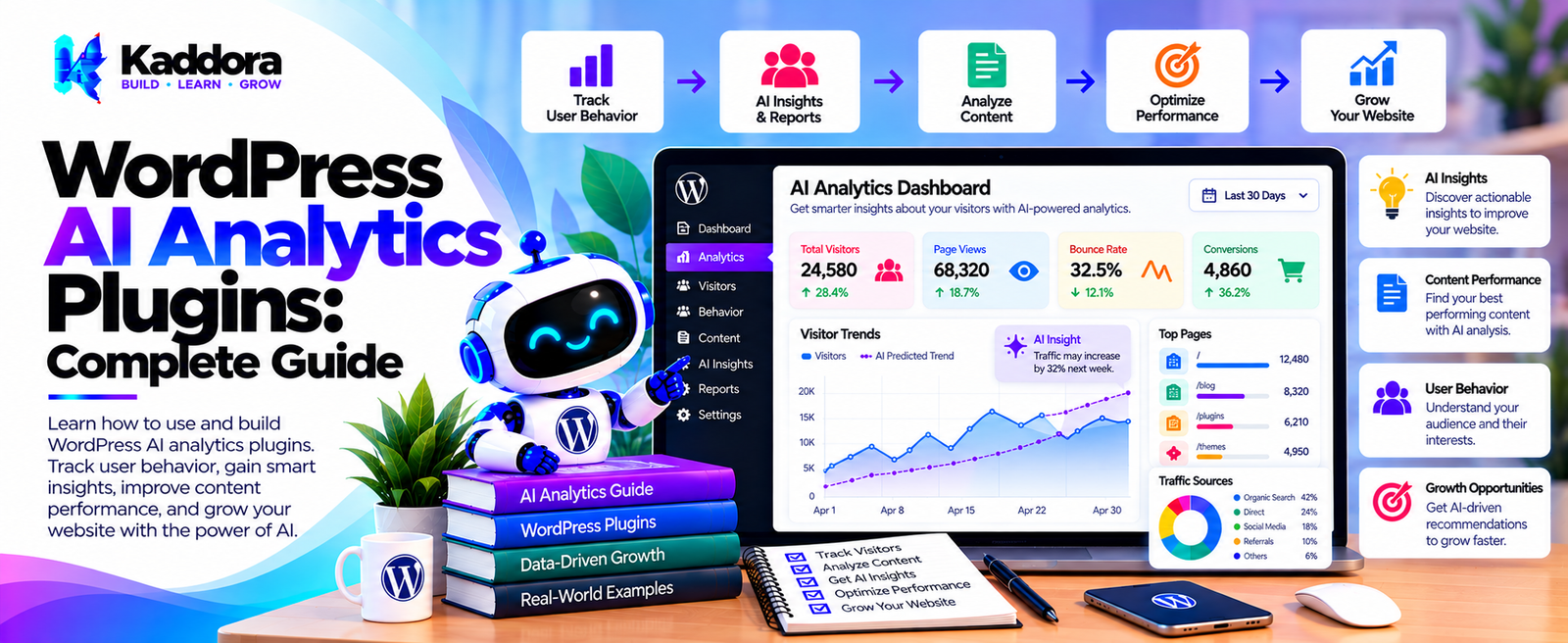
WordPress AI Analytics Plugins: Complete Guide
Introduction
Website analytics helps businesses understand what is happening on their WordPress websites.
Traditional analytics can provide large amounts of data about:
Visitors
Traffic sources
Page views
Sessions
Conversions
Products
Orders
Search activity
Content performance
User interactions
However, raw analytics data can sometimes be difficult to interpret.
For example:
Visitors: 25,000 Page Views: 61,000 Conversions: 1,250 Bounce Rate: 48%
The numbers show what happened, but they do not automatically explain why a particular pattern occurred.
AI can add an analysis layer:
Website Data ↓ AI Analysis ↓ Patterns ↓ Insights ↓ Recommended Areas to Investigate
This is where WordPress AI analytics plugins can be useful.
AI-powered analytics can help summarize website activity, identify patterns, organize large datasets, explain changes, analyze customer behavior, and generate natural-language reports.
However, AI analytics should work alongside reliable source data. AI-generated interpretations should not replace the underlying metrics.
What Are WordPress AI Analytics Plugins?
WordPress AI analytics plugins combine website analytics with artificial intelligence.
A traditional analytics workflow might be:
Website Activity ↓ Data Collection ↓ Dashboard
An AI analytics workflow can extend this:
Website Activity ↓ Data Collection ↓ Analytics ↓ AI Analysis ↓ Insights
Potential AI analytics capabilities include:
Traffic summaries
Content analysis
Conversion analysis
Customer segmentation
WooCommerce insights
Trend identification
Natural-language reports
Anomaly detection
Performance summaries
Marketing insights
How WordPress AI Analytics Works
A typical system can contain five major stages:
Data Collection ↓ Data Processing ↓ Metric Calculation ↓ AI Analysis ↓ Dashboard / Report
The important distinction is that the AI should generally analyze structured, validated data rather than become the source of truth itself.
For example:
Orders Database ↓ Verified Revenue ↓ AI Summary
rather than:
AI Guess ↓ Revenue Number
Why Use AI for WordPress Analytics?
Traditional analytics dashboards often require users to inspect multiple charts and reports.
AI can provide natural-language summaries such as:
"Traffic increased compared with the previous period, while conversions changed at a different rate."
The underlying numbers should remain visible so users can verify the explanation.
AI can be especially useful when a website generates large amounts of analytics data.
What Can WordPress AI Analytics Plugins Analyze?
Potential analytics areas include:
Website traffic
Content performance
User engagement
Conversion activity
WooCommerce orders
Product performance
Search behavior
Marketing campaigns
Forms
Leads
Customer segments
Revenue metrics
Website performance
AI Website Traffic Analysis
AI can summarize traffic data from different sources.
For example:
Traffic Data ↓ Source Analysis ↓ AI Summary
Potential dimensions include:
Organic search
Direct traffic
Referral traffic
Social traffic
Campaign traffic
The exact metrics depend on the analytics implementation.
AI Traffic Trend Analysis
AI can help identify changes over time.
For example:
Daily Traffic ↓ Weekly Data ↓ Monthly Data ↓ Trend Analysis
A system can highlight unusual increases or decreases for further investigation.
AI should distinguish between an observed change and a proven cause.
AI Content Analytics
WordPress websites often publish large amounts of content.
AI can analyze content performance across:
Blog posts
Pages
Categories
Documentation
Landing pages
Knowledge-base articles
A workflow could be:
Content Metrics ↓ Performance Analysis ↓ AI Summary
AI Blog Performance Analytics
An AI analytics plugin can combine article-level metrics with content metadata.
For example:
Article + Views + Engagement + Conversions ↓ AI Analysis
This can help identify which content deserves additional investigation.
AI Content Engagement Analysis
Engagement can include:
Page views
Time-related metrics
Scroll interactions
Clicks
Shares
Downloads
Conversions
The exact metrics should be clearly defined.
AI can summarize these metrics without replacing the underlying measurements.
AI Conversion Analytics
Conversion tracking is important for marketing-focused websites.
A workflow can be:
Visitors ↓ Interactions ↓ Conversion Events ↓ AI Analysis
Potential conversions include:
Form submissions
Purchases
Registrations
Downloads
Bookings
Subscription actions
AI Funnel Analysis
AI can help summarize funnel performance.
For example:
Visitors ↓ Product Views ↓ Add to Cart ↓ Checkout ↓ Purchase
The analytics system can identify where measurable drop-offs occur.
AI can then summarize the observed pattern.
AI User Behavior Analytics
AI can organize behavioral data such as:
Page interactions
Search queries
Product views
Form interactions
Navigation
Downloads
A simplified architecture is:
User Events ↓ Analytics Store ↓ AI Analysis
Behavioral tracking should be implemented with appropriate privacy controls.
AI Customer Journey Analytics
Customer journeys can span multiple sessions and channels.
For example:
Search ↓ Blog ↓ Product Page ↓ Signup ↓ Purchase
AI can help summarize these sequences when the underlying analytics system has the required data.
AI Marketing Analytics
AI can analyze marketing data from WordPress workflows.
Potential sources include:
Campaigns
Landing pages
Forms
Email integrations
Traffic sources
Conversion events
For example:
Campaign ↓ Traffic ↓ Leads ↓ Conversions ↓ AI Summary
AI SEO Analytics
AI can help interpret SEO-related data such as:
Organic traffic
Landing pages
Search queries
Clicks
Impressions
Content performance
A useful architecture is:
SEO Data ↓ Verified Metrics ↓ AI Interpretation
AI should not invent search performance data.
AI Search Analytics
Internal search data can provide useful insights.
For example:
Search Queries ↓ Query Analysis ↓ Popular Topics ↓ Content Gaps
AI can categorize similar search queries and summarize common themes.
AI Internal Search Analytics
A WordPress website can analyze what users search for.
Potential insights include:
Popular queries
Queries with no results
Repeated searches
Topic patterns
Search refinements
For example:
Search Logs ↓ AI Classification ↓ Search Themes
AI WooCommerce Analytics
WooCommerce stores generate structured commerce data.
AI analytics can help analyze:
Orders
Products
Categories
Revenue
Average order value
Customer activity
Refunds
Product performance
A workflow might be:
WooCommerce Data ↓ Analytics ↓ AI Insights
AI Product Performance Analytics
Product analytics can compare:
Product ↓ Views ↓ Cart Adds ↓ Orders ↓ Revenue
AI can summarize measurable differences between products.
AI Sales Analytics
AI can analyze sales data and create summaries such as:
Sales Data ↓ Period Comparison ↓ AI Summary
Examples include:
Sales trends
Product activity
Order volume
Revenue changes
Customer segments
All numerical values should come from verified source data.
AI Customer Analytics
Customer analytics can include:
New customers
Returning customers
Purchase activity
Order frequency
Product interests
Customer segments
A plugin should carefully control access to customer information.
AI Customer Segmentation Analytics
AI can assist with grouping customers based on structured information.
For example:
Customer Data ↓ Segmentation ↓ AI Summary
Possible segments include:
New customers
Returning customers
High-value customers
Product-specific audiences
Segmentation logic should be documented and configurable.
AI Revenue Analytics
Revenue analytics can summarize:
Gross sales
Net sales
Orders
Average order value
Refunds
For example:
WooCommerce Orders ↓ Verified Calculations ↓ Revenue Metrics ↓ AI Explanation
AI should not independently calculate financial truth when the underlying database already contains authoritative records.
AI Marketing Attribution
Attribution attempts to connect conversions with marketing interactions.
For example:
Search ↓ Blog ↓ Product ↓ Purchase
AI can help summarize attribution data, but attribution depends heavily on the tracking model being used.
Different attribution models can produce different interpretations.
AI Anomaly Detection
AI can help identify unusual patterns.
For example:
Normal Traffic ↓ Unexpected Change ↓ Anomaly Detection ↓ Alert / Investigation
Potential anomalies include:
Sudden traffic changes
Unusual order volume
Conversion changes
Search spikes
Error increases
An anomaly does not automatically indicate the cause.
AI Analytics Alerts
A plugin can notify administrators when configured metrics cross a threshold.
For example:
Metric ↓ Threshold ↓ Condition ↓ Alert
AI can provide a summary alongside the alert.
AI Analytics Reports
AI can convert structured analytics into readable reports.
For example:
Analytics Data ↓ AI Report Generator ↓ Marketing Report
Reports can include:
Traffic summaries
Content performance
Conversion metrics
WooCommerce activity
Search analytics
Campaign summaries
AI Natural-Language Analytics
One advantage of AI analytics is the ability to interact with data using natural language.
For example:
"Show me the top-performing products this month."
The system could translate the request into a structured analytics query.
However, query permissions and data access must still be enforced.
AI Analytics Chat Interface
A WordPress analytics plugin could provide a chat-style interface:
Administrator ↓ Analytics Question ↓ Query Engine ↓ Verified Data ↓ AI Explanation
The AI should not directly access unrestricted database data.
AI Analytics and Database Security
A safe architecture separates:
User Question ↓ Allowed Query Layer ↓ Validated Data ↓ AI
from:
User Question ↓ AI ↓ Direct Database Access
The second approach can create unnecessary security and reliability risks.
AI Analytics Query Abstraction
Analytics queries should be controlled through a dedicated service.
For example:
Analytics Request ↓ Query Service ↓ Validated Metrics ↓ AI
This makes the analytics system easier to test and secure.
AI Analytics Dashboard
A modern dashboard can combine traditional charts with AI summaries.
For example:
┌──────────────────────────────┐ │ Traffic │ │ 25,000 visits │ └──────────────────────────────┘ ┌──────────────────────────────┐ │ Conversions │ │ 1,250 │ └──────────────────────────────┘ ┌──────────────────────────────┐ │ AI Insight │ │ Summary of observed changes │ └──────────────────────────────┘
The raw metrics should remain available for verification.
AI Analytics and WordPress Hooks
WordPress hooks can capture relevant events.
Examples include:
Post Published User Registered Form Submitted Order Created Order Completed Product Updated
These events can feed analytics systems when appropriate.
AI Analytics Background Processing
AI analysis does not always need to happen during a page request.
A better workflow can be:
Analytics Event ↓ Store Data ↓ Queue Analysis ↓ AI Processing ↓ Store Result
This helps keep frontend requests responsive.
AI Analytics Caching
Repeated analytics questions can potentially use cached results.
For example:
Analytics Query ↓ Cache? ↙ ↘ Yes No ↓ ↓ Result Calculate
Cache expiration should match the freshness requirements of the metric.
AI Analytics Performance
AI analytics should not unnecessarily query large datasets repeatedly.
Performance techniques include:
Aggregated metrics
Database indexes
Caching
Scheduled calculations
Background jobs
Query limits
Pagination
Precomputed reports
AI Analytics API Cost Optimization
AI requests can become expensive if large datasets are sent repeatedly.
Instead of:
Entire Database ↓ AI
use:
Database ↓ Aggregated Metrics ↓ Relevant Context ↓ AI
This reduces unnecessary context and can improve consistency.
AI Analytics Rate Limiting
AI analytics interfaces should be protected against excessive requests.
Controls can include:
Administrator permissions
Request limits
Query limits
Timeouts
Usage quotas
Rate limiting
AI Analytics Privacy
Analytics often involves user information.
Potential data includes:
IP-related information
User identifiers
Browsing events
Purchase history
Search activity
Form interactions
A responsible plugin should minimize unnecessary personal data processing.
AI Analytics Data Minimization
If an AI request only needs:
Page Views Conversions Traffic Source
there may be no reason to send:
Name Email Phone Address
The analytics architecture should separate aggregate metrics from unnecessary personal information.
AI Analytics Security
Security controls should include:
Capability checks
Authentication
Authorization
Nonces
Input validation
Output escaping
Secure API credentials
Query restrictions
Rate limiting
Audit logs
AI Analytics Access Control
Different WordPress users may require different analytics access.
For example:
Administrator ↓ Full Analytics Manager ↓ Business Analytics Editor ↓ Content Analytics
The AI interface should inherit appropriate WordPress capabilities rather than bypassing them.
AI Analytics and GDPR
Privacy obligations depend on the website, audience, data collected, and jurisdiction.
An AI analytics plugin should provide controls for:
Data collection
Retention
External AI processing
Data deletion
User privacy
Tracking preferences
The plugin should not assume that every website has identical privacy requirements.
AI Analytics Data Retention
Analytics data should not necessarily be stored forever.
A plugin can provide retention settings:
Analytics Data ↓ Retention Period ↓ Automatic Cleanup
Retention periods should reflect the site's legitimate operational requirements.
AI Analytics Audit Logs
AI analytics actions can be logged.
For example:
User: Administrator Question: Top products this month Data: Sales Metrics Result: Generated Time: 2026-09-24
Logs should avoid unnecessary sensitive information.
AI Analytics Accuracy
AI-generated analytics summaries can contain mistakes.
Therefore:
Source Data ↓ Verified Metrics ↓ AI Summary
is preferable to:
Raw Question ↓ AI Guess
Important decisions should be based on the underlying metrics.
AI Analytics Hallucination Prevention
A plugin can reduce incorrect AI statements by providing:
Structured data
Explicit metric definitions
Restricted context
Structured outputs
Source references
Validation
Numeric consistency checks
For example:
Revenue = Verified Value AI: "Revenue was ₹X."
The value should come from the verified metric rather than AI-generated arithmetic.
AI Analytics and Data Sources
A plugin may combine data from:
WordPress
WooCommerce
Search Console integrations
Marketing platforms
CRM systems
Analytics services
Each source should be clearly identified.
AI Analytics Integrations
External APIs can extend analytics functionality.
A modular architecture could support:
WordPress ├── WooCommerce ├── Analytics API ├── CRM ├── Marketing Platform └── AI Provider
Provider-specific code should remain isolated.
AI Analytics Provider Abstraction
Instead of tightly coupling the plugin to one AI provider:
Analytics ↓ AI Interface ↙ ↘ Provider A Provider B
This makes future provider changes easier.
AI Analytics Fallbacks
If AI is unavailable, the normal analytics dashboard should continue to work.
For example:
Analytics Data ↓ AI Available? ↙ ↘ Yes No ↓ ↓ AI Summary Standard Metrics
Analytics should not depend entirely on AI availability.
AI Analytics Recommendations
AI can suggest areas to investigate based on measured data.
For example:
Analytics ↓ Observed Pattern ↓ AI Suggestion
The suggestion should be presented as an interpretation or area for investigation rather than a guaranteed explanation.
AI Analytics and Business Intelligence
AI analytics can act as a natural-language layer over business data.
Architecture:
Business Data ↓ Analytics Layer ↓ AI Interpretation ↓ Business Report
This can make complex dashboards easier to understand.
AI Analytics for Agencies
Agencies managing multiple WordPress websites can use analytics systems to organize:
Client reports
Traffic summaries
Content performance
Conversion data
Campaign results
Multi-site systems should strictly isolate client data.
AI Analytics for WooCommerce Stores
WooCommerce stores can use AI analytics for:
Sales reporting
Product analysis
Customer trends
Revenue summaries
Order patterns
Conversion analysis
Example:
WooCommerce ↓ Commerce Metrics ↓ AI Analysis ↓ Store Report
AI Analytics for Content Websites
Content-heavy websites can use AI analytics for:
Article performance
Topic trends
Search queries
Content gaps
Engagement patterns
For example:
Content Data ↓ Topic Analysis ↓ AI Summary
AI Analytics for Lead Generation Websites
Lead-generation websites can analyze:
Form submissions
Lead sources
Landing pages
Conversion rates
Campaign performance
A workflow can be:
Traffic ↓ Landing Page ↓ Form ↓ Lead ↓ AI Analysis
AI Analytics for Membership Websites
Membership websites can analyze:
Registrations
Logins
Content usage
Membership activity
Course engagement
AI can summarize these metrics without replacing the underlying reporting system.
How to Build a WordPress AI Analytics Plugin
Step 1: Define Analytics Requirements
Decide which metrics the plugin needs to collect and report.
Step 2: Design the Data Model
Create appropriate structures for events, metrics, reports, and aggregated data.
Step 3: Build the Analytics Layer
Calculate reliable metrics from verified source data.
Step 4: Add Query Services
Create controlled services for retrieving analytics information.
Step 5: Add the AI Provider Layer
Keep AI communication separate from analytics calculations.
Step 6: Build the AI Context Layer
Send only the relevant metrics to the AI service.
Step 7: Add Natural-Language Reports
Allow AI to summarize structured analytics data.
Step 8: Add Dashboard Components
Display both source metrics and AI summaries.
Step 9: Add Background Processing
Generate expensive reports asynchronously.
Step 10: Add Caching
Cache frequently requested reports and aggregations.
Step 11: Add Access Control
Restrict analytics according to WordPress capabilities.
Step 12: Add Privacy Controls
Provide appropriate data collection and retention settings.
Step 13: Add Cost Controls
Monitor AI requests and prevent unnecessary processing.
Step 14: Add Testing
Test calculations, permissions, API failures, large datasets, and AI response handling.
WordPress AI Analytics Plugin Checklist
Analytics
Event tracking
Metric calculation
Data aggregation
Conversion tracking
Content analytics
WooCommerce analytics
AI
AI provider abstraction
Context management
Prompt management
Structured outputs
Response validation
AI summaries
Performance
Database optimization
Aggregated metrics
Caching
Background processing
Query limits
Security
Capability checks
Authentication
Authorization
Nonces
Query restrictions
Secure credentials
Rate limiting
Privacy
Data minimization
Retention controls
External AI processing controls
Data deletion options
Tracking controls
Reporting
Dashboard
AI summaries
Export options
Scheduled reports
Audit logs
Error reporting
Best Practices for WordPress AI Analytics Plugins
A reliable WordPress AI analytics plugin should:
Treat source analytics data as the source of truth.
Keep AI interpretation separate from metric calculation.
Validate numerical data before sending it to AI.
Minimize personal data.
Protect analytics access with WordPress capabilities.
Keep API credentials secure.
Use background processing for expensive reports.
Cache frequently requested calculations.
Apply rate limits to AI interfaces.
Monitor AI API usage.
Provide standard analytics when AI is unavailable.
Clearly identify AI-generated interpretations.
Provide access to underlying metrics.
Prevent unrestricted database queries.
Keep external integrations modular.
Support appropriate data-retention controls.
Log important administrative actions.
Test analytics calculations independently from AI.
Avoid treating AI explanations as proven causes.
Keep administrators in control of analytics and data access.
Why Choose Kaddora?
Kaddora focuses on WordPress plugins, WooCommerce solutions, AI-powered tools, automation, SEO, analytics, themes, and website templates.
AI analytics becomes more useful when it works on top of reliable WordPress and WooCommerce data instead of attempting to replace traditional analytics systems.
A modern WordPress AI analytics solution can combine:
Website analytics
AI-powered insights
WooCommerce analytics
Content analytics
Conversion tracking
Customer analysis
Search analytics
Natural-language reports
AI dashboards
Marketing insights
Background processing
Secure integrations
Privacy controls
The goal is to make complex website data easier to understand while keeping the underlying metrics transparent and verifiable.
ThemeKaddora provides WordPress plugins, themes, templates, WooCommerce tools, AI solutions, SEO resources, analytics products, and automation-focused solutions for modern WordPress websites.
Conclusion
WordPress AI analytics plugins can add an intelligent interpretation layer to traditional website analytics.
Instead of requiring administrators to manually inspect every report:
Raw Data ↓ Dashboard ↓ Manual Analysis
an AI-enhanced system can provide:
Raw Data ↓ Verified Metrics ↓ AI Analysis ↓ Natural-Language Insight
This can be useful for website traffic, content performance, conversions, WooCommerce sales, customer behavior, search activity, and marketing analytics.
However, AI should not become the source of truth for analytics numbers. Reliable calculations should come from verified data sources, while AI should primarily help summarize, organize, interpret, and explore that information.
Security and privacy are equally important. Analytics can contain customer and behavioral information, so access control, data minimization, secure API communication, retention settings, and appropriate tracking controls should be part of the plugin architecture.
Performance also matters. Aggregated metrics, caching, background processing, database optimization, and query limits can prevent analytics systems from creating unnecessary load.
A strong WordPress AI analytics plugin therefore combines verified analytics data, structured queries, AI interpretation, secure access controls, privacy features, efficient data processing, caching, reporting, and reliable fallbacks.
AI should make analytics easier to understand without hiding the underlying numbers or replacing human judgment.
Frequently Asked Questions
What are WordPress AI analytics plugins?
WordPress AI analytics plugins combine traditional website analytics with artificial intelligence to summarize data, identify patterns, generate reports, and help administrators explore website performance.
What can WordPress AI analytics plugins analyze?
They can analyze website traffic, content, conversions, WooCommerce sales, products, customers, search behavior, campaigns, forms, and other supported analytics data.
Can I ask an AI analytics plugin questions?
A plugin can provide a natural-language interface where authorized users ask questions about supported analytics data.
Should AI directly access the WordPress database?
A safer architecture uses a controlled analytics or query layer that provides only the required data to the AI system.
Can AI replace Google Analytics or other analytics platforms?
AI analytics can complement traditional analytics systems. Whether it can replace a specific platform depends on the site's requirements and the capabilities of the plugin.
Can AI generate SEO analytics insights?
Yes. AI can summarize organic traffic, landing-page performance, search data, and other available SEO metrics.
How can AI analytics prevent incorrect information?
Use verified source metrics, structured context, restricted queries, response validation, and access to the underlying numbers.
Can AI analytics hallucinate?
Yes. AI-generated explanations can be incorrect, so important analytics decisions should be verified against the underlying data.
Should AI calculate financial metrics?
Financial metrics should be calculated from authoritative source data. AI can explain or summarize the verified results.
How can AI analytics protect customer privacy?
Use data minimization, access controls, secure integrations, appropriate retention policies, and controls over external AI processing.
Should all analytics data be sent to an AI provider?
No. Only the information necessary for the specific analytical task should be sent.
Can AI analytics slow down WordPress?
It can if expensive queries or AI requests run during page loads. Caching, aggregation, background processing, and optimized queries can reduce the impact.
How can AI analytics API costs be reduced?
Use aggregated metrics, smaller contexts, caching, appropriate AI models, request limits, batching, and duplicate prevention.
Can AI analytics work when the AI provider is unavailable?
Yes. A well-designed plugin should continue showing standard analytics and cached information even when AI features are temporarily unavailable.
Why choose Themekaddora?
Themekaddora provides lightweight, responsive, SEO-friendly WordPress themes with fast performance, WooCommerce compatibility, flexible customization, accessibility-conscious design, modern templates, regular updates, and professional support—providing a strong foundation for businesses building digital products and product-focused websites.
Comments (0)