
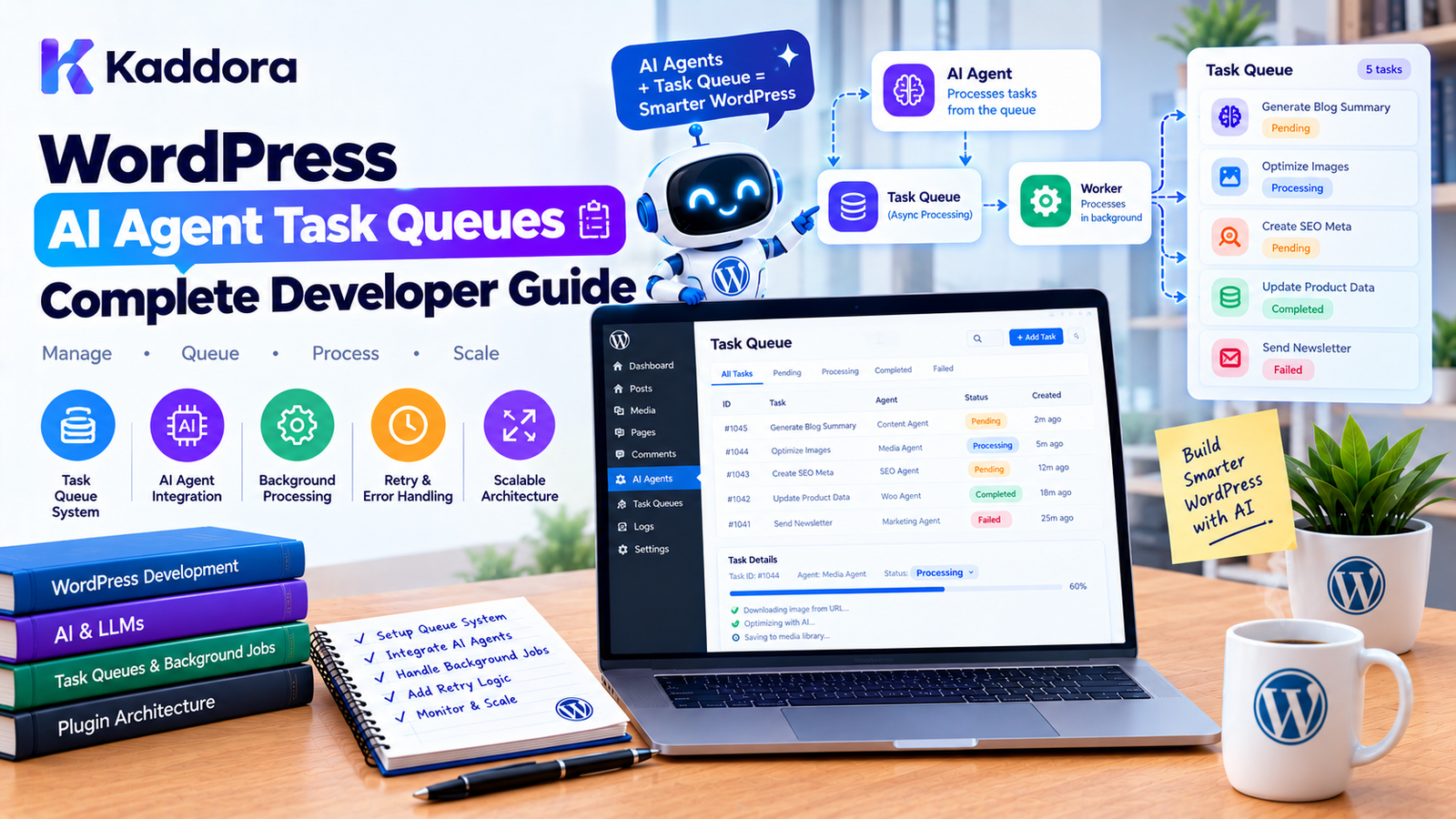
WordPress AI Agent Task Queues: Complete Developer Guide
Introduction
AI agents can perform increasingly complex operations inside WordPress.
An AI agent might need to:
Analyze hundreds of posts
Generate product descriptions
Optimize image metadata
Process WooCommerce products
Create SEO suggestions
Analyze customer reviews
Build content drafts
Process documents
Run scheduled workflows
Call multiple AI tools
Trying to execute all of these operations during a single WordPress request can create serious performance and reliability problems.
For example:
Admin clicks "Optimize Products" ↓ AI processes 5,000 products ↓ Long-running PHP request ↓ Timeout
A better architecture is to create a task queue.
AI Agent ↓ Create Tasks ↓ Task Queue ↓ Background Worker ↓ Execute Task ↓ Update Status
This allows AI-powered WordPress plugins to process large workloads gradually instead of blocking a user's request.
This guide explains how to design WordPress AI agent task queues, including task creation, workers, priorities, retries, scheduling, failure handling, security, concurrency, monitoring, and scalable plugin architecture.
What Is an AI Agent Task Queue?
An AI agent task queue is a system that stores work requested by an AI agent and processes that work asynchronously.
Instead of executing everything immediately:
$agent->execute();
the agent can create a task:
Task: Generate SEO metadata for product #245
The task is placed into a queue.
A worker later processes it.
Queue ├── Task 1 ├── Task 2 ├── Task 3 └── Task 4
The worker can process them individually or in controlled batches.
Why AI Agents Need Task Queues
AI operations can be slow and unpredictable.
A single workflow might require:
AI Request ↓ Search WordPress ↓ Retrieve Product ↓ Analyze Content ↓ Generate Result ↓ Save Data
If this workflow needs to be repeated for 1,000 records, processing everything synchronously is inefficient.
A queue changes the architecture:
1,000 Items ↓ 1,000 Tasks ↓ Queue ↓ Workers ↓ Completed Results
This provides better control over resource usage.
Synchronous vs Asynchronous AI Processing
Synchronous
User Request ↓ AI Operation ↓ Database ↓ Response
This works well for small operations.
For example:
Generate a title
may only take a few seconds.
Asynchronous
User Request ↓ Create Task ↓ Return Immediately ↓ Background Worker ↓ AI Processing ↓ Save Result
This is better for large or long-running workloads.
When Should You Use a Queue?
Use a queue when an AI operation:
Processes many records
Requires multiple API calls
Can take significant time
Should continue after the user leaves the page
Can be retried safely
Runs on a schedule
Requires controlled API usage
Needs progress tracking
For example:
Generate alt text for 10,000 images
is an excellent queue-based workload.
When You May Not Need a Queue
Not every AI request requires background processing.
For example:
Rewrite this paragraph.
can normally be handled synchronously.
A useful rule is:
Short + interactive ↓ Synchronous Long + batch + scheduled ↓ Asynchronous
Basic AI Task Queue Architecture
A practical architecture looks like:
AI Agent ↓ Task Dispatcher ↓ Task Queue ↓ Background Worker ↓ AI Tool / API ↓ WordPress Data ↓ Task Result
The queue acts as a boundary between task creation and task execution.
AI Agent vs Task Queue
These are different responsibilities.
AI Agent
Determines:
What should happen?
Task Queue
Determines:
When should it happen?
Worker
Determines:
How should the task be executed?
For example:
AI Agent "Optimize these 500 products." ↓ Task Queue 500 individual tasks ↓ Worker Processes tasks in batches
This separation keeps the system easier to manage.
Designing an AI Task
A task should contain enough information for a worker to process it safely.
A basic task might include:
Task ID Task Type Payload Status Priority Attempts Created At Scheduled At Started At Completed At
For example:
Task ID: 1842 Type: generate_product_description Product ID: 725 Status: pending Attempts: 0
Recommended Task Statuses
A queue can use statuses such as:
pending processing completed failed cancelled retrying
For example:
pending ↓ processing ↓ completed
If something fails:
processing ↓ failed ↓ retrying ↓ processing
Task Lifecycle
A typical lifecycle looks like:
Created ↓ Pending ↓ Claimed ↓ Processing ↓ Completed
Or:
Created ↓ Pending ↓ Processing ↓ Failed ↓ Retry ↓ Processing
This lifecycle should be explicit.
Task Payloads
A task payload should contain identifiers and parameters needed for execution.
For example:
$task = array( 'type' => 'generate_product_description', 'payload' => array( 'product_id' => 725, 'tone' => 'professional', ), );
Avoid storing unnecessary data.
For large content, storing an identifier and retrieving the current record during execution can sometimes be more efficient than duplicating large payloads.
Do Not Store Secrets in Task Payloads
Avoid:
$payload['api_key'] = $api_key;
Tasks may be stored in databases or logs.
Sensitive credentials should be retrieved securely by the worker when needed.
Task Types
Define explicit task types.
For example:
generate_post_title generate_meta_description analyze_product generate_alt_text summarize_review create_content_draft sync_ai_embeddings
Avoid generic tasks such as:
execute_anything
Specific task types make validation and authorization easier.
Task Registry
A plugin can maintain a registry of task handlers.
For example:
$registry->register( 'generate_alt_text', $alt_text_handler ); $registry->register( 'generate_product_description', $product_description_handler );
The worker then resolves the appropriate handler.
Task Type ↓ Task Registry ↓ Handler ↓ Execution
Task Handlers
A handler should have a focused responsibility.
For example:
final class Generate_Alt_Text_Handler { public function handle( array $payload ) { $attachment_id = absint( $payload['attachment_id'] ); // Retrieve image. // Generate suggestion. // Validate result. // Save metadata. } }
The queue system should not contain all business logic.
Task Queue vs Business Logic
Keep responsibilities separate.
Task Queue ↓ Scheduling ↓ Claiming ↓ Retries ↓ Status
The handler manages:
Business Operation
For example:
Queue ↓ Generate Alt Text Handler ↓ AI Service ↓ WordPress Media
Storing Tasks in WordPress
There are several possible approaches.
WordPress Options
Suitable for very small amounts of configuration, but generally not ideal for large task queues.
Custom Database Table
Useful for substantial task workloads.
Existing WordPress Scheduling Systems
Useful when the workload is relatively simple and scheduled execution is sufficient.
Dedicated Queue Infrastructure
Large applications may use external queue systems, but this adds operational complexity.
Choose based on actual scale.
Custom Task Table
A custom table might contain:
id task_type payload status priority attempts available_at locked_at locked_by created_at updated_at
Conceptually:
CREATE TABLE wp_kaddora_ai_tasks ( id bigint unsigned NOT NULL AUTO_INCREMENT, task_type varchar(100) NOT NULL, payload longtext NOT NULL, status varchar(20) NOT NULL, priority int NOT NULL DEFAULT 10, attempts int NOT NULL DEFAULT 0, available_at datetime NOT NULL, locked_at datetime NULL, locked_by varchar(100) NULL, created_at datetime NOT NULL, updated_at datetime NOT NULL, PRIMARY KEY (id) );
Production schema design should also consider indexes based on the actual query patterns.
Why a Custom Table Can Help
A dedicated queue table makes it easier to:
Find pending tasks
Sort by priority
Claim jobs
Retry failed jobs
Track attempts
Recover stuck jobs
Monitor queue size
For large AI workloads, this can be more manageable than storing queue state in options.
Querying Pending Tasks
A worker may need to retrieve tasks such as:
status = pending available_at <= current time
and sort them by:
priority created_at
A simplified query concept is:
SELECT * FROM wp_kaddora_ai_tasks WHERE status = 'pending' AND available_at <= NOW() ORDER BY priority ASC, id ASC LIMIT 10
Use prepared SQL and appropriate indexes when implementing this in WordPress.
Task Priorities
Not every AI task has the same urgency.
For example:
Priority 1: User-requested task Priority 5: Scheduled SEO task Priority 10: Bulk optimization
The worker can process higher-priority tasks first.
Interactive vs Background Tasks
A useful priority model is:
High: Interactive user request Medium: Scheduled business workflow Low: Bulk optimization
For example:
Generate title for currently edited post
may receive higher priority than:
Generate alt text for old catalog images
Rate-Limiting AI Tasks
AI APIs may have usage limits.
A queue makes it easier to control request volume.
For example:
Maximum: 10 AI requests/minute
The worker can enforce this.
Task ↓ Rate Limit Check ↓ Allowed? ├── Yes → Execute └── No → Delay
Cost Control
AI API usage may have financial costs.
A task queue can help enforce:
Daily task quotas
Per-user limits
Per-agent limits
Maximum tokens
Maximum retries
Maximum concurrent requests
For example:
Daily AI Budget ↓ Task Queue ↓ Remaining Budget? ├── Yes → Process └── No → Pause
Retry Failed Tasks
AI requests can fail because of:
Network problems
Timeouts
Rate limits
Temporary provider errors
WordPress errors
Invalid responses
A queue should distinguish temporary failures from permanent failures.
Exponential Backoff
Instead of retrying immediately:
Fail ↓ Retry ↓ Fail ↓ Retry
use increasing delays:
First retry: 30 seconds Second: 2 minutes Third: 10 minutes Fourth: 30 minutes
The exact strategy should depend on the error type and provider requirements.
Do Not Retry Everything
Some errors are permanent.
For example:
Invalid product ID
does not necessarily become valid after retrying.
Similarly:
Invalid tool arguments
should generally be fixed rather than repeatedly executed.
Classify errors as:
Retryable Permanent
Maximum Attempts
Set a maximum retry count.
For example:
if ( $task->attempts >= 5 ) { $task->mark_failed(); }
This prevents endless retry loops.
Failed Task Management
A failed task should retain useful diagnostic information.
For example:
Task: Generate Product Description Status: Failed Attempts: 4 Error: AI provider timeout Last Attempt: 2026-09-24 19:30
Administrators can then inspect and retry it manually.
Dead-Letter Tasks
For large systems, permanently failed tasks can be moved to a separate state:
failed_permanently
or a dead-letter queue.
This prevents problematic tasks from blocking the normal queue.
Recovering Stuck Tasks
Workers can crash while processing.
For example:
Task: processing Worker: crashed
Without recovery, the task may remain stuck forever.
Store a lock timestamp:
locked_at
Then detect tasks that have been processing too long.
For example:
processing for > 15 minutes ↓ Assume worker failure ↓ Release task ↓ Retry
The timeout should reflect the expected task duration.
Task Locking
Two workers should not process the same task simultaneously.
A queue needs a claiming mechanism.
Conceptually:
Worker A ↓ Claims Task 100 Worker B ↓ Cannot claim Task 100
Atomic database operations or suitable locking strategies are important here.
Concurrency
Multiple workers can process tasks simultaneously:
Queue ├── Worker A ├── Worker B └── Worker C
This increases throughput.
However, unlimited concurrency can cause:
API rate-limit problems
Server overload
Database contention
Increased AI costs
Use controlled concurrency.
Per-Task Concurrency Rules
Some tasks can safely run in parallel.
Others cannot.
For example:
Generate alt text
may be independent.
But:
Update the same product
may require serialization.
The task system should account for resource conflicts where necessary.
Idempotency
A task should ideally be safe to retry.
Suppose:
Update product metadata
runs twice.
The final state should remain correct rather than creating duplicate records or duplicate actions.
For example:
update_post_meta( $product_id, '_seo_title', $title );
is generally easier to retry than:
insert_new_report();
without a duplicate check.
Task Idempotency Keys
A task can include an idempotency key:
product:725:seo-title:v2
Before execution:
Already completed? ↓ Yes → Skip No → Execute
This can help prevent duplicate work.
AI Agent Task Dependencies
Some workflows require tasks to run in sequence.
For example:
Task A Analyze Product ↓ Task B Generate Description ↓ Task C Generate SEO Metadata ↓ Task D Create Draft
The queue can represent dependencies.
Parent and Child Tasks
A parent AI workflow can create child tasks.
Parent: Optimize Product Catalog ↓ Child: Analyze Product 1 Child: Analyze Product 2 Child: Analyze Product 3 ...
The parent can be marked complete only when the required child tasks finish.
Task Batches
For large workloads, create batches.
5,000 products Batch 1: 1–100 Batch 2: 101–200 Batch 3: 201–300
This makes progress tracking easier.
Progress Tracking
An AI task dashboard can display:
Product Optimization Completed: 340 / 500 Progress: 68% Failed: 8 Remaining: 152
This provides useful visibility for administrators.
Cancellation
Users should be able to cancel pending tasks.
For example:
AI Optimization Status: Running [Cancel Remaining Tasks]
Cancellation should be handled safely.
Tasks already executing may not be immediately stoppable, depending on the operation.
Pause and Resume
For large AI queues, administrators may also need:
Pause Resume
For example:
AI Queue: Paused Reason: API maintenance
Pending tasks remain in the queue and resume later.
Scheduling AI Tasks
Tasks can be scheduled:
Run immediately Run later Run daily Run weekly
For example:
Every night at 2:00 AM: Analyze new product reviews
Scheduled tasks should create normal queue jobs rather than embedding all business logic inside the scheduler.
WordPress Cron and AI Queues
WordPress cron can trigger queue processing.
For example:
WP-Cron ↓ Queue Worker ↓ Process Pending Tasks
However, WP-Cron is traffic-dependent on many WordPress installations.
For high-volume systems, a server-level scheduler or other reliable execution mechanism may be more appropriate.
Queue Processing With WP-Cron
A basic pattern:
add_action( 'kaddora_ai_process_queue', array( $worker, 'process', ) );
The worker processes a limited number of tasks per run.
For example:
One run: 10 tasks
rather than trying to process the entire queue.
Avoid Long Cron Requests
Do not create:
WP-Cron ↓ Process 5,000 AI tasks
Instead:
WP-Cron ↓ Process 10 tasks ↓ Finish
The next run continues processing.
Queue Health Monitoring
An AI queue should expose operational metrics.
For example:
Pending: 420 Processing: 8 Completed today: 2,840 Failed: 32 Retrying: 11 Oldest pending: 12 minutes
This makes queue problems visible.
Detect Queue Backlogs
A growing queue can indicate:
AI provider slowdown
Worker failure
Rate limiting
Excessive task creation
Server resource problems
For example:
Tasks created: 10,000/hour Tasks completed: 5,000/hour
The backlog will grow.
Monitoring should identify this early.
AI Provider Rate Limits
The queue should respect provider rate limits.
A worker can use a central limiter:
Task ↓ Rate Limiter ↓ AI API
If the provider responds with a rate-limit error:
Task ↓ Retry Later
Do not immediately hammer the API with repeated requests.
Queue-Level Rate Limiting
You can limit:
Requests per minute Requests per hour Tokens per minute Concurrent requests
Different AI agents may receive different quotas.
Agent-Specific Queues
Large plugins may maintain logical queues:
SEO Queue Content Queue WooCommerce Queue Analytics Queue Image Queue
This can make prioritization and monitoring easier.
Shared vs Separate Workers
A plugin can use:
Shared Worker
All Tasks ↓ Worker
or:
Specialized Workers
SEO Tasks ↓ SEO Worker Image Tasks ↓ Image Worker
Specialized workers can be useful when workloads have different performance or resource requirements.
AI Queue Security
Every task should be treated as untrusted until validated.
Do not assume that because a task was created by an AI agent it is safe.
The worker should verify:
Task Type Payload User Agent Permissions Resource Approval Limits
before execution.
Preserve User Permissions
Suppose an editor creates:
Generate SEO metadata
The task enters the queue.
Later, a worker processes it.
The worker should still enforce the original authorization context or an explicitly defined service authorization model.
Queue execution must not accidentally grant administrator privileges.
Approval State
For high-risk tasks, store approval information.
For example:
approval_required = true approval_status = approved approved_by = 25 approved_at = ...
The worker should verify that approval exists before executing the operation.
Prevent Approval Tampering
Do not allow the AI agent to set:
approval_status = approved
The approval should come from a trusted application action.
For example:
Administrator clicks Approve ↓ WordPress verifies capability ↓ Task marked approved
AI Task Queue Audit Logs
Every significant state change can be logged:
Task created Task claimed Task started Task completed Task failed Task retried Task cancelled Task approved Task denied
This provides a useful history.
Example Task Log
Task #1842 Created: Admin User Type: generate_alt_text Resource: Attachment #842 Agent: Image SEO Agent Status: Completed Attempts: 1 Duration: 4.8 seconds
Logging Errors Safely
Do not store:
API key Authorization header Passwords Private tokens
in task logs.
Store structured error codes and safe diagnostic messages instead.
AI Queue Architecture With Sandbox
A secure system can combine the previous sandbox architecture with task queues:
AI Agent ↓ Task Request ↓ Sandbox Policy ↓ Task Validation ↓ Queue ↓ Worker ↓ Re-Validate ↓ Tool Execution ↓ WordPress ↓ Audit Log
Notice that validation can happen both when the task is created and when it is executed.
Why Re-Validate at Execution Time?
Between task creation and execution:
Permissions may change.
The resource may be deleted.
The task may expire.
An administrator may disable the agent.
Approval may be revoked.
Configuration may change.
Therefore, execution-time validation is important.
Task Expiration
Some tasks should not execute indefinitely after creation.
For example:
Generate promotional content
may become irrelevant after a campaign ends.
A task can have:
expires_at
The worker rejects expired tasks.
Queue Configuration
An admin screen might provide:
AI Task Queue Settings Maximum tasks per run: 10 Maximum concurrent tasks: 3 Maximum retries: 5 Task timeout: 60 seconds Queue: Enabled [Save Settings]
These settings should themselves be validated and protected by appropriate capabilities.
Queue Cleanup
Completed tasks can accumulate.
A cleanup system can remove old records:
Completed tasks: Keep 30 days
Failed tasks:
Keep 90 days
Important audit information may need longer retention depending on the application's requirements.
Do not delete records blindly if they are needed for compliance or debugging.
Database Indexes
A custom queue table should be designed around actual queue queries.
Commonly useful indexes may involve:
status available_at priority locked_at
The exact index design should be based on query patterns and database performance testing.
Avoid Loading the Entire Queue
Do not do:
$tasks = get_all_tasks();
for a large queue.
Instead retrieve a bounded number:
10 tasks 20 tasks 50 tasks
depending on the worker design.
Batch Size
Batch size should balance:
Throughput + Memory + API limits + Execution time
A batch of 10 may be safer than 1,000 for a normal WordPress request.
Memory Management
AI responses can be large.
A worker processing many tasks should avoid retaining all responses in memory.
Prefer:
Process ↓ Save ↓ Release ↓ Next Task
rather than:
Process 1 Process 2 ... Process 1,000 ↓ Save everything
AI Token Usage
Task queues can also help control token consumption.
A task can have a maximum budget:
Max input: 4,000 tokens Max output: 1,000 tokens
If a task exceeds the configured limit, the worker can reject or truncate the operation according to the application's design.
Prevent Runaway AI Workflows
An AI agent might create more tasks while processing a task.
For example:
Task A ↓ Creates 100 tasks ↓ Each creates 100 tasks ↓ 10,000 tasks
Use workflow-level limits.
For example:
Maximum child tasks: 100
and:
Maximum workflow depth: 3
Task Lineage
Track relationships between tasks.
For example:
Workflow #50 ├── Task #501 ├── Task #502 ├── Task #503 └── Task #504
This makes complex AI workflows easier to monitor and cancel.
AI Task Queue Testing
Test at least:
Normal Processing
Pending → Processing → Completed
Retry
Failure → Retry → Completed
Permanent Failure
Failure → Maximum Attempts → Failed
Worker Crash
Processing → Timeout → Requeued
Cancellation
Pending → Cancelled
Expiration
Pending → Expired
Permission Change
Created as Allowed ↓ Permission Removed ↓ Execution Denied
Example Task Queue Service
A simple service might look like:
final class AI_Task_Queue { public function enqueue( string $type, array $payload, int $priority = 10 ): int { // Validate and store task. return $task_id; } public function claim_next() { // Atomically claim an available task. } public function complete( int $task_id ): void { // Mark completed. } public function fail( int $task_id, string $error ): void { // Mark failed or schedule retry. } }
The exact implementation depends on the queue backend.
Example Worker
A worker can follow this flow:
public function process(): void { $task = $this->queue->claim_next(); if ( ! $task ) { return; } try { $this->validator->validate( $task ); $handler = $this->registry->get( $task->type ); $handler->handle( $task->payload ); $this->queue->complete( $task->id ); } catch ( Retryable_Exception $exception ) { $this->queue->retry( $task->id, $exception->getMessage() ); } catch ( Throwable $exception ) { $this->queue->fail( $task->id, $exception->getMessage() ); } }
A production implementation should also consider logging, lock management, timeouts, idempotency, and safe error handling.
Queue Architecture for a WordPress AI Plugin
A practical plugin structure might be:
kaddora-ai-agent/ │ ├── includes/ │ ├── AI/ │ │ ├── Agent.php │ │ ├── ToolRegistry.php │ │ └── Sandbox.php │ │ │ ├── Queue/ │ │ ├── TaskQueue.php │ │ ├── Task.php │ │ ├── Worker.php │ │ └── TaskRegistry.php │ │ │ ├── Handlers/ │ │ ├── GenerateAltText.php │ │ ├── GenerateDescription.php │ │ └── AnalyzeProduct.php │ │ │ └── Infrastructure/ │ └── Database/ │ ├── admin/ └── assets/
The exact folder structure can vary.
The important principle is clear responsibility.
Common WordPress AI Task Queue Mistakes
1. Processing Everything in One Request
Large AI workloads can time out.
Better: use background tasks.
2. No Retry Strategy
Temporary provider failures can leave tasks permanently broken.
Better: classify errors and retry appropriate failures.
3. Infinite Retries
A permanent error can create an endless loop.
Better: enforce maximum attempts.
4. No Task Locking
Two workers may process the same task.
Better: use a reliable claiming mechanism.
5. No Execution-Time Validation
Permissions can change after task creation.
Better: revalidate when executing.
6. Storing API Keys in Payloads
Task records may expose sensitive credentials.
Better: retrieve credentials securely at execution time.
7. No Idempotency
Retries may create duplicate changes.
Better: design tasks to be safely repeatable.
8. Unlimited Queue Growth
An AI workflow can accidentally create thousands of tasks.
Better: enforce task and workflow limits.
9. Processing Too Many Tasks Per Run
This can cause memory and timeout problems.
Better: use bounded batches.
10. No Monitoring
A queue can silently fail.
Better: provide queue health metrics and logs.
Best Practices for WordPress AI Agent Task Queues
Use asynchronous processing for long-running AI operations.
Define explicit task types.
Keep task payloads small.
Never store secrets in task payloads.
Use task statuses consistently.
Implement reliable task claiming.
Prevent duplicate processing.
Use idempotent operations where practical.
Add retry policies.
Distinguish retryable and permanent errors.
Set maximum attempts.
Use exponential backoff where appropriate.
Limit task execution time.
Limit batch sizes.
Control AI API concurrency.
Respect provider rate limits.
Track task priorities.
Support cancellation for pending workloads.
Revalidate permissions before execution.
Log important task lifecycle events.
Monitor queue backlog.
Recover abandoned tasks.
Consider task expiration.
Track parent and child workflows.
Keep queue infrastructure separate from business logic.
WordPress AI Agent Task Queue Checklist
Task Design
Tasks have unique IDs.
Task types are explicit.
Payloads contain only required data.
Task status is tracked.
Priority is supported where needed.
Scheduled execution is supported where needed.
Security
Secrets are not stored in task payloads.
User permissions are preserved.
Agent permissions are validated.
Execution-time authorization is performed.
High-risk tasks require approval where appropriate.
AI cannot approve its own tasks.
Reliability
Tasks can be retried.
Maximum retry attempts exist.
Retry delays are controlled.
Failed tasks are visible.
Stuck tasks can be recovered.
Duplicate execution is prevented where necessary.
Performance
Queue processing uses bounded batches.
AI concurrency is controlled.
API rate limits are respected.
Large responses do not accumulate in memory.
Queue queries are indexed appropriately.
Monitoring
Pending tasks can be counted.
Failed tasks can be inspected.
Processing tasks can be monitored.
Queue backlog is visible.
Task duration can be measured.
Important events are logged.
Why Choose Kaddora?
AI-powered WordPress plugins increasingly need background processing when they move beyond simple chat interactions.
Kaddora's practical WordPress architecture can use task queues for features such as:
AI SEO optimization
WooCommerce product processing
Image alt text generation
Content generation
AI analytics
Review analysis
AI recommendations
Automated reporting
Document processing
Background AI workflows
The objective is not to create a complicated enterprise queue for every plugin.
Instead, the architecture should match the workload.
A simple AI feature may need only a small scheduled worker. A large WooCommerce or AI automation platform may require persistent task storage, retries, priorities, concurrency controls, monitoring, and recovery mechanisms.
The key is to make AI processing reliable, observable, and controlled.
Conclusion
WordPress AI agent task queues provide an important foundation for building scalable AI-powered plugins.
When AI operations become long-running, repetitive, or resource-intensive, processing everything inside a single WordPress request becomes increasingly unreliable.
A task queue changes the model:
AI Agent ↓ Task ↓ Queue ↓ Worker ↓ Validation ↓ AI Tool ↓ WordPress
This architecture provides several important benefits:
Background processing
Retry handling
Rate limiting
Priority management
Progress tracking
Failure recovery
Resource control
Better user experience
Improved observability
The queue should not replace application architecture. It should provide a reliable execution layer around application tasks.
For advanced AI agents, task queues become even more important because one agent request may create many dependent operations.
The most important principle is:
Let the AI decide what work may be useful, but let the task system decide when and under what controlled conditions that work is executed.
With explicit task types, secure payloads, authorization checks, retries, idempotency, execution limits, and monitoring, WordPress plugins can process substantial AI workloads without turning every request into a long-running operation.
Frequently Asked Questions
What is a WordPress AI agent task queue?
It is a system that stores AI-generated work as tasks and processes those tasks asynchronously using background workers.
Why do AI agents need task queues?
AI agents may perform operations that take significant time or involve many records. Queues allow those operations to run in controlled background processes instead of blocking a WordPress request.
Should every AI request use a queue?
No. Short interactive operations can often run synchronously. Queues are more useful for long-running, bulk, scheduled, or multi-step operations.
Can WordPress AI queues process WooCommerce products?
Yes. A queue can process WooCommerce products individually or in controlled batches for tasks such as content generation, metadata optimization, analysis, or recommendations.
How should AI task failures be handled?
Classify failures as retryable or permanent. Retry temporary failures with a controlled delay and move permanently failing tasks into a failed state after a defined number of attempts.
What is exponential backoff?
Exponential backoff increases the delay between retries. It helps avoid repeatedly hitting an unavailable or rate-limited AI service.
How do I prevent duplicate AI task execution?
Use a reliable task-claiming mechanism, locks, unique task identifiers, and idempotent operations where appropriate.
Should API keys be stored in AI task payloads?
No. Task payloads should not contain sensitive credentials. Workers should retrieve credentials securely when they need to communicate with the AI provider.
Can WordPress Cron process AI queues?
Yes. WordPress Cron can trigger queue workers for suitable workloads. High-volume systems may need a more reliable external scheduler or server-level execution mechanism.
How many AI tasks should a worker process at once?
There is no universal number. Use a bounded batch size based on execution time, memory, API limits, database performance, and workload characteristics.
How can I monitor an AI task queue?
Track pending, processing, completed, failed, retrying, and cancelled tasks. Useful metrics include queue size, task duration, failure rates, and oldest pending task age.
Why choose Themekaddora?
Themekaddora provides lightweight, responsive, SEO-friendly WordPress themes with fast performance, WooCommerce compatibility, flexible customization, accessibility-conscious design, modern templates, regular updates, and professional support—providing a strong foundation for businesses building digital products and product-focused websites.
Comments (0)