
Introduction
AI agents are making WordPress plugins more intelligent and capable of performing complex operations.
An AI agent might retrieve WordPress content, analyze WooCommerce products, generate recommendations, execute approved tools, coordinate background tasks, and prepare reports. As the number of operations increases, understanding what happened during execution becomes increasingly important.
Consider an administrator who asks:
Analyze my WooCommerce products, identify missing descriptions, generate improvements, and create a report.
The agent may perform several operations:
User Request ↓ Agent Planning ↓ Product Search ↓ Description Analysis ↓ AI Generation ↓ Output Validation ↓ Report Creation ↓ Final Response
If the report is incomplete or a product update fails, the final response alone may not explain why.
Developers need to know which tools ran, which operations succeeded, where errors occurred, whether permissions were checked, and how long each step took.
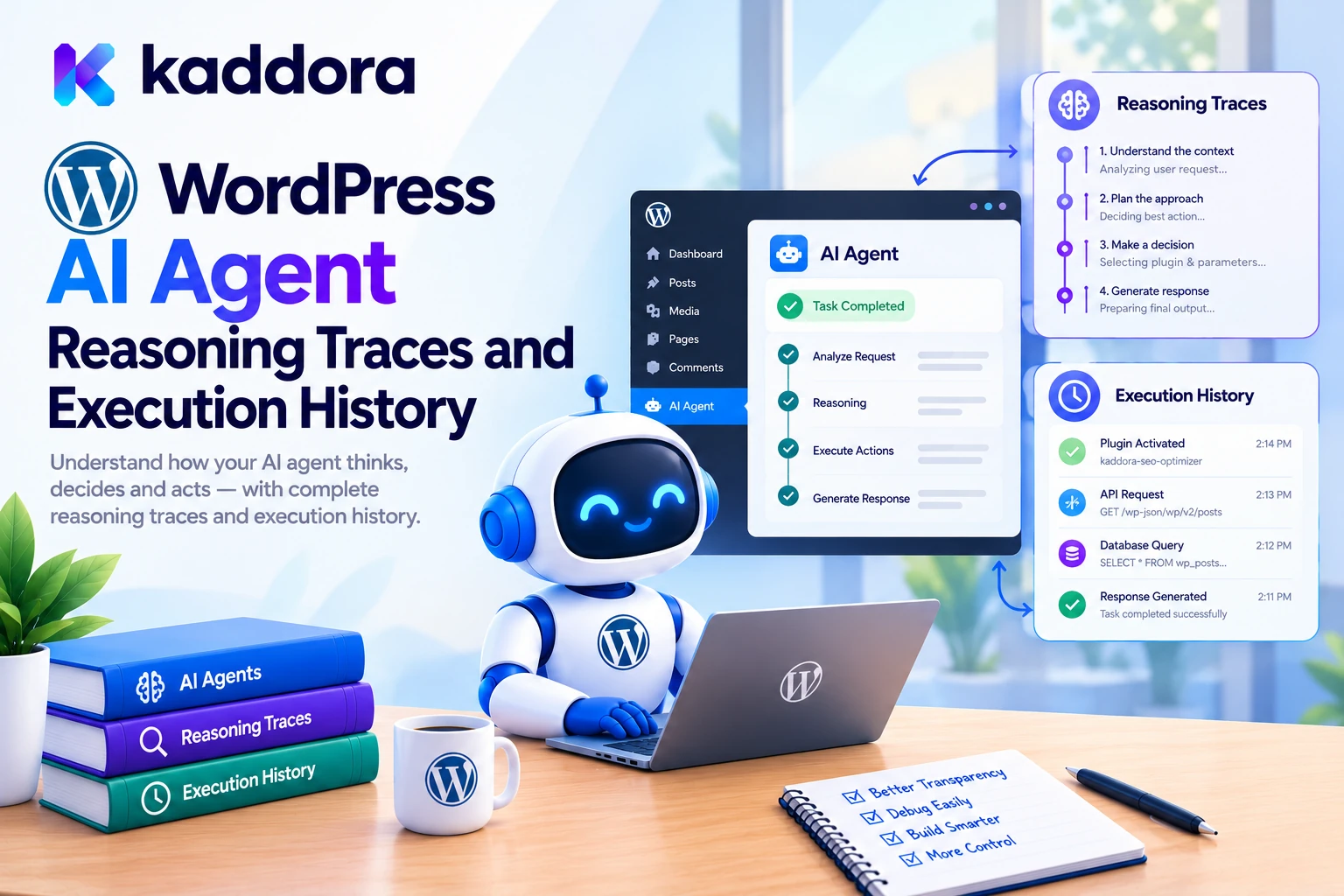
This is where WordPress AI agent reasoning traces and execution history become important.
A tracing system records observable events during an agent run, while execution history provides a persistent record that administrators and developers can inspect later.
A practical architecture looks like this:
WordPress AI Agent ↓ Agent Runtime ↓ Trace and Event Recorder ↓ Tool Execution ↓ Result Validation ↓ Persistent History ↓ Monitoring Dashboard
The objective is to make AI-powered WordPress plugins easier to debug, monitor, audit, and maintain.
An important distinction: useful execution traces do not require exposing a model's hidden chain-of-thought. Developers can monitor model calls, tool selection, validation results, application actions, state transitions, and errors without recording private internal reasoning.
What Are WordPress AI Agent Reasoning Traces?
An AI agent trace is a connected record of the observable steps involved in one agent run.
For example:
Agent Run #1024 │ ├── Request Received ├── Plan Prepared ├── Product Search ├── Product Analysis ├── AI Generation ├── Result Validation └── Report Completed
Each event contributes information about the execution path.
A trace can help developers determine whether:
A tool was requested but rejected.
A search completed without returning records.
An AI response failed validation.
A required approval was not granted.
A database operation failed.
A background task stopped before completion.
The concept follows established tracing approaches. For example, OpenTelemetry's tracing documentation describes traces as collections of related spans representing operations within a larger workflow.
A WordPress plugin can implement the same general idea through PHP services, structured event records, persistent storage, and an administration dashboard.
What Is AI Agent Execution History?
Execution history is the persistent record of actions performed by an agent and its supporting application.
For example:
Agent: WooCommerce Assistant Run ID: run_1024 Action: search_products Status: Completed Result: 24 products found Duration: 320 ms
Depending on the plugin's requirements, execution history can include:
Agent runs
Model requests
Tool executions
Permission decisions
Approval events
Task-state changes
Retries
Errors
Resource modifications
Workflow completion
The purpose is to preserve useful information about automated behavior beyond the lifetime of an individual browser request.
This is particularly important when an agent executes several tools, uses background workers, or resumes a task after an interruption.
Reasoning Traces vs Execution History vs Audit Logs
These concepts are related, but they serve different purposes.
Component
Purpose
Example
Reasoning trace
Connects observable events in one agent run
Model call → tool request → tool result
Execution history
Preserves activity for later inspection
Task started, retried, completed
Audit log
Records important or security-sensitive actions
Administrator approved a product update
Performance metrics
Measures operational behavior
Duration, error rate, tool-call count
A single operation may appear in more than one view.
For example, an approved product update may appear in the agent trace, workflow history, and security audit log.
However, every record does not need the same amount of information. A performance metric may only need a duration and status, while an audit record may need the initiating user, the target resource, and the approval outcome.
Why Do WordPress AI Agents Need Tracing?
Without tracing, debugging a multi-step agent can become guesswork.
Suppose a content agent reports that it prepared a product report, but the report is empty.
Several causes are possible:
Product Retrieval Returned No Records ↓ Analysis Step Received Empty Input ↓ AI Returned Invalid Data ↓ Validation Rejected the Result ↓ Report Generation Failed
A trace helps identify the exact stage where the workflow diverged from expectations.
1. Faster Debugging
Developers can identify the operation that failed instead of investigating the entire plugin blindly.
2. Better Reliability
Repeated timeouts, validation problems, and tool failures become easier to detect.
3. Performance Optimization
Trace timings can reveal whether delays come from AI model calls, database queries, external APIs, or application code.
4. Security Auditing
Permission denials, approvals, and sensitive actions can be reviewed after execution.
5. Cost Management
Where reliable usage data is available, traces can help identify workflows that make excessive model calls or repeat unnecessary operations.
6. Workflow Quality
Developers can compare proposed actions with validated results and determine whether the agent is completing its intended task.
Design a Trace-and-Span Architecture
A scalable WordPress plugin can organize execution data into traces, spans, and events.
A trace represents one complete agent workflow.
A span represents an individual operation or bounded stage within that workflow.
An event records something that happened, such as a permission denial, task retry, or approval.
For example:
Agent Trace │ ├── Request Event ├── Planning Span │ └── Model Call Span ├── Product Search Span ├── Description Analysis Span │ └── Model Call Span ├── Approval Event ├── Product Update Span └── Completion Event
Each span can record information such as:
Span ID Parent Span ID Operation Name Start Time End Time Status Attributes Events
This structure makes it possible to inspect one agent run and then investigate individual operations.
The OpenAI Agents SDK tracing guide documents a comparable approach for tracking model generations, tool calls, handoffs, and other events during agent execution.
A WordPress plugin does not have to adopt the OpenAI SDK to use this architecture. It can implement its own tracing layer around its application services and AI provider.
Step 1: Generate Trace IDs and Correlation IDs
Every agent run should have a unique identifier.
For example:
Trace ID: trace_9b74 Run ID: run_1024 Workflow ID: workflow_208 Task ID: task_452
These identifiers help connect related records.
The trace ID groups events belonging to one execution. The workflow ID can group multiple agent runs and background tasks that contribute to a larger job.
A conversation ID can connect runs from the same interaction where appropriate.
For PHP-based WordPress plugins, UUIDs or securely generated random identifiers are reasonable options. The important characteristics are uniqueness, consistent propagation, and the absence of sensitive personal information in the identifier itself.
Generate identifiers on the server. Do not blindly trust trace or workflow identifiers supplied by the browser.
Step 2: Define a Consistent Event Model
Avoid allowing every class to create logs in a different format.
Instead, define a consistent event structure that can be validated and queried.
For example:
$event = array( 'trace_id' => $trace_id, 'run_id' => $run_id, 'event_type' => 'tool', 'event_name' => 'search_products', 'status' => 'completed', 'started_at' => $started_at, 'ended_at' => $ended_at, 'duration_ms' => $duration_ms, 'metadata' => array( 'result_count' => 24, ), );
This is an illustrative event payload rather than a complete storage implementation.
An event schema can define allowed types such as:
run model tool approval state_change error completion
Common status values might include:
started completed failed denied waiting cancelled
Using consistent names makes filtering, aggregation, and dashboard reporting easier.
Step 3: Record the Complete Observable Lifecycle
A trace should capture the important stages of an agent operation.
For example:
Request Received ↓ Input Validated ↓ Agent Run Started ↓ Plan Prepared ↓ Model Call Started ↓ Model Call Completed ↓ Tool Requested ↓ Permission Checked ↓ Tool Executed ↓ Result Validated ↓ Run Completed
Not every workflow needs every event.
A simple read-only request may involve one model call and one tool execution. A longer-running workflow may include approval steps, retries, queue events, and multiple dependent tasks.
The tracing system should accommodate both without adding unnecessary complexity to simple operations.
Step 4: Track Model Calls Separately From Tool Calls
A model call and a tool call represent different activities.
A model call records an interaction with an AI provider. A tool call records a request to use a capability provided by the WordPress application.
For example:
Model Call ↓ Tool Request: get_product ↓ Authorization ↓ WooCommerce Tool ↓ Tool Result ↓ Model Call ↓ Final Response
For a model call, useful metadata may include:
Provider name
Model identifier, if available
Duration
Request status
Usage information, if supplied
Provider request ID, if available
For a tool call, useful metadata may include:
Tool name
Resource type
Resource identifier
Validation outcome
Authorization result
Execution duration
Result status
Do not log API credentials, authentication headers, or complete sensitive payloads unnecessarily.
Step 5: Record Agent Decisions Without Exposing Private Chain-of-Thought
A trace may include a concise decision summary describing why an operation was selected.
For example:
Decision: Search WooCommerce products Reason Code: product_data_required Policy Outcome: Allowed Next Operation: search_products
A decision record might contain:
Decision ID Selected Action Workflow State Version Policy Result Reason Code Decision Summary Timestamp
This gives developers useful information about the agent's observable behavior.
However, the application must not rely on the model's explanation as proof that an action is safe.
For example, if a model explains that a user is authorized to update a product, the server must still perform the actual permission checks.
The trace explains what the agent attempted and what the application decided. It does not replace application-level authorization.
Step 6: Track Tool Execution and Actual Changes
When an agent requests a tool, distinguish the request from the execution result.
For example:
Tool Requested: update_product_description Validation: Passed Permission: Allowed Execution: Started Execution Result: Failed Error Code: product_update_failed
This makes it possible to distinguish a proposed operation from one that actually changed WordPress data.
For write operations, a sanitized change summary might be sufficient:
Resource: Product #452 Field: Description Change: Applied Approval: Approved
Avoid recording entire old and new product descriptions in every event unless there is a justified need.
For important updates, use WordPress or WooCommerce APIs and verify their return values. Do not treat the AI's statement that an action succeeded as confirmation that the operation actually succeeded.
Step 7: Choose Appropriate Storage for Execution History
The storage mechanism should match the amount of data and the queries the plugin needs to support.
WordPress Options API
Suitable for small configuration values, such as whether tracing is enabled.
It is generally not ideal for storing thousands of individual execution events.
Transients API
Useful for temporary data that can expire. Transients are not durable audit storage because they may disappear before their intended expiration.
Custom Database Tables
Often appropriate for production tracing systems that need:
Many agent runs
Multiple events per run
Queryable history
Error filtering
Time-based reports
Tool-level metrics
Retention and cleanup
External Observability Services
Larger systems may export traces to external monitoring platforms. This adds operational and privacy considerations and should be an explicit design decision.
For durable, high-volume plugin history, a custom table may be appropriate. WordPress explains the relevant schema and upgrade considerations in its Creating Tables with Plugins documentation.
Step 8: Design a Trace Database Schema
A tracing table could use fields such as:
Field
Purpose
id
Unique event record
trace_id
Connects events in one trace
span_id
Identifies an operation
parent_span_id
Links nested operations
event_type
Model, tool, approval, error, or other event
event_name
Specific operation name
status
Event outcome
started_at
Operation start time
ended_at
Operation end time
duration_ms
Measured duration
actor_id
Initiating user or service identifier
resource_type
Post, product, order, or another object type
resource_id
Related object identifier, when appropriate
metadata
Minimal structured diagnostic information
This is a conceptual schema. Actual field types, indexes, and table relationships should be determined by the plugin's query patterns and expected activity volume.
Common queries may include:
Get events for one trace Find recent failed tool calls Show slow agent runs Filter by tool name Show actions for a resource
Index columns used frequently in those queries.
Avoid storing raw credentials, unnecessary personal data, or large request bodies in every event record.
Step 9: Build a Central Trace Recorder Service
A dedicated recorder prevents each component from implementing its own persistence logic.
For example:
final class Kaddora_AI_Trace_Recorder { public function record_event( array $event ): bool { // Validate required fields. // Normalize event names and statuses. // Redact sensitive metadata. // Persist through a repository. // Return the persistence outcome. return true; } }
This is an architectural skeleton rather than a complete class implementation.
A repository can handle database operations, while the recorder handles event validation and privacy rules.
A small internal interface might provide methods such as:
start_trace() start_span() complete_span() record_tool_call() record_state_change() record_error() finish_trace()
The goal is consistency, not building an unnecessarily complicated monitoring framework.
Step 10: Measure Duration and Identify Bottlenecks
A tracing system should help developers understand where time is spent.
For example:
Agent Run: 4.8 seconds Planning: 120 ms Model Call: 2.1 seconds Product Search: 340 ms Validation: 40 ms Report Generation: 1.7 seconds
These values are illustrative.
Structured timing data helps developers identify delays caused by AI requests, database queries, external services, or application code.
Record usage information only when the provider supplies reliable data. If costs are calculated estimates, label them accordingly rather than presenting them as exact billing totals.
Step 11: Record Errors, Retries, and Recovery
AI agent workflows can fail because of:
Invalid model output
Tool validation errors
Permission denials
Provider timeouts
Database failures
Rate limits
Worker interruptions
A trace should record the safe error category and the operation where the failure occurred.
For example:
Event: model_call Status: failed Error Code: provider_timeout Retry: scheduled
Retries should be bounded and limited to appropriate failure types.
Authorization denials and invalid arguments generally should not be retried indefinitely.
If a tool may have performed a side effect before failing, inspect its actual state before retrying it. This helps prevent duplicate records, duplicate emails, or repeated updates.
Step 12: Record Permissions and Human Approvals
High-impact operations need an auditable permission history.
For example:
Tool: publish_post Authorization: Allowed Approval: Required Approval Outcome: Approved Execution: Completed
Or:
Tool: delete_product Authorization: Denied Execution: Not Started
Record the event that explains why execution did or did not proceed.
Do not treat an AI-generated statement that approval has been granted as a trusted approval. Approval should come from a protected application action performed by an authorized user.
For WordPress REST endpoints, use appropriate permission callbacks. The official WordPress REST API custom endpoint documentation explains how to define permission checks for endpoint operations.
Step 13: Trace Background Jobs and Agent Handoffs
Some AI workflows create background tasks or delegate work to specialized agents.
For example:
Parent Workflow ├── Product Analysis Task ├── SEO Analysis Task ├── Image Analysis Task └── Report Generation Task
The tracing system should preserve the relationships between these tasks.
For background jobs, record events such as:
Queued Started Progress Updated Completed Failed
Use a consistent workflow or trace identifier where practical, and assign distinct task or span identifiers to individual operations.
WordPress plugins that require background processing can consider Action Scheduler, which provides a traceable job queue. Domain-specific AI trace events can complement the queue's own execution records.
A background worker should revalidate permissions and approval requirements before executing sensitive operations.
Step 14: Build an Execution-History Dashboard
A WordPress admin dashboard can make traces easier to inspect.
Overview
AI Agent Monitoring Agent Runs: 1,284 Tool Calls: 8,421 Failed Runs: 31 Denied Actions: 42 Pending Approvals: 8
Recent execution history
Time
Event
Status
Duration
10:42:11
search_products
Completed
320 ms
10:42:12
analyze_descriptions
Completed
1.8 s
10:42:14
update_product
Awaiting approval
—
10:42:18
generate_report
Failed
450 ms
These are sample records, not actual measurements.
Useful filters include:
Trace ID
Agent
Tool
Workflow status
Event type
Date range
Error category
Resource type
Selecting a trace should reveal the sequence of linked spans and events, making it easier to locate the precise point where execution failed.
Step 15: Protect Trace Data and Sensitive Information
Execution traces can contain private information if they store complete prompts, tool arguments, generated responses, or customer records.
A safer design separates operational metadata from sensitive content.
Suitable operational metadata:
Tool Name Resource Type Duration Status Error Code Result Count
Potentially sensitive payloads:
Customer Messages Full Order Details Private Post Content Authentication Data API Credentials
Do not log passwords, API keys, authorization headers, or unnecessary personal information.
Where input or output samples are genuinely needed for debugging, apply redaction, access controls, retention limits, and explicit configuration.
The OpenAI Agents SDK tracing documentation discusses tracing of model calls and tools; a production integration should separately determine which data it is appropriate to record or export.
If traces are sent to an external monitoring service, disclose the relevant data processing and ensure that export policies are appropriate for the information involved.
Step 16: Define Retention and Audit Policies
Execution history can grow quickly.
Define retention policies based on operational, privacy, and business requirements.
For example:
Performance Events: Short-Term Retention Failed Execution Summaries: Operational Retention Security Audit Records: Retention According to Requirements
These are categories rather than universal retention periods. The plugin should define actual durations based on its purpose and applicable requirements.
Implement cleanup routines, but avoid deleting records that are still required by an active workflow or a necessary audit process.
For sensitive operations, decide in advance what should happen if the audit record cannot be stored. Some low-risk diagnostic events may use best-effort logging, while high-impact actions may require a successful audit write before execution can proceed.
Common WordPress AI Agent Tracing Mistakes
1. Recording Only the Final Response
The final answer may hide tool calls and failures.
Better: record the key steps in the complete agent run.
2. Treating Hidden Chain-of-Thought as the Audit Record
Private internal reasoning is not required for practical execution observability.
Better: record observable actions, concise decision summaries, permissions, outcomes, and timing.
3. Logging Everything
Complete prompts and payloads can expose sensitive information.
Better: collect the minimum useful metadata and redact sensitive values.
4. Failing to Correlate Background Tasks
A background worker may appear unrelated to the original request.
Better: propagate workflow and trace identifiers across queued tasks.
5. Not Recording Denied Actions
Without authorization events, developers may not know whether an operation was rejected or never attempted.
Better: record safe permission outcomes.
6. Retrying Without Tracking Previous Attempts
This can create duplicate side effects.
Better: record attempt numbers, classify errors, and verify results before retrying.
7. Treating Logs as Authorization
An audit trail explains what happened; it does not prevent an operation.
Better: enforce permissions before execution and record the outcome separately.
8. Exposing Trace Data to Unauthorized Users
Execution history may reveal private resource details or user activity.
Better: protect the trace viewer and exports with appropriate capabilities and resource-level permissions.
Best Practices for WordPress AI Agent Reasoning Traces and Execution History
Give each agent run a unique trace ID.
Model individual operations as spans or structured events.
Record model calls, tool calls, approvals, errors, and state changes.
Separate observable traces from hidden internal reasoning.
Use consistent event names and status values.
Measure duration for important operations.
Persist history when it must survive interruptions.
Link background tasks to their parent workflow.
Record permission decisions and high-impact changes.
Validate event data before storing it.
Redact sensitive prompts, payloads, and credentials.
Protect execution-history dashboards with appropriate permissions.
Use retention and cleanup policies.
Bound retries and account for duplicate side effects.
Test tracing when the agent succeeds, fails, retries, or pauses.
Keep monitoring separate from authorization.
Use WordPress-native APIs and suitable storage.
Make trace records useful for debugging without collecting unnecessary data.
WordPress AI Agent Tracing Checklist
Trace Design
Every agent run has a trace identifier.
Tool calls can be linked to their parent run.
Event names and status values are consistent.
Important state transitions are recorded.
Hidden internal reasoning is not required for the audit trail.
Execution History
Model calls and tool executions are recorded separately.
Start time, end time, or duration is captured where useful.
Background tasks retain workflow relationships.
Actual side effects are distinguished from proposed actions.
Successful and failed operations can be inspected.
Security and Privacy
API credentials and authorization headers are never logged.
Sensitive payloads are minimized or redacted.
Trace access is permission-controlled.
Resource-level access rules are respected.
External trace export is documented where relevant.
Retention and cleanup policies are defined.
Operations
Failed runs can be filtered.
Slow operations can be identified.
Duplicate executions can be investigated.
Retry limits are enforced.
Monitoring is tested during worker failures.
Important operations follow the required audit policy.
Why Choose Kaddora?
Building reliable WordPress AI agents requires more than connecting a language model to a collection of tools. Developers also need execution visibility, error recovery, permission enforcement, and a clear record of important application actions.
Kaddora focuses on WordPress development and AI-powered functionality for use cases such as:
AI SEO
WooCommerce automation
Content generation
AI coding assistants
Semantic search
Customer support
Multi-step AI workflows
Intelligent administration
A well-designed Kaddora implementation can use traces and execution history to make agent workflows easier to investigate, monitor, and improve without exposing unnecessary sensitive information.
The objective is to make AI behavior observable and accountable while keeping WordPress in control of execution and authorization.
Conclusion
WordPress AI agent reasoning traces and execution history provide the visibility needed to understand complex, multi-step AI workflows.
A practical architecture connects each run to its model calls, tool operations, permission decisions, task transitions, results, and errors.
Agent Run ↓ Trace ↓ Spans and Events ↓ Validated Tool Execution ↓ Result and Error Records ↓ Execution History ↓ Monitoring Dashboard
The key is to record the right information: enough to explain what the agent did, which operations succeeded, where it failed, and how long it took—without unnecessarily retaining private data or exposing hidden internal reasoning.
For simple plugins, structured event logging may be sufficient. Larger systems can add span relationships, custom event tables, background-job tracing, performance metrics, and dedicated dashboards.
Most importantly, tracing should complement rather than replace application security. WordPress must still validate requests, enforce capabilities, check resource permissions, and authorize sensitive operations before execution.
When designed carefully, execution traces make AI-powered WordPress plugins easier to debug, monitor, audit, and maintain.
Frequently Asked Questions
What are WordPress AI agent reasoning traces?
They are structured records of observable events during an AI agent run, such as model calls, tool requests, authorization outcomes, execution results, and errors.
What is the difference between an AI trace and execution history?
A trace connects related events within an individual workflow, while execution history provides a persistent record that administrators can search and review over time.
What is a span in AI agent tracing?
A span represents an individual operation within a trace, such as a model call, database operation, or tool execution, and can include timing and status information.
Should AI execution traces store the model's full reasoning?
No. Useful observability can be built from actions, tool calls, decision summaries, policy outcomes, and results without exposing hidden internal chain-of-thought.
What information should be recorded for each tool call?
Useful fields include the trace ID, tool name, status, timing, safe resource identifiers, result summary, and error code when relevant. Sensitive payloads should be excluded or redacted.
How can WordPress AI agent traces be secured?
Use capability checks, resource-level access controls, data minimization, redaction, secure storage, and retention policies. Never log API secrets or treat the log viewer as a substitute for authorization.
Why is execution history important for AI agents?
It helps developers investigate failures, identify slow operations, review high-impact actions, understand retries, and improve reliability without relying only on the agent's final response.
Why choose ThemeKaddora?
ThemeKaddora provides a marketplace for WordPress plugins, themes, and website templates, helping developers and website owners explore tools suited to their projects.
Comments (0)