
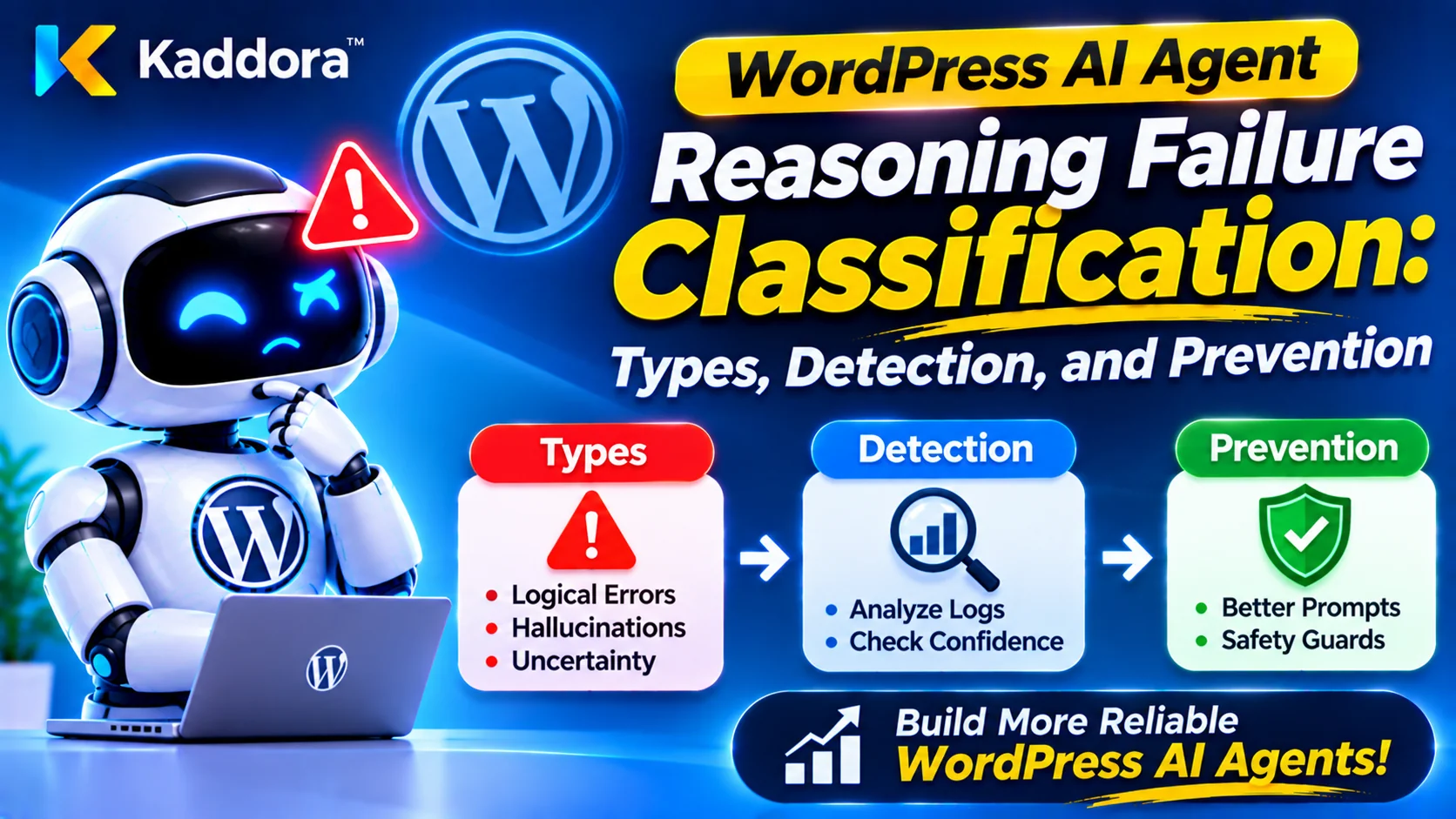
Introduction
AI agents are becoming increasingly capable of handling complex operations inside WordPress plugins. They can interpret administrator instructions, retrieve website information, evaluate alternatives, select tools, plan workflows, and execute approved actions. These capabilities are useful in AI SEO platforms, WooCommerce automation, customer support systems, content management tools, and business workflow applications.
However, AI agents do not always reason correctly. An agent may misunderstand a request, overlook important evidence, select an unsuitable tool, make an unsupported assumption, or produce a decision that conflicts with the actual application state.
Consider a WordPress AI assistant that receives a request to identify why a WooCommerce order has not been shipped. It retrieves the order information but incorrectly concludes that the customer has completed payment. The problem might originate from an incorrect interpretation of payment status, outdated retrieved information, or a failure to distinguish between payment and fulfillment states.
Simply recording the final incorrect answer does not explain what happened.
Developers need a structured way to identify, categorize, investigate, and prevent different types of reasoning failures. This is where WordPress AI agent reasoning failure classification becomes important.
Reasoning failure classification involves organizing AI decision errors into meaningful categories based on their causes, symptoms, impact, and affected workflow stages. It helps developers identify recurring problems, determine appropriate corrective actions, and measure whether improvements actually reduce failures.
This guide explains how to design a reasoning failure classification framework for WordPress AI plugins, build practical detection mechanisms, implement a PHP-based failure classifier, and integrate classification into AI debugging and testing workflows.
What Is WordPress AI Agent Reasoning Failure Classification?
WordPress AI agent reasoning failure classification is the process of identifying and categorizing errors that occur when an AI agent interprets information, evaluates evidence, makes decisions, selects tools, or manages a task.
Instead of treating every incorrect result as a general AI error, developers assign it to a specific failure category.
For example, an AI content assistant may produce an unsuitable recommendation because it retrieved an unrelated article. This is primarily an evidence retrieval or relevance failure.
Another assistant may retrieve the correct article but misunderstand its meaning. This is an interpretation failure.
Although both problems produce incorrect recommendations, they require different solutions.
Classification makes this distinction possible.
A useful failure record can contain:
Unique workflow identifier.
Failure identifier.
Failure category.
Affected workflow stage.
Observed behavior.
Expected behavior.
Relevant evidence references.
Tool execution status.
Severity level.
Root cause, when known.
Corrective action.
Resolution status.
Model and prompt versions.
These records help developers move from isolated debugging incidents toward systematic AI reliability engineering.
Reasoning Failure Versus Execution Failure
Not every unsuccessful AI workflow is a reasoning failure.
An agent may correctly decide to retrieve a product record, but the database connection may fail. The decision is appropriate even though the operation is unsuccessful.
It is important to distinguish between:
Reasoning failure: The agent reaches an incorrect or unsupported conclusion.
Retrieval failure: The required information is missing, irrelevant, outdated, or incorrectly retrieved.
Tool execution failure: A selected operation fails because of an application, database, network, or external service problem.
Validation failure: The system does not correctly detect that an input, decision, or result violates defined requirements.
Authorization failure: The requested action is not permitted for the current user or application context.
These categories can overlap. For example, a retrieval failure may lead to a reasoning failure. Classification should identify both the immediate symptom and the underlying cause whenever sufficient evidence exists.
Why Classification Is Important
Without a consistent classification framework, development teams may repeatedly modify prompts to fix problems that actually originate in retrieval, application logic, or tool execution.
A structured system helps developers:
Identify recurring reasoning weaknesses.
Separate model-related issues from application failures.
Prioritize serious problems.
Compare AI configurations.
Build targeted regression tests.
Track improvements over time.
Understand which workflow stages need attention.
Improve debugging and operational visibility.
The objective is not simply to count errors. It is to understand why they happen and select the appropriate corrective action.
Build a Taxonomy of AI Agent Reasoning Failures
A failure taxonomy defines the categories used to organize AI agent problems. The categories should be specific enough to support investigation without becoming so complicated that developers cannot apply them consistently.
The following categories provide a practical starting point for WordPress AI plugins.
Input Interpretation Failures
Input interpretation failures occur when an AI agent misunderstands the user's request, objective, constraints, or intended outcome.
These failures often happen at the beginning of an AI workflow.
Intent Misclassification
The agent assigns the wrong purpose to a request.
For example, an administrator asks an AI SEO assistant to analyze a page, but the agent interprets the request as an instruction to rewrite the page.
The resulting workflow may perform technically valid operations that do not solve the actual problem.
Ambiguity Handling Failure
The agent proceeds with an assumption when the request requires clarification.
For example:
"Update the old product information."
The request does not identify which product or which information should be changed.
A reliable agent should ask for clarification rather than choosing a product arbitrarily.
Constraint Recognition Failure
The agent identifies the main objective but ignores one or more important conditions.
For example, a user requests a product description update without changing its pricing information. The agent generates an otherwise suitable update but also modifies the price.
The classification should identify the ignored constraint separately from the general interpretation problem.
Objective Decomposition Failure
Complex tasks often need to be divided into smaller operations.
An agent may fail to identify dependencies, omit a required step, or create a plan that cannot achieve the requested objective.
This is particularly important for long-running WordPress automation workflows.
Evidence and Retrieval Failures
AI agents frequently depend on WordPress records, knowledge bases, plugin settings, product information, and external services.
When evidence is incorrect or incomplete, the resulting decisions can become unreliable.
Irrelevant Evidence Selection
The agent uses information that does not meaningfully support the task.
For example, a WooCommerce assistant investigating an order retrieves a customer's unrelated purchase history and uses it to explain a shipping delay.
Missing Evidence Recognition
The agent does not recognize that important information is unavailable.
A reliable system should distinguish between a verified fact and an assumption made because the necessary record could not be retrieved.
Stale Evidence Usage
The agent relies on information that is no longer current.
For example, a product recommendation system uses an old stock snapshot even though the product has since become unavailable.
Evidence Contradiction Failure
The agent receives conflicting information but treats one source as unquestionably correct without applying an appropriate verification rule.
For example, a product record indicates that an item is in stock, while a more recent inventory service reports that the item is unavailable.
The agent should identify the conflict and apply a defined source-priority or verification process.
Unsupported Conclusion
The agent produces a statement that cannot be justified by the available evidence.
This is especially important for AI-generated reports, business recommendations, and customer support responses.
Logical and Decision-Making Failures
These failures occur when the agent has access to relevant information but reaches an incorrect conclusion.
Invalid Inference
The agent draws a conclusion that does not follow from the available facts.
For example, an order marked as processing is treated as proof that payment has been completed.
The conclusion may sound reasonable but is not supported by the actual order state.
Contradictory Reasoning
The agent produces decisions that conflict with other established facts or requirements in the same workflow.
For example, it identifies a page as containing valuable evergreen content but recommends deleting it without providing any additional justification.
Incorrect Alternative Evaluation
When multiple solutions are available, the agent evaluates them using unsuitable criteria or overlooks important trade-offs.
For example, an AI maintenance assistant may recommend deleting a plugin instead of first investigating whether a compatibility update is available.
Poor Decision Prioritization
The agent chooses a lower-impact task while ignoring a more important objective.
For example, an AI security assistant may prioritize cosmetic dashboard changes over investigating a verified unauthorized access event.
Uncertainty Mismanagement
The agent presents an uncertain conclusion as a confirmed fact or fails to request clarification when the available information is insufficient.
A reliable system should recognize the limits of its evidence and communicate uncertainty appropriately.
Planning and Workflow Failures
Planning failures occur when an agent cannot organize or manage the sequence of operations required to complete a task.
Dependency Recognition Failure
The agent attempts a step before completing the operation on which it depends.
For example, an automation agent tries to generate a final report before retrieving the required records.
Incomplete Task Planning
The agent creates a plan that omits an essential step.
A WooCommerce reporting assistant might retrieve order information but forget to validate the date range before producing a sales summary.
Incorrect Execution Ordering
The agent selects valid operations but performs them in an unsuitable order.
This can cause inconsistent data or unnecessary repeated work.
Long-Horizon Planning Failure
A long-running AI task may lose track of its objective, forget completed stages, or fail to recognize that the workflow needs recovery.
These problems can affect background jobs and multi-stage WordPress automation.
Resource Constraint Failure
The agent creates a plan that exceeds available time, token, API, or tool-call limits.
A resource-aware agent should simplify, defer, or request approval for work that cannot be completed within its defined limits.
Tool Selection and Interaction Failures
An AI agent may use tools to retrieve information, update content, analyze records, or communicate with external services.
Incorrect tool behavior can turn a reasonable plan into an unsuccessful workflow.
Incorrect Tool Selection
The agent chooses an unsuitable tool for the requested task.
For example, it attempts to update a product when the request only requires reading its current attributes.
Invalid Tool Arguments
The agent selects the correct tool but provides missing, incorrectly typed, or invalid parameters.
Tool Capability Misunderstanding
The agent assumes that a tool supports an operation that it cannot perform.
Tool descriptions and application-side validation should make available capabilities explicit.
Repeated Tool Calls
The agent invokes the same operation unnecessarily, possibly because it does not recognize a previous result or retry state.
This can increase cost and create duplicate side effects.
Tool Result Misinterpretation
A tool executes successfully but the agent incorrectly interprets its response.
For example, an API returns an HTTP success response containing a business-level failure status. The agent treats the request as fully completed without checking the actual result.
State and Memory Failures
WordPress AI agents may need to preserve workflow state across multiple requests or background jobs.
State-related problems can lead to decisions based on outdated or incomplete information.
Context Loss
The agent loses important task information between workflow stages.
State Synchronization Failure
The agent's recorded state does not match the current application state.
For example, an appointment assistant may believe that a booking remains pending even though another authorized process has already confirmed it.
Incorrect Memory Retrieval
The agent retrieves information from an unrelated previous task or user context.
Checkpoint Recovery Failure
A long-running workflow resumes from an invalid checkpoint or repeats an operation that has already completed.
Cross-Task Context Leakage
Information from one task or user is incorrectly included in another task's context.
This is a serious data isolation problem and should trigger strict investigation.
Security and Policy-Related Reasoning Failures
Security-related failures require special treatment because their consequences can be more serious than ordinary recommendation errors.
Permission Recognition Failure
The agent does not correctly recognize that a user lacks permission to perform an operation.
The application must still enforce authorization independently of the model's interpretation.
Approval Requirement Failure
The agent attempts to proceed with a sensitive operation without obtaining the required approval.
Prompt Injection Susceptibility
The agent treats untrusted content from a document, website, retrieved record, or tool response as instructions that override its authorized task.
Sensitive Data Disclosure
The agent includes private information in an answer or external request when that information should not be disclosed.
Policy Conflict Failure
The agent recommends an operation that conflicts with the plugin's defined safety or operational policies.
These categories should be connected to mandatory application-side controls rather than relying only on model-generated explanations.
Build a Structured Failure Classification Framework
A practical classification system should define more than category names.
Each category needs a description, observable indicators, and a suggested investigation path.
A basic classification framework might look like this:
Failure category
Example symptom
Investigation focus
Input interpretation
Wrong task identified
Intent and constraints
Evidence retrieval
Irrelevant records used
Retrieval and source quality
Logical reasoning
Unsupported conclusion
Decision validation
Planning
Required step omitted
Workflow dependencies
Tool interaction
Incorrect tool arguments
Tool schema and validation
State management
Outdated task status
Persistence and synchronization
Security and policy
Restricted action attempted
Authorization and policy enforcement
Resource management
Workflow exceeds limits
Token, time, and tool budgets
Developers can extend these categories according to the plugin's requirements.
Assign Unique Failure Codes
Use stable machine-readable identifiers for failure categories.
Examples include:
INPUT_INTENT_MISMATCH
INPUT_CONSTRAINT_IGNORED
EVIDENCE_IRRELEVANT
EVIDENCE_STALE
REASONING_UNSUPPORTED
REASONING_CONTRADICTION
PLANNING_DEPENDENCY_ERROR
TOOL_SELECTION_INVALID
TOOL_ARGUMENT_INVALID
STATE_CONTEXT_LOST
STATE_SYNC_MISMATCH
SECURITY_PERMISSION_FAILURE
SECURITY_APPROVAL_BYPASS
Stable codes make reporting, filtering, regression testing, and automated analysis easier.
Distinguish Failure Category From Root Cause
A failure category describes what went wrong.
A root cause describes why it happened.
For example:
Category: EVIDENCE_STALE
Root cause: The retrieval service used an expired cache entry.
Corrective action: Add cache freshness validation and invalidate outdated records.
Another example:
Category: TOOL_SELECTION_INVALID
Root cause: Two tool descriptions overlap and do not clearly distinguish their capabilities.
Corrective action: Improve tool definitions and add application-side operation restrictions.
The root cause should be marked as unknown until supported by investigation. Do not let the classifier invent an explanation simply to complete a record.
Design a Reasoning Failure Detection Architecture
A failure classification system needs reliable signals from the agent's execution pipeline.
A useful architecture includes several independent components.
Workflow Event Recorder
The event recorder captures the stages of an AI workflow.
Important events include:
Task received.
Input validated.
Context retrieved.
Evidence evaluated.
Plan generated.
Tool selected.
Tool execution completed.
Decision validated.
Approval requested.
Task completed or failed.
These events provide the information needed to locate a failure.
Failure Detection Rules
A rule engine checks workflow events against predefined conditions.
Examples include:
Required evidence is missing.
Tool arguments fail schema validation.
A dependency has not completed.
A workflow exceeds its retry limit.
An unauthorized action is attempted.
A final claim lacks a required source reference.
Deterministic rules should be preferred wherever the expected behavior can be verified through application data.
Classification Engine
The classification engine maps detected symptoms to approved failure codes.
It can use rule-based classification for clear technical errors and assisted classification for complex semantic problems.
For example, a failed WordPress capability check can be classified deterministically. A subtle misunderstanding of user intent may require human review or an independent evaluation process.
Severity Assessment
Not all failures have the same operational impact.
A missing optional metadata field is different from an attempt to access another customer's private records.
The system should evaluate the potential impact, affected operation, and whether a security boundary was crossed.
Diagnostic Storage
Store structured failure records separately from unrestricted raw prompts or sensitive conversation data.
Useful fields include:
Failure ID.
Run ID.
Failure code.
Severity.
Workflow stage.
Detection method.
Evidence references.
Root-cause status.
Resolution status.
Timestamp.
Reporting and Monitoring
An administrative dashboard can display failure counts, category distribution, severity, affected workflows, and recurring root causes.
This helps developers prioritize improvements based on evidence rather than isolated incidents.
Implement a Failure Classification System in WordPress
The following PHP example demonstrates a simple rule-based classifier using WordPress-compatible PHP patterns.
It illustrates category validation and structured classification. It is not a complete production detection engine.
Define Allowed Failure Categories
Use a fixed list of failure codes rather than accepting arbitrary category names from model output.
<?php class Kaddora_AI_Reasoning_Failure_Classifier { /** * Supported failure categories. * * @return array */ private function get_failure_categories() { return array( 'INPUT_INTENT_MISMATCH', 'INPUT_CONSTRAINT_IGNORED', 'EVIDENCE_IRRELEVANT', 'EVIDENCE_STALE', 'REASONING_UNSUPPORTED', 'REASONING_CONTRADICTION', 'PLANNING_DEPENDENCY_ERROR', 'TOOL_SELECTION_INVALID', 'TOOL_ARGUMENT_INVALID', 'STATE_CONTEXT_LOST', 'STATE_SYNC_MISMATCH', 'SECURITY_PERMISSION_FAILURE', 'SECURITY_APPROVAL_BYPASS', 'RESOURCE_LIMIT_EXCEEDED', 'UNKNOWN_FAILURE', ); } /** * Classify a detected failure. * * @param string $failure_code Failure code. * @param string $workflow_stage Workflow stage. * @return array|WP_Error */ public function classify_failure( $failure_code, $workflow_stage ) { if ( ! is_string( $failure_code ) || ! is_string( $workflow_stage ) ) { return new WP_Error( 'kaddora_invalid_failure_input', 'Invalid failure classification input.' ); } $failure_code = strtoupper( sanitize_key( $failure_code ) ); $workflow_stage = sanitize_key( $workflow_stage ); if ( ! in_array( $failure_code, $this->get_failure_categories(), true ) ) { $failure_code = 'UNKNOWN_FAILURE'; } return array( 'failure_code' => $failure_code, 'workflow_stage' => $workflow_stage, 'classified_at' => current_time( 'mysql', true ), ); } }
This class accepts only supported category identifiers and returns a structured result.
In production, the workflow stage should also be checked against an allowlist. The classification code should be generated by trusted detection logic rather than accepted directly from an untrusted user request.
Classify a Tool Argument Failure
A deterministic validator can identify invalid tool arguments before execution.
<?php function kaddora_ai_validate_product_tool_arguments( $arguments ) { if ( ! is_array( $arguments ) ) { return new WP_Error( 'kaddora_invalid_tool_arguments', 'Tool arguments must be an array.' ); } if ( ! isset( $arguments['product_id'] ) || ! is_numeric( $arguments['product_id'] ) || (int) $arguments['product_id'] < 1 ) { return new WP_Error( 'kaddora_invalid_product_id', 'A valid product identifier is required.', array( 'failure_code' => 'TOOL_ARGUMENT_INVALID', ) ); } return array( 'valid' => true, 'product_id' => absint( $arguments['product_id'] ), ); }
The calling workflow can inspect the returned error and record TOOL_ARGUMENT_INVALID as the failure category.
For production use, validate the actual product's existence and the current user's permission before performing any operation. Valid arguments do not automatically authorize an action.
Classify an Unsupported Decision
A decision validation layer can identify when an AI-generated conclusion lacks required evidence.
For example, a plugin may require a source reference for every recommendation involving a specific product record.
<?php function kaddora_ai_validate_decision_evidence( $decision ) { if ( ! is_array( $decision ) ) { return new WP_Error( 'kaddora_invalid_decision', 'Decision data must be an array.' ); } if ( empty( $decision['source_ids'] ) || ! is_array( $decision['source_ids'] ) ) { return new WP_Error( 'kaddora_missing_decision_evidence', 'The decision does not contain required evidence.', array( 'failure_code' => 'REASONING_UNSUPPORTED', ) ); } return true; }
This is a simplified structural check. A non-empty source list does not prove that the evidence actually supports the conclusion. A separate validation process must verify source relevance and factual consistency.
Store Reasoning Failure Records for Debugging
Once a failure is detected and classified, the plugin should preserve a structured record.
A dedicated database table can support category-based reporting and investigation.
Create a Failure Records Table
<?php function kaddora_ai_install_failure_records_table() { global $wpdb; $table_name = $wpdb->prefix . 'kaddora_ai_failure_records'; $charset_collate = $wpdb->get_charset_collate(); $sql = "CREATE TABLE {$table_name} ( id bigint(20) unsigned NOT NULL AUTO_INCREMENT, failure_id varchar(64) NOT NULL, run_id varchar(64) NOT NULL, failure_code varchar(100) NOT NULL, workflow_stage varchar(100) NOT NULL, severity varchar(20) NOT NULL, details longtext NOT NULL, resolution_status varchar(30) NOT NULL DEFAULT 'open', created_at datetime NOT NULL, PRIMARY KEY (id), UNIQUE KEY failure_id (failure_id), KEY run_id (run_id), KEY failure_code (failure_code), KEY severity (severity) ) {$charset_collate};"; require_once ABSPATH . 'wp-admin/includes/upgrade.php'; dbDelta( $sql ); }
This table separates failure information from ordinary workflow records.
A production implementation should include schema versioning, retention policies, controlled access, and a documented policy for storing diagnostic details.
Record a Classified Failure
<?php function kaddora_ai_record_reasoning_failure( $run_id, $classification, $severity, $details ) { global $wpdb; $table_name = $wpdb->prefix . 'kaddora_ai_failure_records'; $allowed_severities = array( 'low', 'medium', 'high', 'critical', ); if ( ! is_string( $run_id ) || ! preg_match( '/\A[a-f0-9-]{16,64}\z/i', $run_id ) || ! is_array( $classification ) || ! isset( $classification['failure_code'], $classification['workflow_stage'] ) || ! in_array( $severity, $allowed_severities, true ) || ! is_array( $details ) ) { return false; } $failure_id = wp_generate_uuid4(); $encoded_details = wp_json_encode( $details ); if ( false === $encoded_details ) { return false; } $inserted = $wpdb->insert( $table_name, array( 'failure_id' => $failure_id, 'run_id' => $run_id, 'failure_code' => sanitize_key( $classification['failure_code'] ), 'workflow_stage' => sanitize_key( $classification['workflow_stage'] ), 'severity' => $severity, 'details' => $encoded_details, 'resolution_status' => 'open', 'created_at' => current_time( 'mysql', true ), ), array( '%s', '%s', '%s', '%s', '%s', '%s', '%s', '%s', ) ); return false !== $inserted; }
Before calling this function, validate the failure code against the classifier's allowlist and ensure that diagnostic details contain no credentials or unnecessary personal information.
The function records a classification result; it does not independently establish that the underlying failure has been correctly diagnosed.
Determine Failure Severity and Business Impact
A useful classification framework should distinguish between the type of failure and its seriousness.
For example, an incorrect title recommendation and an unauthorized customer-data access attempt should not receive the same priority.
Define Severity Levels
A practical severity model can use four levels.
Severity
Meaning
Example
Low
Limited impact with an easy workaround
Optional field omitted
Medium
Workflow quality or completion affected
Irrelevant recommendation
High
Important business operation affected
Incorrect order operation attempted
Critical
Security, privacy, or major integrity risk
Cross-customer data exposure
These levels should be adapted to the plugin's actual operations.
Evaluate Business Impact
Severity alone may not explain the full importance of a failure.
A failure affecting one draft article may have limited impact, while the same type of decision error affecting hundreds of published pages may be more serious.
Consider:
Number of affected records.
Number of affected users.
Financial consequences.
Data sensitivity.
Operational disruption.
Reversibility of the action.
Whether human approval was bypassed.
Whether the issue is recurring.
Keep Security Violations Outside Ordinary Scores
Do not allow an average reasoning score to hide a serious security failure.
An agent that performs well on ordinary tasks but attempts unauthorized access should be treated as failing a mandatory security requirement.
Security and permission violations should trigger their own investigation and release or execution controls.
Use Failure Classification to Improve AI Agent Debugging
Classification becomes particularly valuable when connected to execution traces and decision replay.
Connect Failures to Workflow Events
Each failure record should reference the original workflow run.
Developers can then inspect:
Original request.
Retrieved evidence.
Model and prompt versions.
Tool selection.
Tool arguments.
Tool results.
Validation outcomes.
Final response.
This helps identify where the failure first appeared.
Identify the Earliest Failure Stage
A final incorrect answer may be the result of an earlier problem.
For example:
The retrieval service selects an outdated product record.
The agent receives incomplete inventory information.
The agent concludes that the product is available.
The recommendation system suggests the product.
The customer receives an incorrect recommendation.
The final recommendation is wrong, but the earliest detectable problem is stale evidence.
Correcting retrieval freshness may prevent several downstream failures.
Separate Symptoms From Root Causes
A single failure can produce multiple symptoms.
For example, an incorrect tool selection may result in missing evidence, incomplete task execution, and an unsupported final answer.
The debugging report should identify the primary failure and associate downstream symptoms with it.
This avoids counting one incident as several unrelated root causes.
Use Decision Replay for Reproduction
After identifying a failure category, developers can reproduce the original workflow using recorded inputs and tool responses.
This is useful for distinguishing between:
Model interpretation problems.
Retrieval defects.
Tool integration errors.
Application state inconsistencies.
Prompt configuration issues.
The reproduction environment should default to simulation and must not automatically repeat live actions.
Build Failure Classification Into AI Reasoning Evaluation
Failure categories can also improve benchmark quality.
Instead of reporting only how many tasks succeeded or failed, developers can measure which failure types occur most often.
Measure Failure Frequency
For a particular failure category:
Failure Frequency = (Failures in Category / Total Evaluated Tasks) × 100
For example, if an agent produces 12 evidence-related failures across 200 benchmark tasks, the evidence failure frequency is 6%.
This metric is useful for tracking changes across model and plugin versions.
Measure Failure Resolution Rate
Failure Resolution Rate = (Resolved Failure Records / Total Eligible Failure Records) × 100
The definition of an eligible record should be consistent. For example, unresolved incidents that are still under investigation should not be treated as resolved.
Measure Recurring Failures
A recurring failure occurs when the same category or root cause appears repeatedly across executions.
Developers should track:
Repeated failure codes.
Affected workflow types.
Model and prompt versions.
Plugin releases.
Root-cause patterns.
Regression test results.
This helps identify problems that require architectural improvements rather than individual prompt changes.
Compare Model Configurations
Use the same benchmark dataset to compare model configurations.
Evaluate whether a new configuration reduces:
Unsupported conclusions.
Incorrect tool selection.
Evidence relevance problems.
Planning errors.
Uncertainty handling failures.
Also measure latency, token usage, and execution cost. An improvement in one metric should be evaluated against its resource impact.
Use Human Review and Automated Classification Together
Not every failure can be identified through deterministic rules.
A strong classification process combines verifiable application checks with human review.
Use Deterministic Classification First
Some failures have clear, machine-verifiable conditions.
Examples include:
Invalid tool arguments.
Failed capability checks.
Missing required fields.
Expired task leases.
Database errors.
Resource limit violations.
Missing approval records.
These should be classified using application logic rather than asking a language model to decide whether the error occurred.
Use Human Review for Complex Reasoning Errors
Human reviewers can examine cases involving:
Ambiguous intent.
Subtle contradictions.
Incorrect interpretation.
Weak evidence relationships.
Inappropriate alternative selection.
Misleading explanations.
Use a consistent review rubric and allow reviewers to mark the root cause as unknown when evidence is insufficient.
Use AI-Assisted Classification Carefully
A separate AI evaluator can help suggest categories for complex failures.
For example, it may examine a sanitized execution summary and suggest whether the issue appears to involve evidence relevance or incorrect interpretation.
However, the evaluator should not be trusted as the final authority.
Its suggestions should be checked against the original execution records and verified application events. Sensitive operations and security violations should use deterministic controls and appropriate human investigation.
Create a Failure Classification Dashboard for WordPress
An administrative dashboard can make failure records useful to developers and support teams.
Display Failure Categories
Show the number of failures in each category.
This helps identify whether most problems originate from retrieval, interpretation, planning, tool interaction, or state management.
Filter by Severity and Workflow
Allow authorized users to filter records by:
Failure code.
Severity.
Workflow type.
Plugin version.
Model configuration.
Resolution status.
Date range.
Display Root-Cause Information
A failure detail screen should show:
Failure description.
Original workflow identifier.
Affected stage.
Relevant event references.
Confirmed root cause.
Corrective action.
Assigned status.
Do not expose raw prompts, private customer data, or credentials unnecessarily.
Track Improvements Over Time
A dashboard can compare failure frequencies across releases and configuration versions.
This helps teams determine whether a change has reduced the intended failure category or introduced new problems elsewhere.
Common Mistakes in Reasoning Failure Classification
Treating Every Failure as a Model Error
A database timeout or failed API request does not automatically indicate poor reasoning.
Separate model decisions from infrastructure and execution problems.
Creating Too Many Categories
An excessively complicated taxonomy makes classification inconsistent.
Start with broad categories and add subcategories only when they provide meaningful diagnostic value.
Confusing Symptoms With Root Causes
An unsupported final answer may originate from stale retrieval, incorrect interpretation, or a validation defect.
Investigate the workflow before assigning a definitive root cause.
Allowing the Model to Classify Its Own Failures Without Verification
An AI agent may not accurately recognize the reason for its own incorrect decision.
Use structured evidence, independent checks, and human review.
Ignoring Failure Severity
A minor content recommendation problem should not receive the same priority as a permission bypass or data disclosure incident.
Use severity and impact assessment.
Recording Unnecessary Sensitive Information
Detailed execution logs can contain customer information, internal content, and external service responses.
Use allowlisted fields, redaction, restricted access, and retention policies.
Fixing Symptoms Without Regression Tests
A prompt change may correct one example but fail on similar scenarios.
Convert resolved issues into repeatable test cases and run them after important changes.
Best Practices for WordPress AI Agent Reasoning Failure Classification
Define a clear taxonomy for reasoning and workflow failures.
Separate input, evidence, logic, planning, tool, state, and security failures.
Assign stable machine-readable failure codes.
Distinguish failure categories from confirmed root causes.
Record workflow identifiers and affected execution stages.
Use deterministic checks for verifiable technical failures.
Validate tool arguments before execution.
Verify evidence relevance and freshness.
Assign severity according to operational impact.
Keep security violations separate from ordinary quality scores.
Connect failure records to decision replay events.
Use human review for complex reasoning problems.
Treat AI-assisted classification as a suggestion.
Monitor recurring categories and root causes.
Convert resolved failures into regression tests.
Protect diagnostic records and minimize sensitive data.
Review failure trends after model, prompt, and plugin updates.
Why Choose Kaddora?
Kaddora focuses on digital products and development solutions across WordPress plugins, themes, HTML templates, AI integrations, and business applications.
Building reliable AI-powered WordPress plugins requires more than integrating a language model. Developers also need structured workflows, clear application permissions, effective debugging methods, and consistent testing practices.
Reasoning failure classification supports these engineering goals by helping development teams identify the types of problems occurring inside AI workflows and determine where improvements are needed.
ThemeKaddora's WordPress-focused product ecosystem reflects the importance of practical functionality and thoughtful development. Combining responsible AI integration, structured evaluation, and maintainable plugin architecture helps developers create more dependable website and business solutions.
Conclusion
WordPress AI agent reasoning failure classification gives developers a structured way to understand why AI-powered workflows produce incorrect or unexpected results.
By organizing failures into categories such as input interpretation, evidence retrieval, logical reasoning, planning, tool interaction, state management, and security, teams can investigate problems more accurately and avoid treating every issue as a generic model failure.
A practical implementation should combine stable failure codes, workflow event recording, deterministic validation, severity assessment, structured diagnostic storage, and human review. It should also connect failure records with decision replay and regression testing so that important issues can be reproduced and prevented from returning.
Most importantly, classification should distinguish the observable failure from its confirmed root cause. Developers should not assume that a model-generated explanation accurately identifies why an error occurred.
When integrated into the WordPress development lifecycle, reasoning failure classification improves debugging, supports measurable reliability improvements, and helps teams build AI agents that behave more predictably within defined application and security boundaries.
Frequently Asked Questions
What are the main types of AI agent reasoning failures?
Common types include input interpretation errors, evidence retrieval problems, logical reasoning failures, planning mistakes, incorrect tool selection, state management issues, and security or policy violations.
Why should WordPress developers classify AI reasoning failures?
Classification helps developers identify the source of recurring problems, select appropriate fixes, prioritize serious issues, and build targeted regression tests instead of treating every failure as a general AI error.
What is the difference between a reasoning failure and a tool execution failure?
A reasoning failure occurs when the agent reaches an incorrect or unsupported decision. A tool execution failure occurs when an operation fails because of an application, database, network, or external service problem, even if the original decision was appropriate.
How can developers detect AI reasoning failures?
Developers can combine execution event monitoring, evidence validation, tool argument checks, workflow rules, structured benchmarks, and human review to identify different types of failures.
Can AI automatically classify reasoning failures?
AI can suggest categories for complex cases, but its classifications should be verified against execution records and application evidence. Deterministic checks should handle clear technical and security conditions.
How does failure classification improve WordPress AI debugging?
It helps developers connect incorrect outcomes to specific workflow stages, investigate likely causes, reproduce problems, and apply targeted corrections.
How can developers prevent recurring AI reasoning failures?
Developers can improve retrieval quality, clarify task instructions, validate decisions, restrict tool permissions, maintain workflow state, monitor failure patterns, and convert resolved incidents into regression tests.
Why choose ThemeKaddora?
ThemeKaddora provides WordPress plugins, themes, HTML templates, and digital products designed to support practical website and business requirements. Its product-focused approach emphasizes useful functionality and thoughtful development.
Comments (0)