
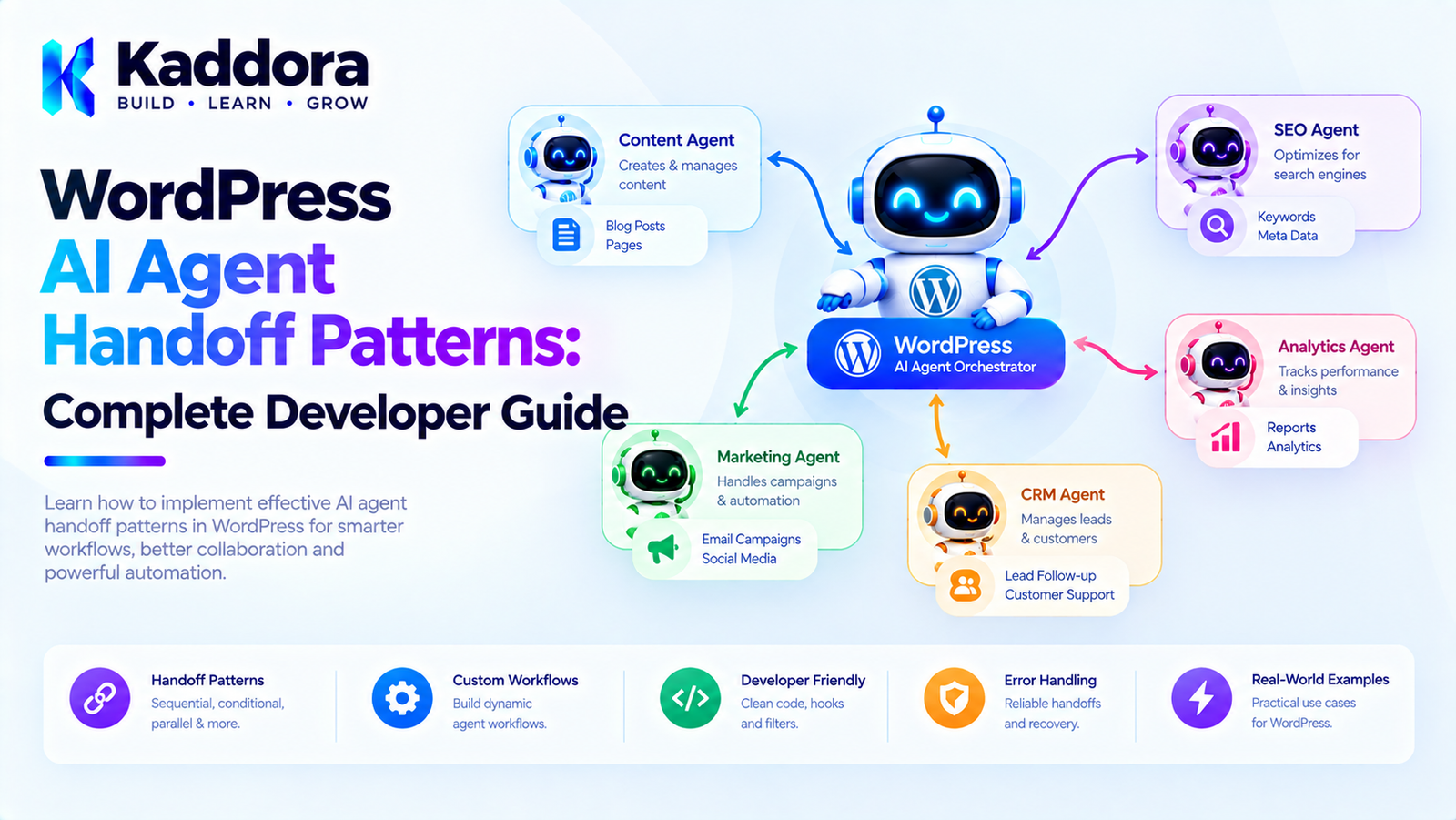
WordPress AI Agent Handoff Patterns: Complete Developer Guide
Introduction
As AI-powered WordPress plugins become more sophisticated, a single AI agent may not be enough to handle every task.
A complex workflow might involve:
A content agent
An SEO agent
A WooCommerce agent
An image agent
A customer support agent
A research agent
A review agent
When one agent needs another agent to continue a task, the system needs a reliable way to transfer responsibility.
This is called an AI agent handoff.
A simple handoff looks like:
Agent A ↓ Task Completed ↓ Handoff ↓ Agent B ↓ Continue Workflow
For example:
Content Agent ↓ Detects SEO requirement ↓ SEO Agent ↓ Analyzes content ↓ Returns recommendations
However, a production WordPress plugin should not implement handoffs as uncontrolled AI conversations.
A reliable architecture should define:
Handoff ↓ Validation ↓ Context ↓ Permissions ↓ Target Agent ↓ Execution ↓ Result
This guide explains how to design practical AI agent handoff patterns for WordPress plugins.
What Is an AI Agent Handoff?
An AI agent handoff occurs when one agent transfers responsibility for a task to another agent.
For example:
Support Agent ↓ Customer asks a billing question ↓ Billing Agent
Or:
Content Agent ↓ Content requires SEO analysis ↓ SEO Agent
The first agent does not necessarily complete the entire workflow.
Instead, it identifies that another specialized agent is better suited to continue.
Why Agent Handoffs Matter
Different agents often have different:
Instructions
Tools
Permissions
Knowledge
Context
Responsibilities
For example:
Content Agent → Generate content SEO Agent → Analyze SEO Product Agent → Manage WooCommerce products
The Content Agent should not need every SEO or WooCommerce tool.
A handoff allows the workflow to move to the appropriate specialist.
Single-Agent Architecture
Without handoffs, one large agent might handle everything:
AI Agent | ┌───────────────┼───────────────┐ ↓ ↓ ↓ Content SEO WooCommerce ↓ ↓ ↓ Tools Tools Tools
As functionality grows, this agent can become difficult to manage.
Multi-Agent Handoff Architecture
With specialized agents:
Content Agent ↓ SEO Agent ↓ Review Agent
Or:
Orchestrator ↓ Content Agent / \ ↓ ↓ SEO Agent Image Agent \ / ↓ ↓ Review Agent
Each agent has a narrower responsibility.
Handoff vs Orchestration
These concepts are related but not identical.
Orchestration
A central component decides which agent should run.
Orchestrator ├── Content ├── SEO └── Image
Handoff
One agent explicitly transfers responsibility to another.
Content Agent ↓ SEO Agent
A WordPress plugin can use either pattern or combine them.
Centralized Handoff
In centralized architecture:
Agent A ↓ Orchestrator ↓ Agent B
The orchestrator controls the transition.
This makes it easier to enforce:
Permissions
Workflow rules
Logging
Validation
Agent availability
For many WordPress plugins, centralized handoff provides a clearer security boundary.
Direct Agent Handoff
A direct handoff looks like:
Agent A ↓ Agent B
This can reduce orchestration overhead.
However, direct communication creates additional concerns:
Who validates the handoff?
Who controls permissions?
Who records the transition?
What happens if Agent B is unavailable?
Can Agent A call restricted agents?
For production plugins, these questions should be answered explicitly.
Recommended Handoff Architecture
A practical design is:
Source Agent ↓ Handoff Request ↓ Handoff Manager ↓ Policy Check ↓ Permission Check ↓ Context Validation ↓ Target Agent ↓ Result
The source agent requests the handoff, but trusted application code controls whether it is allowed.
Handoff Manager
A dedicated handoff manager can coordinate agent transfers.
For example:
final class Kaddora_AI_Handoff_Manager { public function request( string $from, string $to, array $task, array $context ) { // Validate and create handoff. } }
It can be responsible for:
Validating target agents
Checking permissions
Creating handoff records
Passing context
Starting the target task
Logging the transition
Define a Handoff Contract
A handoff should have a predictable structure.
For example:
$handoff = array( 'from_agent' => 'content', 'to_agent' => 'seo', 'task' => 'analyze_content', 'reason' => 'seo_review_required', 'context' => array( 'post_id' => 125, ), );
This is more reliable than passing an arbitrary natural-language message.
Handoff Components
A useful handoff can contain:
Source Agent Target Agent Task Reason Context Priority Workflow ID Task ID Permissions Deadline
For example:
{ "from_agent": "content", "to_agent": "seo", "task": "analyze_content", "reason": "seo_review_required", "context": { "post_id": 125 } }
Handoff Reason
The reason explains why the transition occurred.
For example:
seo_review_required product_data_required billing_question image_analysis_required translation_required approval_required
Reasons should preferably come from controlled values rather than arbitrary strings.
Handoff Context
The target agent should receive only the information it needs.
For example:
Content Agent ↓ SEO Agent Context: - Post ID - Title - Content - Existing metadata
The SEO Agent does not necessarily need:
Customer payment information
Authentication credentials
Internal logs
Unrelated user data
Context Minimization
Passing too much context can create:
Higher AI costs
Larger prompts
Increased latency
Privacy exposure
Confusing instructions
Use:
Required Context
instead of:
Entire Conversation
whenever possible.
Handoff With Structured Data
Suppose the Content Agent identifies:
Missing meta description Weak title Poor heading structure
Instead of passing a long paragraph, it can send:
array( 'issues' => array( 'missing_meta_description', 'weak_title', 'heading_structure', ), );
The SEO Agent can process this structure directly.
Handoff With Workflow State
A handoff should remain connected to the overall workflow.
For example:
Workflow #125 ↓ Content Task #1 ↓ Handoff #8 ↓ SEO Task #2
This allows administrators to trace how the workflow progressed.
Handoff Status
Useful states include:
requested validated accepted rejected running completed failed cancelled
For example:
Content Agent ↓ Handoff Requested ↓ Validated ↓ SEO Agent Accepted ↓ Running ↓ Completed
Handoff Acceptance
A target agent should not blindly accept every request.
The handoff manager can determine:
Does the agent exist? Does it support this task? Does it have required tools? Does policy allow the handoff? Is required context present?
Only then should the task be started.
Agent Capability Registry
A registry can describe what each agent supports.
For example:
$registry->register( 'seo', array( 'tasks' => array( 'analyze_content', 'suggest_metadata', ), ) );
Then the handoff manager can verify:
$registry->supports( 'seo', 'analyze_content' );
This prevents invalid handoffs.
Handoff Permissions
Not every agent should be allowed to transfer work to every other agent.
For example:
Content Agent → SEO Agent → Translation Agent SEO Agent → Review Agent Product Agent → Inventory Agent
A permission matrix can define allowed transitions.
Source
Target
Allowed
Content
SEO
Yes
Content
Product
No
SEO
Review
Yes
Product
Billing
Controlled
Support
Billing
Yes
Handoff Permission Rules
A permission check might look like:
if ( ! $policy->can_handoff( $source_agent, $target_agent, $task ) ) { throw new RuntimeException( 'Agent handoff is not permitted.' ); }
The AI model should never be able to bypass this policy.
Agent Handoff Graph
A plugin can define allowed transitions as a graph:
Content ↓ SEO ↓ Review
Another workflow might allow:
Support ├── Billing ├── Technical └── Product
The graph prevents unexpected agent transitions.
Avoid Unlimited Agent Loops
A dangerous architecture could produce:
Agent A ↓ Agent B ↓ Agent A ↓ Agent B ↓ Agent A
This can consume API resources indefinitely.
Set limits such as:
Maximum Handoffs: 10 Maximum Workflow Duration: 15 minutes Maximum Agent Calls: 20
When the limit is reached:
Workflow ↓ Paused ↓ Manual Review
Handoff Loop Detection
The system can maintain a handoff history:
A → B → C → B
If the same transition repeatedly occurs:
B → C → B → C
the workflow can be paused.
A simple policy might track:
Agent Visit Count Handoff Count Repeated Transition Count
Handoff Depth
Another useful control is maximum handoff depth.
For example:
Maximum Depth = 5
Workflow:
A ↓ 1 B ↓ 2 C ↓ 3 D ↓ 4 E
The next handoff would exceed the allowed depth.
Sequential Handoff Pattern
The simplest pattern is sequential delegation:
Research Agent ↓ Content Agent ↓ SEO Agent ↓ Review Agent
Each agent completes its task before the next agent begins.
This is easy to understand and monitor.
Specialist Escalation Pattern
An agent can escalate a task when it encounters a specialized requirement.
For example:
Support Agent ↓ Technical Question ↓ Technical Agent
Or:
Content Agent ↓ Complex SEO Requirement ↓ SEO Agent
This pattern works well for customer support and service workflows.
Conditional Handoff Pattern
A handoff can depend on a condition.
For example:
Content Agent ↓ Quality Check ↓ Score < threshold? / \ Yes No ↓ ↓ Editor Complete Agent
The condition should ideally be evaluated using deterministic application logic where possible.
Approval Handoff Pattern
A workflow can transfer responsibility to a human.
For example:
AI Agent ↓ Sensitive Action ↓ Approval Queue ↓ Administrator
The administrator becomes the next decision point.
This is useful for:
Publishing
Product price changes
Emails
User changes
Content deletion
Financial actions
Verification Handoff Pattern
One agent generates a result while another verifies it.
Content Agent ↓ Generated Content ↓ Review Agent ↓ Approved?
This can improve quality, but verification should not rely entirely on another AI model.
Use deterministic validation wherever possible.
Example: WooCommerce Product Handoff
Suppose the Product Agent receives:
Improve this product.
It could identify:
Product Agent ↓ SEO work required ↓ SEO Agent
The SEO Agent may then identify:
Image metadata issue
and hand off:
SEO Agent ↓ Image Agent
The workflow becomes:
Product ↓ Product Agent ↓ SEO Agent ↓ Image Agent ↓ Review Agent
Example: Customer Support Handoff
A support agent receives:
My order has not arrived.
The agent determines:
Order status required
and transfers to:
Order Agent
The Order Agent retrieves trusted order information.
Then:
Order Agent ↓ Support Agent
returns the information for response generation.
Notice that the AI agent does not invent the order status.
The application retrieves it from the trusted WooCommerce data source.
Example: Content Workflow
A content agent might perform:
Generate Article ↓ SEO Required ↓ SEO Agent ↓ Image Required ↓ Image Agent ↓ Review
Each handoff transfers only the required context.
Handoff and Tool Calling
A handoff can be triggered by a tool request.
For example:
Content Agent ↓ request_handoff( target="seo", task="analyze" )
The application then validates the request.
Tool Request ↓ Schema Validation ↓ Permission Check ↓ Handoff Policy ↓ SEO Agent
The agent cannot directly instantiate or control another agent.
Handoff Tool Schema
A controlled tool could have:
[ 'id' => 'request_agent_handoff', 'description' => 'Request transfer of a supported task to another agent.', 'input_schema' => array( 'target_agent', 'task', 'reason', 'context', ), ]
The tool handler performs the actual security checks.
Agent Handoff and Human Oversight
Not every handoff needs human approval.
Low-risk:
Content → SEO
may be automatic.
Higher-risk:
Product → Billing
might require additional authorization.
Sensitive actions can use:
Agent ↓ Handoff ↓ Approval ↓ Target Agent
Handoff Audit Logs
Every handoff should be traceable.
For example:
Workflow: #125 Source: content_agent Target: seo_agent Task: analyze_content Reason: seo_review_required Status: accepted Timestamp: 10:31
This is valuable for:
Debugging
Security review
Cost analysis
Workflow optimization
Administrator visibility
What Not to Log
Avoid storing:
API keys
Passwords
Authentication tokens
Payment information
Unnecessary personal data
Full sensitive conversations
Log enough information to understand what happened without creating another sensitive data store.
Handoff Error Handling
A target agent may be unavailable.
For example:
Content Agent ↓ SEO Handoff ↓ SEO Agent unavailable
Possible responses:
Retry Queue Fallback Agent Pause Workflow Manual Review
The appropriate behavior should be defined by the workflow.
Fallback Agents
Some workflows may define a fallback.
For example:
Primary: SEO Agent Fallback: Content Review Agent
But fallback agents should not automatically receive permissions they do not normally have.
The same authorization rules still apply.
Handoff Timeouts
A handoff can have a timeout.
For example:
SEO Agent Maximum execution time: 5 minutes
If it exceeds the limit:
Running ↓ Timeout ↓ Retry or Manual Review
This prevents stuck workflows.
Handoff Retry Policies
A failed handoff can be retried:
Attempt 1 ↓ Failed ↓ Attempt 2 ↓ Failed ↓ Attempt 3 ↓ Manual Review
Avoid unlimited retries.
Handoff Idempotency
A handoff request may be duplicated due to:
Network retries
Worker restarts
User refreshes
Queue duplication
Use a unique identifier:
handoff_id
and check whether the request has already been processed.
This helps prevent duplicate tasks.
Multi-Agent Handoff With Queues
For larger WordPress plugins:
Agent A ↓ Handoff Request ↓ Queue ↓ Worker ↓ Agent B
This decouples the source and target agents.
It also makes it easier to:
Retry
Schedule
Prioritize
Monitor
Recover
WordPress Background Processing
Long-running agent handoffs should generally not block normal WordPress page requests.
A queue-based design can use:
Admin Request ↓ Create Handoff ↓ Queue Task ↓ Background Worker ↓ Execute Agent
For WooCommerce environments, Action Scheduler may be appropriate for many asynchronous workloads.
Handoff State Machine
A useful state machine can be:
requested ↓ validated ↓ queued ↓ accepted ↓ running ↓ completed
Alternative paths:
requested → rejected running → failed running → timeout running → cancelled
Explicit states make the workflow easier to debug.
Handoff Database Design
A custom table might contain:
id workflow_id source_agent target_agent task_type reason context status attempts created_at started_at completed_at
For high-volume systems, dedicated tables can make workflow history easier to query.
Avoid using WordPress options as a high-volume handoff log.
Agent Handoff APIs
A plugin can expose controlled APIs for internal orchestration.
For example:
$handoff_manager->request( 'content', 'seo', array( 'post_id' => 125, ) );
The API should validate:
Source agent
Target agent
Task
Context
Permissions
Workflow state
REST API Handoffs
If a frontend or external system can trigger workflows:
POST /wp-json/kaddora-ai/v1/handoffs
the endpoint should not allow arbitrary agent transitions.
Avoid accepting:
{ "from": "admin", "to": "delete-agent" }
without validation.
The server must determine whether the requested transition is allowed.
Agent Handoff Security Model
A robust model is:
User ↓ WordPress Authentication ↓ Workflow Permission ↓ Source Agent Permission ↓ Handoff Policy ↓ Target Agent Capability ↓ Tool Permission ↓ Application Validation ↓ Execution
Each layer should remain independent.
Do Not Trust Agent Identity From AI Output
An AI response might say:
I am now the administrator agent.
That does not change its actual permissions.
Agent identity must be determined by the application.
For example:
$agent = $registry->get( $task['agent_id'] );
not by arbitrary model-generated text.
Handoff Context Security
Context should be filtered before transfer.
For example:
Customer Record ├── Name ├── Email ├── Order ID ├── Payment Token └── Internal Notes
A support agent may need:
Name Order ID Order Status
It should not automatically receive:
Payment Token
Context filtering is therefore an important security control.
Agent Handoff Patterns
The most useful patterns include:
1. Sequential Handoff
A → B → C
2. Specialist Escalation
A → Specialist
3. Conditional Handoff
A → Condition → B
4. Parallel Handoff
A → B A → C A → D
5. Verification Handoff
Generator → Reviewer
6. Approval Handoff
Agent → Human
7. Return Handoff
Specialist → Original Agent
8. Aggregation Handoff
A ─┐ B ─┼→ Aggregator C ─┘
Return Handoff Pattern
Sometimes a specialist should return control to the original agent.
For example:
Content Agent ↓ SEO Agent ↓ SEO Analysis ↓ Content Agent
The SEO Agent does not own the entire workflow.
It performs a specialized task and returns the result.
Aggregation Pattern
Multiple agents can provide information to an aggregator.
Product Agent ↓ SEO Agent → Aggregator ← Image Agent ↑ Content Agent
The aggregator creates a combined result.
This is useful for:
Product audits
Website audits
Content reviews
AI reports
Marketing analysis
Handoff Quality Checks
Before accepting a handoff, validate:
Target agent exists.
Task is supported.
Required context exists.
Source is authorized.
Target is authorized.
Workflow is active.
Handoff depth is acceptable.
Rate limits are not exceeded.
Handoff Metrics
Monitor:
Total Handoffs Successful Handoffs Failed Handoffs Rejected Handoffs Average Handoff Time Average Handoff Depth Agent Loop Count
These metrics can reveal workflow problems.
For example, if:
SEO → Content
happens repeatedly, the workflow may need redesigning.
Optimize Agent Handoffs
To improve efficiency:
Reduce unnecessary handoffs
Do not transfer simple tasks between agents.
Keep context compact
Pass only necessary data.
Use structured messages
Avoid unnecessary natural-language transcripts.
Cache stable information
Avoid repeatedly retrieving the same content.
Use queues
Move long-running work into background processing.
Define clear completion criteria
Agents should know when their task is finished.
Testing Agent Handoffs
Test:
Valid Handoff
Content → SEO
should succeed.
Invalid Handoff
Content → Billing
should be rejected if not allowed.
Missing Context
SEO → Missing Post ID
should fail validation.
Agent Failure
Target unavailable
should follow the retry policy.
Loop
A → B → A → B
should eventually be blocked.
Unauthorized Action
Agent → Restricted Tool
should be rejected.
Example Handoff Implementation
A simplified manager might look like:
final class Kaddora_AI_Handoff_Manager { public function request( string $source, string $target, string $task, array $context ) { if ( ! $this->agents->exists( $target ) ) { throw new RuntimeException( 'Target agent does not exist.' ); } if ( ! $this->policy->can_handoff( $source, $target, $task ) ) { throw new RuntimeException( 'Handoff is not permitted.' ); } if ( ! $this->agents->supports( $target, $task ) ) { throw new RuntimeException( 'Target agent does not support this task.' ); } return $this->queue->dispatch( array( 'source' => $source, 'target' => $target, 'task' => $task, 'context' => $context, ) ); } }
This illustrates an important principle:
The AI can request a handoff, but the application decides whether the handoff is allowed.
Recommended Plugin Architecture
A practical WordPress plugin can use:
WordPress ↓ Workflow Manager ↓ Handoff Manager ↓ Policy Manager ↓ Agent Registry ↓ Specialized Agent ↓ Tool Registry ↓ WordPress Services
Background workers can execute queued tasks.
The admin interface can expose workflow status and approval requests.
Example Plugin Structure
kaddora-ai-agent/ │ ├── kaddora-ai-agent.php │ ├── includes/ │ ├── Agents/ │ │ ├── AgentInterface.php │ │ ├── ContentAgent.php │ │ ├── SEOAgent.php │ │ └── ProductAgent.php │ │ │ ├── Workflow/ │ │ ├── WorkflowManager.php │ │ ├── HandoffManager.php │ │ └── TaskManager.php │ │ │ ├── Security/ │ │ └── PolicyManager.php │ │ │ ├── Tools/ │ │ └── ToolRegistry.php │ │ │ └── Infrastructure/ │ ├── Queue.php │ └── Repository.php │ ├── admin/ │ └── Dashboard.php │ └── assets/
The exact structure should match the plugin's actual complexity.
Common AI Agent Handoff Mistakes
1. Allowing Arbitrary Agent Transfers
Agents should not be able to invoke any agent.
Better: define an allowlist or policy.
2. Passing Entire Conversations
This increases context size and privacy exposure.
Better: pass relevant structured context.
3. No Handoff Limits
Unlimited handoffs can create loops and excessive API usage.
Better: enforce depth and count limits.
4. Letting AI Control Permissions
The model should not determine its own access.
Better: enforce permissions in application code.
5. No Handoff Logging
Without logs, debugging becomes difficult.
Better: record important transitions.
6. No Failure Recovery
Target agents can fail or timeout.
Better: use retries, queues, and recovery states.
7. Treating Agent Output as Trusted
AI output is not inherently trustworthy.
Better: validate outputs before downstream actions.
8. Overusing Direct Agent Communication
Too many direct connections can create a complicated system.
Better: use a central orchestrator or handoff manager when appropriate.
Best Practices for WordPress AI Agent Handoff Patterns
Define explicit handoff contracts.
Use specialized agents with clear responsibilities.
Validate every handoff.
Use an agent registry.
Define allowed agent transitions.
Restrict agent capabilities.
Pass only required context.
Use structured handoff data.
Track workflow state.
Prevent agent loops.
Limit handoff depth.
Limit retries.
Use background queues for long-running tasks.
Keep permissions in application code.
Require approval for sensitive operations.
Log important handoff events.
Protect sensitive context.
Use deterministic validation where possible.
Monitor handoff performance and cost.
Avoid unnecessary handoffs.
WordPress AI Agent Handoff Checklist
Handoff Design
Source and target agents are identified.
Handoff reasons are defined.
Supported tasks are documented.
Context requirements are defined.
Handoff contracts are structured.
Security
Handoff permissions are enforced.
Agent capabilities are restricted.
Tool permissions are checked.
Sensitive context is filtered.
AI output is treated as untrusted.
Prompt injection is considered.
Reliability
Handoff states are tracked.
Failed handoffs can be retried.
Retry limits exist.
Handoff loops are detected.
Maximum handoff depth exists.
Duplicate handoffs are prevented.
Operations
Handoffs are logged.
Workflow status is visible.
API usage can be monitored.
Long-running tasks use background processing.
Administrators can inspect failed workflows.
Why Choose Kaddora?
Complex WordPress AI products often require different agents for different responsibilities.
Kaddora can apply agent handoff patterns to workflows involving:
AI SEO
WooCommerce
Content automation
Customer support
Product optimization
Image metadata
Marketing automation
Analytics
WordPress administration
A practical architecture can use:
User Goal ↓ Workflow ↓ Specialized Agent ↓ Handoff Manager ↓ Policy Validation ↓ Next Agent ↓ Trusted WordPress Action
The important principle is controlled delegation.
An AI agent should be able to request that another specialist handle a task without being able to bypass the application's security or permission model.
Kaddora's approach can therefore combine AI specialization with conventional WordPress engineering practices such as capability checks, validation, background processing, structured data, and explicit workflow states.
Conclusion
WordPress AI Agent Handoff Patterns provide a practical way to coordinate specialized AI agents inside complex WordPress plugins.
A Content Agent can hand off SEO work to an SEO Agent.
A Support Agent can transfer a billing question to a Billing Agent.
A Product Agent can request Image or Content analysis.
A Review Agent can aggregate the results.
The key is to make every transition explicit and controlled.
A robust handoff architecture looks like:
Source Agent ↓ Handoff Request ↓ Validation ↓ Permission Check ↓ Context Filtering ↓ Target Agent ↓ Task Execution ↓ Result
The AI model should not decide its own permissions, directly modify sensitive WordPress data, or freely transfer work to arbitrary agents.
Trusted application code should control:
Agent identity
Handoff permissions
Tool access
Workflow state
Data validation
Approval requirements
Retry limits
Security policies
Agent handoffs become particularly useful when WordPress plugins contain multiple specialized AI capabilities. However, not every workflow needs them.
The best architecture is one where handoffs exist for a clear reason, each agent has a focused responsibility, and every transition can be monitored and controlled.
Frequently Asked Questions
What is an AI agent handoff?
An AI agent handoff occurs when one AI agent transfers responsibility for a task to another specialized agent.
Why are agent handoffs useful in WordPress?
They allow specialized agents to handle different tasks without giving one agent access to every tool and responsibility.
What is the difference between agent handoff and orchestration?
Orchestration generally uses a central component to coordinate agents. A handoff describes the transfer of responsibility from one agent to another.
Should AI agents communicate directly?
They can, but centralized orchestration or a handoff manager often provides better control over permissions, logging, validation, and workflow state.
How should agent handoffs be secured?
Use explicit transition policies, agent permissions, tool restrictions, context filtering, input validation, and application-level authorization.
Can an AI agent decide which agent to call?
An AI agent can recommend or request a handoff, but trusted application code should determine whether the requested handoff is allowed.
How can I prevent agent handoff loops?
Track handoff history and enforce maximum handoff counts, workflow depth, and repeated-transition limits.
What information should be passed during a handoff?
Only the context required by the receiving agent, such as a product ID, task details, relevant content, or structured analysis results.
Can WordPress AI agents hand off WooCommerce tasks?
Yes. For example, a Product Agent can transfer SEO analysis to an SEO Agent or image work to an Image Agent.
Can a handoff require human approval?
Yes. Sensitive operations can route through an administrator approval step before another agent or application service performs the action.
Should handoffs be stored in the database?
For workflows that need persistence, monitoring, retries, and recovery, storing handoff state is useful. High-volume systems may benefit from dedicated workflow tables.
Can agent handoffs run asynchronously?
Yes. Queue systems and background-processing mechanisms can execute handoffs without blocking the user's WordPress request.
How should failed handoffs be handled?
Use explicit failure states, bounded retries, timeouts, fallback policies where appropriate, and manual review for unresolved tasks.
Can handoffs reduce AI costs?
They can when they prevent unnecessary work and allow specialized agents to receive smaller, focused context. However, excessive handoffs can increase API usage.
Why choose Themekaddora?
Themekaddora provides lightweight, responsive, SEO-friendly WordPress themes with fast performance, WooCommerce compatibility, flexible customization, accessibility-conscious design, modern templates, regular updates, and professional support—providing a strong foundation for businesses building digital products and product-focused websites.
Comments (0)