
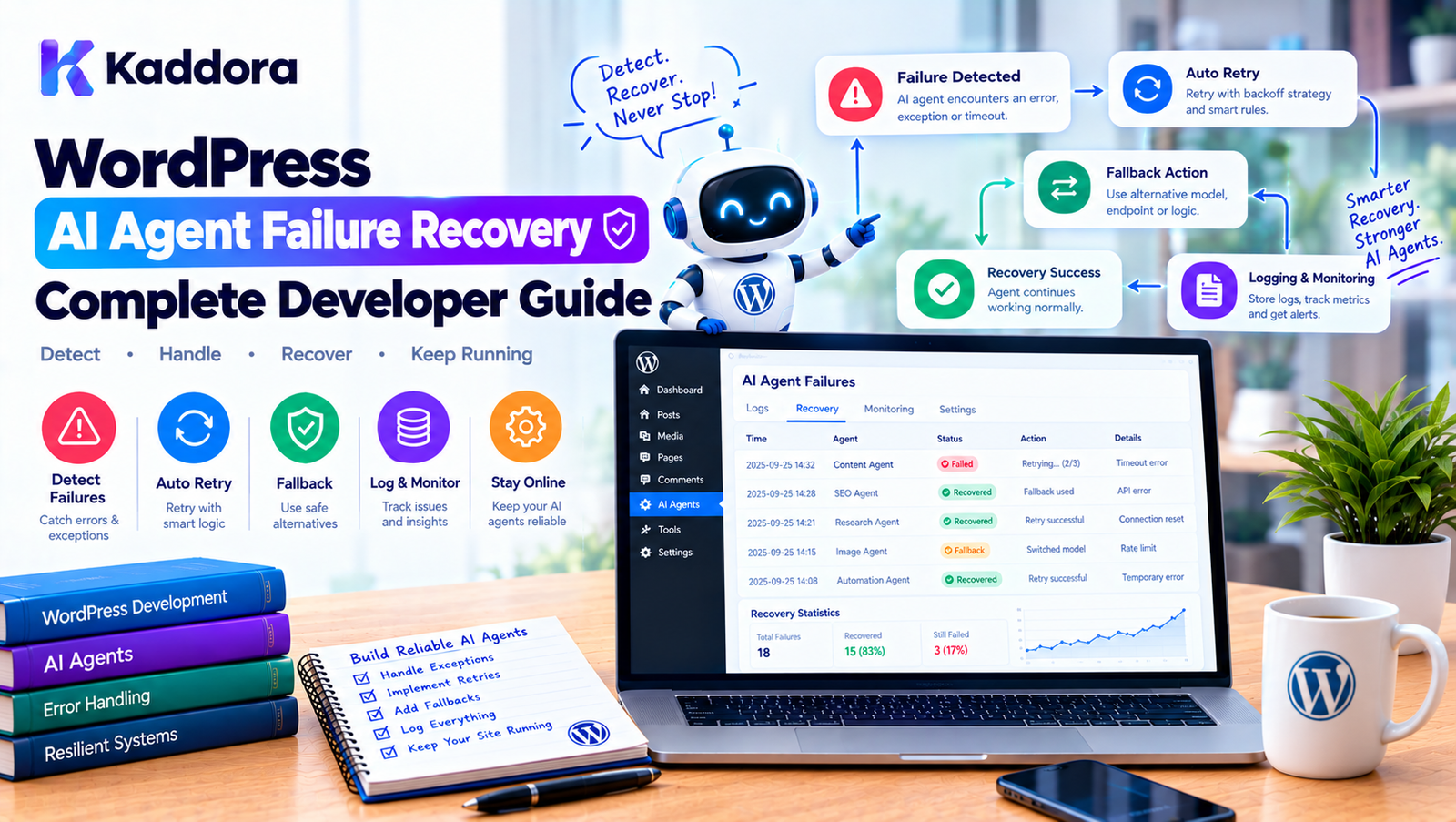
WordPress AI Agent Failure Recovery: Complete Developer Guide
Introduction
AI agents can automate increasingly complex WordPress workflows.
They can analyze products, generate content, process images, review customer feedback, optimize SEO metadata, classify documents, and execute multi-step business workflows.
But AI-powered automation introduces a new engineering challenge:
What happens when the agent fails?
An AI task may fail because:
An API request times out
The AI provider returns an error
A rate limit is reached
WordPress crashes during execution
A database query fails
A task payload becomes invalid
A worker process stops unexpectedly
Generated output fails validation
A dependency becomes unavailable
A task runs longer than expected
A reliable WordPress AI plugin should not assume every task succeeds.
Instead, it needs a deliberate failure recovery architecture.
A robust workflow can look like:
AI Agent ↓ Task Queue ↓ Worker ↓ Execution ↓ Success? ┌───────┴───────┐ Yes No ↓ ↓ Complete Analyze Error ↓ Retry / Recover ↓ Still Failing? ┌────┴────┐ No Yes ↓ ↓ Complete Dead Letter
This guide explains how to build failure recovery into WordPress AI agents using task states, retries, timeouts, idempotency, logging, recovery queues, validation, monitoring, and safe operational controls.
What Is AI Agent Failure Recovery?
AI agent failure recovery is the collection of mechanisms that allow an AI-powered workflow to detect failures, determine whether they are recoverable, retry appropriate tasks, recover interrupted work, and isolate tasks that cannot be completed safely.
Without recovery:
Task ↓ Failure ↓ Stopped
With recovery:
Task ↓ Failure ↓ Classify Error ↓ Retry if Recoverable ↓ Success
or:
Task ↓ Failure ↓ Maximum Retries ↓ Dead-Letter Queue ↓ Human Review
Why Failure Recovery Matters in WordPress AI Plugins
AI integrations depend on external services.
Your WordPress site may be working correctly while the external AI provider temporarily fails.
For example:
WordPress ↓ AI API ↓ Timeout
If the plugin treats this as a permanent failure, useful work may be lost.
A recovery system can instead:
Timeout ↓ Wait ↓ Retry ↓ Success
This makes background automation significantly more reliable.
Common AI Agent Failure Types
Not every failure should be handled the same way.
A useful classification is:
Transient Failure Permanent Failure Validation Failure Authorization Failure Configuration Failure System Failure Dependency Failure
Understanding the difference is critical.
1. Transient Failures
A transient failure may disappear if the operation is attempted again.
Examples:
Network timeout
Temporary provider outage
HTTP 429 rate limit
Temporary server error
Connection failure
These are good candidates for retry logic.
Transient Error ↓ Delay ↓ Retry
2. Permanent Failures
A permanent failure is unlikely to succeed without changing the input or configuration.
Examples:
Invalid API credential
Invalid product ID
Unsupported model
Malformed task payload
Deleted WordPress resource
Repeatedly retrying such tasks wastes resources.
Instead:
Permanent Error ↓ Stop Retry ↓ Mark Failed
3. Validation Failures
An AI model may return an answer that does not meet application requirements.
For example:
Expected: SEO title under configured limit Received: Extremely long generated title
The request itself may have succeeded, but the result is unusable.
The application should validate the response before accepting it.
4. Authorization Failures
A task may become unauthorized after it was created.
For example:
Task Created ↓ User Had Permission ↓ Permission Changed ↓ Worker Executes
The application should define whether authorization is checked when the task is created, when it executes, or both.
For sensitive operations, execution-time authorization can be important.
5. Configuration Failures
A background workflow may fail because required configuration is missing.
For example:
AI API Key ↓ Missing ↓ Cannot Execute
This should not become an infinite retry loop.
The task can be paused or marked as configuration-blocked until the administrator fixes the problem.
6. System Failures
The WordPress process itself can fail.
Examples:
PHP fatal error
Memory exhaustion
Server restart
Database connection failure
Process termination
The task may remain stuck in:
processing
A recovery system should detect stale processing tasks.
7. Dependency Failures
An AI agent may depend on other systems:
WordPress ↓ WooCommerce ↓ External API ↓ AI Provider
If any dependency becomes unavailable, the agent may fail.
Recovery should distinguish which dependency caused the problem.
Design Explicit Task States
A reliable queue should use explicit states.
For example:
pending processing completed failed retrying cancelled blocked
You can also use:
dead_letter
for tasks that have permanently failed after recovery attempts.
Example Task Lifecycle
pending ↓ processing ↓ completed
If an error occurs:
pending ↓ processing ↓ retrying ↓ pending
If retries are exhausted:
retrying ↓ dead_letter
This makes the lifecycle observable.
Store Retry Metadata
A task should track useful information such as:
attempts last_attempt_at next_attempt_at last_error locked_at locked_by
For example:
Task ID: 1452 Attempts: 3 Last Error: AI provider timeout Next Attempt: 10:45 PM
This helps both automation and administrators.
Retry Only Recoverable Errors
Do not retry every failure.
For example:
HTTP 429 → Retry Temporary 5xx → Retry Network timeout → Retry Invalid API key → Do not retry repeatedly Invalid product ID → Do not retry Malformed payload → Do not retry
Error classification should be part of the recovery architecture.
Exponential Backoff
Immediate retries can make an outage worse.
Suppose the AI provider is temporarily unavailable.
Without backoff:
Failure ↓ Retry ↓ Failure ↓ Retry ↓ Failure ↓ Retry
A better strategy is:
Attempt 1 ↓ Wait Attempt 2 ↓ Wait Longer Attempt 3 ↓ Wait Even Longer
For example:
30 seconds 2 minutes 10 minutes 30 minutes
The actual intervals should be configurable.
Add Random Jitter
If thousands of tasks fail at the same time, they should not all retry simultaneously.
For example:
5,000 tasks ↓ All fail ↓ All retry at 10:00
This can create a traffic spike.
Adding jitter spreads retries over a time window.
Task A → 10:00:12 Task B → 10:00:28 Task C → 10:00:47 Task D → 10:01:03
This can reduce synchronized retry bursts.
Maximum Retry Attempts
Every retry system needs a limit.
For example:
Maximum Attempts = 5
After the fifth failure:
Task ↓ 5 Failed Attempts ↓ Dead-Letter Queue
Without a maximum, permanently broken tasks can consume resources indefinitely.
Dead-Letter Queue
A dead-letter queue stores tasks that could not be completed successfully.
For example:
AI Queue | +-- Pending +-- Processing +-- Completed +-- Failed | +-- Dead Letter
A dead-letter task can contain:
Task ID Workflow ID Error Attempts Last Attempt Payload
Administrators can then inspect the problem.
Why Dead-Letter Queues Matter
Suppose a store processes:
10,000 products
and 37 tasks fail.
You do not want the entire workflow to be considered a total failure.
Instead:
9,963 Completed 37 Failed
The administrator can review only the failed tasks.
This makes large-scale AI automation much easier to manage.
Retry Failed Tasks Manually
An admin dashboard can provide:
Failed Tasks: 37 [Retry All] [Retry Selected] [Delete Failed Tasks]
For problematic tasks, the administrator can edit the task or correct the underlying data before retrying.
Error Messages Should Be Useful
Avoid storing:
Error occurred.
Instead record meaningful information.
For example:
AI provider returned HTTP 429. Retry scheduled after rate-limit delay.
Or:
Product ID 845 does not exist. Task marked permanently failed.
The error should help developers and administrators determine the next action.
Never Store Secrets in Error Logs
An API failure might contain sensitive request information.
Avoid logging:
Authorization: Bearer SECRET_KEY
or:
Customer password
Logs should contain enough information to diagnose problems without exposing credentials or unnecessary personal data.
Sanitize External Error Messages
External APIs may return verbose error messages.
Do not blindly display those messages to ordinary WordPress users.
Instead:
Admin Log: Detailed technical error User: The AI service is temporarily unavailable.
This provides a safer separation between diagnostics and user-facing messages.
Detect Stuck Tasks
Suppose a task enters:
processing
and the worker crashes.
The task may remain there indefinitely.
Use a timestamp:
locked_at
Then detect stale tasks.
For example:
processing + locked_at older than threshold = stale task
The system can then release or requeue it.
Example Stale Task Recovery
Task: processing Last heartbeat: 45 minutes ago Expected timeout: 10 minutes ↓ Task considered stale ↓ Requeue
The threshold should reflect the expected execution time.
Worker Heartbeats
Long-running workers can update a heartbeat.
For example:
Task started ↓ Heartbeat ↓ Heartbeat ↓ Heartbeat ↓ Completed
A heartbeat can be stored as:
last_heartbeat_at
This helps distinguish:
Still running
from:
Worker crashed
Timeout Protection
Every AI task should have a reasonable execution timeout.
For example:
Task timeout: 120 seconds
If the operation exceeds the expected time, the worker can terminate or reschedule the task according to the implementation.
Do not allow one problematic task to block the entire worker indefinitely.
Worker Isolation
One failed task should not necessarily stop the entire queue.
Bad:
Task 1 → Success Task 2 → Fatal Error Task 3 → Never Runs Task 4 → Never Runs
Better:
Task 1 → Success Task 2 → Failed → Recovery Task 3 → Success Task 4 → Success
Workers should isolate individual task failures wherever practical.
Catch Exceptions at the Worker Boundary
A worker can protect the queue from unexpected task-level exceptions.
Conceptually:
try { $handler->handle( $task ); } catch ( Throwable $exception ) { $queue->mark_failed( $task, $exception ); }
The exact error-handling strategy should distinguish expected application errors from serious system-level failures.
Do Not Hide Fatal Problems
Error recovery should not become:
try { // Everything. } catch ( Throwable $e ) { // Ignore. }
This can hide serious bugs.
A recovery system should:
Record the failure.
Classify it.
Decide whether to retry.
Preserve diagnostic information.
Continue safely when possible.
Idempotency
Idempotency is one of the most important concepts in task recovery.
Suppose a task:
Create Report
successfully generates a report, but the worker crashes before marking the task complete.
The task may be retried.
Without idempotency:
Retry ↓ Second Report
Now there are duplicates.
A better design uses an operation identifier:
workflow_id task_id operation_id
so repeated execution can detect existing results.
Example Idempotent AI Task
Instead of:
create_post( $generated_content );
blindly creating a new post each time, the system could associate the operation with:
AI Task ID = 1250
Before creating a new record:
Does result for Task 1250 already exist? ↓ Yes → Return existing result No → Create result
This makes retries safer.
Database Transactions and AI Tasks
AI requests and database transactions should be designed carefully.
Avoid holding a database transaction open while waiting for an external AI request.
Bad:
BEGIN TRANSACTION ↓ AI API Request ↓ Wait 30 seconds ↓ Save ↓ COMMIT
A better pattern is often:
Retrieve Data ↓ AI Request ↓ Validate Result ↓ Short Database Write
This reduces the amount of time database resources remain locked.
Partial Workflow Failure
Complex AI agents may contain multiple steps.
For example:
Step 1: Analyze Product Step 2: Generate Description Step 3: Generate SEO Title Step 4: Generate Meta Description Step 5: Save
Step 4 may fail after Steps 1–3 succeed.
Do not necessarily restart everything.
Instead:
Step 1 → Completed Step 2 → Completed Step 3 → Completed Step 4 → Failed Step 5 → Waiting
Retry Step 4.
This saves AI usage and processing time.
Workflow Checkpoints
Long workflows can store checkpoints.
For example:
workflow_id = 100 checkpoint: seo_title_completed
After recovery, the agent can resume from the latest successful stage.
This is particularly useful for multi-step AI workflows.
Saga-Style Recovery
Some operations cannot be rolled back with a simple database transaction.
For example:
AI Generate ↓ Create WordPress Post ↓ Send Email ↓ Update External CRM
If the CRM update fails after the post and email succeed, a traditional database rollback cannot undo everything.
A workflow may instead use compensating actions where appropriate.
External Action ↓ Failure ↓ Compensation / Review
Use this only when the workflow genuinely requires it; don't overengineer simple tasks.
Human Intervention
Some failures should be sent to a human instead of automatically retried.
For example:
AI Generated Content ↓ Validation Failed ↓ Human Review
The admin can:
[Approve] [Edit] [Retry] [Reject]
Human intervention is particularly useful for high-impact operations.
Approval-Based Recovery
A workflow can move into:
awaiting_review
instead of:
failed
For example:
AI Agent ↓ Generated Recommendation ↓ Confidence / Validation Check ↓ Needs Review ↓ Administrator
This allows controlled automation.
Recovery Confidence Levels
A plugin can classify failures:
Safe to Retry Needs Review Permanent Failure System Failure
For example:
Failure
Recovery
Timeout
Retry
HTTP 429
Retry later
Temporary 500
Retry
Invalid API key
Block
Deleted product
Review
Invalid output
Regenerate or review
Permission denied
Stop
Unknown exception
Log and review
This is more useful than treating every error as identical.
AI Output Regeneration
Not every AI failure is an API failure.
The provider may return a response, but the response could fail application validation.
For example:
AI Response ↓ JSON Parse ↓ Invalid JSON
A controlled regeneration attempt may be appropriate.
Invalid Output ↓ Retry With Structured Prompt ↓ Validate
Limit the number of regeneration attempts.
Structured AI Output
Structured output can reduce recovery complexity.
Instead of asking an AI model for arbitrary text:
Generate a product analysis.
define an expected structure such as:
{ "summary": "...", "seo_title": "...", "keywords": [] }
Then validate:
Required fields Correct types Allowed values Length limits
The application should still treat the result as untrusted input.
Queue Recovery After Deployment
Plugin updates can change task formats.
Suppose version 1 creates:
payload: product_id
Version 2 expects:
payload: product_id language
Old queued tasks may fail.
A robust system should either:
support old payload versions,
migrate pending tasks, or
explicitly mark incompatible tasks for recovery.
Version Task Payloads
For complex systems, include:
schema_version
For example:
{ "schema_version": 2, "product_id": 123, "operation": "generate_alt_text" }
The worker can handle different versions safely.
Recovery After Plugin Deactivation
A plugin should define what happens to pending tasks when it is deactivated.
In many cases, configuration and task data should remain intact so the workflow can resume when the plugin is activated again.
Do not automatically delete queue data merely because the plugin is temporarily deactivated.
Recovery After Server Restart
Server restarts are normal.
A queue should not assume:
worker = permanent
Instead:
Task locked ↓ Server restarts ↓ Worker disappears ↓ Lock expires ↓ Task becomes available
This makes the system resilient to infrastructure interruptions.
Monitoring Failure Rates
A useful admin dashboard can show:
AI Agent Health Success Rate: 96.8% Failed: 82 Retrying: 17 Dead Letter: 11 Stuck: 2
Trends can reveal whether the problem is:
AI provider reliability
WordPress infrastructure
invalid content
plugin bugs
configuration errors
Monitor by Error Type
Instead of only counting failures:
82 failures
group them:
Rate Limit: 40 Timeout: 20 Validation: 12 Invalid Data: 6 Unknown: 4
This makes troubleshooting much more actionable.
Alert Administrators About Critical Failures
Not every failure requires an email.
For example:
One task timeout
may be normal.
But:
AI API authentication failed for all workers
should probably trigger an administrator alert.
Alerts should be based on meaningful thresholds.
Circuit Breaker Pattern
If the AI provider is consistently failing, repeatedly sending requests can waste resources.
A circuit breaker can temporarily stop new requests.
Normal ↓ Repeated Failures ↓ Circuit Open ↓ Pause AI Requests ↓ Wait ↓ Test Provider ↓ Recover
This is useful for high-volume AI systems.
Example Circuit Breaker States
closed open half_open
Closed
Requests are allowed.
Open
Requests are temporarily blocked.
Half-Open
A limited test request checks whether the provider has recovered.
This pattern should only be introduced when the plugin's workload justifies the complexity.
Fallback Providers
Some applications may support multiple AI providers.
For example:
Primary AI Provider ↓ Failure ↓ Fallback Provider
This can improve resilience but introduces:
Different APIs
Different model behavior
Different costs
Different output quality
Different privacy considerations
Do not add provider failover without a clear requirement.
Graceful Degradation
When AI is unavailable, the entire WordPress application should not necessarily stop working.
For example:
AI Recommendation Unavailable ↓ Show Standard Product Recommendations
or:
AI Search Unavailable ↓ Use Standard WordPress Search
This provides a better overall system design.
Keep AI Optional Where Possible
AI should often be an enhancement rather than the only way a core WordPress feature works.
For example:
Product Page ↓ AI Recommendation
If AI fails:
Product Page ↓ Normal Product Experience
This reduces the blast radius of AI failures.
Testing Failure Recovery
A robust AI plugin should intentionally simulate failures.
Test:
API Timeout
AI Request ↓ Timeout ↓ Retry
Rate Limit
429 ↓ Backoff ↓ Retry
Invalid Output
AI Response ↓ Validation Failure ↓ Regenerate / Review
Worker Crash
Processing ↓ Worker Dies ↓ Lock Expires ↓ Requeue
Permanent Error
Invalid Resource ↓ No Retry ↓ Dead Letter
Chaos Testing for AI Agents
For advanced systems, intentionally introduce failures.
For example:
10% API requests fail 5% tasks timeout 1% workers terminate
Then verify that:
tasks recover,
retries work,
duplicates do not occur,
progress remains accurate,
failures are visible.
This can reveal reliability problems before production.
Example Recovery Service
A simplified recovery service might look like:
final class AI_Task_Recovery { public function recover( $task, $error ) { if ( $this->is_retryable( $error ) ) { if ( $task->attempts >= 5 ) { return $this->move_to_dead_letter( $task ); } return $this->schedule_retry( $task ); } return $this->mark_failed( $task, $error ); } private function is_retryable( $error ): bool { return in_array( $error->code, array( 'timeout', 'rate_limit', 'temporary_server_error', ), true ); } }
A production implementation should also consider error categories, backoff, jitter, logging, task locking, and workflow state.
Recommended Failure Recovery Architecture
A scalable architecture can look like:
AI Agent | v Task Queue | v Worker | +--------+--------+ | | Success Error | | v v Complete Error Classifier | +------------------+------------------+ | | | v v v Retry Review Permanent | | | v v v Backoff Human Action Dead Letter | v Worker
This creates a controlled lifecycle for AI tasks.
WordPress AI Agent Failure Recovery Best Practices
Define explicit task states.
Classify errors before retrying.
Retry only transient failures.
Use exponential backoff.
Add retry jitter for large workloads.
Set maximum retry attempts.
Maintain a dead-letter queue.
Track task attempts.
Detect stale locks.
Use worker heartbeats for long tasks.
Implement reasonable timeouts.
Design operations for idempotency.
Store workflow checkpoints.
Recover partial workflows rather than restarting everything.
Validate AI output before saving.
Keep secrets out of logs.
Revalidate sensitive permissions.
Provide administrator recovery controls.
Monitor failure rates.
Alert on systemic failures.
Use graceful degradation when possible.
Avoid holding database transactions during AI requests.
Version task payloads when necessary.
Test simulated failures.
Keep recovery architecture proportional to workload complexity.
WordPress AI Agent Failure Recovery Checklist
Task Management
Tasks have explicit states.
Attempts are tracked.
Retry timestamps are stored.
Failed tasks retain useful diagnostics.
Dead-letter tasks are supported.
Reliability
Transient failures are retried.
Permanent failures stop retrying.
Exponential backoff is implemented.
Retry limits exist.
Stale tasks can be recovered.
Worker crashes do not permanently block tasks.
AI Output
AI responses are validated.
Structured outputs are checked.
Invalid responses can be regenerated where appropriate.
AI output is not blindly executed.
Security
Sensitive data is not unnecessarily logged.
Credentials are protected.
Task permissions are controlled.
Sensitive actions require appropriate authorization.
External errors are not blindly exposed to visitors.
Monitoring
Failed tasks are visible.
Retry counts are visible.
Dead-letter tasks are visible.
Queue health is monitored.
Critical failures generate appropriate alerts.
Why Choose Kaddora?
Reliable AI automation requires more than successful API requests.
When a WordPress AI plugin processes hundreds or thousands of tasks, failures are inevitable. The important question is whether the system can recover without losing work, duplicating operations, exhausting API limits, or leaving administrators uncertain about what happened.
Kaddora's practical WordPress architecture can apply AI failure recovery to:
WooCommerce automation
AI SEO processing
Image optimization
Product content generation
AI recommendations
Review analysis
Content auditing
Document processing
Background workflows
Scheduled AI operations
The objective is to make AI automation recoverable rather than fragile.
A reliable AI agent should be able to:
Detect ↓ Classify ↓ Retry ↓ Recover ↓ Report
When automatic recovery is unsafe, the system should stop and request human intervention rather than repeatedly attempting the same operation.
Conclusion
WordPress AI agents can automate complex workloads, but reliability cannot depend on every AI request succeeding.
External APIs fail. Networks fail. Workers crash. WordPress data changes. AI responses can fail validation. Permissions can change. Tasks can become outdated.
A robust failure recovery architecture prepares for these situations.
The essential components include:
Explicit task states
Error classification
Retry policies
Exponential backoff
Maximum attempts
Dead-letter queues
Stale-task recovery
Idempotency
Workflow checkpoints
Output validation
Monitoring
Human intervention
The most important principle is:
A failed AI task should become a controlled state, not an uncontrolled system failure.
For small plugins, simple retries and error handling may be enough. For large AI automation systems, task queues, recovery workers, dead-letter queues, workflow checkpoints, and monitoring can provide much stronger reliability.
The goal is not to make AI agents impossible to fail.
The goal is to make failures detectable, recoverable, observable, and safe.
Frequently Asked Questions
What is WordPress AI agent failure recovery?
It is the system used to detect AI task failures, classify errors, retry recoverable operations, recover interrupted tasks, and isolate tasks that cannot be completed safely.
Should every AI failure be retried?
No. Temporary network errors, rate limits, and some server errors may be retryable. Invalid credentials, malformed data, and authorization failures generally require a different response.
How many times should an AI task be retried?
There is no universal number. A maximum retry count should be based on the task, provider behavior, cost, and expected failure patterns.
What is a dead-letter queue?
A dead-letter queue stores tasks that remain unsuccessful after their allowed recovery attempts or are identified as permanently invalid.
How can WordPress detect a stuck AI task?
Store task lock timestamps or worker heartbeats. If a task remains in a processing state beyond its expected execution window, the system can treat it as stale and recover it.
What is idempotency in AI task processing?
Idempotency means that repeating the same task does not unintentionally create duplicate or harmful results.
Can AI-generated output fail even when the API request succeeds?
Yes. A model can return output that is malformed, incomplete, inaccurate, or incompatible with the application's requirements. Output should be validated before it is accepted.
How does exponential backoff help AI agents?
It spaces retry attempts apart, reducing repeated requests during temporary outages and helping prevent additional pressure on an already failing service.
What is retry jitter?
Retry jitter adds a small random delay to retry schedules so many failed tasks do not retry simultaneously.
Can AI workflows recover after a WordPress server restart?
Yes. Queue systems can use task locks and expiration timestamps to detect tasks abandoned by terminated workers and make them available again.
Should AI tasks use database transactions?
Database transactions can be useful for short data operations, but external AI requests generally should not be performed while holding long-running database transactions open.
Can an AI workflow recover from a partially completed process?
Yes. Multi-step workflows can store checkpoints so recovery can resume from the latest completed stage rather than repeating the entire workflow.
How should permanent AI failures be handled?
They can be marked as failed or moved to a dead-letter queue for administrator review instead of being retried indefinitely.
Should failed AI tasks be visible in WordPress admin?
For substantial background workflows, an administrator-facing failure dashboard is useful for reviewing, retrying, or resolving problematic tasks.
Can AI agents recover automatically?
Yes, when the failure is predictable and safe to recover from. Sensitive or ambiguous failures may require human review.
Why choose Themekaddora?
Themekaddora provides lightweight, responsive, SEO-friendly WordPress themes with fast performance, WooCommerce compatibility, flexible customization, accessibility-conscious design, modern templates, regular updates, and professional support—providing a strong foundation for businesses building digital products and product-focused websites.
Comments (0)