
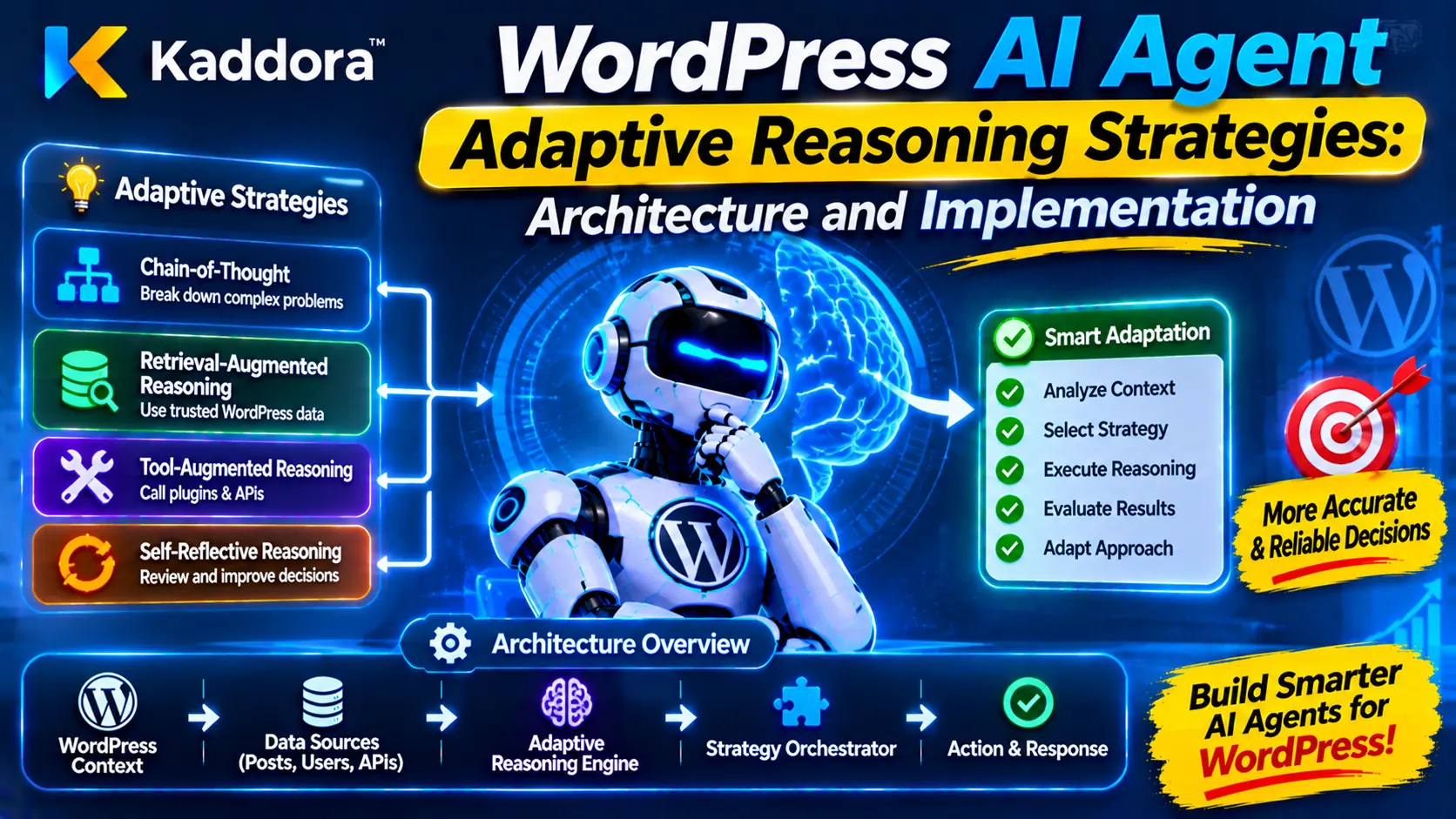
Introduction
AI agents in WordPress plugins are becoming capable of handling increasingly complex tasks. They can analyze website information, interpret user requests, retrieve relevant data, evaluate alternatives, recommend actions, and interact with supported WordPress functionality. However, not every task requires the same reasoning approach.
A simple request, such as identifying a plugin setting, may need only a direct lookup. A more complicated request, such as investigating a sudden decrease in WooCommerce conversions, may require multiple evidence sources, hypothesis generation, comparison of alternative explanations, and additional validation.
Using the same reasoning process for both tasks can create unnecessary processing overhead or insufficient analysis.
This is where WordPress AI Agent Adaptive Reasoning Strategies become useful.
Adaptive reasoning allows an AI agent to adjust its reasoning approach according to the complexity, uncertainty, risk, available evidence, and resource requirements of a task. Instead of following one fixed reasoning sequence, the agent selects an appropriate strategy for the current situation.
For example, a WordPress AI support plugin might use a direct response strategy for a basic settings question, an evidence-based strategy for diagnosing an error, and a multi-step planning strategy for a complicated configuration workflow.
The objective is to make AI agents more efficient, context-aware, reliable, and controlled.
In this guide, we will explore how adaptive reasoning works, which strategies WordPress developers can implement, how to build a flexible reasoning architecture, and how to manage security, performance, and decision quality.
What Are WordPress AI Agent Adaptive Reasoning Strategies?
WordPress AI Agent Adaptive Reasoning Strategies are methods that allow an AI agent to change how it approaches a task based on its characteristics and requirements.
A fixed reasoning workflow follows the same sequence for every request. An adaptive workflow first examines the task and determines which reasoning method is appropriate.
For example:
Task
Suitable reasoning strategy
Retrieve a plugin setting
Direct lookup
Explain a common error
Context-based reasoning
Investigate a performance problem
Evidence-based analysis
Compare several solutions
Multi-criteria evaluation
Plan a complex workflow
Step-by-step planning
Handle uncertain information
Hypothesis evaluation
Perform a sensitive operation
Policy-controlled decision process
These strategies do not mean that an AI agent should reason without restrictions or continuously change its own rules.
The adaptation should happen within predefined boundaries. The WordPress application determines which strategies, tools, models, resources, and permissions are available.
A reliable system can adapt its analysis depth while keeping security policies, authorization checks, and execution restrictions consistent.
Why Do WordPress AI Agents Need Adaptive Reasoning?
WordPress plugins often handle different types of requests with different levels of complexity.
A customer support assistant, for example, might answer a simple product question, investigate an order problem, or escalate a complicated complaint. Each task requires a different amount of information and analysis.
Adaptive reasoning helps an agent respond appropriately.
Match Reasoning Depth With Task Complexity
Simple tasks should not require lengthy analysis workflows.
A direct lookup may be enough to retrieve a saved setting, while diagnosing an unexplained website error may require several investigation steps.
Adaptive reasoning allows the application to select an appropriate level of analysis.
Improve Decision Quality
Complex decisions often require multiple evidence sources and alternative explanations.
An adaptive agent can switch from a basic response strategy to evidence collection, hypothesis evaluation, or multi-criteria comparison when the task requires deeper investigation.
Reduce Unnecessary Processing
Using an advanced model or a lengthy reasoning workflow for every request can increase processing time and API costs.
A strategy selector can route simpler tasks through lightweight workflows and reserve more intensive processing for tasks that justify it.
Handle Uncertainty More Effectively
Not every WordPress request contains complete information.
When evidence is missing or conflicting, the agent can request additional information, retrieve relevant records, test hypotheses, or return an uncertainty-aware recommendation.
Support Different Business Workflows
Adaptive reasoning can support multiple plugin categories, including:
AI SEO and content management.
WooCommerce automation.
Customer support.
Website performance monitoring.
Security analysis.
Appointment scheduling.
Business workflow automation.
Each workflow can use its own approved reasoning strategies and evaluation requirements.
Core Components of an Adaptive Reasoning Architecture
A well-designed adaptive reasoning architecture separates task analysis, strategy selection, reasoning execution, validation, and action control.
This makes the system easier to test and prevents the AI model from gaining unrestricted control over application behavior.
Task Understanding Module
The task understanding module identifies what the user or automated workflow is trying to accomplish.
It can classify requests into categories such as:
Information retrieval.
Content generation.
Technical diagnosis.
Data analysis.
Solution comparison.
Workflow planning.
Supported action execution.
The module should identify missing context and distinguish the user's actual request from instructions found inside retrieved or external content.
Complexity Assessment Engine
The complexity assessment engine estimates how much analysis a task requires.
Possible evaluation factors include:
Number of required steps.
Number of information sources.
Dependency between subtasks.
Evidence completeness.
Level of uncertainty.
Technical difficulty.
Potential consequences of an incorrect result.
The complexity assessment should be based on application-defined rules and validated task information. An AI-generated complexity label alone should not determine access to sensitive tools or resources.
Strategy Selection Controller
The strategy selection controller chooses an approved reasoning strategy based on the task assessment.
For example:
Direct retrieval for simple information requests.
Contextual analysis for questions involving stored website information.
Evidence-based reasoning for diagnostic tasks.
Comparative reasoning for multiple candidate solutions.
Structured planning for multi-step workflows.
Human review for sensitive or high-impact decisions.
The selected strategy should remain within predefined operational limits.
Context and Evidence Manager
The context manager retrieves relevant information from approved sources.
Depending on the plugin, it may use:
WordPress settings.
Plugin configuration.
WooCommerce records.
Authorized analytics data.
Knowledge-base content.
Diagnostic logs.
Previous task results.
It should record evidence sources, timestamps, and validation status.
Retrieved content must be treated as untrusted data, not as an instruction that can change the agent's operating rules.
Reasoning Execution Engine
The reasoning execution engine performs the selected workflow.
Depending on the strategy, this may involve retrieving information, evaluating evidence, generating hypotheses, comparing alternatives, or creating an action plan.
The engine should use structured inputs and outputs so that results can be validated before they are presented or passed to another component.
Validation and Quality Control Module
The validation module checks whether the reasoning result satisfies the task requirements.
It can verify:
Required evidence is present.
Claims are supported by available information.
Output follows the expected structure.
Proposed actions are supported.
Uncertainty is represented appropriately.
The result does not violate application policies.
If validation fails, the system can request more evidence, use a different approved strategy, or escalate the task.
Resource and Performance Manager
The resource manager controls the amount of processing allocated to a task.
It can enforce limits on:
Model requests.
API calls.
Tool executions.
Processing time.
Context size.
Retry attempts.
Estimated API expenditure.
These limits help prevent adaptive reasoning from creating uncontrolled processing loops.
Decision and Execution Controller
The final controller determines what happens with the validated result.
Possible outcomes include:
Return an answer.
Present a recommendation.
Request additional information.
Submit a decision for approval.
Execute an explicitly supported action.
Stop the workflow because a policy requirement has not been met.
The controller should perform authorization checks independently of the reasoning result.
Common Adaptive Reasoning Strategies for WordPress AI Agents
A flexible AI agent can use different reasoning strategies according to the requirements of each task.
Direct Retrieval Strategy
Direct retrieval is appropriate for simple requests where the required information is already available in a trusted source.
For example, a user may ask an AI plugin to retrieve the name of a configured payment gateway.
The system can look up the authorized setting and return the value without generating a complicated reasoning workflow.
This strategy is generally suitable when the request is straightforward and does not require interpretation across multiple sources.
Context-Based Reasoning Strategy
Context-based reasoning uses relevant information from the current task, website settings, or an approved knowledge source.
For example, an AI support plugin can combine its documentation with a user's question to explain how a particular feature works.
The system should distinguish documented facts from assumptions and avoid treating retrieved content as privileged instructions.
Evidence-Based Reasoning Strategy
Evidence-based reasoning is useful when the AI agent must investigate a problem.
For example, a WordPress performance plugin detecting slow page loading may inspect:
Performance measurements.
Recent configuration changes.
Plugin activity.
Server response information.
Relevant error records.
The agent can compare the evidence and identify possible explanations.
This strategy is more appropriate than generating an answer based only on general model knowledge.
Hypothesis-Based Reasoning Strategy
When several explanations could account for a problem, the agent can generate hypotheses and test them against available information.
For example, a decrease in WooCommerce checkout completion may be associated with payment failures, shipping costs, form usability, or mobile display issues.
The system should evaluate each hypothesis using evidence and avoid presenting an unverified explanation as a confirmed cause.
Comparative Reasoning Strategy
Comparative reasoning evaluates multiple possible solutions against common criteria.
For example, a plugin may compare different caching improvements based on expected performance benefits, compatibility, implementation effort, and reversibility.
A structured evaluation makes recommendations easier to understand and audit.
Step-by-Step Planning Strategy
Complex workflows often require multiple dependent operations.
A planning strategy breaks a task into smaller steps, identifies dependencies, and checks the result of each approved operation before moving forward.
For example, an AI website maintenance assistant may:
Inspect the current configuration.
Identify the requested change.
Check compatibility.
Present the proposed modification.
Obtain approval.
Apply the supported change.
Verify the result.
Each step should use application-controlled validation.
Uncertainty-Aware Reasoning Strategy
When information is incomplete or conflicting, the agent should not force a confident answer.
It can:
Identify missing information.
Search approved sources.
Compare conflicting evidence.
Generate alternative explanations.
Ask for clarification.
Return a qualified recommendation.
This strategy is particularly important for diagnostics and business decisions.
Human-Assisted Reasoning Strategy
Some tasks should not be completed entirely through automation.
For sensitive operations, the agent can prepare a recommendation and provide the evidence, risk assessment, and expected consequences to an authorized administrator.
The person reviewing the recommendation can decide whether to approve the operation.
How to Select the Right Reasoning Strategy
The strategy selection process should be systematic rather than based on an unrestricted AI decision.
A practical workflow can use the following stages.
Classify the Task
Identify the main task category and expected result.
For example, determining a plugin setting is different from diagnosing an issue or changing a business configuration.
Assess Complexity
Evaluate the number of steps, required data sources, dependencies, and uncertainty.
A task involving multiple systems and conflicting evidence generally requires a deeper analysis process than a simple information lookup.
Evaluate Risk
Assess the consequences of an incorrect result.
A basic explanatory response may have low operational impact. A change involving payment settings or user permissions requires stricter validation and approval.
Risk should influence the control requirements independently of reasoning complexity.
Check Available Evidence
Determine whether sufficient information is available.
If key evidence is missing, the system may choose retrieval or clarification before attempting a recommendation.
Select an Approved Strategy
Use a controlled strategy registry to select a workflow appropriate to the task.
For example, a diagnostic task may use evidence-based reasoning, while a solution selection task may use comparative reasoning.
Apply Resource Limits
Set the permitted number of model calls, tool executions, and retries.
More complex reasoning should not automatically receive unlimited resources.
Validate the Result
Check the output against the original task objective, evidence requirements, and application policies.
If the result fails validation, the agent can switch to another approved strategy or request human assistance.
Decide the Next Action
Return the result, request further information, present an approval request, or stop the workflow.
The agent should never assume that completing a reasoning process means it has permission to execute a real-world operation.
Implementing Adaptive Reasoning Strategies in WordPress With PHP
WordPress developers can implement adaptive reasoning through a strategy manager that selects predefined workflows based on validated task information.
The following examples demonstrate a basic architecture. They do not connect to an AI provider or execute website changes. A production plugin must connect the strategy manager to its own validated task analysis, API integration, policy checks, and execution layer.
Define Reasoning Strategy Configurations
Start by defining which strategies are available and their permitted resource limits.
$strategies = array( 'direct' => array( 'max_steps' => 1, 'max_model_calls' => 1, 'requires_evidence' => false, ), 'contextual' => array( 'max_steps' => 3, 'max_model_calls' => 2, 'requires_evidence' => true, ), 'evidence_based' => array( 'max_steps' => 6, 'max_model_calls' => 3, 'requires_evidence' => true, ), 'comparative' => array( 'max_steps' => 8, 'max_model_calls' => 4, 'requires_evidence' => true, ), );
These are illustrative limits. Actual limits should be determined by the plugin's requirements, provider capabilities, and operational budget.
Create an Adaptive Strategy Manager
A strategy manager can select an approved reasoning workflow using validated task characteristics.
class Kaddora_AI_Adaptive_Reasoning_Manager { /** * Select an approved reasoning strategy. * * @param array $task Validated task information. * @return string|WP_Error */ public function select_strategy( $task ) { if ( empty( $task['type'] ) || ! is_string( $task['type'] ) ) { return new WP_Error( 'invalid_task_type', 'A valid task type is required.' ); } if ( ! isset( $task['complexity'] ) || ! is_numeric( $task['complexity'] ) ) { return new WP_Error( 'invalid_task_complexity', 'A valid complexity value is required.' ); } $complexity = (float) $task['complexity']; if ( $complexity < 1 || $complexity > 10 ) { return new WP_Error( 'complexity_out_of_range', 'Task complexity must be between 1 and 10.' ); } $type = sanitize_key( $task['type'] ); if ( ! empty( $task['requires_approval'] ) ) { return 'human_review'; } if ( 'diagnostic' === $type ) { return 'evidence_based'; } if ( 'comparison' === $type ) { return 'comparative'; } if ( 'planning' === $type ) { return 'step_by_step'; } if ( $complexity <= 3 ) { return 'direct'; } if ( $complexity <= 6 ) { return 'contextual'; } return 'evidence_based'; } }
This example demonstrates a rule-based strategy selector. The task type and complexity must be established by trusted application logic or validated analysis. The approval flag must also come from an authoritative policy assessment rather than an unverified model response.
A production version should use a predefined strategy registry and reject any strategy that is not registered.
Add a Strategy Execution Controller
The execution controller can verify that a selected strategy is supported before passing it to the appropriate workflow handler.
class Kaddora_AI_Reasoning_Controller { /** * Registered reasoning handlers. * * @var array */ private $handlers = array(); /** * Register an approved reasoning handler. * * @param string $strategy Strategy identifier. * @param callable $handler Strategy callback. * @return void */ public function register_strategy( $strategy, $handler ) { if ( ! is_string( $strategy ) || ! is_callable( $handler ) ) { return; } $strategy = sanitize_key( $strategy ); $this->handlers[ $strategy ] = $handler; } /** * Execute a registered reasoning workflow. * * @param string $strategy Strategy identifier. * @param array $context Validated task context. * @return mixed|WP_Error */ public function run_strategy( $strategy, $context ) { $strategy = sanitize_key( $strategy ); if ( ! isset( $this->handlers[ $strategy ] ) ) { return new WP_Error( 'unsupported_reasoning_strategy', 'The selected reasoning strategy is unavailable.' ); } if ( ! is_array( $context ) ) { return new WP_Error( 'invalid_reasoning_context', 'The reasoning context must be an array.' ); } return call_user_func( $this->handlers[ $strategy ], $context ); } }
Only trusted plugin code should register strategy handlers. Do not allow an AI model or an untrusted user to register arbitrary callbacks.
For production use, each handler should also enforce resource limits, validate its inputs, handle API errors, and return a documented result structure.
Add an Independent Execution Permission Check
Reasoning strategy selection must remain separate from permission to modify WordPress data.
class Kaddora_AI_Reasoning_Access_Policy { /** * Check whether the current user can manage AI workflows. * * @return bool */ public function can_manage_workflows() { return current_user_can( 'manage_options' ); } /** * Check access before a protected workflow. * * @param string $action Action identifier. * @return bool */ public function is_action_allowed( $action ) { if ( ! $this->can_manage_workflows() ) { return false; } $allowed_actions = array( 'analyze', 'recommend', 'review', ); return in_array( sanitize_key( $action ), $allowed_actions, true ); } }
This is a simplified capability example. Real plugins should use the least-privilege capability appropriate to each operation and check object-level permissions. State-changing requests should also verify their nonce, while remembering that nonces do not replace authorization.
A separate execution policy should validate every proposed operation against an allowlist before it can change website data.
Adaptive Reasoning With Model Routing
Some WordPress AI plugins use more than one AI model or provider.
A lightweight model may be sufficient for basic classification or short responses, while a more capable model may be appropriate for complex analysis.
Adaptive reasoning can work with model routing to select an approved model according to task requirements.
Use Task-Based Model Selection
The plugin can define model routing rules for different task categories.
For example:
Simple retrieval and classification can use a lightweight workflow.
Multi-source analysis can use a more capable model.
Structured comparisons can use a model configured for reliable structured output.
Sensitive operations can require deterministic validation and human approval regardless of the selected model.
Model selection should consider the available provider's capabilities, latency, cost, reliability, and data-handling requirements.
Maintain Provider Fallback Rules
An AI provider may become unavailable or return an error.
A fallback policy can route an eligible task to another approved provider or return a controlled error.
The fallback system should preserve the original permissions and restrictions. Switching providers must not expand access to sensitive information or tools.
Avoid Unnecessary Model Switching
Changing models repeatedly can increase processing costs and make results less consistent.
The system should define when model escalation is justified, such as when a response fails structural validation or when additional analysis is genuinely required.
How to Manage Reasoning Depth and Resource Limits
Adaptive reasoning is useful only when its additional processing is controlled.
A task should receive enough analysis to meet its requirements without entering unnecessary cycles.
Define Maximum Reasoning Steps
Set a maximum number of steps for each strategy.
For example, a diagnostic workflow may have a limited evidence collection and validation sequence.
If the task remains unresolved after the permitted steps, the agent should return an incomplete status or request human assistance.
Limit Model and Tool Calls
Each task should have defined limits for model requests and tool executions.
These limits protect the plugin from excessive API usage, recursive workflows, and unexpected costs.
Use Bounded Retries
Retries can help recover from temporary provider errors or incomplete structured outputs.
However, repeated retries should not continue indefinitely.
Use a maximum retry count and distinguish temporary network failures from validation failures or policy rejections.
Cache Reusable Information
Some information, such as stable plugin configuration or documentation, may be reused across requests.
Appropriate caching can reduce repeated retrieval and improve response times.
Sensitive data should not be placed in shared caches without suitable access controls, expiration, and isolation.
Stop When Additional Reasoning Adds Little Value
An adaptive agent should have clear stopping conditions.
For example, it may stop when the task requirements are satisfied, the evidence is sufficient for the permitted recommendation, a resource limit is reached, or the workflow requires human approval.
Security and Reliability Considerations
Adaptive reasoning introduces additional decision paths and therefore requires careful control.
Prevent Prompt Injection
User requests, uploaded files, retrieved pages, and external API responses may contain malicious instructions.
Treat these sources as untrusted data. They must not be allowed to change system policies, strategy permissions, scoring weights, or tool access.
Validate Structured Outputs
AI-generated strategy names, candidate actions, and reasoning results should be validated against predefined schemas.
Reject unsupported fields and unknown action identifiers.
Keep Tool Permissions Outside the AI Model
The model may recommend a tool action, but the application must independently determine whether that action is supported and authorized.
Never execute arbitrary PHP, SQL, shell commands, or unrestricted WordPress operations generated by an AI model.
Protect API Credentials
Store provider credentials securely and keep them out of browser-facing JavaScript, prompts, and unnecessary logs.
Use the WordPress HTTP API for external requests and apply appropriate timeout and error handling.
Isolate User and Website Data
Multi-site and multi-user plugins must enforce the correct site, user, and object boundaries.
A reasoning workflow should access only the information required for its current task.
Record Strategy Decisions
Maintain useful audit information such as:
Task category.
Selected strategy.
Strategy configuration version.
Model or provider identifier, where appropriate.
Evidence references.
Resource usage.
Validation outcome.
Approval status.
Final result.
Avoid storing unnecessary personal information or complete sensitive prompts.
Practical Use Cases of Adaptive Reasoning in WordPress Plugins
AI SEO Plugins
An AI SEO agent can use direct retrieval for basic metadata questions, evidence-based reasoning for indexing problems, and comparative reasoning for content optimization recommendations.
The strategy can change according to the complexity of the SEO task.
WooCommerce AI Automation
A WooCommerce agent can use lightweight analysis for simple product questions and multi-step reasoning for inventory, checkout, and order-related investigations.
Sensitive changes to orders or payment settings should follow strict authorization rules.
WordPress Performance Monitoring
A performance plugin may use evidence-based analysis when a site becomes slow.
It can inspect measurements, identify possible causes, compare optimization options, and recommend a controlled action plan.
AI Customer Support
A support plugin can use direct answers for common questions and switch to context-based or evidence-based reasoning when a customer reports a complicated issue.
Unresolved or sensitive cases can be escalated to human support.
AI Security Monitoring
A security plugin can use deterministic detection rules for known conditions and evidence-based reasoning to investigate suspicious patterns.
Adaptive reasoning must not replace mandatory security checks or independently authorize sensitive operations.
Appointment and Booking Automation
An appointment plugin can use direct retrieval for availability information and structured planning for more complicated scheduling workflows.
Final booking changes should still follow validated availability and the relevant user authorization rules.
Common Mistakes When Implementing Adaptive Reasoning
Using the Same Reasoning Strategy for Every Task
This can waste resources on simple tasks and provide insufficient analysis for complex tasks.
Better approach: Classify tasks and select from predefined strategies.
Allowing AI to Change Its Own Permissions
An agent that can freely select new tools, change access restrictions, or modify system policies creates unnecessary security risks.
Better approach: Keep strategy and permission boundaries under application control.
Overusing Advanced Reasoning
Not every request requires multiple model calls or a multi-step analysis process.
Better approach: Use the minimum reasoning depth required to satisfy the task.
Ignoring Missing or Conflicting Evidence
A complex reasoning workflow can still reach an incorrect conclusion when its evidence is unreliable.
Better approach: Validate evidence and represent uncertainty explicitly.
Creating Unlimited Reasoning Loops
Repeated analysis and retries can increase latency and API expenditure without improving the result.
Better approach: Set maximum steps, model calls, tool calls, and retry limits.
Mixing Reasoning With Execution
A proposed action may be technically reasonable but still be unauthorized or unsafe.
Better approach: Keep recommendation, validation, authorization, and execution in separate components.
Best Practices for WordPress AI Agent Adaptive Reasoning Strategies
Developers should follow these practices when building adaptive AI agents for WordPress.
Classify incoming tasks before selecting a reasoning strategy.
Assess task complexity using validated application information.
Use direct retrieval for simple information requests.
Use evidence-based analysis for diagnostic tasks.
Use comparative reasoning for multiple candidate solutions.
Use structured planning for workflows with dependencies.
Handle uncertainty and missing evidence explicitly.
Maintain a registry of approved reasoning strategies.
Separate model selection from tool authorization.
Define maximum reasoning steps and API calls.
Use bounded retries and clear stopping conditions.
Validate AI-generated outputs against strict schemas.
Protect API credentials and sensitive website information.
Enforce WordPress capabilities and object-level permissions.
Require approval for sensitive or irreversible operations.
Monitor strategy selection, resource usage, and task outcomes.
Test fallback behavior and failure scenarios.
Why Choose Kaddora?
Kaddora focuses on digital products and technology solutions for WordPress websites, business workflows, AI integrations, and automation.
Building reliable AI-powered plugins requires more than connecting a language model to a website. It requires practical architecture, structured data handling, secure integrations, controlled reasoning workflows, and maintainable development practices.
Through ThemeKaddora, developers and website owners can explore WordPress plugins, themes, HTML templates, and digital products designed for practical website and business requirements.
A well-designed adaptive reasoning architecture can help developers create WordPress AI solutions that adjust their analysis to the task while maintaining consistent application rules and security boundaries.
Conclusion
WordPress AI Agent Adaptive Reasoning Strategies allow AI agents to change their problem-solving approach according to task complexity, evidence availability, uncertainty, risk, and resource requirements.
By combining task classification, complexity assessment, strategy selection, evidence management, validation, and controlled execution, developers can build agents that handle simple requests efficiently while applying deeper analysis to more demanding workflows.
The most important design principle is controlled adaptation. AI agents should be able to select an appropriate reasoning strategy from approved options, but they should never be allowed to change their own security permissions or bypass application-level restrictions.
With predefined strategies, bounded resources, validated evidence, and independent authorization checks, WordPress developers can create more flexible, explainable, and reliable AI-powered plugin architectures.
Frequently Asked Questions
What Are WordPress AI Agent Adaptive Reasoning Strategies?
They are methods that allow a WordPress AI agent to adjust its problem-solving approach according to task complexity, uncertainty, available evidence, risk, and resource requirements.
Why Is Adaptive Reasoning Important for WordPress AI Plugins?
It helps plugins use suitable reasoning methods for different tasks, avoid unnecessary processing, improve decision quality, and handle complex requests more systematically.
What Is the Difference Between Fixed and Adaptive AI Reasoning?
Fixed reasoning follows the same workflow for every task. Adaptive reasoning selects an appropriate workflow based on the requirements and characteristics of each task.
Which Reasoning Strategies Can WordPress AI Agents Use?
They can use direct retrieval, context-based reasoning, evidence-based analysis, hypothesis evaluation, comparative reasoning, step-by-step planning, and uncertainty-aware reasoning.
How Can Developers Select the Right Reasoning Strategy?
Developers can evaluate task category, complexity, evidence availability, risk, and resource requirements, then select an approved strategy using application-controlled rules.
Can Adaptive Reasoning Reduce AI API Costs?
It can help reduce unnecessary model calls by using lightweight workflows for simple tasks and reserving more intensive processing for complex requests. Actual savings depend on the implementation and provider pricing.
Can WordPress AI Agents Switch Between Different AI Models?
Yes. A plugin can use model routing to select among approved providers or models according to task requirements, cost, latency, and supported capabilities.
How Can Developers Secure Adaptive AI Reasoning Workflows?
They should validate AI outputs, maintain an approved strategy registry, restrict tool permissions, protect API credentials, enforce WordPress authorization, and apply resource limits.
Why Choose ThemeKaddora?
ThemeKaddora offers WordPress plugins, themes, HTML templates, and digital products for developers, website owners, and businesses looking for practical tools to build and improve their online projects.
Comments (0)