
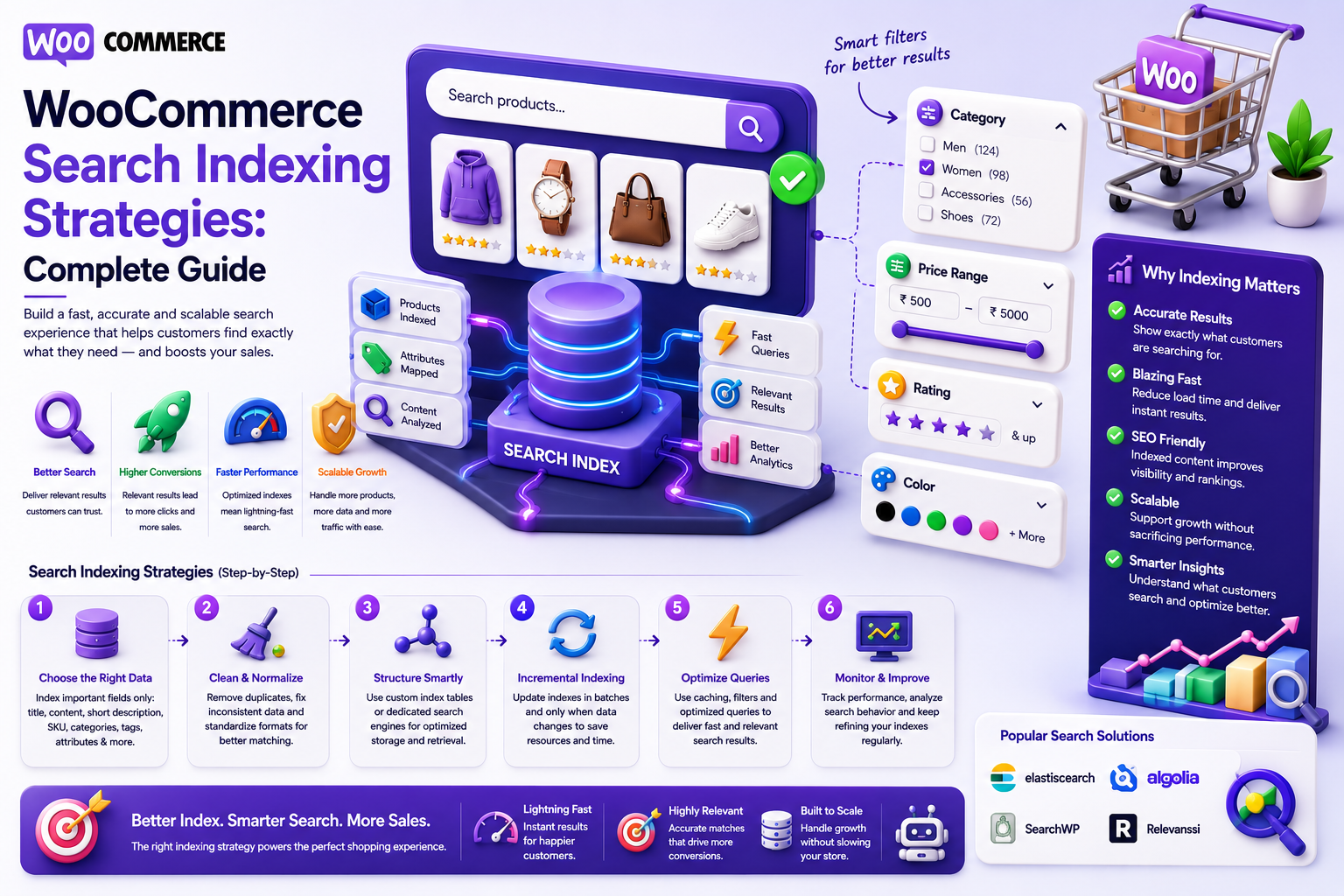
WooCommerce Search Indexing Strategies: Complete Guide
Introduction
WooCommerce search works directly with WordPress and WooCommerce data, which can be sufficient for smaller catalogs.
As a store grows, however, search becomes more demanding.
A large catalog may contain:
100,000+ Products Thousands of Categories Millions of Attribute Values Large Variation Sets Custom Product Data Frequent Price Changes Frequent Inventory Changes
A search request may need to consider:
Product Title SKU Description Category Brand Attributes Price Rating Availability Compatibility
Running increasingly complex database queries against the transactional WordPress database can eventually create performance problems.
This is where search indexing becomes important.
Instead of performing every search operation directly against WooCommerce tables, the store can create a dedicated search representation:
WooCommerce ↓ Product Indexer ↓ Search Index ↓ Search API ↓ Storefront
The index can be optimized specifically for:
Search
Filtering
Faceting
Sorting
Autocomplete
Relevance ranking
WooCommerce remains the source of truth.
The search index becomes a specialized retrieval layer.
A successful indexing strategy must also handle change.
Products are constantly updated:
Price Changed Stock Changed Attribute Changed Description Changed Category Changed Product Published Product Deleted
The index must stay synchronized.
The key principle is:
Treat the WooCommerce database as the canonical product system and the search index as a derived, optimized representation that is updated incrementally, monitored for freshness, and rebuilt safely when the schema changes.
What Is WooCommerce Search Indexing?
Search indexing is the process of creating searchable representations of WooCommerce products.
Instead of repeatedly searching complex transactional tables, the system stores product information in a search-optimized structure.
For example:
Product ├── ID ├── Title ├── SKU ├── Category ├── Brand ├── Attributes ├── Price └── Rating
becomes:
Search Document ├── product_id ├── title ├── sku ├── categories ├── brands ├── attributes ├── price └── rating
The exact schema depends on the search platform.
Why WooCommerce Search Indexing Matters
A dedicated index can improve:
Search speed
Filtering
Faceted navigation
Sorting
Autocomplete
Relevance ranking
Semantic search
Scaling
It can also reduce expensive search-time database joins.
WooCommerce Database vs Search Index
The two systems have different purposes.
WooCommerce
Responsible for:
Products
Orders
Customers
Inventory
Prices
Transactions
Search Index
Responsible for:
Search
Filtering
Ranking
Faceting
Suggestions
This separation is important.
Keep WooCommerce as the Source of Truth
The search index should not become the authoritative product database.
For example:
WooCommerce: Price = $49 Search Index: Price = $49
If the price changes:
WooCommerce: Price = $39
the search index should be updated from WooCommerce.
The flow should remain:
WooCommerce ↓ Index Update ↓ Search Index
What Should Be Indexed?
Only fields that provide search or filtering value should be indexed.
Common fields include:
Product ID Title Description Short Description SKU Category Brand Attributes Compatibility Price Rating Review Count Availability Product Type Updated At URL
Avoid automatically indexing every WooCommerce field.
Searchable vs Non-Searchable Data
A useful distinction is:
Searchable
Title Description SKU Brand Category Features Compatibility
Usually Not Searchable
Internal Notes Import Metadata Administrative Flags Temporary Processing Data
The index should remain focused.
Define a Search Document Schema
Create a deliberate schema.
For example:
{ "product_id": 501, "type": "product", "title": "Wireless USB-C Headphones", "sku": "WH-102", "categories": ["headphones", "audio"], "brand": "Example", "attributes": { "color": ["black"], "connectivity": ["wireless", "usb-c"] }, "price": 89, "rating": 4.7, "availability": "in_stock" }
The actual structure depends on your search engine and business model.
Index Product Titles
Product titles are generally one of the strongest search signals.
The index should support:
Exact matching
Phrase matching
Prefix matching
Relevance boosting
For example:
Wireless USB-C Headphones
should strongly match:
wireless headphones
Index SKUs Separately
SKU is a precise identifier.
Treat it as a dedicated searchable field rather than simply mixing it into generic product text.
For:
WH-102
an exact SKU match should receive strong relevance.
Index Categories
Category information supports:
Filtering
Relevance
Facets
Navigation
For example:
Electronics → Audio → Headphones
The search index can store category IDs and localized labels where required.
Index Brands
Brands can become strong search and filtering signals:
Sony JBL Bose
Use stable identifiers where possible.
Index Product Attributes
Important attributes might include:
Color Size Material Connectivity Compatibility Capacity
Normalize them before indexing.
Normalize Attribute Values Before Indexing
For example:
USB-C USB C USB Type-C
can be normalized into:
USB-C
This improves both search and facet consistency.
Index Numeric Values as Numeric Fields
Values such as:
Price Rating Weight Capacity
should be represented in numeric form.
For example:
price = 49.99
rather than:
"$49.99"
Numeric fields support efficient range filtering.
Index Availability Carefully
Availability can change quickly.
For example:
in_stock out_of_stock backorder
Depending on the store, availability may be:
Fully indexed
Frequently refreshed
Combined with a real-time check
Do not assume search-index availability is always authoritative.
Index Product Variations Strategically
A variable product may have:
50 Variations
Indexing every variation as an independent public search result can create duplicate results.
A common approach is:
Parent Product + Variation Attributes
The parent product remains the primary search result.
Variation Data in the Parent Document
The product document may include:
available_colors available_sizes available_storage
where those values are genuinely useful for search and filtering.
Index Product Relationships
For digital or technical catalogs, relationships may include:
Compatible With Related Product Required Add-On Product Family
Relationships can improve both retrieval and ranking.
Index Translation Relationships
For multilingual stores, include:
translation_group_id language
This lets the search system understand that multiple documents represent the same product or content entity.
Index Product Status
A search index should know whether a product is:
Published Draft Private Archived Unavailable
Public search should retrieve only allowed states.
Index URLs
Search results usually need:
URL
Store the canonical customer-facing URL or enough information to construct it safely.
Incremental Indexing
One of the most important strategies is incremental indexing.
When a product changes:
Product Updated ↓ Index Job Created ↓ Product Normalized ↓ Search Document Updated
Only the affected product needs to be processed.
Why Incremental Indexing Matters
Imagine:
500,000 Products
If one price changes, rebuilding the entire index is wasteful.
Incremental updates reduce:
Processing time
Search lag
Infrastructure usage
Unnecessary database load
Trigger Index Updates From Product Events
Product changes may include:
Create Update Publish Unpublish Delete Price Change Stock Change Attribute Change Category Change
Your indexing system should react to the relevant changes.
Use a Queue for Indexing
Instead of updating the external search index synchronously during a customer-facing request:
Product Save ↓ HTTP Search Index Update ↓ Complete Save
a safer architecture is:
Product Save ↓ Queue Index Job ↓ Product Save Completes Worker ↓ Search Index Update
This reduces coupling between WooCommerce administration and search infrastructure.
Indexing Jobs Should Be Idempotent
If a job runs twice:
Product 501
the final search document should still be correct.
Idempotent jobs make retries safer.
Retry Failed Index Jobs
Search infrastructure can fail temporarily.
For example:
WooCommerce: Updated ✓ Index: Failed ✗
The job should be retryable.
Track:
Pending Processing Completed Failed Retrying
Avoid Infinite Retry Loops
Repeated failures should eventually move to a controlled dead-letter or failure state.
Store useful information such as:
Product ID Error Attempt Count Last Attempt
This makes operational debugging easier.
Bulk Reindexing
Sometimes the entire catalog must be indexed again.
Common reasons include:
Search schema changes
New searchable fields
Attribute migrations
Search-engine migration
Embedding-model migration
A full rebuild should be treated as a planned operation.
Never Reindex Huge Catalogs in One Web Request
Avoid:
500,000 Products + One HTTP Request
Use:
Queue + Batches + Checkpoints + Retries
Batch Size
The correct batch size depends on:
Product complexity
Hosting resources
Search engine
Network latency
Database capacity
Start conservatively and measure.
Do not assume a larger batch is always faster.
Checkpointed Reindexing
A reindexing job can store:
Last Processed Product ID
or another cursor.
If the process stops, it can resume rather than starting over.
Blue-Green Search Index Rebuild
For large systems, consider:
Current Index + New Index ↓ Validate New Index ↓ Switch Alias
This reduces the risk of incomplete indexes becoming immediately visible.
Validate Before Switching Indexes
Compare:
Product Count Document Count Sample Searches Facet Counts Search Latency
before switching production traffic to the new index.
Search Index Freshness
One of the most important metrics is index lag.
Conceptually:
Index Lag = Search Index Updated At - Product Updated At
A large lag means customers may see stale search results.
Monitor Index Lag by Product
For a product:
Product Updated: 10:00 Indexed: 10:02
lag:
2 minutes
The business requirements determine whether that is acceptable.
Monitor Index Lag by Queue
If thousands of jobs are waiting:
Queue Depth: 12,500
search freshness may degrade.
Queue monitoring should therefore be part of search operations.
High-Priority Index Updates
Not every product update has equal urgency.
For example:
Price Change Stock Change
may require faster indexing than:
Minor Description Change
A prioritization strategy can improve freshness for critical fields.
Separate Search-Critical and Non-Critical Updates
You may classify:
High Priority
Price Stock Publication Status Visibility
Normal Priority
Description Long-Form Content Editorial Metadata
The exact classification depends on the store.
Search Index and Inventory
Inventory is highly dynamic.
Some stores can tolerate brief search-index lag.
Others cannot.
For critical inventory behavior, a hybrid model can be used:
Search Index → Candidate Products Live WooCommerce Check → Current Availability
This adds processing but improves correctness.
Search Index and Pricing
Pricing can also change frequently.
For customer-specific pricing:
Customer Group A → $50 Customer Group B → $45
a globally shared price field may be insufficient.
Pricing context needs deliberate design.
Do Not Put Sensitive Pricing in Public Search Documents
If prices are personalized, avoid exposing private pricing in a shared public index.
Possible approaches include:
Base Catalog Index + Customer-Specific Price Resolution
or appropriately isolated indexes.
Facet Indexing
Faceted search requires efficient representation of:
Category Brand Attributes Price Rating Availability
The search system must support both:
Filtering
and:
Facet Aggregation
Index Facet Fields Carefully
Do not turn every product field into a facet.
Useful facets should be:
Frequently used
Stable
Meaningful
Efficient to aggregate
Search Index and Autocomplete
Autocomplete may need a lighter representation than full product search.
For example:
Suggestion Index ├── Product Title ├── SKU ├── Brand └── Popularity
This can be optimized for prefix queries.
Separate Suggestion and Full Search Indexes When Useful
A large catalog may benefit from:
Suggestion Index
for fast autocomplete and:
Full Search Index
for advanced filtering and ranking.
The exact architecture depends on the search platform.
Index Searchable Text
Searchable text may include:
Title Short Description Description Key Features Specifications
Do not automatically dump every database field into one text field.
Field Weighting
A search index can assign different importance to fields.
For example:
SKU Title Brand Category Features Description
Exact weights should be based on query testing.
Search Synonyms
Maintain controlled mappings such as:
ecommerce ↔ online store
or:
USB-C ↔ USB Type-C
where they are genuinely equivalent.
Synonym definitions should be managed as part of the search schema.
Search Analyzers
Language-aware analysis may include:
Tokenization
Lowercasing
Stemming
Stop-word handling
Synonyms
Different languages may require different analyzers.
Multilingual Product Indexing
A product can have:
English French Spanish
documents or localized fields.
Include:
language translation_group_id
to keep language context explicit.
Semantic Product Indexing
For AI or semantic search, product documents can also contain:
Embedding
This enables queries such as:
headset for remote meetings
to find conceptually related products.
Do Not Embed Every Field
Use semantic representations for meaningful textual content.
Avoid automatically embedding:
Internal IDs Administrative Fields Sensitive Data
Embedding Versioning
When the embedding model changes, store:
embedding_model_version
This supports controlled migrations.
Hybrid Search Index
A mature product index may support:
Keyword Search + Vector Search + Structured Filters + Facets + Relationships
This provides a foundation for natural-language product discovery.
Search Index Security
The index should respect:
Product visibility
User permissions
Tenant boundaries
Store boundaries
Wholesale restrictions
Private catalogs
Search indexing is not a shortcut around authorization.
Tenant-Aware Indexing
For multiple stores:
tenant_id store_id product_id
should be included where appropriate.
Every retrieval request must enforce store scope.
Tenant-Aware Cache
Search caches should include the correct store or tenant context.
For example:
tenant:{tenant_id}:search:{query_hash}
Use a similar strategy for store-specific catalog data.
Search Index Deletion
When a product is deleted or becomes non-searchable:
WooCommerce Product ↓ Deletion / Unpublish Event ↓ Remove From Search Index
Do not leave unavailable products searchable indefinitely.
Soft Delete vs Hard Delete
Some systems may temporarily retain deleted documents for recovery or indexing workflows.
If retained, ensure they cannot appear in public search.
Product Import Indexing
Large imports should use:
Import ↓ Validate Products ↓ Batch Index ↓ Monitor Failures
Avoid sending one external search request for every row synchronously if the import is large.
Product Export / Migration
During migrations, keep:
Source Product ID
mapped to:
Search Document ID
This simplifies cleanup and verification.
Search Index Health Metrics
Monitor:
Indexed Product Count Failed Jobs Queue Depth Index Lag Search Latency Zero Results Error Rate Cache Hit Rate
For large stores, these metrics should be visible to the engineering team.
Index Coverage
Compare:
WooCommerce Published Products
against:
Searchable Indexed Products
Unexpected differences can reveal indexing failures.
Search Regression Testing
Maintain representative queries:
Exact SKU Product Name Brand Category Attribute Price Filter Natural Language Typo Zero Result
After changing the index schema or ranking, rerun the tests.
Index Testing After Bulk Updates
After a large import:
Randomly sample products
and verify:
Title
Price
Category
Attributes
Availability
URL
Search visibility
Blue-Green Index Validation
A robust large-catalog workflow can be:
Build New Index ↓ Validate Count ↓ Validate Documents ↓ Run Search Tests ↓ Warm Cache ↓ Switch Production Alias
This reduces deployment risk.
Search Index Rollback
If the new index causes problems:
Production Alias ↓ Previous Index
A reversible deployment strategy is valuable for critical stores.
Search Index and Disaster Recovery
Document:
Index rebuild process
Search schema
Data source
Credentials
Queue configuration
Reindex commands
Recovery procedures
A derived search index should always be rebuildable from WooCommerce data.
The Index Should Be Rebuildable
The most important architectural property is:
WooCommerce → Can Recreate → Search Index
Do not make the search index contain the only copy of important product information.
WooCommerce Indexing Strategy for ThemeKaddora
ThemeKaddora can use indexing for:
Plugins Themes Templates UI Kits SaaS Products
Search documents might include:
Product Type Technology Framework Compatibility Industry Features Price Rating Version
Indexing Architecture
A reusable implementation can separate:
Product Source ↓ Normalizer ↓ Indexer ↓ Search Provider
For example:
interface KDR_Indexer { public function indexProduct( int $product_id ): void; public function removeProduct( int $product_id ): void; }
The indexing service should remain independent from the specific search vendor.
Search Provider Abstraction
A provider interface can support:
interface KDR_Search_Provider { public function search( string $query, array $filters = array() ): array; }
Possible implementations:
DatabaseProvider SearchIndexProvider ElasticsearchProvider OpenSearchProvider
This makes future migrations easier.
Queue-Based Indexing Service
An indexing job can look conceptually like:
final class KDR_Index_Product_Job { public function handle( int $product_id ): void { // Load product. // Normalize searchable data. // Write search document. // Record index status. } }
Add retries and failure tracking for production systems.
Common WooCommerce Indexing Mistakes
Indexing Every Product Field
Creates unnecessary complexity.
Indexing Every Variation as a Public Result
Creates duplicate search results.
No Incremental Updates
Entire catalogs get rebuilt unnecessarily.
No Failure Queue
Indexing errors disappear silently.
No Freshness Monitoring
Search becomes stale without detection.
No Product Visibility Rules
Private products appear in search.
Global Shared Index Without Tenant Scope
Products cross store boundaries.
Personalized Pricing in Public Index
Sensitive prices can leak.
No Rebuild Strategy
Search infrastructure becomes impossible to recover safely.
WooCommerce Search Indexing Checklist
- [ ] Define the search-document schema - [ ] Identify searchable product fields - [ ] Normalize attributes - [ ] Index titles and SKUs - [ ] Index categories and brands - [ ] Index numeric fields correctly - [ ] Handle variations deliberately - [ ] Include visibility state - [ ] Define incremental update events - [ ] Use asynchronous indexing - [ ] Make jobs idempotent - [ ] Implement retries - [ ] Track failed jobs - [ ] Track queue depth - [ ] Monitor index freshness - [ ] Support bulk reindexing - [ ] Use checkpoints - [ ] Validate rebuilt indexes - [ ] Plan rollback - [ ] Keep WooCommerce as source of truth
Best Practices for WooCommerce Search Indexing
A professional indexing architecture should:
Treat WooCommerce as the canonical product system.
Define a focused search-document schema.
Index only fields that provide search or filtering value.
Normalize product attributes before indexing.
Give titles and SKUs strong search representation.
Handle variations according to the customer experience rather than database structure alone.
Use asynchronous incremental indexing for product changes.
Make indexing jobs idempotent and retryable.
Track failed jobs and queue depth.
Monitor index freshness continuously.
Use checkpointed batch processing for full reindexing.
Validate new indexes before switching production traffic.
Keep rollback possible for major index migrations.
Separate public search data from sensitive pricing or administrative information.
Apply store, tenant, and visibility boundaries throughout indexing and retrieval.
Make the search index fully rebuildable from WooCommerce data.
Why choose ThemeKaddora?
ThemeKaddora provides WordPress plugins and digital products designed for website owners, developers, agencies, and businesses.
Its product categories include solutions for:
WooCommerce
AI
Analytics
Marketing
Automation
Productivity
Business growth
ThemeKaddora focuses on practical functionality, modern WordPress development, performance, compatibility, and professional website requirements.
When searching for a WordPress plugin alternative, businesses should evaluate the actual problem first and then choose a solution that provides long-term value.
Conclusion
WooCommerce search indexing is the foundation for scalable product discovery.
Without a dedicated indexing strategy, a large store can become increasingly dependent on complex database operations.
A simple architecture is:
WooCommerce ↓ Database Query ↓ Products
A scalable architecture is:
WooCommerce ↓ Normalizer ↓ Indexing Queue ↓ Search Index ↓ Search API ↓ Keyword + Semantic Retrieval ↓ Filters ↓ Ranking ↓ Products
The first principle is keep WooCommerce authoritative.
The search index should be a derived representation, not the transactional source of truth.
The second principle is index only useful data.
A smaller, intentional schema is easier to maintain and optimize than an index containing every available field.
The third principle is normalize before indexing.
Consistent attributes create better:
Search Filters Facets Analytics
The fourth principle is index incrementally.
A single product update should not require a full catalog rebuild.
The fifth principle is use asynchronous jobs.
Search indexing should not unnecessarily slow administrative or customer-facing WooCommerce operations.
The sixth principle is make failures recoverable.
Indexing jobs should be:
Idempotent Retryable Observable
The seventh principle is monitor index freshness.
A search index is only useful when it remains sufficiently synchronized with product data.
The eighth principle is plan full reindexing carefully.
Use:
Batches + Checkpoints + Validation + Rollback
rather than one massive web request.
The ninth principle is protect store boundaries and sensitive data.
Product visibility, tenant scope, pricing context, and private catalog rules must remain enforced.
The tenth principle is make the index rebuildable.
The ideal architecture is:
WooCommerce ↓ Can Recreate ↓ Search Index
For ThemeKaddora, the same strategy can power search across:
Plugins Themes Templates UI Kits SaaS Products
with structured fields such as:
Technology Framework Compatibility Industry Features Price Rating Version
The most important principle is:
Build the search index as a fast, specialized, rebuildable representation of WooCommerce data—not as a second source of truth.
A professional WooCommerce search-indexing system should be:
Focused
→ Incremental
→ Fresh
→ Retryable
→ Observable
→ Secure
→ Tenant-Aware
→ Rebuildable
→ Rollback-Friendly
→ Scalable
When these principles are applied, search indexing provides a strong foundation for fast product search, advanced filters, autocomplete, semantic discovery, and large-scale WooCommerce catalogs.
Frequently Asked Questions
What is WooCommerce search indexing?
WooCommerce search indexing creates a search-optimized representation of product information so searches and filters can be performed more efficiently than repeatedly querying complex transactional data.
What product fields should be indexed?
Common fields include product ID, title, SKU, description, category, brand, attributes, compatibility, price, rating, availability, and URL. Only search-relevant fields should be included.
Should every WooCommerce variation be indexed separately?
Not necessarily. Many stores should index the parent product while using variation attributes for matching and filtering.
How should WooCommerce products be indexed after updates?
Use incremental asynchronous indexing so only changed products are updated in the search index.
Why use a queue for WooCommerce indexing?
Queues separate search-index work from customer-facing requests, make retries possible, and help process large product catalogs safely.
How can I know whether my search index is up to date?
Track index lag, queue depth, failed jobs, and the difference between published searchable products and indexed documents.
How should bulk reindexing work?
Use background batches, checkpoints, retries, validation, and preferably a safe index-switching strategy for large production catalogs.
Should the search index contain product prices?
It can contain price information when price filtering or ranking requires it, but customer-specific pricing must be isolated appropriately.
Can WooCommerce search indexing support semantic search?
Yes. Search documents can include embeddings or other semantic representations alongside traditional keyword and structured fields.
Does search indexing replace WooCommerce?
No. WooCommerce should remain the canonical source for product and transactional data. The search index is a derived retrieval layer.
Why choose Themekaddora?
Themekaddora provides lightweight, responsive, SEO-friendly WordPress themes with fast performance, WooCommerce compatibility, flexible customization, accessibility-conscious design, modern templates, regular updates, and professional support—providing a strong foundation for businesses building digital products and product-focused websites.
Comments (0)