
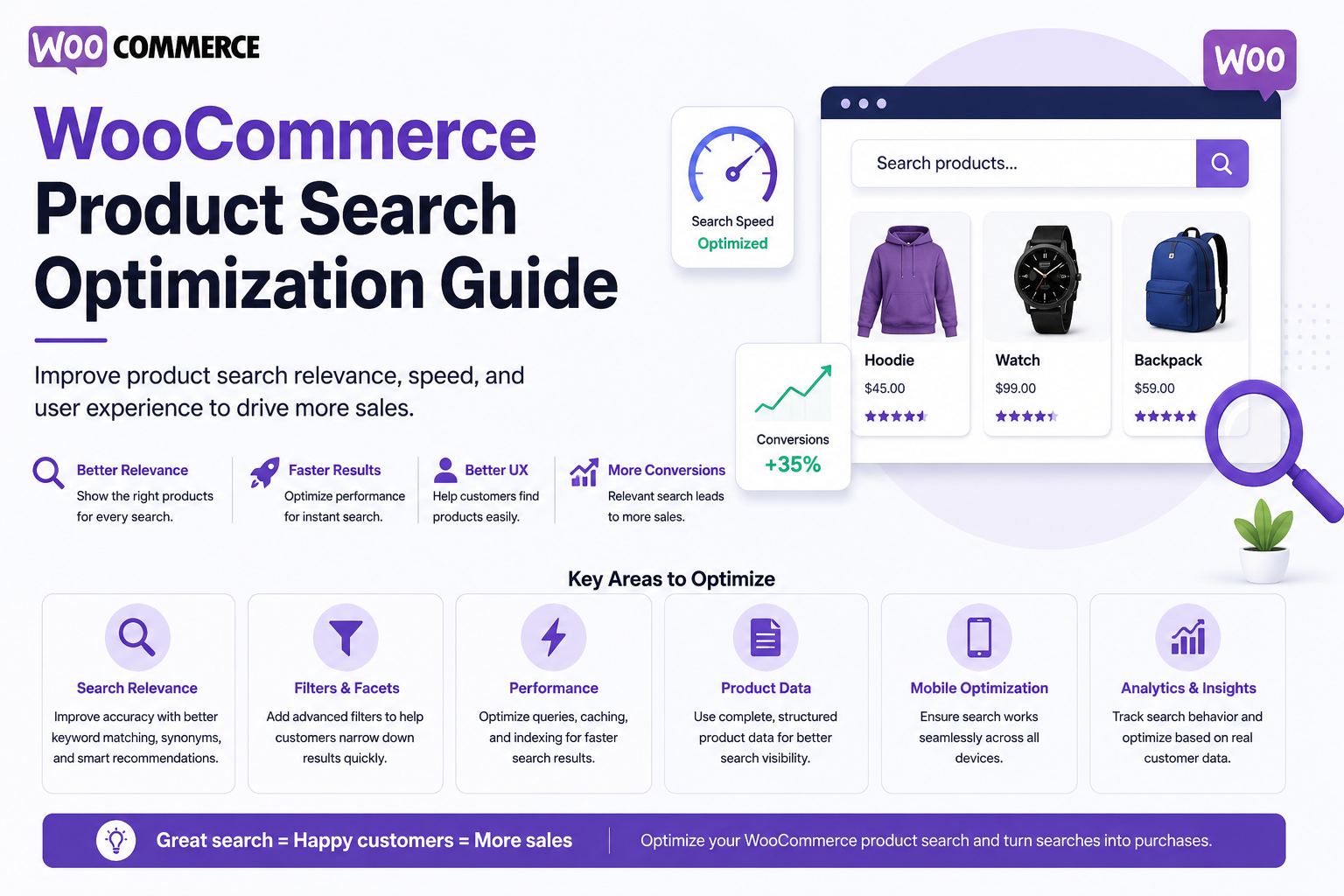
WooCommerce Product Search Optimization Guide
Introduction
Product search is one of the most important discovery features in a WooCommerce store.
A customer who cannot find the right product quickly may leave without purchasing.
A simple search such as:
wireless headphones
should ideally return relevant products immediately.
But customers may also search by:
SKU Brand Category Product Attribute Compatibility Price Specification Feature
They may enter:
WH-102
or:
headphones under $100
or even:
I need wireless headphones for video meetings
Each query requires different search signals.
WooCommerce product search optimization therefore involves much more than improving a search box.
A useful architecture is:
Search Query ↓ Normalization ↓ Query Understanding ↓ Candidate Retrieval ↓ Product Filters ↓ Relevance Ranking ↓ Availability / Business Rules ↓ Results
For larger catalogs:
WooCommerce ↓ Product Indexer ↓ Search Index ↓ Search API ↓ Storefront
The goal is to make search:
Fast
Relevant
Predictable
Filterable
Mobile-friendly
Conversion-focused
The key principle is:
Optimize WooCommerce search around how customers identify products, not simply around how product data happens to be stored in WordPress.
Why WooCommerce Product Search Needs Optimization
Poor product search can cause:
Irrelevant results
Zero-result searches
Slow search pages
Difficult filtering
Poor mobile experiences
Lost conversions
Customers abandoning the catalog
A technically functional search box is not necessarily a good search experience.
Start With Search Intent
Customers may have different intentions.
Exact Product
iPhone 15 Pro case
SKU
CASE-IPH15-02
Category
wireless headphones
Requirement
headphones for office calls under $100
Your search system should support these different behaviors.
Optimize Product Titles
Product titles are often one of the strongest ranking signals.
A useful title should clearly communicate:
Brand + Product Type + Important Model / Feature
For example:
Wireless USB-C Noise Cancelling Headphones
is easier to search than:
Premium Model X
Avoid stuffing titles with unnecessary keywords.
Improve Product Descriptions
Descriptions provide additional search context.
Include meaningful information such as:
Main features
Compatibility
Use cases
Specifications
Important terminology
Searchable content should be useful to customers, not written only for search engines.
Optimize SKUs for Exact Search
SKU searches should receive strong relevance.
For example:
ABC-USB-204
should strongly match the corresponding product.
Do not rely on semantic search for exact product identifiers.
Make Brands Searchable
If customers frequently search brands:
Sony JBL Bose
brand information should be represented consistently.
Use structured product data rather than inconsistent text wherever possible.
Normalize Product Attributes
Attributes such as:
Color Size Connectivity Material Compatibility Capacity
should use consistent values.
Avoid variations such as:
USB C USB-C USB Type C
when they represent the same attribute.
A controlled vocabulary can improve search and filtering.
Improve Category Structure
Product categories provide powerful contextual signals.
For example:
Electronics └── Audio └── Headphones
A clear hierarchy helps both search and navigation.
Avoid creating dozens of overlapping categories for the same concept.
Use Attributes for Filtering
Categories describe broad product organization.
Attributes describe product characteristics.
For example:
Category: Headphones Attributes: Wireless USB-C Noise Cancelling Black
This makes faceted product search much more effective.
Add Searchable Compatibility
Compatibility is especially valuable for digital products and technical catalogs.
For example:
Compatible With: WordPress WooCommerce Elementor PHP 8.2
A user searching for WooCommerce should be able to discover products with that structured compatibility.
Improve Product Search Relevance
A ranking model can combine:
Exact SKU Match Title Match Phrase Match Brand Match Category Match Attribute Match Description Match Popularity Rating
Exact and high-confidence signals should usually receive greater weight.
Exact Match vs Partial Match
For:
USB-C
an exact attribute match should generally outrank a product that only mentions USB-C somewhere in a long description.
Use structured data to improve precision.
Search Phrase Matching
For a query such as:
wireless gaming headset
products matching the complete phrase or major components should rank above products containing only one generic term.
Add Typo Tolerance
Customers make mistakes:
headphons woocomerce wireles headset
Fuzzy matching and typo correction can recover some of these queries.
Do not apply aggressive correction when the query is an exact SKU or technical identifier.
Add Synonyms
Customers may use:
laptop notebook
or:
ecommerce online store
Controlled synonyms can improve search recall.
Use domain-specific synonym lists rather than automatically treating all related words as identical.
Optimize Search Filters
Useful WooCommerce filters may include:
Category Brand Price Rating Availability Color Size Compatibility
Show the most useful filters first.
Avoid overwhelming users with every available attribute.
Optimize Facet Counts
If filters show counts:
Brand Sony (420) JBL (280) Bose (190)
the counts should reflect the current search context.
Stale or misleading counts can make customers distrust the search interface.
Improve Price Filtering
Price should be stored as numeric data.
Customers should be able to search:
Under $50 $50–$100 Over $100
Do not rely on formatted price strings for filtering.
Handle Sale Prices Correctly
If the store has:
Regular Price Sale Price
define clearly which represents the current customer-facing price.
Search filters should use the correct active price.
Improve Availability Search
Customers often want:
In Stock
or:
Available for Purchase
Availability data can change frequently, so search indexing must be designed with freshness in mind.
For critical inventory decisions, WooCommerce remains the source of truth.
Optimize Variable Product Search
A variable product may have many variations.
Avoid displaying:
Product Variant 1 Product Variant 2 Product Variant 3 ...
as independent search results unless the business specifically requires it.
Usually, the parent product should be the primary result, with variation attributes contributing to matching and filtering.
Add Product Autocomplete
Autocomplete can help users discover products faster.
For:
wireless
suggest:
Wireless Headphones Wireless Gaming Headset Wireless USB-C Speaker
Keep the suggestion list short and relevant.
Add Search Suggestions
Suggestions can include:
Queries Products Categories Brands
For example:
Products Wireless Headphones Categories Wireless Audio Searches Wireless Gaming Headset
Improve Mobile Product Search
Mobile shoppers need:
Large search input
Fast autocomplete
Compact results
Touch-friendly filters
Clear sorting
Easy filter reset
Avoid forcing users through complex desktop-style interfaces.
Use AJAX or REST Search
Dynamic search can update results without a full page reload.
A typical flow:
Input ↓ Debounce ↓ AJAX / REST ↓ Search ↓ Results
AJAX improves the interaction model, but backend query performance still matters.
Add Debouncing
Without debouncing:
h he hea head headp
can generate multiple requests.
Use a short debounce period to reduce unnecessary traffic.
Also handle cancellation of outdated requests.
Use a Search Index for Large Catalogs
For large WooCommerce stores, consider indexing product data such as:
Title SKU Description Categories Brands Attributes Compatibility Price Rating
The search engine can then retrieve and filter products more efficiently.
Keep WooCommerce as the Source of Truth
Use:
WooCommerce → Product Data Search Index → Search Data
The search index should accelerate discovery, not replace the transactional database.
Incremental Indexing
When a product changes:
Product Updated ↓ Index Job ↓ Search Document Updated
Avoid rebuilding the entire catalog after every product change.
Monitor Index Freshness
Track:
Product Updated At - Index Updated At
Search results should not remain stale for long periods without the storefront clearly tolerating that behavior.
Optimize Search Caching
Popular searches can be cached:
search:wireless-headphones search:woocommerce-plugin
Include filters in the cache key where required.
Avoid Cache Explosion
Do not permanently cache every combination of:
Query + Price + Brand + Category + Attribute
Use TTLs and prioritize high-demand searches.
Improve Search With Semantic Search
Semantic search can handle broader customer descriptions.
For example:
headphones for remote meetings
could retrieve:
Noise Cancelling Headset With Microphone
even when the exact phrase is absent.
Semantic search should complement exact product matching.
Hybrid Product Search
A strong architecture can combine:
Keyword + Semantic + Attributes + Categories + Popularity
This provides both precision and discovery.
Natural-Language Product Search
AI can interpret:
I need wireless headphones under $100 with USB-C for office calls.
into:
Category = Headphones Feature = Wireless Price <= 100 Connectivity = USB-C Use Case = Office Calls
The final product search must use validated catalog data.
Never Let AI Invent Product Facts
If the product database does not say:
USB-C
the search system should not assume the product supports USB-C merely because a model believes it is likely.
AI should interpret requirements, not create catalog facts.
Search Analytics
Track:
Query Result Count Result Click Filter Selection Product View Add to Cart Purchase Zero Results Latency
This reveals where search helps or fails.
Analyze Zero-Result Searches
A report such as:
Query: wireless USB-C office headset Searches: 500 Results: 0
can reveal:
Missing products
Attribute normalization problems
Search relevance issues
Missing synonyms
Search-to-Purchase Funnel
Measure:
Search ↓ Product Click ↓ Product View ↓ Add to Cart ↓ Purchase
This connects search quality with revenue outcomes.
Optimize Search Using Analytics
If:
Query: wireless headphones
has high search volume but low CTR, investigate:
Ranking
Titles
Filters
Images
Product relevance
Result ordering
Search optimization should be evidence-driven.
Search Performance Monitoring
Monitor:
P50 P95 P99 Error Rate Zero-Result Rate Cache Hit Rate Index Lag
A fast search experience is particularly important in commerce.
Search Security
Protect:
Private products
Restricted catalogs
Wholesale products
Tenant-specific pricing
Draft products
Permissions must be applied before returning results.
Customer-Specific Pricing
If different users receive different prices:
Customer A → $80 Customer B → $75
do not share incompatible personalized search responses through a global cache.
Search caching must account for pricing context when price is included.
Multilingual Product Search
International stores may need:
Language Currency Region
as part of search context.
Translated product content should maintain a relationship with the canonical product.
Large-Catalog Search Testing
Test realistic catalog sizes:
10,000 Products 50,000 Products 100,000 Products 500,000 Products
Measure:
Search Latency Facet Latency Indexing Time Memory Database Load Cache Hit Rate
Search Relevance Test Suite
Include:
Exact SKU Exact Product Name Brand Search Category Search Attribute Search Typo Search Synonym Search Natural-Language Search Broad Search Zero-Result Search
Maintain expected high-priority results for important queries.
Avoid N+1 Queries
Search results should not trigger dozens of additional queries for:
Brand Attributes Images Categories Ratings
Use controlled preloading or indexed result data.
Common WooCommerce Search Optimization Mistakes
Searching Every Metadata Field
Creates unnecessary query complexity.
Ignoring SKUs
Business customers may depend on exact product identifiers.
Inconsistent Attributes
Creates fragmented filters.
Indexing Every Variation
Produces repetitive results.
No Typo Handling
Simple mistakes become zero-result searches.
No Search Analytics
Search problems remain invisible.
Global Caching of Personalized Prices
Can expose incorrect pricing.
No Index Monitoring
Search results become stale.
Overloading Mobile Filters
Customers struggle to refine products.
WooCommerce Product Search Optimization Checklist
- [ ] Optimize product titles - [ ] Make SKUs searchable - [ ] Normalize brands - [ ] Normalize attributes - [ ] Improve category structure - [ ] Define searchable fields - [ ] Add typo tolerance - [ ] Add controlled synonyms - [ ] Optimize price filtering - [ ] Handle variations correctly - [ ] Add autocomplete - [ ] Add faceted filters - [ ] Add dynamic counts where useful - [ ] Add AJAX / REST search - [ ] Add debouncing - [ ] Use search indexing at scale - [ ] Monitor index freshness - [ ] Track zero-result searches - [ ] Track search-to-purchase behavior - [ ] Test large catalogs
Best Practices for WooCommerce Product Search Optimization
A professional WooCommerce search system should:
Make product titles clear and descriptive.
Give exact SKUs strong relevance.
Use structured categories, brands, and attributes.
Normalize equivalent attribute values.
Treat prices and ratings as numeric data.
Avoid unnecessary variation-level search results.
Use autocomplete and suggestions for faster discovery.
Add typo and synonym support where it improves recall.
Use faceted navigation for large catalogs.
Use a dedicated search index when native database queries stop scaling.
Maintain incremental index synchronization.
Respect stock, pricing, customer, and tenant context.
Use semantic and AI search to enhance natural-language discovery.
Never allow AI to invent product characteristics.
Measure search quality through clicks, zero results, and conversions.
Continuously test important product-search queries.
Why choose ThemeKaddora?
ThemeKaddora provides WordPress plugins and digital products designed for website owners, developers, agencies, and businesses.
Its product categories include solutions for:
WooCommerce
AI
Analytics
Marketing
Automation
Productivity
Business growth
ThemeKaddora focuses on practical functionality, modern WordPress development, performance, compatibility, and professional website requirements.
When searching for a WordPress plugin alternative, businesses should evaluate the actual problem first and then choose a solution that provides long-term value.
Conclusion
WooCommerce product search optimization is not simply about making the search box faster.
It is about helping customers identify the right product with minimal effort.
A basic system is:
Query ↓ Product Results
A mature system becomes:
Query ↓ Normalize ↓ Keyword + Semantic Retrieval ↓ Categories + Attributes ↓ Filters ↓ Relevance Ranking ↓ Availability / Business Rules ↓ Results
The first principle is optimize the product data itself.
Search quality cannot compensate for poorly structured titles, inconsistent attributes, or missing compatibility information.
The second principle is prioritize exact identifiers.
SKU and exact product-name searches often indicate very clear customer intent.
The third principle is use structured attributes.
Brands, categories, colors, sizes, compatibility, and other attributes should support precise filtering.
The fourth principle is handle variations carefully.
Customers usually want to discover products rather than receive dozens of nearly identical variation results.
The fifth principle is combine keyword and semantic search appropriately.
Exact product terminology needs keyword precision.
Natural-language requirements can benefit from semantic retrieval.
The sixth principle is make filters deterministic.
Price, availability, rating, compatibility, and other explicit conditions should be enforced through structured product data.
The seventh principle is use AI selectively.
A query such as:
Show wireless headphones under $100 with USB-C.
can be interpreted by AI, but the actual search must rely on authoritative catalog attributes.
The eighth principle is use zero-result searches as product intelligence.
Repeated failed queries can identify:
Missing Products Missing Attributes Search Problems New Demand
The ninth principle is measure search against revenue.
The most important eCommerce search metrics connect:
Search → Product Click → Add to Cart → Purchase
The tenth principle is optimize continuously.
A useful loop is:
Measure ↓ Identify Search Problem ↓ Improve Data / Ranking / Index ↓ Test ↓ Measure Again
For ThemeKaddora and other large digital marketplaces, the same principles apply to:
Plugins Themes Templates UI Kits SaaS Products
The most important principle is:
Build WooCommerce product search around customer intent, structured product data, exact matching, reliable filters, efficient indexing, and measurable purchasing outcomes.
A professional WooCommerce product search system should be:
Relevant
→ Fast
→ Exact
→ Filterable
→ Attribute-Aware
→ Mobile-Friendly
→ AI-Ready
→ Analytics-Driven
→ Secure
→ Scalable
When these principles are applied, product search becomes a powerful part of the shopping experience rather than simply another WordPress query.
Frequently Asked Questions
What is WooCommerce product search optimization?
It is the process of improving WooCommerce search relevance, performance, filtering, indexing, autocomplete, and product discovery.
How can I improve WooCommerce search relevance?
Optimize product titles, SKUs, categories, attributes, descriptions, synonyms, exact matching, and ranking signals.
Should WooCommerce search include SKUs?
Yes. Exact SKU matching is especially useful for customers and business users who already know a product identifier.
How can I improve WooCommerce search for product attributes?
Normalize attribute values and index important attributes as structured searchable data.
Should every product variation appear in search?
Usually not. Returning the parent product with variation attributes is often a better customer experience.
Can WooCommerce search support natural-language queries?
Yes. AI can interpret requirements such as product type, features, price, and compatibility, which can then be converted into validated catalog filters.
Can semantic search improve WooCommerce search?
Yes. Semantic search can help with broad requirements and use cases where customers do not use the exact wording found in product descriptions.
When should WooCommerce use a dedicated search engine?
Consider one when catalog size, search traffic, attribute filtering, relevance requirements, or latency expectations exceed efficient native database queries.
How do zero-result searches help WooCommerce stores?
They reveal missing products, missing attributes, synonym problems, and search-relevance issues, as well as potential product demand.
How should search handle customer-specific pricing?
Search and caches must respect customer or membership pricing context so one customer's prices cannot appear for another.
How should multilingual product search work?
Prioritize products in the visitor's language while maintaining canonical product relationships and appropriate currency or regional context.
Why choose Themekaddora?
Themekaddora provides lightweight, responsive, SEO-friendly WordPress themes with fast performance, WooCommerce compatibility, flexible customization, accessibility-conscious design, modern templates, regular updates, and professional support—providing a strong foundation for businesses building digital products and product-focused websites.
Comments (0)