
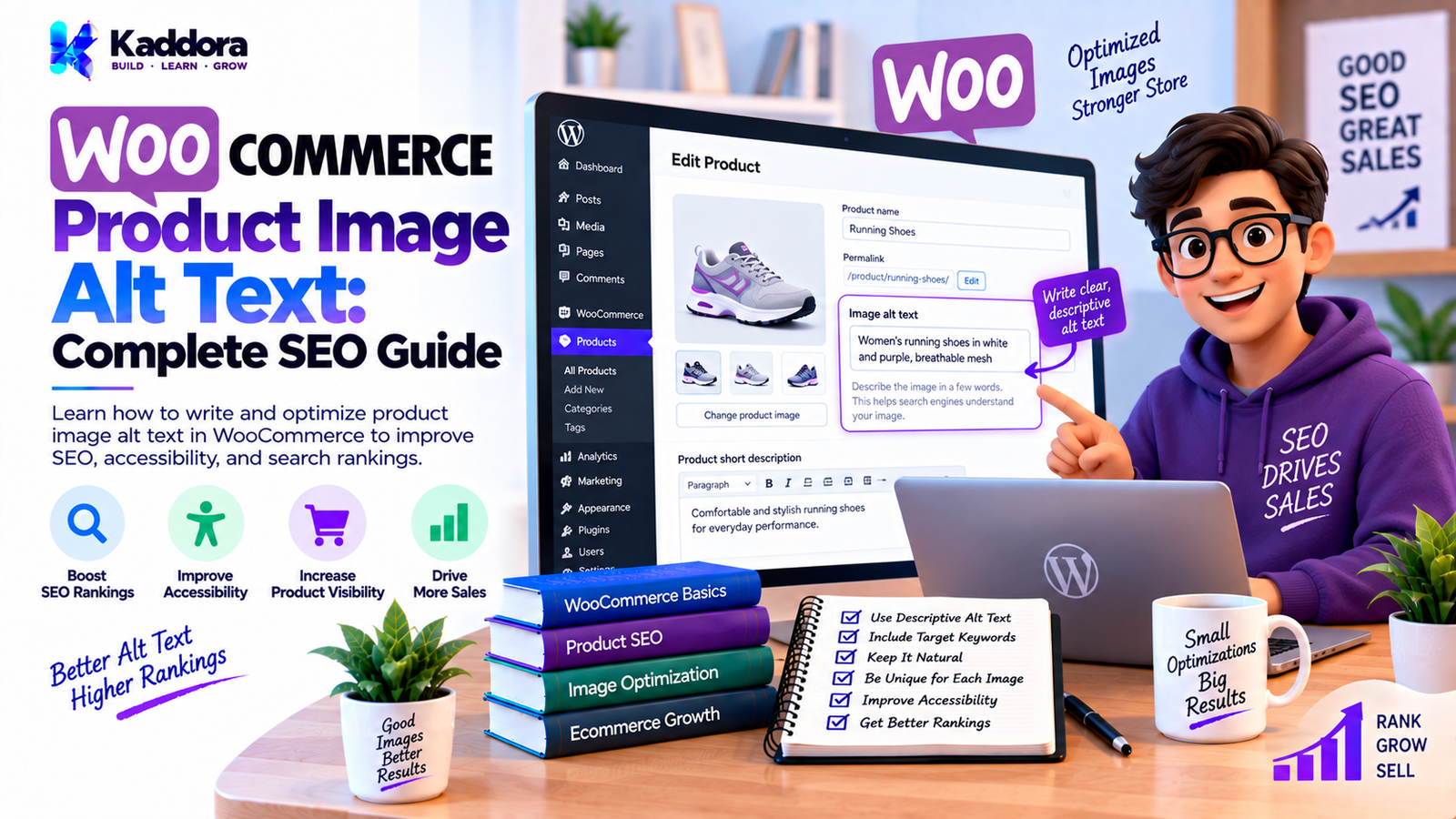
WooCommerce Product Image Alt Text: Complete SEO Guide
Introduction
Product images are one of the most important elements of an online store.
Customers use product images to understand what they are buying, compare products, examine details, and make purchasing decisions. Search engines also use image-related information to better understand visual content.
One important piece of information associated with an image is its alt text.
For WooCommerce stores, properly written product image alt text can improve image accessibility and provide additional context about product images. It can also support image SEO when it accurately describes what the image contains.
However, many WooCommerce stores leave image alt text empty, use the same text for every product image, or automatically generate descriptions that are stuffed with keywords.
This guide explains WooCommerce product image alt text, why it matters, how to write it correctly, how WooCommerce and WordPress handle image metadata, how to optimize product galleries, and how to automate alt text for large stores.
What Is WooCommerce Product Image Alt Text?
Alt text, or alternative text, is descriptive text associated with an image.
It helps communicate the meaning or purpose of an image when the image cannot be adequately perceived.
For example, instead of:
IMG_4587.jpg
a product image might have:
Black leather office chair with adjustable headrest
The alt text should describe the image accurately and naturally.
For a WooCommerce product image, the description can identify the product and the specific visual information shown in that image.
Why Is Alt Text Important for WooCommerce?
Alt text serves several purposes.
1. Accessibility
People using screen readers may encounter the alternative text instead of receiving the same visual information as a sighted visitor.
Descriptive alt text helps communicate meaningful product information.
For an ecommerce store, this can be particularly important because customers need to understand products before purchasing them.
2. Image Context
Alt text provides textual context about an image.
For example:
Red running shoes with white sole
is more informative than:
product image
or:
shoe
The more accurately the text represents the visual content, the more useful it is.
3. Image SEO
Search engines can use image-related information to understand images.
Alt text is one part of a larger image SEO strategy that can also include:
Image filename
Surrounding content
Product title
Product description
Structured data
Image dimensions
Image quality
Page relevance
Alt text should not be treated as a keyword insertion field.
4. Better Experience When Images Cannot Be Displayed
If an image cannot be loaded, alternative text can provide useful context about what should have appeared.
For ecommerce websites, this can help visitors understand the product content even when the visual asset is unavailable.
Where Does WooCommerce Store Product Image Alt Text?
WooCommerce uses WordPress's media library and attachment system for product images.
When you upload an image to WordPress, you can manage information such as:
Alt Text
Title
Caption
Description
WooCommerce then uses those media assets for:
Product images
Product galleries
Store listings
Product pages
Related products
Other ecommerce components
Therefore, product image alt text is closely connected to the WordPress Media Library.
Product Image Alt Text vs Image Title
These fields are not the same.
Alt Text
Primarily describes the image for accessibility and alternative presentation.
Example:
Blue cotton men's casual shirt
Image Title
Can be used as internal media information or by certain interfaces and plugins.
Example:
blue-cotton-casual-shirt
Do not assume that the image title automatically replaces meaningful alt text.
Product Image Alt Text vs Image Caption
A caption is visible content associated with an image.
For example:
Blue cotton shirt shown from the front.
Alt text may instead be:
Blue cotton men's shirt with button-down collar
The two fields have different purposes.
What Should WooCommerce Product Image Alt Text Contain?
Good product image alt text should describe the visual content that is relevant to the user.
Depending on the product, it may include:
Product type
Brand when visually relevant
Color
Material
Product variation
Distinctive visual feature
Product state
Important visible details
For example:
Black leather office chair with padded armrests
is more useful than:
Office chair
WooCommerce Product Image Alt Text Examples
Example 1: Clothing
Poor:
shirt
Better:
Men's blue cotton shirt with button-down collar
Example 2: Shoes
Poor:
shoes buy shoes online best shoes
Better:
White running shoes with blue sole
Example 3: Laptop
Poor:
laptop laptop computer laptop for sale
Better:
Silver laptop with 15-inch display and black keyboard
Example 4: Watch
Poor:
best luxury watch online
Better:
Silver wristwatch with black dial and metal bracelet
Example 5: Furniture
Poor:
chair furniture chair furniture store
Better:
Brown wooden dining chair with upholstered seat
Should You Include Keywords in WooCommerce Alt Text?
Keywords can naturally appear in alt text when they accurately describe the image.
For example:
Men's black leather formal shoes
may naturally contain the product's relevant terminology.
However, avoid keyword stuffing.
Bad:
black shoes men's shoes buy black shoes cheap black shoes online best black shoes
Good:
Men's black leather formal shoes
The goal should be accurate description, not keyword repetition.
Should Every Product Image Have the Same Alt Text?
Not necessarily.
This is one of the most common WooCommerce image optimization mistakes.
Consider a product with four images:
Image 1: Front view Image 2: Side view Image 3: Back view Image 4: Close-up of material
Instead of using:
Black leather backpack
for every image, describe the relevant visual information when it is useful.
For example:
Black leather backpack front view Black leather backpack side view with shoulder straps Black leather backpack back view Close-up of black leather backpack texture
However, do not artificially create differences if the images are essentially identical.
How to Add Alt Text to a WooCommerce Product Image
The simplest method is through the WordPress Media Library.
Step 1: Open WordPress Admin
Log into your WordPress dashboard.
Step 2: Open Media
Go to:
Media → Library
Step 3: Select the Product Image
Open the image used by your WooCommerce product.
Step 4: Edit Alt Text
Find the:
Alt Text
field.
Enter an accurate description.
For example:
Black leather laptop bag with adjustable shoulder strap
Step 5: Save the Metadata
The updated attachment metadata can then be used when the image is rendered.
How to Add Alt Text While Editing a Product
Depending on your WooCommerce and WordPress setup, product images are managed through the product editor and media library.
A typical workflow is:
Products ↓ Edit Product ↓ Product Image ↓ Media Library ↓ Edit Image Details ↓ Alt Text
For product galleries, repeat the process for relevant gallery images.
How to Optimize WooCommerce Product Gallery Alt Text
A product gallery often contains multiple views.
A useful strategy is:
Main Product Image
Describe the primary product view.
Black leather office chair front view
Side Image
Describe what is visually different.
Black leather office chair side view with adjustable armrest
Detail Image
Describe the important detail.
Close-up of padded black leather office chair seat
Lifestyle Image
Describe the product in context.
Black leather office chair beside a wooden office desk
The descriptions should match the actual images.
How to Write Alt Text for Product Variations
WooCommerce stores frequently have variations such as:
Color: Black Blue Red
and:
Size: Small Medium Large
When variation images visually differ, alt text should accurately represent the displayed image.
For example:
Red cotton hoodie
is appropriate for a red hoodie image.
Do not label an image:
Blue hoodie
when the displayed image is actually red.
Accuracy is more important than keyword targeting.
Alt Text for Decorative WooCommerce Images
Not every image requires descriptive alt text.
Some images are decorative and do not provide meaningful information.
For example:
decorative background design separator visual ornament
may not need a descriptive phrase.
In appropriate cases, an empty alt attribute can communicate that an image is decorative:
<img src="decorative-image.webp" alt="">
Do not use empty alt text for important product images.
How to Check WooCommerce Image Alt Text
You can inspect the rendered HTML.
For example:
<img src="black-office-chair.webp" alt="Black leather office chair with padded armrests" >
You can check this using your browser's developer tools.
Right-click the image and select:
Inspect
Then look for:
alt="..."
This helps confirm what is actually being rendered on the frontend.
How to Find WooCommerce Images With Missing Alt Text
For small stores, you can manually inspect product images.
For large stores, automation is more practical.
A custom WordPress process can query attachment metadata and identify images where alt text is empty.
Conceptually:
Products ↓ Product Images ↓ Attachment IDs ↓ Check Alt Text ↓ Missing? ↓ Add to Optimization Queue
This can be used to create an image SEO dashboard.
Building a WooCommerce Alt Text Audit Tool
A custom plugin could provide an admin screen such as:
WooCommerce Image SEO Total Product Images: 2,450 Images With Alt Text: 1,982 Missing Alt Text: 468 [Scan Images] [Generate Suggestions] [Review Changes]
The dashboard could provide:
Product
Image
Alt Text
Status
Office Chair
Main
Black leather office chair
Complete
Laptop Bag
Gallery
—
Missing
Running Shoes
Main
White running shoes
Complete
This is especially useful for large WooCommerce catalogs.
Automatically Generate WooCommerce Alt Text
For large stores, manually writing alt text for thousands of images can take considerable time.
Automation can generate suggestions from:
Product title
Product attributes
Product category
Variation
Image filename
Existing description
Image analysis
For example:
Product: Leather Laptop Bag Color: Brown Material: Leather
Possible generated alt text:
Brown leather laptop bag
The generated text should still be reviewed when accuracy matters.
Using AI to Generate WooCommerce Alt Text
AI can help generate alt text at scale.
A workflow could be:
WooCommerce Product ↓ Product Image ↓ AI Image Analysis ↓ Suggested Alt Text ↓ Human Review ↓ Save to WordPress
For example, an AI system may analyze an image and suggest:
White wireless headphones with padded ear cups
A good implementation should avoid automatically publishing unreliable descriptions without controls.
AI Alt Text Should Use Product Context
Image analysis alone may not provide enough ecommerce context.
Suppose an image contains:
A black object on a table
The product information may tell the system that the object is actually:
Wireless Bluetooth speaker
Combining image analysis with WooCommerce data can produce more useful results.
A contextual workflow can use:
Image + Product Title + Attributes + Category + Variation
to generate a better suggestion.
WooCommerce Alt Text Automation Architecture
A scalable implementation can use:
WooCommerce ↓ Product Image Queue ↓ Image Metadata ↓ AI Processing ↓ Alt Text Suggestion ↓ Validation ↓ Human Review ↓ WordPress Media Metadata
For very large stores, process images asynchronously instead of generating thousands of descriptions during a single web request.
Do Not Generate Alt Text on Every Page Load
This is an important performance principle.
Avoid architecture such as:
Visitor opens product ↓ Send image to AI ↓ Generate alt text ↓ Display page
This introduces unnecessary:
API latency
API costs
Page-load delays
Failure points
Instead:
Image uploaded ↓ Queue processing ↓ Generate alt text ↓ Save metadata ↓ Product page uses saved alt text
This is much more practical.
Use Background Processing for Large Catalogs
For thousands of products, use a queue or scheduled processing system.
Example:
2,000 product images ↓ Queue ↓ Batch 1 Batch 2 Batch 3 Batch 4 ↓ Process gradually
This reduces server load and avoids long-running browser requests.
WooCommerce Product Image Alt Text and Bulk Editing
Large stores may need bulk optimization.
A practical bulk workflow could be:
Scan Catalog ↓ Find Missing Alt Text ↓ Generate Suggestions ↓ Review ↓ Approve ↓ Update Metadata
Do not overwrite existing manually written alt text automatically unless the administrator explicitly chooses to do so.
Preserve Existing Alt Text
An automation tool should generally distinguish between:
Missing
and:
Already optimized
For example:
if alt text is empty: generate suggestion else: preserve existing value
This prevents automated processes from destroying carefully written content.
Add a Review Workflow
AI-generated alt text should ideally have a review state.
For example:
Missing Suggested Approved Published Rejected
A dashboard could show:
Product: Running Shoes Current Alt Text: — AI Suggestion: White running shoes with blue sole [Approve] [Edit] [Reject]
This gives administrators control over the final metadata.
WooCommerce Image SEO Beyond Alt Text
Alt text is only one component of image optimization.
Also consider:
Image File Names
Prefer:
black-leather-office-chair.webp
instead of:
IMG_9283.webp
Image Dimensions
Use appropriate dimensions for the layout.
Compression
Optimize file size without unnecessarily reducing visual quality.
Modern Formats
Consider modern image formats where appropriate.
Responsive Images
Allow WordPress to serve appropriate image sizes.
Lazy Loading
Use appropriate lazy-loading behavior for images that are not immediately visible.
Product Structured Data
Ensure product structured data is correctly implemented.
Relevant Surrounding Content
The product title and description should accurately describe the product.
Common WooCommerce Alt Text Mistakes
1. Leaving Alt Text Empty
Important product images should not automatically be left without useful alternative text.
2. Keyword Stuffing
Do not turn alt text into a list of keywords.
Bad:
buy shoes shoes online cheap shoes best shoes men's shoes
Good:
Men's black leather formal shoes
3. Using File Names
This:
IMG_9384.jpg
is generally not useful descriptive alt text.
4. Using the Same Alt Text Everywhere
Repeated descriptions may fail to communicate meaningful differences between product gallery images.
5. Writing Extremely Long Descriptions
Alt text should be concise and useful.
Do not write an entire product description inside the alt attribute.
6. Describing Things That Are Not Visible
Alt text should represent the actual image.
Do not invent details.
7. Automatically Overwriting Existing Alt Text
Bulk automation should preserve manually reviewed metadata by default.
8. Generating Alt Text on Every Page Request
This creates unnecessary performance and API overhead.
Generate and save metadata ahead of time.
WooCommerce Product Image Alt Text Best Practices
Follow these principles:
Keep It Accurate
Describe what the image actually shows.
Keep It Relevant
Focus on information useful for understanding the image.
Keep It Concise
Avoid unnecessary sentences.
Use Natural Language
Write for people rather than search engines.
Use Keywords Naturally
Include relevant product terminology when it accurately describes the image.
Differentiate Gallery Images
Describe meaningful visual differences when appropriate.
Preserve Existing Metadata
Do not overwrite manually optimized alt text without permission.
Review Automation
AI-generated text should have quality controls.
Consider Accessibility
Write alt text to communicate useful visual information, not merely to target search queries.
Recommended WooCommerce Alt Text Workflow
For a small store:
Upload Image ↓ Edit Alt Text ↓ Publish Product
For a medium store:
Upload ↓ Add Product Metadata ↓ Write Alt Text ↓ Review ↓ Publish
For a large store:
Product Catalog ↓ Image Audit ↓ Missing Alt Text Detection ↓ Automated Suggestions ↓ Human Review ↓ Bulk Approval ↓ Save Metadata ↓ Continuous Monitoring
How to Build a WooCommerce Alt Text Generator Plugin
Developers can build a dedicated WordPress plugin for automating product image alt text.
A practical architecture could be:
WooCommerce Alt Text Plugin │ ├── Plugin Bootstrap │ ├── Product Scanner │ ├── Image Scanner │ ├── Alt Text Generator │ ├── AI Integration │ ├── Suggestion Manager │ ├── Review Dashboard │ ├── Bulk Processor │ ├── Settings │ └── Admin Assets
The plugin can identify missing alt text and provide suggestions without modifying existing values automatically.
Example WordPress Logic for Checking Alt Text
A simple implementation can retrieve attachment metadata:
$alt_text = get_post_meta( $attachment_id, '_wp_attachment_image_alt', true ); if ( empty( $alt_text ) ) { // Add the attachment to the optimization queue. }
When saving an approved value:
update_post_meta( $attachment_id, '_wp_attachment_image_alt', sanitize_text_field( $alt_text ) );
For production plugins, also consider:
Capability checks
Nonce verification
Input validation
Batch processing
Logging
Error handling
API timeouts
Retry handling
Security Considerations for AI Alt Text Automation
If your plugin connects to an external AI service, protect API credentials carefully.
Do not expose an API key in frontend JavaScript.
Instead:
WordPress Server ↓ Secure API Request ↓ AI Provider ↓ Response ↓ Validate ↓ Save
The browser should not directly receive the private API credential.
Also consider:
User permissions
Nonces
API timeouts
Error handling
Request limits
Data privacy
External service disclosure
Image transmission policies
How to Audit WooCommerce Product Image Alt Text
A regular audit can identify:
Missing Alt Text Duplicate Alt Text Very Short Alt Text Suspicious Keyword Stuffing Unrelated Descriptions Existing Manually Written Alt Text
For example:
WooCommerce Image SEO Audit Products: 1,250 Product Images: 4,820 Missing Alt Text: 620 Existing Alt Text: 4,200 Needs Review: 185
This provides a useful starting point for optimization.
Final WooCommerce Product Image Alt Text Checklist
Before publishing a WooCommerce product image, check:
Alt text accurately describes the image
Important product images have useful alt text
Keywords are used naturally
No keyword stuffing
Image-specific differences are described when useful
Existing manual alt text is preserved
File names are descriptive
Images are compressed
Appropriate dimensions are used
Mobile presentation is tested
AI-generated descriptions are reviewed
Bulk automation has safeguards
API credentials are protected
External AI processing follows the site's privacy requirements
Large catalogs use background processing
Why Choose Kaddora?
WooCommerce image optimization becomes more complicated as a store grows.
A store with ten products may be able to optimize images manually. A store with thousands of products and multiple gallery images can quickly accumulate hundreds or thousands of missing or inconsistent alt attributes.
Kaddora focuses on practical WordPress and WooCommerce solutions that can automate repetitive ecommerce workflows without removing administrator control.
A custom WooCommerce image optimization solution can support:
Missing alt text detection
Product image audits
Bulk processing
AI-generated suggestions
Human approval workflows
WooCommerce product integration
Media Library integration
Background processing
Admin dashboards
Image SEO reporting
Existing metadata preservation
The objective is not simply to generate more text. The objective is to create accurate, useful, maintainable image metadata at scale.
Conclusion
WooCommerce product image alt text is an important part of ecommerce image accessibility and optimization.
Good alt text should accurately describe meaningful visual information without keyword stuffing or unnecessary repetition.
For a small WooCommerce store, this can be handled manually through the WordPress Media Library.
For larger stores, automation can identify missing metadata, generate suggestions, and provide a review workflow before updating product images.
AI can make large-scale optimization more efficient, especially when image analysis is combined with WooCommerce product information. However, automated descriptions should be validated and should not blindly overwrite existing metadata.
A strong WooCommerce image optimization strategy combines:
Accurate alt text
Accessible image descriptions
Descriptive filenames
Optimized image sizes
Responsive images
Proper product content
Structured data
Performance optimization
Human review
Controlled automation
When implemented correctly, product image alt text becomes part of a broader WooCommerce SEO, accessibility, and content-quality strategy rather than simply another field to fill in.
Frequently Asked Questions
What is WooCommerce product image alt text?
WooCommerce product image alt text is alternative text associated with a product image. It describes the visual content and helps communicate useful image information when the image cannot be adequately perceived.
Does WooCommerce automatically create alt text?
WooCommerce uses WordPress's media system for product images. Alt text may be available if it has been added to the image attachment, but you should not assume that every product image has useful, optimized alt text automatically.
How do I add alt text to WooCommerce product images?
You can edit the image through the WordPress Media Library and enter the description in the Alt Text field. The updated metadata can then be used when the image is rendered.
What should WooCommerce product image alt text contain?
It should briefly and accurately describe the important visual content of the image, such as the product type, color, material, or distinctive visible feature when relevant.
Should I put keywords in WooCommerce image alt text?
Relevant keywords can be included naturally when they accurately describe the image. Avoid keyword stuffing or writing alt text primarily for search engines.
Should all WooCommerce product images have the same alt text?
Not necessarily. If gallery images show meaningfully different views or details, their alt text can describe those differences. Do not create artificial variations for images that are essentially identical.
Can AI generate WooCommerce product image alt text?
Yes. AI can analyze product images and generate alt text suggestions. Product information such as titles, attributes, and variations can also provide useful context.
Can I automatically add alt text to thousands of WooCommerce products?
Yes. A custom plugin or suitable automation system can scan product images, identify missing alt text, generate suggestions, and process updates in batches.
Should AI-generated alt text automatically replace existing alt text?
Usually, existing manually written alt text should be preserved by default. A review workflow can allow administrators to approve, edit, or replace descriptions when necessary.
Does alt text improve WooCommerce SEO?
Accurate alt text provides additional context about images and supports image accessibility. It is one part of a broader SEO strategy that also includes relevant product content, technical SEO, image optimization, structured data, and website performance.
How long should WooCommerce image alt text be?
There is no universal character limit that makes alt text automatically correct. The practical goal is to communicate the important visual information concisely without unnecessary detail.
Why choose Themekaddora?
Themekaddora provides lightweight, responsive, SEO-friendly WordPress themes with fast performance, WooCommerce compatibility, flexible customization, accessibility-conscious design, modern templates, regular updates, and professional support—providing a strong foundation for businesses building digital products and product-focused websites.
Comments (0)