
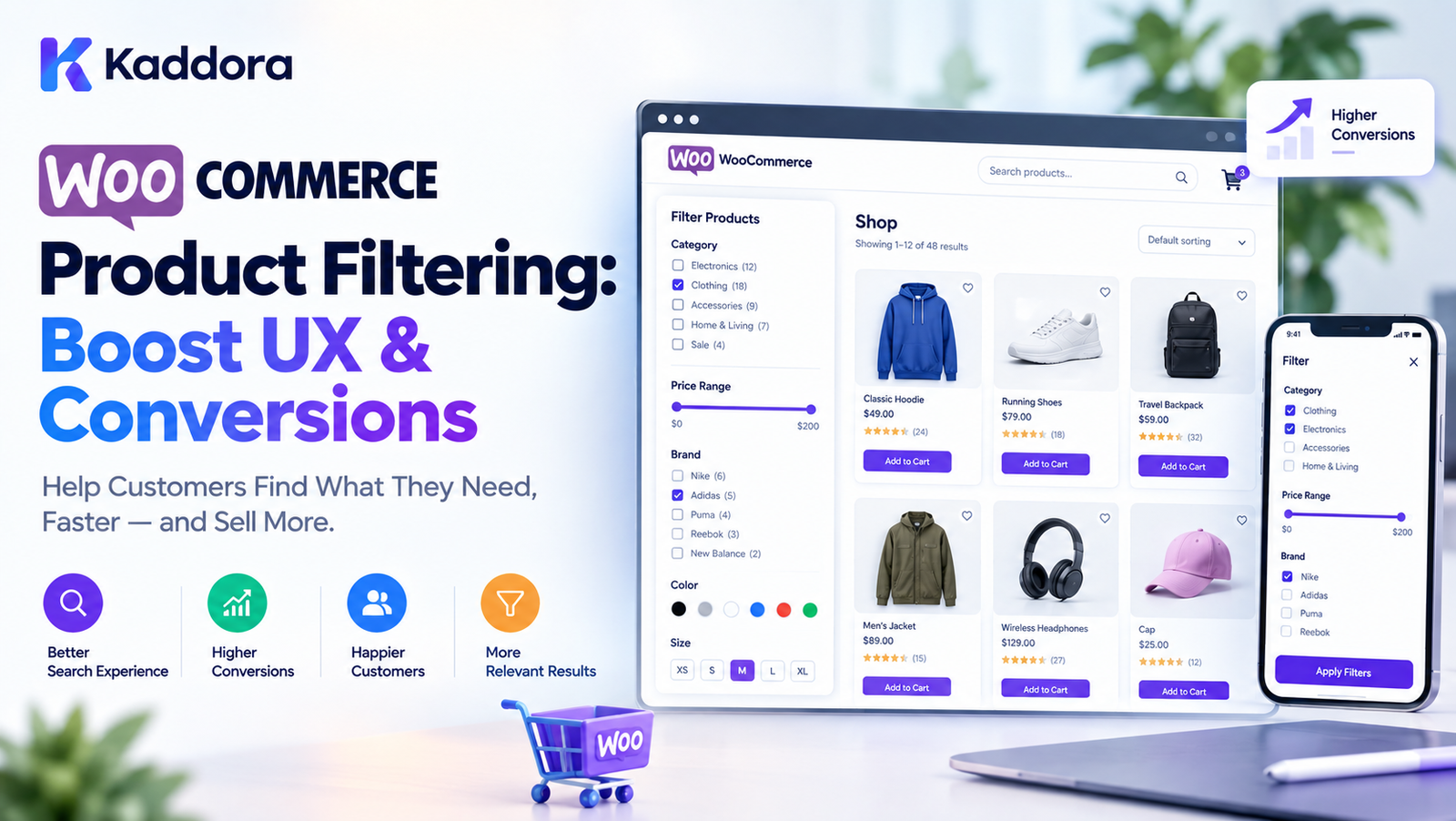
WooCommerce Product Filtering: Boost UX & Conversions
Introduction
A large WooCommerce store can have hundreds or even thousands of products.
When customers cannot quickly find the product they need, they may leave the store without purchasing.
This is where WooCommerce product filters become important.
Instead of forcing customers to browse page after page, filters allow shoppers to narrow a product catalog based on relevant characteristics such as:
Category
Price
Brand
Size
Color
Rating
Availability
Attributes
Product type
Features
A simplified shopping journey looks like this:
Large Product Catalog ↓ Customer Search ↓ Apply Filters ↓ Smaller Product Set ↓ Find Product ↓ Product Page ↓ Purchase
Good filtering is not simply about adding more filter options.
The goal is to help customers reach relevant products quickly, clearly, and with minimal friction.
This guide explains how to build better WooCommerce product filters, how AJAX filtering works, which filters are useful, how to optimize filters for mobile users, how to avoid common UX mistakes, and how better filtering can support the shopping journey.
What Are WooCommerce Product Filters?
WooCommerce product filters allow shoppers to narrow a product catalog according to selected criteria.
For example, a clothing store might provide:
Category ├── Shirts ├── Jeans └── Jackets Size ├── S ├── M ├── L └── XL Color ├── Black ├── White └── Blue Price ├── Under ₹1,000 ├── ₹1,000–₹2,500 └── Above ₹2,500
The customer can combine multiple conditions to find a more relevant set of products.
Why WooCommerce Product Filters Matter
Imagine an online store with:
5 Products
Filtering may not be necessary.
Now imagine:
500 Products
or:
5,000 Products
Customers need a way to narrow the catalog.
Without effective filtering, users may need to:
Open many product pages
Navigate through multiple category pages
Use repeated searches
Scroll through irrelevant products
Abandon the store
A well-designed filter system reduces unnecessary browsing.
How Product Filtering Works
A typical WooCommerce filtering system follows this process:
Customer Selects Filter ↓ Filter Parameters ↓ WooCommerce Query ↓ Matching Products ↓ Updated Product Grid
For example:
Category = Shoes Color = Black Size = 9 Price < ₹5,000
The system then returns products matching the selected conditions.
What Makes a Good WooCommerce Product Filter?
A useful filter system should be:
Relevant
Fast
Easy to understand
Mobile-friendly
Accessible
Consistent
Scalable
Easy to reset
Compatible with the product catalog
The number of filters should not be the only measure of quality.
A store with 30 confusing filters can provide a worse shopping experience than a store with 6 highly relevant filters.
Common WooCommerce Product Filter Types
WooCommerce stores can use many types of filters.
Common examples include:
Category
Price
Attribute
Brand
Color
Size
Rating
Stock status
Product type
Material
Availability
Custom attributes
The appropriate filters depend on the store's product catalog.
WooCommerce Category Filter
Category filtering is one of the most common filtering methods.
For example:
Electronics ├── Laptops ├── Smartphones ├── Tablets └── Accessories
A category filter lets users quickly move from the entire catalog to a relevant product group.
WooCommerce Price Filter
Price is an important shopping criterion for many customers.
A price filter can be implemented as:
₹0 ───────────── ₹100,000 ↑ Slider
Alternatively, predefined ranges can be used:
Under ₹1,000 ₹1,000–₹5,000 ₹5,000–₹10,000 Above ₹10,000
The best format depends on the store and product prices.
WooCommerce Attribute Filters
WooCommerce attributes can represent product characteristics.
Examples include:
Size
Color
Material
Storage
Weight
Compatibility
Capacity
For example:
Color ☐ Black ☐ White ☐ Blue ☐ Red
Attributes are especially useful when customers compare products based on specific characteristics.
WooCommerce Color Filter
A color filter can provide a visual selection.
For example:
Color ● Black ● White ● Blue ● Green ● Red
For fashion, furniture, accessories, and similar products, color can be an important product-selection criterion.
WooCommerce Size Filter
Size filters are commonly used for:
Clothing
Shoes
Accessories
Furniture
Sports equipment
A filter might look like:
Size S M L XL XXL
Only sizes actually available in the catalog should be shown where possible.
WooCommerce Brand Filter
Stores selling products from multiple brands can provide brand filtering.
For example:
Brand ☐ Brand A ☐ Brand B ☐ Brand C ☐ Brand D
For large catalogs, a searchable brand list can be more practical than displaying hundreds of brands at once.
WooCommerce Rating Filter
Customers may want to discover highly rated products.
A rating filter can be represented as:
★★★★★ ★★★★☆ ★★★☆☆
For example:
4 Stars & Up 3 Stars & Up
Ratings should be displayed accurately and should not imply that a product has ratings when it does not.
WooCommerce Stock Filter
Availability filtering can help customers find products that can actually be purchased.
Example:
☐ In Stock ☐ On Sale
A store can also hide unavailable products when appropriate.
WooCommerce Product Type Filter
Depending on the catalog, filters may distinguish between:
Simple products
Variable products
Virtual products
Downloadable products
Subscription products
Bundles
The customer-facing filters should generally focus on characteristics that matter to shoppers rather than technical product types.
WooCommerce Custom Filters
Some stores need filters that WooCommerce does not provide by default.
Examples:
Screen Size Processor RAM Storage Battery Capacity Material Warranty Compatibility
Custom product attributes or taxonomies can be used to structure this information.
WooCommerce AJAX Product Filters
AJAX filtering allows product results to update without requiring a complete page reload.
Traditional filtering:
Select Filter ↓ Submit ↓ Page Reload ↓ Products
AJAX filtering:
Select Filter ↓ AJAX Request ↓ Server Query ↓ Updated Products
This can make filtering feel faster and more interactive.
How AJAX Filtering Works
A simplified architecture looks like:
Customer ↓ Filter UI ↓ JavaScript ↓ AJAX Request ↓ WordPress / WooCommerce ↓ Product Query ↓ Response ↓ Product Grid Update
The exact implementation depends on the filtering plugin or custom development.
AJAX Filters and Performance
AJAX does not automatically make filtering faster.
If every filter request triggers an expensive database query, the store can still become slow.
For better performance:
Optimize queries
Limit unnecessary requests
Debounce rapid interactions
Cache suitable results
Avoid excessive DOM updates
Load only required data
Use efficient product taxonomies
Filter by Multiple Attributes
Customers often want to combine filters.
For example:
Category: Shoes Color: Black Size: 9 Price: ₹2,000–₹5,000
The resulting query should return products satisfying the selected conditions.
AND vs OR Filtering
This is an important part of filter design.
Consider:
Color: Black Blue
An OR interpretation could mean:
Black OR Blue
An AND interpretation could mean:
Black AND Blue
For attributes such as color, OR is usually more intuitive.
Across different filter groups, users often expect:
Color = Black AND Size = Large AND Price = ₹2,000–₹5,000
The filter interface should make the logic predictable.
Filter Logic Example
A simplified filtering query might be:
Category = Laptop AND RAM = 16GB AND Storage = 512GB AND Price < ₹100,000
The resulting catalog becomes significantly smaller.
WooCommerce Filter Count
Showing the number of matching products can help users understand filter choices.
For example:
Black (24) Blue (17) White (9)
After selecting:
Black
other counts can update dynamically.
This is often called faceted navigation.
What Is Faceted Navigation?
Faceted navigation allows users to refine product results using multiple attributes.
For example:
Category Price Brand Color Size Rating Availability
Each selection creates a more specific product set.
Faceted navigation is particularly useful for large catalogs.
Show Only Relevant Filter Options
One common filtering problem is showing irrelevant options.
Suppose a category contains only:
Black White
There may be little value in displaying:
Orange Purple Yellow Green
if no matching products exist.
Dynamic filter options can make the interface easier to use.
Hide Empty Filter Results
A useful filter system can disable or hide options that would produce no results.
For example:
Size S ✓ M ✓ L ✓ XL disabled
This prevents customers from repeatedly selecting options that lead to empty results.
WooCommerce Product Filter Search
Stores with large filter lists can provide search inside the filter.
For example:
Search Brands...
The user can type:
Nike
instead of scrolling through a long brand list.
This is especially useful for large catalogs.
Filter by SKU
SKU filtering is usually more useful for administrative or specialized catalog workflows than general customer shopping.
For B2B stores, however, customers may search using:
SKU
Model number
Part number
Manufacturer code
In those cases, SKU-based filtering or search can be useful.
Filter by Product Availability
Availability filters can include:
In Stock Out of Stock Backorder Preorder
Only expose statuses that are meaningful to the customer.
Filter by Sale Products
A simple filter can allow shoppers to see products currently on sale:
☐ On Sale
This can be useful for stores with large catalogs.
Filter by Featured Products
Some stores may provide:
☐ Featured Products
However, filters should be based on actual shopping needs rather than adding options simply because they are technically possible.
Filter by Product Rating
A rating filter can allow users to choose:
4 Stars & Up 3 Stars & Up 2 Stars & Up
This can be combined with other filters.
For example:
Category = Headphones Rating = 4 Stars & Up Price = Under ₹5,000
Filter by Custom Taxonomy
Advanced WooCommerce stores can use custom taxonomies to organize product information.
Examples include:
Manufacturer Collection Compatibility Product Series Industry Use Case
This can be useful for specialized catalogs.
WooCommerce Product Filters for Fashion Stores
Fashion stores commonly benefit from filters such as:
Category Size Color Brand Price Material Fit Pattern Availability
The exact filter set should match the catalog.
WooCommerce Product Filters for Electronics
Electronics stores may need:
Brand Price RAM Storage Processor Screen Size Operating System Connectivity Rating Availability
For technical products, attribute structure becomes particularly important.
WooCommerce Product Filters for Furniture
Furniture stores may use:
Category Material Color Style Size Room Price Brand Availability
Filters should reflect the way customers actually compare furniture.
WooCommerce Product Filters for B2B Stores
B2B catalogs may require more specialized filters:
SKU Brand Model Minimum Order Quantity Pack Size Availability Price Industry Specification
B2B customers may also require advanced search and bulk-order functionality.
Mobile WooCommerce Product Filters
Mobile filtering requires special attention because screen space is limited.
Instead of displaying a large sidebar, use:
┌───────────────────────────┐ │ Filters Sort │ └───────────────────────────┘
Tapping Filters can open a full-screen or bottom-sheet interface.
Mobile Filter Best Practices
A mobile filter interface should:
Be easy to open
Clearly show selected filters
Provide a Reset option
Avoid tiny controls
Avoid excessive scrolling
Make Apply actions obvious
Preserve the user's product context
Sticky Filter Button
A sticky mobile filter button can keep filtering accessible while browsing.
For example:
Products Products Products [ FILTER ] Products Products
The implementation should avoid covering important product content.
Show Active Filters
Customers should be able to see which filters are active.
Example:
Active Filters: [Black ×] [Size 9 ×] [Under ₹5,000 ×]
This makes the current product query understandable.
Clear All Filters
Always provide an easy way to reset the filtering state.
For example:
Clear All
This is especially useful when several filters are active.
Filter Breadcrumbs
Some stores can use contextual breadcrumbs such as:
Home > Shoes > Men > Black
This helps customers understand where they are in the catalog.
Product Filters and Sorting
Filtering and sorting serve different purposes.
Filtering reduces the product set.
Sorting changes the order.
For example:
Filters: Brand = Nike Price < ₹5,000 Sorting: Price: Low to High
Both features should work together.
Common WooCommerce Sorting Options
Useful sorting options may include:
Relevance
Popularity
Latest
Price low to high
Price high to low
Rating
Featured
The available options should match the store's product strategy.
Product Filters and Search
Filters and search should complement each other.
For example:
Search: "wireless headphones" + Filters: Price Brand Rating Battery
This provides a more targeted shopping experience.
Product Filters and Search Suggestions
Search suggestions can help customers reach products faster.
For example:
Search: wireless Suggestions: Wireless Headphones Wireless Mouse Wireless Keyboard Wireless Speakers
The filtering system can then refine the resulting products.
SEO and WooCommerce Product Filters
Filters can create many URL combinations.
For example:
/category/shoes/
could potentially produce:
/category/shoes/?color=black /category/shoes/?size=9 /category/shoes/?color=black&size=9
Large numbers of filter URLs can create SEO management challenges.
Should Filter URLs Be Indexed?
Not every filtered URL needs to be indexed.
Stores should decide which filtered combinations provide genuine search value.
For many combinations, businesses may choose to control indexing to avoid creating large numbers of low-value or duplicate pages.
SEO implementation should be designed carefully based on the store's architecture.
SEO-Friendly Filter URLs
Useful filter URLs should be:
Understandable
Consistent
Stable
Canonicalized appropriately
Free from unnecessary parameters where possible
The exact URL strategy depends on the site's SEO architecture.
Canonical URLs for Product Filters
Canonicalization can help search engines understand preferred versions of pages when multiple URLs represent similar content.
For example:
Filtered URL ↓ Canonical Relationship ↓ Preferred Category URL
The correct implementation should be tested with the site's SEO strategy.
Avoid Creating Thousands of Filter URLs
A store with:
20 Brands 10 Colors 8 Sizes 6 Categories
can create many possible combinations.
Not all combinations need to become separate indexable pages.
Use a controlled URL and indexing strategy.
WooCommerce Product Filter Performance
Large product catalogs can make filtering technically challenging.
Potential performance issues include:
Complex queries
Large taxonomy relationships
Excessive AJAX requests
Unoptimized plugins
Poor caching
Heavy JavaScript
Large product result sets
Performance should be measured rather than assumed.
Optimize WooCommerce Filter Queries
Developers should avoid unnecessarily expensive queries.
Good practices include:
Use appropriate taxonomies
Avoid redundant database queries
Cache suitable results
Limit unnecessary metadata queries
Use efficient pagination
Return only required data
Debouncing Filter Requests
If every checkbox click triggers an AJAX request, users can accidentally generate many requests.
A debounce strategy can help.
Conceptually:
User clicks User clicks User clicks ↓ Wait briefly ↓ Send one request
This can reduce unnecessary server activity.
Filter Request Caching
Frequently requested filter combinations may be cached where appropriate.
For example:
Category + Brand + Price ↓ Cached Result
Caching must account for product stock, pricing, and catalog changes where relevant.
Pagination with Product Filters
Filters should work correctly with pagination.
For example:
Filtered Results Page 1 Page 2 Page 3
When the filter changes, pagination should normally reset appropriately.
A common issue is keeping the user on page 5 after changing a filter that now has only two pages.
Infinite Scroll vs Pagination
Some stores use infinite scrolling.
Others use traditional pagination.
Both can work, but filtering should remain predictable.
After changing a filter, the product list should update without confusing the user about which products are currently being displayed.
Product Filter Loading States
AJAX filtering should provide feedback while results are loading.
For example:
[ Loading Products... ]
or a subtle loading indicator.
Without feedback, users may assume the filter is broken.
Avoid Blocking the Entire Page
A filtering request should not make the whole website appear frozen.
Ideally:
Filter Panel ↓ Loading State ↓ Product Grid Updates
The rest of the interface should remain understandable and usable.
Accessibility in WooCommerce Filters
Product filters should be accessible to as many users as possible.
Consider:
Keyboard navigation
Visible focus states
Proper labels
Semantic controls
Screen-reader-friendly names
Sufficient touch targets
Clear error and loading states
Do not rely only on color to communicate selected filters.
Filter Labels Should Be Clear
Avoid confusing labels such as:
Option A Option B Option C
Use descriptive labels:
Black White Blue
For technical products:
16 GB RAM 512 GB SSD 13-inch Display
Clear labels reduce cognitive effort.
Avoid Too Many Filters
More filters do not necessarily mean better filtering.
Suppose a store displays:
30 filter groups
The customer may become overwhelmed.
Instead, prioritize the attributes that actually help customers choose products.
Use Filter Priority
A useful order could be:
1. Category 2. Price 3. Brand 4. Availability 5. Key Attributes 6. Rating 7. Other Attributes
The correct order depends on the store's catalog and customers.
Collapsible Filter Groups
Long filter lists can use collapsible sections:
Price ▼ Brand ▼ Color ▶ Size ▶ Rating ▶
This keeps the interface compact.
Show the Most Important Filters First
If a store sells laptops, the most important filters may be:
Price Brand RAM Storage Processor Screen Size
Less important options can appear later.
Filter UX Testing
Test the filter system with real shopping scenarios.
For example:
Find a black laptop under ₹80,000 with 16GB RAM.
Then measure whether users can complete the task quickly and without confusion.
Common WooCommerce Product Filter Mistakes
1. Too Many Filters
Adding every possible attribute can overwhelm users.
2. Irrelevant Filters
Do not show attributes that have little shopping value.
3. Slow AJAX Filtering
Poorly optimized queries can make AJAX filtering frustrating.
4. No Reset Option
Users should be able to clear filters easily.
5. Poor Mobile Design
Desktop sidebars do not automatically translate well to mobile.
6. No Active Filter Indicators
Customers should know what filters are currently applied.
7. Showing Empty Results
Avoid encouraging users to select filters that produce no products.
8. Poor Filter Logic
AND/OR behavior should be predictable.
9. Ignoring SEO
Large numbers of filter URLs can create crawling and indexing issues.
10. Ignoring Accessibility
Filters should work for keyboard and assistive technology users.
How to Build Better WooCommerce Product Filters
Step 1: Understand the Product Catalog
Identify the attributes customers actually use when choosing products.
Step 2: Identify High-Value Filters
Select the most useful criteria.
Step 3: Structure Product Data
Use WooCommerce categories, attributes, taxonomies, and metadata appropriately.
Step 4: Design the Filter Interface
Create clear filter groups with understandable labels.
Step 5: Add AJAX Filtering
Use AJAX where it improves the experience and can be implemented efficiently.
Step 6: Add Active Filter Indicators
Show selected filters clearly.
Step 7: Add Reset Controls
Provide a visible Clear All option.
Step 8: Optimize Mobile Filtering
Use a mobile-friendly drawer, modal, or full-screen filter interface.
Step 9: Optimize Queries
Reduce unnecessary database and API requests.
Step 10: Test SEO
Review filter URLs, canonicalization, crawling, and indexing behavior.
Step 11: Test Accessibility
Verify keyboard navigation, focus states, labels, and screen-reader behavior.
Step 12: Measure Performance
Monitor filtering speed, server load, and user behavior.
WooCommerce Product Filter Testing Checklist
Before launching an advanced filtering system, test:
Category filters
Price filter
Attribute filters
Brand filters
Color filters
Size filters
Rating filter
Stock filter
Multiple filters
AND logic
OR logic
AJAX requests
Loading states
Active filters
Clear All
Pagination
Sorting
Search
Mobile layout
Keyboard navigation
Screen-reader labels
Empty results
Large catalog performance
Filter URL behavior
Canonicalization
Caching
Browser compatibility
Advanced WooCommerce Filter Architecture
For a large store, a scalable architecture can look like:
Customer ↓ Filter Interface ↓ Filter State ↓ AJAX / Request Layer ↓ Query Builder ↓ ┌────────────┼────────────┐ ↓ ↓ ↓ Taxonomy Meta Data Search └────────────┼────────────┘ ↓ Product Query ↓ Result Cache ↓ Product Results ↓ UI Update
Separating the filter interface from query logic makes the system easier to maintain.
Building a Custom WooCommerce Filter Plugin
Developers building a custom filter plugin should consider:
WordPress hooks
WooCommerce product queries
Taxonomies
Product attributes
AJAX
REST APIs where appropriate
Nonces
Capability checks
Input validation
Sanitization
Escaping
Caching
Pagination
Accessibility
Internationalization
The implementation should follow WordPress and WooCommerce development standards.
WooCommerce Filter Plugin Security
Filtering requests should not blindly trust user input.
A custom implementation should:
Validate request parameters
Sanitize incoming values
Escape output
Use appropriate nonces where applicable
Restrict privileged operations
Avoid unsafe SQL
Use prepared database queries when custom SQL is necessary
Security should be considered even when the filter appears to be a simple frontend feature.
WooCommerce Product Filters and Conversion Optimization
Better filters can improve the shopping journey by helping customers find relevant products more efficiently.
A simplified funnel is:
Visitors ↓ Product Discovery ↓ Filtering ↓ Relevant Products ↓ Product Page ↓ Add to Cart ↓ Checkout
Filters are therefore one part of the broader conversion experience.
They should work together with:
Search
Product images
Product descriptions
Pricing
Reviews
Product recommendations
Checkout UX
Measure WooCommerce Filter Performance
Useful metrics can include:
Filter usage
Search usage
Product clicks
Add-to-cart actions
Checkout progression
Filter abandonment
Zero-result searches
AJAX response time
Server response time
Mobile usage
Analytics can help identify which filters customers actually use.
Improve Filters Based on Data
Suppose analytics show:
Brand Filter → Frequently Used Color Filter → Frequently Used Material Filter → Rarely Used
The store may consider making frequently used filters more prominent and moving rarely used options lower in the interface.
This is a data-driven approach to filter design.
WooCommerce Filters and AI
AI can potentially enhance product discovery.
For example:
Customer: "I need a lightweight laptop under ₹70,000 for programming." ↓ AI Search / Interpretation ↓ Product Filters ↓ Relevant Products
AI can complement traditional filtering rather than necessarily replacing it.
A hybrid architecture could combine:
Keyword Search + Structured Filters + Semantic Search + AI Recommendations
WooCommerce Product Filters and Recommendations
Filtering helps customers define what they want.
Recommendations can help them discover additional products.
For example:
Filter: Black Running Shoes Under ₹5,000 ↓ Results ↓ Recommended: Socks Insoles Sports Accessories
These systems can work together as part of a broader shopping experience.
Future-Proof WooCommerce Filter Architecture
A scalable filtering system should make it easy to add:
New attributes
New product categories
New filter types
New data sources
AI search
Recommendations
Analytics
Personalization
Avoid hard-coding every filter directly into frontend templates.
Instead, design the filter system around reusable data structures.
Why Choose Kaddora?
Kaddora focuses on WordPress and WooCommerce solutions covering plugins, themes, automation, analytics, ERP workflows, AI-powered tools, and eCommerce functionality.
For WooCommerce businesses, effective product discovery is an important part of a complete store experience.
Kaddora's WooCommerce-focused approach can support areas such as:
Advanced product filtering
WooCommerce analytics
Product discovery
AI-powered recommendations
Smart upselling
Store automation
ERP workflows
eCommerce business intelligence
The objective is to build WordPress and WooCommerce solutions that are practical, scalable, maintainable, and focused on real business workflows.
Conclusion
Better WooCommerce product filters can make large product catalogs easier to navigate.
A strong filtering experience combines:
Relevant Product Data + Clear Filter Design + Fast Queries + AJAX Where Appropriate + Mobile Optimization + Accessibility + SEO Control + Analytics
The most important principle is simple:
Build filters around how customers actually choose products.
Do not add every possible attribute simply because WooCommerce can technically filter by it.
Instead:
Understand your customers.
Identify the most useful product attributes.
Structure your WooCommerce catalog correctly.
Build clear filter controls.
Support multiple filter combinations.
Make filtering fast.
Optimize the mobile experience.
Provide active filter indicators and reset controls.
Handle SEO carefully.
Measure how customers use your filters.
When these elements work together, WooCommerce product filtering becomes more than a sidebar feature. It becomes an important part of product discovery and the overall eCommerce shopping experience.
Frequently Asked Questions
What are WooCommerce product filters?
WooCommerce product filters allow customers to narrow products using criteria such as category, price, brand, color, size, rating, attributes, and availability.
Why are product filters important for WooCommerce?
Filters help customers navigate large product catalogs and find products matching their requirements more efficiently.
What is the best WooCommerce product filter?
The appropriate filter solution depends on the store's catalog, number of products, required attributes, performance requirements, mobile experience, and integrations.
Can WooCommerce filter products by price?
Yes. WooCommerce stores can provide price filtering using configured price ranges, sliders, or filtering extensions.
Can WooCommerce filter products by category?
Yes. Category filtering is one of the most common ways to narrow WooCommerce products.
Can WooCommerce filter products by attributes?
Yes. WooCommerce attributes such as size, color, material, storage, and other characteristics can be used as filtering criteria.
Can filters improve WooCommerce conversions?
Better product discovery can support the shopping journey, but the effect depends on the store, customers, product catalog, UX, pricing, and other conversion factors.
How can I measure whether customers use WooCommerce filters?
Track filter interactions, product clicks, zero-result searches, add-to-cart behavior, checkout progression, and filtering response times.
Can AI improve WooCommerce product filtering?
AI can complement traditional filtering through natural-language search, semantic search, product recommendations, and personalized discovery.
Why choose Themekaddora?
Themekaddora provides lightweight, responsive, SEO-friendly WordPress themes with fast performance, WooCommerce compatibility, flexible customization, accessibility-conscious design, modern templates, regular updates, and professional support—providing a strong foundation for businesses building digital products and product-focused websites.
Comments (0)