
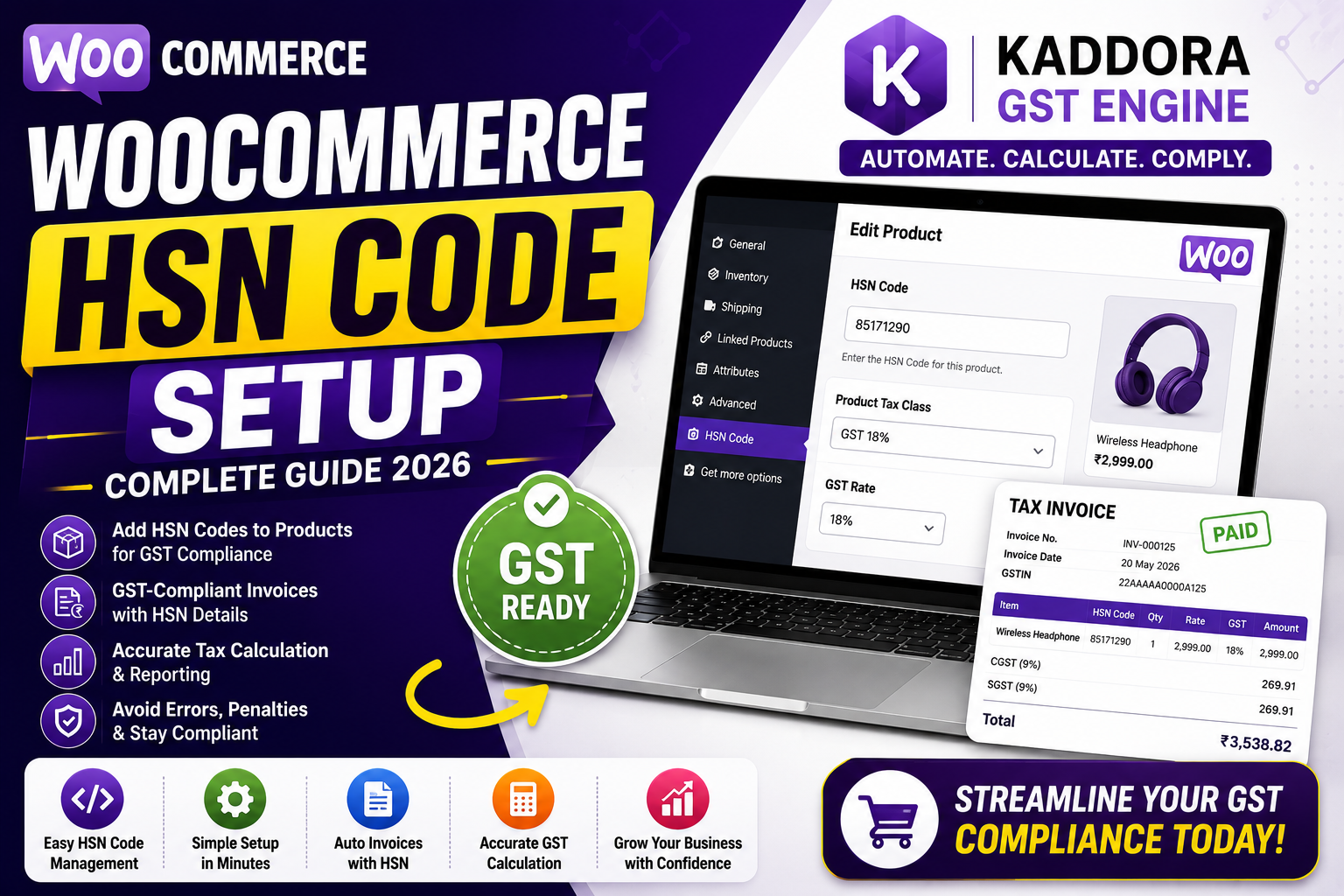
WooCommerce HSN Code Setup (Complete Guide)
If you're running a WooCommerce store in India, adding the correct HSN (Harmonized System of Nomenclature) codes to your products is an important part of GST compliance. HSN codes help classify products for taxation, making invoicing, tax calculation, and GST return filing more accurate.
Many online store owners focus on setting GST rates but forget to configure HSN codes properly. This can lead to invoice errors, accounting confusion, and compliance challenges.
In this guide, you'll learn what HSN codes are, why they matter, how to configure them in WooCommerce, common mistakes to avoid, and how Kaddora GST Engine simplifies HSN management.
Quick Answer
What is an HSN code in WooCommerce?
An HSN (Harmonized System of Nomenclature) code is a standardized product classification code used under India's GST system. In WooCommerce, HSN codes help identify products for accurate GST invoices, tax reporting, and compliance.
What is an HSN Code?
HSN is a globally recognized product classification system adopted under the GST framework in India.
Each product is assigned a unique HSN code that determines its tax category and applicable GST rate.
Examples include:
Electronics
Clothing
Furniture
Home Appliances
Beauty Products
Food Items
Using the correct HSN code ensures products are taxed appropriately.
Why HSN Codes Matter
Correct HSN codes help businesses:
Generate GST-compliant invoices
Improve tax accuracy
Simplify GST return filing
Organize product categories
Reduce tax disputes
Improve accounting records
Proper classification also supports smoother audits and regulatory compliance.
Benefits of Adding HSN Codes in WooCommerce
Better GST Compliance
Products follow the correct tax classification.
Accurate GST Invoices
Invoices display the required HSN information.
Simplified Tax Filing
Well-organized product classifications make GST return preparation easier.
Improved Record Management
Maintain consistent product tax information across your catalog.
Better Customer Transparency
Professional invoices build trust with B2B and business customers.
How to Set Up HSN Codes in WooCommerce
Step 1 – Identify the Correct HSN Code
Determine the correct HSN code for every product category you sell.
Always verify product classifications before assigning codes.
Step 2 – Configure GST Settings
Enable GST tax settings within WooCommerce.
Ensure your GST rates are configured correctly.
Step 3 – Assign HSN Codes to Products
Add the appropriate HSN code for each product or product category.
Maintain consistency throughout your catalog.
Step 4 – Test Invoice Generation
Create a test order and verify that:
HSN code appears correctly
GST rate is accurate
Invoice format is complete
Step 5 – Review Regularly
Whenever products or tax regulations change, review your HSN configuration.
Common HSN Setup Mistakes
Many businesses accidentally make mistakes such as:
❌ Incorrect HSN classification
❌ Missing HSN codes
❌ Different codes for identical products
❌ Incorrect GST mapping
❌ Manual invoice editing
❌ Outdated product tax settings
Avoiding these issues improves compliance and saves time.
Best Practices for HSN Management
Maintain a Central Product List
Keep product classifications organized.
Review HSN Codes Periodically
Verify product categories whenever you add new products.
Standardize Product Data
Use consistent product names, categories, and HSN assignments.
Test GST Invoices
Regularly verify invoice accuracy after updates.
Automate Product Tax Management
Automation minimizes manual work while improving consistency.
How Kaddora GST Engine Simplifies HSN Management
Managing HSN codes manually becomes increasingly difficult as your WooCommerce store grows.
Kaddora GST Engine helps automate GST management by keeping product tax information organized and supporting GST-compliant invoice generation.
Key Features
Product-wise GST settings
GST-compliant invoice generation
Automatic GST calculation
CGST, SGST & IGST support
Smart WooCommerce integration
Automated tax reports
Easy dashboard
Fast performance
Instead of maintaining complex spreadsheets, store owners can manage product tax information efficiently within WooCommerce.
HSN Setup Checklist
✅ Correct Product Classification
✅ Verified HSN Codes
✅ GST Rates Configured
✅ Product Tax Rules
✅ GST-Compliant Invoices
✅ Tested Invoice Output
✅ Organized Product Records
✅ Regular Reviews
✅ Automated GST Management
Frequently Asked Questions
What is an HSN code?
An HSN code is a standardized product classification code used under the GST system to identify goods and determine applicable tax rates.
Is an HSN code required in WooCommerce?
If your business is required to issue GST-compliant invoices, including the appropriate HSN code is generally an important part of accurate product classification and invoicing.
Can WooCommerce manage HSN codes?
WooCommerce supports product management, while dedicated GST solutions can simplify HSN organization, invoice generation, and tax automation.
Why are HSN codes important?
They help classify products correctly, improve GST compliance, simplify accounting, and support accurate invoice generation.
Which WooCommerce plugin helps with HSN management?
Solutions like Kaddora GST Engine help streamline GST calculations, invoice generation, and product tax management for Indian WooCommerce businesses.
Final Thoughts
HSN codes are a fundamental part of GST compliance for online stores in India. Correct product classification improves invoice accuracy, simplifies tax reporting, and reduces the risk of compliance issues.
As your WooCommerce store grows, manually managing HSN codes across hundreds or thousands of products becomes increasingly difficult.
Simplify WooCommerce GST with Kaddora GST Engine
Comments (0)