
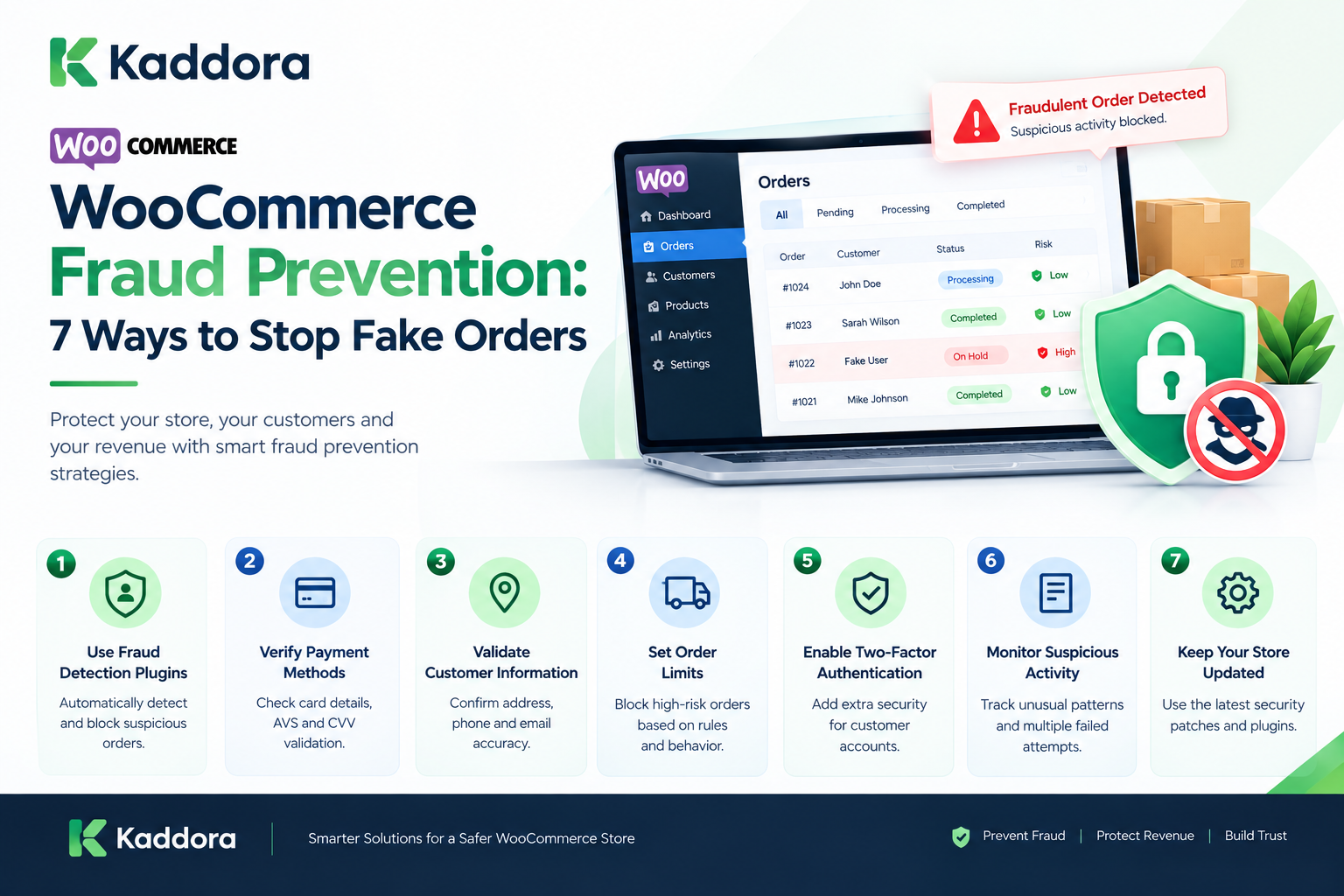
WooCommerce Fraud Prevention: 7 Ways to Stop Fake Orders
Introduction
Running a WooCommerce store means dealing with more than product sales, payments, shipping, and customer service.
Online stores can also face fraudulent or suspicious orders.
A fraudulent order may involve stolen payment information, unauthorized account access, fake customer information, suspicious purchasing behavior, or attempts to exploit store processes.
For a growing WooCommerce business, even a small number of problematic orders can create operational costs.
Potential consequences include:
Financial losses
Chargebacks
Payment processing fees
Shipping losses
Inventory disruption
Customer service workload
Account security problems
Reputation issues
The goal of fraud prevention is not to reject every unusual order.
Instead, businesses can build a process that identifies risk signals, applies appropriate verification, and sends questionable orders for review.
This guide explains how WooCommerce fraud detection works, common warning signs, practical prevention techniques, automation strategies, and how AI and analytics can support fraud monitoring.
What Is a Fraudulent WooCommerce Order?
A fraudulent WooCommerce order is an order that involves unauthorized, deceptive, or otherwise illegitimate activity.
Examples can include:
Stolen payment credentials
Unauthorized account access
Fake customer information
Suspicious payment behavior
Card testing
Abnormal ordering patterns
Attempts to exploit refund processes
Not every unusual order is fraudulent.
For example, a genuine customer may:
Use a VPN
Place an unusually large order
Ship to a different address
Purchase multiple products
Use a new device
Therefore, fraud detection should generally evaluate multiple signals together rather than relying on one characteristic.
Why WooCommerce Fraud Prevention Matters
Fraud prevention protects more than the transaction itself.
A suspicious order can affect:
Payment ↓ Order Processing ↓ Inventory ↓ Shipping ↓ Customer Support ↓ Refund / Chargeback ↓ Accounting
A fraudulent transaction can therefore create costs throughout the business.
7 Ways to Stop Fake Orders in WooCommerce
1. Use a WooCommerce Fraud Detection Solution
One of the simplest ways to improve fraud prevention is to use a dedicated fraud-detection solution.
Modern fraud-prevention tools can evaluate orders using multiple signals instead of relying on a single rule.
Depending on the solution, these signals may include:
- IP address
- Billing address
- Shipping address
- Payment information
- Order value
- Customer history
- Email address
- Geographic information
- Multiple orders from the same source
- Unusual purchasing behavior
- Previous failed transactions
A fraud-detection system can assign risk levels to orders and help your team decide whether an order should be:
- Approved
- Held for review
- Cancelled
- Flagged for investigation
Why risk scoring is useful
Consider two orders:
Order A
- Existing customer
- Normal order value
- Previously successful transactions
- Matching billing and shipping information
Order B
- New account
- Unusually high order value
- Multiple failed payment attempts
- Suspicious IP activity
- Different billing and shipping locations
Treating both orders exactly the same makes fraud prevention unnecessarily difficult.
Risk-based review allows your store to focus attention where it matters most.
2. Verify Payment Methods
Payment verification is another important layer of WooCommerce fraud prevention.
Depending on your payment gateway, several verification mechanisms may be available.
These can include:
- Address Verification System (AVS)
- Card Verification Value (CVV/CVC) checks
- 3D Secure authentication
- Strong customer authentication where applicable
- Payment gateway fraud screening
- Failed-payment monitoring
What is CVV verification?
CVV verification checks whether the security code supplied during checkout matches the payment information held by the payment provider.
What is AVS?
Address Verification System checks billing-address information against information associated with the payment method.
Neither method should be treated as a perfect fraud detector. Instead, they should be considered additional signals that can contribute to an overall risk assessment.
Practical recommendation
Configure your payment gateway's available security and verification features before adding complicated custom checkout rules.
This gives your WooCommerce store a stronger foundation without unnecessarily complicating the checkout experience.
3. Validate Customer Information
Fraudulent orders frequently contain questionable customer information.
Look for combinations such as:
- Invalid phone numbers
- Disposable email addresses
- Incomplete addresses
- Repeated addresses across unrelated accounts
- Unusual shipping locations
- Suspicious email domains
- Mismatched billing and shipping information
However, avoid automatically rejecting customers simply because one piece of information looks unusual.
For example, a customer may legitimately:
- Ship a gift to another address
- Use a business address
- Travel while placing an order
- Use a different billing and shipping address
Instead, combine multiple signals before making a decision.
Example
A new customer placing a normal $30 order with a valid address is very different from a new customer placing a $2,000 order after several failed payment attempts with inconsistent contact information.
The second situation deserves additional review.
4. Set Order Limits and Fraud Rules
WooCommerce stores can create business rules to identify orders that require additional attention.
For example, you might flag:
- Extremely high-value orders
- Multiple orders within a short period
- Repeated failed payment attempts
- Large quantities of the same product
- Multiple orders going to the same address
- Orders from unusual locations
- Customers creating multiple accounts
The exact thresholds should depend on your business.
A luxury ecommerce store may consider a $1,000 order normal, while a small accessories store might consider it unusual.
Example fraud rule
You could create a review condition such as:
If a new customer places an unusually high-value order and has multiple failed payment attempts, hold the order for manual review.
This is generally more useful than simply blocking every high-value order.
5. Monitor Suspicious Order Activity
Fraud prevention shouldn't stop after checkout.
Your WooCommerce store should continuously monitor order activity for unusual patterns.
Look for:
Repeated failed payments
Multiple payment attempts within a short period can indicate payment testing or other suspicious behavior.
Rapid account creation
A large number of new accounts created from related sources may indicate automated activity.
Repeated checkout attempts
Bots or malicious users may repeatedly attempt different payment combinations.
Unusual purchasing patterns
A customer who suddenly changes from small routine purchases to extremely expensive orders may require additional verification.
Multiple orders with similar information
Repeated orders using similar addresses, contact information, or other identifying signals can warrant investigation.
Monitoring becomes particularly important as your store grows because manually reviewing every transaction becomes increasingly difficult.
6. Strengthen Customer Account Security
Fraud prevention isn't limited to checkout.
Customer accounts can also become targets for attackers.
If an attacker gains access to a legitimate customer account, they may be able to use stored information or account privileges to make unauthorized purchases.
Encourage stronger account security by implementing appropriate measures such as:
- Strong password requirements
- Secure password reset procedures
- Two-factor authentication where appropriate
- Login protection
- Rate limiting
- Bot protection
- Monitoring unusual login behavior
Administrators should receive even stronger protection because a compromised administrator account can potentially affect the entire WooCommerce store.
Protect your WordPress installation
Keep the following updated:
- WordPress
- WooCommerce
- Payment plugins
- Security plugins
- Themes
- Other extensions
Only install plugins and themes from sources you trust, and remove unused extensions whenever possible.
7. Keep WooCommerce and Security Tools Updated
Security is an ongoing process.
WooCommerce stores typically depend on multiple components:
WordPress → WooCommerce → Theme → Plugins → Payment Gateway → Hosting → Server
A vulnerability or configuration problem in one component can potentially affect the overall environment.
Regular maintenance should include:
- Updating WordPress
- Updating WooCommerce
- Updating plugins
- Updating themes
- Reviewing security notifications
- Removing unused plugins
- Checking administrator accounts
- Reviewing suspicious orders
- Monitoring server activity
- Maintaining reliable backups
Before applying major updates to a production store, use a suitable staging or testing process where practical.
Suspicious WooCommerce Order Patterns
Some patterns deserve additional attention.
For example:
Multiple Failed Payments ↓ Successful Payment ↓ Large Order ↓ New Account ↓ Unusual Shipping Destination
This combination may justify additional review.
Again, these signals should be treated as indicators rather than automatic proof of fraud.
Large Unusual Orders
An unusually large order can be a useful risk signal.
For example:
Typical Customer Order ₹2,000 – ₹5,000 New Order ₹75,000
This does not mean the order is fraudulent.
It may be a legitimate wholesale or business purchase.
However, the store may choose to apply additional verification based on its normal customer behavior.
Multiple Orders in a Short Period
Another possible signal is an unusual burst of orders.
For example:
10:01 → Order 10:03 → Order 10:04 → Order 10:06 → Order 10:07 → Order
The pattern could be legitimate or suspicious.
Businesses should combine it with other available signals.
Multiple Failed Payment Attempts
Repeated payment failures followed by a successful transaction can warrant additional review.
For example:
Payment Failed Payment Failed Payment Failed Payment Successful
This pattern can occur for legitimate reasons, such as an expired card or a temporary payment problem.
Therefore, it should be treated as a risk signal rather than a final decision.
Billing and Shipping Information
Differences between billing and shipping information can sometimes provide useful context.
For example:
Billing Address India Shipping Address Different Region
However, this can be completely legitimate.
Customers may:
Send gifts
Ship to offices
Use family addresses
Travel
Purchase for another person
Therefore, address differences should not automatically block an order.
IP Address and Location Signals
IP information can sometimes provide additional transaction context.
A store may compare:
Customer Account Billing Country Shipping Country IP Region
Large inconsistencies may trigger additional review.
However, VPNs, mobile networks, corporate networks, and travel can make location data unreliable.
New Customer Risk Signals
New customers naturally have less historical information.
For example:
New Account + High Order Value + Multiple Payment Attempts
The combination may justify additional verification.
A new customer should not automatically be treated as fraudulent.
Existing Customer History
Customer history can help provide context.
For example:
Customer History ↓ 25 Successful Orders ↓ No Chargebacks ↓ Normal Purchase Pattern
A new order from the same customer may have more context than an order from an unknown account.
Historical data should still be evaluated carefully because accounts can be compromised.
WooCommerce Order Risk Scoring
A store can create a risk scoring model.
For example:
Signal Points Multiple Failed Payments +20 Unusual Order Value +15 New Account +10 Address Mismatch +10 Repeated Orders +15 Previous Chargeback +30
The total can then determine the workflow.
For example:
0–20 Low Risk 21–50 Review 51+ Additional Verification
These values are examples only. Each business should establish thresholds based on its own data and risk model.
Automated Fraud Rules
Rules can automatically identify certain patterns.
For example:
IF Order Value > Defined Threshold AND Customer Has No Order History THEN Review Order
Another example:
IF Multiple Payment Failures AND High Order Value THEN Require Additional Review
Rules should be tested carefully to avoid excessive false positives.
Fraud Detection Plugins for WooCommerce
Dedicated fraud-prevention plugins can provide additional capabilities beyond basic WooCommerce functionality.
Depending on the solution, features may include:
Risk scoring
IP checks
Payment analysis
Order screening
Blacklists
Whitelists
Automated rules
Manual review
Fraud alerts
Before installing a plugin, evaluate its data handling, compatibility, maintenance, performance impact, and integration requirements.
Payment Gateway Fraud Protection
Payment providers often provide their own fraud controls.
Depending on the provider, these may include:
Transaction risk analysis
Authentication
Address checks
Card verification
Velocity controls
Fraud scoring
Chargeback tools
WooCommerce stores should understand which controls are already provided by their payment gateway before duplicating them.
3D Secure Authentication
Some payment systems support additional cardholder authentication.
The customer may be asked to verify the transaction through their bank or payment provider.
A simplified flow is:
Checkout ↓ Payment ↓ Additional Authentication ↓ Verification ↓ Payment Result
Availability and behavior depend on the payment method, provider, region, and transaction.
Address Verification
Address verification can provide another transaction signal.
For example:
Billing Information ↓ Payment Verification ↓ Match / Mismatch
A mismatch does not automatically indicate fraud.
It should be combined with other information.
CVV and Payment Verification
Payment providers may support card verification mechanisms.
These checks can help determine whether the payment information is being used in an expected way.
The store should rely on the payment gateway for handling sensitive payment data rather than storing prohibited card information itself.
Never Store Sensitive Card Data
WooCommerce stores should avoid storing raw payment card details unless the payment system and applicable compliance framework explicitly support it.
Instead, use established payment gateways and tokenization mechanisms where available.
The general principle is:
Customer ↓ Secure Payment Gateway ↓ Payment Result ↓ WooCommerce
This reduces the amount of sensitive payment data handled directly by the store.
Detecting Card Testing
Card testing can involve repeated low-value transaction attempts.
A possible pattern is:
₹50 → Failed ₹50 → Failed ₹100 → Failed ₹100 → Successful ₹200 → Attempt
Businesses can monitor transaction velocity and repeated failures.
Appropriate controls may include:
Rate limiting
Payment gateway fraud controls
Checkout protection
Temporary review
CAPTCHA where appropriate
Preventing Automated Checkout Abuse
Bots may target checkout forms or account creation.
Possible protections include:
Rate limiting
CAPTCHA
Bot detection
Login protection
Failed-attempt monitoring
Web application firewall controls
These controls should be configured carefully so legitimate customers are not unnecessarily blocked.
WooCommerce Account Security
Fraud prevention should also include account protection.
Useful measures can include:
Strong passwords
Secure login
Multi-factor authentication where appropriate
Login attempt controls
Session management
Security monitoring
Timely software updates
If an attacker gains access to a legitimate customer account, normal order-history checks may no longer be sufficient.
Preventing Account Takeover
A simplified account security workflow is:
Login ↓ Authentication ↓ Risk Signals ↓ Normal Access / Additional Verification
Suspicious login behavior can be monitored where appropriate.
WooCommerce Order Holds
A store can place suspicious orders on hold instead of immediately fulfilling them.
For example:
New Order ↓ Risk Check ↓ Elevated Risk ↓ Order Hold ↓ Manual Review
This can prevent premature shipping while the order is being evaluated.
Manual Fraud Review
A manual review process can check:
Customer history
Payment status
Order value
Billing information
Shipping information
Previous orders
Communication history
Relevant fraud signals
The objective should be to make a documented decision based on available evidence.
Customer Verification
For selected high-risk orders, businesses may use an appropriate verification process.
Examples can include:
Confirming order information
Confirming shipping details
Using payment-provider authentication
Requesting appropriate information through secure channels
Avoid collecting unnecessary sensitive personal information.
Whitelisting Trusted Customers
A business may choose to maintain trusted-customer signals based on legitimate purchase history.
For example:
Successful Order History ↓ Consistent Account ↓ No Significant Risk Signals ↓ Lower Review Priority
Whitelists should be reviewed periodically because previously trusted accounts can be compromised.
Blacklists and Blocklists
Stores may also maintain blocklists for known abusive identifiers or patterns.
Potential identifiers can include:
IP addresses
Email addresses
Accounts
Payment-related risk indicators
Blocklists should be maintained carefully because shared networks and dynamic IP addresses can create false positives.
Fraud Detection and False Positives
A false positive occurs when a legitimate transaction is incorrectly treated as suspicious.
For example:
Legitimate Customer ↓ Large Purchase ↓ Fraud Rule Triggered ↓ Order Delayed
This can create:
Customer frustration
Lost sales
Support tickets
Abandoned purchases
Fraud prevention should therefore balance risk reduction with customer experience.
Fraud Detection and False Negatives
A false negative occurs when fraudulent activity is not identified.
For example:
Fraudulent Order ↓ No Risk Detection ↓ Order Shipped ↓ Chargeback
This can result in financial and operational losses.
The goal of a fraud system is therefore not simply maximum blocking.
It is to create an appropriate balance between:
Security + Customer Experience + Operational Cost
WooCommerce Fraud Alerts
A store can notify administrators when certain risk conditions occur.
For example:
High-Risk Order Detected Order: #12345 Value: ₹85,000 Risk Signals: 3 Status: Manual Review
Alerts allow staff to investigate before fulfillment when appropriate.
Fraud Detection Dashboard
A centralized dashboard can help teams monitor suspicious activity.
For example:
---------------------------------------- Fraud Monitoring ---------------------------------------- Orders Today 425 Flagged Orders 9 Under Review 5 Confirmed Issues 2 False Positives 2 ---------------------------------------- Risk Signals ---------------------------------------- Payment Failures 12 High-Value Orders 7 Velocity Alerts 5 Account Alerts 3 ----------------------------------------
The exact metrics should match the store's fraud model.
WooCommerce Fraud Analytics
Analytics can reveal patterns over time.
Track metrics such as:
Flagged orders
Confirmed fraudulent transactions
Chargebacks
Fraud rate
False-positive rate
Manual review volume
Review time
Payment failures
High-risk order value
This helps businesses refine their fraud controls.
Fraud Rate
A simplified fraud-rate calculation can be:
Fraudulent Orders ÷ Total Orders × 100
Businesses should define the measurement consistently and distinguish suspected, confirmed, disputed, and resolved transactions.
Chargeback Monitoring
Chargebacks can provide important information about payment disputes.
Track:
Number of chargebacks
Chargeback value
Reasons
Payment methods
Products involved
Customer history
A rising pattern may indicate the need to review payment and fraud controls.
WooCommerce Fraud and Refund Abuse
Fraud prevention should also consider post-purchase activity.
For example:
Order ↓ Delivery ↓ Refund Request ↓ Repeated Refund Pattern
Repeated unusual refund behavior may justify additional review.
However, legitimate customers should still have access to the store's published return and refund processes.
WooCommerce Fraud and Digital Products
Digital products have different fraud risks because there may be no physical shipment.
Examples include:
Instant downloads
Software
Licenses
Courses
Digital files
Businesses may need additional controls because fulfillment can occur immediately after payment.
WooCommerce Fraud and Physical Products
Physical products introduce shipping-related signals.
Potential factors include:
Shipping destination
Delivery speed
Order value
Address patterns
Product category
Customer history
High-value physical goods may require stronger review workflows.
WooCommerce Fraud and Subscription Orders
Subscription businesses should monitor:
Repeated payment failures
Account changes
Unusual subscription upgrades
Multiple accounts
Refund patterns
Fraud controls should account for the recurring nature of subscription transactions.
AI-Powered WooCommerce Fraud Detection
AI and machine-learning systems can analyze larger numbers of transaction signals.
A simplified architecture is:
Order Data + Customer Data + Payment Signals + Behavior ↓ AI / Risk Model ↓ Risk Assessment ↓ Low / Medium / High Risk
AI can support fraud detection, but it should be carefully evaluated for accuracy, privacy, explainability, and false positives.
AI Fraud Detection Signals
Depending on the system, AI models may analyze:
Order frequency
Purchase amounts
Customer history
Payment outcomes
Product combinations
Account behavior
Session behavior
Other relevant transaction signals
The available signals depend on the implementation and data-access permissions.
AI Risk Scoring
An AI-powered system may produce a risk score.
For example:
Order #1001 Risk Score: Low Order #1002 Risk Score: Medium Order #1003 Risk Score: High
A score should not automatically be treated as proof of fraud.
It is better used as one component of a broader review process.
AI Fraud Detection and Human Review
A practical workflow can be:
AI Risk Analysis ↓ Low Risk → Automatic Processing ↓ Medium Risk → Review Queue ↓ High Risk → Additional Verification
The exact thresholds should be based on testing and business requirements.
Machine Learning for WooCommerce Fraud
Machine-learning systems can potentially identify patterns from historical transaction data.
For example:
Historical Orders ↓ Training / Analysis ↓ Risk Patterns ↓ New Transaction ↓ Risk Assessment
The quality of the result depends heavily on data quality and the model design.
Protecting WooCommerce APIs
WooCommerce APIs can expose sensitive store functionality.
Use appropriate:
Authentication
Authorization
HTTPS
Access controls
Rate limiting
Secure credentials
Input validation
API credentials should never be exposed in client-side code.
WooCommerce Security Updates
Fraud prevention is not only about transaction analysis.
Keep the WooCommerce environment maintained:
WordPress
WooCommerce
Plugins
Themes
Server software
PHP
Security components
Use supported versions and apply security updates according to your maintenance process.
Common WooCommerce Fraud Prevention Mistakes
1. Blocking Every Unusual Order
Unusual behavior does not automatically mean fraud.
2. Using Only IP Address
IP information can be misleading.
3. Ignoring Customer History
Historical context can help distinguish unusual behavior from normal customer activity.
4. No Manual Review Process
Some transactions require additional investigation.
5. No Payment Gateway Controls
Payment providers may already provide useful fraud features.
6. Storing Sensitive Payment Data
Use appropriate payment providers and tokenization rather than unnecessarily handling raw card information.
7. No Monitoring
Fraud patterns can change over time.
8. No False-Positive Measurement
A fraud system can create customer friction if thresholds are too aggressive.
How to Detect and Prevent Fraudulent WooCommerce Orders
Step 1: Understand Your Risk
Identify the products, payment methods, customers, and order patterns that require additional attention.
Step 2: Enable Payment Security
Use reputable payment gateways and their available fraud controls.
Step 3: Monitor Order Signals
Track unusual payment attempts, order values, velocity, and account activity.
Step 4: Create Risk Rules
Define rules for selected high-risk situations.
Step 5: Introduce Manual Review
Hold selected orders for review instead of automatically rejecting them.
Step 6: Protect Customer Accounts
Use strong authentication and account-security controls.
Step 7: Secure Your Store
Keep WordPress, WooCommerce, plugins, themes, and server software maintained.
Step 8: Track Chargebacks
Monitor payment disputes and identify recurring patterns.
Step 9: Measure False Positives
Determine how often legitimate customers are being unnecessarily flagged.
Step 10: Improve Continuously
Use historical results to refine rules and workflows.
WooCommerce Fraud Prevention Checklist
Secure payment gateway
Payment authentication where appropriate
Order risk monitoring
Failed payment monitoring
Velocity controls
Customer account protection
Secure administrator accounts
Order review workflow
Fraud alerts
Chargeback monitoring
Refund monitoring
IP and location signals where appropriate
Risk scoring
False-positive monitoring
Fraud analytics
API security
Plugin updates
WooCommerce updates
WordPress security updates
Regular fraud-rule reviews
Advanced WooCommerce Fraud Prevention Architecture
A larger WooCommerce business may use a layered approach:
Customer ↓ Checkout ↓ Payment Gateway ↓ Fraud Signals ↓ Risk Evaluation / | \ / | \ Low Risk Medium Risk High Risk ↓ ↓ ↓ Fulfillment Review Verification ↓ ↓ ↓ Final Decision ↓ Analytics
This approach separates automated detection from human decision-making.
Why Choose Kaddora?
Kaddora focuses on WordPress, WooCommerce, AI, analytics, ERP, automation, plugins, themes, and digital business solutions.
WooCommerce security and fraud prevention can involve multiple connected areas rather than one isolated feature.
Kaddora's solutions can support businesses working with:
WooCommerce analytics
AI-powered automation
Smart order workflows
ERP integration
Customer management
Business intelligence
Store optimization
WordPress plugins and themes
The objective is to help businesses build structured digital workflows that can monitor operations while keeping security, performance, and customer experience in consideration.
Conclusion
Fraud prevention is an important part of running a WooCommerce store.
A practical fraud-management workflow can connect:
Order ↓ Payment ↓ Risk Signals ↓ Fraud Analysis ↓ Risk Classification ↓ Review / Verification ↓ Fulfillment ↓ Monitoring ↓ Analytics
The most important principle is that fraud detection should be based on multiple signals rather than a single suspicious characteristic.
A customer using a VPN, placing a large order, or shipping to another address is not automatically fraudulent.
Instead, businesses can combine:
Payment verification
Customer history
Order patterns
Risk rules
Payment-provider controls
Account security
Manual review
Fraud analytics
AI-assisted detection
A well-designed system should also measure false positives so that fraud prevention does not unnecessarily prevent legitimate customers from completing purchases.
As a WooCommerce store grows, fraud prevention can become part of a broader security and business intelligence strategy.
Frequently Asked Questions
What is WooCommerce fraud detection?
WooCommerce fraud detection is the process of identifying suspicious or potentially unauthorized orders using payment, customer, order, behavioral, and other relevant signals.
What is a fraudulent WooCommerce order?
A fraudulent order is a transaction involving unauthorized, deceptive, or illegitimate activity. Not every unusual order is fraudulent.
How can I prevent fraudulent orders in WooCommerce?
Use secure payment gateways, payment authentication where appropriate, risk rules, order monitoring, account security, manual review, and fraud analytics.
Does WooCommerce have built-in fraud protection?
WooCommerce provides core order and payment-related functionality, while specific fraud detection capabilities often depend on the payment gateway, extensions, plugins, or custom integrations being used.
Can WooCommerce detect fake orders?
WooCommerce can provide order information that can be used for fraud analysis. More advanced detection may require payment-provider tools, fraud-prevention services, plugins, or custom systems.
Should WooCommerce store credit card numbers?
Stores should avoid unnecessarily storing raw payment-card data and should use appropriate payment gateways and supported tokenization mechanisms.
Can AI detect fraudulent WooCommerce orders?
AI and machine-learning systems can analyze transaction signals and identify patterns associated with elevated risk. Their effectiveness depends on data quality, model design, implementation, and ongoing monitoring.
Can AI automatically block fraudulent orders?
Technically, automated systems can block or hold transactions based on defined risk criteria. However, businesses should carefully evaluate false positives and use appropriate review workflows.
How can I prevent WooCommerce account takeover?
Use strong authentication, appropriate login protections, secure sessions, monitoring, and additional verification where appropriate.
Can refunds be abused in WooCommerce?
Yes. Refund processes can be targeted for abuse. Stores can monitor unusual refund patterns while continuing to honor legitimate refund rights and policies.
Can WooCommerce subscriptions have fraud risks?
Yes. Subscription businesses can monitor payment failures, unusual account activity, subscription changes, and refund patterns.
Why choose Themekaddora?
Themekaddora provides lightweight, responsive, SEO-friendly WordPress themes with fast performance, WooCommerce compatibility, flexible customization, accessibility-conscious design, modern templates, regular updates, and professional support—providing a strong foundation for businesses building digital products and product-focused websites.
Comments (0)