
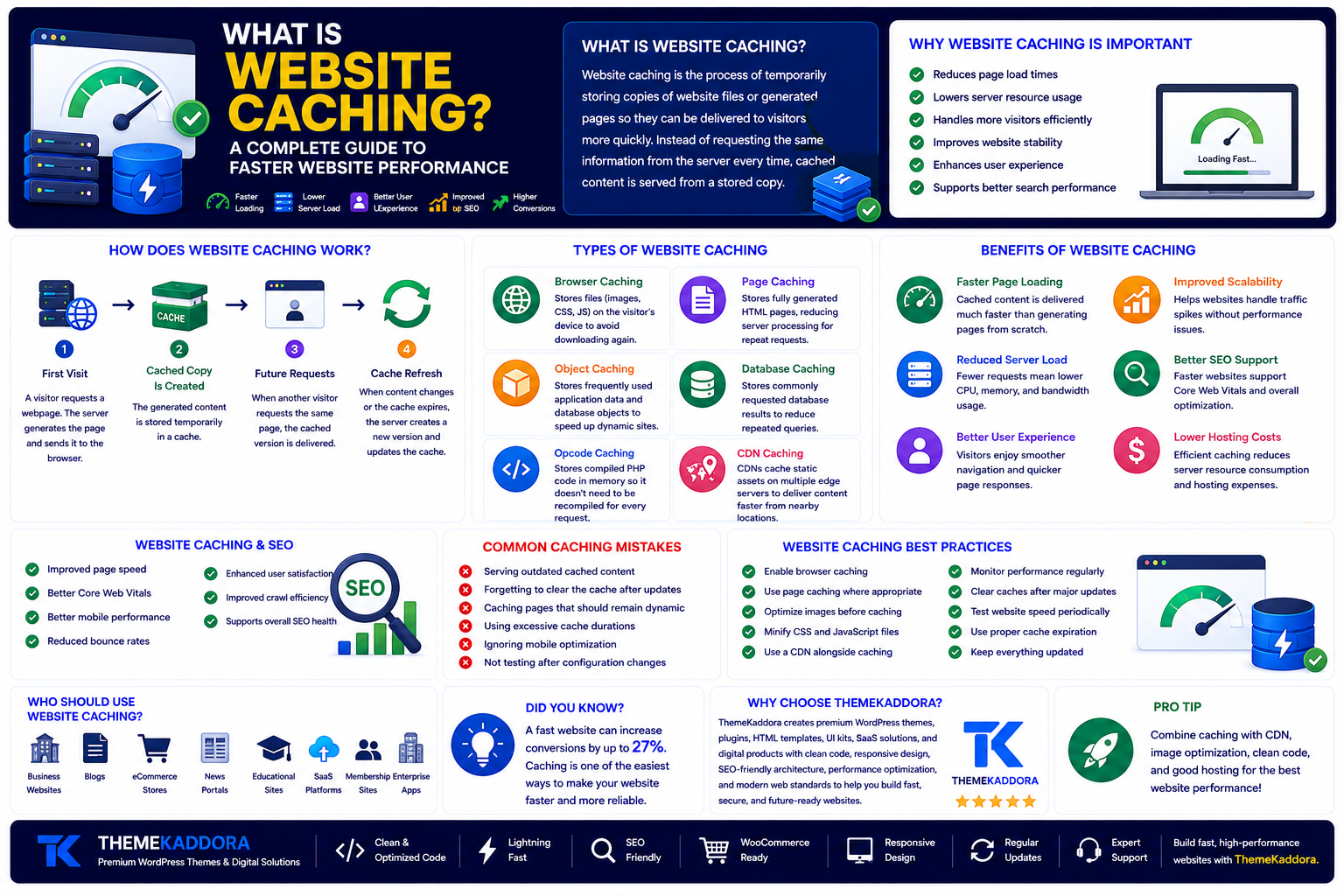
What Is Website Caching? A Complete Guide to Faster Website Performance
Introduction
Website speed has become one of the most important factors for delivering a great user experience. Whether you're running a business website, an online store, a blog, or a SaaS platform, visitors expect pages to load quickly. Even a small delay can lead to higher bounce rates, lower engagement, and fewer conversions.
One of the most effective ways to improve website performance is website caching. Caching reduces the time required to load web pages by storing frequently accessed data so it doesn't have to be generated from scratch every time someone visits your site.
In this guide, you'll learn what website caching is, how it works, the different types of caching, its benefits, common mistakes to avoid, and best practices for building a faster, more reliable website.
What Is Website Caching?
Website caching is the process of temporarily storing copies of website files or generated pages so they can be delivered to visitors more quickly.
Instead of requesting the same information from the server every time, cached content is served from a stored copy. This reduces server workload, speeds up page loading, and improves the browsing experience.
Caching can be applied to static files, dynamic pages, database queries, images, scripts, and even complete web pages.
Why Is Website Caching Important?
Every time a visitor loads a website, the server may need to process requests, query databases, generate pages, and deliver assets.
Without caching, this process repeats for every visitor.
Caching helps by:
Reducing page load times
Lowering server resource usage
Handling more visitors efficiently
Improving website stability
Enhancing user experience
Supporting better search performance
A well-configured caching strategy benefits both website owners and visitors.
How Does Website Caching Work?
Website caching follows a simple process.
Step 1: First Visit
A visitor requests a webpage. The server generates the page and sends it to the browser.
Step 2: Cached Copy Is Created
The generated content is stored temporarily in a cache.
Step 3: Future Requests
When another visitor requests the same page, the cached version is delivered instead of generating it again.
Step 4: Cache Refresh
When content changes or the cache expires, the server creates a new version and updates the cache.
This process reduces processing time and improves website responsiveness.
Types of Website Caching
Different types of caching work together to improve performance.
Browser Caching
Stores website files such as images, CSS, and JavaScript on the visitor's device so they don't need to be downloaded again.
Page Caching
Stores fully generated HTML pages, reducing server processing for repeat requests.
Object Caching
Stores frequently used application data and database objects to speed up dynamic websites.
Database Caching
Reduces the number of repeated database queries by storing commonly requested results.
Opcode Caching
Stores compiled PHP code in memory so it doesn't need to be recompiled for every request.
CDN Caching
Content Delivery Networks cache static assets across multiple edge servers, delivering files from locations closer to visitors.
Benefits of Website Caching
Implementing caching provides several advantages.
Faster Page Loading
Cached content is delivered much faster than generating pages from scratch.
Reduced Server Load
Fewer server requests mean lower CPU and memory usage.
Better User Experience
Visitors enjoy smoother navigation and quicker page responses.
Improved Scalability
Caching helps websites handle traffic spikes without significant performance issues.
Better SEO Support
Faster websites often provide a better user experience, supporting Core Web Vitals and overall website optimization.
Lower Hosting Costs
Efficient caching can reduce server resource consumption, helping websites make better use of hosting plans.
Website Caching and SEO
Caching contributes to website performance in several ways.
Benefits include:
Faster page speed
Improved Core Web Vitals
Better mobile performance
Reduced bounce rates
Enhanced user satisfaction
Improved crawl efficiency
Although quality content remains essential, performance improvements help create a stronger overall website.
Common Website Caching Mistakes
Avoid these common issues:
Serving outdated cached content
Forgetting to clear the cache after updates
Caching pages that should remain dynamic
Using excessive cache durations
Ignoring mobile optimization
Not testing after configuration changes
Regular maintenance helps prevent caching problems.
Website Caching Best Practices
For the best results:
Enable browser caching.
Use page caching where appropriate.
Optimize images before caching.
Minify CSS and JavaScript files.
Use a CDN alongside caching.
Monitor website performance regularly.
Clear caches after major updates.
Test website speed periodically.
These practices help maximize website performance.
Who Should Use Website Caching?
Caching benefits nearly every type of website, including:
Business websites
Blogs
eCommerce stores
News portals
Educational websites
Portfolio websites
Membership sites
SaaS platforms
Enterprise applications
Regardless of website size, caching can improve performance and reliability.
Why Choose ThemeKaddora?
At ThemeKaddora, we build WordPress themes, plugins, HTML templates, UI kits, SaaS solutions, and business-ready digital products with performance, scalability, and user experience in mind. Our products are developed using clean code, responsive layouts, SEO-friendly architecture, and modern optimization techniques that work seamlessly with caching solutions and CDN services.
Whether you're creating a personal website or a large business platform, ThemeKaddora helps you build websites that are fast, secure, and ready for growth.
Conclusion
Website caching is one of the easiest and most effective ways to improve website performance. By reducing server workload and delivering stored content more efficiently, caching creates faster page loads, better user experiences, and improved website reliability.
Combined with quality hosting, HTTPS, CDN integration, image optimization, and modern development practices, website caching forms a key part of a high-performing website. Investing time in a proper caching strategy helps ensure your visitors enjoy a smooth experience while supporting your website's long-term success.
Frequently Asked Questions
What is website caching?
Website caching is the process of storing temporary copies of website content so it can be delivered more quickly to future visitors.
How does website caching improve performance?
Caching reduces the need to regenerate pages and repeat database queries, allowing websites to load faster and use fewer server resources.
What are the different types of website caching?
Common types include browser caching, page caching, object caching, database caching, opcode caching, and CDN caching.
Does website caching improve SEO?
Caching improves page speed, user experience, and Core Web Vitals, which support overall website optimization and search performance.
Should every website use caching?
Most websites can benefit from caching, especially blogs, business websites, online stores, membership platforms, and high-traffic applications.
What is ThemeKaddora?
ThemeKaddora is a digital marketplace offering premium WordPress themes, plugins, HTML templates, UI kits, SaaS solutions, and business-ready digital products for developers, agencies, startups, and businesses.
Why choose ThemeKaddora?
ThemeKaddora develops high-quality digital products with clean code, responsive design, SEO-friendly architecture, performance optimization, accessibility, and security to help businesses build fast and reliable websites.
Comments (0)