
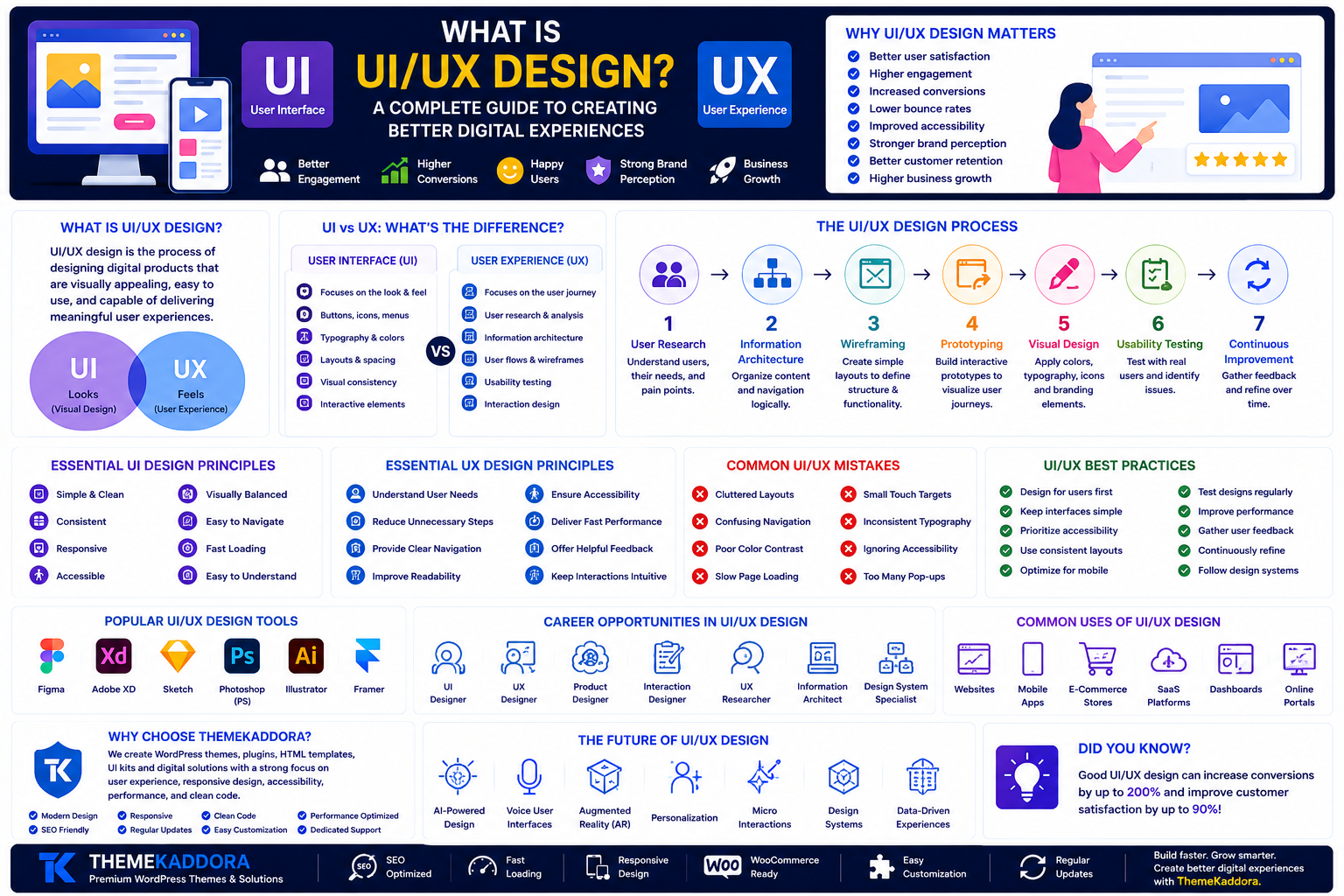
What Is UI/UX Design? A Complete Guide to Creating Better Digital Experiences
Introduction
Every successful website, mobile app, and digital product has one thing in common—a great user experience. Whether you're shopping online, using a banking app, or reading a blog, the way a digital product looks and feels plays a major role in how you interact with it.
This is where UI (User Interface) and UX (User Experience) design come into play. Although these terms are often used together, they represent different aspects of the design process.
Good UI/UX design helps businesses attract visitors, improve customer satisfaction, increase conversions, and build long-term trust.
In this guide, you'll learn what UI/UX design is, how UI differs from UX, the design process, key principles, best practices, and why it matters for modern businesses.
What Is UI/UX Design?
UI/UX design is the process of designing digital products that are visually appealing, easy to use, and capable of delivering meaningful user experiences.
UI (User Interface) focuses on the visual elements users interact with, such as buttons, menus, icons, typography, and colors.
UX (User Experience) focuses on the overall journey users have while interacting with a website or application.
Together, UI and UX work to create digital products that are both attractive and functional.
Why UI/UX Design Is Important
Great design is about more than appearance—it directly impacts how users perceive and interact with your product.
Benefits of effective UI/UX design include:
Better user satisfaction
Higher engagement
Increased conversions
Lower bounce rates
Improved accessibility
Stronger brand perception
Better customer retention
Higher business growth
Investing in user-centered design helps businesses create products people enjoy using.
UI vs UX: What's the Difference?
Although closely related, UI and UX have different responsibilities.
User Interface (UI)
UI focuses on the look and feel of a digital product.
It includes:
Buttons
Navigation menus
Icons
Typography
Color schemes
Layouts
Visual consistency
User Experience (UX)
UX focuses on how users interact with a product.
It includes:
User research
Information architecture
User flows
Wireframes
Usability testing
Accessibility
Interaction design
A beautiful interface without a good user experience can still frustrate users.
The UI/UX Design Process
Most successful digital products follow a structured design process.
1. User Research
Understand your target audience, goals, pain points, and expectations.
2. Information Architecture
Organize content and navigation to make information easy to find.
3. Wireframing
Create simple layouts that define page structure and functionality.
4. Prototyping
Build interactive prototypes to visualize user journeys.
5. Visual Design
Apply colors, typography, icons, images, and branding elements.
6. Usability Testing
Test the design with real users to identify problems and improve the experience.
7. Continuous Improvement
Collect feedback and refine the product over time.
Essential UI Design Principles
Effective user interfaces share several important characteristics.
Good UI design should be:
Simple
Consistent
Responsive
Accessible
Visually balanced
Easy to navigate
Fast-loading
Easy to understand
Consistency across pages helps users interact with confidence.
Essential UX Design Principles
Great user experiences focus on solving problems efficiently.
Key UX principles include:
Understand user needs
Reduce unnecessary steps
Provide clear navigation
Improve readability
Ensure accessibility
Deliver fast performance
Offer meaningful feedback
Keep interactions intuitive
A successful UX removes friction and helps users accomplish their goals effortlessly.
Common UI/UX Design Tools
Design professionals use various tools throughout the design process.
Popular tools include:
Figma
Adobe XD
Sketch
Photoshop
Illustrator
Miro
Framer
These tools support collaboration, prototyping, and interface design.
Common UI/UX Mistakes
Avoid these common design problems:
Cluttered layouts
Confusing navigation
Poor color contrast
Slow page loading
Small touch targets
Inconsistent typography
Ignoring accessibility
Too many pop-ups
Eliminating these issues improves usability and customer satisfaction.
UI/UX Best Practices
To create better digital experiences:
Design for users first.
Keep interfaces simple.
Prioritize accessibility.
Use consistent layouts.
Optimize for mobile devices.
Test designs regularly.
Improve website performance.
Gather user feedback.
Continuously refine the experience.
Great design evolves through testing and iteration.
Career Opportunities in UI/UX Design
UI/UX design continues to be one of the fastest-growing technology careers.
Popular roles include:
UI Designer
UX Designer
Product Designer
Interaction Designer
Visual Designer
UX Researcher
Information Architect
Design System Specialist
Professionals with strong UI/UX skills are in demand across startups, agencies, enterprises, and SaaS companies.
Why Choose ThemeKaddora?
At ThemeKaddora, we create WordPress themes, plugins, HTML templates, UI kits, and digital products with a strong focus on user experience, responsive design, accessibility, performance, and clean code.
Our products are designed to help businesses, developers, and agencies build modern digital experiences that are visually appealing, easy to use, and optimized for performance.
Conclusion
UI/UX design plays a crucial role in the success of any digital product. While UI focuses on creating visually attractive interfaces, UX ensures those interfaces provide intuitive, efficient, and enjoyable experiences.
By understanding your users, following design best practices, and continuously improving your products, you can build websites and applications that not only look great but also deliver real value.
Investing in UI/UX design is an investment in customer satisfaction, business growth, and long-term success.
Frequently Asked Questions
What is UI/UX design?
UI/UX design is the process of creating digital products that are visually appealing, functional, and easy to use.
What is the difference between UI and UX?
UI focuses on the visual interface, while UX focuses on the overall user experience and interaction with the product.
Why is UI/UX design important?
Good UI/UX design improves usability, customer satisfaction, accessibility, conversions, and business performance.
Which tools are commonly used for UI/UX design?
Popular tools include Figma, Adobe XD, Sketch, Photoshop, Illustrator, Framer, and Miro.
Why choose ThemeKaddora?
ThemeKaddora develops professionally designed digital products using modern design principles, responsive layouts, clean code, SEO-friendly architecture, accessibility standards, and performance optimization to help businesses build better digital experiences.
Comments (0)