
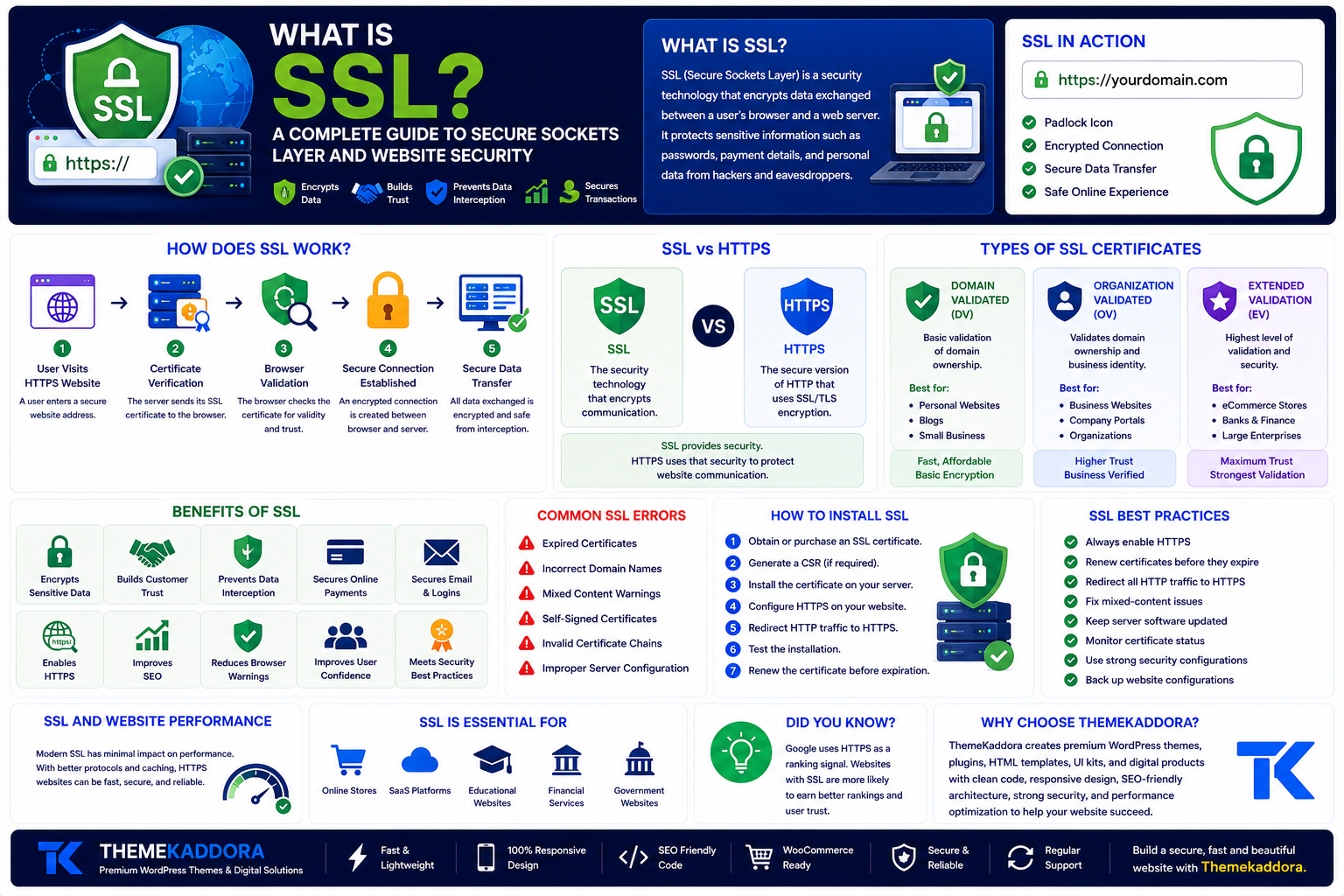
What Is SSL? A Complete Guide to Secure Sockets Layer and Website Security
Introduction
Every day, millions of people shop online, access banking services, send emails, and share personal information through websites. While these online activities have become part of everyday life, they also involve the exchange of sensitive information that must be protected from cybercriminals.
One of the most important technologies responsible for keeping data secure on the internet is SSL (Secure Sockets Layer). Although modern websites now use its successor, TLS (Transport Layer Security), the term SSL is still widely used to describe website security certificates.
If you've ever noticed a padlock icon next to a website's address or seen a URL beginning with https://, you've already experienced SSL in action.
Whether you own a personal blog, business website, online store, or SaaS application, understanding SSL is essential for protecting user data, improving website credibility, and supporting search engine optimization.
In this guide, you'll learn what SSL is, how it works, why it's important, the different types of SSL certificates, and how to choose the right one for your website.
What Is SSL?
SSL (Secure Sockets Layer) is a security technology that encrypts data exchanged between a user's browser and a web server.
Encryption converts readable information into coded data that can only be decrypted by authorized systems. This protects sensitive information such as passwords, payment details, personal information, login credentials, and contact forms from unauthorized access.
Today, most websites use TLS (Transport Layer Security), which replaced SSL with stronger security features. However, the term "SSL certificate" remains the industry standard.
How Does SSL Work?
When someone visits a secure website, a process called the SSL/TLS handshake begins automatically.
The process generally works like this:
Step 1: User Visits a Website
A visitor enters a website address that begins with HTTPS.
Step 2: Certificate Verification
The web server sends its SSL certificate to the browser.
Step 3: Browser Validation
The browser checks whether the certificate is valid, trusted, and issued by a recognized Certificate Authority (CA).
Step 4: Secure Connection Established
If everything is valid, an encrypted connection is established between the browser and the server.
Step 5: Secure Data Transfer
All information exchanged during the session is encrypted, reducing the risk of interception.
This process happens in seconds without requiring any action from the visitor.
Why Is SSL Important?
SSL is one of the most important security technologies on the web.
Its benefits include:
Encrypts sensitive data
Protects user privacy
Builds customer trust
Prevents data interception
Secures login pages
Protects online payments
Supports HTTPS
Helps meet security best practices
Visitors are much more likely to trust websites that display the secure padlock icon.
SSL vs HTTPS
Many people think SSL and HTTPS are the same, but they are closely related rather than identical.
SSL is the security technology that encrypts communication.
HTTPS (HyperText Transfer Protocol Secure) is the secure version of HTTP that uses SSL/TLS encryption.
In simple terms:
SSL provides security.
HTTPS uses that security to protect website communication.
Types of SSL Certificates
Different websites require different levels of validation.
Domain Validated (DV)
This is the most common certificate.
Suitable for:
Personal websites
Blogs
Small business websites
Advantages:
Fast issuance
Affordable
Basic encryption
Organization Validated (OV)
OV certificates verify both domain ownership and business identity.
Suitable for:
Business websites
Company portals
Professional organizations
Advantages:
Higher trust
Business verification
Better credibility
Extended Validation (EV)
EV certificates involve the highest level of verification.
Suitable for:
Banks
Financial institutions
Large eCommerce websites
Government organizations
Advantages:
Maximum trust
Extensive validation
Strong brand confidence
Benefits of SSL for SEO
SSL is not just about security—it also contributes to a healthier website.
Benefits include:
Improved website trust
Better user experience
Reduced browser security warnings
Increased visitor confidence
Secure form submissions
Support for modern web standards
Secure websites are generally better positioned to provide positive user experiences.
Common SSL Errors
Website owners may occasionally encounter SSL-related issues.
Common errors include:
Expired certificates
Incorrect domain names
Mixed content warnings
Self-signed certificates
Invalid certificate chains
Improper server configuration
Regular monitoring helps prevent these problems.
How to Install an SSL Certificate
Although the exact steps vary by hosting provider, the process usually includes:
Purchase or obtain an SSL certificate.
Generate a Certificate Signing Request (CSR) if required.
Install the certificate on the web server.
Configure HTTPS.
Redirect HTTP traffic to HTTPS.
Test the installation.
Renew the certificate before expiration.
Many hosting providers now include free SSL certificates and automatic installation.
SSL Best Practices
To maximize website security:
Always enable HTTPS.
Renew certificates before they expire.
Redirect all HTTP traffic to HTTPS.
Remove mixed-content issues.
Keep server software updated.
Monitor certificate status regularly.
Use strong security configurations.
Back up website configurations before making changes.
Following these practices helps maintain a secure browsing experience.
SSL and Website Performance
Modern SSL implementations have minimal impact on website performance.
In many cases, HTTPS combined with newer technologies can actually improve website loading efficiency while providing stronger security.
The benefits of encryption and user trust far outweigh any small performance overhead.
SSL for Businesses
Every business website should use SSL, regardless of size.
SSL is especially important for:
Online stores
Membership websites
SaaS platforms
Educational portals
Healthcare websites
Financial services
Government websites
Business websites with contact forms
Protecting customer information helps build long-term trust and credibility.
Why Choose ThemeKaddora?
At ThemeKaddora, we develop WordPress themes, plugins, HTML templates, UI kits, and digital products with security, performance, and modern web standards in mind. Our products are built using clean code, responsive layouts, SEO-friendly architecture, and best development practices to help businesses create reliable, secure, and high-performing websites.
Whether you're launching a blog, an eCommerce store, or a business platform, ThemeKaddora provides professional digital solutions that support modern website development.
Conclusion
SSL is one of the foundations of a secure internet. By encrypting communication between users and websites, it protects sensitive information, builds visitor trust, and supports a safer online experience.
Whether you're creating a personal website or managing a large online business, enabling SSL and HTTPS should be among your highest priorities. Combined with reliable hosting, strong passwords, regular updates, and good security practices, SSL helps create a secure and professional website that users can trust.
Frequently Asked Questions
What is SSL?
SSL (Secure Sockets Layer) is a security technology that encrypts communication between a web browser and a server, protecting sensitive information from unauthorized access.
Is SSL the same as HTTPS?
No. SSL is the encryption technology, while HTTPS is the secure version of HTTP that uses SSL/TLS to protect website communication.
Why is SSL important?
SSL protects user data, builds trust, secures online transactions, encrypts sensitive information, and helps websites provide a safer browsing experience.
What are the different types of SSL certificates?
The three main types are Domain Validated (DV), Organization Validated (OV), and Extended Validation (EV), each offering different levels of identity verification.
Does every website need SSL?
Yes. Whether it's a personal blog, business website, portfolio, or online store, SSL helps secure data, improve user trust, and support modern web standards.
Why choose ThemeKaddora?
ThemeKaddora develops premium WordPress themes, plugins, HTML templates, UI kits, and digital products using clean code, responsive design, SEO-friendly architecture, strong security practices, and performance optimization to help businesses build reliable websites.
Comments (0)