
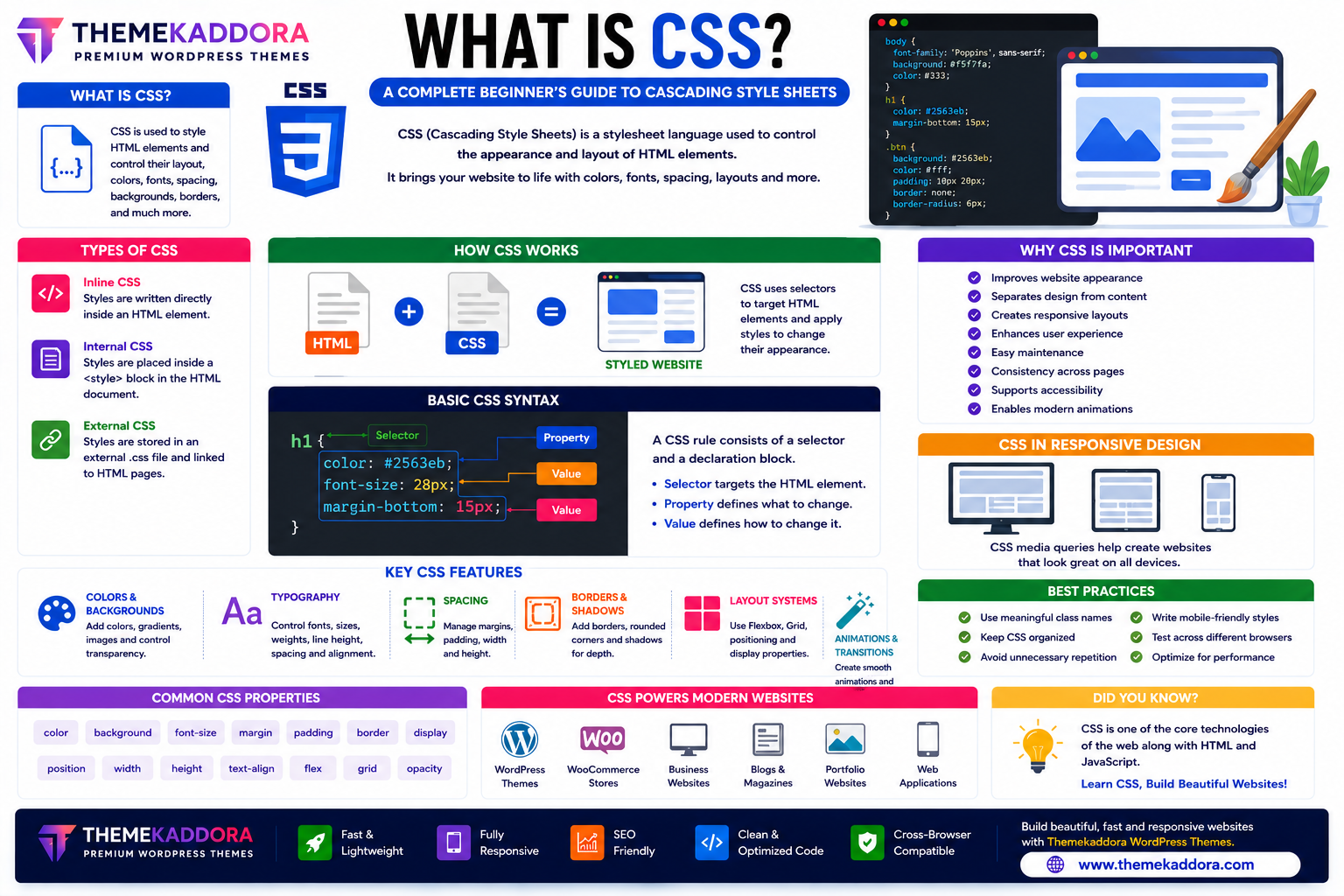
What is CSS? A Complete Beginner's Guide to Cascading Style Sheets
Introduction
Every attractive website you visit—from online stores and blogs to business websites and web applications—uses CSS (Cascading Style Sheets) to control its visual appearance.
Without CSS, websites would display as plain text and basic HTML elements with little visual structure. CSS transforms that raw content into professional layouts with colors, typography, spacing, animations, and responsive designs.
Whether you're a beginner learning web development or a business owner interested in how websites are built, understanding CSS is an essential step toward creating modern, user-friendly websites.
This guide explains what CSS is, how it works, its key features, and why it plays a critical role in modern web development.
What is CSS?
CSS (Cascading Style Sheets) is a stylesheet language used to describe how HTML elements should appear in a web browser.
While HTML defines the structure of a webpage, CSS controls its presentation, including:
Colors
Fonts
Layouts
Margins
Padding
Backgrounds
Borders
Animations
Responsive behavior
Together, HTML and CSS create the foundation of modern websites.
Why CSS is Important
CSS offers numerous advantages for web development:
Improves website appearance
Separates design from content
Creates responsive layouts
Enhances user experience
Simplifies maintenance
Improves consistency across pages
Supports accessibility
Enables modern animations
A well-designed stylesheet makes websites easier to maintain and more enjoyable to use.
How CSS Works
CSS applies rules to HTML elements using selectors.
Each rule generally consists of:
A selector that identifies the element(s)
One or more properties to style those elements
Corresponding values for each property
For example, a rule might define the text color, font size, or spacing for all headings on a page.
Types of CSS
Inline CSS
Styles are written directly inside an HTML element.
Best suited for small, one-time style changes.
Internal CSS
Styles are placed inside a <style> block within the HTML document.
Useful for styling a single page.
External CSS
Styles are stored in a separate .css file and linked to one or more HTML pages.
Benefits include:
Easier maintenance
Reusable styles
Faster updates
Cleaner HTML
External stylesheets are the standard approach for modern websites.
Essential CSS Features
Colors and Backgrounds
CSS allows developers to customize:
Text colors
Background colors
Background images
Gradients
Transparency
These features help create visually appealing interfaces.
Typography
CSS provides full control over:
Font family
Font size
Font weight
Line height
Letter spacing
Text alignment
Readable typography improves user experience.
Spacing
Control layout using:
Margins
Padding
Width
Height
Proper spacing makes content easier to scan and understand.
Borders and Shadows
CSS supports:
Rounded corners
Borders
Box shadows
Text shadows
These effects add depth and polish to a design.
Layout Systems
Modern CSS includes powerful layout tools such as:
Flexbox
Grid
Positioning
Responsive containers
These systems simplify complex page layouts.
Animations and Transitions
CSS enables smooth visual effects including:
Hover animations
Fade effects
Sliding elements
Rotations
Scaling
Loading animations
Thoughtful animations improve engagement without overwhelming users.
Benefits of CSS
Using CSS provides:
Faster website development
Consistent design
Responsive layouts
Easier maintenance
Better scalability
Cleaner HTML
Improved accessibility
Professional appearance
These benefits make CSS indispensable for modern websites.
CSS in Responsive Web Design
CSS works with HTML to create websites that adapt to different screen sizes.
Responsive techniques help websites function effectively on:
Smartphones
Tablets
Laptops
Desktop computers
A responsive design provides a consistent experience across devices.
Best Practices for Writing CSS
To create maintainable stylesheets:
Use meaningful class names.
Organize CSS into logical sections.
Avoid unnecessary repetition.
Keep selectors simple.
Write mobile-friendly styles.
Remove unused CSS regularly.
Test across multiple browsers.
Clean CSS improves both performance and maintainability.
Common CSS Mistakes
Avoid:
Excessive use of inline styles
Deeply nested selectors
Duplicate CSS rules
Fixed-width layouts
Unoptimized animations
Poor organization
Following modern CSS practices results in cleaner, faster websites.
CSS in WordPress Themes
Professional WordPress themes—including Themekaddora themes—rely on modern CSS for:
Responsive layouts
Typography
Navigation menus
Buttons
WooCommerce styling
Dark mode support
Page builders
Performance optimization
Well-written CSS contributes to a polished and consistent user experience.
Conclusion
CSS is one of the core technologies of the web. It transforms basic HTML into visually appealing, responsive, and user-friendly websites.
From typography and layouts to animations and responsive design, CSS gives developers complete control over a website's appearance while keeping the code organized and maintainable.
When combined with HTML5 and responsive WordPress themes from Themekaddora, CSS helps create fast, professional websites that look great on every device.
Frequently Asked Questions (FAQs)
What is CSS?
CSS (Cascading Style Sheets) is a stylesheet language used to control the appearance and layout of HTML webpages.
Is CSS difficult to learn?
No. CSS is beginner-friendly and is one of the first technologies new web developers learn after HTML.
Can I build a website without CSS?
Yes, but it will have minimal styling. CSS is essential for creating attractive, responsive, and user-friendly websites.
What is the difference between HTML and CSS?
HTML structures webpage content, while CSS controls how that content looks and is displayed.
Why do Themekaddora WordPress themes use modern CSS?
Themekaddora themes use modern CSS techniques to deliver responsive layouts, clean typography, fast performance, WooCommerce compatibility, and professional designs that work across all modern devices and browsers.
Comments (0)