
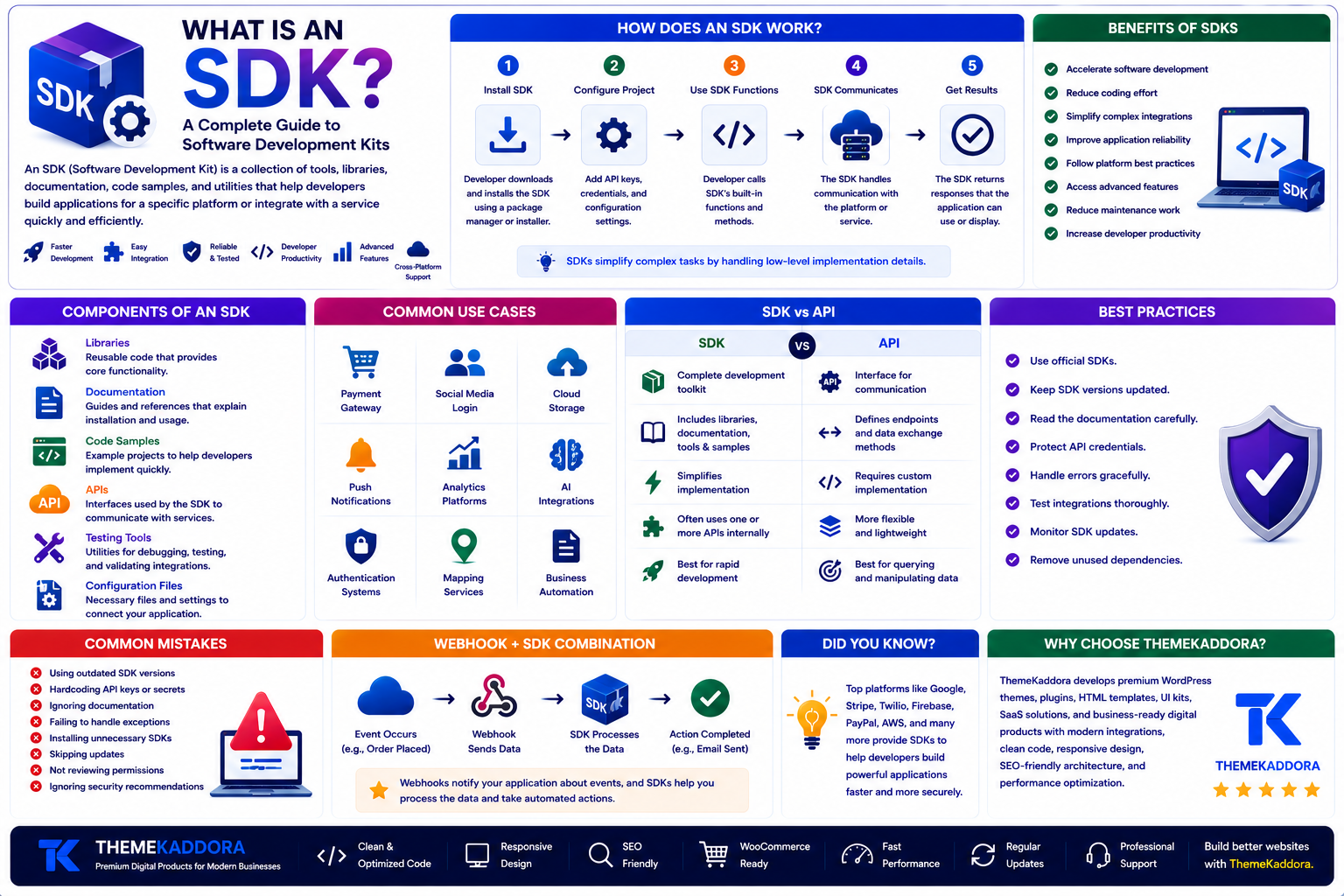
What Is an SDK? A Complete Guide to Software Development Kits
Introduction
Modern software development relies on reusable tools that help developers build applications faster and more efficiently. Whether you're integrating payment gateways, adding social login, connecting cloud storage, or building a mobile application, you've likely encountered an SDK.
Instead of writing every feature from scratch, developers use Software Development Kits (SDKs) to simplify complex integrations and accelerate development. SDKs provide pre-built tools, libraries, documentation, and sample code that reduce development time and improve reliability.
From WordPress plugins and SaaS platforms to Android apps, iOS applications, and cloud services, SDKs are an essential part of today's software ecosystem.
In this guide, you'll learn what an SDK is, how it works, its components, benefits, common use cases, best practices, and how it compares with APIs.
What Is an SDK?
SDK stands for Software Development Kit.
An SDK is a collection of software tools, libraries, documentation, code samples, and utilities that help developers build applications for a specific platform or integrate with a particular service.
Rather than creating every feature manually, developers use SDKs to speed up development while following the recommended implementation provided by the platform or service.
Why Are SDKs Important?
Developing every feature from scratch is time-consuming and increases the risk of errors.
SDKs help developers:
Accelerate software development
Simplify complex integrations
Reduce coding effort
Improve application reliability
Follow platform standards
Access advanced features
Reduce maintenance work
Build applications more efficiently
Because of these advantages, SDKs are widely used across web, mobile, desktop, and cloud development.
How Does an SDK Work?
An SDK typically follows a straightforward workflow.
Step 1: Install the SDK
The developer downloads or installs the SDK using a package manager or official installer.
Step 2: Configure the Project
API keys, credentials, or configuration settings are added to the application.
Step 3: Use SDK Functions
The developer calls the SDK's built-in methods instead of writing low-level integration code.
Step 4: SDK Communicates with the Service
The SDK handles communication with the underlying API or platform.
Step 5: Application Receives Results
The SDK returns responses that the application can display or process.
This approach simplifies development and reduces implementation errors.
Components of an SDK
A Software Development Kit usually includes several components.
Libraries
Reusable code that provides functionality for developers.
Documentation
Guides explaining installation, configuration, and usage.
Code Samples
Example projects that demonstrate common implementations.
APIs
Interfaces used by the SDK to communicate with external services.
Testing Tools
Utilities for debugging and validating integrations.
Configuration Files
Settings required to connect the application with the target platform.
Benefits of SDKs
SDKs provide many advantages.
Faster Development
Developers spend less time writing repetitive code.
Easier Integration
Complex services can often be added with only a few lines of code.
Better Reliability
Official SDKs are tested and maintained by platform providers.
Consistent Development
SDKs encourage standardized implementation across projects.
Improved Productivity
Teams can focus on business logic instead of infrastructure code.
Common Use Cases
SDKs are widely used for:
Payment gateway integration
Mobile app development
Social media login
Cloud storage services
Push notifications
AI integrations
Analytics platforms
Authentication systems
Mapping services
Business automation software
SDK vs API
Although closely related, SDKs and APIs are different.
SDK
Complete development toolkit
Includes libraries, documentation, and utilities
Simplifies implementation
Often uses one or more APIs internally
Best for rapid development
API
Interface for communication
Defines how applications exchange data
Requires implementation by developers
More flexible
Focuses on communication between systems
Many SDKs are built on top of APIs, making them complementary technologies.
SDK Best Practices
For successful integration:
Use official SDKs whenever possible.
Keep SDK versions updated.
Read the documentation carefully.
Protect API credentials.
Handle errors gracefully.
Test integrations thoroughly.
Monitor SDK updates.
Remove unused dependencies.
These practices improve security, performance, and maintainability.
Common SDK Mistakes
Avoid these common issues:
Using outdated SDK versions
Hardcoding API keys
Ignoring documentation
Failing to handle exceptions
Installing unnecessary SDKs
Skipping updates
Not reviewing permissions
Ignoring security recommendations
Proper implementation helps build reliable applications.
Why Choose ThemeKaddora?
At ThemeKaddora, we develop WordPress themes, plugins, HTML templates, UI kits, SaaS solutions, and business-ready digital products using modern development standards. Our products integrate with APIs, SDKs, cloud platforms, authentication systems, and automation services to deliver secure, scalable, and high-performance digital experiences.
Whether you're building a business website, custom application, or SaaS platform, ThemeKaddora provides professional solutions designed for modern software development.
Conclusion
Software Development Kits make it easier for developers to build applications by providing ready-to-use tools, libraries, documentation, and utilities. They reduce development time, simplify integrations, and improve application reliability.
Whether you're integrating payment services, cloud platforms, AI tools, or authentication providers, SDKs help streamline development while following platform best practices. Understanding SDKs is an essential step for anyone building modern software solutions.
Frequently Asked Questions
What is an SDK?
An SDK (Software Development Kit) is a collection of tools, libraries, documentation, and code samples that help developers build applications or integrate with specific platforms.
How is an SDK different from an API?
An API defines how software communicates, while an SDK provides a complete toolkit that often includes APIs, libraries, documentation, and utilities.
Why do developers use SDKs?
SDKs reduce development time, simplify integrations, improve reliability, and help developers follow platform standards.
Can an SDK contain APIs?
Yes. Many SDKs use one or more APIs internally while providing easier-to-use functions for developers.
Are SDKs only for mobile development?
No. SDKs are used for web applications, desktop software, cloud platforms, IoT devices, AI services, payment systems, and many other technologies.
Why choose ThemeKaddora?
ThemeKaddora develops high-quality digital products with clean code, responsive design, SEO-friendly architecture, modern integrations, strong security practices, and performance optimization.
Comments (0)