
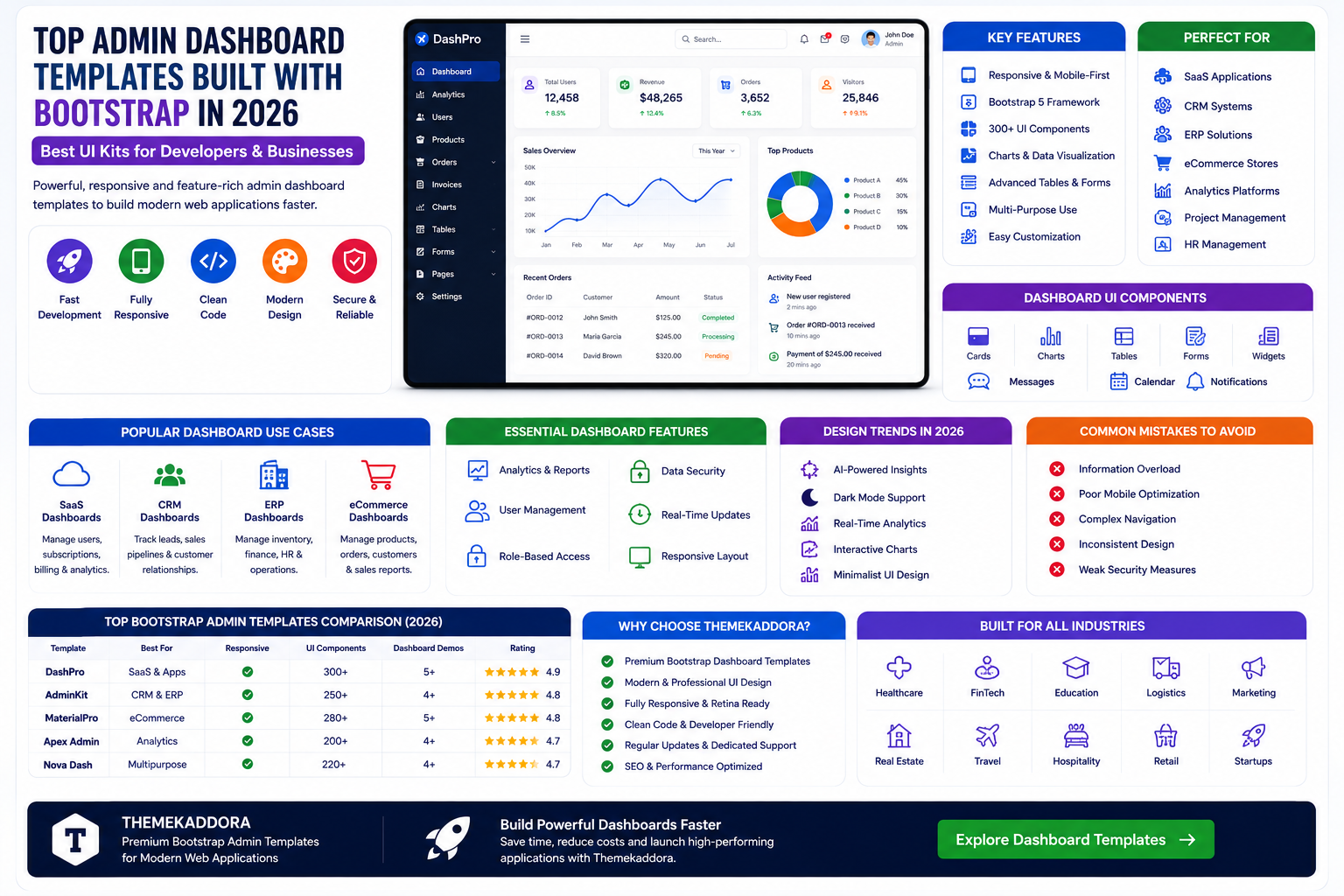
Top Admin Dashboard Templates Built with Bootstrap in 2026: Best UI Kits for Developers and Businesses
Introduction
Modern web applications require powerful, intuitive, and visually appealing admin dashboards. Whether you're building a SaaS platform, CRM system, ERP solution, eCommerce store, analytics platform, or enterprise application, a professional admin dashboard is essential for managing data and improving productivity.
Building an admin interface from scratch can take weeks or even months. Bootstrap admin dashboard templates provide a faster and more cost-effective solution by offering ready-made layouts, UI components, charts, tables, forms, and analytics widgets.
In 2026, businesses are increasingly adopting responsive, scalable, and user-friendly dashboard templates to streamline operations and improve user experiences.
This guide explores the benefits of Bootstrap admin dashboard templates, key features to look for, and how they can accelerate software development.
What Is an Admin Dashboard Template?
An admin dashboard template is a pre-designed user interface used to manage applications, websites, customer data, reports, and business processes.
Common uses include:
CRM systems
ERP software
SaaS applications
eCommerce management
Project management tools
Analytics platforms
HR management systems
Admin templates provide developers with a strong foundation for building professional web applications.
Why Bootstrap Is Ideal for Admin Dashboards
Bootstrap remains one of the most popular front-end frameworks because it offers:
Responsive Grid System
Ensures dashboards work perfectly on:
Mobile devices
Tablets
Laptops
Desktop screens
Reusable Components
Bootstrap includes:
Buttons
Forms
Navigation menus
Cards
Tables
Alerts
This speeds up development significantly.
Cross-Browser Compatibility
Applications function consistently across all major browsers.
Benefits of Using Bootstrap Admin Templates
Faster Development
Developers can focus on functionality instead of UI design.
Reduced Costs
Pre-built templates eliminate expensive custom dashboard development.
Professional Appearance
Modern templates provide enterprise-level design standards.
Easy Customization
Modify colors, layouts, widgets, and branding quickly.
Essential Features of Modern Dashboard Templates
Responsive Design
Modern dashboards must adapt seamlessly across devices.
Benefits include:
Better accessibility
Improved usability
Mobile workforce support
Analytics Widgets
Analytics sections often include:
Sales reports
Revenue charts
Traffic metrics
Customer insights
Data visualization improves decision-making.
Advanced Tables
Business applications frequently manage large datasets.
Table features include:
Sorting
Filtering
Searching
Pagination
Form Components
Forms are essential for data management.
Examples include:
Registration forms
User management forms
Settings pages
Product management interfaces
Admin Templates for SaaS Applications
SaaS businesses require dashboards that manage:
Customer Accounts
Track subscriptions and user activity.
Billing Information
Monitor payments and invoices.
Analytics
Measure platform performance.
User Permissions
Control access levels and security.
Professional dashboards improve customer satisfaction and operational efficiency.
Dashboard Templates for CRM Systems
CRM software relies heavily on dashboards.
Important sections include:
Lead management
Sales pipelines
Customer profiles
Performance reports
A clean dashboard helps teams work more efficiently.
Dashboard Templates for ERP Solutions
ERP systems manage multiple business functions.
Typical dashboard modules include:
Inventory Management
Monitor stock levels and products.
Finance Management
Track revenue and expenses.
Human Resources
Manage employees and payroll.
Reporting
Generate business insights.
Bootstrap dashboards simplify ERP interface development.
Dashboard Templates for eCommerce Platforms
Online stores need admin interfaces for:
Product management
Order tracking
Customer management
Inventory control
Marketing analytics
Responsive dashboards help store owners manage operations effectively.
UI Components Every Dashboard Should Include
Navigation Sidebar
Easy access to application modules.
User Profiles
Manage account settings and permissions.
Notification Systems
Alert users about important events.
Charts and Graphs
Visualize business data.
Calendar Integration
Track schedules and events.
Search Functionality
Improve navigation and productivity.
Security Features for Admin Dashboards
Modern dashboards should support:
Authentication Systems
Protect user accounts.
Role-Based Access
Limit access based on permissions.
Activity Logs
Monitor user actions.
Data Encryption
Protect sensitive information.
Security remains critical for business applications.
Performance Optimization for Dashboards
Fast dashboards improve productivity.
Best practices include:
Optimized assets
Lazy loading
Efficient database queries
Lightweight UI components
Performance directly impacts user satisfaction.
Dashboard Design Trends in 2026
AI-Powered Insights
Artificial intelligence helps generate reports and recommendations.
Dark Mode Support
Increasingly popular among professionals.
Real-Time Analytics
Businesses demand instant access to data.
Interactive Data Visualization
Advanced charts improve reporting capabilities.
Minimalist UI
Clean interfaces reduce distractions and improve usability.
Common Dashboard Design Mistakes
Information Overload
Too much data can overwhelm users.
Poor Mobile Optimization
Mobile accessibility is increasingly important.
Complex Navigation
Simple navigation improves productivity.
Inconsistent Design
Consistency enhances user experience.
Weak Security Measures
Admin panels require strong protection.
Why Choose Themekaddora Bootstrap Dashboard Templates?
Themekaddora offers premium Bootstrap admin templates designed for developers, startups, SaaS companies, and enterprises.
Benefits include:
Modern UI Design
Professional and user-friendly interfaces.
Fully Responsive Layouts
Optimized for all devices.
Multiple Dashboard Variations
Support various industries and applications.
Easy Customization
Adapt dashboards to your project requirements.
SEO and Performance Optimization
Built with modern development standards.
Developer-Friendly Structure
Clean code and scalable architecture.
Industries That Benefit from Dashboard Templates
Bootstrap dashboard templates are ideal for:
SaaS Platforms
CRM Software
ERP Systems
Healthcare Applications
FinTech Solutions
Educational Platforms
Logistics Software
Marketing Tools
eCommerce Stores
Project Management Systems
Conclusion
Admin dashboards are essential components of modern web applications.
Bootstrap dashboard templates provide businesses and developers with powerful, responsive, and scalable interfaces that accelerate development and improve user experiences.
By choosing a professional dashboard template from Themekaddora, developers can save time, reduce costs, and create enterprise-grade applications that meet modern business requirements.
Whether you're building a CRM, ERP, SaaS platform, analytics tool, or eCommerce application, Bootstrap dashboard templates remain one of the smartest solutions available in 2026.
Frequently Asked Questions
What is a Bootstrap admin dashboard template?
A pre-designed user interface used to manage web applications and business systems.
Why use Bootstrap for dashboards?
Bootstrap provides responsiveness, reusable components, and faster development.
Are dashboard templates mobile-friendly?
Yes. Modern Bootstrap templates are fully responsive.
Can dashboard templates be customized?
Absolutely. Developers can modify layouts, colors, widgets, and functionality.
Are Bootstrap dashboards suitable for SaaS applications?
Yes. Many SaaS platforms use Bootstrap-based admin panels.
Do dashboard templates support analytics?
Most templates include charts, reports, and data visualization tools.
Why choose Themekaddora dashboard templates?
Themekaddora offers responsive, scalable, developer-friendly dashboard solutions.
Are dashboard templates useful for ERP and CRM systems?
Yes. They provide the foundation for enterprise software applications.
Comments (0)