
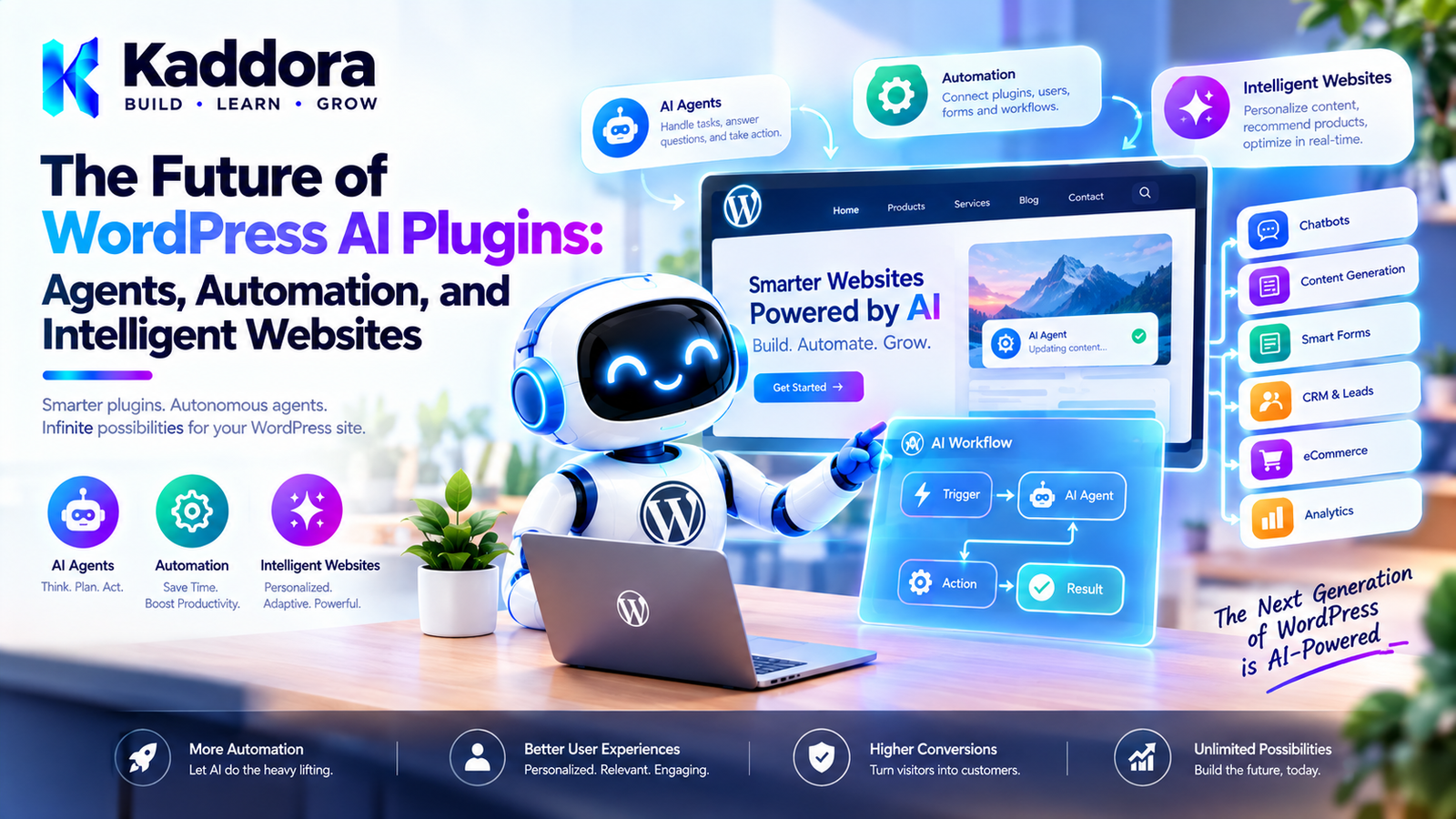
The Future of WordPress AI Plugins: Agents, Automation, and Intelligent Websites
Introduction
WordPress has evolved from a simple blogging platform into a flexible application platform used for publishing, ecommerce, memberships, education, business management, marketing, and SaaS products.
Artificial intelligence is creating another major shift.
Traditional WordPress plugins generally wait for a user, administrator, scheduled event, or external request to trigger an operation.
AI-powered plugins can go further.
They can understand natural-language requests, retrieve information, recommend actions, generate content, use controlled tools, automate workflows, and assist users across different parts of a website.
This creates a new generation of intelligent WordPress websites.
The future is not simply about adding a chatbot to WordPress.
It is about building systems where:
WordPress ↓ AI Understanding ↓ Context ↓ Reasoning ↓ Controlled Tools ↓ Automation ↓ Human Approval ↓ Action
The most successful WordPress AI plugins will combine artificial intelligence with reliable WordPress architecture rather than treating AI as an isolated feature.
What Is the Future of WordPress AI?
The future of WordPress AI is likely to move from simple AI-assisted features toward more integrated systems.
Early AI plugins commonly focused on:
Content generation
Chatbots
Rewriting
Summarization
Image generation
Modern AI architectures increasingly support:
AI agents
Tool calling
Workflow automation
Natural-language site management
AI search
Knowledge bases
Personalized experiences
WooCommerce assistants
Developer copilots
Autonomous background tasks
A simplified evolution looks like:
AI Generation ↓ AI Assistance ↓ AI Tools ↓ AI Agents ↓ AI Automation ↓ Intelligent Websites
From AI Features to AI Systems
A single AI feature might generate a product description.
An AI system can manage a complete workflow.
For example:
New Product Created ↓ AI Reads Product Information ↓ Generate Description ↓ Generate SEO Metadata ↓ Check Content ↓ Create Draft ↓ Notify Administrator
The important shift is from:
"AI generates something."
to:
"AI participates in a controlled application workflow."
What Is an Intelligent WordPress Website?
An intelligent WordPress website uses AI to understand information, assist users, automate tasks, or personalize experiences.
For example:
Visitor ↓ Natural Language Question ↓ Website Knowledge ↓ AI ↓ Relevant Answer
An ecommerce website could instead use:
Customer ↓ "I need a waterproof backpack for travel." ↓ AI ↓ Product Search ↓ Relevant Products ↓ Recommendation
The website becomes more responsive to user intent.
AI Agents in WordPress
AI agents are likely to become one of the most important areas of WordPress AI development.
An AI agent can be designed to:
Understand a goal.
Determine what information it needs.
Select approved tools.
Perform tasks.
Evaluate results.
Continue or stop based on predefined rules.
For example:
Administrator: "Prepare this week's content." ↓ AI Agent ↓ Review content calendar ↓ Find missing topics ↓ Generate drafts ↓ Create SEO metadata ↓ Save drafts ↓ Notify administrator
The agent should not automatically receive unrestricted access to the WordPress installation.
AI Agents Need Controlled Tools
An intelligent agent becomes useful when it can interact with applications.
WordPress provides many potential tools:
Get Post Search Posts Create Draft Update Metadata Get Product Search Products Create Report Send Notification
However, tools should have explicit permissions.
A safe architecture is:
AI Agent ↓ Approved Tool ↓ Permission Check ↓ Input Validation ↓ WordPress Action
AI should request an operation, but WordPress remains responsible for determining whether the operation is allowed.
Human Approval Will Remain Important
AI automation does not mean every action should be completely autonomous.
Consider an AI system that wants to:
Publish 50 articles
A safer workflow is:
AI ↓ Generate proposals ↓ Quality checks ↓ Human review ↓ Approve ↓ Publish
For sensitive operations such as:
Refunds
Payments
User deletion
Product deletion
Publishing
Email campaigns
Account changes
human approval can provide an important safety boundary.
AI-Powered WordPress Automation
Automation is another major direction.
Instead of manually performing repetitive tasks, administrators can define workflows such as:
New Order ↓ Analyze Order ↓ Detect Risk ↓ Generate Summary ↓ Notify Staff
Or:
New Blog Post ↓ Generate Excerpt ↓ Generate Social Copy ↓ Generate FAQ ↓ Create Draft Assets
AI adds decision-making and language understanding to traditional automation.
Natural-Language Automation
One particularly interesting direction is allowing users to describe workflows in natural language.
For example:
"Whenever a new WooCommerce product is published, generate a concise description and SEO title, then save the result as a draft for review."
The system could convert that instruction into:
Trigger: Product Published Action: Retrieve Product Action: Generate Description Action: Generate SEO Title Action: Save Draft Approval: Administrator
The AI helps configure the workflow, while the application executes only supported operations.
AI Workflow Builders
Visual workflow builders can make AI automation easier for non-developers.
A future interface might provide:
[Product Published] ↓ [AI Generate] ↓ [Condition] ↙ ↘ [Approve] [Reject] ↓ [Save]
Users can combine:
Triggers
AI actions
WordPress actions
Conditions
Delays
Approvals
Notifications
External integrations
This brings AI automation closer to visual application building.
AI-Powered WordPress Search
Traditional search often depends heavily on matching words.
AI-powered search can understand intent.
For example, a visitor may search:
"What should I use to protect a wooden table outdoors?"
Instead of requiring the visitor to know exact product terminology, an intelligent search system can identify relevant concepts.
The architecture can be:
Natural Language Query ↓ Search / Retrieval ↓ Relevant Content ↓ AI Interpretation ↓ Answer
This can improve large documentation sites, stores, membership websites, and knowledge bases.
Retrieval-Augmented Generation
RAG can become an important architecture for WordPress AI.
Instead of asking an AI model to answer based only on general knowledge:
Question ↓ AI
a website can retrieve relevant internal information:
Question ↓ WordPress Knowledge ↓ Relevant Content ↓ AI ↓ Answer
Potential knowledge sources include:
Posts
Pages
Products
Documentation
FAQs
Custom post types
Internal knowledge bases
This helps AI responses remain grounded in website-specific information.
AI and WordPress Content Management
AI will increasingly assist content teams.
Possible workflows include:
Topic ↓ Research ↓ Outline ↓ Draft ↓ SEO Suggestions ↓ FAQ ↓ Internal Linking Suggestions ↓ Human Review ↓ Publish
The important principle is that AI should support editorial workflows rather than automatically producing large quantities of unreviewed content.
AI Content Optimization
AI can help existing WordPress content rather than only generating new content.
For example:
Existing Article ↓ AI Analysis ↓ Identify Missing Topics ↓ Suggest Improvements ↓ Update Draft ↓ Human Review
Other possibilities include:
Content summaries
Heading suggestions
Readability analysis
FAQ suggestions
Internal-link recommendations
Metadata suggestions
Content refresh workflows
AI and WordPress SEO
AI can become part of an SEO workflow without replacing SEO fundamentals.
For example:
Keyword Research ↓ Content Strategy ↓ AI Assistance ↓ Human Review ↓ Technical SEO ↓ Publish
AI can help with:
Title ideas
Meta descriptions
Content outlines
Entity suggestions
FAQ generation
Internal-link suggestions
Search-intent analysis
However, AI-generated content should still be evaluated for accuracy, usefulness, originality, and relevance.
AI-Powered WooCommerce
WooCommerce is one of the strongest opportunities for WordPress AI.
An AI ecommerce assistant could understand customer intent.
For example:
"I need a lightweight backpack for a three-day trip."
The system could:
Understand Requirements ↓ Search Products ↓ Check Attributes ↓ Filter Results ↓ Recommend Products
Future WooCommerce AI plugins may combine:
Product search
Recommendations
Product comparisons
Customer support
Review summaries
Product content
Inventory insights
Order assistance
Personalized shopping
AI Product Recommendations
AI can move recommendations beyond simple:
Customers also bought...
A conversational system could ask:
What will you use the product for? What is your budget? Which features matter most?
Then use WooCommerce data to identify suitable products.
The AI should retrieve actual product information rather than inventing prices, specifications, or stock status.
AI Customer Support
AI-powered WordPress support systems can answer common questions using website information.
For example:
Customer Question ↓ Knowledge Retrieval ↓ AI ↓ Answer
If the system cannot find reliable information, it should be able to say so.
A good support architecture should also provide escalation:
AI Support ↓ Unable to Resolve ↓ Human Support
AI Personalization
Another possible direction is personalized website experiences.
For example:
Visitor Behavior ↓ Context ↓ AI / Rules ↓ Relevant Content
Potential applications include:
Product recommendations
Content recommendations
Personalized onboarding
Learning paths
Search results
Support suggestions
Personalization should be designed with privacy in mind.
Do not collect or transmit unnecessary personal information simply because AI makes it technically possible.
AI-Powered WordPress Administration
WordPress administrators may increasingly interact with websites through natural language.
Instead of navigating through multiple screens, an administrator might request:
"Show me the products that have low stock and generate a summary."
The system could:
Understand Request ↓ Query WooCommerce ↓ Analyze Results ↓ Generate Summary
For actions, additional controls should be used.
For example:
"Create drafts for these products."
could become:
Request ↓ Preview ↓ Confirm ↓ Create Drafts
AI Developer Copilots for WordPress
AI can also assist plugin and theme developers.
A WordPress development assistant could help with:
Hook discovery
Code generation
Plugin scaffolding
Debugging
REST endpoints
Settings API code
Database queries
Documentation
Test generation
For example:
Developer: "Create a settings page for this plugin." AI ↓ Generate Code ↓ Review ↓ Test ↓ Integrate
The developer remains responsible for reviewing generated code.
AI Plugin Marketplaces
As WordPress AI grows, plugin ecosystems may become increasingly modular.
A core AI plugin could provide:
AI Core │ ├── Provider Extensions ├── Agent Extensions ├── WooCommerce Extensions ├── SEO Extensions ├── RAG Extensions ├── Automation Extensions └── Analytics Extensions
This allows developers to build specialized products instead of duplicating entire AI infrastructures.
AI Extension Standards
For a large ecosystem, common extension contracts can become important.
Extensions may need to declare:
Name
Version
Dependencies
Compatibility
Permissions
Capabilities
External services
Settings
Tools
This makes it easier for users to understand what an AI extension does before installing it.
AI Security Will Become More Important
As AI plugins gain more capabilities, security requirements increase.
A simple content generator has limited permissions.
An AI agent that can:
Read posts Modify products Send emails Create users
has significantly greater risk.
AI plugin security should therefore include:
Capability checks
Nonces
Input validation
Output validation
Permission boundaries
Rate limiting
Secure credentials
Audit logs
Human approval
Safe tool execution
Prompt Injection Protection
AI-powered WordPress systems may process content that contains malicious instructions.
For example:
WordPress Content ↓ AI Agent
The content might attempt to instruct the AI to ignore its original task.
The application should therefore distinguish between:
Trusted Instructions Untrusted User Input Retrieved Content Tool Results
Retrieved website content should generally be treated as data rather than trusted instructions.
AI Audit Logs
As AI systems perform more actions, auditability becomes increasingly important.
An AI audit log might record:
Time User Agent Action Tool Arguments Result Approval Status
For example:
14:32 Administrator Content Agent create_draft Post ID: 542 Approved Success
Audit logs can help with:
Debugging
Security
Compliance
Troubleshooting
User accountability
Sensitive values should not be unnecessarily recorded.
AI Failure Recovery
AI systems will sometimes fail.
Possible failures include:
API timeout
Invalid output
Provider outage
Tool failure
Network error
Rate limit
Incomplete workflow
A robust system should support:
Task ↓ Failure ↓ Retry ↓ Still Failed? ↓ Queue / Notify
Do not assume an AI request will always succeed.
Background AI Processing
Long-running AI operations should not necessarily happen inside a normal page request.
For example:
10,000 Products ↓ AI Processing Queue ↓ Batch 1 Batch 2 Batch 3 ...
Background processing can improve:
Reliability
Performance
Scalability
Retry handling
WordPress scheduled tasks and suitable background-processing mechanisms can be used depending on the workload.
AI Cost Management
As AI becomes integrated into more WordPress workflows, cost management will become increasingly important.
A plugin can implement:
Usage limits
Per-user quotas
Per-feature quotas
Request limits
Caching
Batch processing
Model selection
Usage reporting
For example:
AI Usage Dashboard Requests: 2,480 Successful: 2,391 Failed: 89 Estimated Usage: ...
The exact measurement depends on the provider.
AI and Privacy
AI integrations can involve external processing.
A WordPress plugin should clearly communicate:
What data is sent
Which service receives it
Why it is sent
How the feature can be disabled
What information is stored
Avoid sending unnecessary:
Customer information
Passwords
Payment information
Authentication credentials
Private records
AI should not become an excuse to transmit every piece of website data externally.
AI and Accessibility
AI interfaces should remain accessible.
AI-powered interfaces should consider:
Keyboard navigation
Screen readers
Focus management
Clear loading states
Error messages
Sufficient contrast
Accessible controls
A visually impressive AI chatbot is not useful if users cannot operate it reliably.
AI and Performance
AI requests can add latency.
A good architecture should avoid:
Every page load ↓ AI request
Instead, use AI only where necessary.
For example:
User Request ↓ AI Request ↓ Cached / Stored Result
Other strategies include:
Lazy loading
Background processing
Caching
Smaller context
Batched operations
Efficient retrieval
AI Will Not Replace WordPress Fundamentals
AI does not eliminate the need for good WordPress engineering.
Developers still need:
Secure coding
Proper escaping
Sanitization
Capability checks
Nonces
REST API design
Database optimization
Accessibility
Internationalization
Performance optimization
Plugin compatibility
AI should operate inside a sound WordPress architecture.
It should not replace it.
The Rise of AI-Native WordPress Plugins
Traditional plugins usually follow:
User ↓ Interface ↓ Plugin ↓ Database
AI-native plugins may increasingly follow:
User / Event ↓ AI Understanding ↓ Context ↓ Decision ↓ Approved Tool ↓ WordPress ↓ Result ↓ AI Explanation
This changes how developers think about plugin architecture.
The plugin is no longer just responding to clicks.
It can participate in higher-level workflows.
From Websites to Intelligent Applications
WordPress websites may increasingly behave more like intelligent applications.
Imagine a business website that can:
Understand visitor questions ↓ Recommend content ↓ Qualify leads ↓ Schedule appointments ↓ Generate follow-up drafts ↓ Notify sales
Or an ecommerce website that can:
Understand customer needs ↓ Find products ↓ Compare products ↓ Answer questions ↓ Assist checkout ↓ Provide support
The website becomes an active participant in the customer journey.
What Developers Should Prepare For
WordPress developers working with AI should build knowledge in several areas.
WordPress Engineering
Understand:
Hooks
REST API
Settings API
Metadata
Cron
Custom post types
WooCommerce APIs
AI Architecture
Understand:
Prompt design
Context management
Retrieval
Tool calling
Agents
Structured outputs
AI evaluation
Security
Understand:
Permissions
Prompt injection
Data isolation
Credential management
Output validation
Auditability
Product Design
Understand:
Human approval
User experience
Error handling
Cost controls
AI transparency
The strongest developers will combine these disciplines rather than treating AI as a separate technology.
A Practical Future-Proof WordPress AI Architecture
A scalable AI plugin can be structured like:
WordPress │ ┌─────────────┼─────────────┐ ▼ ▼ ▼ Admin Frontend REST/API │ │ │ └─────────────┼─────────────┘ ▼ AI Application │ ┌─────────────┼─────────────┐ ▼ ▼ ▼ Agents Workflows Search │ │ │ └─────────────┼─────────────┘ ▼ Tool Registry │ ┌─────────────┼─────────────┐ ▼ ▼ ▼ WordPress WooCommerce External APIs │ │ │ └─────────────┼─────────────┘ ▼ AI Providers
This architecture can evolve as AI capabilities change without forcing every feature into one component.
Common Mistakes When Building Future-Ready AI Plugins
1. Treating AI as a Chatbot Only
AI can power workflows, search, agents, recommendations, and automation.
2. Giving AI Too Much Authority
AI should not automatically control sensitive WordPress operations.
3. Ignoring Costs
Unlimited AI usage can become expensive.
4. Sending Too Much Data
Only transmit the information required for the task.
5. Skipping Human Review
Sensitive actions should have appropriate approval mechanisms.
6. Building Provider-Specific Architecture Everywhere
Keep provider integrations behind clear interfaces where practical.
7. Ignoring Failure States
AI and external APIs can fail.
8. Creating AI Features Without a Business Problem
AI should solve a real user problem.
9. Neglecting Accessibility
AI interfaces still need to work for all users.
10. Overengineering
Not every WordPress plugin needs agents, RAG, multi-agent systems, and autonomous workflows.
Use the simplest architecture that solves the actual requirement.
WordPress AI Development Best Practices
Treat AI as an application capability, not a replacement for WordPress architecture.
Keep AI provider integrations modular.
Use WordPress APIs whenever appropriate.
Keep API credentials server-side.
Validate all external and AI-generated data.
Use capability checks for privileged operations.
Restrict AI tools to explicit capabilities.
Add human approval for sensitive actions.
Protect against prompt injection.
Log important AI actions without storing unnecessary sensitive data.
Implement rate and usage limits.
Use background processing for long-running tasks.
Cache appropriate results.
Keep website data and AI context under control.
Design accessible AI interfaces.
Provide clear external-service disclosures.
Build graceful failure and retry mechanisms.
Test AI workflows with realistic edge cases.
Preserve existing WordPress compatibility.
Introduce advanced AI architecture only when it provides real value.
Future of WordPress AI Plugin Checklist
Architecture
AI functionality has clear boundaries.
Provider integrations are modular.
Tools have explicit contracts.
AI workflows are controlled.
Extensions can be added without modifying the core unnecessarily.
Security
API credentials are protected.
Capabilities are checked.
Nonces are used where appropriate.
AI output is validated.
Prompt injection is considered.
Sensitive actions require appropriate approval.
Audit logging is available where needed.
Performance
AI requests are minimized.
Long tasks use background processing.
Caching is considered.
Context size is controlled.
Usage is monitored.
Privacy
External AI services are disclosed.
Data transmission is minimized.
Sensitive information is protected.
Stored conversations are handled appropriately.
Users understand relevant AI processing.
User Experience
AI features have clear loading states.
Errors are understandable.
AI limitations are communicated.
Human approval is available where appropriate.
Interfaces are accessible.
Maintainability
Business logic is separated from AI provider code.
WordPress APIs are used where appropriate.
Extensions have documented contracts.
Dependencies are explicit.
Updates are backward-compatible where practical.
Why Choose Kaddora?
The future of WordPress AI will not be determined simply by how many AI features a plugin contains.
Successful AI products will need strong WordPress engineering, practical automation, secure AI architecture, useful workflows, and a clear understanding of real business problems.
Kaddora focuses on building practical WordPress plugins, WooCommerce solutions, AI-powered tools, automation systems, and modern website products.
A future-ready Kaddora ecosystem can combine:
AI agents
AI automation
AI content
AI SEO
WooCommerce AI
AI search
Knowledge bases
AI developer tools
Workflow builders
AI analytics
Plugin extensions
The goal is not to make every website autonomous.
The goal is to make websites more useful, responsive, efficient, and intelligent while keeping humans in control of important decisions.
Conclusion
The future of WordPress AI plugins is much larger than AI-generated text.
The next generation of WordPress AI can combine:
AI + WordPress + Agents + Automation + Search + Knowledge + Tools + Human Approval
This can transform WordPress from a system that primarily responds to user actions into an application platform capable of understanding requests, retrieving information, recommending actions, and executing controlled workflows.
AI agents can assist administrators.
AI assistants can help customers.
AI search can understand intent.
AI automation can reduce repetitive work.
WooCommerce AI can improve product discovery.
RAG can connect AI to website knowledge.
Developer copilots can accelerate plugin development.
But none of these capabilities removes the need for sound engineering.
The future-ready WordPress AI plugin should remain secure, performant, accessible, maintainable, and transparent about how data is processed.
The most valuable AI systems will not be those that automate everything.
They will be the systems that know what to automate, what to recommend, what to ask a human to approve, and when not to act at all.
That is the foundation for intelligent WordPress websites.
Frequently Asked Questions
What is the future of WordPress AI plugins?
The future is likely to include AI agents, workflow automation, natural-language interfaces, AI search, knowledge retrieval, WooCommerce assistants, developer copilots, and more intelligent website experiences.
Will AI agents replace traditional WordPress plugins?
Not necessarily. AI agents will likely become another layer of functionality that works with traditional WordPress plugins, APIs, and workflows.
What are AI agents in WordPress?
AI agents are systems that can understand goals, use approved tools, retrieve information, perform tasks, and evaluate results within defined boundaries.
Can AI agents control WordPress?
They can interact with WordPress through explicitly designed tools and APIs. Sensitive operations should still require permission checks, validation, and appropriate approval.
What is an intelligent WordPress website?
It is a website that uses AI to understand user intent, retrieve information, personalize experiences, automate tasks, or assist administrators and visitors.
Will WordPress AI plugins need RAG?
Not every plugin needs RAG. It becomes useful when an AI feature needs to answer questions using website-specific or private information.
Can AI automate WooCommerce?
Yes. AI can assist with product discovery, recommendations, customer support, product content, order workflows, analytics, and other ecommerce processes.
Should AI automatically publish WordPress content?
Generally, automated publishing should be approached carefully. For many workflows, generating a draft followed by human review provides a safer process.
How can WordPress AI plugins protect against prompt injection?
Applications should separate trusted instructions from untrusted content, validate AI outputs, restrict tool permissions, and never allow AI-generated instructions to bypass application-level security controls.
How can AI plugin developers control API costs?
They can use quotas, rate limits, caching, background processing, request controls, usage monitoring, and appropriate model or provider selection.
Will AI make WordPress websites faster?
AI itself does not automatically make websites faster. AI requests can introduce latency. Good architecture can use caching, background processing, efficient retrieval, and selective AI execution to control performance.
Can AI improve WordPress search?
Yes. AI can help interpret natural-language queries and combine search or retrieval with generated explanations and recommendations.
Can AI help WordPress developers write plugins?
Yes. AI developer assistants can help generate code, explain APIs, debug problems, create documentation, and accelerate development. Generated code should always be reviewed and tested.
Will AI replace WordPress developers?
AI can automate parts of development, but developers remain important for architecture, security, requirements, integration, testing, debugging, performance, and responsible product decisions.
What role will AI plugin marketplaces play?
AI marketplaces can allow developers to build specialized extensions around a shared AI core, including agents, WooCommerce tools, content systems, RAG, automation, analytics, and integrations.
What is the most important AI security principle for WordPress?
Never give an AI system unrestricted authority over the website. AI actions should pass through explicit application-level permissions, validation, and controlled tools.
Should WordPress AI plugins store conversations?
Only when there is a genuine product requirement. Stored conversations should be protected, retention should be considered, and sensitive information should not be retained unnecessarily.
Can AI personalize WordPress websites?
Yes. AI can assist with product recommendations, content discovery, onboarding, support, and other personalized experiences, provided privacy and data-minimization principles are respected.
Why choose Themekaddora?
Themekaddora provides lightweight, responsive, SEO-friendly WordPress themes with fast performance, WooCommerce compatibility, flexible customization, accessibility-conscious design, modern templates, regular updates, and professional support—providing a strong foundation for businesses building digital products and product-focused websites.
Comments (0)